
Dell 16" Touchscreen Laptop 2026
4.5Editor score
AMD Ryzen 7 250
16GB DDR5 RAM
16-inch FHD+ Touchscreen
In todayâs fast-paced digital world, finding a reliable machine is crucial for productivity. An all metal laptop offers superior durability, better heat dissipation, and a premium feel that plastic models simply cannot match. Whether you are a professional or a student, the build quality matters.
We have carefully selected and evaluated ten top contenders based on their specifications, user feedback, and overall value. Our analysis focuses on key aspects such as processor power, memory capacity, display quality, and the integrity of the metal chassis to ensure you get a lasting investment.
Each pick in this list highlights unique strengths tailored to different needs and budgets. While prices and availability can fluctuate over time, the core features remain consistent. We recommend checking the latest details before making your final decision to ensure you get the best deal available right now.
4.5Editor score

4.4Editor score

4.9Editor score
As an Amazon Associate we earn from qualifying purchases.
This side-by-side comparison highlights the key specifications of our top ten picks. From processor speed to storage capacity, these details help you understand the performance differences across various price points and use cases.




This 16-inch portable laptop stands out with its high-end all-metal body and generous specifications. It features a powerful 32GB DDR4 RAM paired with a massive 2TB SSD, ensuring ample space for files and smooth multitasking.
We may earn a commission when you buy through this link, at no additional cost to you.
The N95 quad-core processor running at 3.4GHz handles daily tasks efficiently. The display offers a sharp 1920×1080 resolution with 100% color gamut, making it suitable for design work. Fingerprint recognition adds a layer of security and convenience.
While the metal body provides durability and heat dissipation, the processor is entry-level. It is not ideal for heavy video editing but excels in office work. The touchscreen allows for intuitive interaction similar to mobile devices.
Ideal for users needing a large screen and storage without breaking the bank. It offers a high-end feel with a metal chassis. Check the latest pricing to ensure it fits your budget before purchasing.
The metal material ensures better heat dissipation compared to plastic. This helps maintain performance stability during extended use.
With 100% color gamut, the screen delivers vivid colors. This is perfect for creative professionals needing accurate representation.
We may earn a commission when you buy through this link, at no additional cost to you.
The Dell Latitude Rugged 5430 is built to withstand tough conditions. It features a Core i7-1185G7 processor and 32GB of RAM, making it powerful for demanding business applications and multitasking needs.
We may earn a commission when you buy through this link, at no additional cost to you.
With a 1TB PCIe NVMe SSD, storage and speed are excellent. The 14-inch FHD touchscreen provides a clear workspace. It comes with Windows 11 Pro, which includes advanced features like BitLocker for enhanced security.
Although it was released in 2022, the specifications remain competitive. The rugged build adds weight but ensures longevity. It is a reliable choice for field work or industrial environments where durability is paramount.
This laptop is best suited for professionals needing a robust machine. It offers a balance of power and protection. Ensure you verify the warranty details before completing your purchase.
Windows 11 Pro offers enterprise features like Active Directory and BitLocker. This protects sensitive organizational data effectively.
32GB of RAM allows you to run many applications simultaneously. It prevents lag when switching between heavy programs.
We may earn a commission when you buy through this link, at no additional cost to you.
The HP OmniBook 3 combines a premium metal build with cutting-edge AI capabilities. Its Snapdragon X processor ensures efficient performance while the OLED display delivers rich colors. It is designed for modern productivity needs.
We may earn a commission when you buy through this link, at no additional cost to you.
Battery life is a standout feature, offering up to 41 hours. This makes it perfect for travelers who cannot always find power outlets. The 16GB RAM supports smooth multitasking for everyday applications and web browsing.
While the storage is 256GB, it is efficient and fast. The integration of Copilot+ PC features allows for intelligent assistance. The metal chassis provides a sleek look and helps with heat management during use.
This model is ideal for those prioritizing screen quality and battery life. It is a top choice for students and professionals on the go. Check the current availability to see if it meets your specific port needs.
The OLED display offers crisp visuals with 300 nits brightness. Colors are vibrant and text is sharp for reading.
Copilot+ PC features and Otter.ai integration help organize tasks. It makes meetings and note-taking much more efficient.
We may earn a commission when you buy through this link, at no additional cost to you.
The NIMO laptop offers a premium metal top cover at an accessible price. It is powered by an Intel N150 processor which is efficient for school tasks and basic office work. The silent operation makes it suitable for libraries.
We may earn a commission when you buy through this link, at no additional cost to you.
It comes with 8GB RAM which handles typical multitasking well. The 256GB SSD provides fast boot times. The 2-year warranty gives peace of mind regarding reliability. The backlit keyboard helps in low-light environments.
While it lacks high-end performance, it is reliable for students. The physical webcam shutter ensures privacy. The lightweight build makes it easy to carry in a backpack. The long cable is a practical touch for remote outlets.
This is an excellent choice for budget-conscious users. It provides essential features without unnecessary costs. Verify the return policy before purchasing to ensure you are satisfied with the product.
The 180-degree hinge allows easy screen sharing. This facilitates collaboration during group meetings or projects.
The N150 processor uses energy efficiently. This helps extend battery life during study sessions or travel.
We may earn a commission when you buy through this link, at no additional cost to you.
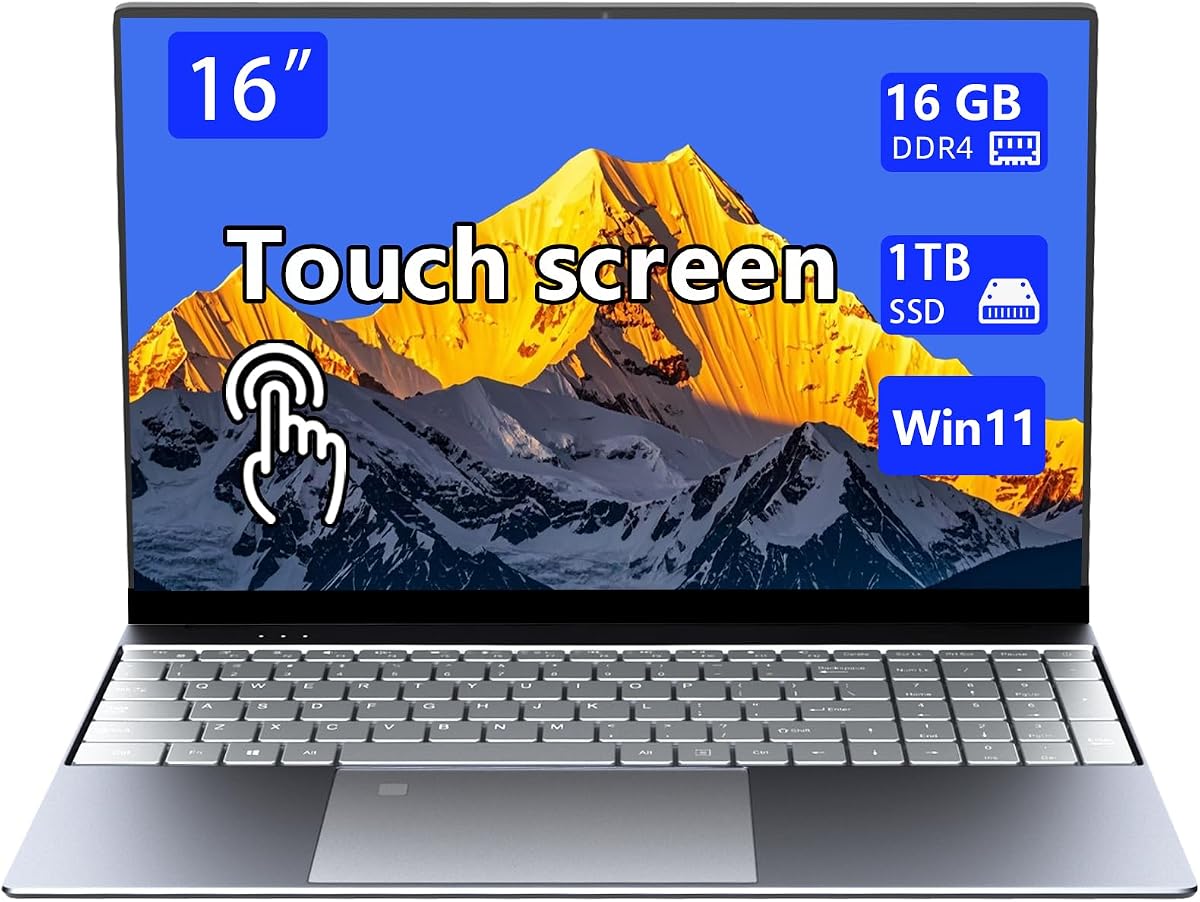
This model offers a metal body similar to the first pick but with different internal specs. It features 16GB DDR4 RAM and a 1TB SSD. The design emphasizes heat dissipation and durability compared to plastic alternatives.
We may earn a commission when you buy through this link, at no additional cost to you.
The N95 processor handles light to moderate tasks. It is suitable for office work and basic design. The touchscreen adds functionality, allowing you to interact with the screen directly. The 1920×1080 resolution is standard for this size.
The lower rating suggests potential quality inconsistencies. You should read recent reviews to ensure the unit you receive meets expectations. The 100% color gamut is a positive feature for visual work.
It is a viable option if you find a good deal. Ensure you check the return window carefully. It offers a large screen and storage for those needing basic productivity tools.
The 16-inch screen provides ample workspace. The color reproduction rate is high for realistic image viewing.
The metal body aids in dissipating heat effectively. This helps keep the system stable during operation.
We may earn a commission when you buy through this link, at no additional cost to you.
The HP Everyday Slim laptop is designed for simple portability and efficiency. It features a sleek design that blends modern style with durability. The Intel N150 CPU ensures basic tasks run smoothly without excessive power usage.
We may earn a commission when you buy through this link, at no additional cost to you.
Local storage is 128GB but includes 1TB OneDrive. This allows you to store files in the cloud. The battery life supports up to 12 hours of video playback. The True Vision camera ensures clear video calls.
It is perfect for students or casual users who need a second device. The inclusion of Office 365 adds significant value. The ports include USB-C and HDMI for easy connectivity to peripherals.
This laptop is best for those needing a travel companion. It prioritizes weight and battery life. Check if cloud storage meets your needs before buying to avoid space issues.
Microsoft Office 365 is included for word processing and spreadsheets. This makes it ready for work or school immediately.
Wi-Fi 6 ensures faster speeds on compatible networks. Bluetooth 5.4 connects peripherals with low latency.
We may earn a commission when you buy through this link, at no additional cost to you.
The Morostron laptop brings Core i7 performance to a metal chassis. It offers a 512GB SSD which is standard for this price range. The full metal body provides a high-quality touch and sturdy look.
We may earn a commission when you buy through this link, at no additional cost to you.
The display uses tempered glass for durability. It has a 16:10 aspect ratio which gives more vertical space for documents. Fingerprint recognition allows for quick and secure access to your Windows account.
While the Core i7-1065G7 is an older generation, it still handles multitasking well. It is suitable for business trips and travel. The backlit keyboard helps with typing in low-light conditions.
This is a solid option for those needing raw power on a budget. It may lack modern ports but offers essential ones. Verify the shipping weight if portability is a major concern for you.
The tempered glass panel resists scratches effectively. It ensures the screen remains clear over years of use.
The metal enclosure is thin and light. It looks professional in any business setting.
We may earn a commission when you buy through this link, at no additional cost to you.
The Dell 16-inch laptop features the AMD Ryzen 7 250 processor. This provides desktop-class power for video editing and rendering. The DDR5 RAM ensures faster data access compared to DDR4 systems.
We may earn a commission when you buy through this link, at no additional cost to you.
The display is a 16-inch FHD+ touchscreen. It offers 300-nit brightness for vibrant colors. The 16:10 aspect ratio gives more vertical space for productivity tasks like coding or spreadsheets.
It is lightweight for a 16-inch model. The backlit keyboard helps with typing comfort. It includes modern ports like USB-C with DisplayPort support. This makes it versatile for external monitors.
This premium option is for power users needing a portable workstation. It balances performance and mobility. Ensure you check storage expansion options if you need more than 256GB.
The 16:10 ratio offers 11% more space. This improves workflow for coding and design apps.
DDR5 RAM supports high bandwidth. It helps in smooth multitasking with many applications.
We may earn a commission when you buy through this link, at no additional cost to you.
The KONZID laptop offers a metal shell and 16GB RAM at a competitive price. The N95 processor handles daily tasks well. It includes 256GB SSD storage which ensures quick data transfers and loading times.
We may earn a commission when you buy through this link, at no additional cost to you.
The 15.6 FHD IPS screen is clear and sharp. It has narrow bezels which maximize screen real estate. Connectivity is rich with USB 3.2 and Type-C ports for versatile usage.
It is designed for students and business users who need reliability. The weight is low enough for carrying in a backpack. The machine testing ensures each unit functions correctly before shipment.
This is a practical choice for educational use. It balances performance and affordability. Check if the battery life meets your travel needs before finalizing the purchase.
The SSD offers transfer speeds up to 2.14GB/s. This makes opening files and booting the system fast.
It has multiple USB-C and HDMI ports. You can connect peripherals and displays easily.
We may earn a commission when you buy through this link, at no additional cost to you.
The FIREBAT laptop features a Ryzen7 H255 processor and 32GB DDR5 RAM. This configuration supports heavy multitasking and gaming. The all-metal ACD surfaces ensure durability and a premium feel.
We may earn a commission when you buy through this link, at no additional cost to you.
The WQXGA display offers high resolution. It is perfect for creative work and gaming. The 120Hz refresh rate ensures smooth visuals. The RGB backlit keyboard adds a cool touch to typing.
It has dual slots for memory and storage expansion. This future-proofs your investment. The 80Wh battery supports long sessions. It is robust enough for both work and play.
Ideal for professionals needing a workstation. It is heavy but powerful. Check the weight specifications if portability is critical for your daily commute.
The 2.5K display offers sharp detail. This enhances both creative and entertainment experiences.
Dual slots allow you to upgrade easily. You can add more storage or memory as needed.
We may earn a commission when you buy through this link, at no additional cost to you.
Choosing an all metal laptop involves considering build quality, performance specs, and display options.
An all metal laptop chassis provides superior durability compared to plastic. It resists scratches and offers better heat dissipation which keeps the system stable. Look for models that specify aluminum or magnesium alloy construction for premium feel.
Prioritize a sturdy metal body to ensure the device lasts longer and feels premium.
The processor determines how fast your laptop runs. For daily tasks, an Intel N150 or Celeron N95 is sufficient. For heavy workloads, look for Core i7 or Ryzen 7 options to ensure smooth multitasking.
Choose a processor that matches your workflow to avoid unnecessary costs.
Memory or RAM allows you to run multiple apps simultaneously. 8GB is the minimum standard but 16GB or 32GB offers better longevity. SSD storage ensures fast boot times and file access.
Opt for at least 16GB RAM and 512GB SSD for a balanced experience.
A high quality display improves your visual experience. Look for Full HD or higher resolution. OLED or IPS panels offer better colors and viewing angles. Touchscreen adds convenience for design work.
Select a display with good brightness and color accuracy.
Metal laptops are often heavier than plastic ones. If you travel frequently, check the weight and thickness. A lightweight design is essential for commuters or students carrying the device daily.
Balance the durability of metal with the weight you can carry.
Battery life affects how long you can work unplugged. Modern chips like Snapdragon X X1 offer exceptional efficiency. Aim for at least 8 hours of real world usage for all day productivity.
Prioritize models with high battery ratings for mobility.
Check the ports available on the laptop. USB-C and USB-A are essential. HDMI or DisplayPort helps with external monitors. Wi-Fi 6 ensures fast wireless speeds for modern networks.
Ensure the laptop has the ports you need without extra dongles.
A good warranty protects your investment. Look for 1 to 2 year coverage. Reliable customer support helps resolve issues quickly. Check if the brand has a dedicated support team.
Choose a brand with a strong warranty to reduce risk.
To maintain your metal laptop, keep it clean with a soft microfiber cloth. Avoid harsh chemicals that might damage the finish. Regular dusting helps prevent heat buildup from blocked vents.
Use a protective case when transporting the device. This prevents scratches on the metal body and protects against bumps. Place it in a padded sleeve within your backpack.
Ensure proper ventilation during heavy use. Avoid placing the laptop on soft surfaces like beds or pillows. This allows air to flow freely and keeps the internal temperature optimal.
All metal laptops offer superior durability and better heat dissipation. They provide a premium feel and resist scratches better than plastic. The metal chassis also protects internal components from damage effectively.
Yes metal is excellent at dissipating heat. It helps keep the processor cool during heavy tasks. This prevents thermal throttling and extends the lifespan of your device significantly.
Metal laptops can be heavier but modern designs are lightweight. Aluminum is strong yet light. Check the weight specifications if portability is your top priority before buying.
Processors like the Intel N150 or N95 are efficient for daily office work. They handle documents and browsing well without draining battery. For heavier tasks, a Core i7 is better.
At least 8GB of RAM is recommended for basic multitasking. For smooth switching between many apps 16GB is ideal. Professionals handling large files should consider 32GB for best performance.
A touchscreen adds convenience for design and navigation. It is optional depending on your workflow. If you prefer typing over touch, a standard display is sufficient.
Lower screen brightness and close unused apps to extend battery. Use power saver modes during travel. Ensure your charger is compatible to maintain battery health over time.
Most metal laptops support external monitors via HDMI or USB-C. Check the specific port types on your model. Connecting to larger screens enhances productivity for work or presentations.
We reviewed ten excellent metal laptops ranging from budget to premium. The HP OmniBook 3 offers the best balance of performance and battery. The Dell 16-inch provides top tier power for professionals.
When choosing, prioritize your specific needs like RAM and storage. A metal body ensures longevity but check the weight for portability. The right model depends on your daily tasks and budget.
Prices and availability change frequently so verify details before buying. Keep an eye on current deals to get the best value. Investing in a quality metal laptop pays off with long term use.