
MECCANIXITY Flat USB C Cable
5.0Editor score
Right angle connector design
Soft silicone material build
Compact 19.7 inch length
Flat USB C cables offer a unique solution for modern connectivity needs. Their slim profile allows them to fit into tight spaces where round cables fail. This makes them ideal for travel, security setups, and organized workspaces.
We evaluated ten top-rated options based on durability, speed, and design. Each product was analyzed for its build quality, connector type, and real-world performance. Our goal is to help you find the right fit for your specific setup.
Each pick highlights key strengths and potential limitations based on user feedback. Prices and availability can change quickly so check the links for current details. We focus on value and performance to ensure you get the best cable for your money.
5.0Editor score
4.6Editor score

4.4Editor score
As an Amazon Associate we earn from qualifying purchases.
This table provides a side-by-side view of the top ten flat USB C cables available today. Each entry highlights essential specifications to help you quickly compare performance and design features.


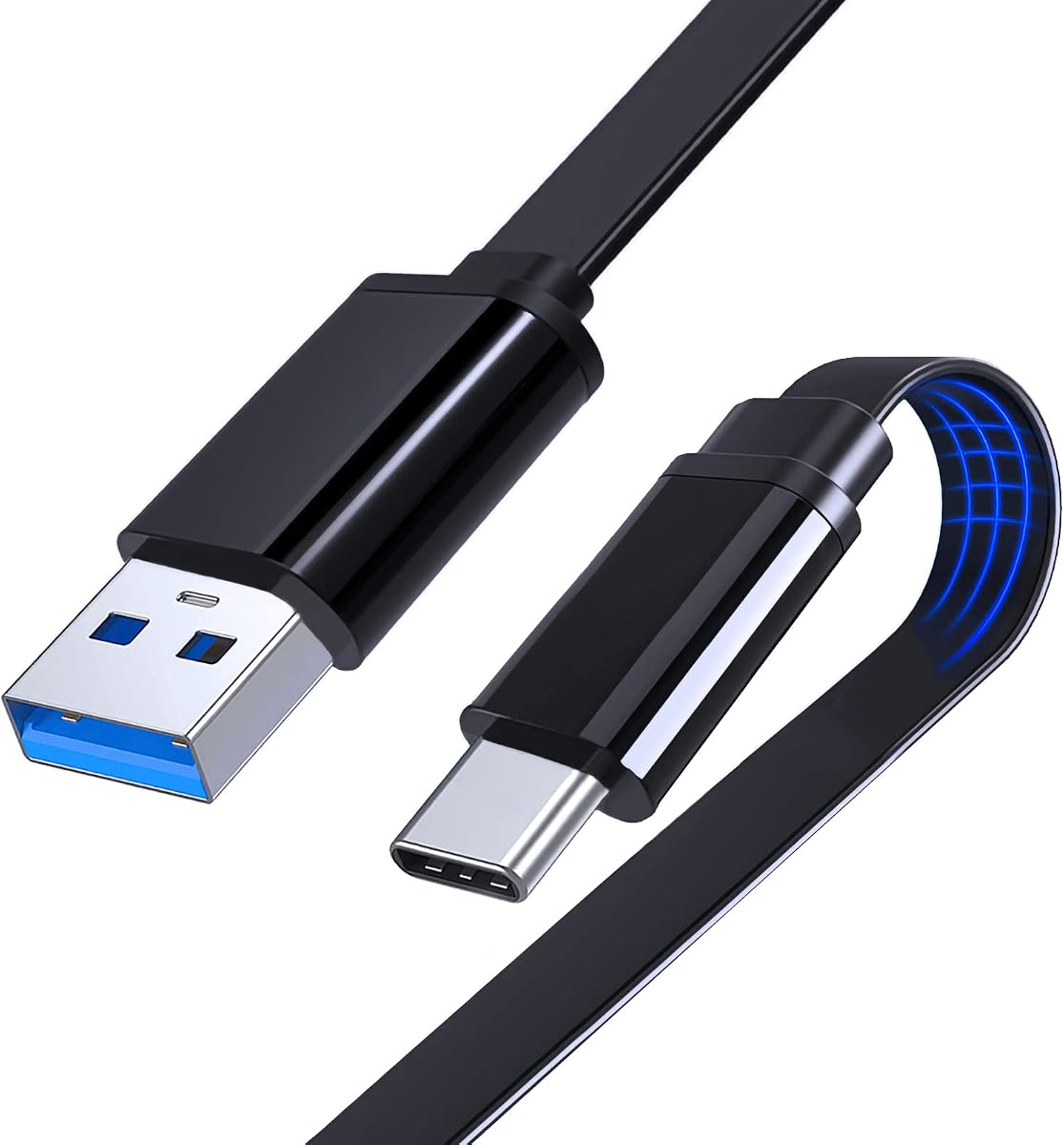
This cable stands out with its 10Gbps transfer speed and flat design. It receives high ratings for durability and performance in tight spaces. The intelligent chip ensures safe charging for your devices.
We may earn a commission when you buy through this link, at no additional cost to you.
The flat design resists tangling which is perfect for cars or desks. It supports Android Auto allowing you to charge and sync simultaneously. The 10Gbps speed makes data transfer quick and efficient.
While it lacks video support it excels at data and charging. The 3ft length may be short for some setups. However the build quality makes up for the limited reach.
Buy this if you need a fast reliable cable for driving. It is ideal for Android Auto users who value speed and reliability. The flat profile ensures it stays neat in any environment.
The 10Gbps speed ensures your files move quickly between devices. This is ideal for syncing large media libraries or backups efficiently.
Integrated smart chips protect your battery from voltage fluctuations. This feature extends the life of your phone or tablet while charging.
We may earn a commission when you buy through this link, at no additional cost to you.
This 2 pack offers exceptional length at 10 feet per cable. It is designed for setups requiring distance like security cameras. The flat design allows for easy mounting on walls.
We may earn a commission when you buy through this link, at no additional cost to you.
The included clips make installation neat and secure. It supports standard charging speeds suitable for most cameras and controllers. The white color blends well with light wall spaces.
You may find the power output limited for high demand devices. Data speeds are standard but sufficient for most tasks. The length is the primary benefit over shorter options.
Choose this for security cameras or hard to reach devices. The included clips save time and effort during setup. It keeps your room tidy by hiding cables effectively.
Nail in clips help you run cables along walls without damage. This keeps your space organized and protects the cable from wear.
Designed specifically for home security needs. The length ensures cameras can be placed far from power outlets without issues.
We may earn a commission when you buy through this link, at no additional cost to you.
This cable offers top tier performance with Thunderbolt 4 support. It handles high wattage charging and massive data transfer speeds. The flat design adds portability for travel and storage.
We may earn a commission when you buy through this link, at no additional cost to you.
With 40Gbps speeds you can transfer files almost instantly. The 240W power delivery ensures even laptops charge fast. It also supports 8K video for external displays.
You need compatible ports to use these high speeds. The price is higher than basic cables but worth it for power users. Not all devices will utilize the full potential.
Buy this if you need speed for video or large files. It is perfect for creators who use external drives and monitors. The flat profile makes it easy to pack in a bag.
Thunderbolt 4 allows for massive bandwidth. This ensures your video edits and backups run without lag or delays.
Supports 8K video streaming for high resolution displays. This makes it ideal for connecting to modern monitors or TVs.
We may earn a commission when you buy through this link, at no additional cost to you.
This cable features a 90 degree port to reduce strain. It is designed to protect the USB C port on your device. The 60W delivery is suitable for most smartphones and tablets.
We may earn a commission when you buy through this link, at no additional cost to you.
The angled connector makes it easier to plug in devices. You can hold your phone comfortably while charging without stress. It offers a balance of speed and ergonomic design.
You may find the angled end less universal. Some cases might block the angle making insertion difficult. The cable is not fully flat but still durable.
Choose this if you charge your phone frequently. The angle reduces wear on the port over time. It is a practical choice for daily use and gaming.
The 90 degree design reduces stress on the cable joint. This prevents breakage and extends the life of your device port.
You can hold your device naturally while plugged in. This is helpful for gaming or watching videos on the go.
We may earn a commission when you buy through this link, at no additional cost to you.
This cable is designed for portability with a 3.3ft length. The right angle helps it fit snugly into tight pockets. It supports 60W fast charging for modern devices.
We may earn a commission when you buy through this link, at no additional cost to you.
The nylon braided exterior ensures durability against wear. It is a reliable option for daily charging needs. The right angle prevents bending at the connection point.
You will not find video support in this model. The short length may limit use at a desk. However it excels as a travel companion.
Pick this for a reliable travel charging solution. The build quality offers good protection against daily drops. It keeps your bag organized without bulk or tangles.
The short length makes it easy to carry anywhere. It fits neatly into bags without taking up much space.
Nylon braiding resists fraying and daily wear. This ensures the cable lasts through frequent use and travel.
We may earn a commission when you buy through this link, at no additional cost to you.
This cable offers a perfect balance of price and quality. The silicone material feels soft and resists tangling effectively. It is highly rated for reliability and ease of use.
We may earn a commission when you buy through this link, at no additional cost to you.
The right angle connector helps save space on your desk. It is short enough to fit in small bags easily. The flat design ensures it stays tidy and organized.
You might find the length limiting for some setups. The power output is standard but not the highest available. This is best for basic charging needs.
Choose this for a simple and affordable option. It is ideal for users who want a reliable cable without cost. The soft build makes it pleasant to handle daily.
Silicone resists tangling and feels comfortable in hand. This makes it easy to coil and store in any bag.
The right angle allows for efficient use of space. It fits well on crowded desks without causing interference.
We may earn a commission when you buy through this link, at no additional cost to you.
This cable connects USB C devices to older USB A ports. It provides strong 3A charging power for quick energy. The flat design is durable and resists kinking over time.
We may earn a commission when you buy through this link, at no additional cost to you.
The reversible connector ensures easy plugging every time. The 6ft length offers flexibility for various setups. It works well with older chargers and laptops.
You will need to find a USB A source. It does not support video output for external displays. This is ideal for charging and basic data sync.
Buy this if you have older chargers or laptops. It bridges the gap between modern and legacy ports. The strong charging speed keeps your device ready to go.
Delivers 3 amps for faster charging on supported devices. This ensures your phone charges up quickly even with older chargers.
Connects to older USB A ports easily. This extends the life of your existing chargers and hubs.
We may earn a commission when you buy through this link, at no additional cost to you.
This cable is ultra short and perfect for tight spaces. The dual angled ends allow for a clean connection. It supports 65W fast charging for efficient power delivery.
We may earn a commission when you buy through this link, at no additional cost to you.
The slim profile helps it hide in backpacks easily. It is designed for users who need portability above all. The angled design prevents strain at the connector.
You cannot use this for long distance needs. It is too short for connecting to distant power sources. This is best for on the go charging.
Choose this if you need a compact travel charger. The angled ends reduce bulk and improve grip. It keeps your tech setup neat and organized.
The 15cm length makes it incredibly portable. It fits in pockets and bags without adding bulk or weight.
Both ends are angled for a clean fit. This reduces stress on the ports and improves usability.
We may earn a commission when you buy through this link, at no additional cost to you.
This cable uses soft TPE material for flexibility. The flat design prevents it from tangling in bags. It supports 65W charging for efficient and safe power delivery.
We may earn a commission when you buy through this link, at no additional cost to you.
The 90 degree connector helps save space. It keeps your desk area neat and organized. The soft material feels durable yet gentle on surfaces.
You may find the length limiting for some setups. It is best for direct connections to power banks. It lacks video support but excels at data and power.
Choose this for a soft and flexible option. The TPE material ensures easy handling and comfort. It is a reliable choice for daily charging needs.
Made from high quality TPE for flexibility. This ensures the cable is durable and comfortable to handle.
The 90 degree connector reduces bulk on desks. It helps keep your workspace tidy and organized.
We may earn a commission when you buy through this link, at no additional cost to you.
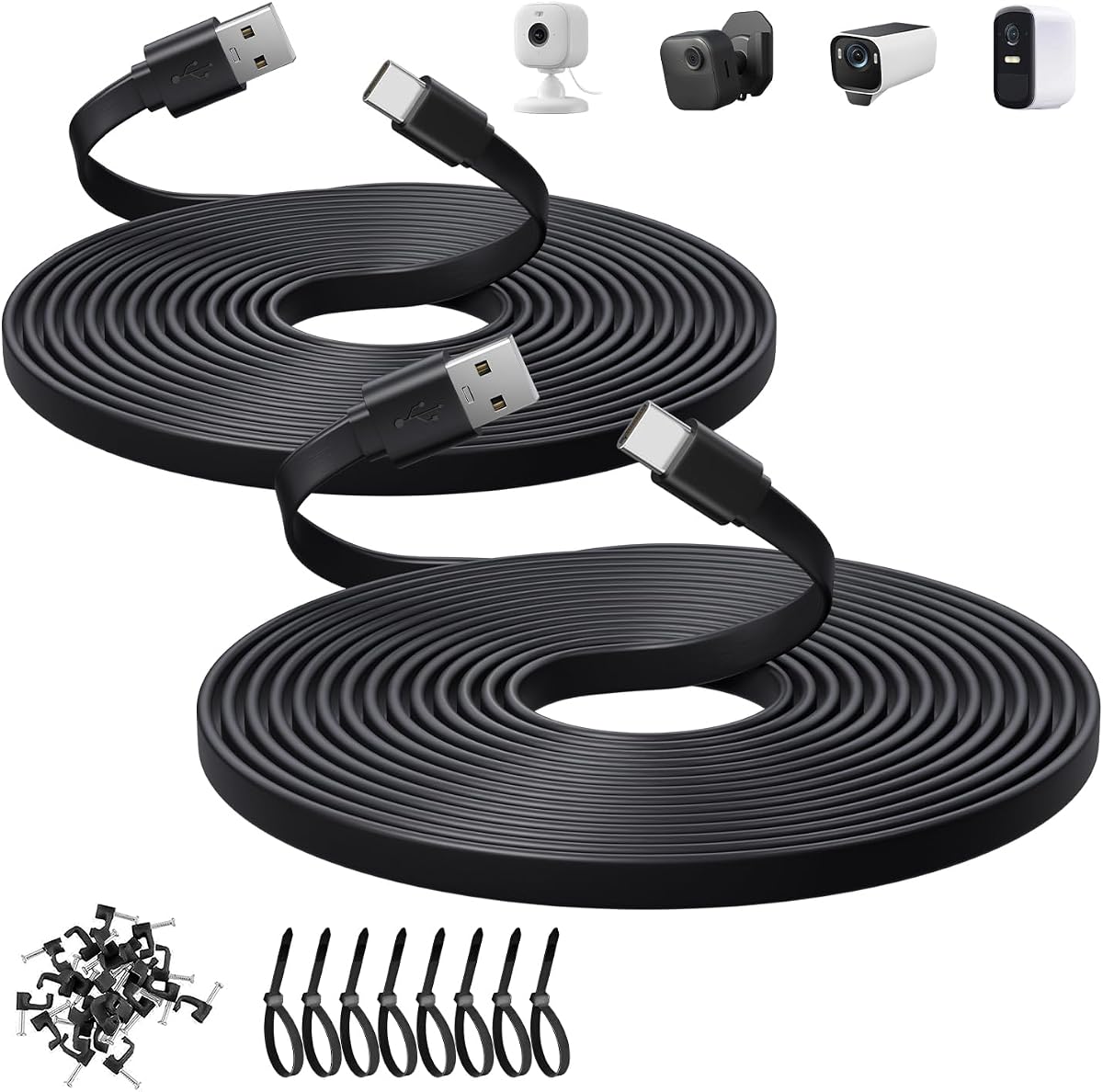
This 2 pack is designed specifically for home cameras. The 10ft length allows for flexible placement options. It includes ties for neat installation along walls.
We may earn a commission when you buy through this link, at no additional cost to you.
The flat design helps hide cables discreetly. It supports standard charging for most security models. The ties make it easy to route cables cleanly.
You will not find video support in this model. It is for power delivery to devices only. This is ideal for securing your home setup.
Choose this for your home security system. The ties save you from buying extra clips. It keeps your cameras powered and your space tidy.
Designed for cameras like Blink and Ring. The length ensures you can reach distant corners easily.
Cable ties are included for easy mounting. This saves time and ensures a professional looking setup.
We may earn a commission when you buy through this link, at no additional cost to you.
Choosing the right flat USB C cable depends on your specific needs. This guide helps you prioritize features like length and speed for your setup.
Ensure the cable matches your device and power source. USB to to USB C is common for newer devices but USB A works for older chargers. Always check both ends before buying.
Match the connectors to your devices and power sources for reliable use.
Length determines how flexible your setup can be. Short cables work for travel while long ones suit security or desk setups. Measure your space before choosing a specific length.
Pick a length that fits your space without stretching or coiling.
If you transfer large files look for 10Gbps or Thunderbolt. Standard USB 2.0 is fine for charging but not for speed. Check your computer or phone capabilities first.
Higher data speeds reduce wait times when syncing files.
High wattage cables charge laptops faster than standard ones. Look for 60W or more for modern laptops. Phones typically need less but higher is still safe for use.
Choose higher wattage for laptops to ensure fast charging.
Flat cables resist tangling better than round ones. Nylon braided or silicone covers add extra protection against wear. Look for bend test counts when comparing options.
Durable materials extend the life of your cable.
Some cables support video output for external screens. Others are for charging and data only. Verify if you need 4K or 8K support before buying.
Only buy video capable cables if you need external displays.
Silicone offers flexibility while nylon offers strength. TPE is soft but less tough than braided options. Choose based on your preference for comfort or rigidity.
Select material based on how you will use and store it.
Flat cables vary by features and brand quality. Basic options are cheaper but premium ones offer speed. Balance your budget with the performance you need.
Invest in quality if speed and longevity are important.
Connect one end to your device and the other to a power source. Ensure the connectors are clean before plugging to avoid issues. Check that the port matches the cable type.
Avoid bending the cable sharply at the connector points. This helps prevent internal wire damage over time. Use clips or ties to manage slack on your desk.
Store the cable loosely coiled when not in use. Do not wrap it tightly around a power brick. This preserves the flat profile and extends its lifespan.
Flat cables resist tangling and save space in bags. They are easier to route along walls or desks. However round cables may offer slightly better flexibility in some cases.
Not all flat cables support video. Only Thunderbolt or USB 4 models offer this feature. Check the specs for display support before buying.
Store it loosely coiled or use a tie. The flat design helps reduce knots but proper storage is best. Avoid wrapping it around objects tightly.
USB 3.1 offers up to 10Gbps speeds. USB 4 supports up to 40Gbps and more power. USB 4 is faster and supports video better.
Flat cables are generally durable if made well. Silicone or braided covers protect against wear. They handle bending better than standard round cables.
Yes many support fast charging protocols. Look for 60W or higher ratings for laptops. Ensure your charger matches the cable for max speed.
A 6 foot cable is ideal for most desks. It provides enough slack without clutter. Measure your outlet distance to be sure.
Use a dry cloth or a soft brush to remove dust. Avoid liquids that can damage the metal contacts. Clean regularly to ensure good connections.
We reviewed ten options ranging from budget to premium. The top picks cover speed, length, and design needs. Each cable offers unique benefits for different setups.
Prioritize speed if you transfer large files often. If you need travel convenience choose a short flexible model. Match the cable to your specific device needs.
Prices and stock change frequently so check the links. Verify current details before making your final decision. This ensures you get the best value for your needs.