
Moread 4K DisplayPort to HDMI Adapter
4.6Editor score
Compact lightweight design
Gold plated connectors
Five year warranty
This guide compares the top HDMI to Displayport converters for gaming and work, detailing specs, compatibility, and performance to help you choose the right
Finding the right adapter is crucial for connecting modern devices to older monitors or vice versa. A high-quality converter ensures stable signals and crisp visuals without frustrating interruptions during important tasks or gaming sessions.
We evaluated ten leading HDMI to Displayport converters based on resolution support, build quality, and user feedback. Each model offers unique features ranging from passive simplicity to active power-assisted high refresh rates.
Every pick highlights key strengths and potential limitations to guide your decision. Note that availability and specific pricing may vary over time, so check current listings before purchasing to ensure you get the best value available.
4.6Editor score

4.4Editor score

4.3Editor score
This table provides a side-by-side view of the top ten converters to help you quickly compare resolution limits, directionality, and key features before making your final purchase decision.



The Highwings adapter offers a straightforward solution for connecting DisplayPort computers to HDMI displays. It supports resolutions up to 4K at 30Hz and is designed for passive signal conversion without external power.
We may earn a commission when you buy through this link, at no additional cost to you.
Its construction features military grade tensile nylon which ensures durability over time. The 24K gold plated ports help resist corrosion and maintain signal integrity during regular use.
While it handles standard office tasks well, it does not support high refresh rates needed for gaming. Additionally, note that dock stations and monitors without data output are not compatible with this unit.
This adapter is best suited for users needing a simple connection between a laptop and a monitor for everyday work. Its passive nature makes it cost effective for non demanding scenarios.
The military grade nylon construction withstands frequent flexing, ensuring a long lifespan for daily connections.
Users can expect synchronized high definition audio and video for a seamless streaming experience on large screens.
We may earn a commission when you buy through this link, at no additional cost to you.
This BENFEI adapter is a compact solution designed for presentations and desktop extensions. It connects DisplayPort sources to HDMI displays with a lightweight profile that fits easily in a pocket.
We may earn a commission when you buy through this link, at no additional cost to you.
The built-in IC chip ensures stable signal conversion while gold plated connectors resist wear. The latched DisplayPort connector provides a secure mechanical lock to prevent accidental disconnections during use.
Performance is solid for standard resolutions like 1080p and 4K at 30Hz. However, it lacks support for high refresh rates which may limit its appeal for gaming enthusiasts.
Ideal for business travelers or office workers, this adapter offers reliable performance in a small form factor. The included warranty adds extra peace of mind for your purchase.
Latches on the DisplayPort side lock the adapter firmly in place to avoid signal drops during presentations.
Its lightweight and compact build makes it easy to carry for on the go presentations or travel setups.
We may earn a commission when you buy through this link, at no additional cost to you.
The Cable Matters adapter is an active converter designed to bridge HDMI sources to DisplayPort monitors. This directionality is crucial for users who have older laptops or consoles with HDMI outputs needing DP inputs.
We may earn a commission when you buy through this link, at no additional cost to you.
It supports 4K at 30Hz and 1080p at 60Hz effectively. The included USB power cable ensures stable performance even when the HDMI source lacks sufficient power for the internal chip.
While it handles office work well, it is not designed for high refresh rate gaming or KVM switches. The sturdy housing and gold plated connectors provide a reliable connection for desktop workstations.
Choose this if you need to connect a console or old laptop to a modern DisplayPort monitor. The active power design makes it a versatile option for specific setups.
Active conversion allows connection from HDMI outputs to DisplayPort monitors, a rare and necessary capability.
A USB power cable is provided to guarantee stable signal transmission for high resolutions.
We may earn a commission when you buy through this link, at no additional cost to you.
The Answin adapter stands out by supporting high refresh rates like 4K at 60Hz and 144Hz at 1440p. It is specifically designed to connect HDMI sources like Xbox or PS5 to DisplayPort monitors.
We may earn a commission when you buy through this link, at no additional cost to you.
An active chip converts HDMI 2.0b signals to DisplayPort 1.4. A USB power cable is included to ensure the chip receives enough voltage for stable signal transmission at these higher rates.
Users note it offers a lag-free experience superior to wireless casting. However it cannot be used with VR headsets or hubs, and some consoles might default to lower resolutions.
This is the top choice for gamers needing to connect consoles to DisplayPort monitors. Its high refresh support delivers smooth visuals that passive adapters cannot match.
Support for 144Hz on 1440p displays ensures smooth gameplay for console users with high refresh monitors.
External USB power is necessary to drive the active conversion required for high resolution and refresh rates.
We may earn a commission when you buy through this link, at no additional cost to you.
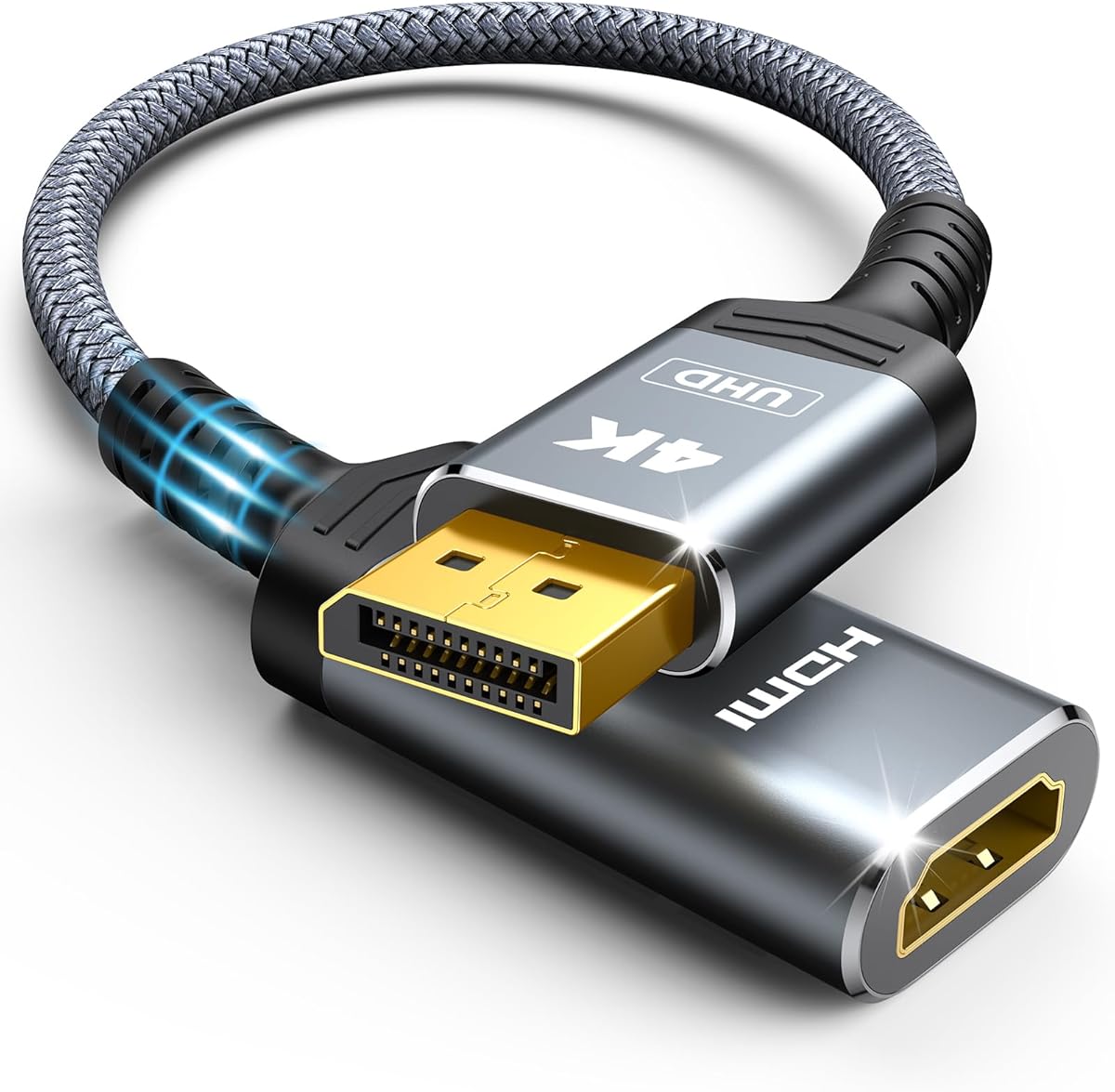
Moread delivers a cost effective passive adapter for connecting laptops to HDMI TVs or monitors. It supports up to 4K at 30Hz and includes gold plated connectors for better signal integrity.
We may earn a commission when you buy through this link, at no additional cost to you.
The compact design is easy to carry and the locking latches prevent accidental disconnections. It is built for daily office use or presentations where budget is a priority.
While it is reliable for standard resolutions it does not support high refresh rates. Also it works with docking stations that have DP dual mode only, limiting some specific setups.
Best for users seeking a simple cheap solution for DisplayPort to HDMI. The five year warranty is a strong selling point for long term peace of mind.
A five year unconditional warranty protects your purchase from defects and ensures reliable support.
The locking mechanism on the connector ensures the adapter stays plugged in during presentations.
We may earn a commission when you buy through this link, at no additional cost to you.
This adapter allows HDMI sources to connect to DisplayPort monitors at up to 4K at 60Hz. It uses active technology with a one piece aluminum housing for durability and heat dissipation.
We may earn a commission when you buy through this link, at no additional cost to you.
Gold plated connectors and multi layer shielding help minimize signal loss. The plug and play design requires no software installation making it easy to set up quickly.
It is compatible with many consoles but may not support 1440p at 144Hz. Also it does not work with VR headsets which limits some specific use cases.
Ideal for connecting game consoles to monitors with DisplayPort inputs. The build quality is robust enough to handle daily use without degradation over time.
The aluminum housing helps keep internal components cool during high bandwidth data transmission.
Gold plating and shielding ensure clear audio and video transmission with minimal interference.
We may earn a commission when you buy through this link, at no additional cost to you.
UGREEN offers a convenient two pack of passive adapters for connecting DP sources to HDMI displays. The aluminum housing provides durability and better heat dissipation than plastic alternatives.
We may earn a commission when you buy through this link, at no additional cost to you.
They support 4K at 30Hz and 1080p at 120Hz. The no buckle design protects the ports from damage when plugging and unplugging devices frequently.
These are perfect for households with multiple devices needing similar connections. However they are not compatible with HDMI sources or high refresh rate gaming setups.
A great value for users needing extra ports for presentations or multi monitor setups. The two pack ensures you have a backup handy for on the go needs.
Having two adapters allows you to set up multiple displays without buying separate units.
The design lacks protruding latches that can snap off, extending the lifespan of the unit.
We may earn a commission when you buy through this link, at no additional cost to you.
This short adapter connects a DisplayPort source to an HDMI display with a flexible braided cable. The short length makes it ideal for tight spaces where long cables are cumbersome.
We may earn a commission when you buy through this link, at no additional cost to you.
Support for 1080p at 120Hz allows for smoother motion in supported setups. The aluminum housing and shielding ensure stable signal transmission without degradation.
The strain relief prevents damage to ports from repeated plugging. However the short length may not be suitable for setups requiring distance between source and display.
Best for desktop users needing a tidy connection close to the PC. Its build quality ensures reliability for everyday office work.
The braided sheath adds durability and flexibility allowing for easy routing in cramped desks.
The short length reduces cable clutter for a cleaner workspace appearance.
We may earn a commission when you buy through this link, at no additional cost to you.
This premium adapter supports HDMI sources up to 144Hz at 2K resolution. It is designed for users needing high performance connections for gaming or smooth video playback.
We may earn a commission when you buy through this link, at no additional cost to you.
The braided nylon cable is durable and the aluminum casing protects against heat. External USB power is required for stable performance at these high refresh rates.
It supports 8 channel digital audio making it suitable for immersive sound setups. The build quality is robust ensuring reliability for demanding daily use.
Ideal for gamers who need to connect consoles to high refresh DisplayPort monitors. Its performance justifies the cost for users prioritizing smooth visuals.
Support for 144Hz on 2K ensures ultra smooth motion for competitive gaming on consoles.
Aluminum casing and braided cable ensure long term durability and better heat management.
We may earn a commission when you buy through this link, at no additional cost to you.
A compact and portable HDMI to DisplayPort adapter for connecting laptops or consoles to monitors. It supports up to 4K at 60Hz and 144Hz at 2K for smoother motion.
We may earn a commission when you buy through this link, at no additional cost to you.
The built-in chip ensures stability during use. The compact design makes it easy to carry in a bag for presentations or travel.
It supports high refresh rates but cannot improve native game resolution. External power is required for stable performance at maximum settings.
Good for travelers needing reliable high refresh connections on the go. Its small size makes it a versatile option for various HDMI source setups.
Small size fits easily in a pocket allowing for quick presentations anywhere.
Support for 144Hz ensures smooth video and gaming playback without stutter.
We may earn a commission when you buy through this link, at no additional cost to you.
Choosing the right converter depends on your specific needs for resolution, directionality, and device compatibility. This guide covers essential factors to help you select the most suitable adapter.
Most adapters are uni-directional meaning they only work one way. Ensure you buy an HDMI to DisplayPort adapter if connecting an HDMI source to a DisplayPort monitor or vice versa. Mixing these up is a common source of confusion and return requests.
Check your device ports carefully before purchasing. If your source is HDMI and monitor is DisplayPort you need an active converter. If source is DisplayPort and monitor is HDMI a passive adapter suffices.
Passive adapters typically support up to 4K at 30Hz while active ones can support 4K at 60Hz or higher refresh rates. Gamers requiring high refresh rates like 144Hz need an active adapter with sufficient bandwidth.
Match the adapter specs to your monitor capabilities. Buying a lower spec adapter will bottleneck your display quality regardless of how powerful your source device is.
Active adapters often require external USB power to function correctly at higher resolutions. Without it signals may flicker or disconnect randomly. Passive adapters do not need extra power.
If you buy an active converter ensure you have a USB port available on your source device. This requirement adds slight complexity to setup but enables better performance.
Look for adapters with gold plated connectors and metal housing to prevent corrosion and heat buildup. Nylon braided cables offer better durability than standard plastic ones.
Sturdy construction ensures the adapter withstands frequent plugging and unplugging. A robust build also protects against accidental tugs or bends.
Not all adapters work with gaming consoles or VR headsets. Check product details for compatibility with your specific devices before buying to avoid returns.
Confirm that your device supports the necessary video mode like DisplayPort Alternate Mode. Incompatible hardware will simply show no signal regardless of adapter quality.
Most converters pass audio through without issues but some older or cheaper units may lose sound. Check specs to confirm multi-channel audio support if you need surround sound.
Digital audio formats like 7.1 or 5.1 are supported by modern adapters. Verify this if you use the display for movies or immersive gaming.
Many reliable brands offer warranties ranging from 18 months to 5 years. A longer warranty period indicates confidence in build quality and reliability.
Warranty coverage saves you money if the adapter fails prematurely. Always check the terms to see what is covered under service claims.
Budget adapters work fine for basic office tasks but high refresh gaming demands better specs. Balance your needs with what you are willing to pay for stable performance.
Avoid ultra cheap options that cut corners on shielding. Investing slightly more often means longer lifespan and fewer connection issues over time.
Connect the adapter to your source device port first ensuring the latches click into place. Then plug the HDMI or DisplayPort cable into the adapter and connect the other end to your monitor.
For active adapters plug the included USB power cable into a USB port on your device to supply necessary energy. This ensures stable signal transmission especially at higher resolutions.
Avoid bending cables sharply or placing heavy objects on the adapter to maintain internal wiring. Store it in a protective case when not in use to prevent dust accumulation or damage.
Passive adapters are designed for standard resolutions and typically max out at 4K at 30Hz. They are not suitable for high refresh rate gaming. For 144Hz you need an active adapter with external power.
This could be due to incompatible directionality or insufficient power. Ensure you are using an HDMI to DP converter if connecting HDMI source to DP monitor. Also check that USB power is connected if required.
Only active HDMI to DisplayPort adapters work with gaming consoles like Xbox or PS5. Passive DP to HDMI adapters do not work with consoles because the signal direction is wrong.
Passive adapters work with DisplayPort sources needing no extra power. Active adapters convert HDMI signals to DisplayPort and usually require USB power to function correctly.
Yes but each external monitor requires its own adapter. Ensure your computer supports multiple displays and has enough available ports or docks for all connections.
MacBooks with Thunderbolt 3 ports can work but check for DP Alternate Mode support. Some older MacBooks may not support the necessary signal output for specific adapters.
Whether you need a budget friendly passive adapter or an active unit for gaming choosing the right converter ensures seamless visual experiences across different devices.
Prioritize directionality and refresh rate support to match your setup needs. Active adapters offer more flexibility for high performance demands while passive ones serve basic office tasks well.
Always verify current compatibility and pricing before purchase to ensure the adapter suits your specific devices. With the right choice you can extend your workstation or gaming setup effortlessly.