
Lcssio 300W Charging Station for Multiple Devices, 8 Port Fast Charger
4.5Editor score
300W total output
Eight charging ports
Sturdy organizer design
Discover the top Charging Dock for Multiple Apple Devices ranked by performance compatibility and design to help you choose the right power hub for your tech
Finding the right charging dock for multiple Apple devices can transform your daily routine by reducing cable clutter and ensuring all your gadgets stay powered up efficiently throughout the day.
We evaluated ten leading models based on charging speed safety features design flexibility and overall user satisfaction to bring you a comprehensive list that covers diverse needs and budgets.
Each pick highlights key strengths and potential limitations so you can make an informed decision while keeping in mind that product availability and pricing may vary over time.
4.5Editor score

4.2Editor score
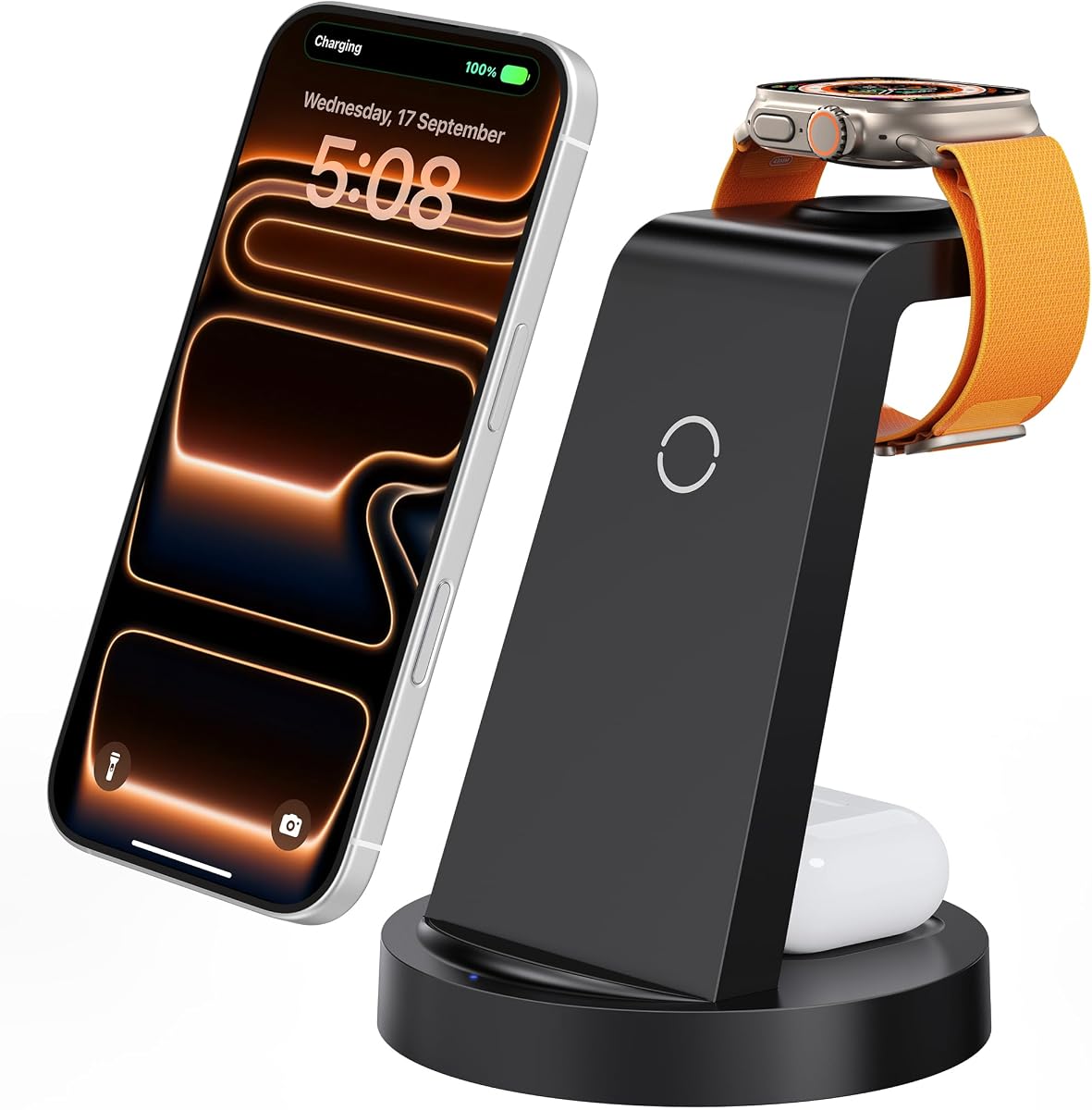
4.2Editor score
This side-by-side comparison highlights the unique strengths of each model to help you identify the perfect charging solution for your specific Apple ecosystem needs and workspace.
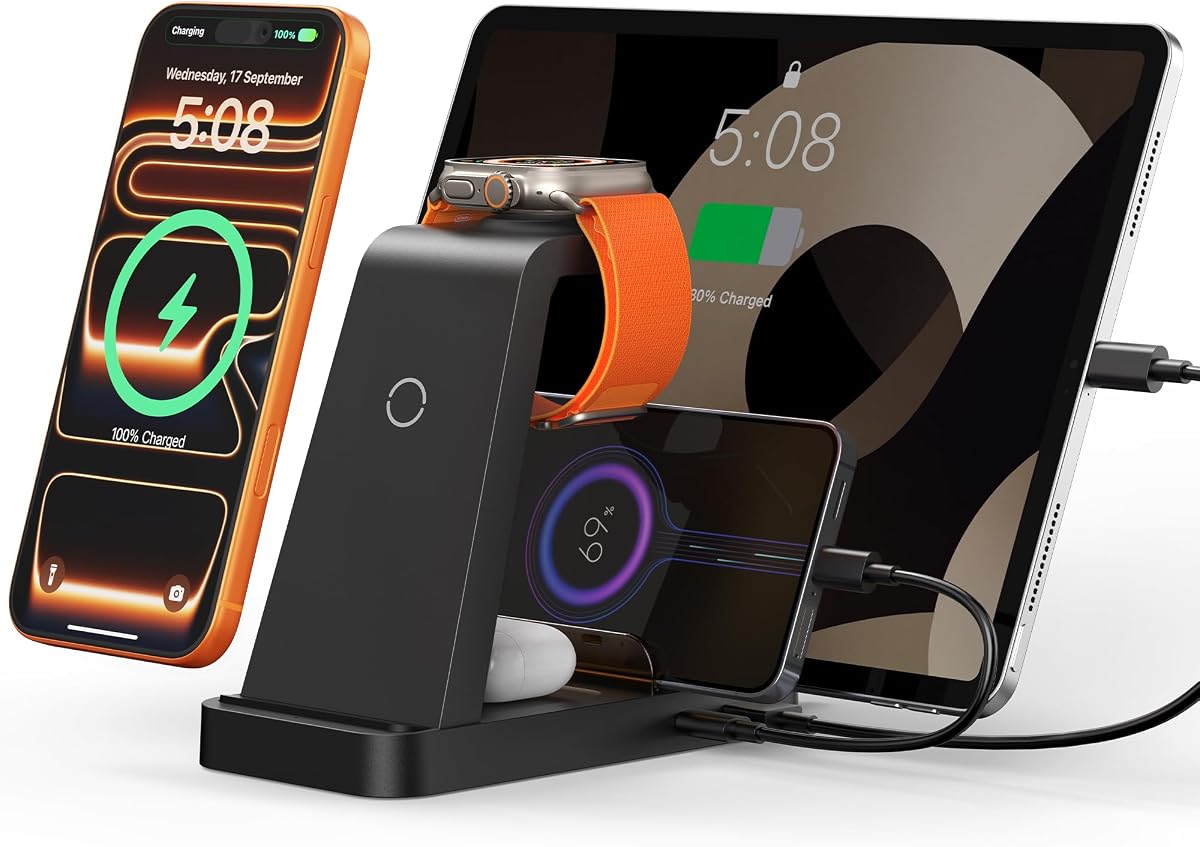


The GETPALS Wireless Charger iPhone Charging Station stands out as a top choice for users seeking a versatile dock that manages multiple Apple devices efficiently. With a rating of 4.2 stars from many verified buyers, it offers a balanced mix of speed convenience and safety that fits well on most desks or nightstands.
We may earn a commission when you buy through this link, at no additional cost to you.
Its three-in-one design allows simultaneous charging of iPhones Apple Watch and AirPods while its foldable lightweight build makes it easy to take on trips. The charger delivers 7.5W for phones 3W for earbuds and 2.5W for watches ensuring reliable power delivery for daily use without cluttering your space.
While it does not feature MagSafe alignment which may limit compatibility with certain cases it compensates with robust safety features like overcurrent and overheating protection. The non-slip surface and clear LED indicators provide peace of mind and easy visibility of charging status during the day or night.
This model is ideal for travelers or those with compact spaces who need a reliable all-in-one solution for their Apple gear. Its thoughtful design and strong safety record make it a dependable accessory worth considering for anyone looking to simplify their charging routine.
The foldable design ensures the charger fits easily into bags making it a perfect companion for business trips or vacations.
Built-in protections guard against electrical surges and heat helping to protect your valuable devices from potential damage.
We may earn a commission when you buy through this link, at no additional cost to you.
The Wireless Charger for iPhone 5 in 1 Charging Station offers a robust solution for families or power users who need to charge multiple gadgets at once. It holds a strong 4.3 star rating and supports a wide range of devices including iPhones Apple Watch and even iPads with included cables.
We may earn a commission when you buy through this link, at no additional cost to you.
Its 36W fast charging adapter ensures devices get power quickly while the organized partitions keep everything tidy. The FCC certification and multiple safety protections like overvoltage and temperature control give users confidence that their electronics are safe during long charging sessions.
One trade-off is the recommendation to remove phone cases for optimal charging which can be inconvenient for some. However the included cables and flexible port options allow you to charge other devices like Android phones or accessories making it a versatile hub for mixed tech setups.
This station is best suited for households with several Apple products and additional gadgets that need regular power. Its combination of speed safety and organizational features makes it a practical investment for anyone serious about keeping all their devices fully charged and ready.
Included Lightning and Type-C cables mean you do not need to hunt for extra wires to charge your iPad or Android devices.
Air vents and smart circuit design help dissipate heat quickly ensuring safe operation even when all five ports are in use.
We may earn a commission when you buy through this link, at no additional cost to you.
The 320W Charging Station with 10 ports is an powerhouse designed for offices or homes with many devices needing power simultaneously. With a 4.4 star rating it delivers exceptional speed with dedicated USB-C ports capable of fast charging laptops tablets and phones all at once.
We may earn a commission when you buy through this link, at no additional cost to you.
Its powerful output includes two 65W ports and three 30W PD USB-C ports ensuring high-demand devices like MacBooks charge efficiently. The smart chip automatically detects devices to adjust current safely while the flame-retardant ABS construction ensures durability and long-term safety for your electronics.
The anti-slip design and included cables add convenience though the unit is larger than typical nightstand docks. This size means it works best on desks or counters where space is available for a central charging hub rather than a bedside accessory.
Ideal for families or professionals with multiple laptops and phones this station eliminates outlet shortages and cable clutter. Its high wattage and robust build make it a top premium choice for those who need reliable high-speed charging for a wide array of technology.
The high wattage USB-C ports can handle laptops meaning you do not need separate wall adapters for your MacBook or Windows notebook.
Complimentary short cables in various types reduce clutter and let you start using the station right out of the box.
We may earn a commission when you buy through this link, at no additional cost to you.
The Acer Gadget 7-in-1 Wireless Charging Station brings added functionality with a smart clock and ambient lighting making it more than just a charger. It holds a 4.2 star rating and supports up to six devices including iPhone and Apple Watch with a sleek design suited for modern desks.
We may earn a commission when you buy through this link, at no additional cost to you.
Its Bluetooth time sync feature keeps the clock accurate via your phone while adjustable lighting lets you set the mood for your room. The 30W adapter supports fast simultaneous charging and the mix of wireless and wired ports offers flexibility for various accessories like power banks.
While the lighting and clock are convenient the requirement to remove thicker cases for charging can be a minor inconvenience. Additionally it does not support Samsung Watch which limits its ecosystem flexibility compared to all-Air options.
This dock is perfect for users who want a stylish all-in-one centerpiece for their nightstand or office desk. The blend of practical charging and aesthetic features like lighting and time display makes it a unique choice for those seeking both utility and design.
Customizable warm or cool lighting allows you to create a relaxing environment while your devices charge overnight.
Automatic synchronization via Bluetooth ensures your dock clock always shows the correct time without manual adjustments.
We may earn a commission when you buy through this link, at no additional cost to you.
The Anlmz 3 in 1 Charging Station delivers reliable performance at an affordable price making it an excellent entry point for Apple users. With a 4.2 star rating it charges iPhone Watch and AirPods simultaneously while keeping your space tidy with a single cable setup.
We may earn a commission when you buy through this link, at no additional cost to you.
Its smart chipset protects against overcharging and switches to trickle mode when full ensuring battery health is maintained. The soft blue LED indicator shows charging status without harsh light which is perfect for bedside use during sleep hours.
Since it is not MagSafe compatible users must center devices manually for charging. This is a reasonable trade-off given the lower cost and broad compatibility with most cases up to 5mm thick making it versatile for various phone models.
This station is ideal for students or those on a budget who need essential wireless charging without extra bells and whistles. Its compact size and safety features make it a sensible choice for anyone looking to declutter their nightstand without spending much.
Smart trickle charging mode helps extend your device's battery life by preventing overcharging when power is full.
The soft blue LED provides just enough visibility to check status without disrupting your rest during the night.
We may earn a commission when you buy through this link, at no additional cost to you.
The Charging Station for Apple Multiple Devices is designed with travelers in mind offering a foldable magnetic dock that packs small yet performs well. Its 4.2 star rating reflects satisfaction with its portable build and reliable charging for iPhone Watch and AirPods on the go.
We may earn a commission when you buy through this link, at no additional cost to you.
Magnetic alignment ensures your iPhone 12 and newer line up correctly for efficient charging without fumbling. The 180-degree foldable design lets you flip it into a phone stand for media viewing while it charges adding dual functionality to its travel-friendly profile.
Its safety certifications including FCC protection and temperature control give users confidence even in new environments like hotels. The single cable requirement keeps it simple though it is tailored specifically for Apple ecosystem devices rather than mixed tech.
This model is perfect for frequent flyers or commuters who need a reliable charger that fits in a bag. Its combination of magnetic convenience and compact design makes it a top pick for anyone prioritizing portability without sacrificing essential charging features.
Magnetic suction ensures your iPhone snaps into place for consistent charging speed and stable connection during use.
The ability to fold into a horizontal stand lets you watch videos or video call while charging without extra gear.
We may earn a commission when you buy through this link, at no additional cost to you.
The Lcssio 300W Charging Station offers powerful performance for households with many devices needing regular power. Its 4.5 star rating indicates high satisfaction with its speed and durability making it a reliable hub for families or shared workspaces.
We may earn a commission when you buy through this link, at no additional cost to you.
With 300W total output and dual 65W ports it can handle laptops like MacBooks alongside smartphones and tablets. The GaN technology ensures efficient charging with heat protection while the sturdy construction and wide slots accommodate devices with thick cases comfortably.
This unit lacks wireless charging which means all devices must connect via cable but this design prioritizes raw power and reliability. The anti-slip pads and compact footprint for a multi-port hub help keep desks tidy despite the number of connected gadgets.
Ideal for shared offices or family setups this station eliminates outlet chaos and keeps everyone connected. Its balance of high power and sturdy build makes it a strong choice for users who prioritize performance and longevity over wireless features.
Dual 65W ports ensure your laptop charges at full speed even when other devices are drawing power from the hub.
Extra-wide slots let you charge tablets or phones even with protective cases on without needing to remove them.
We may earn a commission when you buy through this link, at no additional cost to you.
The 600W Charging Station stands out with an impressive five-star rating for those who need to power a massive array of devices. It combines wireless charging for Apple products with ten USB ports to handle laptops phones and accessories in one sleek organizer.
We may earn a commission when you buy through this link, at no additional cost to you.
Its GaN 5 technology and 100W ports enable fast charging for demanding devices like MacBook Pros while wireless pads handle iPhones and Apple Watch. The compact design with non-slip base helps keep everything stable and organized on any desk or counter.
While it is among the most powerful units available the higher price and physical size may not suit everyone. The dual 100W ports ensure you can charge two laptops simultaneously which is a rare feature in home charging solutions.
This hub is best for power users or home offices where multiple high-demand devices run at once. Its robust performance and all-in-one design make it a top investment for those who want maximum flexibility and speed for their entire tech setup.
Latest GaN technology ensures high power output with reduced heat making long charging sessions safer for your electronics.
The LED indicator turns off after a few seconds so you are not disturbed by lights while charging overnight.
We may earn a commission when you buy through this link, at no additional cost to you.
The Anker MagGo 3-in-1 Charging Station delivers a premium MagSafe experience with official Apple Watch certification. It holds a 4.6 star rating for its fast wireless charging and reliable design that appeals to users invested in the Apple ecosystem.
We may earn a commission when you buy through this link, at no additional cost to you.
With 15W Qi2 charging your iPhone gets a rapid boost while the Apple Watch charges fully in just over an hour thanks to official certification. The adjustable stand allows you to set your preferred angle for use in landscape mode for StandBy features.
The main trade-off is the higher cost compared to other options and its limit to three devices which may not suit larger setups. However the build quality and magnetic precision ensure your devices stay aligned securely during charging.
This dock is ideal for Mac users who want a seamless high-quality charging experience at home or in the office. Its combination of official certifications and thoughtful design features makes it a standout choice for quality-focused buyers.
Certified performance ensures your Apple Watch charges efficiently and safely without risking battery health over time.
Adjusting the angle up to 45 degrees lets you find the best view for media or reading while your phone charges.
We may earn a commission when you buy through this link, at no additional cost to you.
The 600W 3-in-1 Wireless Charger Stand with 12-port station is a massive hub for those with extensive tech needs. It earns a 4.2 star rating for its ability to power up to 15 devices simultaneously with strong safety features and a sleek look.
We may earn a commission when you buy through this link, at no additional cost to you.
Its GaN III tech ensures efficient charging with minimal heat while the extra-wide slots accommodate laptops and iPads with cases. The integrated wireless section charges iPhone Watch and AirPods with a soft LED that dims automatically to avoid light pollution at night.
The size and complexity make it more suited to desks than nightstands and it might be overkill for lighter users. However the power and slot design ensure you never run out of ports or worry about device size restrictions.
This model is perfect for families or professionals with many devices ranging from phones to large tablets. Its blend of power safety and spacious slots makes it a top option for those who need a central charging command center for all electronics.
Advanced GaN III chips keep temperatures low even when all ports are used ensuring long-term reliability.
Clean design fits well in home offices or hotels blending in without looking like a bulky electronic hub.
We may earn a commission when you buy through this link, at no additional cost to you.
Selecting the right charging dock involves balancing power capacity design and features to match your specific device needs and workspace.
Higher wattage ports like 65W or 100W ensure fast charging for laptops and tablets while more ports mean you can charge more devices simultaneously without outlet struggles.
Look for docks that match your device count and power needs so you avoid overloading a station or undercharging high-demand gadgets.
Wireless pads offer convenience for phones and watches while wired ports ensure reliability and speed for larger devices like tablets or laptops.
Choose a model that includes both types if you need to charge a mix of devices to get the best balance of speed and ease of use.
Foldable or compact designs are ideal for travel or small spaces while larger stations work better on desks where space is not limited.
Consider how you plan to use the dock at home or on the go to pick a form factor that suits your lifestyle and storage needs.
Safety certifications like FCC and protections against overcurrent and overheating are essential to protect your devices from electrical faults.
Always choose a dock with clear safety standards to ensure your expensive electronics are charged safely over the long term.
Check that the dock supports all your devices including iPhone models Apple Watch generations and any additional Android or accessory gear.
Compatibility details matter because some docks only work with certain device generations or require removal of cases to charge effectively.
Materials like flame-retardant ABS or sturdy slots ensure the dock lasts longer and protects your devices from scratches or falls.
A well-built station with anti-slip pads or solid construction will keep your setup stable and prevent damage during daily use.
Having necessary cables and adapters included saves time and money by letting you start using the dock immediately after purchase.
Verify what comes in the box so you do not end up buying extra adapters or cables that match the dock's specifications.
Extras like smart clocks ambient lighting or Bluetooth sync add convenience but may increase cost so decide if they are worth the price.
Focus on core charging performance first then consider extra features if they truly enhance your user experience without compromising reliability.
Start by plugging the dock into a reliable wall outlet and connecting the provided power adapter to ensure stable voltage for your devices.
Place your devices on the designated slots ensuring they are aligned properly especially for wireless chargers to achieve optimal charging speeds.
Keep the dock in a well-ventilated area and clean it occasionally with a dry cloth to prevent dust buildup that could affect performance.
Yes many higher-wattage docks with USB-C ports can charge laptops. Look for models with at least 65W ports to support most standard laptops.
Most docks work with thin cases but thicker cases or ones with metal rings may interfere. Check the dock's case thickness limits for best results.
Look for safety certifications like FCC and features like overcurrent and overheating protection. Reliable brands will list these clearly in product specs.
MagSafe docks provide magnetic alignment which ensures consistent charging speeds. Regular wireless ones work too but may require precise placement.
Foldable or compact models are best for travel. Ensure you have the right power adapter for international outlets if you plan to go abroad.
Slow charging may happen due to case interference thick cables or using a low-wattage adapter. Try removing the case or using the included adapter.
The GETPALS Lcssio and Anlmz models lead our list for balancing performance and affordability to suit different budgets and needs.
Prioritize safety features and power capacity based on how many devices you regularly charge to ensure long-term reliability and speed.
Always check current availability and product specs before purchasing since features and prices can change over time to meet new standards.