Gimbal Stabilizer for Smartphone
4.7Editor score
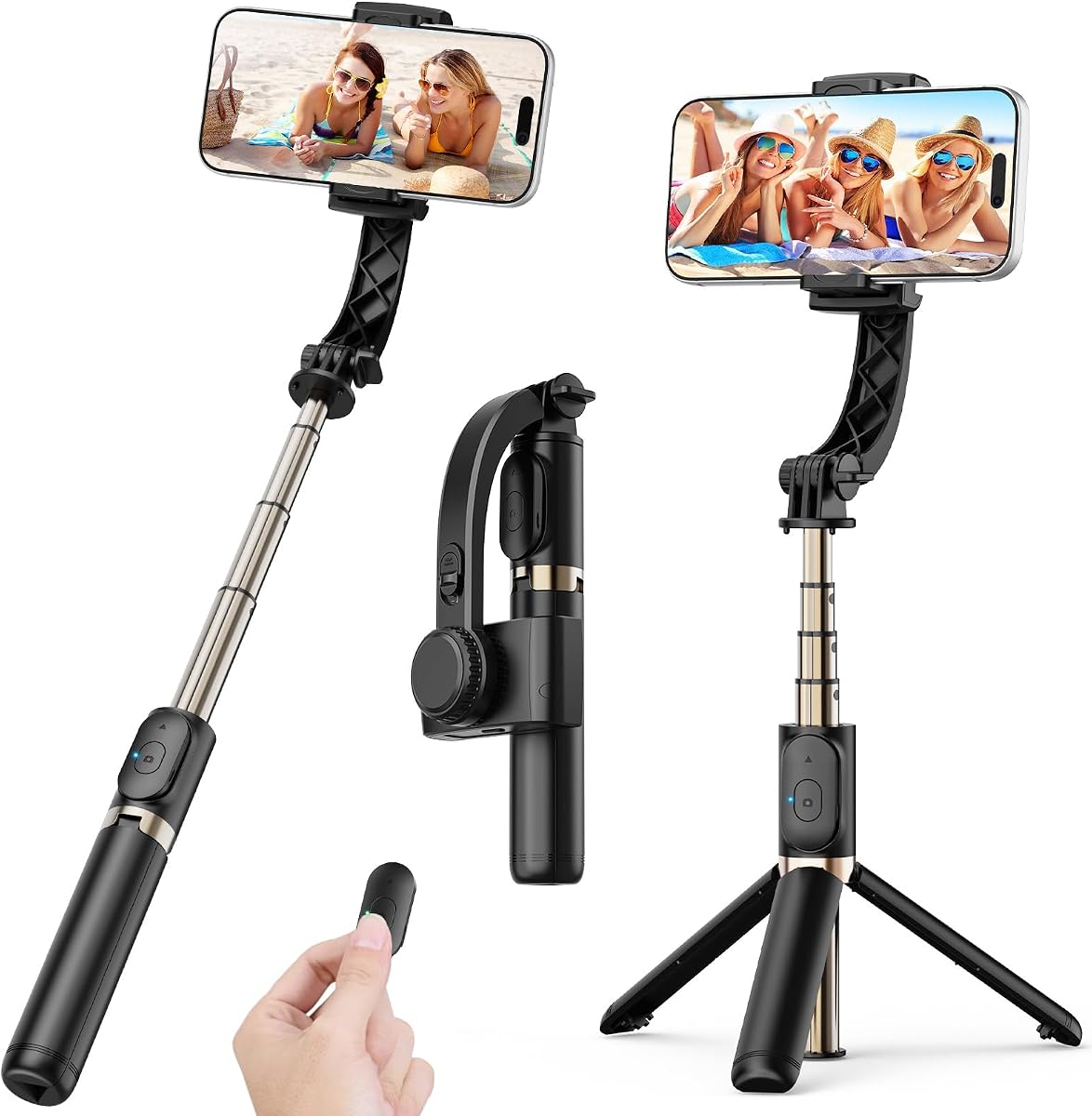
One-axis auto balance
Portable selfie stick design
Wireless remote included
Discover the top gimbal for beginners in October 2026. This guide compares ten stabilizers for smooth videos, easy setup, and creative features.
Creating smooth, professional-looking video starts with the right tool. A gimbal for beginners helps stabilize your phone or camera, eliminating shaky footage so your content looks polished and steady. Whether you are vlogging, traveling, or just capturing memories, the right stabilizer makes a huge difference.
We reviewed ten top-rated gimbals designed specifically for new users. Each option offers unique features like tracking, long battery life, and easy controls. Our comparison focuses on ease of use, stabilization quality, and value to help you find the perfect match for your creative goals.
Each pick in this guide highlights specific strengths and ideal use cases. You will see what makes each model stand out and who it suits best. Keep in mind that prices and availability can change, so check current details before making your final decision.
4.7Editor score

4.4Editor score

4.4Editor score
This side-by-side comparison highlights the key specifications and features of all ten gimbals. Use this table to quickly identify which model best fits your needs based on weight, stabilization type, and unique capabilities.



The DJI Osmo Mobile 7 stands out as the top choice for beginners seeking reliable performance. With robust three-axis stabilization, it delivers smooth footage that looks professional. Users appreciate its lightweight design and seamless integration with the DJI Mimo app.
We may earn a commission when you buy through this link, at no additional cost to you.
Its ActiveTrack 7.0 technology ensures subjects stay in focus during movement. The built-in tripod adds convenience for solo creators. ShotGuides and One-Tap Edit features simplify the editing process, making it ideal for content creators new to video production.
While the app requires downloading from the official website, the experience is smooth. Some users might prefer wireless setup, but the magnetic mount makes connection quick. The trade-off is minimal compared to the value offered.
This gimbal is perfect for daily vlogging, travel videos, and social media content. Its ease of use and high-quality stabilization make it a strong recommendation for anyone starting their journey.
Three-axis stabilization cancels out hand shakes for cinematic results.
Built-in editing features help you create professional videos quickly.
We may earn a commission when you buy through this link, at no additional cost to you.
This budget-friendly stabilizer offers exceptional value for beginners on a tight budget. Its one-axis auto balance reduces hand shake effectively for casual shots. Users love the simplicity of no-app operation and the included remote control.
We may earn a commission when you buy through this link, at no additional cost to you.
The extendable rod allows for creative angles and wide shots. It folds compactly for easy transport. The tripod mode is useful for hands-free recording. Despite the low price, it delivers reliable performance for basic needs.
The trade-off is the single-axis stabilization, which may not handle complex movements. However, for social media clips and simple vlogs, it is sufficient. The simplicity and low cost make it a strong contender.
Ideal for students or casual users wanting steady videos without spending much. It is a great entry-level tool to test the waters before investing in premium models.
One-button control and no app setup make it instantly usable.
Extendable rod and tripod mode add flexibility to your shots.
We may earn a commission when you buy through this link, at no additional cost to you.
The DJI Osmo Mobile 8 sets the standard for premium smartphone gimbals. With native tracking, audio, and lighting, it offers comprehensive tools for professional results. Users praise its seamless integration and high-quality build.
We may earn a commission when you buy through this link, at no additional cost to you.
The 360-degree pan rotation enables immersive shots. The extension rod and tripod enhance versatility. Charging your phone while filming is a practical bonus. Its stability and features justify the investment for serious creators.
The higher price may be a barrier for casual users. App availability requires visiting the website. However, the capabilities provided are unmatched in this category. It remains the top choice for those seeking the best.
Perfect for content creators who need advanced features like tracking and lighting. It delivers consistent, smooth footage and creative flexibility for any project.
Integrated lighting and audio support elevate production value easily.
Native tracking keeps your subject centered automatically.
We may earn a commission when you buy through this link, at no additional cost to you.
The hohem iSteady X3 SE offers a balanced mix of features and affordability. Its 11-hour battery life ensures uninterrupted shooting. The detachable remote control is ideal for group shots or solo travel.
We may earn a commission when you buy through this link, at no additional cost to you.
Three-axis stabilization handles movement smoothly. The Hohem Joy app provides creative modes like AI tracking and gesture control. It folds into a pocket-sized tool for easy transport.
While it is user-friendly, app integration might take time. However, the performance is solid for the price. The long battery and remote add significant value for daily use.
Suitable for vloggers and travelers needing reliability and convenience. It is a strong choice for those seeking a mid-range gimbal with practical features.
11-hour battery life keeps you filming all day without recharging.
Detachable remote allows control from up to 32 feet away.
We may earn a commission when you buy through this link, at no additional cost to you.
The DJI Osmo Mobile 7P builds on the Mobile 7 with enhanced tracking. Dual-lens technology improves subject tracking accuracy. The multifunctional module supports mic reception and lighting for advanced needs.
We may earn a commission when you buy through this link, at no additional cost to you.
Users appreciate the magnetic mount for quick setup. The extension rod enables creative angles. It offers the same smooth stabilization as its siblings. The advanced tracking is a major plus for dynamic shots.
The higher price and app requirements are considerations. Yet, for creators focused on tracking and stability, it is worth it. It bridges the gap between consumer and professional tools.
Ideal for vloggers needing precise subject tracking and extra features. It delivers premium performance in a compact form.
Two lenses on your phone ensure smarter and steadier tracking.
Built-in extension rod adds versatility to your shots.
We may earn a commission when you buy through this link, at no additional cost to you.
The AOCHUAN Smart XE brings advanced features to a budget price. Its three-axis stabilization delivers smooth footage. The 10-hour battery supports long shooting sessions. AI face tracking adds convenience.
We may earn a commission when you buy through this link, at no additional cost to you.
The focus wheel and zoom slide provide manual control. Switching between portrait and landscape is one-click. Users find it easy to use for TikTok and YouTube content.
Build quality is decent but may not match premium brands. App tutorials help new users. Overall, it offers great value for beginners wanting features without high costs.
Best for social media creators seeking affordability. It is a practical choice for those on a budget.
One-click button switches between horizontal and vertical shots.
10-hour battery life supports extended content creation sessions.
We may earn a commission when you buy through this link, at no additional cost to you.
The DJI RS 3 Mini is designed for mirrorless cameras, not just phones. It weighs only 795g yet handles up to 2 kg. Users value its professional-grade stabilization and intuitive touchscreen.
We may earn a commission when you buy through this link, at no additional cost to you.
Bluetooth shutter control simplifies photo and video capture. Vertical shooting mode suits social media needs. It requires the DJI Ronin app, which can be downloaded from the website.
Price and app requirements are considerations. But for camera users, it offers unmatched portability. It is a powerful tool for aspiring filmmakers.
Ideal for creators upgrading to mirrorless cameras. It delivers cinema-quality stabilization in a compact package.
Third-gen RS algorithm ensures pro-level stability even in complex shots.
1.4-inch color screen makes adjusting settings easy.
We may earn a commission when you buy through this link, at no additional cost to you.
The hohem iSteady Mobile Plus offers unique ultra-wide-angle mode. This feature helps avoid motor interference in shots. The 13-hour battery supports all-day use. It also charges your phone as a power bank.
We may earn a commission when you buy through this link, at no additional cost to you.
Enhanced iSteady 7.0 stability handles movement well. The Hohem Joy app includes creative templates. Users appreciate the ease of use for travel and daily recording.
App setup is required but manageable. The power bank function adds utility. It is a versatile tool for travelers and vloggers.
Perfect for those needing wide shots and long battery life. It delivers smooth performance with added convenience.
Four-trigger press activates ultra-wide mode for broader views.
Gimbal can charge your phone during long shoots.
We may earn a commission when you buy through this link, at no additional cost to you.
The FeiyuTech SCORP Mini 2 Kit supports mirrorless cameras and smartphones. It includes an AI tracker independent of the app. The 1.3-inch touch screen simplifies settings. A fill light enhances low-light shots.
We may earn a commission when you buy through this link, at no additional cost to you.
Users appreciate the multiple device support. The five-way joystick offers precise control. It comes with an extension rod and carrying case for convenience.
The setup may feel complex compared to simpler gimbals. Weight is also higher. However, its versatility is unmatched. It fits diverse shooting needs.
Ideal for creators using various devices. It delivers professional features and adaptability for advanced projects.
Built-in tracker operates without needing an app connection.
Fill light improves video quality in dim environments.
We may earn a commission when you buy through this link, at no additional cost to you.
The Hohem iSteady M6 Kit excels in lighting options. Its magnetic fill light supports cold, warm, and RGB modes. The OLED display shows all gimbal statuses. AI tracking works in all mobile apps.
We may earn a commission when you buy through this link, at no additional cost to you.
Users value the control wheel for focus and lighting adjustments. It delivers smooth footage with iSteady 7.0 stabilization. The design supports various smartphones easily.
Light controls may take time to master. But the flexibility is rewarding. It is ideal for creators focused on visual aesthetics.
Best for content creators needing precise lighting. It combines professional features with smartphone-friendly design.
Magnetic fill light offers cold, warm, and RGB options.
OLED screen shows battery and mode settings clearly.
We may earn a commission when you buy through this link, at no additional cost to you.
Selecting the right gimbal involves considering your device, shooting style, and budget. This guide outlines key factors to help you make an informed decision.
Three-axis gimbals provide the smoothest results by controlling all movement directions. One-axis models are simpler but may struggle with complex shots. For beginners seeking quality, three-axis is recommended.
Choose three-axis stabilization for the best results and future-proofing.
Ensure the gimbal supports your phone size and weight. Some models fit larger phones better. Check payload capacity if using a camera. Compatibility affects balance and performance.
Verify weight and size limits before buying to ensure stable operation.
Long battery life supports all-day shoots. Look for at least 10 hours. Power bank features are a bonus. Check charging times for convenience.
Aim for 10+ hours to avoid interruptions during filming.
Beginner-friendly controls are essential. Magnetic mounts simplify setup. One-button switches for orientation save time. Avoid overly complex interfaces.
Prioritize models with intuitive controls and quick setup.
Apps with creative modes enhance editing. Tracking and gesture control add value. Ensure app availability on your device. Some require downloads from websites.
Check app support and features that match your content needs.
Foldable designs fit easily in bags. Lightweight models reduce strain. Consider travel frequency. Compact tools are ideal for on-the-go creators.
Choose foldable and light options for maximum convenience.
Tripods, remotes, and cases add value. Extension rods enable unique angles. Check what comes in the box. Extras reduce the need for separate purchases.
Look for bundles with useful accessories to save money.
Determine your spending limit. Budget options offer basic stabilization. Premium models have advanced features. Balance needs against price for best value.
Invest in a model that fits your budget and goals.
Balance your device before starting. Place it in the clamp and adjust until motors are still. This ensures smooth operation and prevents strain.
Turn on the gimbal and select a mode. For beginners, start with standard stabilization. Experiment with tracking and creative modes once comfortable.
Store the gimbal in its case when not in use. Keep it dry and avoid extreme temperatures. Charge regularly to maintain battery health. Clean sensors with a soft cloth.
Most gimbals work with apps for full features. However, some basic models operate without apps. Check product details to confirm. Apps offer tracking and editing tools that enhance your experience.
Balance by adjusting the phone's position until it stays level without motors. Most gimbals have sliders or screws for this. Proper balance ensures smooth footage and longer motor life.
For TikTok, look for easy orientation switching and compact design. The DJI Osmo Mobile 7 and hohem iSteady X3 SE are great. They support vertical shooting and have user-friendly apps.
Yes, some models support mirrorless cameras. The DJI RS 3 Mini is a top choice. Always check payload limits to ensure your camera is supported.
Most last between 8 to 13 hours. Check specs for exact times. Many offer quick charging. Long battery life is ideal for travel and outdoor shoots.
Not at all. Beginners can start with basic stabilization quickly. Apps often include tutorials. Practice improves your technique over time.
We have covered ten top gimbals suited for beginners. From budget to premium options, each model offers unique strengths. The DJI Osmo Mobile 7 leads for ease of use and reliability.
Consider your specific needs and budget when choosing. Features like tracking and battery life matter. A good gimbal will grow with your skills.
Prices and availability change frequently. Check current details before purchasing to ensure the best value.