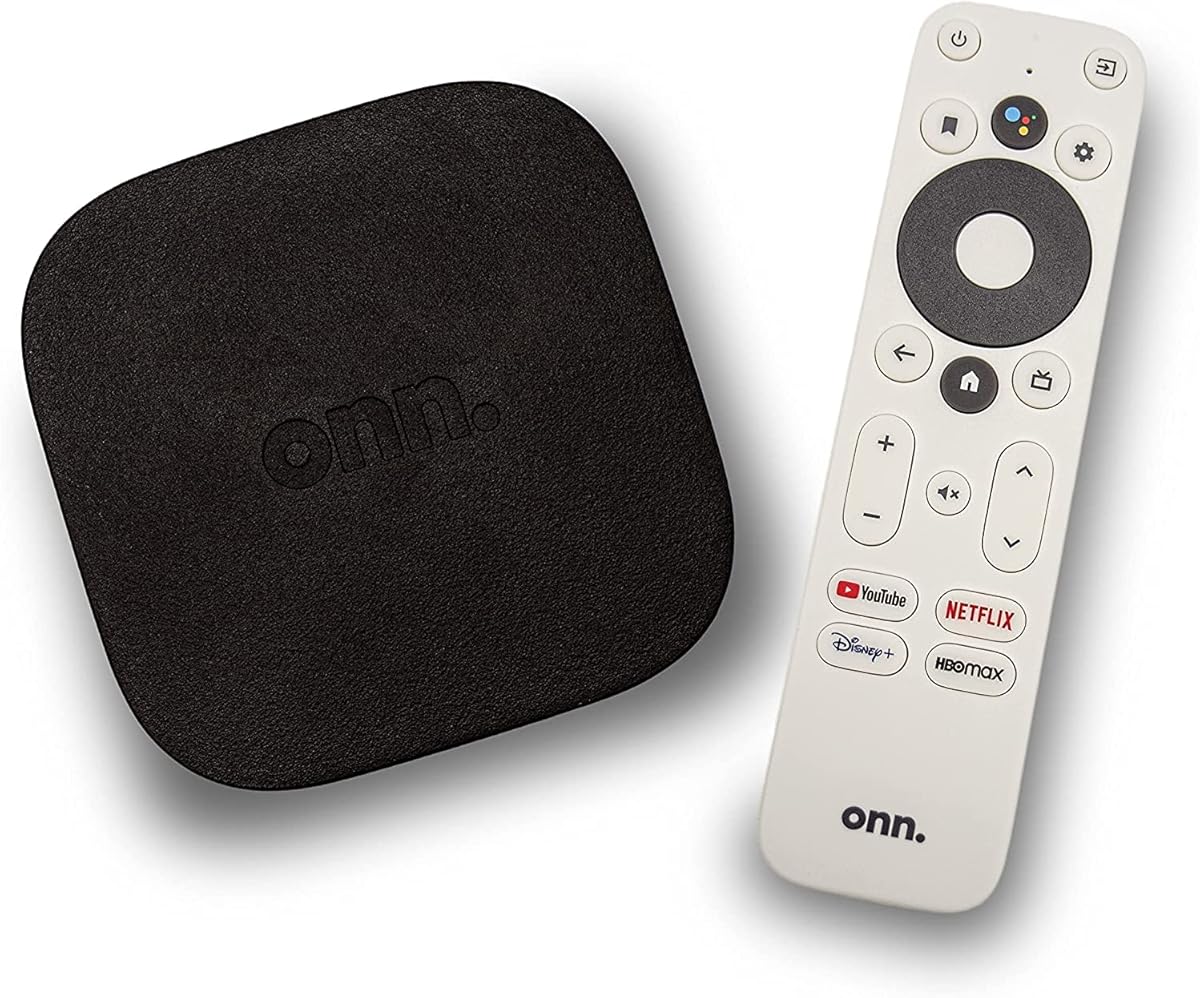
ONN Android TV 4K UHD
4.4Editor score
Voice remote included
Google Assistant built-in
Chromecast ready
Discover the best 4K Android Box options for your home theater. We compare top streaming devices with 4K UHD, voice control, and smart features.
Finding the right streaming device can transform your home entertainment setup significantly. A 4K Android Box offers access to thousands of apps and stunning visual clarity.
We evaluated ten top models based on performance, features, and user experience. Each option brings unique strengths to modern streaming needs.
Every review highlights key specs and real-world use cases. Keep in mind that prices fluctuate frequently across retailers.
4.4Editor score

4.5Editor score

4.3Editor score
This table provides a side-by-side look at key specifications across all ten models to help you make an informed decision.



The ONN Android TV 4K UHD delivers a robust streaming experience at a budget friendly price. It supports 4K resolution and provides access to the Google Play Store.
We may earn a commission when you buy through this link, at no additional cost to you.
With its built in Chromecast, you can easily cast content from your phone. The voice remote simplifies searching across apps like Netflix or YouTube.
While it may not have the most RAM, it handles daily streaming tasks without lag. The included HDMI cable makes setup straightforward.
This box is ideal for anyone seeking a smart upgrade without spending much. It balances cost and features effectively for most households.
The Android TV system gives you thousands of apps directly on your screen.
Google Assistant lets you find shows or control playback with simple commands.
We may earn a commission when you buy through this link, at no additional cost to you.
TiVo Stream 4K focuses on consolidating your apps into one easy to navigate screen. It uses Android TV under the hood but adds a layer of simplicity.
We may earn a commission when you buy through this link, at no additional cost to you.
The recommendation engine suggests shows based on your preferences across multiple services. This reduces the need to open every app individually.
Audio quality is supported by Dolby Atmos, adding depth to movies. However, performance depends heavily on your home network speed.
If you want a cleaner interface without losing app variety, this is a strong choice. It appeals to casual streamers who prioritize ease of use.
Forget switching screens. TiVo organizes all your apps in one place.
Dolby Atmos support ensures rich sound for compatible content.
We may earn a commission when you buy through this link, at no additional cost to you.
The Xiaomi Google TV Box S offers modern connectivity with Wi-Fi 6 support for faster data transfer. It runs Google TV for personalized recommendations.
We may earn a commission when you buy through this link, at no additional cost to you.
With 32GB of storage, you can install many apps without deleting old ones. Dolby Vision enhances contrast and color for compatible TVs.
The 6nm processor ensures smooth navigation and multitasking. The Bluetooth remote allows for 360-degree interaction.
For tech enthusiasts who want future proof connectivity, this model stands out. It balances performance with smart features effectively.
Wi-Fi 6 ensures stable streaming even in crowded networks.
Dolby Vision provides stunning image detail for modern content.
We may earn a commission when you buy through this link, at no additional cost to you.
This box packs a punch in a tiny chassis. It supports HDMI 2.1 for high frame rate content and delivers Dolby Atmos sound.
We may earn a commission when you buy through this link, at no additional cost to you.
The Google TV platform offers intuitive navigation and voice search. Setup is simple with included cables and a clear manual.
While 2GB RAM is standard, it handles most streaming apps well. The design fits discreetly behind most TV units.
If you prefer a small device that does not compromise on video standards, this is a great fit. It suits modern living room setups.
Its compact build ensures it blends into any entertainment center.
HDMI 2.1 allows for smoother motion in supported content.
We may earn a commission when you buy through this link, at no additional cost to you.
With 4GB of RAM, this box stands out for multitasking and heavy app usage. It decodes H.265 video efficiently for clearer details.
We may earn a commission when you buy through this link, at no additional cost to you.
Dual band WiFi ensures a stable connection whether you use 2.4G or 5G. Bluetooth 5.0 pairs easily with soundbars or headphones.
It turns any TV with an HDMI port into a smart hub. The interface is functional but less polished than brand names.
Power users who need extra memory will appreciate this choice. It is a workhorse for streaming and local media playback.
4GB RAM allows you to keep more apps open without slowdowns.
H.265 support optimizes compression for better picture quality.
We may earn a commission when you buy through this link, at no additional cost to you.
This Pro model upgrades the standard offering with more RAM and an Ethernet port. The backlight remote helps in dark rooms easily.
We may earn a commission when you buy through this link, at no additional cost to you.
Dolby Atmos sound adds depth to movies. Gemini integration brings advanced AI features to your Google TV experience.
The Ethernet port ensures maximum speed without relying on wireless. The remote backlight is a thoughtful addition for usability.
For those who need reliability and premium features, this box is worth the investment. It bridges the gap between budget and high end.
An Ethernet port provides the most stable internet connection possible.
Never lose your remote again with built-in tracking capabilities.
We may earn a commission when you buy through this link, at no additional cost to you.
This variant highlights audio capabilities with DTS:X support. It pairs perfectly with high end sound systems for a true cinema feel.
We may earn a commission when you buy through this link, at no additional cost to you.
Google TV offers a clean interface with voice search. Wi-Fi 6 ensures quick load times for streaming apps.
The 32GB storage allows for a diverse library of apps. It is compact enough for any shelf or stand.
If audio fidelity is your main concern, this model is a solid choice. It delivers both visual and auditory quality.
DTS:X creates a more immersive audio environment than standard stereo.
Wi-Fi 6 delivers faster streaming speeds for high quality video.
We may earn a commission when you buy through this link, at no additional cost to you.
Google Certified ensures full support for major apps. It runs Android 14 for the latest security and features.
We may earn a commission when you buy through this link, at no additional cost to you.
Built-in Chromecast makes sharing photos easy. The white design stands out from typical black boxes.
The voice remote simplifies navigation across content. Expansion via USB helps with storage limits.
For a reliable, no-frills box, this is a great option. It prioritizes software quality over raw hardware.
Google Certification guarantees full compatibility with popular streaming apps.
Built-in Chromecast allows you to share content from your phone.
We may earn a commission when you buy through this link, at no additional cost to you.
This model boasts access to thousands of channels and apps. Its stable rendering engine ensures smooth playback across formats.
We may earn a commission when you buy through this link, at no additional cost to you.
Chromecast built-in allows for screen mirroring with ease. It offers a reliable experience for daily viewing.
Voice assistant functions let you control smart devices. The interface remains consistent and responsive.
It is a solid choice for those who value content variety. The experience is designed for ease of access.
Thousands of apps mean you will find something to watch.
Use Chromecast to view your phone content directly on the TV.
We may earn a commission when you buy through this link, at no additional cost to you.
This box runs the latest Android 14 with decent RAM. It is a budget friendly option for those needing modern OS features.
We may earn a commission when you buy through this link, at no additional cost to you.
With 4GB RAM, it supports multitasking well. The BT 5.4 version pairs well with current peripherals.
Setup is easy and includes all necessary cables. It offers basic 4K streaming performance.
While ratings are mixed, it provides good value for the price. It suits entry level users looking for new features.
Android 14 brings enhanced security and stability.
Bluetooth 5.4 ensures fast pairing with speakers and keyboards.
We may earn a commission when you buy through this link, at no additional cost to you.
Selecting the right box requires balancing features with your specific needs.
Ensure the device supports true 4K and HDR formats for sharp images.
Prioritize models with Dolby Vision or HDR10+ for better color.
Look for at least 2GB RAM to prevent lag during app switching.
More internal storage means you can keep more apps installed.
Check for Wi-Fi 6 for faster wireless streaming speeds.
Ethernet ports are valuable for stable high bandwidth connections.
Google TV offers a modern interface with personalized recommendations.
Ensure the device receives regular updates for security.
A voice remote simplifies finding content across multiple apps.
Integrated assistants help manage smart home devices easily.
Dolby Atmos and DTS:X enhance sound quality significantly.
Good audio support is key for a cinema like experience.
A compact design fits better behind most televisions.
Good heat management ensures the device runs quietly.
Set a realistic budget based on required features.
More expensive models offer better long-term performance.
Connect the box to your TV via HDMI and plug in power. Follow the on-screen setup to connect to Wi-Fi.
Install your favorite apps from the Play Store. Use the remote to search for content easily.
Keep the device in a ventilated area. Regular restarts can maintain performance and clear cache.
Yes, it works on any TV with an HDMI port. Older TVs may need adapters if HDMI is not available.
Wired connections offer more stability and speed. Wi-Fi 6 is sufficient for most households though.
Many models have companion apps for phone control. Voice remotes are often more convenient for search.
No subscription is required for the hardware itself. You need subscriptions for streaming services like Netflix.
Go to Settings and select System Update. Updates usually install automatically if set in options.
Lag may occur due to slow Wi-Fi or outdated software. Check your internet speed or restart the device.
These ten boxes cover a range of needs from budget to premium. Each offers a path to smart home entertainment.
Prioritize resolution and RAM for the best experience. Choose based on your specific streaming habits and room setup.
Prices change often so check the latest offers before buying. Your perfect box is ready to upgrade your viewing experience.