
Highwings 8K HDMI 2.1 Cable
4.7Editor score
Certified Ultra High Speed
Anti-Bending Design
48Gbps Bandwidth
This guide compares the top HDMI cables for Roku Ultra, evaluating speed, durability, and HDMI 2.1 features to ensure your home theater setup delivers pristine
Finding the right HDMI cable for your Roku Ultra ensures you get the most out of your streaming device. A high-quality connection supports fast data transfer, reducing lag and ensuring crisp visuals on your TV.
We compared ten top-rated cables based on speed, build quality, and compatibility. Each product offers unique features like HDMI 2.1 support, braided durability, and certifications that guarantee optimal performance for modern setups.
Every pick highlights key specs and pros to help you choose quickly. Prices fluctuate often, so check current deals before buying to ensure you get the best value for your specific home theater needs.
4.7Editor score
4.8Editor score

4.7Editor score
This side-by-side comparison highlights the essential specs of all ten selected cables. Look closely at bandwidth, material quality, and specific features to find the perfect match for your Roku Ultra setup.






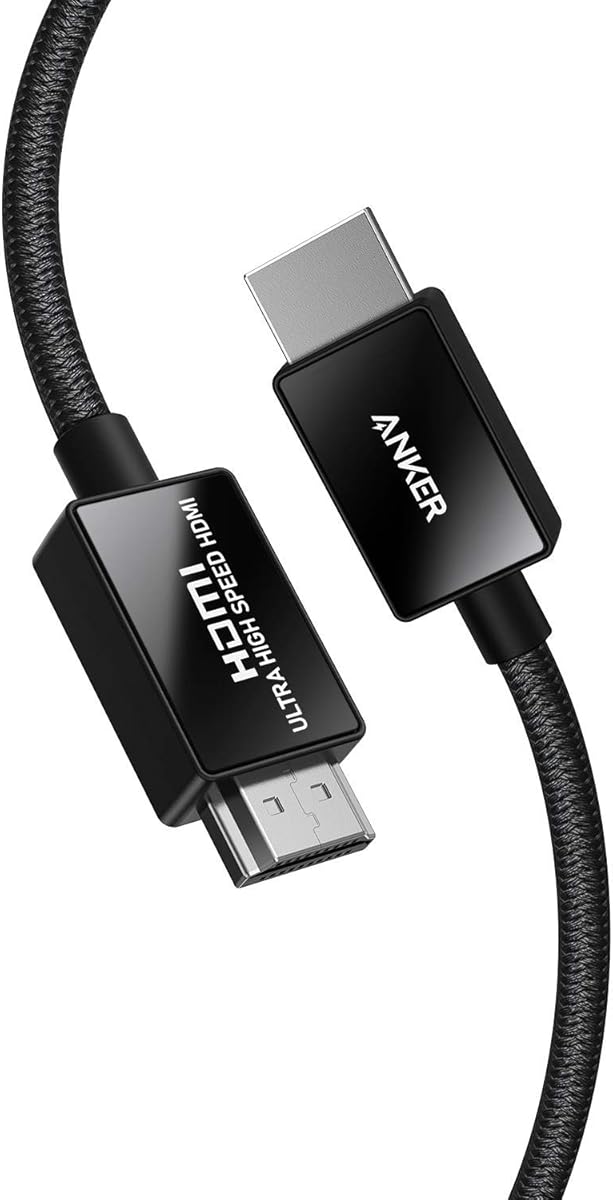
The Anker HDMI 2.1 Cable is our top pick for Roku Ultra users seeking premium performance. With a 4.8 rating, it delivers reliable 48Gbps speeds and supports 8K@60Hz, ensuring your streaming stays crisp.
We may earn a commission when you buy through this link, at no additional cost to you.
Certified by the HDMI Forum, this cable guarantees compliance with strict standards. It is engineered for enhanced gaming, supporting 4K@120Hz on compatible devices, which benefits gamers connecting consoles to their TVs alongside streaming.
While the price is higher than budget options, the durability justifies the cost. Carbon steel connectors and gold pins ensure stable connections over time. The braided finish resists wear and tear during frequent use.
This cable is ideal for users who want peace of mind and top-tier quality. If you value reliability and future-proofing for your Roku Ultra setup, Anker offers a trusted solution that stands out in the market.
With 48Gbps bandwidth, this cable supports upcoming 8K content and high refresh rates, keeping your setup relevant for years.
The carbon steel and gold connector design ensures stable signal transmission and protects against corrosion and interference.
We may earn a commission when you buy through this link, at no additional cost to you.
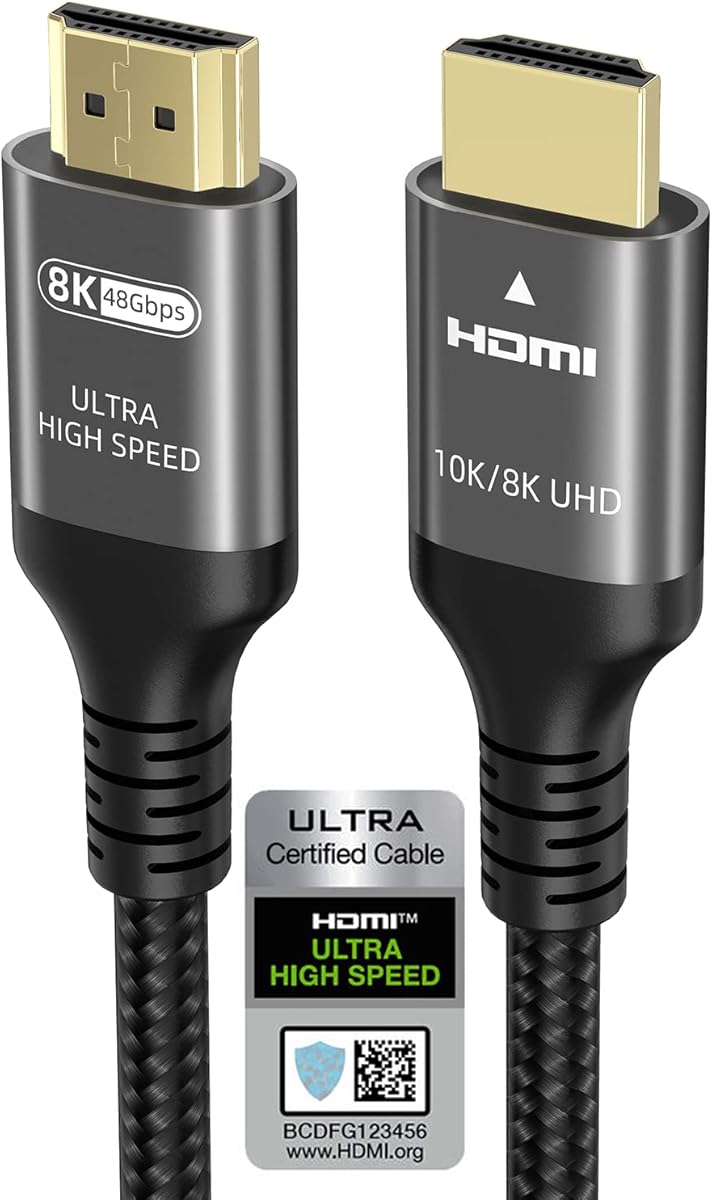
The Highwings 8K HDMI 2.1 Cable stands out as the best budget option on our list. With a 4.7 rating, it offers impressive specs like 48Gbps bandwidth and supports 4K@240Hz for smooth gaming and streaming.
We may earn a commission when you buy through this link, at no additional cost to you.
Designed for game enthusiasts, this cable supports variable refresh rate for a smoother picture. The reinforced high-quality materials, including military-grade tensile nylon, ensure the cable lasts long even with frequent handling or bending.
The only trade-off is the lack of official HDMI Forum certification visible on the label, though it meets speed standards. This is acceptable for most users who prioritize performance and durability over official certification paperwork.
If you need a reliable cable without spending much, Highwings is a smart choice. It delivers excellent value for Roku Ultra users looking to upgrade their connection for 4K streaming and gaming capabilities effectively.
Variable refresh rate support ensures smoother gameplay by matching your display's refresh rate to the source device output.
The military-grade tensile nylon material resists daily wear, extending the life of the cable significantly.
We may earn a commission when you buy through this link, at no additional cost to you.
This 2-Pack option from Highwings offers a cost-effective solution for homes with multiple Roku devices. Each cable features the same 48Gbps speed and 4K@120Hz support, ensuring consistent performance across your entire entertainment setup.
We may earn a commission when you buy through this link, at no additional cost to you.
The upgraded aluminum alloy shell adds durability, protecting the internal wires from damage. Both cables in the pack are rigorously tested to ensure flawless parts create a perfect 8K HDMI experience without any signal loss.
While the single cable is great, buying the pack saves money if you need extra connections for consoles or soundbars. This makes it an ideal choice for expanding your HDMI ecosystem without breaking the bank significantly.
For households needing multiple connections, this pack is the logical step. It delivers the same quality as the single version while doubling your connectivity options for a better overall entertainment experience at home.
Having two cables ready allows you to connect consoles and soundbars without needing to move cables around constantly.
The certification ensures both cables meet high standards for bandwidth and signal integrity.
We may earn a commission when you buy through this link, at no additional cost to you.
The Ubluker cable is one of the few with an official HDMI certification label, ensuring compliance with strict requirements. It supports deep color and dynamic HDR, making it a strong choice for users wanting verified performance.
We may earn a commission when you buy through this link, at no additional cost to you.
This cable supports 10K resolutions and 12-bit color depth, offering future-proofing for high-end TVs. The package also supports advanced audio formats like eARC and Dolby Atmos, providing a complete solution for home theater needs.
While these specs might seem complex for basic Roku streaming, they ensure no bottlenecks occur. The wide compatibility includes various devices like Fire TV and Soundbars, making it versatile for expanding your media center setup.
Choose Ubluker if you want guaranteed compliance and high-end specs. It is a reliable choice for those who prioritize official certification and deep color support alongside their Roku Ultra streaming setup effectively.
The label confirms it passes the HDMI Forum's strict requirements, giving you confidence in its performance claims.
Support for eARC and Atmos ensures your soundbar gets high-fidelity audio directly from your source devices.
We may earn a commission when you buy through this link, at no additional cost to you.
Silkland stands out with its exclusive E-Braid Technology, which uses double-layer fishnet winding for durability. The cable also features ferrite magnetic beads to ensure uninterrupted signals and eliminate flickering during playback.
We may earn a commission when you buy through this link, at no additional cost to you.
It is one of the rare cables with an HDMI 2.1 certification that you can verify via QR code. This feature adds a layer of trust, ensuring you are getting genuine 48Gbps speeds and next-level resolution support.
The trade-off is the need to scan for verification, but the assurance of quality is worth it. It supports dynamic HDR and immersive audio, making it a solid choice for high-quality streaming and gaming content.
For those who value build quality and verified specs, Silkland is an excellent option. The durability of the braiding and the signal stability make it a great fit for active households.
The unique double-layer fishnet winding provides unprecedented durability against wear and tear.
The QR code scan ensures the cable meets strict HDMI 2.1 certification requirements accurately.
We may earn a commission when you buy through this link, at no additional cost to you.
Acer offers a reliable HDMI 2.1 cable that balances performance with affordability. This cord supports 8K@60Hz and 4K@120Hz, ensuring your Roku Ultra streams smoothly without lag or visual degradation.
We may earn a commission when you buy through this link, at no additional cost to you.
The braided jacket helps resist EMI and daily wear, keeping the cable functional longer. With high-purity copper core, it delivers stable video and audio transmission suitable for both gaming consoles and streaming devices.
While it lacks some premium features like advanced shielding found in higher-end cables, it performs well for standard 4K setups. It is backward compatible with older HDMI versions, ensuring it works with your existing hardware.
This cable is ideal for users seeking a dependable connection without overspending. Acer's reputation for reliability makes this a safe pick for upgrading your home entertainment setup effectively.
Acer is a known electronics brand, adding confidence to the manufacturing quality of this cable.
The core ensures stable transmission of video and audio signals across the full length.
We may earn a commission when you buy through this link, at no additional cost to you.
UGREEN is a trusted name in accessories, and this cable delivers excellent performance. Certified for real 8K, it offers uncompressed video transmission and high-speed data transfer without signal loss for streaming.
We may earn a commission when you buy through this link, at no additional cost to you.
The robust aluminum alloy case and nickel-plated connectors add to its durability. It supports dynamic HDR for accurate color and eARC for full-resolution audio, making it great for home theater setups involving soundbars.
The nylon braided jacket withstands frequent bending tests, ensuring a long lifespan. While the length is standard, the performance makes up for it with features like auto low latency mode and variable refresh rates.
Choose UGREEN for a balance of durability and high-end specs. It is a solid choice for Roku Ultra users who want reliable 8K performance and robust construction in their cable.
This certification guarantees true 8K support without relying on marketing claims.
This feature helps eliminate blackout periods when switching between video modes quickly.
We may earn a commission when you buy through this link, at no additional cost to you.
The Zeskit cable features a unique hologram sticker to verify its Ultra High Speed certification. It supports key features like Dynamic HDR and Dolby Vision, making it a strong candidate for high-end streaming setups.
We may earn a commission when you buy through this link, at no additional cost to you.
With 48Gbps bandwidth, it handles 4K120Hz and 8K60Hz signals effortlessly. The 1.5m length is suitable for shorter connections, ensuring a tidy setup without excess cable clutter around your media center.
The main trade-off is the shorter length compared to 6ft or 15ft options. This limits placement flexibility if your TV is far from your Roku Ultra. However, for compact setups, it delivers top-tier performance and reliability.
If you need a certified cable with a specific short length, Zeskit is a great option. The hologram verification ensures you are getting authentic high-speed performance for your streaming needs.
The hologram sticker serves as a visual proof of certification for peace of mind.
Support for Dolby Vision ensures vivid colors and contrast on compatible TVs.
We may earn a commission when you buy through this link, at no additional cost to you.
The Stouchi cable features a slim braided design that helps manage clutter in tight spaces. Its 4-foot length is perfect for connecting devices that are close to the display without trailing cables.
We may earn a commission when you buy through this link, at no additional cost to you.
It includes triple tin shielding to minimize interference, ensuring stable signal transmission. The gold-plated connectors provide stable connection points, and it supports advanced audio like DTS:X and eARC for a rich experience.
While the length limits reach, the performance is solid for compact setups. If your Roku is mounted near the TV, this cable offers a clean and efficient solution for your home theater.
Ideal for minimalists who want a compact cable, Stouchi delivers reliable HDMI 2.1 features. The slim profile helps keep your entertainment center organized and tidy effectively.
The slim braided design reduces bulk and helps keep cables organized behind the TV.
This feature minimizes interference to ensure consistent signal transmission over time.
We may earn a commission when you buy through this link, at no additional cost to you.
The BlueRigger cable stands out with its impressive 15-foot length, perfect for large rooms. It supports 8K60Hz and 4K120Hz, maintaining signal integrity over long distances without compromising speed or quality.
We may earn a commission when you buy through this link, at no additional cost to you.
Built with solid copper wires and 24K gold-plated connectors, it resists corrosion and ensures stable signal strength. The lifetime warranty adds significant value, showing confidence in the product's durability and performance.
While the price is higher, the length and warranty make it a premium choice for large setups. If you need to run a cable across a room, this is one of the few options that maintains high fidelity.
For users needing extra reach, BlueRigger is the best premium pick. The durability and warranty ensure you won't need to replace it soon, making it a cost-effective long-term investment.
The 15-foot length allows flexible placement of devices without signal loss over distance.
A lifetime warranty provides peace of mind and ensures long-term satisfaction with your purchase.
We may earn a commission when you buy through this link, at no additional cost to you.
Choosing the right HDMI cable requires understanding key factors like speed and build quality. Here are the essential elements to consider before buying.
Bandwidth determines how much data can pass through the cable. Look for 48Gbps to support 8K resolution and 4K120Hz gaming on your Roku Ultra.
Higher bandwidth ensures future-proofing and smooth streaming without lag or buffering.
HDMI 2.1 cables are essential for modern high-resolution content. They support features like Variable Refresh Rate and Dynamic HDR for better performance.
Ensure your cable matches the HDMI version of your Roku Ultra and TV to avoid compatibility issues.
Official certification means the cable meets strict standards for performance and speed. Look for labels or QR codes verifying Ultra High Speed certification.
Certified cables reduce the risk of signal loss or display flickering.
Measure the distance between your Roku Ultra and TV before buying. A cable that is too short limits placement options while one that is too long creates clutter.
Choose a length that reaches comfortably with a little extra slack for better cable management.
Braided nylon or reinforced materials protect the internal wires from wear. This is vital if you frequently plug and unplug your cables.
Look for sturdy connectors and flexible jackets to ensure the cable lasts for years.
Support for eARC and Dolby Atmos ensures you get high-fidelity sound from your streaming content. This is important if you use a soundbar or home theater system.
Check for compatibility with advanced audio formats to maximize your audio experience.
Higher price does not always mean better quality. Focus on essential features like speed and certification rather than marketing claims.
Compare specs across options to find the best balance of performance and affordability.
Proper shielding protects the signal from electromagnetic interference. Look for cables with triple tin shielding or ferrite beads.
Good shielding ensures stable transmission and prevents audio or video glitches during use.
Connect the cable firmly to the HDMI port on both your Roku Ultra and your TV. Ensure the connection is snug to maintain optimal signal transmission.
Avoid bending the cable sharply near the connectors, as this can damage internal wires over time. Keep the cable organized using clips or ties.
Regularly check connectors for dust and wipe them gently with a dry cloth. Keep the cable away from heat sources to prolong its lifespan.
While older cables may work, an Ultra High Speed HDMI 2.1 cable ensures you get the best 4K streaming and future features. It provides the bandwidth needed for high-resolution content without lag.
The ideal length depends on your setup, but 6 to 10 feet is common for most living rooms. Measure the distance to ensure the cable reaches without being too tight.
Yes, a high-speed cable supports 4K resolutions and high bitrates, preventing bottlenecks. This ensures that your Roku Ultra streams content as intended by the provider.
Look for an HDMI 2.1 certification and 48Gbps bandwidth on the packaging. These specs ensure the cable can handle the high data rates required for 120Hz refresh rates.
Yes, HDMI 2.0 cables work for standard 4K content but may not support newer features like 4K 120Hz. Upgrading to HDMI 2.1 ensures compatibility with future updates and performance.
Use a dry microfiber cloth to gently wipe the gold contacts. Avoid liquids or cleaners that could damage the connector finish or cause corrosion.
Longer cables can be prone to signal loss if not shielded properly. Use high-quality cables with solid shielding if you need to run the cable over long distances.
Yes, high-quality cables support wide color gamuts and deep color. This ensures that your Roku Ultra displays accurate colors on compatible 4K TVs.
We reviewed ten top HDMI cables, highlighting their speed, durability, and certification levels. The Anker and Highwings options offer excellent value for most users.
Prioritize bandwidth and certification to ensure your Roku Ultra delivers 4K content smoothly. Durability is also key to long-term satisfaction with your setup.
Check current prices and deals before buying to find the best value for your needs. The right cable makes a noticeable difference in your streaming experience.