
Kayoubi LCD Writing Tablet
4.6Editor score
14.5 inch large screen
One-click erase function
Zero blue light emission
This guide compares the top electronic sketch pads for artists and students, featuring real reviews and specs to help you choose the right digital drawing tool
Electronic sketch pads have revolutionized how artists, students, and professionals capture ideas. These devices blend traditional pen feel with digital convenience, allowing instant edits and easy sharing without paper waste.
We evaluated ten leading models based on screen quality, pressure sensitivity, portability, and software compatibility. Our analysis focuses on real-world performance to ensure you find a tool that matches your creative needs.
Each pick highlights key strengths and potential trade-offs to help you decide quickly. Note that prices fluctuate regularly, so check current listings before purchasing to secure the best value available now.
4.6Editor score

4.4Editor score

4.4Editor score
This side-by-side comparison highlights key specifications across all ten models. Use this table to quickly identify which device offers the features you need most for your specific workflow and budget constraints.




The HUION Note is a unique hybrid that keeps the tactile feel of paper while digitizing your strokes instantly. It achieves a 4.2 star rating thanks to its seamless sync features and battery-free pen that never needs charging.
We may earn a commission when you buy through this link, at no additional cost to you.
Its standout quality is the ability to record audio alongside your handwriting. This means you can replay your notes later with the voice memo synced to your writing timing. The vector line capture ensures clean export to PDF or image files for sharing.
While it requires specific A5 notebook refills which adds cost, the paper texture is authentic. Some users note the app interface could be more intuitive for organizing complex projects. These trade-offs are acceptable for students needing true paper aesthetics with digital backup.
This device is ideal for students and professionals who want digital organization without sacrificing the comfort of pen and paper. It bridges the gap between analog comfort and digital efficiency perfectly. We recommend it for anyone taking frequent handwritten notes.
The Bluetooth 5.0 connection ensures your notes transfer quickly to mobile devices without manual file transfers.
Record audio while you write and replay it to relive the context of your notes with precise timing.
We may earn a commission when you buy through this link, at no additional cost to you.
The XPPen Magic Note Pad is a fully standalone device running Android 14, eliminating the need for a computer. With a 4.4 rating, it appeals to artists wanting a portable solution that handles sketching and note-taking independently with professional features.
We may earn a commission when you buy through this link, at no additional cost to you.
Its X-Paper display offers a realistic paper texture through AG nano-etching technology. The 16K pressure sensitivity allows nuanced shading and line control. The 90Hz refresh rate ensures smooth transitions without lag, making it feel like drawing on real paper.
The high price reflects its advanced hardware and standalone nature. Some Android apps may not be optimized for pen input compared to tablet OS. These limitations are minor for dedicated creators seeking a high-end device that works anywhere with a power outlet.
This tablet suits professional artists and students needing a dedicated creative device that replaces traditional sketchbooks entirely. Its battery life and portability make it perfect for travel or classroom use. It is a top choice for serious digital creators.
The nano-etching on the screen provides friction similar to real paper, reducing finger glide for better control.
Switch between Natural color for art, light color for notes, and black and white for comfortable reading.
We may earn a commission when you buy through this link, at no additional cost to you.
Kayoubi LCD Writing Tablet is a highly affordable electronic sketch pad designed for young children and basic doodling. It holds a 4.6 rating due to its large 14.5-inch screen which provides ample space for creativity without requiring complex software or setup.
We may earn a commission when you buy through this link, at no additional cost to you.
The one-click erase button makes it incredibly easy for kids to clear their drawings and start fresh. There is zero blue light emission, ensuring it is safe for prolonged use. The lock function prevents accidental erasing, preserving masterpieces until ready to share.
The display is limited to a single color line style which lacks the depth of advanced tablets. It is primarily for play rather than professional design. These constraints are acceptable considering the low price and durability that can handle rough handling by children.
This product is ideal for parents seeking a clean, mess-free alternative to paper and crayons for toddlers. It keeps kids engaged quietly while traveling or at home. It is the best entry-level option for introducing digital drawing concepts.
Forget messy crayons and markers; this tablet offers unlimited drawing without any cleanup or waste.
Its lightweight profile makes it easy to slip into bags for long car or plane rides.
We may earn a commission when you buy through this link, at no additional cost to you.
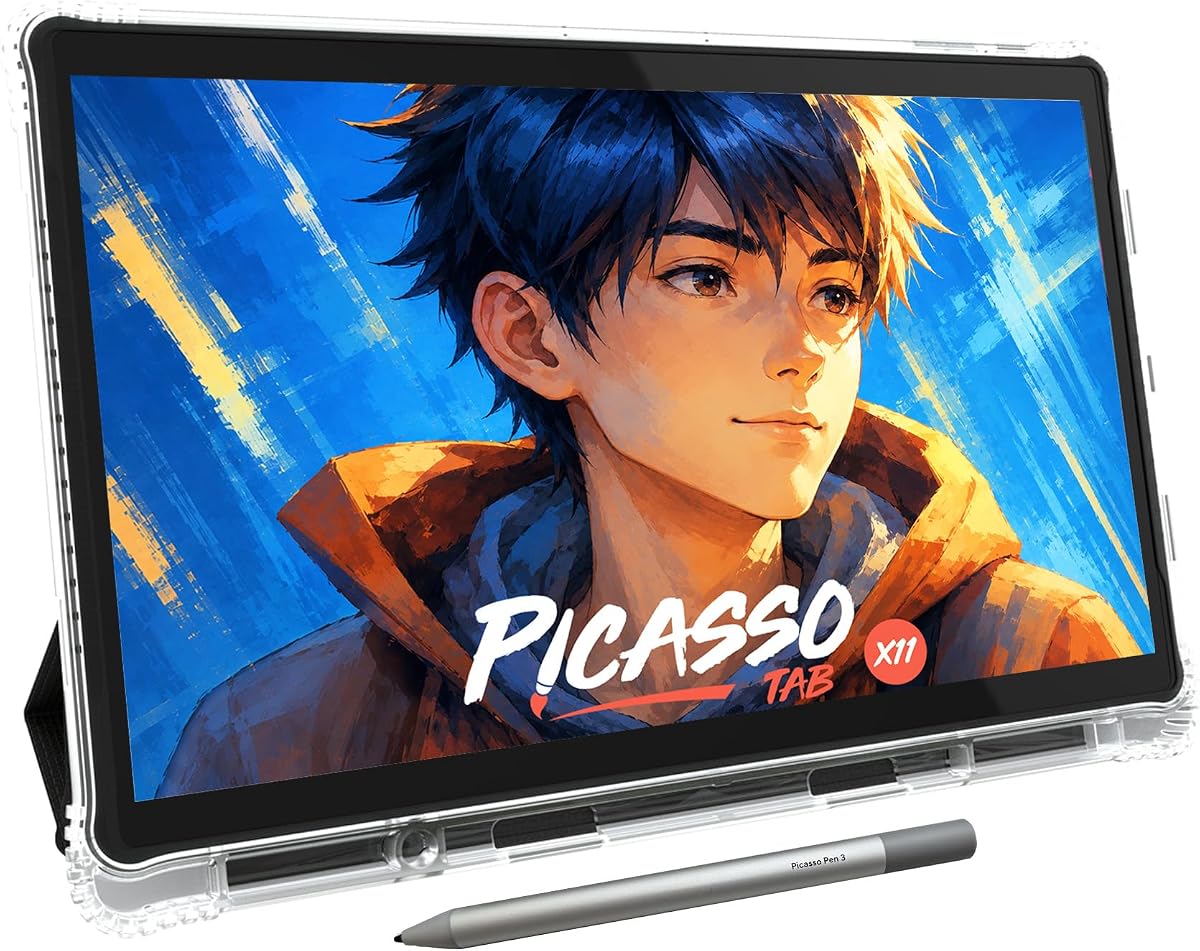
The PicassoTab X11 is a full standalone tablet designed to be a complete creative station out of the box. It has a 4.2 rating and comes with bonus accessories and lifetime upgrades for popular drawing apps which adds significant value for beginners.
We may earn a commission when you buy through this link, at no additional cost to you.
The 11 inch 2K screen provides high resolution clarity for detailed work. The included lifetime VIP tutorial upgrade helps new users learn techniques quickly. The device handles multiple apps and multitasking well thanks to 6GB RAM and a powerful octa-core processor.
It is slightly heavier than some standalone tablets which affects portability for some users. Android apps sometimes lag when switching between heavy drawing apps. These issues are minor given the comprehensive bundle and high screen quality.
This tablet is perfect for students and hobbyists who want everything in one package without buying accessories separately. The included case and screen protector make it ready to use immediately. It is a strong choice for educational use.
The kit includes a premium case, glove, power adapter, and screen protector to start creating right away.
Access step-by-step tutorials via the Artixo app to improve drawing skills alongside practice.
We may earn a commission when you buy through this link, at no additional cost to you.
Bravokids 10 Inch LCD Writing Tablet is a durable and colorful electronic sketch pad built for young children. Its 4.6 rating reflects its reliability as a safe educational toy that encourages creativity without the mess of traditional drawing materials.
We may earn a commission when you buy through this link, at no additional cost to you.
The pressure-sensitive technology allows varying line thickness based on how hard you press which teaches artistic control. The lock key prevents accidental erasure of work. The screen is free of glare and radiation ensuring it is safe for eyes.
The 10-inch size is smaller than other models which limits detail work. The battery is fixed inside which is safer for kids but requires disposal of the whole unit when dead. These factors are acceptable for the target age group.
This product is an excellent gift for parents wanting to reduce paper waste while keeping children entertained. It works well for travel or waiting in restaurants. It is a top choice for toddlers and early learners.
Round corners and fixed battery design ensure physical safety for children during use.
Helps develop fine motor skills and letter writing readiness through simple drawing practice.
We may earn a commission when you buy through this link, at no additional cost to you.
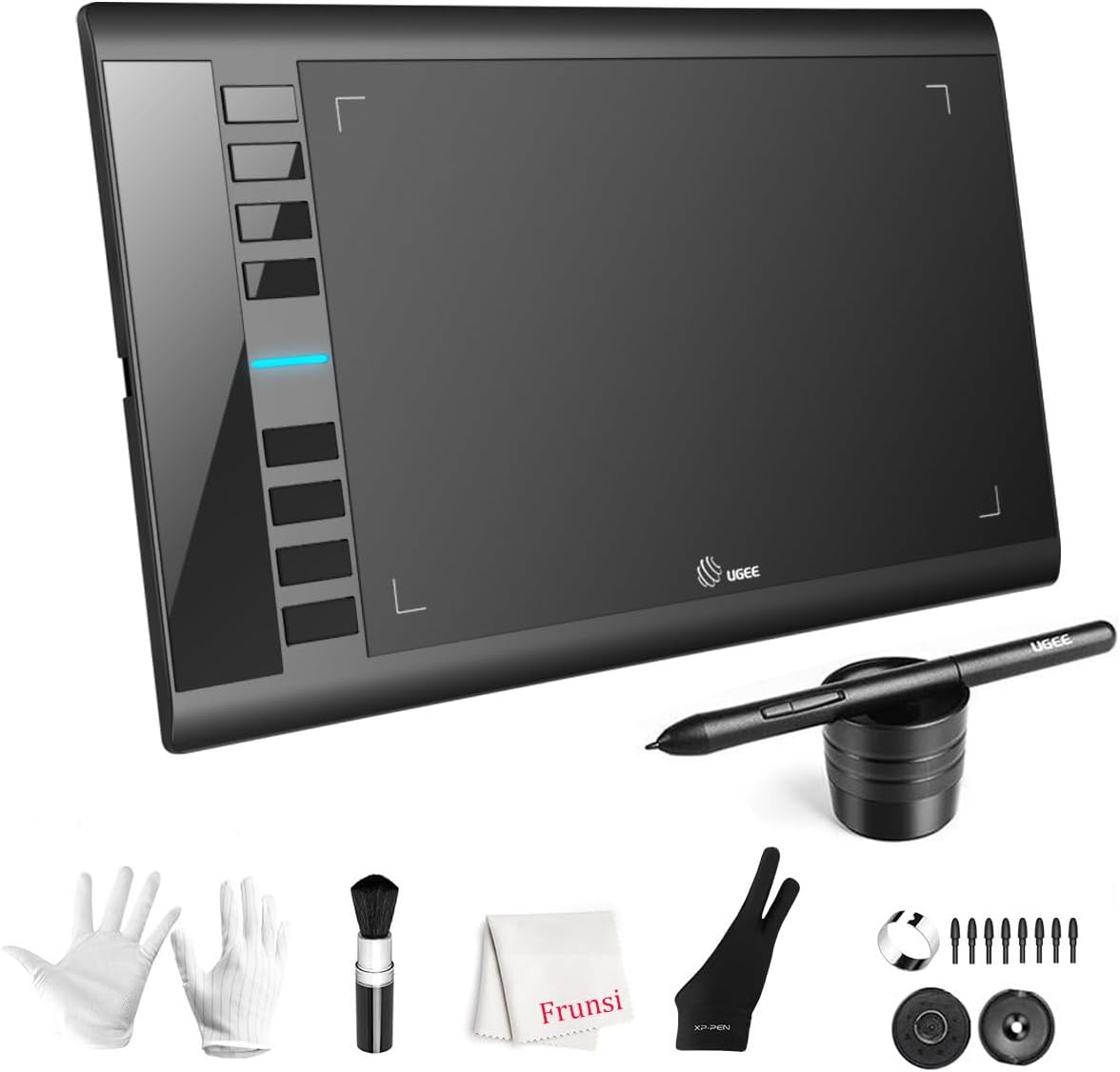
The UGEE M708 offers a massive 10×6 inch active area for digital artists working on a computer. With a 4.4 rating, it balances professional features with affordability. It is a strong choice for beginners needing a large canvas for detailed digital illustrations.
We may earn a commission when you buy through this link, at no additional cost to you.
Its 16384 pressure levels allow precise control over line weight and opacity. The 8 customizable express keys streamline workflow for tasks like undo or zoom. It is compatible with Windows Mac and Linux systems along with major creative software packages.
Since it connects to a computer it is not portable like standalone tablets. Users must navigate between tablet and screen which can take adjustment. These trade-offs are acceptable for desktop work where portability is not a primary concern.
This tablet is ideal for graphic designers and hobbyists wanting a large workspace without buying a full monitor. It offers high precision at a budget friendly cost. It is a solid entry point into professional digital art.
The eight customizable keys let you map frequent commands like zoom or scroll to the side for speed.
Works with popular tools like Photoshop Illustrator and SAI ensuring compatibility with existing workflows.
We may earn a commission when you buy through this link, at no additional cost to you.
Mafiti LCD Writing Tablet is an ultra-portable option for quick notes and simple doodles on the go. It holds a 4.2 rating and is great for office memos or quick lists. Its small 8.5 inch size fits easily into pockets and bags.
We may earn a commission when you buy through this link, at no additional cost to you.
The kickstand feature allows you to display written messages or reminders hands free. The battery is replaceable which extends the device life significantly compared to sealed units. It is easy to erase content with a single button press.
The screen is small for serious artwork or detailed writing. It lacks color display options which limits creative expression. These limitations are acceptable for users needing a simple reusable whiteboard for quick thoughts.
This product is best for office workers needing a paperless note pad or parents wanting a travel toy. Its slim design makes it easy to carry everywhere. It is a practical solution for everyday temporary writing.
Use the built-in stand to prop up the tablet and display notes to others easily.
The CR2016 battery can be swapped out when it runs low so you do not need a new unit.
We may earn a commission when you buy through this link, at no additional cost to you.
TEKFUN LCD Writing Tablet is a rugged and colorful option designed for travel and play. It has a 4.5 rating and is popular for airplane trips due to its durable build and compact 10 inch size. It keeps kids entertained without screens.
We may earn a commission when you buy through this link, at no additional cost to you.
The waterproof and anti-fall design ensures it survives accidental drops or liquid spills. The lock key prevents accidental erasing during creative bursts. The battery lasts for about six months of daily use which is very convenient for travel.
It is a basic LCD device with no advanced drawing tools or pressure sensitivity. The stylus is usually built-in which limits flexibility. These are expected for its price point and target age group of young children.
This product is perfect for parents looking for a reliable travel toy for toddlers. It is safe durable and requires no maintenance. It is a top recommendation for road trips and waiting rooms.
High quality plastic ensures the screen resists breaks and scratches during daily rough use.
Lightweight enough to fit in a diaper bag or backpack for spontaneous outings.
We may earn a commission when you buy through this link, at no additional cost to you.
The Wacom Intuos Small is the standard entry-level tablet for serious digital artists and designers. It holds a 4.6 rating for its reliable Wacom EMR technology that feels natural like writing on paper. It is the go-to choice for professional workflows.
We may earn a commission when you buy through this link, at no additional cost to you.
Its pressure sensitive pen requires no batteries and offers precise control. The included software bundle provides creative tools to start creating immediately. It works with all major design programs ensuring compatibility with existing projects.
The active area is small which may feel restrictive for large scale work. It requires driver installation which can be tricky for beginners. These issues are minor given the brand reputation and professional performance quality.
This tablet is ideal for students aiming to enter design careers or professionals on a budget. It sets a high standard for pen performance. It is a reliable investment for serious digital drawing.
Register your device to access a suite of professional creative software for free.
Wacom remains the preferred choice for studios worldwide ensuring long term relevance and support.
We may earn a commission when you buy through this link, at no additional cost to you.
XP-PEN Artist12 brings a full HD display to your desk allowing you to draw directly on the screen. It has a 4.4 rating and is ideal for animators and illustrators who need to see their strokes as they happen. The 11.6 inch FHD screen offers great clarity.
We may earn a commission when you buy through this link, at no additional cost to you.
The color gamut covers 72% NTSC which provides vivid and accurate colors for art. The shortcut bar can be programmed for zoom or scroll functions. It includes a multi-function pen holder to keep your stylus organized and safe.
It must be connected to a computer which means limited mobility. Cable management can be a hassle during setup. These constraints are standard for pen displays and worth it for the direct drawing experience.
This monitor is perfect for home offices needing a secondary drawing screen. It reduces eye strain by letting you look directly at your work. It is a strong choice for aspiring digital artists.
Draw directly on the screen for a natural feeling that mimics traditional sketching perfectly.
The touch bar and shortcuts let you customize frequent actions for faster workflow.
We may earn a commission when you buy through this link, at no additional cost to you.
Choosing the right electronic sketch pad depends on your skill level and usage needs. Consider these factors to ensure the device fits your workflow and budget.
Decide between a standalone tablet with a built-in screen and a graphics tablet that connects to a computer. Standalone tablets offer portability while graphics tablets are often more powerful and affordable for desktop use.
Choose standalone for mobility and a graphics tablet for a dedicated workstation setup.
Higher pressure levels allow for more natural shading and line variation. Look for at least 4096 levels for basic work but consider 8192 or 16384 for professional detailing.
Prioritize higher pressure levels for realistic artistic control.
If selecting a model with a screen check for Full HD or higher resolution. This ensures your details appear crisp and colors look accurate during the creative process.
Ensure the display resolution matches your detail requirements for clear visuals.
If you plan to use the device on the go consider the weight and thickness. Lighter models around 500g are easier to carry in a backpack without adding bulk.
Select a lightweight option if you travel frequently or work in different locations.
Long battery life is crucial for uninterrupted work sessions. Look for devices offering 18 hours or more to avoid interruptions during creative flows or long commutes.
Check battery specs to ensure all-day use without frequent recharging.
Ensure the device supports your favorite drawing apps and operating systems. Most work with Windows and Mac but some standalone models rely on Android which may limit app choices.
Verify compatibility with your current software to avoid installation issues.
Battery-free pens are easier to maintain as they never need charging. Check if the pen includes features like erasers or tilt support for more natural control.
Choose a battery-free stylus for convenience and better ergonomics.
For kids or frequent travelers look for reinforced cases and anti-shock designs. High-quality plastics and protective screens help prevent damage from drops.
Invest in durable build quality to extend the lifespan of your device.
Start by downloading the official app or driver for your device to ensure full functionality. Connect via Bluetooth or USB cable depending on the model and pair the stylus if required.
Clean the screen regularly with a soft microfiber cloth to remove smudges and dust. Avoid using harsh chemicals that might damage the anti-glare coating or textured surface.
Charge the device fully before long trips to avoid unexpected shutdowns. Keep spare stylus tips in the holder to ensure you can continue drawing if one wears out.
Yes, they are excellent for beginners. They offer immediate feedback and easy erasing which encourages experimentation. Many models come with tutorials to help new users learn quickly.
It depends on the model. Standalone tablets like the XPPen Magic Note Pad work without a computer, while tablets like the Wacom Intuos require a PC or Mac connection.
Most require a special stylus. Using a pencil might not register correctly on the digital surface unless the device specifically supports physical paper hybrid systems.
Connect via USB or Bluetooth to the companion app. You can save files as images or PDFs and then open them on your desktop for editing or printing.
Some models do. Standalone tablets have built-in touch screens but standard graphics tablets do not support touch input for drawing unless they are pen displays.
Most professional models include pressure sensitivity. This allows line thickness to change based on how hard you press providing a more natural drawing experience.
If the pen is battery-free you never need to replace it. For other models check the battery life specs and replace when performance drops.
We have reviewed ten top models ranging from budget LCD doodle pads to professional standalone tablets. The XPPen Magic Note Pad stands out for advanced users while the Kayoubi offers great value for kids.
Prioritize screen quality and portability based on your primary use case. For students a standalone tablet is often best, while artists may prefer a connected graphics tablet.
Prices for these devices change frequently so check current listings before purchasing. Finding the right price ensures you get the best value for your creative investment today.