
HP 17 Laptop
5.0Editor score
17.3 Inch FHD Screen
Ryzen 5 Processor
512GB SSD Storage
Vlogging requires reliable hardware that can handle video editing, streaming, and content creation without lag. Choosing the right laptop ensures smooth workflows and professional results for creators of all levels.
We evaluated ten top models based on processor power, graphics capability, screen accuracy, and portability. Each device was selected for its ability to support demanding vlogging tasks and creative software.
Each pick highlights key strengths and trade-offs to help you find the best match for your needs. Remember that specifications and availability can change, so verify details before purchasing.
5.0Editor score

4.3Editor score

4.8Editor score
As an Amazon Associate we earn from qualifying purchases.
This side-by-side comparison highlights key specifications across all ten models to help you quickly identify the best fit for your vlogging needs and budget.


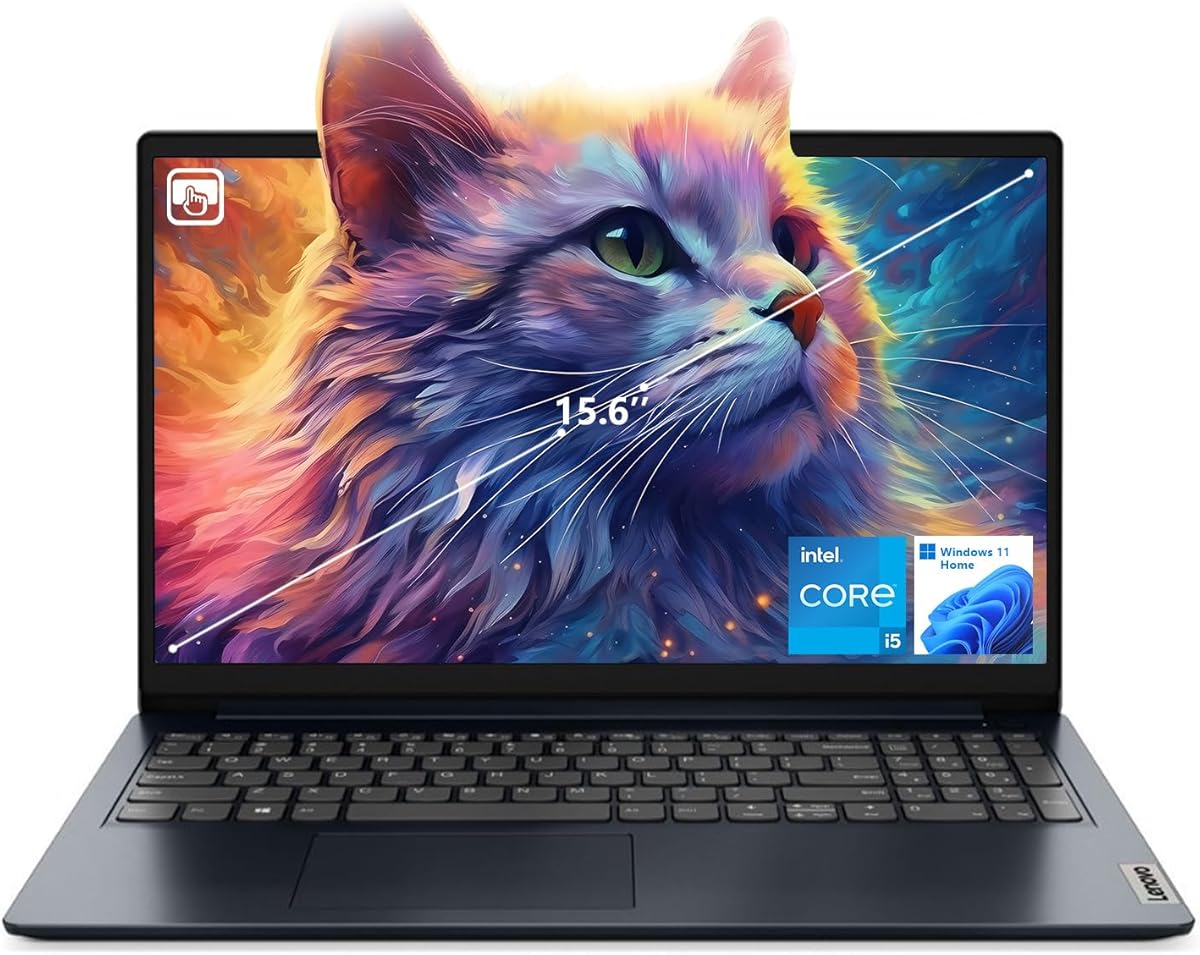

This laptop offers a balanced entry point for creators needing reliable performance without overspending. Its Ryzen 5 processor and 16GB RAM handle daily tasks and light editing well.
We may earn a commission when you buy through this link, at no additional cost to you.
The upgradeable memory and storage slots provide long-term flexibility. You can expand to 64GB RAM or 4TB SSD as your footage library grows over time.
Integrated graphics are suitable for 1080p work but may struggle with heavy 4K timelines. The display is clear but lacks advanced color accuracy for professional grading.
Ideal for students or beginners starting their vlogging journey. Its US support and upgrade options make it a practical long-term investment for growing creators.
Dual SO-DIMM and M.2 slots allow easy upgrades to 64GB RAM and 4TB SSD for expanding storage needs.
USB-C PD charging reduces cable clutter and supports display connectivity through the same port.
We may earn a commission when you buy through this link, at no additional cost to you.
This laptop stands out with its stunning OLED display and powerful Meteor Lake processor. It excels at color accuracy and brightness for editing on the go.
We may earn a commission when you buy through this link, at no additional cost to you.
The lightweight chassis and long battery life support all-day vlogging without outlets. Intel Arc graphics accelerate encoding and playback smoothly for most workflows.
Memory and storage are fixed, limiting future expansion. The premium build and screen come at a higher cost compared to standard alternatives.
Best for creators prioritizing color accuracy and portability. Its OLED screen and battery make it ideal for travel and high-quality content creation.
The 2.8K OLED display delivers true blacks and 100% DCI-P3 coverage for precise video grading.
72Wh battery supports up to 16 hours of use, keeping you productive throughout long shoots.
We may earn a commission when you buy through this link, at no additional cost to you.
This model offers a large screen and solid performance at an entry price. The Ryzen 5 processor supports basic editing and streaming without significant delays.
We may earn a commission when you buy through this link, at no additional cost to you.
The expansive display helps with timeline precision and multitasking. Windows 11 Pro adds enterprise security features suitable for sensitive project files.
8GB RAM might require closing apps during heavy exports. The larger size adds weight, making it less ideal for frequent travel.
Great for desk-bound creators on a budget. Its screen size and included accessories make it a convenient starter station for home editing.
The 17.3 inch FHD screen provides ample space for editing timelines and reference screens.
Comes with mouse and stand to streamline setup immediately after unboxing.
We may earn a commission when you buy through this link, at no additional cost to you.
Another variant of the 17 inch HP laptop with similar value. It performs well for basic video work and daily tasks due to Ryzen efficiency.
We may earn a commission when you buy through this link, at no additional cost to you.
The anti-glare screen reduces reflections during long sessions. Wi-Fi 6 ensures stable uploads when working from cafes or shared spaces.
Limited memory means frequent tab closing may occur during complex renders. It lacks a dedicated GPU for hardware accelerated effects.
Suitable for home-based vloggers needing screen real estate. Its performance and security features make it a steady choice for regular editing.
Narrow bezel and anti-glare tech reduce eye strain during extended editing sessions.
Wi-Fi 6 and Bluetooth 5.3 keep transfers quick and peripherals connected reliably.
We may earn a commission when you buy through this link, at no additional cost to you.
This laptop focuses on eye comfort and screen proportions for creators. The 16:10 display offers more vertical space for timeline viewing.
We may earn a commission when you buy through this link, at no additional cost to you.
ComfortView Plus reduces blue light exposure during long sessions. Onsite service ensures minimal downtime if hardware issues arise.
The camera is sharp for remote meetings but performance relies on integrated graphics. Port selection is modest compared to some rivals.
Best for editors valuing eye health and service. Its screen aspect ratio and onsite support make it a comfortable long-term choice.
The 16:10 aspect ratio provides extra vertical space for better timeline visibility.
1 Year Onsite Service ensures quick hardware support at your location.
We may earn a commission when you buy through this link, at no additional cost to you.
This powerhouse offers strong processing and memory for mid-range creators. The Ryzen 7 handles 4K editing more efficiently than entry-level chips.
We may earn a commission when you buy through this link, at no additional cost to you.
Radeon 780M graphics enable smooth 1080p playback and light effects. The 75Wh battery supports long hours away from power sources.
Fans may spin up during heavy exports. Integrated graphics might struggle with very complex visual effects compared to dedicated GPUs.
Ideal for budget-conscious creators needing high specs. Its power and battery make it suitable for both studio and on-location editing.
8 cores and 16 threads provide substantial parallel processing for encoding tasks.
75Wh battery delivers up to 12 hours of office work or 15+ hours standby.
We may earn a commission when you buy through this link, at no additional cost to you.
This model leads in AI acceleration and storage for creators. The NPU supports real-time video effects and background adjustments locally.
We may earn a commission when you buy through this link, at no additional cost to you.
Touchscreen input speeds up photo retouching and precise editing. The 2TB SSD handles large media libraries without external drives.
The 14 inch display may feel compact for complex timelines. Memory and storage are soldered, limiting future upgrades.
Best for creators needing AI features and vast storage. Its NPU and touchscreen make it efficient for rapid content editing.
47 TOPS NPU enables local Copilot+ features like auto-framing and noise reduction.
2TB PCIe SSD stores extensive video libraries and project files efficiently.
We may earn a commission when you buy through this link, at no additional cost to you.
This flexible device adapts to multiple modes for editing and presenting. The 2K touchscreen supports direct manipulation of clips and assets.
We may earn a commission when you buy through this link, at no additional cost to you.
Transition software optimizes display orientation when changing modes. Gigabit LAN ensures fast local network transfers without relying solely on Wi-Fi.
Touch capabilities add weight compared to traditional laptops. Battery life depends on screen brightness and usage patterns.
Great for collaborative editing and client pitches. Its 2-in-1 design provides versatility for both production and presentation stages.
Switch between laptop, tablet, tent, and stand modes for different workflow needs.
Natural finger navigation speeds up photo retouching and timeline adjustments.
We may earn a commission when you buy through this link, at no additional cost to you.
This lightweight model provides standard RAM and touchscreen at an accessible level. It handles light editing and browsing with ease.
We may earn a commission when you buy through this link, at no additional cost to you.
16GB memory supports multitasking across several applications. The touchscreen adds convenience for navigating settings and reviewing clips.
DDR4 memory is slower than DDR5 for some tasks. Port selection is minimal requiring dongles for extra peripherals.
Suitable for students or light creators needing portability. Its RAM and touch make it a capable tool for basic content creation.
16GB DDR4 RAM enables smooth multitasking across browser tabs and apps.
Easy to carry daily without significant bulk or strain on travel.
We may earn a commission when you buy through this link, at no additional cost to you.
This laptop emphasizes upgradeability and expandability for future needs. Dual SSD slots allow adding massive storage without replacing drives.
We may earn a commission when you buy through this link, at no additional cost to you.
RAM can be expanded to 64GB for heavier workflows. The 180 degree hinge simplifies sharing the screen during collaboration.
Integrated graphics limit GPU-intensive tasks but USB4 supports external GPUs. Fans may be audible during sustained workloads.
Best for creators planning long-term expansion. Its flexible design ensures the device grows with your evolving vlogging requirements.
Dual M.2 slots and SODIMM allow RAM to 64GB and storage to 4TB.
USB4 port enables external GPU connection for future performance upgrades.
We may earn a commission when you buy through this link, at no additional cost to you.
Selecting the right laptop requires balancing performance, screen quality, and portability to match your specific vlogging workflow and budget.
A processor with multiple cores and threads ensures smooth video editing and multitasking. Look for at least 6 cores to handle rendering without lag.
Prioritize models with newer generations for better efficiency and thermal management during long sessions.
Integrated graphics work for 1080p editing but dedicated or advanced iGPUs handle 4K and effects better. Check for GPU acceleration support in your editing software.
If you plan on 3D rendering or heavy effects, ensure the GPU supports the required APIs and performance levels.
RAM should be 16GB minimum for smooth workflow, and expandable memory helps future-proof your device. Storage needs are high for video, so prioritize SSD capacity and speed.
Dual storage slots or fast NVMe drives allow quick access to media and easier upgrades over time.
Color accuracy is vital for consistent edits across devices. Look for screens with high sRGB or DCI-P3 coverage for true color representation.
Resolution and aspect ratio affect how much timeline and preview space you have. 16:10 or higher offers extra vertical real estate.
If you shoot on location, weight and battery life become critical. Aim for under 4 lbs and 8+ hours of real usage for travel.
Charging speed matters when outlets are scarce. USB-C PD charging allows using universal chargers for convenience.
A variety of ports reduces dongle dependency. HDMI USB-C and SD card readers simplify connecting cameras and external displays.
Wi-Fi 6 or 6E ensures fast upload speeds for cloud workflows. Consider LAN ports for stable local transfers.
Choose an OS compatible with your preferred editing software. Windows and macOS both support major creative apps well.
Enterprise features like Pro versions can add security and management tools useful for creators managing sensitive data.
Reliable warranty coverage prevents downtime. Local service or onsite support reduces wait times if hardware fails.
Check return policies and support availability to ensure quick resolutions during critical projects.
Set up your workspace with proper lighting to avoid glare on the screen. Use an external monitor for color accuracy if your laptop display is limited.
Keep software drivers and editors updated to maintain stability and performance. Regularly clear temp files to prevent storage from filling up.
Use a cooling pad during extended editing sessions to reduce thermal throttling. Store the laptop in a padded case to protect it during transport.
A mid-to-high range processor with at least 6 cores and threads works best. Look for Intel Core i7 Ultra 7 or AMD Ryzen 7 8000 series for smooth performance.
16GB is adequate for 1080p editing and basic 4K work. However 32GB provides more headroom for heavy multitasking and complex timelines.
Not always. Integrated graphics like Radeon 780M or Intel Arc handle 1080p well. Dedicated GPUs help with 4K or heavy rendering and effects.
It is essential for consistent edits. Look for screens with high sRGB or DCI-P3 coverage so colors appear correctly across devices.
Some laptops allow upgrades via SODIMM and M.2 slots. Check specifications before buying if future expandability matters to you.
Real-world battery life varies but aim for at least 8 hours of productivity use. Larger batteries help with on-location editing without outlets.
This guide highlighted top models balancing performance and price for creators. From budget-friendly HP units to premium OLED options each offers distinct advantages.
Prioritize features matching your workflow like screen size or GPU power. Consider long-term needs such as upgradeability and warranty support.
Prices and availability change often so verify current specs before buying. Choosing the right laptop ensures your vlogging projects run smoothly.