
Ordilend Keyboard Cleaner & Laptop Cleaning Kit
4.6Editor score
Retractable large brush
Keycap puller included
Multiple microfiber cloths
This guide compares the top laptop fan cleaning kits including electric air dusters and brush sets to help you maintain your devices efficiently and affordably.
Keeping your laptop fan clean is essential for preventing overheating and ensuring long device life. A good cleaning kit provides the right tools to remove dust without causing static damage or physical harm to sensitive components.
We evaluated ten leading options ranging from rechargeable electric dusters to comprehensive manual brush sets. Each product was assessed on airflow power, attachment variety, battery life, and overall ease of use for various electronic devices.
Every pick highlights specific strengths and ideal use cases for different users. Please note that product availability and pricing can change frequently, so always verify current details before making your final purchasing decision.
4.6Editor score

4.9Editor score
4.4Editor score
The following table provides a side-by-side comparison of all ten products reviewed in this guide to help you quickly identify the best option for your specific cleaning needs and budget.




The iFixit Laptop Cleaning Kit stands out as the top choice for users seeking a complete manual cleaning solution with exceptional build quality. It holds a high rating due to its thoughtful inclusion of specialized tools that protect sensitive electronics while removing dust effectively.
We may earn a commission when you buy through this link, at no additional cost to you.
This kit covers every base from screen cleaning to internal fan maintenance. The dust blower is perfect for dislodging debris from cooling vents without risking liquid damage. The anti-static brush ensures that you can sweep out ports and crevices without generating static electricity that could harm components.
While it lacks an electric air duster for deep cleaning heavy dust buildup, the manual tools are sufficient for most routine maintenance tasks. The inclusion of alcohol wipes and specialized swabs allows for sanitizing surfaces and cleaning hard-to-reach areas around hinges and ports.
Ideal for students and professionals who want a reliable toolkit for daily maintenance, this product ensures your laptop remains pristine. It is the best pick for those who prefer precision tools over high-pressure air and value organization with the included tool pouch.
The specialized swabs and picks allow you to clean intricate areas like hinge gaps and port interiors where dust often accumulates without damaging delicate connectors.
From the screen saver to the microfiber cloths, every component is designed to leave your laptop looking new while protecting the finish from scratches and smudges.
We may earn a commission when you buy through this link, at no additional cost to you.
For users on a strict budget, the Ordilend Keyboard Cleaner & Laptop Cleaning Kit offers an impressive array of tools without breaking the bank. It achieves a solid rating by providing essential items for both keyboard and screen maintenance in a compact package.
We may earn a commission when you buy through this link, at no additional cost to you.
The retractable brush is a standout feature that extends for deep cleaning between keys and retracts for easy storage. The kit also includes a keycap puller which is rare at this price point, allowing mechanical keyboard users to deep clean their switches.
Though it lacks the power of an electric air duster, the soft plastic lens pen and flocking sponge provide gentle cleaning for delicate surfaces like camera lenses and earbud cases. This makes it a multifunctional choice for general electronic care.
This kit is perfect for students or travelers who need a basic cleaning solution that fits easily into a bag. It delivers high value for money and ensures you have the necessary tools to keep your devices dust-free and streak-free.
The inclusion of a keycap puller and retractable brush makes this kit uniquely suited for mechanical keyboard enthusiasts who need to remove debris from under the keys.
Beyond laptops, the lens pen and flocking sponge allow you to clean cameras and headphones, making it a versatile travel companion for all your tech gear.
We may earn a commission when you buy through this link, at no additional cost to you.
The FRESMOL Compressed Air Duster represents the premium end of the cleaning market with its high-performance electric motor and advanced features. It is designed for users who demand efficient and powerful dust removal without the hassle of disposable cans.
We may earn a commission when you buy through this link, at no additional cost to you.
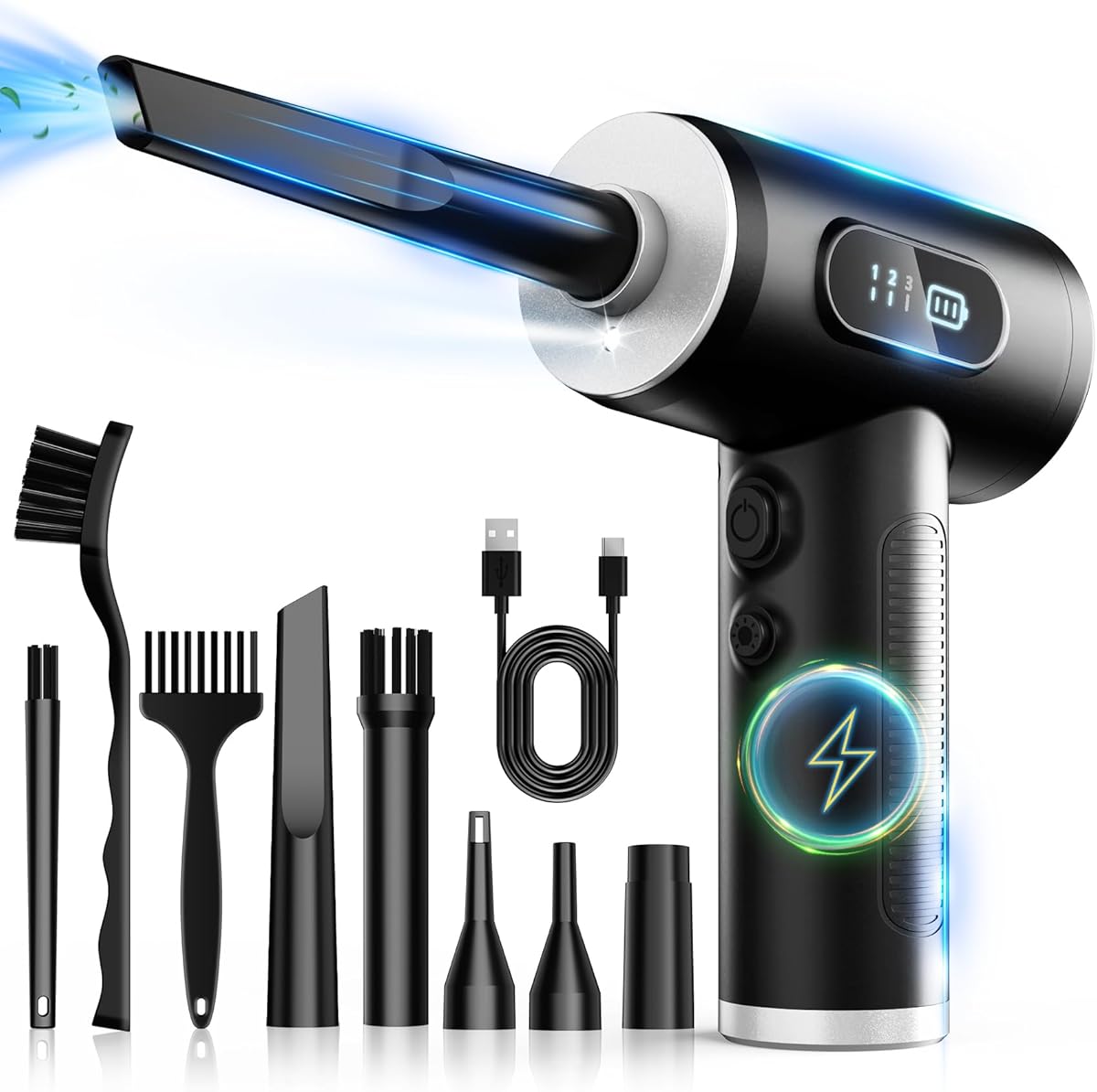
With a motor speed of 100000 RPM and three adjustable speeds, this duster offers precise control over the airflow intensity. The smart LED display provides real-time feedback on battery levels and speed modes, ensuring you never run out of power unexpectedly.
The unit includes five nozzles and three brushes to tackle various cleaning scenarios from tight keyboard gaps to large PC fans. The built-in LED light is particularly useful for illuminating dark crevices in laptops and desktop towers where dust hides.
If you maintain multiple devices or have a heavy dusting schedule, this duster is a worthwhile investment. It eliminates the need for buying constant cans of air and provides a consistent, eco-friendly cleaning experience for all your electronics.
The smart LED display ensures you always know the battery status and selected speed, preventing mid-task interruptions and optimizing power usage for different cleaning tasks.
By replacing disposable cans with a rechargeable unit, this duster reduces waste and long-term costs while delivering a powerful stream of dry air that is safe for electronics.
We may earn a commission when you buy through this link, at no additional cost to you.
The MiaEpic Z3 electric air duster delivers an extreme level of airflow with a 280000 RPM motor that blasts away stubborn dust in seconds. It is ideal for heavy-duty cleaning tasks where standard dusters might struggle to clear compacted debris from fans.
We may earn a commission when you buy through this link, at no additional cost to you.
This unit features a smart LCD screen that tracks battery status and speed levels to prevent interruptions during use. The high-speed brushless motor generates strong pressure airflow capable of cleaning industrial equipment and premium electronics effectively.
Despite its power, it remains lightweight and includes multiple attachments for precise cleaning. The LED lighting ensures visibility in dark corners of PC towers and camera gear, making it a versatile tool for enthusiasts and professionals alike.
This duster is best suited for those who need maximum power to clean heavily used devices. While the noise level is higher due to the speed, the efficiency and runtime make it a compelling choice for deep cleaning projects.
The brushless motor reaches up to 280000 RPM providing a level of power that can dislodge years of dust buildup in seconds without physical scrubbing.
Supported by a Type-C fast charging system this unit recharges in about three hours and offers extended runtime for completing multiple cleaning sessions without waiting.
We may earn a commission when you buy through this link, at no additional cost to you.
Weighing only 0.45 lb the WOLFBOX MegaFlow 50 is one of the lightest electric dusters available on the market. It combines portability with a powerful 110000 RPM motor making it easy to use for extended periods without hand fatigue.
We may earn a commission when you buy through this link, at no additional cost to you.
This duster offers three adjustable speed settings to suit different cleaning tasks from gentle dusting to heavy debris removal. The battery supports up to 240 minutes of use on the lowest setting which is excellent for large scale cleaning projects.
It comes with four nozzles for wide application across various devices including PCs keyboards and car interiors. The durable construction and long-lasting battery make it a reliable alternative to disposable air cans for daily maintenance.
For users who need a tool that is easy to carry and simple to operate this model is an excellent choice. It balances weight and power effectively ensuring you can clean your laptop fans and devices effortlessly wherever you are.
The long-lasting battery allows for up to four hours of continuous use on low settings meaning you can clean multiple devices in one go without needing a recharge.
At less than half a pound this duster is incredibly easy to carry in a bag and is perfect for techs or travelers who need to clean on the move.
We may earn a commission when you buy through this link, at no additional cost to you.
This electric duster stands out with its 8000mAh battery that provides a solid 120 minutes of runtime on the lowest speed. The 130000 RPM motor delivers a powerful cleaning storm that can remove years of dust from keyboards and fans efficiently.
We may earn a commission when you buy through this link, at no additional cost to you.
It offers four adjustable gear speeds allowing you to choose the right intensity for delicate electronics or heavy dirt. The included set of six versatile nozzles and ten detail brushes ensures you have the right tool for every cleaning task.
The Type-C fast charging means you can get back to work quickly after a charge cycle. It is designed to replace over a thousand cans of disposable air making it a cost-effective and eco-friendly solution for regular cleaning.
Ideal for families or offices with multiple devices this duster offers a great balance of power and battery life. The comprehensive accessory set makes it a versatile choice for both home and automotive cleaning needs.
The 8000mAh battery ensures that you have plenty of power for multiple cleaning sessions without needing to plug in frequently which is great for large jobs.
With ten detail brushes and six nozzles this kit provides tailored solutions for every corner of your devices ensuring no dust is left behind after cleaning.
We may earn a commission when you buy through this link, at no additional cost to you.
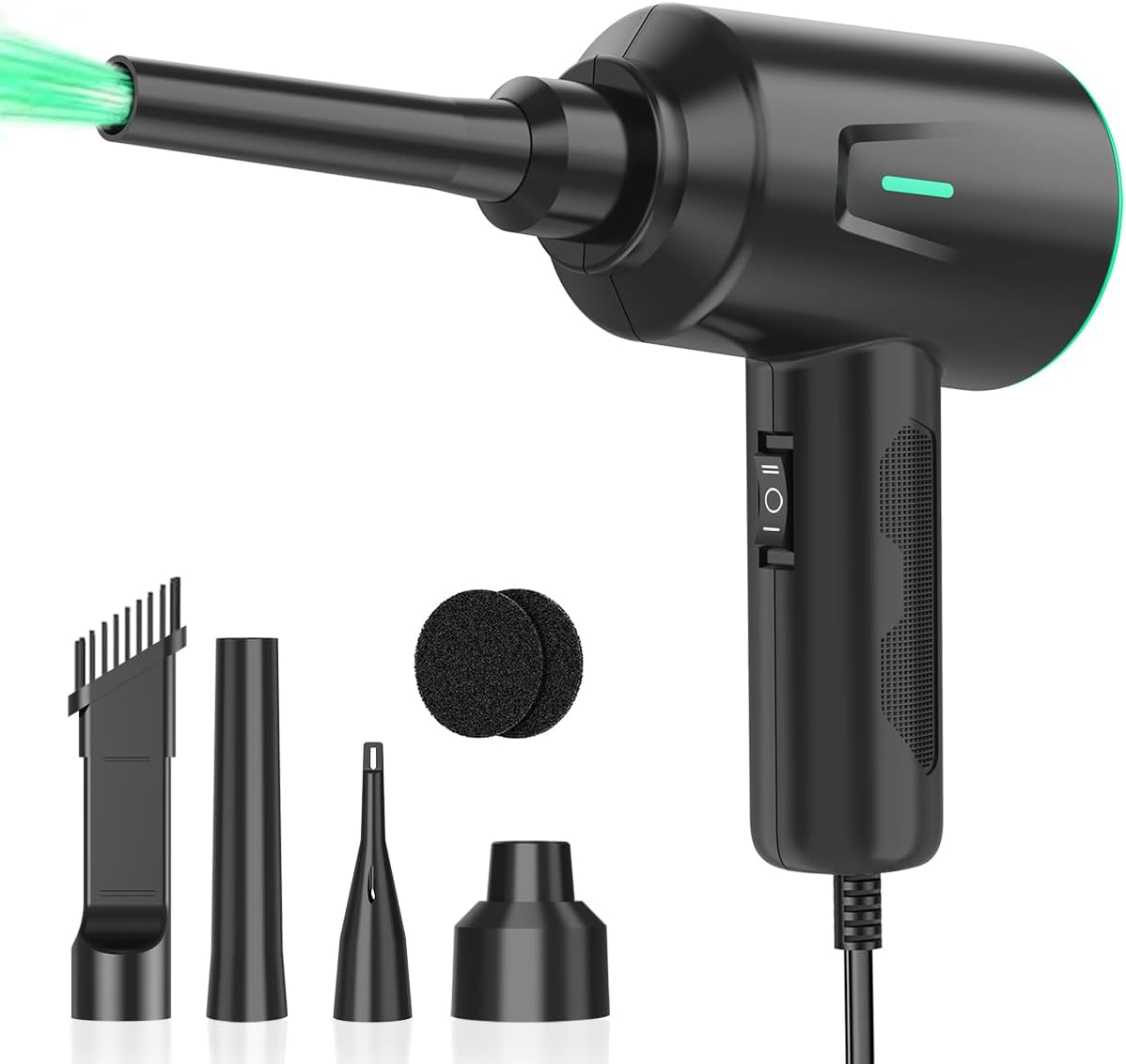
The Meudeen Air Duster is a corded option that delivers consistent power without the worry of battery degradation or runtime limits. It features a 500W motor that propels air at speeds up to 200000 RPM providing strong continuous airflow for cleaning.
We may earn a commission when you buy through this link, at no additional cost to you.
With an extended 8.2-foot cord this unit offers convenience for cleaning larger setups where reaching every corner with a battery duster might be difficult. The two-speed adjustment allows for flexibility between gentle dusting and heavy-duty cleaning tasks.
Because it is corded you never have to stop to recharge or worry about running out of power mid-job. This makes it an ideal choice for users who primarily clean at a desk or workstation with easy access to an electrical outlet.
This duster is perfect for those who prioritize consistent performance over portability. It eliminates the need for disposable cans and provides a reliable and high-pressure air stream that is safe for all electronic components.
Since it runs on mains power you can clean as long as you need without ever stopping to charge or swap batteries which is great for large office environments.
The 500W motor generates high pressure air instantly ensuring that even heavy dust buildup is removed effectively with minimal physical effort.
We may earn a commission when you buy through this link, at no additional cost to you.
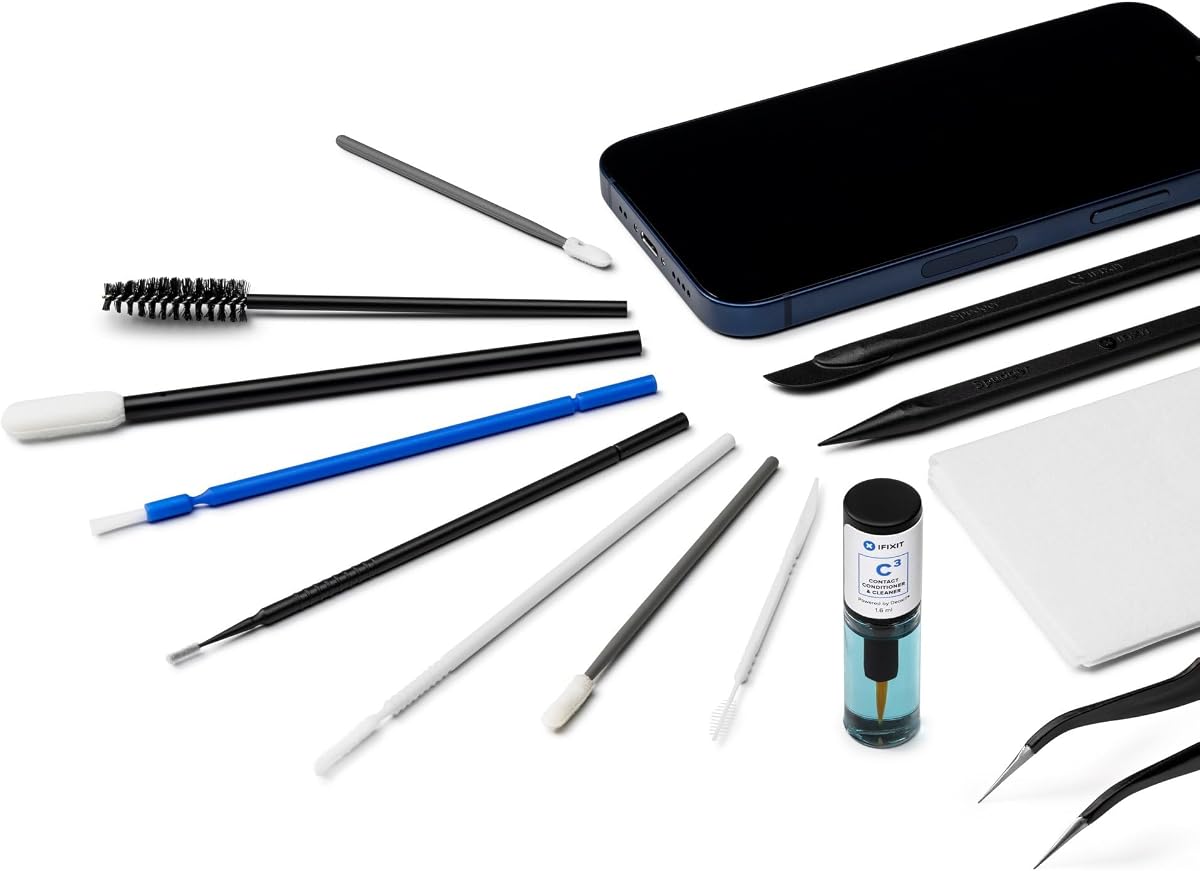
This kit is designed for precision maintenance on phones laptops and tablets with tools that help clean hard-to-reach areas. It includes spudgers tweezers and specialized brushes that allow you to dislodge debris from ports and connectors safely.
We may earn a commission when you buy through this link, at no additional cost to you.
The inclusion of DeoxIT D100L adds significant value as it helps clean and protect electrical contacts from corrosion. The foam tipped swabs and lint-free wipes are perfect for cleaning screens and internal components without leaving residue.
While it does not include an air duster it excels at detailed cleaning tasks that require manual precision. It is particularly useful for users who perform repairs or want to maintain the internal health of their devices beyond just surface dusting.
For hobbyists and repair enthusiasts this kit provides professional grade tools at an accessible price. It ensures that every component from the charging port to the internal fans can be cleaned with care and precision.
The DeoxIT solution helps clean electrical contacts and ports removing oxidation and ensuring that your device maintains optimal connectivity over time.
Specialized brushes and swabs allow you to clean internal components like heatsinks and fans carefully without risking damage to sensitive circuitry.
We may earn a commission when you buy through this link, at no additional cost to you.
This kit offers ten different brush sizes designed to tackle dust in various locations from wide keyboard gaps to tiny computer fans. The anti-static nylon material ensures that you can clean sensitive components without worrying about static damage.
We may earn a commission when you buy through this link, at no additional cost to you.
It includes soft bristle brushes for delicate surfaces like camera lenses and monitors making it a versatile addition to any cleaning setup. The hard brushes are effective for scrubbing out stubborn debris from deep within cooling fans and vents.
Since it is a simple brush set it is very affordable and can be used in conjunction with air dusters for a complete cleaning solution. It is particularly useful for deep cleaning mechanical keyboards and desktop PC fans where air alone might not be enough.
Ideal for budget-conscious users this set provides a reliable way to maintain your devices with manual effort. The variety of sizes ensures that no matter how small the gap you have a brush to reach it and clear the dust.
Made with high-quality nylon material these brushes are designed to safely clean electronic components like motherboards without risking static discharge damage.
With ten different sizes you can reach into the smallest crevices of your laptop fan and camera gear ensuring a thorough clean in areas air cannot reach.
We may earn a commission when you buy through this link, at no additional cost to you.
This electric air duster is designed for versatile use across laptops cars and home environments with a lightweight and ergonomic design. It delivers a strong airflow of up to 110000 RPM effectively removing dust from keyboards and cooling vents without pressure loss.
We may earn a commission when you buy through this link, at no additional cost to you.
The LED light is a useful addition that brightens dark or narrow spaces making it easier to see dust particles as you clean. It comes with five nozzles and four brushes allowing you to adapt the tool for inflation or detailed cleaning tasks.
The high-capacity battery supports long cleaning sessions and charges quickly via Type-C which is convenient for users on the go. It replaces wasteful canned air with a reusable and energy-efficient alternative that saves money over time.
This duster is a smart choice for those who want a single tool for multiple cleaning tasks. Whether maintaining your laptop fan or cleaning out car vents it offers powerful and consistent performance in a comfortable and portable package.
The LED light ensures you can see clearly in dark corners of your laptop or car allowing for more thorough dust removal in shadowed areas.
Beyond cleaning this blower can also be used to inflate balloons and air mattresses making it a highly versatile tool for both maintenance and casual use.
We may earn a commission when you buy through this link, at no additional cost to you.
Choosing the right cleaning kit depends on your specific needs and the level of dust buildup you typically face. We break down the key factors to consider when making your selection.
Decide between electric air dusters and manual brush kits. Electric dusters provide powerful air to remove dust from deep inside fans and vents while manual kits are better for surface cleaning and precise work around screens and ports.
Choose an electric duster if you want efficiency and power or a manual kit if you need detailed control and a lower cost option.
Electric dusters come with rechargeable batteries or cords. Battery-operated models offer portability and convenience while corded models provide unlimited runtime without worrying about charge levels.
Opt for battery-powered units if you need to clean in multiple locations or corded units if you primarily clean at a fixed workstation.
Motor speed measured in RPM indicates how powerful the airflow will be. Higher RPM models can dislodge stubborn dust and debris more quickly but may generate more noise.
Select a motor with enough speed to clear your specific dust buildup but consider that high power is not always necessary for light dusting.
Look for kits that include various nozzles and brushes. These attachments help direct airflow to tight spaces and allow you to clean different parts of your laptop safely.
More attachments mean better versatility for cleaning keyboards, fans, and other electronics so check the accessory count before buying.
For cordless dusters battery life determines how long you can use the tool on a single charge. Longer runtimes are useful for cleaning multiple devices or large areas.
Check the manufacturer's estimated runtime to ensure it matches your cleaning habits and that it supports fast charging for quick turnarounds.
Cleaning electronics requires care to avoid static damage. Choose brushes and tools made from anti-static materials to protect sensitive components inside your laptop.
Ensure the kit includes safe materials for electronics and avoids anything that could generate static electricity during the cleaning process.
If you travel often or clean on the go consider the weight and size of the kit. Lightweight units with storage cases make it easy to carry your tools everywhere.
Prioritize compact and lightweight designs if portability is a key requirement for your daily routine.
Prices vary significantly between simple brush kits and advanced electric dusters. Determine your budget and balance the features you need with the cost you are willing to pay.
Invest in a higher-priced unit if you need power and convenience but know that manual kits can be sufficient for regular maintenance.
Before cleaning shut down your laptop and disconnect any power sources. Use a manual brush or soft air duster to gently remove dust from the surface and keyboard before moving to internal fans.
For deep fan cleaning use a cordless air duster held at a safe distance. Keep the laptop stationary to prevent the fan from spinning freely and causing damage during the air blast.
Store your cleaning tools in a clean dry place to prevent dust from accumulating on them. Regularly wipe down brushes and check battery levels to ensure they are ready for the next use.
Yes you can clean your laptop fan without opening the case by using a strong air duster to blow dust out of the vents. However opening the case allows for more thorough cleaning and is recommended for deep maintenance.
Yes compressed air is safe for laptops as long as you use it correctly. Keep the can upright to avoid moisture spray and hold the nozzle a few inches away to prevent forcing dust deeper inside the device.
It is recommended to clean your laptop fan every six months to prevent overheating. If you use your laptop in dusty environments you may need to clean it more frequently to maintain performance.
Mini soft brushes and air dusters with narrow nozzles are best for cleaning between keyboard keys. These tools can reach deep into the gaps to remove crumbs and dust without damaging the keys.
Electric air dusters are designed to replace canned air completely. They provide consistent power dry air and are reusable which makes them more cost-effective and environmentally friendly over time.
Anti-static brushes are recommended to avoid damaging sensitive components inside your laptop. They prevent static electricity from building up and transferring to circuits during the cleaning process.
We have explored ten top options for laptop fan cleaning kits ranging from precision manual tools to powerful electric dusters. The iFixit kit offers the best all-in-one manual solution while electric dusters like the FRESMOL and MiaEpic provide superior power for heavy dust removal.
When choosing prioritize the cleaning method that suits your needs and the battery life for cordless units. Ensure the kit includes enough attachments to reach all the crevices in your devices for a thorough clean.
Prices and availability change so be sure to check the current listings for each product before making your purchase. With the right tools you can keep your laptop running cool and efficient for years to come.