
HP Everyday Business Paper, Glossy
4.5Editor score
32 lb weight
150 sheets included
HP Smart app support
Sharp color graphics
This guide compares the top glossy paper options for laser printers to help you choose the best finish, weight, and quality for your professional printing
Finding the right glossy paper for your laser printer is essential for creating professional documents that stand out. Whether you need brochures, flyers, or reports, the right paper enhances color vibrancy and text clarity significantly.
We evaluated ten top-rated products based on coating quality, weight, brightness, and compatibility with laser technology. Our comparison ensures you get reliable performance without jams or poor print results on your specific device.
Each pick below highlights unique strengths for different business and home needs. Note that availability and specific stock levels may vary over time, so check current listings before making your final selection for projects.
4.5Editor score

4.7Editor score

4.4Editor score
The following table provides a side-by-side view of all ten selected products. Compare their weights, sheet counts, brightness levels, and specific coatings to find the exact match for your laser printer model.


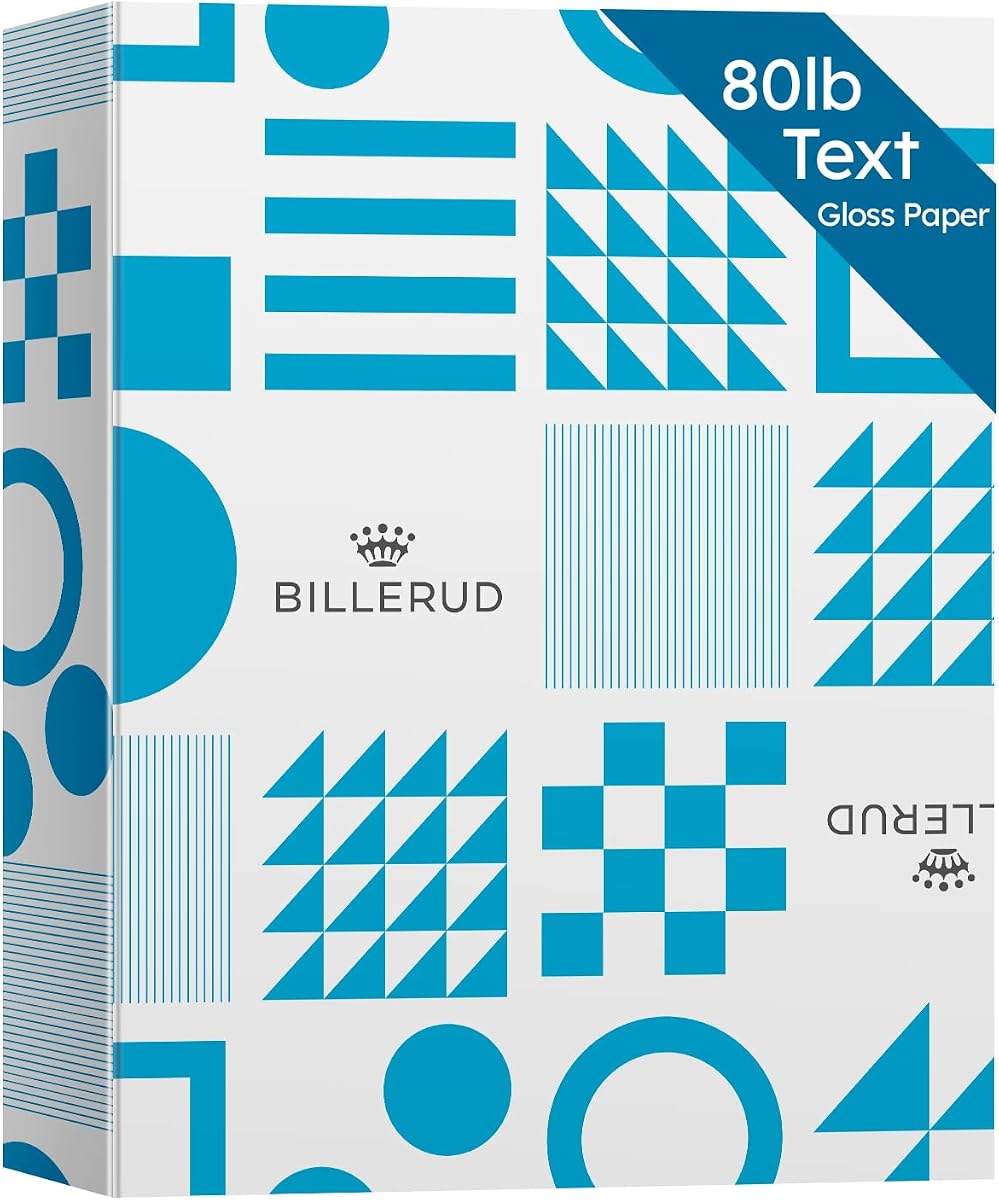


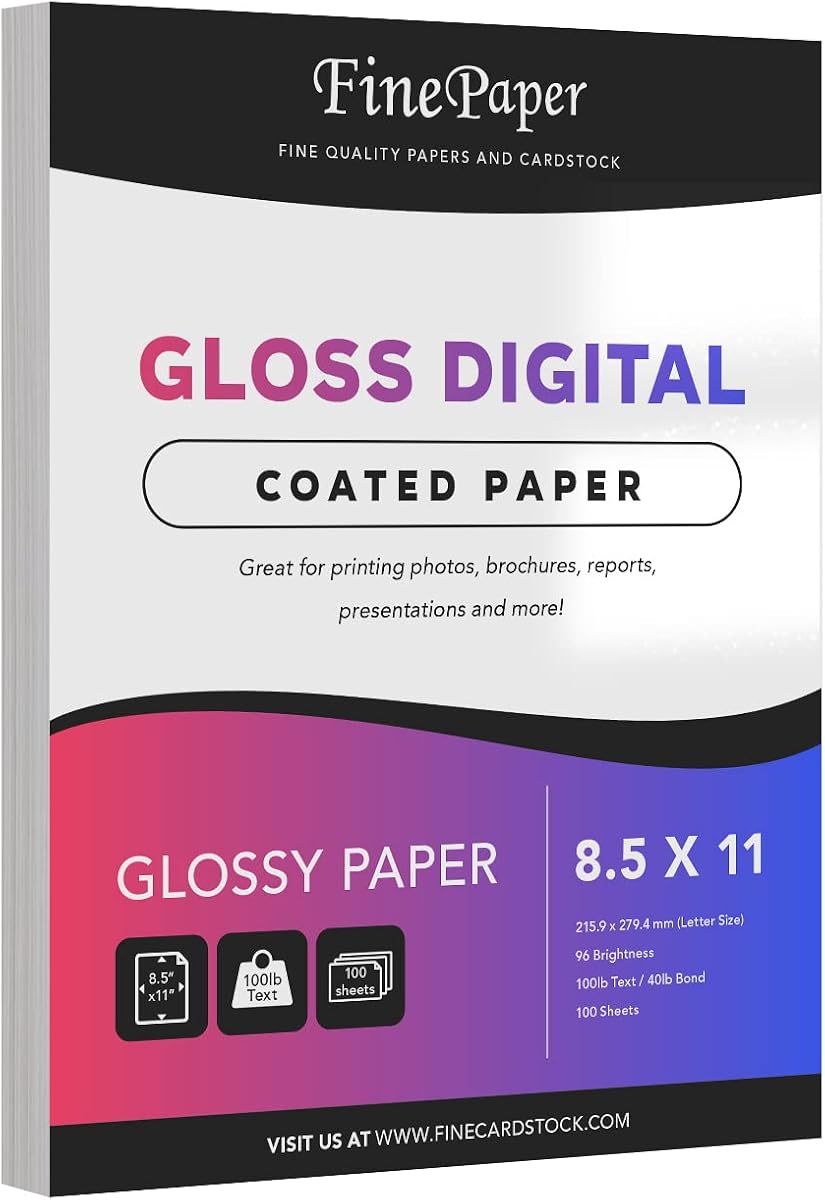

This premium paper offers exceptional clarity for high-end marketing materials. With a 100lb Text weight and 96 brightness, it delivers rich saturation and HD details perfect for luxury portfolios and menus.
We may earn a commission when you buy through this link, at no additional cost to you.
The dual-sided C2S coating ensures seamless professional dual-sided printing without show-through. Its 4.5 pt thickness allows flexibility for binding or folding, making it ideal for brochures and design proposals.
Trade-offs include a higher price point and strict laser-only compatibility. However, the archival-safe acid-free construction and secure packaging ensure your prints last years without yellowing or fading.
Buyers needing professional photo reproduction or detailed design work should prioritize this option. It stands out for its smooth glossy finish and reliable performance in heat-fusing laser environments.
The Gloss 72 finish enhances readability and showcases colors with exceptional depth for crisp text and vivid graphics.
Perfect for everything from photo prints and menus to wall displays and report covers with a polished look.
We may earn a commission when you buy through this link, at no additional cost to you.
HP Everyday Business Paper delivers professional-quality documents with a glossy finish for compelling brochures and flyers. Its high-performance coating ensures crisp black text and sharp color graphics on your laser printer.
We may earn a commission when you buy through this link, at no additional cost to you.
This paper is best for businesses printing financial documents and reports where little show-through is essential. You can easily print and create high-quality scans from virtually anywhere using the HP Smart app.
While it offers a standard 32 lb weight and smaller sheet count, the value remains strong for everyday marketing needs. The performance ensures reliable feeding and vibrant results without premium costs.
Small businesses needing quality business plans and reports should choose this option. It balances affordability with professional output for those seeking HP reliability in daily laser printing tasks.
Seamlessly manage print jobs and scans from various devices with the integrated HP Smart app technology.
Create brochures and flyers that stand out with a glossy finish that enhances color without expensive costs.
We may earn a commission when you buy through this link, at no additional cost to you.
HP Professional Business Paper offers print-shop quality output for high-impact results. It brings professional quality, rich color, and sharp graphics to your branded materials with a glossy finish.
We may earn a commission when you buy through this link, at no additional cost to you.
With a 52 lb weight, this paper produces two-sided printshop-quality materials that stand out. Sourced from sustainably managed forests, it meets Forest Stewardship Council standards for environmental responsibility.
The higher price point reflects the premium quality and professional finish expected from HP. Its recyclable nature ensures minimal environmental impact while delivering brilliant professional prints for business needs.
Businesses prioritizing brand image and quality prints should invest in this option. It is ideal for high-impact reports and brochures where professional presentation outweighs budget constraints.
Paper is sourced from sustainably managed forests following FSC standards for eco-friendly business printing.
Print two-sided materials with a glossy finish that ensures brilliant professional results on both sides.
We may earn a commission when you buy through this link, at no additional cost to you.
This paper is engineered specifically for color laser and digital printers to deliver vivid double-sided printing. The C2S gloss coating on both sides ensures sharp, brilliant color reproduction for brochures and flyers.
We may earn a commission when you buy through this link, at no additional cost to you.
With a 80lb Text weight, it optimizes smooth, reliable feeding without jams. Acid-free and lignin-free construction ensures prints stay vivid and won't yellow or fade over time.
While limited to laser printers and a 50-sheet pack, the professional finish is ideal for proposals and event flyers. The secure packaging protects sheets from moisture damage during shipping effectively.
Users needing high-volume professional printing without photo paper pricing should consider this. It offers consistent quality for school projects and business proposals out of the box.
Specifically designed for laser printers to ensure smooth feeding and vivid color reproduction without issues.
Acid-free and lignin-free construction prevents yellowing and keeps your prints vibrant for years.
We may earn a commission when you buy through this link, at no additional cost to you.
High-quality white paper with a double-sided glossy surface ensures 99.99% jam-free performance for design proposals. It offers rich color reproduction and excellent opacity without the cost of premium paper.
We may earn a commission when you buy through this link, at no additional cost to you.
Acid-free and lignin-free construction helps preserve the paper and prevents fading over time. Its dependable performance ensures a trouble-free run so you can focus on creating superior printed pieces.
Optimal performance on color and black and white laser printers makes it versatile. The secure and safe package ensures all 100 sheets arrive safely and ready for immediate use.
Professionals needing reliable design proposals and flyers should look to this option. It balances cost with high-quality finishes for business use and presentations.
Enjoy a trouble-free run with 99.99% jam-free performance for efficient workflow on projects.
Acid-free and lignin-free materials keep your designs fresh and professional for extended periods.
We may earn a commission when you buy through this link, at no additional cost to you.
High-quality white paper with a glossy surface ensures 99.99% jam-free performance for design proposals. It offers rich color reproduction and excellent opacity without the cost of premium paper.
We may earn a commission when you buy through this link, at no additional cost to you.
Acid-free and lignin-free construction helps preserve the paper and prevents fading over time. With 500 sheets, it provides excellent bulk value for extensive printing needs.
Optimal performance on color and black and white laser printers makes it versatile. The secure and safe package ensures all sheets arrive safely and ready for immediate use.
Businesses with high-volume needs should choose this bulk option. It ensures consistent quality for flyers and brochures over extended periods.
500 sheets ensures you have ample supply for ongoing projects and daily printing operations.
Dependable performance and jam-free operation keep your printing workflow smooth and uninterrupted.
We may earn a commission when you buy through this link, at no additional cost to you.
This glossy photo paper offers an industry standard 200 gsm weight suitable for photo printing needs. It features a smooth finish for fast drying and even ink-absorption for lasting impressions.
We may earn a commission when you buy through this link, at no additional cost to you.
While compatible with both inkjet and laser jet printers, it is recommended for inkjet for photo printing. This versatility makes it a reliable choice for occasional high-quality print jobs.
The bulk pack of 100 sheets ensures you have plenty for various projects. However, thicker than text paper, so consider printer tray settings carefully.
Those printing photographs or needing a versatile glossy option should consider this. It balances quality and convenience for both professional and casual users.
While recommended for inkjet, this paper works with both inkjet and laser printers for flexible usage.
Print those images that matter with a smooth finish designed to preserve lasting impressions.
We may earn a commission when you buy through this link, at no additional cost to you.
HP Enhanced Business Paper offers excellent quality for standout results. It helps make your business stand out with rich color and sharp graphics on sales and marketing materials.
We may earn a commission when you buy through this link, at no additional cost to you.
With a 40 lb weight, this paper produces polished two-sided materials with a glossy finish for brilliant professional prints. Sourced from sustainably managed forests, it follows FSC standards.
The recyclable nature ensures minimal environmental impact while delivering brilliant professional prints. The price is higher than basic, but quality reflects the professional finish expected from HP.
Businesses prioritizing brand image should invest in this option. It is ideal for high-impact reports and brochures where professional presentation outweighs budget constraints.
Produce two-sided sales and marketing materials with a glossy finish that looks professional.
Sourced from sustainably managed forests following FSC standards for eco-friendly business printing.
We may earn a commission when you buy through this link, at no additional cost to you.
High-quality white paper with a double-sided glossy surface ensures 99.99% jam-free performance for design proposals. It offers rich color reproduction and excellent opacity without the cost of premium paper.
We may earn a commission when you buy through this link, at no additional cost to you.
With a 100lb Text weight, it provides a substantial and professional feel suitable for various applications. Acid-free and lignin-free construction helps preserve the paper and prevents fading over time.
Optimal performance on color and black and white laser printers makes it versatile. The secure and safe package ensures all 100 sheets arrive safely and ready for immediate use.
Users needing a heavier weight for brochures or reports should look to this option. It balances cost with high-quality finishes for business use and presentations.
100lb Text weight ensures prints feel premium and professional without being too heavy.
Enjoy a trouble-free run with 99.99% jam-free performance for efficient workflow on projects.
We may earn a commission when you buy through this link, at no additional cost to you.
The smooth, glossy finish enhances readability and showcases colors with exceptional clarity and depth. Perfect for detailed designs, crisp text, and vivid graphics on various projects.
We may earn a commission when you buy through this link, at no additional cost to you.
Both sides of the paper feature a premium gloss coating, allowing for flawless double-sided printing. Ideal for brochures, booklets, and other multi-page documents where print quality is paramount.
This optimal paper weight ensures your prints are substantial and professional without being too heavy. Standard letter size fits seamlessly into any office or home printer setup.
Users creating eye-catching promotional materials should choose this. The gloss finish enhances image quality, making your content easy to read and engaging.
Both sides feature premium gloss coating for flawless double-sided printing on multi-page documents.
Optimal paper weight ensures your prints are substantial and professional without being too heavy.
We may earn a commission when you buy through this link, at no additional cost to you.
Selecting the right glossy paper involves balancing weight, coating, and printer compatibility. This guide covers essential factors to ensure your laser printer performs optimally.
Glossy paper for laser printers often features a specific coating designed to withstand heat fusing. Look for double-sided (C2S) coatings if you need high-quality prints on both sides of the sheet. This ensures vibrant colors and text without show-through or warping. The finish should enhance readability and color depth significantly for your specific application. A proper coating ensures toner fuses correctly to avoid smudging or peeling.
Prioritize C2S coatings for professional dual-sided documents and marketing materials.
Paper weight typically ranges from 32lb Bond to 100lb Text for glossy options. Heavier weights like 80lb or 100lb provide a substantial feel suitable for brochures and proposals. Lighter 32lb or 40lb options are better for flyers and everyday printing needs. Thickness affects flexibility and whether the paper can be bound or folded. A 4.5 pt caliper often indicates a supple magazine-like feel.
Choose 100lb Text for high-end marketing and 32lb Bond for flyers.
It is crucial to verify that the paper is optimized specifically for laser printers. Some glossy papers are designed for inkjet and may melt or jam in heat-fusing laser printers. Look for labels stating 'Laser Printers Only' to ensure safe operation. Compatibility ensures reliable feeding and prevents mechanical issues. Always check your printer manual for weight and thickness limits.
Ensure the paper is explicitly labeled for laser or digital press use.
Brightness levels indicate how much light the paper reflects. Higher brightness (94 to 96) ensures true-to-screen color reproduction and vibrant graphics. Opacity ensures that ink does not bleed through to the other side. High opacity is essential for professional documents and double-sided printing. Brightness levels directly impact the visual clarity of your printed output.
Look for 96 brightness for rich, vivid color reproduction on documents.
Acid-free and lignin-free construction prevents yellowing and fading over time. This is vital for preserving important prints like portfolios or legal documents. Archival-safe paper ensures your work remains pristine for years without becoming brittle. Secure packaging during shipping also protects against moisture damage. These features ensure long-lasting quality and professional presentation of prints.
Opt for acid-free and lignin-free paper for archival-safe long-term printing.
Sheet counts range from 50 to 500 sheets depending on the product. Bulk packs offer better value for high-volume printing needs. Smaller packs are easier to store and suitable for occasional use. Consider your monthly printing volume when selecting pack sizes to avoid shortages. Secure packaging ensures all sheets arrive flat and ready to print without damage.
Select bulk packs for high-volume needs and smaller packs for occasional printing.
FSC certification indicates the paper is sourced from sustainably managed forests. This ensures environmental responsibility in your business printing operations. Recyclable paper options reduce waste and support green initiatives. Sustainable sourcing often correlates with higher manufacturing quality and consistency. Choosing FSC-certified paper enhances your brand's commitment to environmental stewardship.
Prioritize FSC-certified and recyclable paper for sustainable business practices.
Different projects demand different paper specifications. Menus and luxury portfolios need supple, foldable weights like 100lb Text. Flyers and marketing materials benefit from 80lb Text with high opacity. School projects and proposals need jam-free guarantees for reliability. Matching the paper to the specific use case ensures optimal results and client satisfaction. Consider binding or folding requirements before purchasing.
Match paper weight and finish to your specific project requirements for best results.
Store glossy paper in a cool, dry place away from direct sunlight to prevent curling or moisture damage. Keep sheets in their original packaging until ready for use to maintain flatness. Ensure your printer trays are adjusted to the correct paper size and weight to prevent jams during feeding. Using proper storage ensures the paper performs as expected in the laser printer.
Load the paper with the glossy side facing the correct direction as specified by your printer manual. Some printers feed through specific rollers, so aligning correctly prevents smudging or toner misalignment. Adjust print settings to 'High Quality' or 'Glossy' mode to optimize toner fusing. Correct loading ensures consistent professional results across your print jobs every time.
Allow prints to dry briefly after exiting the printer to set the toner fully. Handle printed sheets carefully by the edges to avoid fingerprints on the glossy surface. If stacking multiple prints, separate them to prevent toner from transferring between sheets. Proper handling and drying ensure your final documents look clean and professional every time.
Some glossy papers are compatible with both inkjet and laser printers, but many are laser-only due to heat fusing. Always check the product specifications before purchase. Using laser-only paper in an inkjet printer may result in smudging or damage. Verify compatibility to ensure optimal print quality and printer safety for your specific model.
For professional brochures, 80lb Text to 100lb Text weight is ideal. This range provides flexibility for folding without being too stiff like cardstock. Heavier weights ensure a premium feel and durability for marketing materials. Avoid lightweight 32lb options which may feel flimsy for high-end presentations and client proposals.
High-quality laser glossy paper is engineered to feed smoothly without jams. Issues often arise from using incompatible paper types or improper tray alignment. Ensure your printer settings match the paper weight and thickness. Jam-free guarantees are available for many products to help prevent common printing errors effectively.
Choose paper with high opacity like 96 Opacity or 100lb Text weight. Dual-sided (C2S) coating also helps prevent toner bleeding through to the other side. High opacity ensures prints look clean and professional on both sides. Verify the opacity rating to select paper that meets your double-sided printing needs.
FSC certification ensures the paper is sourced from responsibly managed forests. This supports environmental sustainability and enhances your brand's corporate social responsibility. Recyclable options also reduce waste and support green initiatives. Prioritizing sustainable sourcing ensures high-quality and eco-friendly printing practices for your business.
Consider your total print volume plus a few extra sheets for test prints. Bulk packs of 500 sheets offer better value for high-volume needs. Smaller packs of 50 or 100 are easier to store for occasional projects. Select the pack size that aligns with your project scale and storage availability effectively.
We reviewed ten top options ranging from lightweight flyers to premium brochures. The Glossy Business Paper 8.5×11 stands out for its high weight and professional finish, ideal for luxury portfolios. HP Everyday Business Paper offers reliable everyday performance for standard marketing needs.
Prioritize factors like weight, coating type, and printer compatibility to ensure optimal results. High brightness and opacity ensure vivid colors for professional presentations. Choose archival-safe paper to protect your work over time and prevent fading or yellowing.
Prices and stock levels may change over time, so check current listings before buying. Always verify compatibility with your specific printer model. We hope this guide helps you find the perfect paper for your next printing project.