
Video Conference Lighting & Computer Light
4.1Editor score
USB Plug-and-Play
3 Color Modes
Compact Clip-On
Finding the right lighting for your computer workspace is crucial for productivity and eye comfort. Internal PC Work Lights offer specialized illumination that reduces strain during long sessions.
We evaluated ten top-rated products based on brightness, adjustability, and eye-care features. Our comparisons highlight how each model performs for different desk setups and tasks.
Each pick showcases key features and real-world benefits for your workspace. Please note that prices and availability may change over time on retailer sites.
4.1Editor score

4.5Editor score

4.5Editor score
As an Amazon Associate we earn from qualifying purchases.
This side-by-side comparison highlights the key specifications of all ten selected lights to help you identify the best match for your desk and needs.

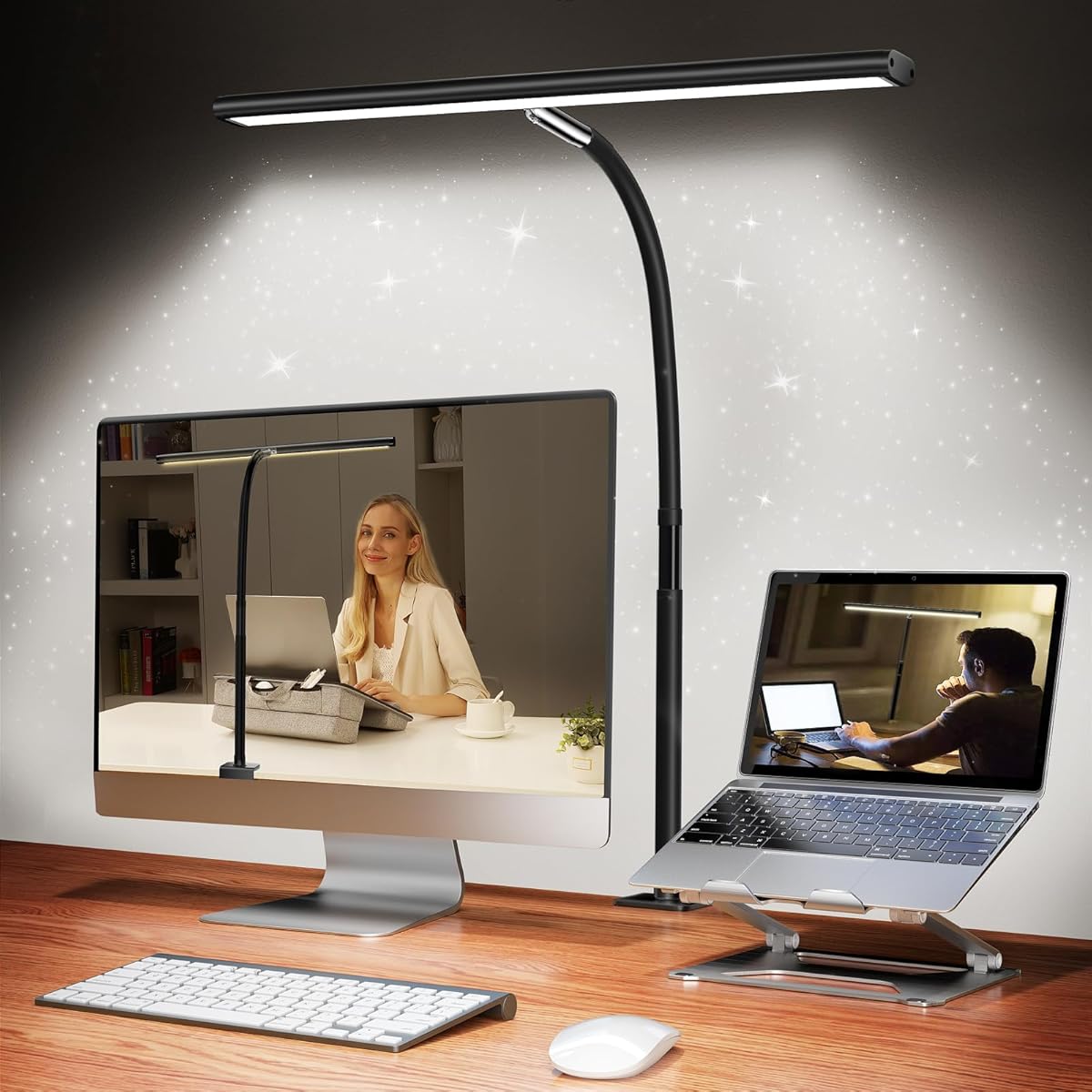


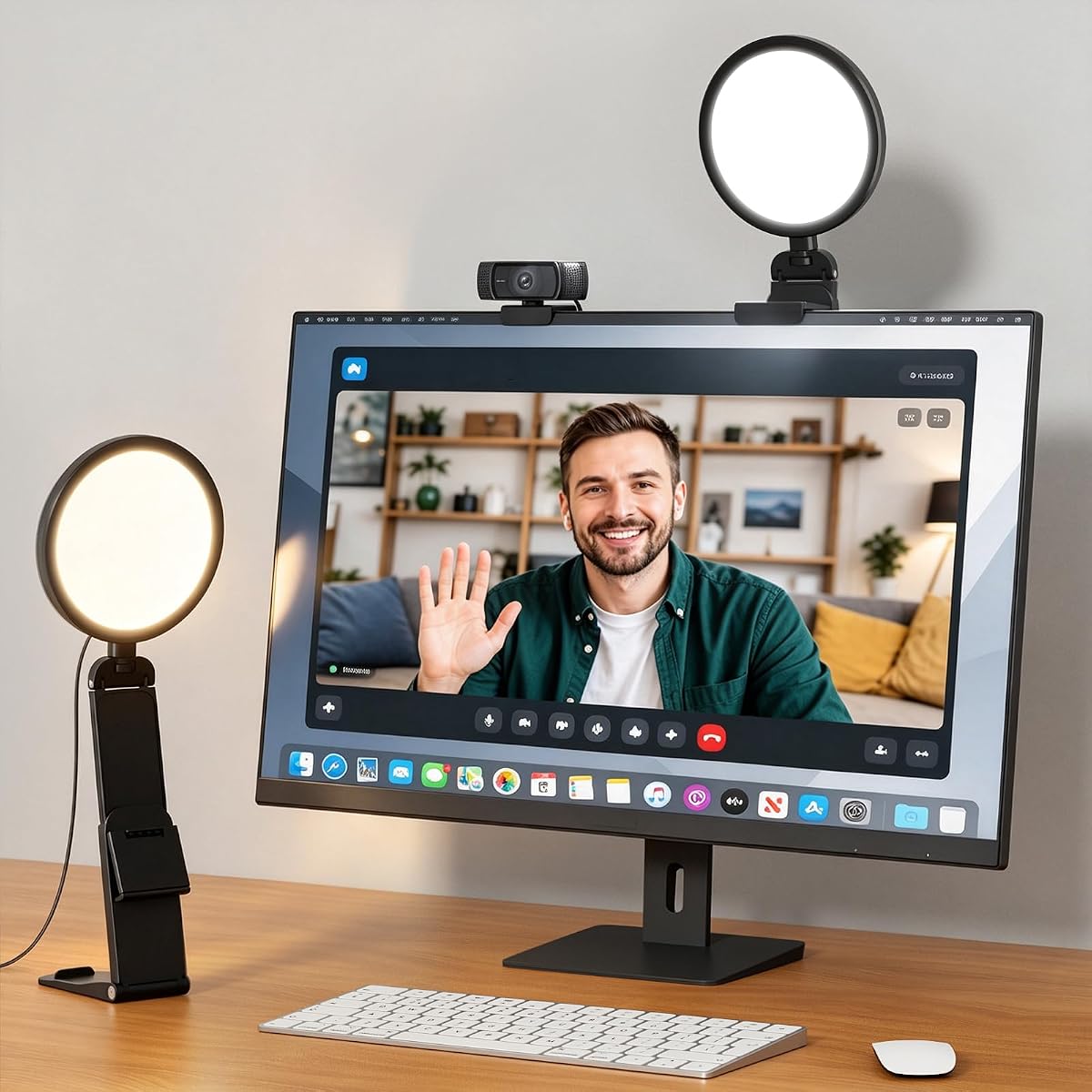

The Monitor Light Bar stands out as an accessible option for improving desk lighting without cluttering space. With a rating of 4.2 stars, it offers reliable performance for everyday use in home offices and gaming setups.
We may earn a commission when you buy through this link, at no additional cost to you.
Its 11.8-inch bar delivers up to 800 lux of central brightness across a 30 by 20-inch area. This wide coverage ensures even light distribution that minimizes dark spots and reduces eye strain during long work sessions.
While the mechanical switch controls brightness and color temperature through short and long presses, it lacks the convenience of touch interfaces or apps. However, the memory function recalls your last settings automatically for added ease.
This light is ideal for users seeking a straightforward, screen-free lighting solution that protects eyes and keeps desks organized. The counterweight clip ensures stability on screens from thin to thick without requiring tools.
The 45-degree beam angle directs light to the desk and screen while avoiding direct eye contact to minimize glare and strain.
Its compact profile and patented clip allow it to sit securely on your monitor without consuming valuable desk space for other tools.
We may earn a commission when you buy through this link, at no additional cost to you.
The Airlonv LED Desk Lamp delivers exceptional value with its 17-inch wide bar and stepless dimming capabilities. Rated 4.5 stars, it provides precise control over light intensity and color temperature for various tasks.
We may earn a commission when you buy through this link, at no additional cost to you.
Its long flexible gooseneck rotates 360 degrees to position light exactly where needed. The aluminum and ABS build ensures efficient heat dissipation and a lifespan of up to 60,000 hours of reliable use.
While the clamp design secures the lamp well, it requires a flat desktop edge up to 2.36 inches thick. This limits placement options compared to stand-alone lamps but keeps the setup compact.
Ideal for crafts, reading, or multi-monitor setups, this lamp balances brightness and adjustability. The included wire management feature keeps cables neat, contributing to a clean and professional workspace.
The extra-wide bar and flexible neck allow you to tailor lighting for large workspaces or detailed activities like sewing and drawing.
Consuming 85% less energy than incandescent lamps, it offers uniform brightness without blue light hazards or bothersome strobes.
We may earn a commission when you buy through this link, at no additional cost to you.
The Logitech for Creators Litra Glow Premium LED Streaming Light is a top choice for content creators seeking natural skin tones. With a 4.5-star rating, its TrueSoft technology provides balanced full-spectrum LED lighting.
We may earn a commission when you buy through this link, at no additional cost to you.
The frameless diffuser radiates wide, soft light that eliminates harsh shadows for a flattering look on Zoom calls or broadcasts. Its 3-way monitor mount adjusts height, tilt, and rotation for precise positioning.
While it comes at a premium price compared to standard desk lamps, the app control via G HUB allows saving custom presets for quick access during live sessions. This level of customization supports professional workflows.
This light is essential for streamers who prioritize image quality and consistent color accuracy. Its UL-tested safety and plug-and-play USB design ensure reliable performance during extended streaming hours.
TrueSoft technology delivers cinematic color accuracy that ensures your video appears natural and vibrant under various lighting conditions.
Patent-pending mount allows you to attach the light securely to your monitor or laptop without blocking your workspace or screen view.
We may earn a commission when you buy through this link, at no additional cost to you.
The Pzloz Led Desk Lamp offers versatile lighting options with 25 combination modes tailored for drafting and reading tasks. Its 24W power provides bright illumination without glare or flicker for eye comfort.
We may earn a commission when you buy through this link, at no additional cost to you.
Features like 360-degree standing rotation and a wireless remote allow easy switching between brightness levels and color temperatures. The adjustable swing arms and rotatable head enable customized coverage for any workspace angle.
While the lack of a verified rating makes it a riskier choice than top-rated competitors, the manufacturer offers a free remote replacement without needing a return if issues arise. This adds confidence to the purchase.
Ideal for students and architects needing precise task lighting, this lamp balances functionality with eye-care technology. Its remote control simplifies operation for those who prefer not to reach for physical switches.
With five color temperatures and brightness levels, you can create specific environments for focus, relaxation, or detailed work sessions.
The included wireless smart remote allows seamless adjustments from your chair, enhancing comfort during long periods of desk work.
We may earn a commission when you buy through this link, at no additional cost to you.
The RGB Monitor Light Bar combines functional frontlight with vibrant backlighting for gaming and mood settings. With a 4.1-star rating, it addresses both task lighting and ambient atmosphere needs in one device.
We may earn a commission when you buy through this link, at no additional cost to you.
The 45-degree front beam targets your desk and screen to reduce eye strain while the 9-mode RGB backlight adds color behind your monitor. Independent dual buttons make switching between these modes intuitive.
USB-C power offers flexible connection options for laptops and power banks, enhancing portability. The retractable clip with silicone pads secures the light without damaging thin, thick, flat, or curved monitors.
This lamp suits gamers who want both focused light for work and dynamic colors for entertainment. The memory function ensures your preferred settings load instantly, maintaining consistency across sessions.
Frontlight protects your eyes during work while RGB backlight adds visual interest that enhances your gaming setup or movie watching experience.
The soft silicone pad grip and universal clip design allow secure mounting on any monitor shape without tools or permanent fixtures.
We may earn a commission when you buy through this link, at no additional cost to you.
The ShineTech LED Desk Lamp features an expandable dual-head design spanning 31.5 inches to cover large workspaces effectively. Rated 4.5 stars, it provides even illumination for dual monitors or drafting areas up to 71 inches.
We may earn a commission when you buy through this link, at no additional cost to you.
Touch controls allow selection from 50 lighting modes with five color temperatures and ten brightness levels each. The 360-degree gooseneck and 180-degree adjustable heads ensure accurate positioning for specific tasks.
Built-in memory saves your last settings, while auto-off timers save energy by turning off the light after 10 or 45 minutes. The sturdy metal clamp secures desks up to 2.9 inches thick with protective EVA pads.
This lamp is designed for home offices requiring robust, long-lasting performance. Its flicker-free lighting minimizes eye fatigue, making it suitable for extended reading, writing, or computer use.
The dual-head design expands to span wide desks, ensuring both sides of a dual-monitor setup receive uniform task lighting.
Rated for up to 50,000 hours, the high-quality LEDs maintain consistent brightness and energy efficiency over years of daily use.
We may earn a commission when you buy through this link, at no additional cost to you.
This two-pack of Zoom Lighting for Computer lights delivers high-quality illumination for video calls and content creation. With a 4.3-star rating, it features 84 LEDs producing 450 lumens of even brightness for clear facial lighting.
We may earn a commission when you buy through this link, at no additional cost to you.
Edge-lit technology and a four-layer light guide plate minimize direct glare to protect your eyes. The High CRI rating ensures natural color accuracy for realistic video representation during Zoom meetings.
Compact and foldable, the light weighs only 11.7 ounces and fits easily into bags for travel. A stretchable clip and adjustable stand adapt to various screens and phones, adding versatility.
Ideal for remote workers needing consistent look quality, this light supports USB power for easy setup. The five-year warranty adds reliability, ensuring long-term support for your conferencing needs.
High CRI over 97.8 ensures your natural features are shown vividly and clearly without unwanted shadows during video calls.
Its lightweight and foldable nature makes it easy to carry to outdoor locations or different offices without bulky equipment.
We may earn a commission when you buy through this link, at no additional cost to you.
The Xiaomi Mi Computer Monitor Light Bar offers premium illumination without taking up desktop space. With a 4.4-star rating, its asymmetric polished design prevents screen reflection for comfortable extended work.
We may earn a commission when you buy through this link, at no additional cost to you.
Color temperature and brightness adjust via a 2.4GHz wireless remote, providing convenient control without touching the monitor. The USB Type-C port turns on the light automatically when your computer starts.
Ra95 color rendering reveals true natural colors and details, while flicker-free technology reduces eye fatigue. The metal body ensures durability, and the magnetic rotation allows flexible positioning to match your desk layout.
Ideal for users wanting seamless integration and wireless control, this bar balances aesthetics and performance. Its auto on/off feature adds modern convenience for busy professional environments.
Custom optical glass and textured hood ensure extended work without glare or screen reflections distracting your focus.
The remote allows easy adjustment of light settings from your chair, enhancing comfort during late-night or long work hours.
We may earn a commission when you buy through this link, at no additional cost to you.
The Logitech G Litra Beam Premium LED Gaming Light delivers cinematic accuracy for a pro-level look. With a 4.5-star rating, its TrueSoft technology provides balanced full-spectrum LED light suitable for streaming.
We may earn a commission when you buy through this link, at no additional cost to you.
The slim design allows placement where other lights cannot, and three mount points offer endless positioning flexibility. Brightness and color temperature settings range from warm to cool to match your gameplay vibe.
G HUB app control lets you save presets for quick access, while the 3-way adjustable stand supports diverse angles. UL testing clearance ensures safe all-day streaming without overheating or damage risks.
Best for gamers prioritizing visual quality and setup flexibility, this light elevates your desktop environment. The combination of Bluetooth and USB connectivity offers versatile control options.
Innovative design lets you direct light precisely to create unique looks that complement your specific game or streaming style.
Preset saving and app integration streamline your workflow, allowing rapid changes between different lighting setups.
We may earn a commission when you buy through this link, at no additional cost to you.
This Video Conference Lighting panel provides a simple plug-and-play solution for improving webcam appearance during Zoom or Teams calls. Rated 4.1 stars, it eliminates harsh shadows with flicker-free natural illumination.
We may earn a commission when you buy through this link, at no additional cost to you.
Three color modes and ten brightness levels let you customize your look quickly. The inline controller makes adjustments easy without software, and the magnetic base or clip fits various monitor types.
While it lacks advanced features like apps or remotes, its no-software plug-and-play nature makes it accessible for non-tech users. The compact design is discreet and does not obstruct your workspace or screen.
Ideal for remote workers needing quick improvement without setup hassle, this light enhances your professional presence. Its budget-friendly price point makes it an accessible entry-level option for many users.
Plug into any USB port and start using the light immediately without installing drivers or software configurations.
Choose between a magnetic base or clip mount to attach the light securely to your laptop, desktop, or external monitor.
We may earn a commission when you buy through this link, at no additional cost to you.
Choosing the right Internal PC Work Light involves considering key factors that impact your workspace and eye health.
Brightness measured in lux ensures your desk and screen are evenly illuminated without dark spots. Look for lights that cover a wide area to avoid frequent repositioning.
Prioritize models with adjustable brightness to suit different tasks and ambient light conditions.
Adjustable color temperatures allow you to switch between warm and cool light for focus or relaxation. This flexibility helps reduce eye strain during long hours.
Ensure the light offers at least three color ranges to match your workflow needs.
Check how the light mounts to your monitor or desk. Clips should be secure and not damage your screen while accommodating varying thickness.
Choose clamp or clip designs that fit your desk edge or monitor shape to save space.
Interfaces range from simple mechanical switches to touch controls and wireless remotes. Consider your preference for convenience and ease of access during use.
Remote or app controls allow adjustments without interrupting your work flow.
Most lights use USB power for compatibility with laptops or adapters. USB-C options offer future-proof flexibility for modern setups.
For portability, lightweight models with compact designs are easier to transport between locations.
Look for flicker-free technology, blue light reduction, and beam angles that avoid direct eye exposure. These features protect your vision over time.
Prioritize lights with certifications or testing that ensure safe prolonged use.
Materials like aluminum or sturdy ABS plastic ensure heat dissipation and longevity. Check rated lifespans to gauge long-term reliability.
Choose models with warranties or replacement guarantees for added peace of mind.
Some lights include RGB ambient modes, timers, or memory functions. These add convenience and customization beyond basic lighting.
Evaluate if features like memory settings enhance your daily workflow enough to justify extra cost.
Install the light securely on your monitor using the provided clip or mount. Ensure it is centered to avoid uneven light distribution on your workspace.
Adjust brightness and color temperature based on your task and ambient room light to maximize comfort and reduce strain.
Keep the light surface clean with a soft cloth and check power connections periodically for stable performance.
These lights provide targeted illumination that reduces eye strain and improves focus without cluttering your desk. They are designed to light your workspace evenly while avoiding direct glare into your eyes.
Most high-quality lights use padded clips or magnetic mounts designed to protect screens. Always ensure the clamp matches your monitor thickness to avoid pressure marks.
Start with lower brightness for ambient light and increase for detailed tasks. Adjustable options allow you to find a comfortable level that does not cause eye fatigue.
Yes, USB-powered lights are energy efficient and safe for extended use. They draw minimal power from your computer or adapter without impacting performance.
Absolutely, many lights are designed to eliminate shadows and improve your appearance on camera. Look for models with color accuracy features for natural video quality.
Regularly dust the light bar with a dry cloth and ensure the mount remains tight. Check cables occasionally to prevent wear or connection issues.
Yes, most models include eye-care features and stable mounting that suit children's use. Ensure the brightness is adjusted to comfortable levels for younger eyes.
LED lights often last up to 50,000 hours depending on usage. High-quality brands usually include warranties to cover defects or failures.
The top picks offer a range of options for different needs and budgets. Whether you want budget-friendly flexibility or premium streaming features, there is a light to suit your setup.
Prioritize brightness control, eye care, and ease of installation when making your decision. These factors ensure comfort and productivity during daily work or gaming sessions.
Remember to verify current prices and availability before purchasing as they may vary. Choosing the right light can transform your workspace into a healthier, more efficient environment.