
DARKROCK 3-Pack 120mm Black Computer Case Fans
4.6Editor score
Hydraulic bearing design for stability
Nine blade design for airflow
Low noise at 32.1 dBA
This guide compares the top exhaust fans for PC builds evaluating airflow performance noise levels bearing quality and compatibility to help you choose the
Keeping your computer running cool is essential for stability and longevity. An exhaust fan for PC helps expel hot air from the case preventing thermal throttling. Choosing the right fan ensures efficient airflow and quiet operation for your specific build requirements.
We analyzed ten top rated models based on airflow performance noise levels bearing technology and build quality. Each option offers unique features from PWM control to silent operation ensuring you find the perfect match for your setup.
Every pick includes detailed specs pros and cons to help you decide quickly. Prices may fluctuate so check current listings before purchasing. We focus on value reliability and performance to guide your investment in better cooling.
4.6Editor score

4.8Editor score
4.6Editor score
This table compares all ten products side by side with key specifications. It highlights differences in size noise levels airflow and bearing types to help you quickly identify the best fit for your case.


This computer fan with AC plug stands out for its direct power capability and variable speed control. It achieves a solid 4.4 rating from users needing flexible cooling for servers or routers.
We may earn a commission when you buy through this link, at no additional cost to you.
The dual ball bearings offer a lifespan of 50000 hours ensuring long term reliability. With airflow reaching 95.8 CFM and speeds adjustable from 700 to 2800 RPM it handles demanding thermal loads effectively.
While the AC plug limits placement options compared to 4 pin connectors it provides independent operation. The noise stays under 41dB which is acceptable for environments where constant low level sound is tolerated.
Buy this if you need a cooling solution that works independently of your PC motherboard. It is ideal for cases or cabinets where standard fan headers are unavailable or insufficient for your cooling requirements.
The AC plug lets you plug directly into an outlet bypassing motherboard headers for standalone cooling needs.
Adjust the speed via the included controller to balance noise and cooling based on your immediate environment needs.
We may earn a commission when you buy through this link, at no additional cost to you.
The be quiet! Pure Wings 3 delivers exceptional silence and airflow efficiency for demanding configurations. With a 4.7 rating it proves reliable for quiet builds prioritizing low noise and performance balance.
We may earn a commission when you buy through this link, at no additional cost to you.
Its optimized frame and seven airflow blades work together to reduce noise while maintaining high performance. The rifle bearing guarantees an operating lifetime of 80000 hours ensuring consistent rotation without wear over time.
Although it lacks RGB lighting the focus remains on thermal efficiency and acoustic comfort. The low minimum RPM allows for near silent operation at idle making it perfect for home or office setups requiring minimal disturbance.
Choose this fan if silence is your top priority alongside reliable cooling. It fits well in premium builds where quality engineering and longevity outweigh the need for flashy visual features.
Seven blades and a specialized frame minimize turbulence and vibration to ensure whisper quiet operation even under load.
Rifle bearing technology offers robust protection against wear supporting an 80000 hour lifespan for sustained performance.
We may earn a commission when you buy through this link, at no additional cost to you.
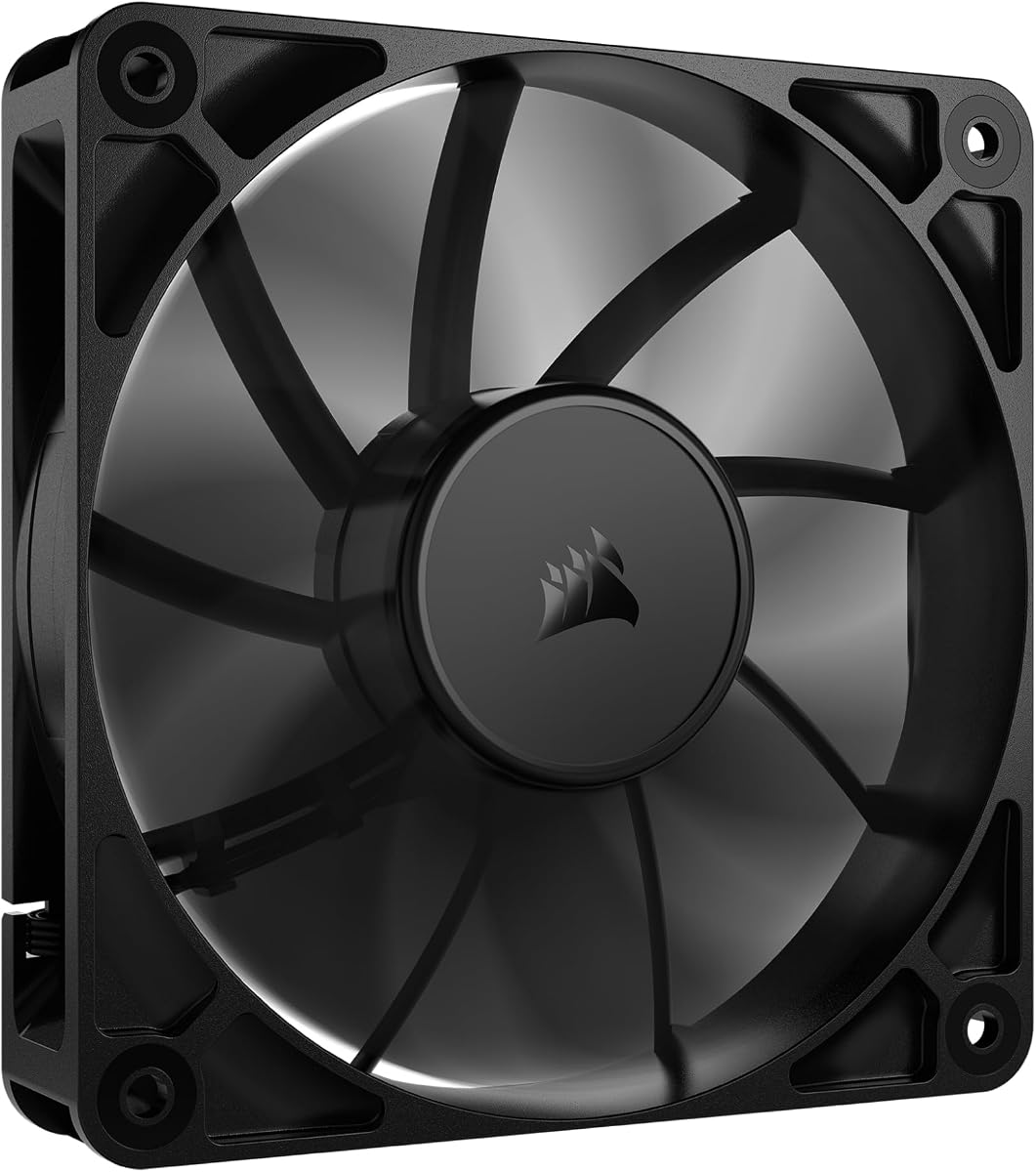
This DARKROCK 3-pack offers an affordable entry point for refreshing your PC cooling system. Its 4.6 rating reflects satisfaction among users needing reliable airflow without breaking the budget.
We may earn a commission when you buy through this link, at no additional cost to you.
Nine fan blades provide good airflow while hydraulic bearings keep vibrations low. The noise stays at a maximum of 32.1 dBA which ensures a quiet environment during daily use or gaming sessions.
PBT material ensures insulation and heat resistance protecting the fans from internal case heat. While not the longest lasting option it provides solid performance for standard case cooling needs at a low price point.
Buy this pack if you need multiple fans for intake and exhaust at a low cost. It is ideal for standard builds where value and basic performance matter most over advanced features.
Hydraulic bearings ensure smooth rotation and reduce vibration noise for a quieter and more stable fan performance.
Three fans in one box offer excellent coverage for case airflow management without requiring multiple separate purchases.
We may earn a commission when you buy through this link, at no additional cost to you.
The X1 USB Cooling Fan excels as a portable solution for devices outside standard PC cases. With a 4.4 rating it targets users needing quick cooling for routers or consoles without internal installation.
We may earn a commission when you buy through this link, at no additional cost to you.
Delivering 55.8 CFM airflow it cools devices by 20 percent in seconds. The 18dB(A) noise level makes it quieter than library silence ensuring it does not disturb your gaming or work environment.
Shock absorbing pads prevent scratches and stabilize the fan on any surface. While not a direct replacement for internal PC fans it is perfect for ventilation of external hardware needing extra cooling.
Choose this if you need portable cooling for electronics like Xbox or routers. Its USB power and shock pads make it a versatile accessory for maintaining device temperature anywhere.
USB power and a built-in cable allow quick setup anywhere without needing internal PC mounting or specific headers.
Operating at just 18dB(A) ensures the fan stays nearly silent even while actively cooling external devices.
We may earn a commission when you buy through this link, at no additional cost to you.
The CORSAIR RS120 offers streamlined wiring and high static pressure for radiator cooling. A 4.6 rating confirms its effectiveness in demanding liquid cooling setups requiring concentrated airflow.
We may earn a commission when you buy through this link, at no additional cost to you.
Daisy-chain multiple fans to a single 4-pin connector reducing cable clutter. The Magnetic Dome bearing minimizes noise and friction supporting longevity while AirGuide vanes push air directly to hot components.
With 72.8 CFM airflow and 4.15mm H2O static pressure it handles obstructions efficiently. The quiet operation remains stable under load making it a premium choice for radiators and heatsinks.
Buy this if you need efficient cooling for radiators with minimal wiring. Its high static pressure and daisy-chain support make it ideal for high-end water cooling systems.
Daisy-chain support lets you connect multiple fans to one header reducing internal cable clutter and improving airflow management.
AirGuide technology directs air toward the hottest parts of your system maximizing thermal efficiency without wasted airflow.
We may earn a commission when you buy through this link, at no additional cost to you.
This Thermalright 5 pack offers significant value for RGB builds needing multiple fans. A 4.7 rating highlights its performance in CPU coolers and case cooling simultaneously.
We may earn a commission when you buy through this link, at no additional cost to you.
S-FDB bearings eliminate blade shaking and minimize noise during operation. The ARGB blades reflect light softly matching coolers perfectly. With 17 light modes you can customize your setup visually.
Airflow reaches 66.17 CFM ensuring enough cooling power. While cables are 55cm the PWM control allows temperature based speed adjustment. It is a complete cooling solution for budget RGB setups.
Choose this pack if you want synchronized lighting and performance at a low cost. The S-FDB bearing and PWM control ensure quiet and efficient cooling for your case.
ARGB lighting supports 17 modes allowing full color control and synchronization with your motherboard settings.
S-FDB bearings reduce vibration and noise providing stable rotation and extended fan life.
We may earn a commission when you buy through this link, at no additional cost to you.
The Kingwin 80mm silent fan fits smaller cases requiring quiet cooling. With a 4.5 rating it performs well for office desktops and home servers.
We may earn a commission when you buy through this link, at no additional cost to you.
Its optimized blade design delivers maximum airflow to reduce heat. The long life bearing ensures consistent cooling over time. It is ideal for replacement where standard 120mm fans will not fit.
While smaller it supports high performance environments like mining rigs. The rugged black frame protects against dust and wear. Noise stays low to maintain a quiet workspace.
Buy this if your case or CPU cooler requires 80mm support. It is a reliable small fan for compact builds and mining setups needing consistent cooling.
The 80mm size fits standard mounts while optimized blades maintain high airflow for the smaller form factor.
Long life bearing and rugged frame support extended use in demanding environments like mining or office setups.
We may earn a commission when you buy through this link, at no additional cost to you.
The Noctua NF-P12 redux-1700 leads the list with a 4.8 rating proving its exceptional quality and performance. It is a proven choice for high-end cooling needs.
We may earn a commission when you buy through this link, at no additional cost to you.
Pressure optimized blades deliver outstanding quietness and high static pressure for CPU coolers. With 1700 RPM and 150000 hours MTTF it ensures reliable airflow and long term stability.
Although the redux edition lacks premium accessories it maintains core quality. The automatic speed control adjusts to temperature ensuring silent idle and high performance when needed.
Choose this for silent high-performance builds requiring reliability. Its award winning design and low noise make it ideal for users prioritizing thermal efficiency.
With 150000 hours MTTF it offers exceptional longevity and consistent performance over many years.
Pressure optimized blades allow maximum airflow with minimal noise ensuring a quiet environment even under load.
We may earn a commission when you buy through this link, at no additional cost to you.
The Wathai 12038 delivers massive cooling power for high heat loads. With a 4.5 rating it is designed for miners and servers needing extreme cooling.
We may earn a commission when you buy through this link, at no additional cost to you.
Running at 5300 RPM it provides 230 CFM airflow. The 38mm frame allows more blade space for higher pressure. Dual ball bearings ensure 67000 hours lifespan.
Noise reaches 60 dBA at full speed but intelligent regulation reduces this when not needed. It is a powerful option for projects requiring maximum ventilation.
Buy this if you need extreme airflow for mining or heavy duty use. Its high CFM and PWM control offer unmatched performance for demanding cooling tasks.
With 230 CFM airflow it provides extreme cooling power for mining rigs or heavy server cooling needs.
Intelligent speed regulation adjusts fan speed based on temperature to balance noise and cooling.
We may earn a commission when you buy through this link, at no additional cost to you.
The Thermalright X3 3-pack provides a budget friendly way to upgrade PC cooling. With a 4.7 rating it offers reliable performance for standard cases.
We may earn a commission when you buy through this link, at no additional cost to you.
S-FDB bearings reduce vibration and noise while supporting 1550 RPM. The PWM control ensures efficient temperature based cooling. At 25.6dBA it stays quiet during idle.
This pack is ideal for users needing three fans. The cable length supports series control for simplicity. It balances cost and performance effectively.
Choose this if you need multiple fans without overspending. The S-FDB bearing and PWM ensure quiet and efficient operation for your setup.
Three fans in a single purchase provide complete case coverage at a fraction of individual fan costs.
S-FDB bearings and PWM control ensure quiet operation and reliable speed management for your PC.
We may earn a commission when you buy through this link, at no additional cost to you.
Selecting the right exhaust fan requires considering airflow size noise and mounting options. This guide outlines key factors to ensure your choice fits your case and performance needs.
Airflow measured in CFM indicates how much air moves through the fan per minute. Static pressure shows how well the fan pushes air through obstructions like radiators. High static pressure fans are best for cooling dense hardware while high CFM fans move more air in open cases.
Look for 70 CFM for standard cases or higher pressure for radiators.
Fans come in 80mm 120mm and 140mm sizes. Most cases support 120mm for standard airflow. Ensure your case supports the fan size before buying. Some compact cases only allow 80mm for intake or exhaust.
Check your case specs for supported fan sizes to ensure fit.
Noise is measured in decibels (dBA). Lower ratings mean quieter fans. If you want silent operation look for fans under 25 dBA. Higher airflow fans may generate more noise so balance speed with your noise tolerance.
Choose under 30 dBA for home office builds.
Bearings determine fan lifespan and stability. Rifle or sleeve bearings are budget friendly but may last shorter. Hydro dynamic or magnetic bearings offer longer life and less vibration. Consider lifespan in hours when evaluating quality.
Look for 50000+ hours for long term reliability.
PWM 4 pin fans connect to your motherboard for speed control. USB fans allow independent power. Daisy chain options reduce cable clutter. Ensure your motherboard has the required headers for smart control.
Select PWM for automatic control or USB for independent power.
RGB fans add lighting effects but cost more. Some offer ARGB which allows more color control. If lighting is not your priority standard black fans are cheaper and quieter. Ensure your motherboard supports RGB syncing.
Choose RGB only if lighting matters for your build.
Frames made of ABS plastic are durable and lightweight. Metal frames may reduce vibration but add weight. PBT materials resist heat better. A sturdy frame prevents rattling over time.
Prioritize durable materials for stable operation.
Single fans range from budget to premium prices. Multi-packs offer better value if you need multiple units. Consider long term cost of replacement if bearings fail. Balance quality with your budget.
Multi-packs offer better value for full case cooling.
Install the fan facing outward toward the back or top of your case to expel hot air. Secure it with screws ensuring it is snug. Connect it to a 4 pin PWM header for automatic speed control.
Clean dust regularly from fan blades and grill to maintain airflow. Use compressed air or a soft brush. Dust buildup reduces cooling efficiency and increases noise.
Check fan cables for secure connections monthly. If vibration increases replace rubber pads to reduce noise. Monitor fan speeds in BIOS to ensure they respond to temperature changes.
120mm fans are the industry standard for most cases providing balanced airflow and noise. 140mm fans are quieter and move more air but require compatible cases. 80mm fans are for compact or legacy setups.
PWM fans connect to your motherboard for automatic speed control based on temperature. USB fans run independently from external power. Choose PWM for integrated control or USB for external device cooling.
At least one exhaust fan is recommended to push hot air out. Most builds use two to three fans total with intake at front and exhaust at rear or top. Too many fans may create turbulence.
Noise often comes from dust buildup worn bearings or high speeds. Clean blades and check mounts. If noise persists consider replacing with a low noise model. Ensure speed is not stuck at max.
Yes using daisy-chain fans or splitters lets you connect multiple fans to one header. Ensure your motherboard supports multiple PWM fans per header to avoid overload. Splitting is standard for multi-fan setups.
Airflow moves air through open space while static pressure pushes through obstacles like radiators. High static pressure fans work best in tight spaces or with radiators. High airflow fans work best for open case cooling.
No fans come in different sizes like 80mm 120mm and 140mm. Check your case mounting points before buying. Ensure your motherboard supports the connector type like PWM or DC for smart control.
Fans with good bearings last 50000 to 80000 hours. If vibration increases or noise rises it may be time to replace. Dust buildup often causes failure before mechanical wear.
We compared ten top-rated fans offering silent cooling and strong airflow. Our top picks include the be quiet! Pure Wings 3 for silence and the Wathai for high CFM.
Prioritize static pressure if you use radiators or low noise for home offices. For value multi-packs offer the best way to upgrade full cooling setups.
Prices change quickly so check current listings before buying. Choosing the right fan ensures your system stays cool and quiet for years.