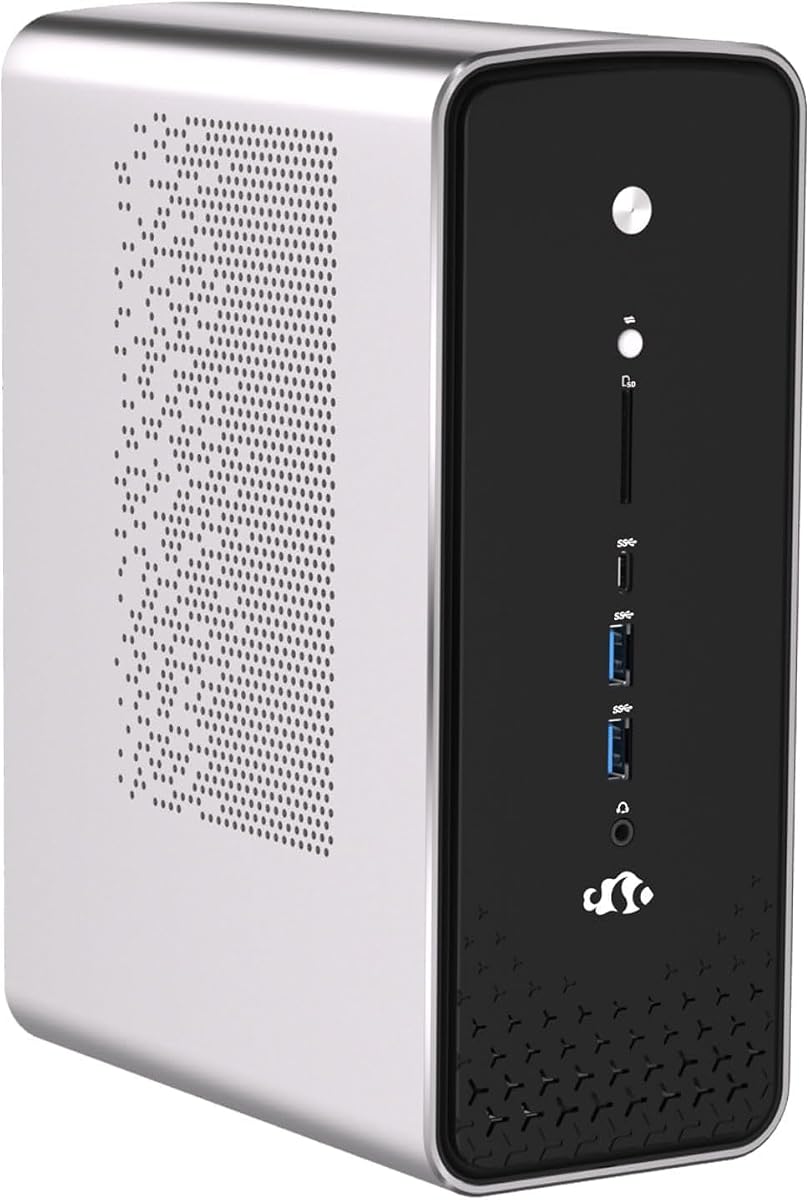
NIMO Mini PC AMD Ryzen AI Max+
5.0Editor score
AMD Ryzen AI Max+ 395
Dual OS Flexibility
WiFi 7 Connectivity
This guide compares the top Desktop PC with Ubuntu Pre Installed models for developers and professionals seeking powerful open-source ready computing solutions.
Finding a Desktop PC with Ubuntu Pre Installed saves time on setup and ensures compatibility with open-source tools from day one. These machines cater to developers, system administrators, and privacy-focused users who need reliable hardware paired with a stable Linux environment without extra configuration steps.
We evaluated ten distinct models ranging from compact mini PCs to robust business towers. Each selection was chosen based on processor performance, memory capacity, storage speed, and the authenticity of the pre-installed Ubuntu system to ensure they meet professional standards for productivity and development work.
Each pick highlights key specifications and real-world performance capabilities to help you choose the right system for your workflow. Please note that prices and availability can change frequently so verify current details before making a purchase decision to ensure you get the best value for your investment.
5.0Editor score

4.0Editor score
The following table provides a side-by-side comparison of all ten selected Desktop PC with Ubuntu Pre Installed models to help you quickly identify the best fit for your specific computing needs and budget constraints.






The Beelink Mini PC SER9 Pro stands out as a powerful mini computer that comes pre-installed with an Ubuntu system alongside OpenClaw software for integrated productivity workflows. Its AMD Ryzen 7 255 processor delivers exceptional performance for both development tasks and multimedia entertainment while maintaining a compact footprint suitable for modern desks.
We may earn a commission when you buy through this link, at no additional cost to you.
This unit features 24GB of high-frequency LPDDR5X memory which ensures smooth multitasking across virtual machines and development environments. The dual M.2 PCIe 4.0 SSD slots allow for expandable storage up to 8TB making it ideal for developers who need fast access to large codebases or data sets without slowdowns.
While the OpenClaw integration offers unique automation capabilities it may require some setup time to fully utilize all its features across different application scenarios. The triple display support is a major advantage for coding setups allowing you to monitor logs code and terminal windows simultaneously without external hardware.
Developers and power users seeking a Desktop PC with Ubuntu Pre Installed will find this model highly capable for daily tasks. The combination of raw processing power and open-source readiness makes it a top recommendation for those who want an out-of-the-box Linux experience without compromising on performance or connectivity options.
The built-in OpenClaw system provides seamless integration with AI tools and automation scenarios enhancing your workflow efficiency across multiple domains without additional configuration.
Support for triple 4K displays at 240Hz ensures crisp visuals and smooth motion for both work and entertainment setups without requiring external docking stations.
We may earn a commission when you buy through this link, at no additional cost to you.
The Dell OptiPlex 7070 SFF is a reliable business desktop that offers substantial performance through its 32GB DDR4 memory and fast NVMe storage configuration. While it ships with Windows 11 Pro its hardware quality and expandability make it a viable candidate for users planning to switch to Linux later if desired.
We may earn a commission when you buy through this link, at no additional cost to you.
Its 1TB NVMe M.2 SSD provides quick boot times and rapid file access which is essential for productive workflows involving large applications or databases. The built-in AX210 WiFi 6E ensures stable wireless connectivity reducing latency during remote work or cloud development tasks.
The main drawback for this specific guide is the operating system as it comes with Windows rather than a pre-installed Ubuntu variant. However for those willing to reinstall the OS the hardware foundation is solid enough to support modern Linux distributions efficiently for development or server duties.
If you prioritize hardware reliability and memory capacity over immediate Linux readiness this Dell unit is worth considering. Its renewed status also offers cost savings while maintaining performance standards suitable for office environments or home labs where stability matters most for long-term usage.
Designed for business environments this model offers durable construction and thermal management that supports continuous operation under heavy workloads without performance throttling.
Multiple USB ports and display outputs provide flexibility for connecting peripherals and monitors making it versatile for multi-tasking professional setups.
We may earn a commission when you buy through this link, at no additional cost to you.
The NIMO Mini PC delivers premium performance with its next-generation AMD Ryzen AI Max+ 395 processor and a unique dual OS setup that includes both Windows 11 Pro and Linux Ubuntu. This configuration provides the ultimate flexibility for developers who need to switch between different environments without installing an OS manually.
We may earn a commission when you buy through this link, at no additional cost to you.
Integrated AI capabilities via the dedicated NPU accelerate local LLM execution and machine learning tasks making it a strong choice for researchers and power users. The triple 4K display output allows for expansive workspace setups which is ideal for complex workflows involving code and data visualization simultaneously.
While the price is higher than average the investment is justified by the cutting-edge hardware and seamless software integration. The WiFi 7 and Bluetooth 5.4 connectivity ensures future-proof networking speeds and stable wireless connections for high-bandwidth applications.
Professionals seeking a Desktop PC with Ubuntu Pre Installed that also supports enterprise workloads will appreciate the dual OS setup. It eliminates the need for compromise between compatibility and productivity making it a top-tier option for those with demanding computing requirements.
The integrated NPU boosts local AI workflows enabling efficient data modeling and code completion tasks without relying on external cloud servers.
Full-speed USB4 ports support external GPU expansion and fast charging while WiFi 7 ensures ultra-low latency networking for critical applications.
We may earn a commission when you buy through this link, at no additional cost to you.
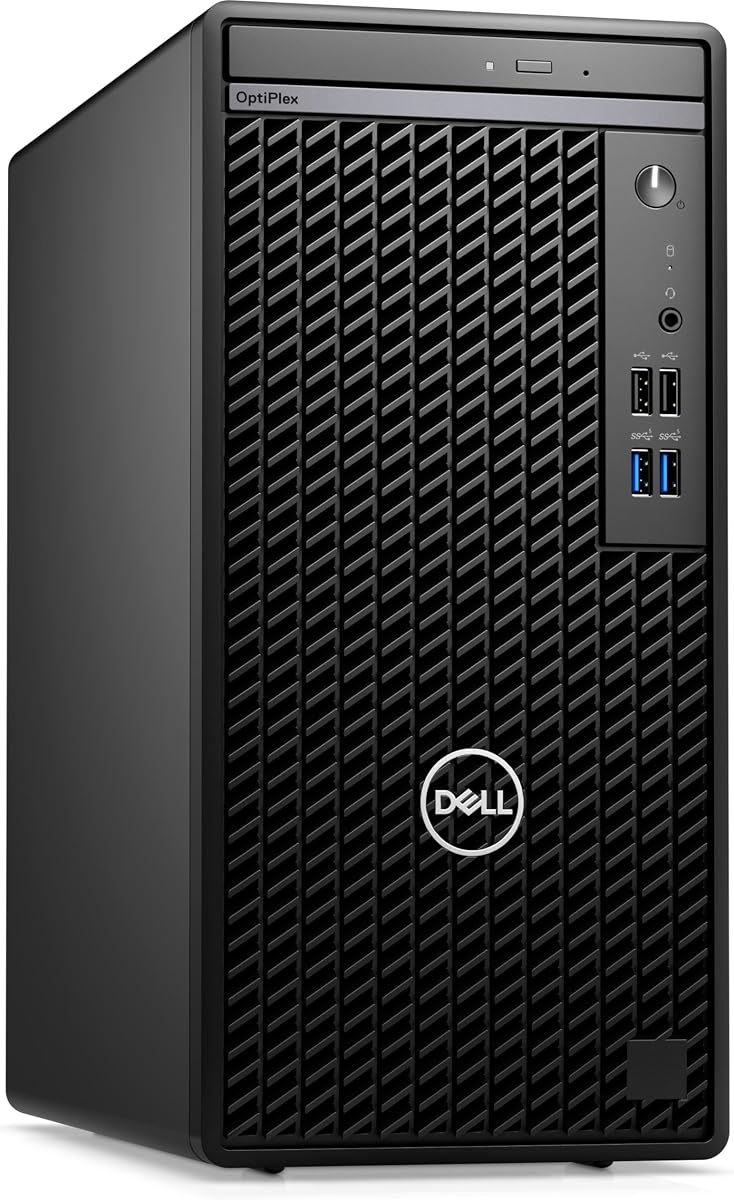
This Dell Optiplex 7010 Business Mini Tower stands out as an authentic Linux option with Ubuntu 22.04 pre-installed on its system drive. Its 14-core Intel i5-13500 processor offers significant multithreading capabilities that benefit compilation tasks and virtualization despite the entry-level memory configuration.
We may earn a commission when you buy through this link, at no additional cost to you.
The 256GB PCIe NVMe SSD provides fast boot times though users may eventually want to upgrade storage capacity for larger projects. The mini tower design allows for future upgrades which is a major advantage over fixed mini PCs for long-term maintenance and customization needs.
While 8GB RAM may limit heavy multitasking it is sufficient for many lightweight development tasks and general computing workflows. The presence of a genuine Ubuntu installation ensures driver compatibility and system stability that users expect from a dedicated Linux desktop computer today.
Budget conscious buyers looking for a Desktop PC with Ubuntu Pre Installed will find this model highly attractive. It provides a solid foundation for running Linux environments effectively while offering the possibility of future hardware enhancements to match growing performance demands.
The 14-core architecture delivers robust multi-tasking abilities that handle development tools efficiently without slowing down background processes during active work sessions.
Ubuntu Linux 22.04 ensures compatibility with standard Linux tools and environments providing a reliable base for professional and educational computing tasks.
We may earn a commission when you buy through this link, at no additional cost to you.
The Dell Optiplex 7050 SFF offers substantial 32GB of DDR4 RAM which is rare in budget renewed systems making it suitable for virtualization or heavy multitasking. While it runs Windows 11 Pro the hardware is stable and capable of supporting Linux installations if users prefer an open-source environment.
We may earn a commission when you buy through this link, at no additional cost to you.
Its 1TB solid state drive ensures ample space for applications and files with rapid access times for smooth system performance. The dual monitor support via HDMI and DisplayPort allows for efficient screen real estate management which benefits developers working with multiple windows.
The older 7th generation processor limits raw performance compared to modern CPUs but the generous memory compensates for this in many everyday scenarios. For users focused on running many applications simultaneously this machine delivers value without breaking the bank.
If you need a reliable machine with plenty of memory this model is a strong candidate. It is well suited for office tasks or home use where stability and capacity matter more than cutting-edge processing power or native Ubuntu support out of the box.
32GB of RAM allows for smooth running of multiple applications and virtual machines without system slowdowns or crashes during daily workflows.
Multiple video outputs enable dual monitor setups which enhance productivity by allowing side by side document editing or code and reference viewing.
We may earn a commission when you buy through this link, at no additional cost to you.
The DELL Optiplex 7060 SFF combines a 6-core i7-8700 processor with a generous 32GB of RAM to deliver smooth performance for daily computing. It includes built-in WiFi and Bluetooth which provides convenience without needing extra dongles or external adapters for basic connectivity needs.
We may earn a commission when you buy through this link, at no additional cost to you.
Its 512GB NVMe M.2 SSD offers quick boot times and responsive application loading which is essential for maintaining productivity during busy work periods. The renewed status means it has been tested and certified ensuring that it meets operational standards for continued reliable use.
While the system ships with Windows 11 Pro its hardware is robust enough to handle Linux if installed later. Users looking for a Desktop PC with Ubuntu Pre Installed may need to install it themselves but the hardware performance makes it a worthy candidate.
For general office work and development tasks this unit offers a balanced mix of speed and memory. It is an excellent choice for those needing a dependable workstation that can run complex software efficiently without requiring the latest generation processor hardware.
Built-in WiFi and Bluetooth eliminate the need for external adapters providing seamless wireless connections to networks and peripherals immediately after setup.
NVMe SSD technology ensures rapid data access times which significantly reduces wait times when launching applications or loading large project files.
We may earn a commission when you buy through this link, at no additional cost to you.
The Dell Optiplex 5050 SFF is a compact business desktop that fits easily on crowded desks without sacrificing performance or reliability. Its 16GB DDR4 memory and 512G NVME SSD provide a good balance for typical office tasks and light development workflows without excessive latency.
We may earn a commission when you buy through this link, at no additional cost to you.
As a renewed system it comes with a warranty that adds confidence to the purchase. The small form factor design saves valuable space while still offering enough connectivity options for standard peripherals and dual monitor setups if needed.
While it does not come with Ubuntu pre-installed the hardware is compatible with most Linux distributions. This makes it a versatile option for users who prioritize system stability and build quality over immediate OS preferences for their daily work environment.
Users seeking a reliable workhorse for routine tasks will find this model suitable. It handles web browsing document editing and light coding efficiently and its compact size makes it ideal for space constrained environments like home offices.
The small form factor reduces desk footprint while maintaining full functionality allowing more room for peripherals and documentation during daily tasks.
NVME SSD storage delivers fast read and write speeds ensuring quick boot times and smooth application performance for responsive daily usage.
We may earn a commission when you buy through this link, at no additional cost to you.
The Dell Pro Micro QCM1250 AI brings advanced processing power to a compact desktop with its 14-core Ultra processor and DDR5 memory technology. It includes Ubuntu Linux 18.04 out of the box making it a valid candidate for users looking for a Desktop PC with Ubuntu Pre Installed.
We may earn a commission when you buy through this link, at no additional cost to you.
The AI business features aim to enhance productivity but the older Linux version may require updates for compatibility with modern development tools. The 512GB NVMe SSD offers reasonable storage capacity for basic applications and system files without filling up quickly.
Performance is solid for general tasks but the limited RAM could become a bottleneck for heavy multitasking or virtual machines. Users focused on AI workflows will appreciate the specialized hardware though general Linux users may want to upgrade memory for better future-proofing.
This model is a good starting point for those wanting a modern mini desktop with Linux support. While the OS version is dated the hardware foundation is strong enough to handle current productivity needs and future updates with proper maintenance and care.
Integrated AI capabilities provide enhanced tools for business workflows and automation tasks helping users manage daily productivity more efficiently.
DDR5 memory delivers faster data transfer rates compared to older standards improving overall system responsiveness and application loading times significantly.
We may earn a commission when you buy through this link, at no additional cost to you.
The ASUS NUC 14 Pro Mini PC stands out for its Linux Mint pre-installed configuration which offers a user friendly open-source environment for developers and creators. Its Intel Ultra 7 155H processor provides robust performance for multitasking and media workloads in a compact design.
We may earn a commission when you buy through this link, at no additional cost to you.
With 16GB DDR5 RAM and PCIe SSD storage this unit handles complex workflows smoothly while maintaining low power consumption. Thunderbolt 4 support allows for high-speed data transfer and external display connections making it versatile for multi-monitor development setups.
Although it ships with Linux Mint instead of Ubuntu the system architecture remains compatible with many Linux tools and workflows. The Intel Arc GPU enables efficient graphics rendering which benefits developers working on UI design or graphics intensive applications locally.
For users seeking a reliable mini PC with Linux capabilities this model is a strong contender. The powerful hardware and open-source focus make it suitable for coding AI tasks and creative projects without needing additional OS installation or configuration effort.
Intel Arc GPU capabilities provide strong graphical performance for rendering tasks and visual workflows without requiring a dedicated graphics card.
Thunderbolt 4 ports allow for extremely fast data transfer and daisy-chained display support offering high flexibility for peripheral connections.
We may earn a commission when you buy through this link, at no additional cost to you.
The ASUS PB64 Full System Mini PC features the latest Intel Core Ultra 7 265 processor delivering strong multi-threaded performance for business and development work. Its toolless chassis access makes upgrades and maintenance easier for users who want to customize hardware components later.
We may earn a commission when you buy through this link, at no additional cost to you.
It includes advanced security features like hardware TPM which protects data against unauthorized access making it suitable for professional environments. WiFi 6E ensures stable high-speed wireless connectivity essential for cloud development and remote work scenarios without wired network limitations.
While it runs Windows 11 Pro out of the box the robust hardware supports Linux installations for users preferring a different environment. The VESA mount included allows for flexible placement options that can save desk space in any workstation setup.
This model is an excellent choice for those needing a modern mini PC with powerful internals. Although it does not come with Ubuntu pre-installed its capabilities make it a strong base for custom configurations where users can install their preferred operating system freely.
Hardware TPM provides comprehensive protection for sensitive data and identity information ensuring secure authentication and encryption across all uses.
The toolless chassis design allows for quick access to internal components for easy maintenance or storage upgrades without needing additional tools.
We may earn a commission when you buy through this link, at no additional cost to you.
Selecting the right Desktop PC with Ubuntu Pre Installed requires evaluating hardware compatibility memory needs and OS versions to ensure smooth performance for your specific development or work requirements.
The processor determines how efficiently your system handles compilation and multitasking. Look for modern Intel Core or AMD Ryzen models to ensure compatibility with Linux drivers and performance standards.
Prioritize CPUs with multiple cores and threads to support parallel processing tasks common in software development and data analysis.
RAM is critical for running virtual machines and IDEs without slowdowns. Aim for at least 16GB for professional workflows where multiple apps run simultaneously without system lag.
Higher capacity ensures your system remains responsive under load and allows room for future software updates and heavier workloads.
Solid State Drives significantly reduce boot times and improve application responsiveness. Ensure your Desktop PC with Ubuntu Pre Installed uses NVMe PCIe SSDs for maximum speed and reliability.
Fast storage also helps reduce wait times during large file transfers and system updates which impacts daily productivity significantly.
Verify the Ubuntu version included with your system to ensure it matches your project requirements. Newer versions like 22.04 LTS offer better support and security patches than older releases.
Choose systems with up to date packages to avoid compatibility issues with modern tools and security standards used in development environments.
Check for ports like USB 3.0 HDMI DisplayPort and Ethernet to ensure you can connect your necessary peripherals without extra adapters. Fast networking standards like WiFi 6 or 2.5G LAN also enhance workflow efficiency.
Comprehensive connectivity ensures seamless integration with existing office hardware and reduces the need for additional hubs or docks.
Mini PCs may have limited upgrade paths compared to tower systems. If you anticipate growth in storage or memory needs select a model that allows user upgrades easily.
Check access to internal components before purchasing to confirm that RAM or storage can be upgraded without voiding the warranty.
True pre-installed systems should have all drivers and updates ready out of the box. Avoid listings that mention only the ability to install Linux later.
Authentic Ubuntu installations save time and ensure that system utilities and repositories are correctly configured for immediate use.
Choose between mini PCs and towers based on your desk space requirements. Mini PCs save room but may restrict cooling potential and port availability compared to larger towers.
Ensure your workspace can accommodate the unit while allowing adequate airflow to prevent thermal throttling during intensive tasks.
Start by verifying that your hardware drivers are correctly recognized within the system settings. Most Ubuntu systems include drivers for standard components but checking network and graphics settings ensures full functionality from the beginning.
Keep your system updated by using the Software Center regularly to install security patches and new software versions. This practice maintains stability and protects your data from vulnerabilities over long periods of daily use.
Maintain physical cleanliness by keeping the vents free of dust to ensure proper cooling. Regularly check that the fan is running smoothly and avoid placing the unit in enclosed spaces that trap heat during operation.
Choosing a Desktop PC with Ubuntu Pre Installed saves you time and eliminates potential driver configuration issues. It ensures that your system is ready to use immediately with optimized drivers and settings that work seamlessly with the hardware.
Most models allow upgrades but it depends on the form factor. Mini PCs often have limited slots while tower systems usually support adding more RAM or hard drives to expand storage capacity.
Yes Ubuntu supports a vast range of development tools including compilers and IDEs. Most standard Linux software works out of the box on these systems for coding and system administration tasks.
Newer models often come with Ubuntu 22.04 LTS or 24.04 LTS which provides long term support and stability. Always check the product details to confirm the specific version before buying.
You can use the Software Center or terminal commands to update your system packages. Running updates regularly ensures you have the latest security patches and feature improvements.
Yes provided the system is reset and wiped by the seller. Reputable sellers ensure that the OS is freshly installed without any previous user data compromising security or privacy.
We have highlighted ten top models ranging from budget towers to premium mini PCs that offer genuine Ubuntu environments for developers. Each pick provides unique hardware strengths designed to support diverse workflows and performance needs across various professional scenarios.
Prioritize processor performance and memory capacity to ensure your system handles heavy tasks without bottlenecks. The right balance of storage speed and OS version ensures you can work efficiently without interruptions or unexpected compatibility issues.
Always check the current availability and specifications before purchasing since inventory and prices can change frequently. Verify that the listed OS version matches your needs to ensure the system meets your expectations upon arrival.