
Canon imageCLASS LBP6030w
3.8Editor score
Compact wireless design
19 pages per minute
Low energy consumption
This guide compares the top laser printers with cheap toner options for home and office use, evaluating cost per page, speed, and reliability.
Finding a laser printer with cheap toner is essential for budget-conscious users who need reliable black and white printing without high ongoing costs. Modern models offer wireless connectivity, duplex printing, and mobile apps to streamline workflows.
We compared ten top-rated printers based on toner yield, speed, connectivity options, and overall value. Our analysis focuses on genuine and compatible cartridge availability to ensure long-term affordability.
Each pick highlights key features, pros, cons, and ideal use cases. Prices fluctuate frequently, so verify current offers before purchasing to secure the best deal for your specific printing needs.
3.8Editor score

4.5Editor score

4.3Editor score
The following table provides a side-by-side comparison of all ten selected models, highlighting key specifications, ratings, and pricing to help you make an informed decision quickly.




The Brother HL-L2480DW stands out as a top choice for users seeking a laser printer with cheap toner. Rated highly by users, it balances speed, functionality, and cost efficiency effectively.
We may earn a commission when you buy through this link, at no additional cost to you.
Its high-speed performance at 36 ppm reduces wait times for busy offices. The included subscription trial offers significant savings on genuine Brother TN830XL cartridges.
While it lacks color capabilities, this is expected for monochrome models. The touch interface simplifies navigation, making it accessible for all users.
Ideal for small offices or home setups needing scan and copy features. We recommend this for those prioritizing low cost per page.
The TN830XL cartridge provides high page yield, reducing replacement frequency and overall printing costs significantly.
Connect wirelessly via dual-band Wi-Fi or use the Brother Mobile Connect app for remote print management anywhere.
We may earn a commission when you buy through this link, at no additional cost to you.
The MFC-L2820DW is a premium option ideal for offices needing fax capabilities alongside standard printing. Its rating reflects robust build quality and reliability.
We may earn a commission when you buy through this link, at no additional cost to you.
It includes a 50-page ADF for efficient batch scanning. Cloud integration allows seamless document storage to services like Google Drive.
The higher price point is justified by advanced features like Ethernet and fax. This model suits environments with higher volume demands.
Consider this if fax is a regular need. It delivers professional results with excellent connectivity options for modern workflows.
Dual-band wireless and Ethernet ensure stable connections for multiple users in a small office environment.
The subscription service prevents unexpected toner shortages, ensuring uninterrupted workflow during busy periods.
We may earn a commission when you buy through this link, at no additional cost to you.
For basic needs, the Canon imageCLASS LBP6030w offers the most affordable entry point. It is ideal for light home use where speed is not critical.
We may earn a commission when you buy through this link, at no additional cost to you.
Its compact design fits on small desks easily. Wireless connectivity enables printing from tablets or phones without cables.
While it lacks duplex, it is suitable for occasional printing. The toner is inexpensive and widely available for replacements.
Choose this for students or home offices prioritizing price over advanced features. It delivers crisp text at a low total cost.
The small footprint ensures it fits comfortably on cramped desks without taking up valuable workspace.
Uses less than 2 watts in Energy Saver mode to keep electricity bills low during idle times.
We may earn a commission when you buy through this link, at no additional cost to you.
This model is perfect for users who prefer simplicity and wired connections. It comes with a high-yield toner, reducing early replacement needs.
We may earn a commission when you buy through this link, at no additional cost to you.
Scan and copy functions work seamlessly via USB. It supports older operating systems like Windows 7 and Mac OS X.
The lack of wireless limits remote printing but ensures security for static locations. It is sturdy and easy to set up.
Ideal for home users needing basic multi-function without internet dependency. A solid choice for straightforward document handling.
The included high-yield toner means you can print thousands of pages before needing a replacement purchase.
USB connection ensures stable printing without worrying about network configuration or Wi-Fi signal strength.
We may earn a commission when you buy through this link, at no additional cost to you.
The HL-L2460DW offers high speed with automatic duplex printing. This reduces paper use and is efficient for document handling in offices.
We may earn a commission when you buy through this link, at no additional cost to you.
It connects via dual-band Wi-Fi or Ethernet. The Brother Mobile Connect app allows easy management of supplies remotely.
While it lacks scanning, its print quality is sharp and fast. The toner subscription trial helps lower initial costs.
Recommended for offices needing fast single-function printing. It balances speed with cost-saving features effectively.
Automatic duplex printing helps reduce paper waste and costs for large batches of documents.
Order supplies and track toner usage directly from your phone with the dedicated mobile app.
We may earn a commission when you buy through this link, at no additional cost to you.
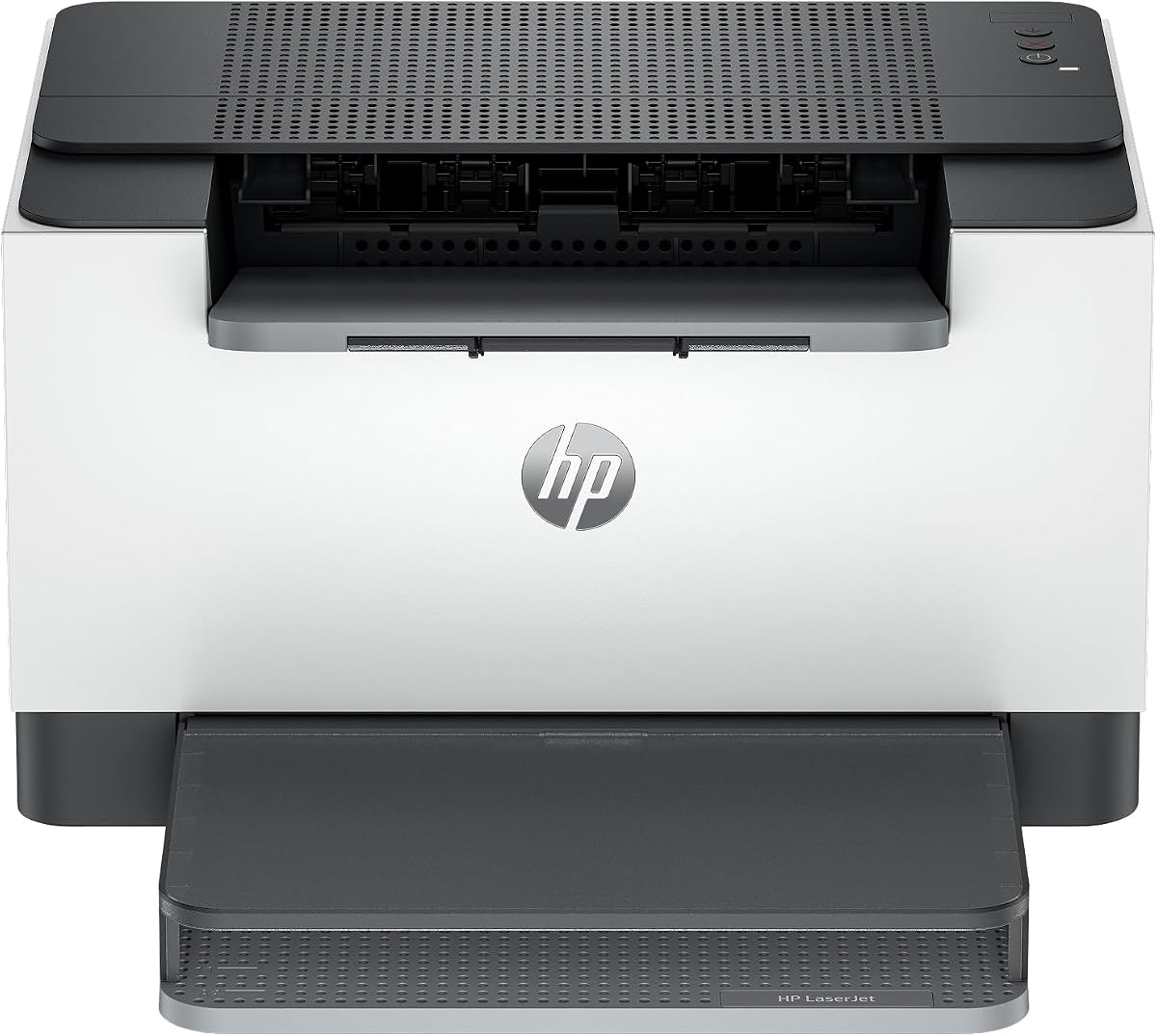
HP positions this as the smallest laser printer in its class. It is great for tight spaces and small teams needing reliable output.
We may earn a commission when you buy through this link, at no additional cost to you.
Self-reset Wi-Fi helps recover connection issues automatically. The HP Smart app streamlines tasks like scanning to the cloud.
Toner yields may be lower compared to high-capacity models. However, the HP Instant Ink program can offset this for some users.
Perfect for startups or home offices with limited desk space. Its ease of setup makes it a strong contender.
The world's smallest laser design fits in corners without cluttering your workspace.
Print from any mobile device effortlessly with support for AirPrint and Android systems.
We may earn a commission when you buy through this link, at no additional cost to you.
The M209dw offers impressive speeds for its size. It is designed for small teams needing quick two-sided document handling.
We may earn a commission when you buy through this link, at no additional cost to you.
Dual-band Wi-Fi with self-reset ensures stable connectivity. Security features protect your printer from potential network attacks.
Instant Ink eligibility can save money based on usage volume. The build quality feels solid and reliable.
Select this if speed and security are priorities. It performs well for business documents and reports.
Built-in security helps protect sensitive documents and printer settings from unauthorized access.
Use the HP Smart app to manage printing needs and monitor status remotely.
We may earn a commission when you buy through this link, at no additional cost to you.
This Canon model brings duplex speed to a compact chassis. It is ideal for users who need fast, two-sided printing only.
We may earn a commission when you buy through this link, at no additional cost to you.
The 071 toner is high capacity and widely available. Setup is straightforward, and it connects easily to your network.
It lacks multi-functionality, keeping the price and footprint down. Print quality is crisp for standard office documents.
Best for individuals needing pure printing speed. It avoids unnecessary features to keep costs manageable.
Auto duplex saves paper and speeds up document preparation for busy workflows.
The compact design ensures it fits easily into most home or office setups.
We may earn a commission when you buy through this link, at no additional cost to you.
The MFP M235sdw balances multi-function features with speed. It serves well for offices needing to scan and copy regularly.
We may earn a commission when you buy through this link, at no additional cost to you.
Ethernet is included for stable wired connections. Security features ensure safe printing for sensitive business data.
Paper capacity is standard but sufficient for daily use. It offers robust performance for mid-volume workloads.
Recommended for small business offices. It combines essential features without unnecessary complexity.
Ethernet support ensures consistent performance even in crowded network environments.
Rapid two-sided printing and copying help finish multipage projects quickly.
We may earn a commission when you buy through this link, at no additional cost to you.
Designed for home offices, this model delivers high speed in a small package. Voice integration allows hands-free printing requests.
We may earn a commission when you buy through this link, at no additional cost to you.
Wireless connectivity supports mobile devices easily. The tray holds ample paper, reducing frequent refilling.
Lack of fax or scan makes it a dedicated printer. It is reliable and easy to set up for quick start.
Perfect for home professionals needing fast print only. It is a cost-effective choice for daily tasks.
Compatible with Alexa for convenient hands-free printing management.
Print from smartphones effortlessly using the Brother Mobile Connect app.
We may earn a commission when you buy through this link, at no additional cost to you.
Selecting the right printer involves balancing initial cost with ongoing toner expenses and required features.
Always check the toner page yield rather than just cartridge price. High yield cartridges may cost more upfront but offer a much lower cost per page.
For budget printing, prioritize models using high yield cartridges.
Modern printers offer Wi-Fi, Ethernet, or USB. Wireless allows printing from multiple devices, while Ethernet provides stable connections.
Choose based on your network setup and device count.
Measured in pages per minute (ppm). Faster speeds increase productivity but might cost more initially.
Assess your daily volume needs before deciding on speed requirements.
Look for a paper tray capacity that suits your workflow. Larger trays mean fewer refills.
Manual feed slots help with special paper like envelopes.
Automatic duplex saves paper and money by printing on both sides. Manual duplex requires user intervention.
Auto duplex is a valuable feature for high-volume users.
All-in-one units include scan and copy capabilities. Single-function printers are cheaper but limited.
Decide if scanning is necessary for your daily tasks.
Mobile apps enable printing from phones and tablets. Look for AirPrint or Google Cloud Print compatibility.
Ensure the printer supports your preferred mobile OS.
Many manufacturers offer subscription services for automatic toner delivery. These can save significant money if managed correctly.
Read terms carefully to avoid unwanted charges.
Regularly check toner levels through the app or printer menu. Many models notify you before a cartridge runs out.
Keep the printer in a dry, dust-free environment. High humidity can damage sensitive internal components and affect print quality.
Clean the glass and rollers periodically to maintain sharp scans and prevent paper jams.
Yes, laser printers with high yield toner options save money in the long run compared to inkjet printers. While the upfront cost might be higher, the cost per page is significantly lower.
Compatible toners can be safe and affordable but may void warranties. Stick to reputable brands that do not damage printer parts.
Standard black toner cartridges typically yield 1,500 to 3,000 pages. High yield versions can produce up to 10,000 pages depending on the model.
Use draft mode for internal drafts and print double-sided to reduce consumption. Also avoid unnecessary color settings if not needed.
Most modern laser printers include built-in Wi-Fi for wireless printing. Check specifications to ensure network connectivity.
Most printers have energy-saving sleep modes that reduce power use. Daily shutdown is not necessary unless you will not use it for long periods.
Choosing the best laser printer with cheap toner depends on your specific printing volume and feature needs. The top picks balance performance and affordability.
Prioritize models with high yield toner and duplex capabilities to maximize savings over time.
Always check current prices and subscription offers before buying to ensure the best value for your budget.