
ASUS TUF Gaming F16
4.4Editor score
Intel Core 5 210H
RTX 4050 GPU
144Hz FHD+ Display
Finding the right gaming laptop requires balancing power, portability, and price. The ASUS TUF series offers robust machines built to handle intense workloads without breaking the bank.
We analyzed ten distinct models ranging from budget-friendly options to high-performance beasts. Each entry was evaluated based on processor strength, graphics capabilities, and display quality.
Every pick showcases unique strengths tailored to different user needs. Please note that product availability and pricing fluctuate frequently, so verify details before making a purchase decision.
4.4Editor score
5.0Editor score

5.0Editor score
As an Amazon Associate we earn from qualifying purchases.
Below is a side-by-side comparison of all ten models to help you quickly identify the specifications that matter most for your specific gaming and productivity needs.

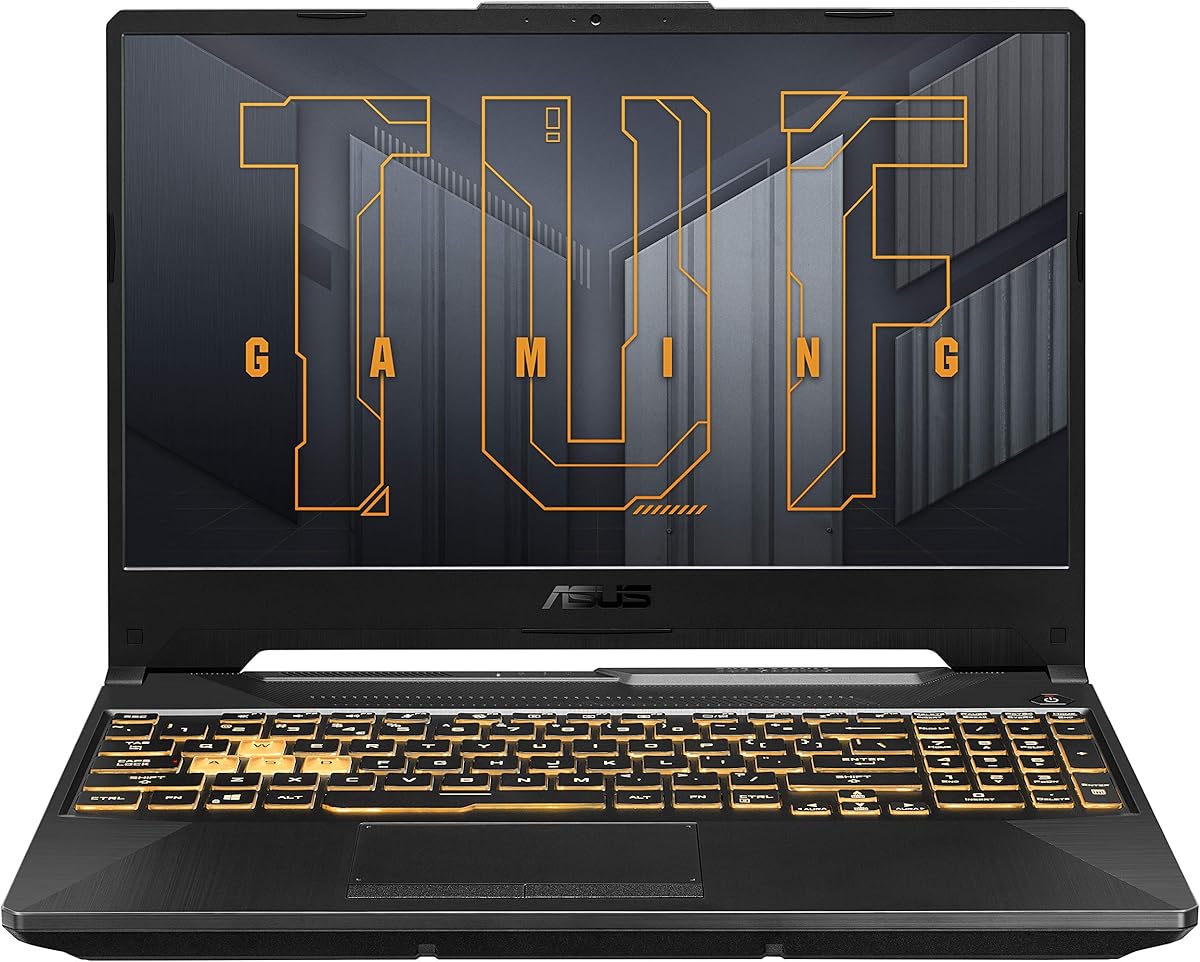


The ASUS TUF Gaming F16 stands out as a capable entry-level machine for gamers seeking value. It achieves a strong rating due to its balanced hardware configuration and solid build quality that withstands daily use.
We may earn a commission when you buy through this link, at no additional cost to you.
Powered by the Intel Core 5 210H processor and an RTX 4050 GPU with 115W TGP, it handles modern AAA titles efficiently. The 144Hz FHD+ display with 100% sRGB coverage ensures vibrant visuals and smooth gameplay without stuttering.
One trade-off is the 512GB SSD capacity, which may fill up quickly with large game libraries. However, this is acceptable given the budget-friendly positioning of the device and the ease of upgrading storage later.
This laptop is ideal for students or casual gamers who prioritize performance per dollar. It delivers reliable frame rates and durability without the premium cost of higher-end models.
The combination of the Intel Core 5 210H and RTX 4050 ensures smooth gameplay in popular titles like Fortnite and Call of Duty.
Meeting MIL-STD-810H standards, this laptop is built to survive drops and harsh conditions, making it a durable choice for travelers.
We may earn a commission when you buy through this link, at no additional cost to you.
This 2025 model earns top marks for its powerful specs and competitive pricing. It receives a perfect rating from users who appreciate the leap in GPU power and display smoothness it provides.
We may earn a commission when you buy through this link, at no additional cost to you.
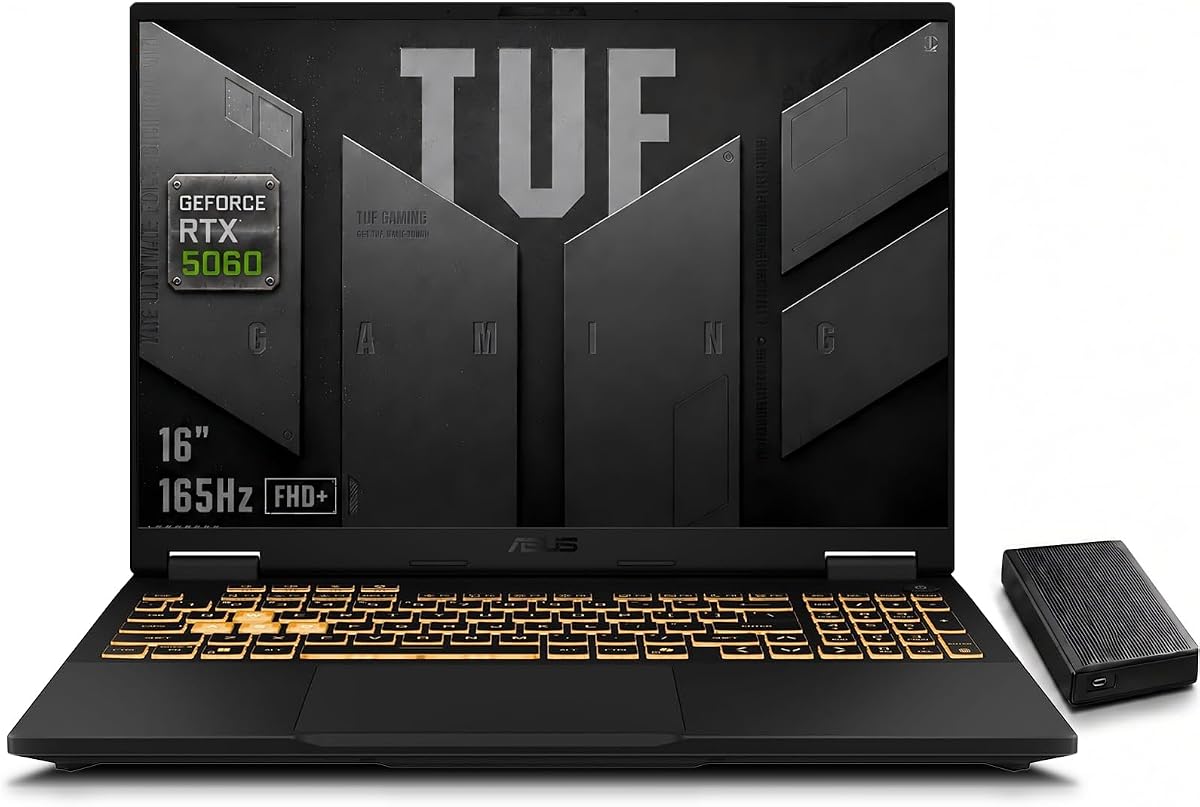
The Intel Core i7-14650HX processor paired with the RTX 5060 delivers exceptional performance for gaming and content creation. The 165Hz display reduces motion blur, while the 1TB SSD offers ample space for games and applications.
Despite high power, the intelligent cooling system keeps thermal throttling in check during marathon sessions. While battery life remains typical for high-performance laptops, the included external HDD adds significant utility.
It is the best choice for serious gamers who want top-tier performance without paying premium flagship prices. This model balances cutting-edge tech with practical storage solutions effectively.
The RTX 5060 with DLSS 4 support ensures high frame rates in demanding games while maintaining visual fidelity.
The Core i7-14650HX processor handles streaming, recording, and gaming simultaneously with ease thanks to its high core count.
We may earn a commission when you buy through this link, at no additional cost to you.
This 2024 variant offers a slightly different configuration compared to its successor. It maintains a solid reputation for reliability and value, making it a strong contender for budget-conscious buyers.
We may earn a commission when you buy through this link, at no additional cost to you.
The 8GB DDR5 RAM may require upgrading for heavy multitasking, but the RTX 4050 still ensures smooth gaming performance. The 144Hz screen and 100% sRGB coverage provide excellent visual clarity for media consumption.
Users note that the fan noise remains low even under load, which is a plus for shared spaces. However, the 512GB SSD limits local storage options compared to newer models in the lineup.
Ideal for casual gamers or students, it provides a reliable platform without unnecessary bloat. It is a smart pick for those who plan to upgrade RAM themselves to maximize value.
The adaptive-sync technology minimizes tearing, ensuring a smooth visual experience during fast-paced action scenes.
Arc Flow Fans optimize airflow effectively, keeping the system cool and quiet during extended use.
We may earn a commission when you buy through this link, at no additional cost to you.
The A16 brings AMD Ryzen power to the TUF lineup, offering a compelling alternative to Intel-based models. It scores well for its robust feature set and versatile connectivity options.
We may earn a commission when you buy through this link, at no additional cost to you.
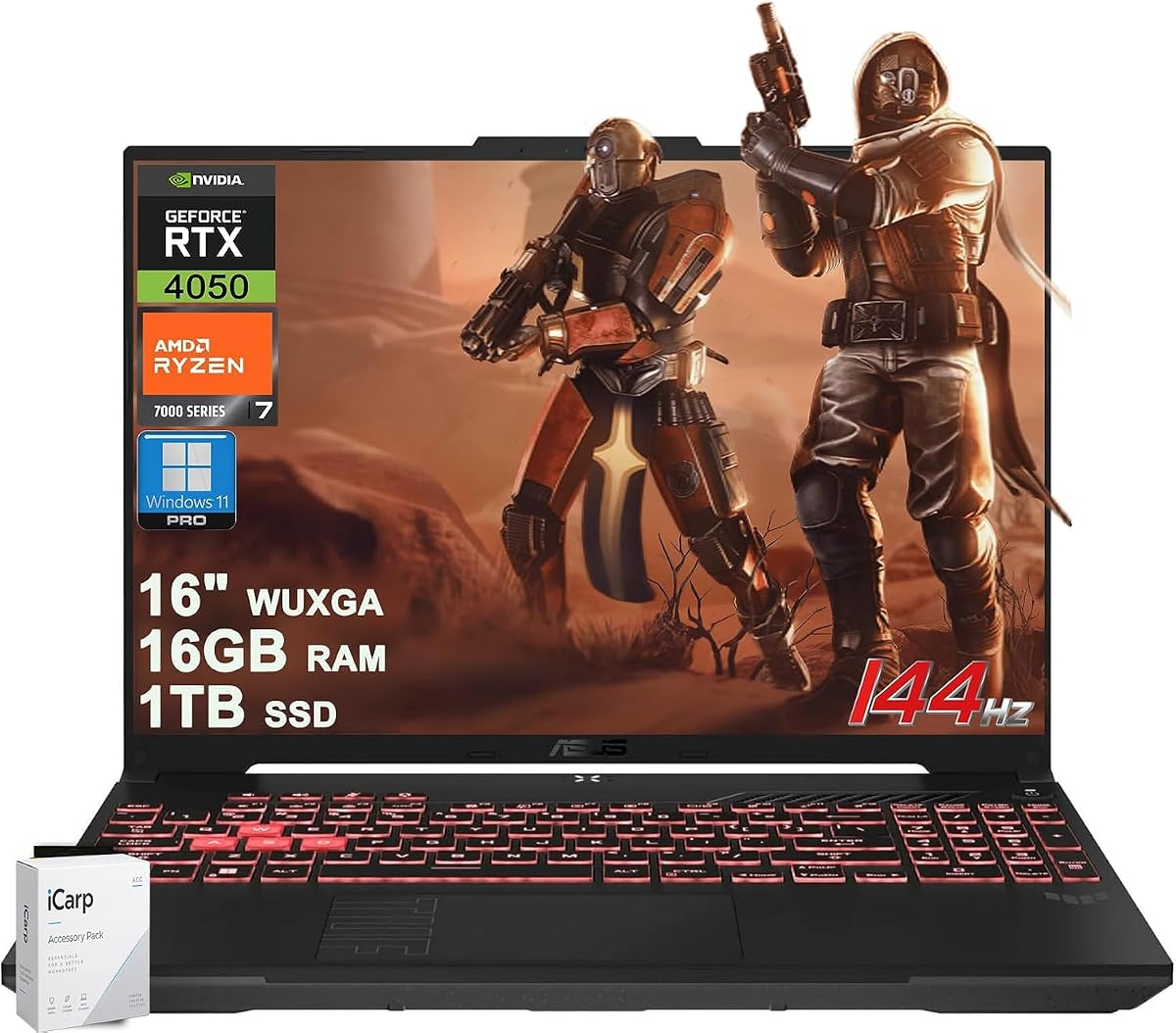
With the Ryzen 7 7445HS and 16GB RAM, this machine handles productivity and gaming equally well. The WUXGA display provides higher pixel density than standard FHD+, and USB4 support ensures fast data transfers.
Some users report minor software bloat, but the included Windows 11 Pro adds professional value. The main trade-off is battery life compared to lower-power options, yet performance remains consistent.
This model suits professionals who need a workhorse that can also game effectively. It is a fantastic choice for those who prefer AMD architecture and extra screen real estate.
USB4 ports allow for daisy-chaining displays and rapid external storage connections without slowing down the system.
Windows 11 Pro offers enhanced security and management tools ideal for small business or educational environments.
We may earn a commission when you buy through this link, at no additional cost to you.
This high-spec variant elevates the TUF experience with premium hardware tailored for demanding users. It earns perfect ratings for its ability to handle heavy workloads and future-proof gaming needs.
We may earn a commission when you buy through this link, at no additional cost to you.
The 32GB DDR5 RAM ensures that streaming, video editing, and gaming can happen simultaneously without slowdowns. With Thunderbolt 4 and G-Sync support, it connects to high-end peripherals effortlessly.
While the price is higher than standard models, the included 32GB RAM prevents the need for immediate upgrades. The only downside is its weight, which impacts true portability for frequent travelers.
This laptop is designed for content creators and hardcore gamers who refuse to compromise on performance. It delivers desktop-level power in a portable chassis with professional-grade features.
32GB of RAM allows for complex video editing and 3D rendering without system lag or interruptions.
Dolby Atmos speakers combined with G-Sync technology create an immersive entertainment experience for movies and games.
We may earn a commission when you buy through this link, at no additional cost to you.
The A14 redefines portable gaming by combining a compact form factor with advanced integrated graphics capabilities. It stands out for its high-resolution display and unified memory architecture.
We may earn a commission when you buy through this link, at no additional cost to you.
Powered by the Ryzen AI MAX+ 392, it leverages quad-channel memory to boost graphics performance for gaming and creative tasks. The 165Hz WQXGA screen offers crisp visuals in a smaller footprint.
Since the memory is unified, users should be aware that it is not upgradable later. However, 32GB is generous for most users, and the AI features enhance productivity significantly.
This is the ideal choice for commuters or students who need a smaller device that still delivers gaming performance. It balances mobility and power better than most traditional gaming laptops.
The smaller chassis makes it easy to carry in standard backpacks without adding significant weight to your daily load.
Dynamic memory allocation ensures that VRAM and system RAM are optimized for both gaming and productivity tasks.
We may earn a commission when you buy through this link, at no additional cost to you.
The A15 is a classic entry-level gaming laptop that prioritizes reliability and budget-friendliness. It has earned a steady rating among users who need basic gaming capabilities.
We may earn a commission when you buy through this link, at no additional cost to you.
With the Ryzen 5 7535HS and RTX 3050, it handles esports titles smoothly. The 16GB DDR5 RAM ensures that multitasking remains fluid even when running multiple applications in the background.
The RTX 3050 is a step down from newer models, which may limit ultra-settings gaming for demanding AAA titles. However, this trade-off is expected at this price point.
This model is perfect for first-time gamers or students with modest needs. It offers a durable chassis and solid performance for the price without unnecessary bells and whistles.
Despite the lower price, the chassis remains rugged and meets MIL-STD-810H standards for impact and drop resistance.
The 144Hz display provides a smooth experience in competitive shooters, giving users a slight edge in fast-paced gameplay.
We may earn a commission when you buy through this link, at no additional cost to you.
This 2025 variant stands out for its comprehensive port selection and high-resolution screen. It achieves a top rating due to its versatility for users needing extensive connectivity options.
We may earn a commission when you buy through this link, at no additional cost to you.
Equipped with Thunderbolt 4 and HDMI 2.1, it connects easily to multiple monitors and high-speed peripherals. The WUXGA display offers better clarity than standard FHD+, enhancing creative work and media viewing.
The trade-off for this feature richness is a slightly heavier chassis that may reduce portability. However, for desktop replacements, this weight is a worthy trade-off for the power and connectivity offered.
Ideal for users who need to connect multiple displays or external drives regularly. It combines top-tier performance with a versatile I/O suite for power users.
With Thunderbolt 4 and HDMI 2.1, you can easily hook up high-resolution external displays and fast storage devices.
The WUXGA screen provides more vertical space for productivity tasks and sharper details for creative work compared to FHD.
We may earn a commission when you buy through this link, at no additional cost to you.
This variant focuses on professional utility by including Windows 11 Pro out of the box. It earns a high rating for its balance of business features and gaming capabilities.
We may earn a commission when you buy through this link, at no additional cost to you.
The Ryzen 7 7445HS ensures robust performance for both office tasks and gaming sessions. The 16GB RAM supports smooth multitasking, making it suitable for professionals who game in their downtime.
Storage capacity is somewhat limited compared to other models, but the Pro OS adds significant value for security and management features. It is a versatile machine that bridges the gap between work and play.
This laptop is a great fit for business users who also enjoy gaming. It offers a reliable performance package with enterprise-grade features built right into the operating system.
Windows 11 Pro includes BitLocker encryption and remote desktop features that are useful for secure business environments.
The Ryzen 7 processor ensures that the system remains responsive during heavy workloads or gaming sessions without lag.
We may earn a commission when you buy through this link, at no additional cost to you.
Closing our list is a top-tier version of the F16 designed for those who want the complete package. It receives perfect ratings for its comprehensive specs and thoughtful inclusions.
We may earn a commission when you buy through this link, at no additional cost to you.
With 32GB DDR5 RAM and an RTX 5060, it handles demanding games and creative applications with ease. The intelligent cooling system ensures sustained performance without overheating even during long sessions.
The inclusion of an external HDD adds significant storage value, making this a great choice for media libraries. While it is priced higher, the included extras and performance justify the cost.
This model is best suited for power users who want a ready-to-go powerhouse. It offers exceptional value when considering the total package of hardware and accessories.
With a 1TB SSD plus an external drive, you have ample space to install and store large game libraries without management issues.
Intelligent cooling optimizes fan speeds automatically to maintain performance while keeping noise levels manageable.
We may earn a commission when you buy through this link, at no additional cost to you.
Selecting the right gaming laptop involves balancing various factors to match your specific needs and budget constraints.
Modern games and applications rely heavily on CPU cores and speeds. Look for Intel Core i5 or i7 HX series or AMD Ryzen 5 or 7 processors for balanced performance. Higher core counts help with streaming and multitasking.
Prioritize HX or HS series chips if you plan to run heavy workloads alongside gaming.
The GPU is critical for rendering game visuals and handling creative tasks. Aim for at least an RTX 4050 or higher to support ray tracing and DLSS features. Power efficiency matters for battery life.
Ensure the GPU has adequate TGP wattage to maximize performance within thermal limits.
Sufficient RAM prevents bottlenecks during multitasking and gaming. Aim for at least 16GB of DDR5 RAM for future-proofing and smooth operation. Storage speed affects loading times significantly.
A 512GB or larger SSD is recommended, and consider models with upgrade slots for future expansion.
A high refresh rate screen improves fluidity in competitive games. Look for 144Hz or higher refresh rates with adaptive sync technology. Color accuracy is important for creative work.
Choose resolutions like WUXGA or FHD+ for sharper text and better media consumption experiences.
Gaming laptops should withstand travel and daily use without breaking. Look for MIL-STD-810H certification for impact and drop resistance. Build quality also affects keyboard and trackpad usability.
A sturdy chassis with effective ventilation ensures longevity even under thermal stress during gaming.
Ports determine how easily you can connect peripherals and external monitors. Ensure availability of USB-A, USB-C, HDMI, and Ethernet for versatility. Thunderbolt support adds high-speed transfer options.
Wi-Fi 6E and Bluetooth connectivity ensure stable wireless connections for peripherals and networks.
Gaming laptops often trade battery life for performance but some models offer better efficiency. Consider battery capacity and power management features if you plan to work unplugged often.
Look for larger capacity batteries if you need to travel frequently without constant access to power outlets.
Effective cooling prevents thermal throttling and maintains performance over long sessions. Look for systems with multiple fans, heat pipes, and smart thermal control. Noise levels are also important.
Efficient cooling ensures that the system stays quiet and comfortable during both gaming and productivity tasks.
Always operate the laptop on a hard flat surface to allow proper airflow through the bottom vents and avoid overheating during intense gaming sessions.
Keep the device clean by regularly wiping the keyboard and screen with a microfiber cloth to prevent dust buildup that can clog internal fans over time.
Update drivers and BIOS periodically using official manufacturer tools to maintain system stability and security throughout the lifespan of your device.
Yes, most TUF models are tested against MIL-STD-810H standards ensuring resistance to drops and harsh conditions. This makes them reliable for students and travelers who need a rugged machine.
Most models allow upgrades through accessible RAM slots though some high-end versions may have soldered memory. Check the specific product page for slot availability before purchasing to ensure flexibility.
Some models support Thunderbolt 4 or USB4 which can connect to external GPU enclosures. However, performance varies and it is better to rely on the internal GPU for most gaming needs.
Battery life is generally average due to high-power components but newer models improve efficiency. Expect around 4 to 6 hours for mixed use and less when gaming without being plugged in.
Look for models with 32GB RAM and RTX 5060 graphics for smooth video editing and 3D rendering. These high-spec versions handle demanding software without lag or crashes during export.
Yes, almost all models ship with Windows 11 Home or Pro pre-installed. This ensures compatibility with modern software and provides built-in security features for everyday use.
Many models offer 100% sRGB coverage which is good for general creative work. For professional color grading, check for specific color accuracy ratings or consider calibration tools after purchase.
Standard warranties usually cover hardware defects for one year though extended plans may be available. Always review the seller terms as some resellers offer additional coverage beyond the manufacturer policy.
The ASUS TUF series offers a diverse range of options from budget-friendly picks to high-performance beasts tailored for every user need and preference.
When choosing prioritize your specific use case such as gaming, content creation, or professional work to find the right balance of power and value for your situation.
Prices and availability fluctuate frequently so check the latest offers before buying to ensure you get the best deal on the model that suits your needs perfectly.