
Mitoart Digital Alarm Clock with Date
4.7Editor score
Voice announcement time function
Large 7 inch display screen
Multiple alarm set options
This guide compares the top digital clocks with date and day of week for seniors and busy households, focusing on readability, alarms, and auto dimming
Finding a reliable digital clock with date and day of week is essential for maintaining daily routines. These devices help users stay oriented with time, dates, and schedules without confusion.
We evaluated ten top models based on display clarity, alarm functionality, and ease of use. Each product offers unique features tailored to seniors, busy families, or general household needs.
This list highlights key strengths and considerations for each clock. Remember that availability and features may vary, so checking current details ensures you choose the right fit for your space.
4.7Editor score

4.6Editor score

4.6Editor score
The following table provides a side-by-side comparison of the ten selected clocks. It highlights key specifications to help you quickly identify the model that best fits your specific requirements and preferences.


This clock stands out for its massive 11.5 inch display designed to support those needing extra clarity. It shows full names for months and days without confusing abbreviations, which aids orientation significantly.
We may earn a commission when you buy through this link, at no additional cost to you.
The model offers seven display modes to suit different preferences. It includes sun and moon icons to indicate times of day. Users can set up to twelve alarms for tasks like medication reminders.
While the screen is large, the clock relies on a power adapter and not battery-only operation. Some users might find the size requires a dedicated wall space rather than a small nightstand.
It is ideal for households prioritizing maximum visibility and straightforward timekeeping. Families caring for seniors will appreciate the non-abbreviated text and auto DST features that prevent manual adjustments.
The clock spells out the day and date in bold letters to prevent confusion about the current time of day or month.
Users can set multiple alarms for important daily events ensuring they do not miss appointments or medication times.
We may earn a commission when you buy through this link, at no additional cost to you.
This model offers excellent value for those seeking a dementia-friendly clock without a high price tag. The voice announcement feature allows users to hear the time by pressing a button.
We may earn a commission when you buy through this link, at no additional cost to you.
The display shows week month and date in large bold letters. It supports multiple alarms and automatic dimming to reduce eye strain at night. Setup is designed to be intuitive.
Although it is smaller than some premium options, the 7 inch screen remains legible. Users should note that power options and battery backup details are not specified in the basic description.
It serves well for budget-conscious buyers needing essential features like voice time and clear dates. The auto DST function helps keep time accurate across seasonal changes without manual intervention.
Pressing a button announces the time verbally which helps users with poor vision check the time without squinting.
The interface avoids complex settings so seniors can operate it easily without needing technical assistance.
We may earn a commission when you buy through this link, at no additional cost to you.
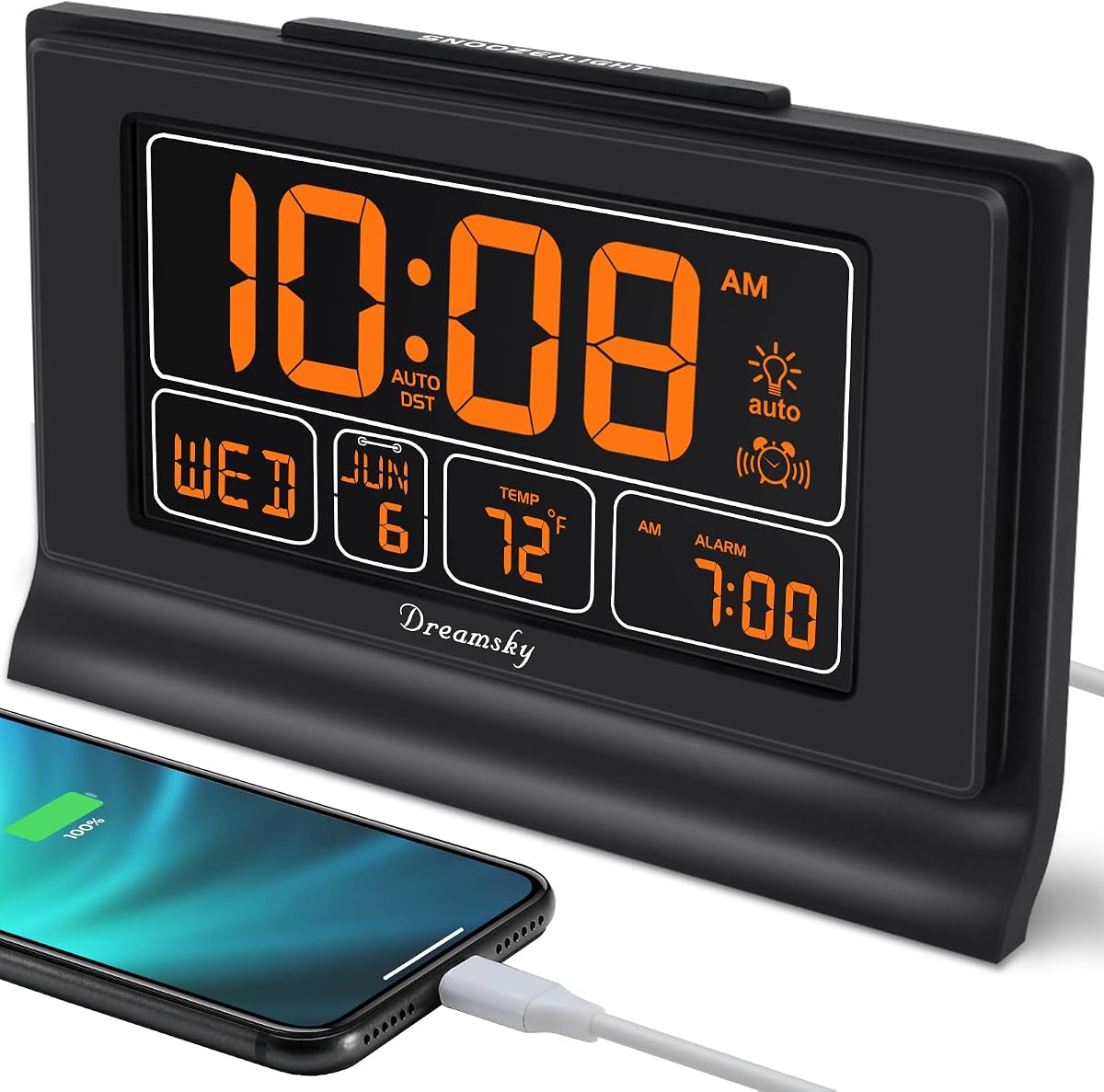
This clock combines timekeeping with practical extras like indoor temperature monitoring and a USB charging port. The 7.6 inch screen displays date time and temperature simultaneously for easy viewing.
We may earn a commission when you buy through this link, at no additional cost to you.
It includes a battery backup so power outages do not reset the clock. The auto dimmer adjusts brightness at specific times to save energy and reduce glare at night.
The four-level alarm volume is suitable for most sleepers but might lack extreme loudness for heavy sleepers. It is a solid all-around choice for bedroom or desk use.
Buyers will appreciate the convenience of charging devices and tracking room temperature on one device. The simple auto DST feature ensures the clock remains accurate throughout the year.
A backup battery keeps the time and settings intact during power outages so you do not need to reset it manually.
The built-in thermometer displays the room temperature which helps users monitor their environment for comfort.
We may earn a commission when you buy through this link, at no additional cost to you.
This clock allows for extensive customization with up to twenty alarms and reminders. It displays time periods like morning and afternoon with sun or moon icons for better visual context.
We may earn a commission when you buy through this link, at no additional cost to you.
Users can insert an SD card to play photos which adds a personal touch. The one-touch sleep mode turns off the display instantly for dark sleep environments.
While it supports multiple themes and colors, the date button requires manual pressing to adjust for time changes. Battery backup relies on AA batteries that are not included in the box.
It is ideal for those needing personalized reminders and visual customization. The photo frame feature makes it a versatile device for decoration and utility.
Twenty customizable reminders allow users to set specific alerts for medication appointments or daily tasks.
The SD card slot enables the clock to display family photos adding a personal and decorative element.
We may earn a commission when you buy through this link, at no additional cost to you.
This model focuses on simplicity with a voice timing function and large font display. It allows users to press a button to hear the time which is helpful for those with vision challenges.
We may earn a commission when you buy through this link, at no additional cost to you.
The display shows week and date without abbreviations. It supports multiple alarms and has an auto dimming feature for nighttime comfort. The setup process is designed to be straightforward.
While it offers excellent voice features it lacks advanced extras like USB charging or photo playback. The 7 inch size is standard and may not suit those needing larger visuals.
It is a practical choice for users prioritizing voice announcements and easy setup. The support for multiple languages makes it accessible for diverse households.
Pressing the back of the clock announces the time verbally to assist users who cannot read small digits.
The device supports nine languages ensuring it is accessible to users from different linguistic backgrounds.
We may earn a commission when you buy through this link, at no additional cost to you.
This clock is crafted with quality materials and features a high contrast display for clear reading in various lighting. It offers up to five custom alarms for daily reminders like appointments.
We may earn a commission when you buy through this link, at no additional cost to you.
The auto-dimming feature adjusts brightness based on ambient light to improve visibility and reduce eye strain. It supports multiple languages and time formats for diverse user needs.
While it has a higher price, the build quality and warranty provide added peace of mind. It lacks voice announcement but compensates with large clear text and reliable backup power.
It is perfect for users seeking a durable premium clock with strong focus on clear calendar visibility. The custom alarms help maintain routines for seniors managing daily tasks.
The display uses high contrast numbers to ensure clear reading even in low light conditions.
Up to five custom alarms let users set reminders for specific events throughout the day.
We may earn a commission when you buy through this link, at no additional cost to you.
This clock features an IPS display that offers wide viewing angles and clear images from any direction. It supports twelve alarms and displays medication reminders with cartoon pictures for clarity.
We may earn a commission when you buy through this link, at no additional cost to you.
The time memory function ensures the clock updates automatically after power loss. It allows manual or automatic brightness adjustment to suit different room environments.
While it lacks battery-only operation, the time memory function reduces setup hassle after outages. Users can set three sets of medication reminders and seven display models.
It is a solid choice for those needing wide angle visibility and visual reminders. The cartoon pictures add a friendly touch to daily task alerts.
The screen maintains image quality without fading at wide angles so users can read it from the side.
If power fails the clock updates to the current time automatically when power is restored without resetting.
We may earn a commission when you buy through this link, at no additional cost to you.
This clock offers a modern mirror style design with a 6.7 inch display showing date time seconds and temperature. It supports dual alarms with separate cycles for workdays and weekends.
We may earn a commission when you buy through this link, at no additional cost to you.
The auto dimming sensor adjusts brightness while manual settings allow further control. The snooze function helps manage wake up times with five minute intervals.
It relies on an external adapter for power with a battery only for memory. It is a stylish choice for bedrooms needing a compact and functional desk clock.
Buyers will appreciate the clean look and dual alarm flexibility. It lacks senior-focused voice features but suits general users wanting a modern look.
You can set two separate alarms with different schedules for weekdays and weekends to manage routines.
The indoor temperature reading helps users monitor room climate without a separate thermometer.
We may earn a commission when you buy through this link, at no additional cost to you.
This clock focuses on visibility with an oversized screen displaying date time and day of the week. It offers five alarm volume levels to suit different hearing preferences.
We may earn a commission when you buy through this link, at no additional cost to you.
The adjustable brightness allows users to customize the screen without eye strain. A USB port on the back lets users charge devices while sleeping.
Automatic DST updates remove the hassle of manual adjustments twice a year. It is a straightforward and functional choice for general bedroom use.
Users will find the volume control and brightness settings highly practical. The USB port adds convenience for charging phones overnight.
Five alarm volume levels ensure the alarm is loud enough to wake you but not jarring for others.
The USB port allows you to charge a phone while it sits on the nightstand.
We may earn a commission when you buy through this link, at no additional cost to you.
This clock automatically sets the time and date when plugged in saving users from manual input. It offers a full range dimmer to adjust brightness to very low levels.
We may earn a commission when you buy through this link, at no additional cost to you.
The ascending alarm sound wakes users up naturally and includes a snooze button. It has a USB port and supports multiple time zones including DST adjustments.
While it lacks day of week display it excels at simplicity and time accuracy. The battery backup ensures settings are retained during power outages.
It is a great choice for those wanting a no-fuss clock that manages time automatically. The snooze and USB features add practical value to daily use.
Plug the clock in and it sets the time and date automatically so you do not have to program it.
Multiple time zones let you select your region so the clock displays the correct time for your area.
We may earn a commission when you buy through this link, at no additional cost to you.
Selecting the right clock requires evaluating display size, alarm features, and ease of use. This guide outlines the key factors to consider before making your purchase.
A larger display ensures that the time and date are easy to read from a distance. Look for models with high contrast screens and large fonts that do not require glasses to view clearly.
Prioritize displays that show the day and month without abbreviations to avoid confusion.
Different users need different alarm capabilities. Some models offer up to twenty alarms for medication reminders while others provide basic single alarms. Check if the clock supports multiple cycles or custom reminders.
Choose a clock that allows you to set reminders for specific times without needing complex programming.
Automatic dimming adjusts the screen brightness based on the time of day. This helps reduce eye strain at night and prevents bright lights from disturbing sleep.
Ensure the dimming levels are adjustable so you can find the perfect brightness for your room.
Voice features allow users to hear the time and date by pressing a button. This is especially helpful for those with poor vision who struggle to read small text on a screen.
Look for clocks that support multiple languages if household members speak different languages.
Most digital clocks require a power adapter but battery backups ensure the clock keeps running during outages. Check if the clock uses replaceable AA batteries or built-in batteries.
Battery backups save you the hassle of resetting the time when the power goes out.
Auto DST features automatically adjust the clock twice a year so you do not need to change the time manually. This keeps your schedule accurate without extra effort.
Models with a manual DST button are also acceptable if you do not mind a quick adjustment.
Some clocks include temperature displays USB charging ports or photo frames. These extras can make the clock more versatile for a bedroom or living room.
Consider which extras fit your needs rather than paying for features you will not use.
Simple setup processes are crucial for seniors or tech-averse users. Look for clocks with intuitive buttons and clear manuals that guide you through initial configuration.
One-click setups or auto-set features reduce the learning curve significantly.
Start by plugging the clock into a standard outlet and allowing it to initialize. If it supports auto-set time wait for it to connect and display the correct date automatically.
Use the provided manual to navigate the settings menu. Set your preferred time format and adjust the brightness to a comfortable level for your room.
Clean the screen gently with a dry cloth to prevent smudges. Keep the clock away from direct sunlight to maintain screen longevity and accuracy.
Most models require a power adapter for continuous operation. Some offer battery backups to retain settings during outages but are not designed to run on batteries alone for long periods.
Yes many models support multiple alarms. Some allow up to twenty alarms while others support two. Check the product details to see how many alarms the specific clock supports.
Many clocks have an auto DST feature that updates the time twice a year. Others require a manual button press to adjust for the time change.
Most dementia-friendly clocks show the full names of the days and months. This avoids confusion caused by short abbreviations that can be hard to understand.
Yes most clocks offer adjustable brightness. Some feature auto-dimming while others have manual sliders to reduce light at night.
Some models feature a voice button that announces the time when pressed. Check the specifications to see if voice support is included before buying.
Screen sizes range from 5 to 11 inches. Larger screens are better for visibility while smaller ones fit on compact nightstands.
Some models include a USB port to charge phones or devices. Not all clocks have this feature so verify before purchasing if you need it.
We reviewed ten top models offering clear displays and useful alarm features. The SSYA and Mitoart options provide exceptional clarity for seniors.
Prioritize the features that matter most to you such as voice announcements or battery backup. The right choice depends on your specific needs and room space.
Always check the latest details before buying to ensure you get the best value for your setup. Prices and availability may change over time.