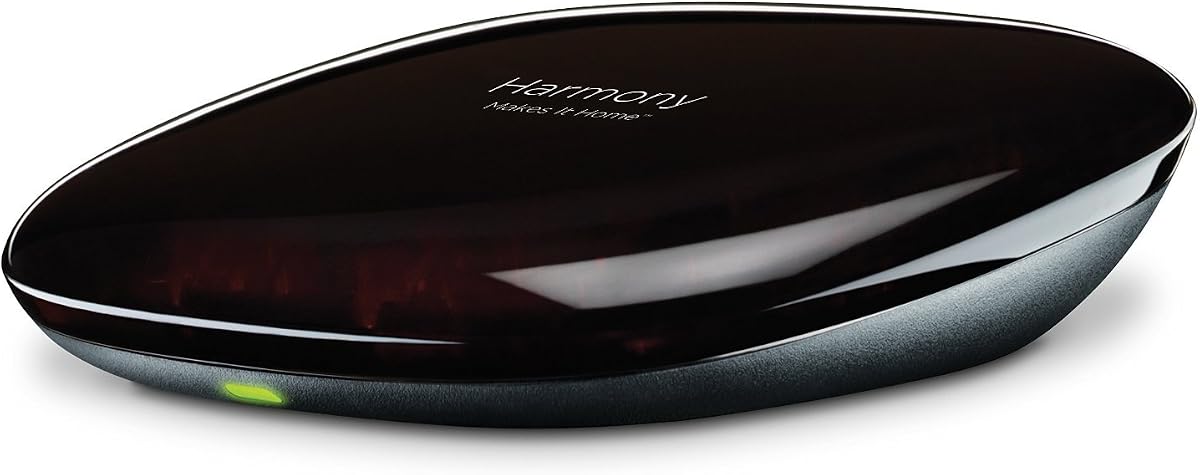
logitech 915-000238 Harmony Home Hub for Smartphone Control of 8 Home Entertainment and Automation Devices (Renewed)
3.9Editor score
Smartphone integration
Closed cabinet control
Voice compatible
This guide compares the top Logitech Harmony Home Hub options to help you choose the best universal remote for controlling entertainment and smart home devices.
Finding the right control solution for your home entertainment setup can be challenging. The Logitech Harmony Home Hub offers a unified way to manage multiple devices from one interface.
We evaluated ten top models based on compatibility, ease of use, and feature set. Each entry provides detailed insights into what makes it stand out in today's market.
Every pick highlights key strengths and potential trade-offs to help you decide. Note that availability and pricing may change over time, so check current listings before purchasing.
3.9Editor score

3.7Editor score

3.8Editor score
The following table provides a side-by-side overview of the ten selected Logitech Harmony models. It highlights core capabilities, device limits, and key features to simplify your selection process.
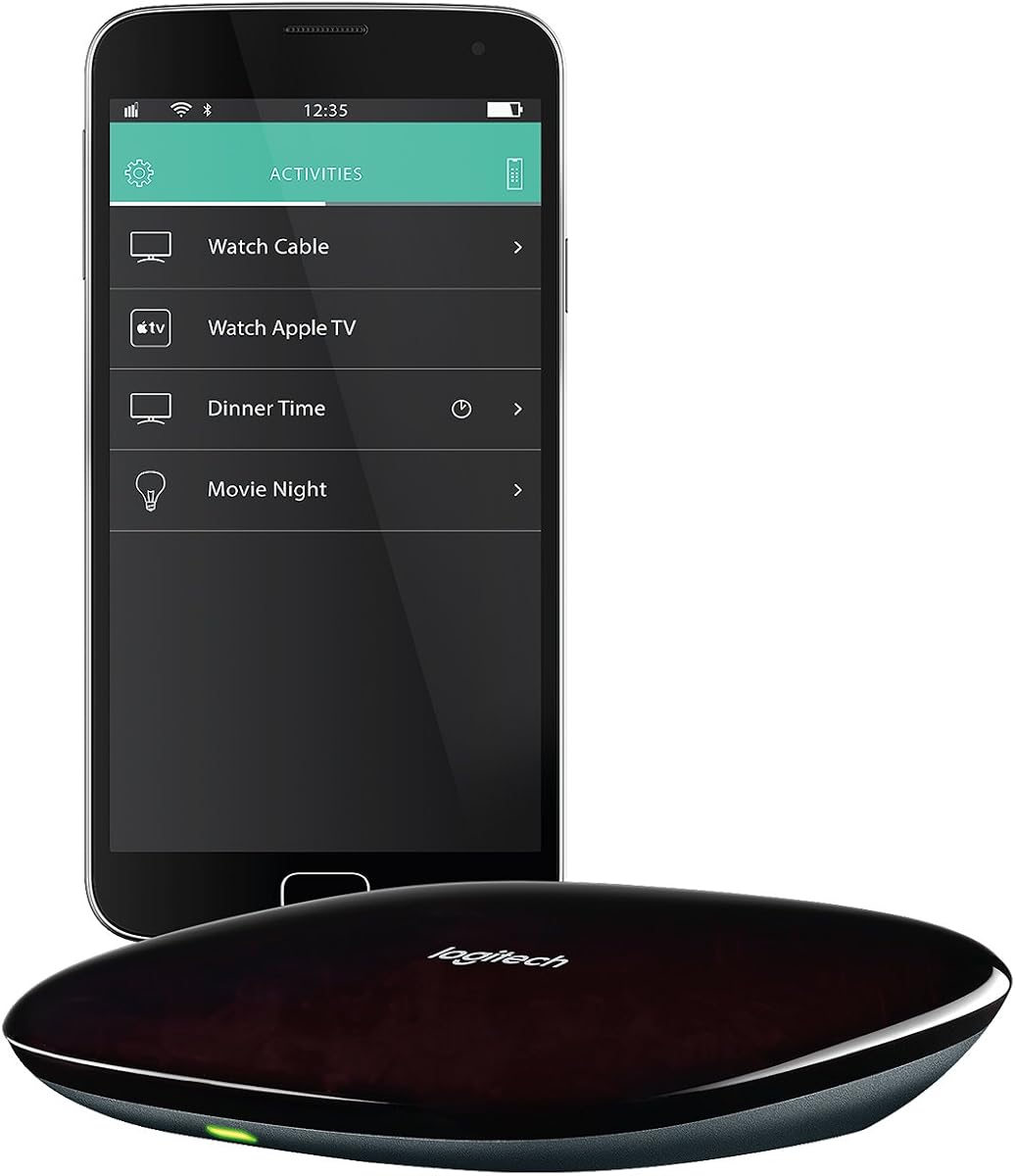


The Logitech Harmony Hub for Control of 8 Home Entertainment Devices serves as a central hub for managing your entertainment ecosystem. With a rating of 3.9, it offers reliable connectivity for up to eight devices. Its standout quality lies in its ability to pair with the Harmony smartphone app for seamless control.
We may earn a commission when you buy through this link, at no additional cost to you.
This model focuses purely on the hub component, allowing users who prefer app-based control to streamline their setup. It connects via Wi-Fi to manage devices hidden in cabinets or on shelves. The integration with the Harmony app ensures you can control TVs, streaming boxes, and more from your phone.
One trade-off is that it does not include a physical remote, which might be inconvenient for users who prefer tactile buttons. Additionally, being discontinued by the manufacturer means replacement parts or new units may be harder to find over time.
This hub is ideal for tech-savvy users who already own a compatible remote or rely heavily on smartphone control. It is a solid choice for expanding an existing Harmony system without redundancy. For those seeking a standalone hub solution, this model remains relevant despite its discontinued status.
The Harmony app transforms your smartphone into a full-featured remote, offering intuitive controls for volume, channels, and settings.
Adding this hub allows you to integrate more devices into your Harmony network, enhancing overall system flexibility.
We may earn a commission when you buy through this link, at no additional cost to you.
The Logitech Harmony Elite Remote Control, Hub and App, Ultimate Control and Seamless Device Integration stands out as a premium all-in-one solution. Rated 3.7, it combines a powerful remote, a hub, and a smartphone app into one ecosystem. Its standout quality is the seamless integration of up to 15 devices.
We may earn a commission when you buy through this link, at no additional cost to you.
This model maximizes control with features like an interactive full-color touchscreen and voice command compatibility with Alexa. You can initiate activities such as Watch a Movie with a single touch, which powers on devices and adjusts settings automatically. The Harmony app extends this control to iOS and Android smartphones.
While highly capable, the setup can be complex due to the number of devices and configurations involved. The price point is also higher than basic hubs, making it a significant investment. These factors are acceptable for users seeking the most powerful remote available.
It is best suited for users with extensive home entertainment and smart home setups. If you value convenience and advanced features like voice control and activities, this Elite package is an ideal choice. It delivers a high level of automation and centralized control for modern homes.
Activities allow you to automate multiple steps at once, simplifying complex routines like watching a movie or hosting a party.
Compatibility with Alexa lets you control your devices hands-free, adding another layer of convenience to your setup.
We may earn a commission when you buy through this link, at no additional cost to you.
The Logitech Harmony Smart Control with Smartphone App and Simple All In One Remote – Black offers a balanced approach to universal control. With a 3.9 rating, it includes a hub, a simple remote, and robust smartphone app integration. It stands out for its ability to control hidden devices and smart home elements.
We may earn a commission when you buy through this link, at no additional cost to you.
This model supports Wi-Fi connectivity and includes the Harmony smartphone app for intuitive swipe and tap control. The hub allows control of devices hidden behind cabinets, such as game consoles. It is future-proof, supporting up to eight devices including smart home products like Philips Hue.
One consideration is the need for a stable Wi-Fi connection for full functionality, which may not be available in all home setups. The remote itself is simple, lacking a touchscreen, which might feel basic compared to Elite models. These are acceptable trade-offs for the price.
It is ideal for users who want a mix of physical and app-based control without spending on premium features. The removable battery adds practicality for long-term use. For those seeking a reliable, future-proof system with smart home integration, this package is a strong contender.
The included hub connects to hidden devices via IR, allowing you to control consoles behind cabinet doors effortlessly.
Integration with smart home devices like Philips Hue lets you manage lights alongside your entertainment system.
We may earn a commission when you buy through this link, at no additional cost to you.
The Logitech 915-000216 Harmony Ultimate Hub and Mobile App for Closed-Cabinet Control of 8 Devices is designed for users needing to control devices in closed cabinets. Rated 3.9, it emphasizes mobile app control and closed cabinet capabilities. Its standout quality is the included IR mini-blaster for hidden device management.
We may earn a commission when you buy through this link, at no additional cost to you.
This hub transforms your smartphone into a powerful remote, enabling swipe and tap control for channels and settings. It supports streaming services like Netflix on devices such as Apple TV and Roku. The IR mini-blaster ensures devices behind doors remain accessible.
A trade-off is the lack of a physical remote, which may inconvenience users who prefer tactile buttons over touchscreens. Additionally, the eight-device limit might not suffice for larger setups. These are acceptable for those focused on app-based control.
It is best for users prioritizing mobile app integration and hidden device control. If you rely on your phone for most interactions, this hub is a cost-effective and focused solution. It provides reliable connectivity for streaming and entertainment devices.
The Harmony mobile app turns your tablet or phone into a universal remote, offering intuitive navigation and control.
Access internet services directly through the app, controlling devices like Apple TV and Roku for seamless streaming.
We may earn a commission when you buy through this link, at no additional cost to you.
The logitech 915-000238 Harmony Home Hub for Smartphone Control of 8 Home Entertainment and Automation Devices (Renewed) offers a budget-friendly entry point. Rated 3.9, it supports smartphone control and Alexa compatibility. Its standout quality is the ability to create customized activities for home automation.
We may earn a commission when you buy through this link, at no additional cost to you.
This renewed hub combines up to eight remotes into one app, allowing control of TVs, smart lights, and speakers. You can set activities like Date Night to dim lights and launch Netflix. It works seamlessly with iOS and Android devices for centralized management.
One trade-off is the renewed condition, which may lack original packaging or warranties. Support could also be limited compared to new products. These factors are acceptable for those seeking savings on proven technology.
It is ideal for budget-conscious users wanting smart home features. The voice control and app integration provide modern conveniences at a lower cost. For those willing to accept renewed condition, this hub offers excellent value.
Create tailored activities to automate multiple actions, such as dimming lights and playing media simultaneously.
Alexa compatibility lets you manage entertainment devices using voice commands, simplifying daily interactions.
We may earn a commission when you buy through this link, at no additional cost to you.
The Logitech 915-000237 – Harmony Ultimate Home Touch Screen Remote – Black (Renewed) provides a touch-focused control experience. Rated 3.7, it is a renewed remote offering touchscreen capabilities. Its standout quality is the intuitive interface for managing home devices.
We may earn a commission when you buy through this link, at no additional cost to you.
This remote features a full-color touchscreen for navigating channels and settings. It pairs with your smartphone or hub for broader control. The black finish blends with most home entertainment setups. As a renewed product, it offers a cost-effective upgrade.
One limitation is the lack of a hub, requiring a separate hub for full functionality. It may also lack newer features found in latest models. These are acceptable for users who already own a hub.
It suits those seeking a touchscreen remote without premium pricing. Ideal for adding tactile control to an existing system. For users preferring touch over buttons, this model delivers a polished experience at a budget-friendly price.
The color touchscreen provides easy access to favorites, apps, and settings with simple swipes and taps.
Buying renewed offers savings while providing a tested device that meets quality standards.
We may earn a commission when you buy through this link, at no additional cost to you.
The Logitech Harmony Elite Remote Control, Hub and App, Compatible with Alexa (Renewed) is a renewed premium kit. Rated 3.5, it includes a remote, hub, and app with Alexa compatibility. Its standout quality is voice control integration for home automation.
We may earn a commission when you buy through this link, at no additional cost to you.
This Elite model supports up to 15 devices and offers one-touch activities for streamlined control. You can use Alexa to activate commands like Watch a Movie. The full-color touchscreen simplifies navigating favorites and settings.
The lower rating suggests potential variability in performance due to renewed status. Setup might require more patience than newer models. These are acceptable trade-offs for access to premium features.
It is best for users seeking an all-in-one Elite package with voice capabilities. Ideal for those who already have Alexa devices. This kit delivers high-end functionality at a reduced cost.
Alexa integration allows hands-free control, enhancing convenience for busy households.
One-touch activities automate multiple steps, simplifying complex routines.
We may earn a commission when you buy through this link, at no additional cost to you.
The Logitech Harmony Elite Remote Control, Hub and App (Renewed) delivers a complete Elite experience. Rated 3.9, it includes all components needed for centralized control. Its standout quality is the combination of hub, remote, and app in one package.
We may earn a commission when you buy through this link, at no additional cost to you.
This renewed kit allows control of home entertainment devices through the hub and remote. The app extends control to mobile devices. Activities and favorites are easily managed through the interface. It supports various device types for versatile use.
As a renewed product, it may not include full manufacturer warranty. Condition depends on the refurbishment process. These are acceptable for those comfortable with used electronics.
It suits users wanting a full Elite setup without premium pricing. Ideal for those who need both hub and remote. This package offers a comprehensive solution for home automation.
All essential components are included, ensuring you can start using the system immediately.
Combine remote, hub, and app for a cohesive experience managing entertainment and smart devices.
We may earn a commission when you buy through this link, at no additional cost to you.
The logitech Harmony Elite Remote Control (915-000256) (Renewed) focuses on the Elite remote component. Rated 3.8, it is a renewed touchscreen remote. Its standout quality is its compatibility with over 270,000 devices.
We may earn a commission when you buy through this link, at no additional cost to you.
This remote features a full-color screen for easy navigation of channels and smart home devices. It supports one-touch activities and works with Alexa for voice control. It is ideal for users who already own a Harmony hub.
A limitation is that it does not include a hub or accessories. You need a separate hub for full functionality. These are acceptable if you already have a compatible system.
It is best for those upgrading their existing Harmony system with a touchscreen remote. Ideal for users who prefer touch control. This model provides premium remote features at a budget-friendly price.
Navigate effortlessly with a full-color touchscreen that simplifies device management and customization.
Supports hundreds of thousands of devices, ensuring compatibility with most entertainment systems.
We may earn a commission when you buy through this link, at no additional cost to you.
The Logitech Harmony 1100 Universal Remote with Color Touch Screen is a classic premium option. Rated 3.8, it features a 3.5-inch touchscreen. Its standout quality is RF wireless capability for control through doors.
We may earn a commission when you buy through this link, at no additional cost to you.
This remote allows customizable commands and screens. It supports thousands of brands and comes with a charging stand. The touch screen offers intuitive navigation for various device functions.
As an older model, it may lack modern app integration and smart home features. The price is higher compared to newer alternatives. These are acceptable for users needing RF control.
It is best for those requiring RF wireless and customization. Ideal for homes with many doors. This remote delivers premium tactile control and reliability.
Control devices through walls and doors thanks to built-in RF wireless technology.
Personalize commands and screens to match your specific device layout and preferences.
We may earn a commission when you buy through this link, at no additional cost to you.
Choosing the right Logitech Harmony model depends on your specific needs and existing setup. This guide outlines key factors to consider for making an informed decision.
Different models support varying numbers of devices, typically ranging from eight to fifteen. Ensure the hub or remote can handle all your TV, cable, and streaming devices. Exceeding the limit may require multiple hubs or a more advanced system.
Check your current and future device count against the model's specifications to avoid limitations.
Most models rely on the Harmony app for setup and daily control. This app turns your phone into a universal remote with intuitive swipe controls. Verify that your iOS or Android device meets compatibility requirements for smooth operation.
Prioritize models with strong app support if you prefer managing devices from your phone.
Some models are hubs only, while others include a physical remote. If you prefer tactile buttons over touchscreens, ensure a remote is included. For app-only users, a hub may suffice without the extra hardware.
Decide between app-based or physical control based on your comfort and household needs.
Many hubs support smart home devices like lights, locks, and thermostats. This allows integrated control across entertainment and home automation. Check compatibility with brands like Philips Hue for seamless setup.
Look for models that explicitly support your smart home devices for a unified experience.
Activities let you trigger multiple actions with one command, such as turning on lights and launching Netflix. This simplifies routines and reduces repetitive tasks. Higher-end models often offer more advanced activity customization.
Consider how much automation you need when selecting a model.
Connectivity options include Wi-Fi and IR, with some models offering RF. Wi-Fi enables app control while IR manages line-of-sight devices. RF allows control through doors and walls, useful for complex setups.
Ensure the model's connection type matches your home layout and device requirements.
Many models integrate with voice assistants like Alexa for hands-free control. This feature enhances convenience, especially when your hands are occupied. Check if voice commands are supported for your specific devices.
If voice control is a priority, choose models that explicitly list Alexa compatibility.
Renewed models offer savings but may lack warranties or original packaging. They are tested and functional, which suits budget-conscious buyers. New models provide full manufacturer support and latest features.
Weigh cost savings against warranty needs when deciding between renewed and new options.
To set up your hub, download the Harmony app and follow the on-screen instructions to add devices. Place the hub in a central location for optimal signal coverage. Ensure all devices are powered on during setup for accurate detection.
Regularly update the firmware via the app to maintain compatibility and performance. Keep the hub free of dust and heat by placing it in a well-ventilated area. Use the app to create activities that automate your daily routines.
For physical remotes, charge them fully before first use and store them in the included stand when not in use. Clean screens with a soft cloth and avoid exposure to liquids. Proper care extends the lifespan and ensures reliable operation.
While the hub can function with a physical remote, most setup and advanced features require the Harmony app. Without a smartphone, you may face limitations in configuring activities or updating settings. For full functionality, a smartphone is highly recommended.
Many models include an IR mini-blaster to control hidden devices. Place the blaster to face the hidden device and secure it in place. This ensures the hub can send signals even without direct line of sight.
Smart home device limits depend on the specific model and app settings. Most hubs support multiple lights and thermostats within the overall device limit. Check the product specs for exact capacities to plan your setup.
If your old hub is discontinued or incompatible with current devices, upgrading may be necessary. New hubs offer updated app integration and broader device support. However, existing remotes may still work with some newer hubs.
Voice control with Alexa is supported on many newer and Elite models. Basic hubs may require an additional skill or device for full voice functionality. Verify voice compatibility before purchasing to ensure it meets your needs.
Yes, most hubs can control multiple TVs and entertainment systems within their device limit. Each TV can be set as a separate activity or device entry for easy switching. This allows centralized control across different rooms.
This guide reviewed ten top Logitech Harmony models, highlighting their unique strengths and capabilities. The Elite series offers the most advanced features, while budget-friendly hubs provide essential control options.
Prioritize factors like device count, app integration, and smart home support based on your household needs. If convenience is key, choose models with strong activity automation and voice control features.
Prices and availability fluctuate regularly, so check current listings before making a purchase. For the most accurate pricing, refer to the provided links for each product.