
Logitech M240 Compact Silent Bluetooth Wireless Mouse – Off White
4.4Editor score
Fast Bluetooth pairing
Quiet silent clicks
Travel friendly portable size
This guide compares the top external mice for MacBook Neo users, evaluating connectivity, ergonomics, battery life, and design to help you find the perfect
Finding the right external mouse for your MacBook Neo can transform your daily workflow and comfort levels significantly. With so many options available today, selecting a device that offers seamless Bluetooth connectivity and ergonomic design is essential for productivity.
We have carefully evaluated ten leading wireless mice specifically chosen for their compatibility with MacBook Neo laptops. Our comparison focuses on key factors such as battery longevity, scroll precision, and overall build quality to ensure you make an informed decision.
Each selection below highlights unique features and performance metrics derived from reliable user feedback and technical specifications. Please note that product availability and pricing may fluctuate over time, so always verify current details before finalizing your purchase online.
4.4Editor score

4.7Editor score

4.4Editor score
The following table provides a side-by-side overview of all ten selected mice to help you quickly compare their key specifications and features side by side for easy decision making.






The Logitech Slim Wireless Bluetooth Mouse for Mac stands out as the top choice for MacBook Neo users seeking a blend of style and performance. With an impressive 4.7 rating, it delivers a seamless experience that rivals Apple's own peripherals while maintaining affordability and portability.
We may earn a commission when you buy through this link, at no additional cost to you.
Its design is meticulously crafted to match the aesthetic of Apple devices, featuring round corners and clean lines that look great in any setup. The silent click technology ensures that you can work in quiet environments like libraries or cafes without disturbing others around you.
While it lacks a vertical grip which might be preferred by users with wrist strain, the slim profile fits naturally in the palm of your hand for extended periods. The only minor limitation is the lack of a USB receiver, but Bluetooth connectivity is robust enough for most users.
This mouse is ideal for anyone looking for a reliable daily driver that balances comfort and aesthetics. It is highly recommended for students and professionals who prioritize long battery life and a quiet workflow in their daily computing tasks.
The silent clicks reduce noise by about 90 percent allowing you to focus on your work without auditory distractions in shared spaces.
With an 18 month battery life and automatic sleep mode you will rarely need to change batteries ensuring continuous productivity over long periods.
We may earn a commission when you buy through this link, at no additional cost to you.
The Logitech M240 Compact Silent Bluetooth Wireless Mouse is a fantastic option for budget conscious users who do not want to compromise on essential features. It offers a high quality experience with a focus on silence and battery efficiency making it a great value proposition.
We may earn a commission when you buy through this link, at no additional cost to you.
Its compact and ambidextrous design makes it easy to carry in a bag while the silent clicks ensure you do not disturb colleagues or family members during work. The fast Bluetooth pairing means you can start working immediately without needing dongles or extra ports.
Although it lacks advanced customization software found in higher end models, it performs reliably for everyday tasks like browsing and document editing. The main trade off is the simplicity of features which might limit power users but is perfect for general use.
We recommend this mouse for students or casual users who need a dependable wireless accessory without breaking the bank. It provides a quiet and efficient interface for your MacBook Neo that gets the job done reliably every day.
Small enough to toss in a bag this slim portable mouse guides either your right or left hand into a natural position for on the go use.
Bluetooth wireless technology connects your computer in seconds and works up to 10m away ensuring a stable connection wherever you sit.
We may earn a commission when you buy through this link, at no additional cost to you.
The Logitech MX Master 4 for Mac represents the pinnacle of productivity mice with its advanced haptic feedback and precision engineering. Designed specifically for Mac users, it offers a premium experience that enhances workflow through customizable actions and seamless multi device switching.
We may earn a commission when you buy through this link, at no additional cost to you.
Its ergonomic design keeps you in flow with a natural tilt and intuitive buttons that reduce hand stress during long work sessions. The MagSpeed scroll wheel allows you to scroll through thousands of lines in seconds while maintaining the ability to stop on a specific pixel.
While it is heavier and more expensive than standard mice, the investment is worthwhile for professionals who rely on their peripherals for intensive tasks. The USB-C charging ensures you are always ready to work without the hassle of replacing batteries regularly.
This mouse is highly recommended for creatives and power users who need precision and speed in their daily tasks. It stands out as a premium choice that justifies its cost through superior performance and tailored features for the Mac ecosystem.
Feel a tactile response through the Haptic Sense Panel when specific actions occur enhancing your productivity with intuitive feedback on shortcuts and notifications.
Access favorite tools with the Actions Ring overlay that adapts to each app placing your most used filters and shortcuts at your cursor instantly.
We may earn a commission when you buy through this link, at no additional cost to you.
The Logitech M350s Pebble 2 offers a stylish and eco friendly option for users who value both design and functionality. With a minimalist round design made from recycled plastic, it fits seamlessly into a modern workspace while providing reliable performance.
We may earn a commission when you buy through this link, at no additional cost to you.
Its Silent Touch Technology ensures quiet operation, making it perfect for shared spaces where noise could be a distraction. The ability to connect and switch between three devices easily adds significant convenience for multitasking across different operating systems.
While the two year battery life is impressive, it does use replaceable AA batteries rather than being rechargeable. The small size might also feel too compact for users with larger hands, but it excels in portability and comfort for smaller grips.
This mouse is an excellent choice for users looking to express their vibe while maintaining productivity. It combines sustainability with practical features that make everyday computing tasks smoother and more enjoyable without compromising on style.
Switch between up to 3 wireless devices across Windows macOS iPadOS and ChromeOS instantly with the Easy-Switch button on the mouse.
Plastic parts include a minimum of 58 percent certified post-consumer recycled plastic ensuring a positive impact on the environment.
We may earn a commission when you buy through this link, at no additional cost to you.
The Logitech Mobi Fold is designed for travelers and on-the-go users who need a mouse that can fit easily into a pocket. Its foldable design allows it to be carried without bulk while unfolding to power on and folding to power off automatically.
We may earn a commission when you buy through this link, at no additional cost to you.
With 4K DPI tracking, it offers high precision accuracy which is rare in such a compact form factor. The quiet clicks ensure that you can use it in libraries or cafés without creating unnecessary noise during your work sessions.
While the battery life is shorter at one month compared to others, the quick charging feature via USB-C mitigates this issue significantly. You can get up to 22 hours of use from just a one minute charge which is highly convenient.
This mouse is ideal for frequent travelers who need reliable performance in a tiny package. It balances portability with functionality making it a smart choice for those who move around a lot with their devices.
Small foldable and ultra-thin this lightweight mouse slips into your pocket or bag for easy transport anywhere you go without taking up space.
Lasts up to 22 hours from a 1-minute charge and stays powered for up to 1 month on full charge using a USB-C cable.
We may earn a commission when you buy through this link, at no additional cost to you.
The Satechi Slim EX Wireless Mouse brings a premium aluminum feel to your workspace which complements the design of Apple devices beautifully. Crafted from anodized aluminum, it provides a durable and aesthetically pleasing experience that elevates your overall setup.
We may earn a commission when you buy through this link, at no additional cost to you.
It offers 3-in-1 multi-device freedom allowing you to switch between two Bluetooth channels and a 2.4GHz USB-C receiver without re-pairing. This flexibility ensures you can control your Mac, Windows desktop, and tablet effortlessly using a single device.
While the aluminum body makes it slightly heavier than plastic alternatives, it ensures a solid build quality that feels premium in hand. The quiet clicks and precision-machined wheel provide confident control which is essential for detailed tasks.
This mouse is recommended for users who prioritize build quality and design consistency with their Mac setup. The rechargeable battery and long warranty provide peace of mind and reliability for daily professional use in various environments.
An anodized aluminum shell and metal wheel elevate your workspace aesthetics providing a durable and high quality feel compared to plastic mice.
Switch between two Bluetooth channels and a 2.4GHz USB-C receiver with no re-pairing ensuring smooth transitions between devices seamlessly.
We may earn a commission when you buy through this link, at no additional cost to you.
This versatile Bluetooth Wireless Mouse offers both Bluetooth 5.2 and 2.4G connectivity options making it a flexible choice for various laptop and desktop setups. Its silver finish provides a clean look that blends well with most electronic devices in your office or home.
We may earn a commission when you buy through this link, at no additional cost to you.
With three adjustable DPI levels ranging from 800 to 1600, you can customize the cursor speed to match your specific needs for precision or speed. The auto energy-saving sleep mode helps extend battery life by automatically turning off the mouse when not in use.
While it is a more generic option compared to branded mice, it delivers solid performance for everyday tasks like browsing and word processing. The mute design keeps clicks quiet ensuring you can work without disturbing others around you in shared spaces.
This mouse is suitable for users looking for a functional and affordable dual-mode option without spending much. It is a practical solution for those who need compatibility across multiple systems including Mac Windows and Chromebook devices seamlessly.
Switch between Bluetooth mode or 2.4G mode for compatibility with all Bluetooth-enabled laptops and devices with USB ports for versatile use.
Change the DPI according to your demands with 800 1200 and 1600 levels to get your work more efficient and save your time.
We may earn a commission when you buy through this link, at no additional cost to you.
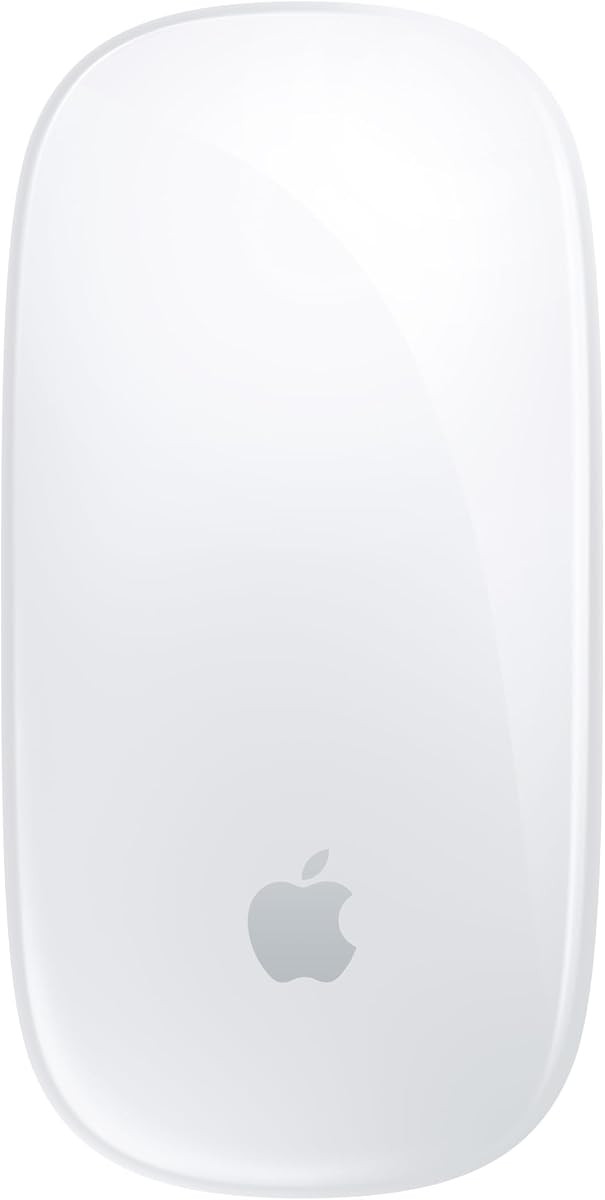
The Apple Magic Mouse offers native integration with macOS providing a seamless experience that is perfectly tuned for the MacBook Neo ecosystem. Its Multi-Touch surface allows you to perform gestures like swiping and scrolling directly on the mouse surface for intuitive control.
We may earn a commission when you buy through this link, at no additional cost to you.
Designed to be wireless and rechargeable, it pairs automatically with your Mac and comes with a woven USB-C Charge Cable for easy charging. The optimized foot design lets it glide smoothly across your desk ensuring a consistent and effortless navigation experience.
While the lack of physical buttons and flat profile might not suit everyone's ergonomic preferences, it is ideal for those who prioritize touch interactions. The one month battery life is decent but requires regular charging which can interrupt work if not planned ahead.
This mouse is best recommended for Mac purists who want the most authentic Apple accessory experience. It simplifies your workflow by leveraging gestures that you already know from your MacBook trackpad making navigation more natural.
Perform simple gestures such as swiping between web pages and scrolling through documents directly on the surface of the mouse for intuitive control.
Power your Magic Mouse for about a month or more between charges using the included USB-C Charge Cable for convenient and eco-friendly power.
We may earn a commission when you buy through this link, at no additional cost to you.
The Logitech POP Mouse is designed to help you proudly express yourself with a fresh modern design that stands out in any workspace. It is compact and portable making it easy to carry in your bag or palm wherever you go for work or leisure.
We may earn a commission when you buy through this link, at no additional cost to you.
Customizable Action Buttons allow you to quickly switch between work social and break modes or access your AI tools with the Logi Options+ App. This level of personalization makes it a versatile tool for managing your digital life efficiently and creatively.
With a two year battery life and silent touch technology, it offers reliability and peace while you work. The only trade-off is the use of replaceable batteries rather than a rechargeable option but the battery life ensures long-term usability without frequent changes.
This mouse is ideal for creative users who value style and customization in their peripherals. It combines a sleek look with practical features that enhance productivity and make your workspace feel more personal and engaging.
Access your AI tools and favorite apps with customizable Action Buttons and Logi Options+ App for a more efficient workflow.
Let your work speak louder than your clicks with Silent Touch Technology that removes 90 percent of click noise for a focused environment.
We may earn a commission when you buy through this link, at no additional cost to you.
The Satechi M1 Wireless Bluetooth Mouse offers a modern and greener alternative with a built-in lithium-ion battery and USB-C rechargeable port. Its sleek aluminum finish enhances aesthetics and functionality fitting perfectly into the palm of your hand for prolonged use.
We may earn a commission when you buy through this link, at no additional cost to you.
Equipped with high-precision optical sensors and 1200 DPI resolution, it guarantees accurate tracking and fast scrolling which enhances your productivity across various surfaces. The Bluetooth 4.2 technology ensures a stable and reliable connection within a 32 ft range for effortless multitasking.
While it uses Bluetooth 4.2 which is slightly older than newer versions, it remains robust for most applications. Users with 2011 Mac devices should note this might not be recommended for them but for modern devices it performs exceptionally well.
This mouse is ideal for users seeking a stylish rechargeable option that matches modern laptops and tablets. It is a smart investment for those who want to reduce battery waste while maintaining high performance in their daily workflow tasks.
Embrace a greener alternative with a built-in lithium-ion battery and USB C rechargeable port offering a quick convenient charging solution.
Equipped with high-precision optical sensors and 1200 DPI resolution this wireless mouse guarantees accurate tracking and fast scrolling.
We may earn a commission when you buy through this link, at no additional cost to you.
Selecting the right mouse for your MacBook Neo involves considering various factors to ensure comfort functionality and compatibility for your specific needs.
Connectivity is a crucial factor when choosing a mouse for your MacBook Neo as it determines how seamlessly the device integrates with your system. Bluetooth mice offer a clean setup without dongles and are generally preferred for modern laptops with limited ports. However some models support both Bluetooth and 2.4GHz wireless which provides flexibility if your MacBook Bluetooth is temporarily unavailable or if you switch between devices often.
Look for Bluetooth 5.0 or newer for better stability and faster connection speeds. Ensure the mouse supports macOS natively to avoid driver issues and ensure features like multi-device switching work as intended.
Ergonomics play a significant role in preventing strain during long work sessions so choose a shape that fits comfortably in your palm. A slim design like the Logitech Slim Wireless works well for portability while others like the MX Master 4 offer a fuller grip for wrist support.
Consider the size and weight of the mouse based on your hand size and usage habits. A lightweight portable mouse is ideal for travel but a heavier model with better grip might be preferable for desk work.
Battery life varies significantly between mice so consider whether you prefer replaceable AA batteries or a rechargeable USB-C battery. Models with 18 months or more of battery life reduce the hassle of frequent changes and ensure you are always ready to work.
Rechargeable options are convenient for eco-friendly users but check how long the battery lasts on a single charge and how quickly it charges.
Scrolling precision and click sound can affect your productivity and comfort especially in shared work environments. Look for silent click technology if you work in quiet spaces and consider wheels that allow both precise and fast scrolling modes.
High precision sensors ensure smooth cursor movement which is essential for design work or general navigation. Haptic feedback adds another layer of interaction for advanced users looking for tactile responses to actions.
Ensure the mouse is explicitly compatible with macOS to access all its features without requiring additional drivers. Some brands like Logitech offer dedicated software for customization which can enhance your workflow through app-specific shortcuts and button mappings.
Check if the mouse supports your specific operating system versions and if it can switch between devices like iPad or Windows PCs if you use multiple platforms.
Build quality affects durability and aesthetics so look for mice made with recycled materials or high-quality metals like aluminum. A sturdy construction ensures the mouse withstands daily wear and tear while maintaining its appearance over time.
Eco-friendly options are becoming popular and often use recycled plastics without compromising on comfort or functionality for everyday use.
Price ranges from budget-friendly options under twenty dollars to premium models over one hundred dollars depending on features and build quality. Assess what features matter most to you such as silent clicks or ergonomic design to determine the best value for your needs.
Higher priced models often offer advanced features but standard mice can provide excellent performance for general tasks at a lower cost.
If you travel frequently a foldable or ultra-thin mouse like the Mobi Fold can save space in your bag while maintaining functionality. These models unfold to power on and fold to power off adding convenience to your mobile office setup.
Consider whether you need a mouse that can fit in a pocket or a larger desktop model that offers better comfort for stationary use.
To use your new external mouse with MacBook Neo start by pairing it via Bluetooth through the settings menu. Turn on the mouse switch to pairing mode and select it from the available devices list on your Mac screen for connection.
Keep the mouse surface clean by wiping it gently with a dry microfiber cloth to avoid dust buildup that can affect tracking precision. Ensure the sensor lens on the bottom of the mouse is free from debris to maintain smooth movement across surfaces.
For rechargeable models charge the mouse using the provided USB-C cable when the battery indicator shows low levels to prevent interruptions during work. Replace batteries as needed for non-rechargeable models and store the mouse in a dry place away from extreme temperatures to extend its lifespan.
Yes most wireless mice designed for MacBook Neo connect via Bluetooth so you do not need dongles or ports. This ensures a clean setup but check compatibility with your specific Mac model before purchasing to confirm support.
Typical battery life ranges from one month to two years depending on the model and usage. Models with auto-sleep modes tend to last longer reducing the frequency of battery changes or recharges for continuous use.
Silent click mice are ideal for shared spaces as they reduce noise by about 90 percent without affecting click feel. This allows you to work in quiet environments without disturbing colleagues or family members around you effectively.
Most mice work out of the box with basic functions but some offer customizable features through dedicated software. Check product details to see if customization apps like Logi Options+ are available for your specific model to enhance functionality.
The Logitech Mobi Fold is best for travel due to its foldable design that fits easily into pockets or bags. Its compact size and fast charging make it convenient for on-the-go professionals needing reliable input on the move.
Many models like the M350s Pebble 2 and MX Master 4 support multi-device switching across up to three devices. This allows you to switch between Mac iPad and Windows seamlessly using a single mouse for increased productivity.
Materials include recycled plastics and aluminum depending on the model for eco-friendly and durable options. Some use high-quality aluminum shells for premium aesthetics while others use recycled plastics for environmental benefits.
In conclusion the Logitech Slim Wireless Bluetooth Mouse leads as our top pick for its perfect blend of silent operation and long battery life. The MX Master 4 is ideal for power users needing precision while the M240 offers a solid budget-friendly alternative for everyday tasks.
Consider your specific needs such as portability or ergonomic comfort before deciding on a model. Prioritizing features like battery longevity and connectivity type will ensure you select a mouse that enhances your workflow and provides reliable performance over time.
Remember to check current prices and availability before making your purchase as details may vary. With the right choice your external mouse will become an essential tool that supports your productivity and comfort across all your daily computing tasks.