
Dell SE2426HG
4.7Editor score
240Hz Refresh Rate
0.5ms Response Time
FreeSync Premium
Competitive gamers demand displays that keep up with their reflexes. A 240Hz monitor for competitive Valorant delivers ultra-smooth motion and minimal input lag. This ensures every flick shot and movement feels precise and responsive during intense matches.
We evaluated ten top-rated models based on response time, refresh rate, panel technology, and ergonomic features. Our analysis focuses on how each screen handles fast-paced FPS gameplay. We considered color accuracy, connectivity options, and overall value for serious players.
Each pick highlights specific strengths like speed, clarity, or budget-friendliness. You will see detailed specs and real-world performance insights. Note that prices fluctuate frequently, so check current listings before making your final decision.
4.7Editor score
4.5Editor score

4.6Editor score
As an Amazon Associate we earn from qualifying purchases.
The following table provides a side-by-side comparison of all ten monitors. It highlights key specifications to help you quickly identify the model that best fits your specific gaming needs and budget.


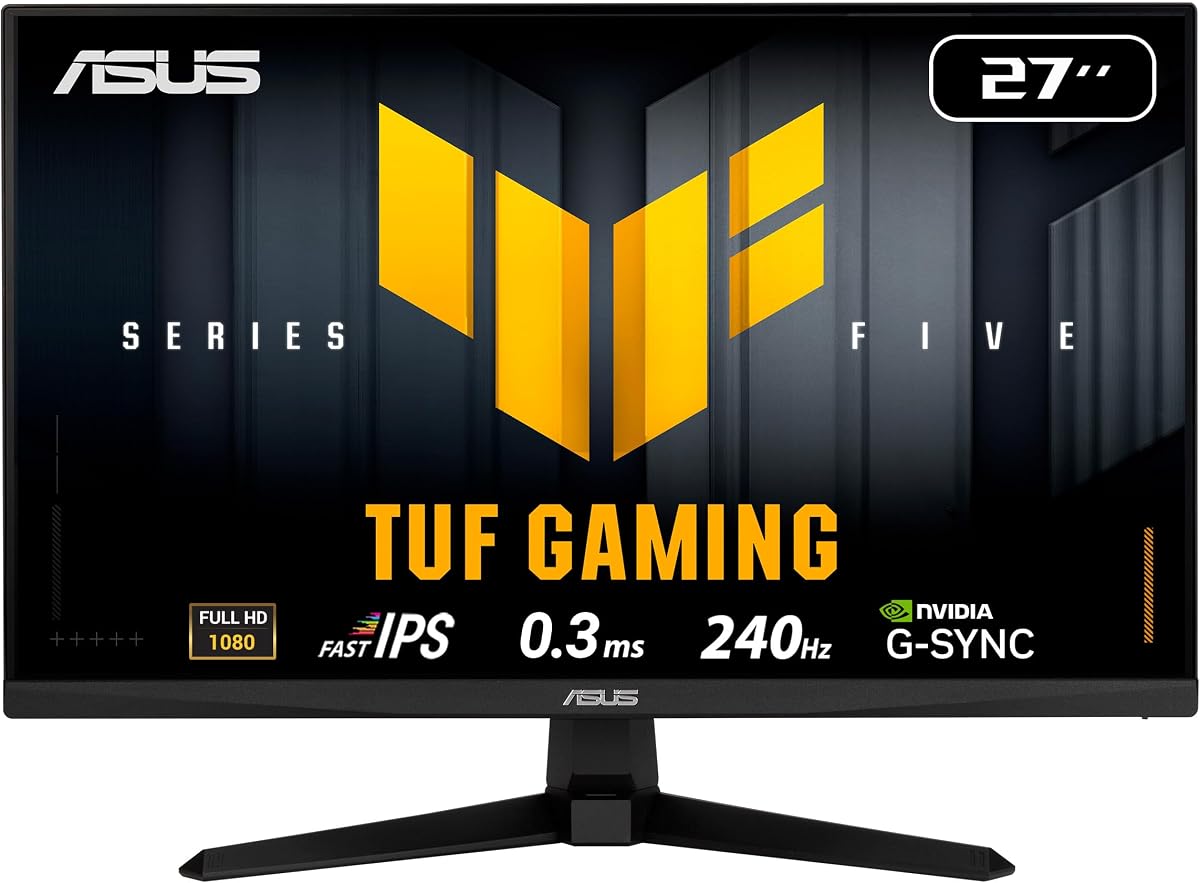
The ASUS TUF VG279QM5A stands out as a premier choice for competitive gamers. It holds a strong rating and delivers exceptional speed. Its Fast IPS panel ensures sharp visuals even during rapid movements.
We may earn a commission when you buy through this link, at no additional cost to you.
Its key strengths lie in the 0.3ms minimum response time and 240Hz refresh rate. These specs eliminate blur and lag effectively. ELMB Sync technology further enhances clarity by reducing ghosting without compromising variable refresh rates.
Trade-offs include limited stand adjustments compared to premium ergonomic options. However, the performance gains outweigh this minor inconvenience for most players. The price is higher than budget models but justified by the quality.
This monitor is ideal for serious Valorant players prioritizing speed and fluidity. It offers a balanced mix of performance and reliability. We highly recommend it for anyone looking to gain a competitive edge.
ELMB Sync allows simultaneous use of motion blur reduction and adaptive sync for sharper images.
99% sRGB coverage ensures vibrant and accurate colors for immersive gameplay.
We may earn a commission when you buy through this link, at no additional cost to you.
The Dell SE2426HG offers incredible value for budget-conscious competitive gamers. It maintains a high rating while delivering essential performance metrics. Its 240Hz refresh rate ensures smooth gameplay for the price.
We may earn a commission when you buy through this link, at no additional cost to you.
Key strengths include fast IPS technology and a 0.5ms response time. This combination provides excellent color accuracy and wide viewing angles. FreeSync Premium eliminates tearing, ensuring a seamless visual experience.
While the stand offers only tilt adjustment, the performance per dollar is unmatched. Eye comfort features reduce strain during long sessions. These trade-offs are acceptable for players focused on raw speed.
Buyers seeking an affordable entry into 240Hz gaming should choose this model. It balances cost and performance effectively. It is a top recommendation for those optimizing their gaming budget.
Access 240Hz performance without a premium price tag with this efficient model.
TUV Rheinland certified features reduce blue light to protect eyes during extended use.
We may earn a commission when you buy through this link, at no additional cost to you.
The AOC Q27G41ZE represents a premium offering with higher resolution options. It earns a strong rating for its advanced features. The 27-inch QHD panel adds detail without sacrificing speed.
We may earn a commission when you buy through this link, at no additional cost to you.
Its key strengths include a 260Hz overclocked refresh rate and 0.3ms MPRT. These specs ensure ultra-responsive gameplay with minimal blur. Adaptive Sync works across AMD and NVIDIA GPUs seamlessly.
The trade-off is a higher price point compared to FHD alternatives. However, the extra screen real estate and detail are worth it for some setups. The frameless design enhances immersion significantly.
This monitor suits players wanting maximum detail and speed. It delivers a high-end experience suitable for competitive play. We recommend it for those willing to invest in top-tier hardware.
QHD resolution provides sharper text and clearer target identification than standard FHD.
260Hz overclocking offers extra frames per second for competitive advantage.
We may earn a commission when you buy through this link, at no additional cost to you.
The SANSUI 24.5 Inch model offers exceptional speed potential. It holds a solid rating for its refresh capabilities. Users can push up to 300Hz for extreme smoothness.
We may earn a commission when you buy through this link, at no additional cost to you.
Its key strengths include Fast IPS technology and high sRGB coverage. This ensures vivid colors alongside fast refresh rates. Multiple ports support flexible connectivity options for various setups.
Real-world speed may vary depending on GPU power and settings. The OSD menu is functional but less polished than premium brands. These are minor drawbacks given the performance specs.
Ideal for gamers who want the highest possible refresh rate. It provides a robust option for FPS enthusiasts. We suggest it for those prioritizing speed over advanced features.
Flexible refresh rates allow tuning based on your system capabilities.
120% sRGB delivers rich and accurate visuals for detailed environments.
We may earn a commission when you buy through this link, at no additional cost to you.
The Amzfast 24" Curved model offers a unique immersive experience. While it lacks a public rating, its specs are compelling for speed. The curved design enhances focus during gameplay.
We may earn a commission when you buy through this link, at no additional cost to you.
Key strengths include the 1ms MPRT response and slim base design. The base saves desk space, allowing under-keyboard storage. Game modes optimize visuals for specific genres like FPS.
Lack of brand reputation data is a consideration for warranty trust. Adjustability is limited to tilt, which might not suit everyone. However, the visual immersion is a strong selling point.
Best suited for players wanting a compact and immersive setup. It offers unique design features at a competitive value. Consider it if you prefer curved screens for FPS games.
Curved panel creates a more immersive field of view for intense battles.
Ultra-slim base allows maximum desk space for mouse movement.
We may earn a commission when you buy through this link, at no additional cost to you.
The MSI MAG 274CF X24 boasts the highest customer rating. This reflects high satisfaction with its performance and reliability. It is a reliable choice for competitive environments.
We may earn a commission when you buy through this link, at no additional cost to you.
Key strengths include its 0.5ms GtG response time. The AI Vision tech enhances brightness in dark areas. This helps reveal details in shadows during dark maps.
While VA panels generally have more motion blur than IPS, this model mitigates it well. Fixed stand height means external solutions might be needed for ergonomics. These are manageable issues.
Choose this for proven reliability and excellent visual clarity. It is great for players who value image brightness and contrast. Highly recommended for those seeking top-rated performance.
Enhances brightness and color saturation for better visibility in dark scenes.
Software solution reduces blue light to prevent eye fatigue.
We may earn a commission when you buy through this link, at no additional cost to you.
The AOC 27G51Z offers a great value for size. It delivers a large screen with high refresh rates efficiently. Its solid rating confirms consistent performance for users.
We may earn a commission when you buy through this link, at no additional cost to you.
Key strengths include the 260Hz overclock capability and IPS clarity. This provides fluid motion alongside wide viewing angles. Low power usage makes it energy efficient for long sessions.
Ergonomic options are limited to tilt adjustment. Stand stability may not be perfect for intense use. However, the price-to-performance ratio makes up for these small flaws.
This model is perfect for those wanting a big budget monitor. It balances cost and high speed well. We recommend it for budget-focused gamers seeking size and speed.
Eco mode ensures low power usage while maintaining high performance.
27-inch panel offers generous workspace without compromising refresh speed.
We may earn a commission when you buy through this link, at no additional cost to you.
The SANSUI 24 Curved provides deep immersion through its curve. It holds a solid rating for its display quality. The 1500R curvature wraps visuals nicely for a tighter feel.
We may earn a commission when you buy through this link, at no additional cost to you.
Key strengths include high color gamut coverage and contrast ratio. This ensures vivid and accurate colors during gameplay. Its compact size fits smaller desks effectively.
Some players dislike curved screens for competitive accuracy. The basic stand may not offer much adjustability. These are personal preference issues rather than performance failures.
Ideal for gamers who prefer curved screens for immersion. It offers a unique visual style at a good price. Recommend for those wanting a different aesthetic for gaming.
1500R curvature creates a tighter field of view for better immersion.
24-inch size fits easily into tight gaming setups.
We may earn a commission when you buy through this link, at no additional cost to you.
The ASUS TUF VG249QML5A focuses on ergonomic adjustments. It offers a solid rating for build quality. The height adjustable stand provides significant comfort during long matches.
We may earn a commission when you buy through this link, at no additional cost to you.
Key strengths include Fast IPS technology and ELMB Sync. This combination reduces ghosting while maintaining high frame rates. G-Sync compatibility ensures tear-free performance on NVIDIA GPUs.
The smaller screen size might feel restrictive for some. High cost per inch compared to larger options is a factor. However, ergonomics are a major advantage here.
Choose this if ergonomics are your top priority. It offers great adjustability and speed in a compact package. Highly recommended for those needing comfortable setups.
Height adjustable stand reduces neck strain during long gaming sessions.
ELMB Sync technology eliminates ghosting for precise tracking.
We may earn a commission when you buy through this link, at no additional cost to you.
The ASUS TUF VG259QM5A strikes a perfect size balance. It offers a strong rating for consistent performance. The 25-inch screen fits many setups without overwhelming the desk.
We may earn a commission when you buy through this link, at no additional cost to you.
Key strengths include 0.3ms GTG response time and Fast IPS. This ensures accurate colors alongside rapid refresh rates. G-Sync compatibility works seamlessly with modern GPUs.
The premium price tier might be steep for budget builds. Stand stability is generally good but not exceptional. These are acceptable trade-offs for its high quality.
Ideal for those wanting a balanced middle-ground monitor. It provides top-tier speed and quality in a moderate size. Highly recommended for serious gamers needing reliability.
25-inch panel offers ample space without sacrificing pixel density.
99% sRGB ensures true-to-life colors for competitive play.
We may earn a commission when you buy through this link, at no additional cost to you.
Selecting the right monitor requires analyzing specific technical factors. We break down the essential elements that impact your gameplay experience.
Refresh rate determines how many frames are shown per second. A 240Hz monitor refreshes the image faster than a standard 60Hz display. This reduces motion blur and makes enemies appear smoother.
Look for monitors that support native 240Hz or higher rates.
Response time measures how quickly pixels change colors. Lower values like 0.5ms or 1ms reduce ghosting artifacts. This is critical for tracking fast targets accurately.
Always check the true GtG or MPRT response times listed.
IPS panels offer better colors and viewing angles. VA panels often have higher contrast but slower motion. TN panels are fast but lack color accuracy.
Choose IPS for a balance of speed and color performance.
Screen size affects focus and immersion. 24 to 25 inches are standard for competitive FPS. Larger screens might be harder to track quickly.
Stick to 24 to 27 inches for optimal focus.
Adaptive Sync eliminates screen tearing from GPU mismatch. It synchronizes refresh rate with frame rate. This ensures smoother visuals without stuttering.
Check for FreeSync or G-Sync Compatible labels.
Modern monitors require DisplayPort for full speed. HDMI versions vary in supported refresh rates. Ensure your GPU has the correct cable output.
Verify ports support 240Hz at your resolution.
Adjustable stands help reduce physical strain. Height, tilt, and swivel improve comfort over hours. Fixed stands often cost less but limit comfort.
Prioritize adjustable stands for long-term health.
Accurate colors help distinguish details in dark areas. Look for high sRGB coverage percentages. This ensures visuals are true to the game design.
Choose monitors with 99% sRGB coverage or higher.
Ensure your GPU settings match the monitor's refresh rate. Enable the high rate in Windows or NVIDIA Control Panel.
Use DisplayPort for the highest bandwidth to avoid signal limits. HDMI may sometimes limit speed depending on its version.
Clean the screen gently with a microfiber cloth. Avoid harsh chemicals that could damage the panel surface.
Yes, it provides smoother motion and reduced blur. This helps track targets easier and react faster in fights. Higher refresh rates give a competitive advantage over 60Hz displays.
Yes, a powerful GPU is needed to push high frame rates. Valorant is CPU dependent but GPU matters at high resolutions. Ensure your system can reach near 240 FPS consistently.
IPS is generally better now due to improved speed. Modern IPS panels match TN response times but offer better colors. Choose IPS unless you need the absolute fastest panel.
Yes, FHD is easier for GPUs to handle at high FPS. Higher resolutions like QHD reduce FPS unless you have a high-end GPU. FHD is recommended for competitive play.
Yes, they work well for general tasks and design. The fast refresh rate helps with general navigation comfort. However, gaming features are the primary focus.
Use DisplayPort for 240Hz reliably on most monitors. Check HDMI specifications as they often cap at 144Hz. Always verify cable compatibility before purchase.
We highlighted ten models ranging from budget to premium choices. Each offers unique strengths for different gaming needs. The ASUS TUF VG279QM5A leads in overall performance.
Prioritize response time and refresh rate over size. A fast display improves aim and movement significantly. Consider ergonomics for long sessions of competitive play.
Check current listings for price changes before buying. Prices vary and models update frequently. Ensure you select the best deal for your specific needs.