
SANSUI 27 Inch WQHD
4.4Editor score
200Hz refresh rate
1ms response time
VESA mount ready
Finding the right display can transform your gaming experience. A 27 inch WQHD 1440p gaming monitor offers the sweet spot between resolution and performance. These screens provide sharp visuals without demanding excessive GPU power, making them ideal for competitive and casual players alike.
We evaluated ten top models based on refresh rates, response times, color accuracy, and build quality. Our analysis focuses on IPS panels that deliver wide viewing angles and vibrant colors. We also considered ergonomic features and connectivity options to ensure these monitors fit seamlessly into any desk setup.
Each pick highlights specific strengths like high refresh rates or HDR support. Prices and availability change frequently, so check current listings before purchasing. Use this guide to navigate the options and select a monitor that matches your budget and gaming needs for the year ahead.
4.4Editor score

4.6Editor score

4.6Editor score
As an Amazon Associate we earn from qualifying purchases.
Here is a side-by-side look at all ten models. This comparison highlights key specifications to help you decide which monitor aligns with your specific gaming requirements and budget constraints.



The Acer Nitro KG271U stands out as a top contender in the 27 inch WQHD market. It delivers crisp visuals with a 180Hz refresh rate and impressive color accuracy suitable for creative work.
We may earn a commission when you buy through this link, at no additional cost to you.
Its rapid 0.5ms GTG response time ensures that fast-paced games remain smooth without ghosting. The AMD FreeSync technology further enhances the experience by syncing frame rates to prevent tearing.
While the stand lacks extensive ergonomic adjustments, the slim bezel design maximizes screen space for a clean setup. The zero-frame aesthetic is modern and fits well in minimalist gaming rooms.
This monitor is ideal for gamers who value sharp images and fast performance at a reasonable cost. It balances specs and price effectively for most mid-range setups.
The IPS panel supports DCI-P3 95% for vibrant and accurate colors that suit both gaming and design tasks.
With a 180Hz refresh rate, motion remains fluid during competitive matches, reducing motion blur significantly.
We may earn a commission when you buy through this link, at no additional cost to you.
ASUS TUF VG27AQ3A brings professional gaming features with its ELMB Sync technology for clear visuals. It offers a robust build quality and G-Sync compatibility for NVIDIA users.
We may earn a commission when you buy through this link, at no additional cost to you.
The monitor delivers a seamless experience with variable refresh rate tech and supports HDR10 for better contrast. Integrated speakers add convenience, though they are modest in power compared to external options.
You get a generous Adobe Creative Cloud subscription which adds value for content creators. The 130% sRGB gamut ensures colors pop on this Fast IPS panel.
This choice is perfect for those who want premium features and brand reliability. It commands a higher price but delivers consistent performance across various titles.
ELMB Sync allows you to use motion blur reduction alongside variable refresh rates for sharper gaming visuals.
It includes multiple ports and built-in speakers, making it a self-contained solution for many users.
We may earn a commission when you buy through this link, at no additional cost to you.
The SANSUI monitor offers exceptional value with a 200Hz refresh rate that competes with pricier models. It is a solid entry point for high refresh rate gaming without breaking the bank.
We may earn a commission when you buy through this link, at no additional cost to you.
With 120% sRGB color coverage, images look vibrant and accurate. The metal stand provides durability and the VESA mount allows for flexible mounting solutions.
Lack of speakers means you need external audio, which is common for budget screens. The eye care technologies help reduce strain during long sessions.
Buyers looking for speed and savings will find this model appealing. It provides a competitive edge in games due to its high refresh rate.
Running at 200Hz, this monitor delivers smoother motion than standard 144Hz displays.
The metal construction and VESA compatibility ensure it fits well into permanent gaming stations.
We may earn a commission when you buy through this link, at no additional cost to you.
This model provides excellent ergonomic adjustments with height and pivot options. It is a practical choice for users who need a comfortable viewing angle over long periods.
We may earn a commission when you buy through this link, at no additional cost to you.
The 180Hz refresh rate supports AMD FreeSync Premium for smooth gameplay. Ports include HDMI and DisplayPort with cables included in the box.
While the OSD menu is straightforward, it lacks advanced features found in high-end models. The speakers add a nice touch for audio without extra gear.
It balances flexibility with performance, making it a reliable daily driver for gaming and productivity.
The Ergostand allows tilt height adjustment and pivot for versatile positioning.
Includes HDMI and DP ports with included cables to get started quickly.
We may earn a commission when you buy through this link, at no additional cost to you.
The Samsung G5 offers a curved screen that immerses you in the game. Its 1500R curve matches the human eye shape for a more natural viewing experience.
We may earn a commission when you buy through this link, at no additional cost to you.
With HDR10 and 180Hz refresh rate, scenes look vivid and smooth. The Black Equalizer helps spot enemies in dark areas of games.
The curve might be too much for productivity tasks but excels in games. The stand offers tilt and height adjustments for comfort.
Ideal for immersive gaming setups where screen curvature enhances the experience.
The 1500R curvature wraps around your view for better immersion in racing and flight sims.
Black Equalizer brightens dark sections to reveal hidden details in shadowy game levels.
We may earn a commission when you buy through this link, at no additional cost to you.
This model allows for pivot and swivel making it great for mixed work and play. The 200Hz refresh rate is a standout feature for smooth action.
We may earn a commission when you buy through this link, at no additional cost to you.
It supports DCI-P3 95% color for rich visuals and includes low motion blur tech. The 10-bit panel offers deep color gradients.
The stand is functional but basic. It supports VESA mounting for wall or arm setups.
A good choice for those who need vertical screens for coding alongside gaming.
The 10-bit panel supports over a billion colors for natural gradients.
Pivot allows you to rotate the screen for coding or reading documents easily.
We may earn a commission when you buy through this link, at no additional cost to you.
KOORUI offers a high refresh rate monitor with excellent color performance. The HDR400 certification brings contrast that pops during games.
We may earn a commission when you buy through this link, at no additional cost to you.
It features a thin bezel design and supports wall mounting for flexible setups. The 200Hz rate ensures fluid motion.
The warranty coverage is generous compared to many budget brands. The stand offers tilt but limited ergonomic adjustments.
This unit suits users seeking color fidelity and refresh speed on a budget.
HDR400 allows for better brightness in highlights and shadows for richer visuals.
A 3-year warranty gives peace of mind regarding long-term reliability.
We may earn a commission when you buy through this link, at no additional cost to you.
This Acer Nitro brings a curved screen to the budget-friendly list. It supports 180Hz refresh for fast-paced gaming.
We may earn a commission when you buy through this link, at no additional cost to you.
The Zero-frame design maximizes the screen real estate. It is VESA mount compliant for flexible installation options.
While lacking HDR it delivers a good viewing experience for the price. The stand only tilts which might require adjustment.
A great option for those wanting immersion without spending much money.
Zero-frame bezels make the screen look larger and reduce distractions.
The curved panel creates a wrap-around effect that draws you into the game.
We may earn a commission when you buy through this link, at no additional cost to you.
This is a tried and tested model from TUF with reliable features. It offers 170Hz overclock and G-Sync for NVIDIA owners.
We may earn a commission when you buy through this link, at no additional cost to you.
The ELMB Sync helps eliminate ghosting for sharper movement. Color accuracy is high with 130% sRGB coverage.
It may lack some new features but performance remains solid. The Adobe subscription is a nice bonus for creatives.
Suitable for users wanting a proven model with strong gaming features.
ELMB Sync reduces blur while maintaining variable refresh rate benefits.
130% sRGB ensures vibrant images for games and creative software alike.
We may earn a commission when you buy through this link, at no additional cost to you.
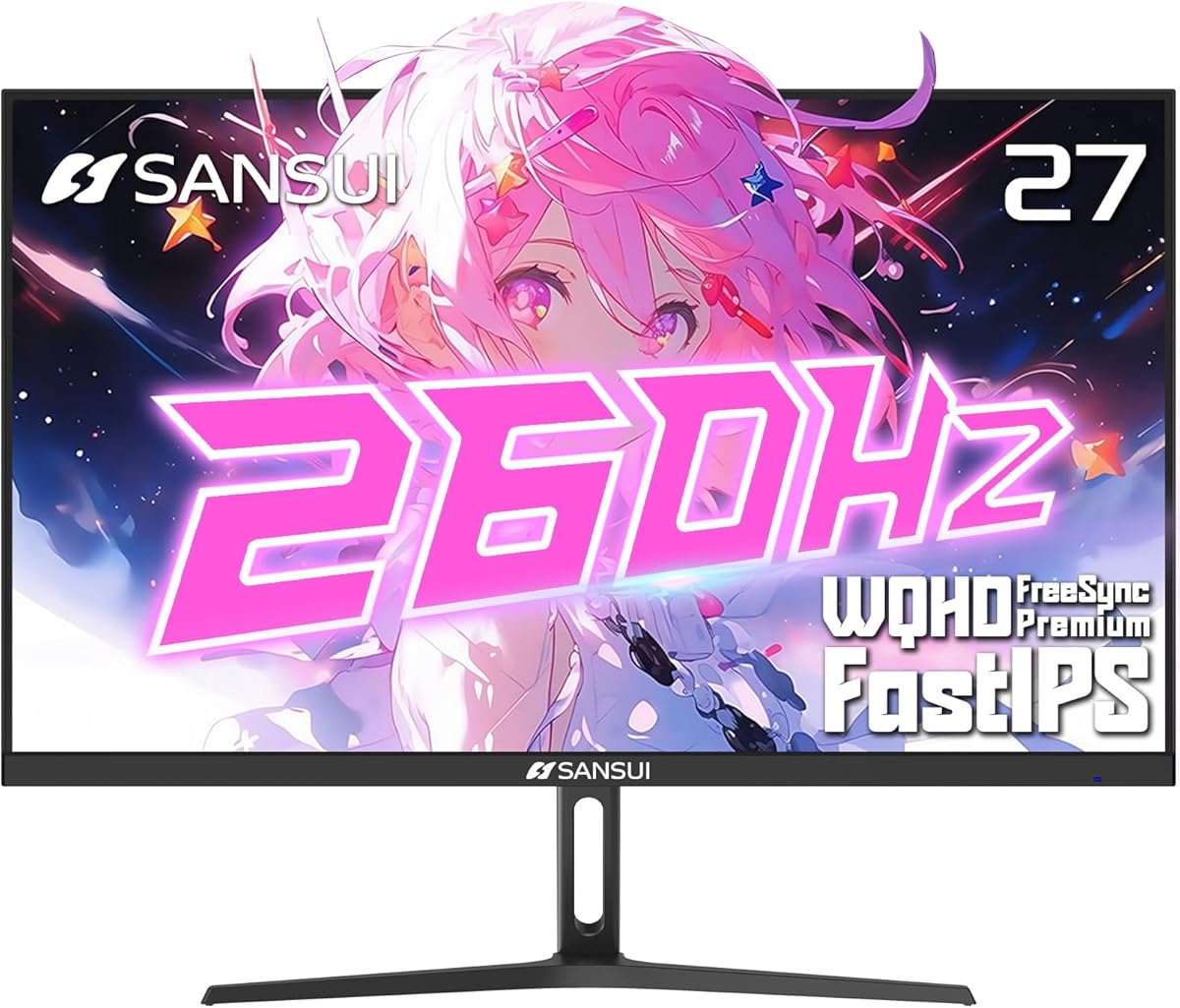
This SANSUI model pushes refresh rates up to 260Hz for competitive advantage. It supports DCI-P3 98% color for vibrant images.
We may earn a commission when you buy through this link, at no additional cost to you.
Game assistants like Crosshair can help aim in shooters. The low motion blur technology keeps visuals clear during fast turns.
You must use DisplayPort to reach max refresh rate. HDMI caps at 144Hz which limits flexibility.
Competitive players will appreciate the high refresh rate and assistive tools.
Running at 260Hz gives you a competitive edge in FPS titles.
The 98% DCI-P3 coverage delivers rich and accurate colors for games.
We may earn a commission when you buy through this link, at no additional cost to you.
Selecting the right monitor involves understanding how resolution, refresh rate, and panel type impact your experience.
A higher refresh rate like 144Hz or 200Hz ensures smoother motion and reduces blur. Look for models with at least 144Hz for fluid gameplay.
Prioritize high refresh rates for competitive gaming to gain an edge in responsiveness.
Response time measures how fast pixels change color. Lower values like 1ms reduce ghosting and trails during fast action.
Look for 1ms response time to keep motion crisp and clear.
IPS panels offer wide viewing angles and accurate colors. They are ideal for both gaming and creative work.
Choose IPS for color accuracy and wide viewing angles.
Adaptive sync tech like FreeSync and G-Sync eliminates screen tearing. Ensure compatibility with your graphics card.
Pick a monitor that supports your GPU brand for tear-free play.
Adjustable stands let you tilt, swivel, and raise the screen. Good ergonomics prevent neck strain during long sessions.
Ensure the stand offers height and tilt adjustment for comfort.
Ports like HDMI and DisplayPort determine which refresh rates you can reach. Check if cables are included.
Verify port types match your GPU to unlock full performance.
Color gamut coverage like sRGB and DCI-P3 affects vibrancy. Higher percentages mean richer images.
Look for high sRGB coverage for vivid and accurate colors.
Build quality and warranty length matter for long term use. Metal stands often last longer than plastic ones.
Choose monitors with solid build quality and reliable warranty.
Connect the monitor using DisplayPort to access maximum refresh rates. HDMI might limit speed to 144Hz on some models.
Adjust the brightness and contrast settings to reduce eye strain. Use built-in modes for dark environments.
Clean the screen with a soft dry cloth to avoid damage. Avoid chemicals that might harm the panel coating.
Yes 27 inches is ideal for 1440p as it offers sharp text without needing scaling. It balances pixel density and screen real estate for comfortable viewing.
A mid-range GPU like an RTX 3060 or RX 6700XT handles 1440p well. Older cards might struggle at high settings.
Higher rates make motion smoother and reduce input lag. They are essential for competitive shooters and racing games.
Curved screens enhance immersion by wrapping around your view. They are great for racing sims but less ideal for flat work.
Most models include HDMI and DisplayPort cables in the box. Always check the package contents before buying.
Check if the model supports height adjustment. If not use a VESA mount arm to position it at eye level.
We reviewed ten excellent monitors ranging from budget-friendly to premium picks. Each offers unique strengths in refresh rates color accuracy and build.
Prioritize what matters most to you whether it is speed color fidelity or ergonomics. The best choice depends on your specific gaming needs.
Prices fluctuate so check current deals before purchasing. Your perfect screen is within reach with the right selection.