
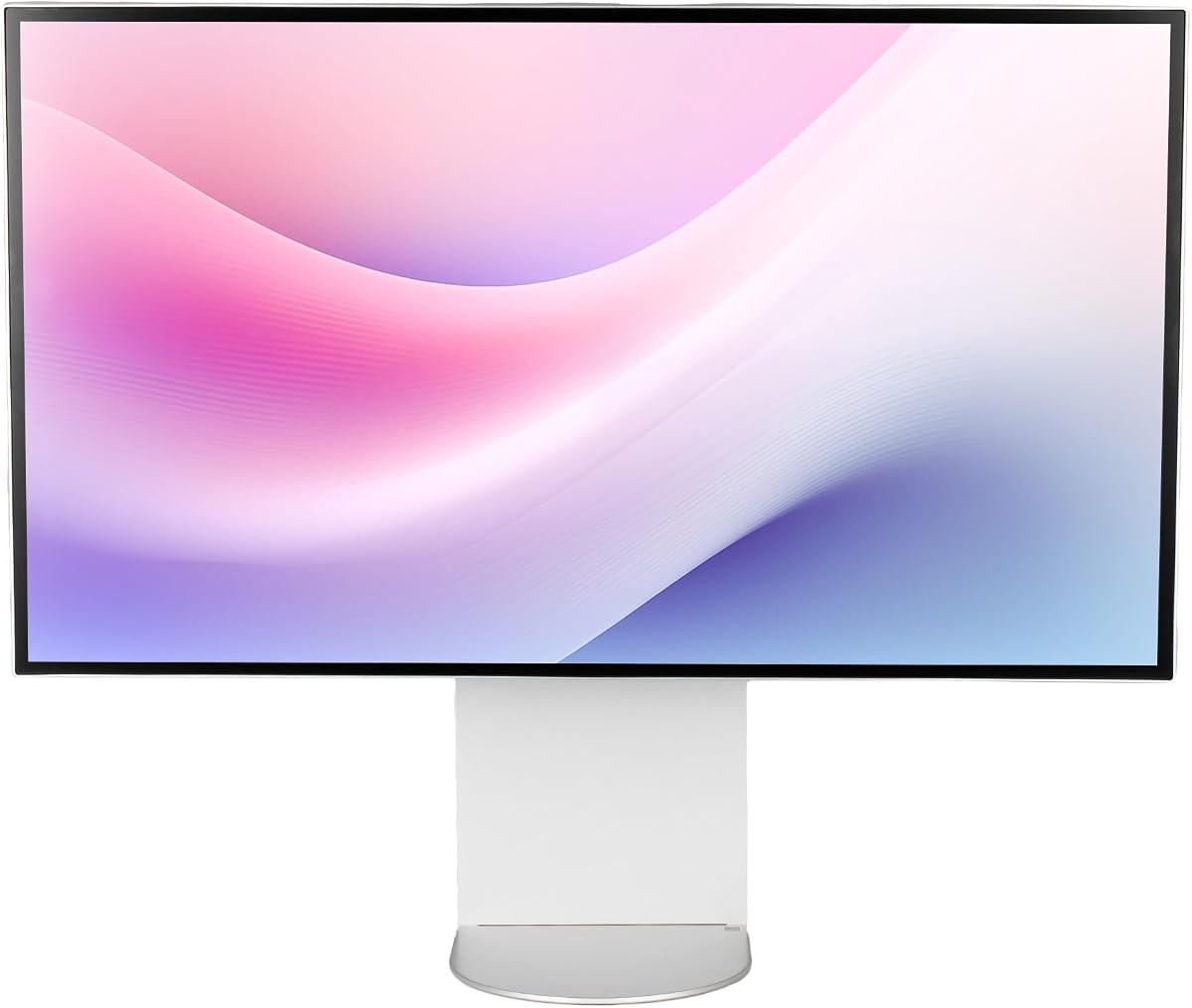
ALOGIC Clarity Touch
5.0Editor score
World's first 6K touchscreen
360 degree rotating base
Active stylus support
Finding the right display for professional work requires high resolution and accurate color. A 32 inch 6K monitor offers stunning clarity and screen real estate for creative tasks and detailed editing workflows.
We analyzed ten top models based on panel technology, connectivity options, and ergonomic features. Our comparison focuses on real-world performance for creatives, engineers, and power users seeking premium visual fidelity.
Each pick highlights key strengths and ideal use cases for different needs. Prices and availability can change frequently, so verify current details before purchasing to ensure you get the best value available today.
5.0Editor score

3.8Editor score

3.7Editor score
As an Amazon Associate we earn from qualifying purchases.
This side-by-side comparison highlights key specifications across all ten models to help you quickly identify which monitor fits your specific workflow and budget requirements.


The LG 32U990A-S stands out as the top choice for professional creatives demanding ultra-high resolution. It features a 6K display with Nano IPS Black technology and Thunderbolt 5 connectivity for seamless workflows.
We may earn a commission when you buy through this link, at no additional cost to you.
Its standout quality lies in the 224 PPI density and 2000:1 contrast ratio, delivering sharp text and rich shadow detail. The display supports 99.5% Adobe RGB and DisplayHDR 600, ensuring color precision for editing tasks.
While the high cost may be a barrier, the inclusion of Thunderbolt 5 future-proofs the setup. Some users note limited local dimming, which affects HDR depth compared to OLED options.
This monitor is ideal for designers and video editors needing accurate color and high pixel density. If you require a reliable hub with robust connectivity, this model offers strong value despite its price.
Thunderbolt 5 provides up to 80Gbps data transfer and 96W power delivery. This enables daisy chaining and high-speed file access with a single cable connection.
This panel technology improves contrast by reducing light bleed. It results in deeper blacks and more natural shadows, enhancing visual fidelity in dark scenes.
We may earn a commission when you buy through this link, at no additional cost to you.
The ASUS ProArt PA32QCV is designed specifically for Mac workflows. It delivers precise color accuracy and dual Thunderbolt 4 ports for flexible connectivity. The built-in Auto KVM switch simplifies multi-device setups.
We may earn a commission when you buy through this link, at no additional cost to you.
Its key strength is the factory calibration ensuring Delta E < 2. The MacBook color matching preset ensures seamless integration with Apple devices, reducing color correction time for designers.
However, the display lacks significant HDR performance. The brightness may not impress in bright environments. This trade-off is acceptable for color-critical tasks where accuracy takes priority over vivid highlights.
Ideal for Mac users needing reliable color consistency and connectivity. The five-year warranty adds confidence to the investment. Consider this if you prioritize accurate sRGB and P3 coverage over HDR features.
A dedicated preset mimics the display performance of MacBooks. This ensures consistent colors across your laptop and desktop monitor for reliable output.
This feature allows switching between two computers with one keyboard and mouse. It reduces clutter and improves workflow efficiency on dual-system desks.
We may earn a commission when you buy through this link, at no additional cost to you.
The ALOGIC Clarity Touch is a unique display for creators needing direct input. It is the world's first 6K touchscreen, offering a massive digital canvas. It integrates a Fold Stand for ergonomic drafting.
We may earn a commission when you buy through this link, at no additional cost to you.
Its key strength is enabling direct sketching and navigation on a 32-inch screen. The included Active Stylus supports 4096 pressure levels. The Fold Stand allows rotating the monitor flat for drawing.
The price point is steep compared to standard monitors. It demands a specific workflow to justify the cost. This trade-off is acceptable for artists seeking a true digital drafting board.
This monitor suits architects and digital illustrators needing a large touch interface. If you want to eliminate separate tablets, this offers an impressive solution. Verify compatibility with your software before purchasing.
The Fold Stand rotates 360 degrees, allowing the monitor to lay flat on the desk. This transforms the setup into a giant drawing tablet for intuitive workflow.
Pressure-sensitive input allows precise strokes and shading. It mimics traditional drawing on paper, enhancing creativity and speed during design sessions.
We may earn a commission when you buy through this link, at no additional cost to you.
The Samsung Odyssey G8 brings gaming power to 6K resolution. It features Fast IPS panel technology and dual mode support for high refresh rates. This allows smooth action and high fidelity visuals.
We may earn a commission when you buy through this link, at no additional cost to you.
Its standout quality is the ability to switch between 6K at 165Hz and 3K at 330Hz. This flexibility caters to both visual detail and fast-paced gaming. G-Sync compatibility prevents screen tearing.
While HDR10+ optimizes contrast, the peak brightness is moderate. This limits performance in dark gaming environments. However, the color and response time make it a strong gaming choice.
This monitor is perfect for gamers wanting high resolution. It also works well for casual productivity. If you prioritize gameplay fluidity and detail, this model is a top contender.
Switching between resolution and refresh rates adapts to content. This provides high fidelity for work and speed for gaming without changing hardware.
Fast IPS technology reduces motion blur. It ensures vivid colors across the screen while maintaining quick response times for smooth visuals.
We may earn a commission when you buy through this link, at no additional cost to you.
The Dell UltraSharp U3224KB is optimized for office productivity. It offers a massive 6K display for multitasking. USB-C connectivity simplifies connection to laptops and peripherals.
We may earn a commission when you buy through this link, at no additional cost to you.
Its standout quality is the high resolution text clarity. This reduces eye strain during long work hours. The USB hub and fast data transfer support efficient file handling.
However, it lacks high refresh rates and HDR capabilities. This limits gaming or media performance. For office workflows, the brightness and resolution remain strong.
This monitor fits corporate environments and remote offices. It provides dependability and productivity. If you prioritize screen space over gaming features, it is a reliable choice.
USB Type-C allows quick data transmission. It supports peripherals and laptops with high-speed transfer for efficient workflows.
The high resolution enables multiple windows without clutter. This improves workflow speed and reduces the need for scrolling.
We may earn a commission when you buy through this link, at no additional cost to you.
This bundle includes the LG UltraFine evo monitor with maintenance tools. It delivers high resolution and robust connectivity for professionals. The inclusion of a cleaning kit adds value.
We may earn a commission when you buy through this link, at no additional cost to you.
Its standout quality is the integrated KVM functionality. It simplifies multi-system control. The bundle supports high color fidelity and HDR visuals.
The premium price may be high for budget-conscious buyers. The setup requires proper cable management. However, the included accessories enhance the overall experience.
Ideal for users needing a complete package. It offers reliable performance and tools. If you value convenience and accuracy, this bundle is a strong pick.
This allows controlling multiple computers with one keyboard. It streamlines desk setups and improves efficiency during work.
Included cleaning kits ensure the panel remains pristine. This protects your investment and maintains image quality over time.
We may earn a commission when you buy through this link, at no additional cost to you.
The G32X Minimalist focuses on sleek design and performance. It offers high brightness and anti-glare protection. This suits bright rooms and aesthetic-focused setups.
We may earn a commission when you buy through this link, at no additional cost to you.
Its standout quality is the robust eye care features. The anti-glare coating reduces fatigue. The universal mount allows flexible placement.
It lacks advanced connectivity like Thunderbolt. This limits high-speed workflows. However, the brightness and design make it a strong choice for general use.
This monitor fits home offices and creative spaces. It balances performance with design. If you prioritize screen clarity and look, it is a great option.
Anti-glare and low blue light modes reduce strain. This protects vision during extended usage periods.
Compatible with VESA arms for flexible positioning. This allows ergonomic adjustments and space-saving setups.
We may earn a commission when you buy through this link, at no additional cost to you.
The G32P Glossy is designed for artistic clarity. Its honeycomb cooling system ensures performance stability. The glossy finish enhances visual vibrancy.
We may earn a commission when you buy through this link, at no additional cost to you.
Its standout quality is the high color accuracy. It supports precise work. The honeycomb design aids thermal management.
Not having a stand is a trade-off. It requires buying a mount. This extra cost and effort might be a hurdle for some buyers.
This monitor suits artists and designers needing vibrancy. The cooling ensures stable operation. If you can handle the stand requirement, it delivers great results.
This design aids heat dissipation. It keeps performance stable during long sessions.
The surface enhances color vibrancy and contrast. It provides a vivid visual experience for creative work.
We may earn a commission when you buy through this link, at no additional cost to you.
This bundle pairs the Dell monitor with a protection pack. It offers robust 6K resolution for office use. The service plan covers potential failures.
We may earn a commission when you buy through this link, at no additional cost to you.
Its standout quality is the added warranty. This provides long-term peace of mind. The monitor delivers clear text and high productivity.
The total cost is high. The monitor itself is standard for office work. This trade-off is acceptable for those needing protection.
Ideal for enterprise or business purchases. It ensures reliability. If warranty is a priority, this bundle is a safe investment.
The 2-year service plan protects against failures. This reduces risk and cost for long-term business use.
Bundled cables simplify setup. This saves time during initial installation.
We may earn a commission when you buy through this link, at no additional cost to you.
This model delivers core 6K performance. It features Nano IPS and a simple ergonomic stand. This suits users needing clarity without advanced features.
We may earn a commission when you buy through this link, at no additional cost to you.
Its standout quality is the standard 6K resolution. It provides sharp text. The stand supports tilt and height adjustments.
It lacks advanced connectivity or HDR features. This limits professional use. However, the base performance is solid for daily tasks.
Ideal for home office and standard productivity. It offers reliable results. If you need basic 6K without extras, it is a good choice.
This monitor focuses on core resolution. It provides essential functionality for everyday work.
Connections are standard and intuitive. This makes installation quick and straightforward.
We may earn a commission when you buy through this link, at no additional cost to you.
Selecting the right 6K monitor requires evaluating panel type, connectivity, and specific use cases to match your professional needs.
A 32-inch 6K monitor typically offers around 224 PPI, providing razor-sharp text and image detail. This high pixel density eliminates the need for zooming and makes editing tools visible on screen.
Look for 6144 x 3456 or similar resolutions to ensure maximum workspace and clarity for your specific tasks.
IPS panels are standard for color accuracy and wide viewing angles, while Nano IPS Black offers higher contrast ratios for deeper blacks. Choosing the right panel type depends on your preference for contrast versus color fidelity.
Prioritize high contrast ratios and color coverage if you work on detailed visual tasks like photo retouching or color grading.
Professional monitors should cover wide gamuts like 98% DCI-P3 and 99% Adobe RGB with factory calibration for low Delta E values. This ensures that the colors you see on screen match your final output perfectly.
Always check for color accuracy specifications and calibration certifications to guarantee reliable results for print and digital work.
Modern workflows require robust connectivity like Thunderbolt 5 or 4, HDMI 2.1, and USB-C for data transfer and power delivery. Daisy-chaining support allows connecting multiple displays with a single cable.
Ensure the monitor has enough ports to connect your laptop, drives, and peripherals without needing external hubs.
DisplayHDR certification like 600 or 1000 ensures adequate brightness and contrast for high dynamic range content. This affects how well the monitor handles highlights and shadows in HDR video.
For professional video work, look for HDR capabilities that match your content standards and lighting requirements.
Adjustable stands with tilt, height, pivot, and swivel features reduce strain during long work sessions. VESA mount compatibility also allows flexible arm mounting if you prefer custom setups.
Choose a monitor with robust ergonomic adjustments to maintain comfort and posture throughout the workday.
While most professional monitors are 60Hz, gaming or mixed-use monitors might offer higher refresh rates like 165Hz. Fast response times reduce motion blur and ghosting in dynamic visuals.
Consider refresh rate needs if you plan to use the monitor for fast-paced tasks or gaming alongside work.
Features like built-in KVM switches, USB hubs, or touchscreens can streamline workflows significantly. These add-ons reduce clutter and increase productivity by simplifying device management.
Evaluate which features align with your workflow, as extra options can save time and improve efficiency on your desk.
Start by setting up your display in a room with controlled ambient light to reduce glare and eye strain. Adjust your monitor height so the top of the screen is at or slightly below eye level for a comfortable viewing angle.
Calibrate your color settings regularly using built-in tools or external hardware to maintain accuracy over time. Ensure your operating system matches the display settings to avoid scaling issues that blur text and images.
Clean the panel gently with a soft microfiber cloth and approved screen cleaner to avoid scratches. Avoid direct sunlight and excessive heat to prolong the panel's lifespan and color consistency.
A 32 inch 6K monitor offers significantly higher resolution and pixel density than 4K models. This results in sharper text, more screen real estate, and better detail for professional editing workflows.
Yes, running a native 6K resolution requires a capable GPU and modern CPU. Ensure your system supports the necessary video output standards like Thunderbolt 5 or 4 to drive the display effectively.
Some 6K monitors support high refresh rates and gaming features, but many professional models are optimized for 60Hz workflows. Check the refresh rate if you plan to play fast-paced games.
Thunderbolt 5 provides ultra-fast data transfer speeds and high power delivery through a single cable. It supports daisy-chaining and allows connecting multiple peripherals without needing extra hubs.
Yes, even factory-calibrated monitors may drift over time. Regular calibration ensures consistent color accuracy for professional tasks like photo editing and color grading.
Use certified Thunderbolt or high-speed HDMI cables that support the required bandwidth for 6K video. Generic cables may not handle the data rate needed for full resolution and refresh.
The LG 32U990A-S leads the pack with Thunderbolt 5 connectivity and excellent contrast, making it ideal for creative professionals. The ALOGIC Clarity Touch offers unique touch functionality for artists, while the Samsung Odyssey G8 excels for high-performance gaming.
When selecting a monitor, prioritize color accuracy, resolution clarity, and connectivity that matches your devices. Consider ergonomics and extra features like KVM switches to maximize desk productivity.
Prices and availability for these advanced displays can fluctuate, so verify current details before purchasing. Choosing the right model ensures a high-quality visual experience that supports your professional and personal goals.