
EinScan Rigil 3D Scanner
4.9Editor score
Wireless all in one solution
Hybrid blue laser plus IR VCSEL
Built in 32GB DDR5 RAM
Discover the top 3D scanners for reverse engineering in October 2026. We compare high precision devices for industrial measurement, CAD modeling, and rapid
Reverse engineering demands precise digital replicas of physical objects for design and manufacturing. Selecting the right 3D scanner ensures accurate data capture for complex geometries and tight tolerances across various industries.
This guide evaluates ten leading handheld and stationary scanners optimized for reverse engineering tasks. We analyzed accuracy, speed, software compatibility, and ease of use to determine the most reliable tools for professionals and enthusiasts.
Each pick highlights specific strengths like laser precision or wireless flexibility for diverse applications. Prices and availability may change, so verify current details before purchasing to ensure you get the best value for your needs.
4.9Editor score

4.8Editor score

4.5Editor score
The following table compares the key specifications and capabilities of all ten selected scanners. This side by side view helps you quickly identify which device matches your specific reverse engineering requirements and budget constraints.



The Revopoint MetroX Pro stands out as a top choice for professionals needing reliable data capture. Its industrial grade blue laser technology ensures that even the finest details are recorded with exceptional accuracy.
We may earn a commission when you buy through this link, at no additional cost to you.
This scanner excels in handling challenging surfaces like glossy metals or dark plastics without requiring spray. The four scanning modes allow flexibility whether you need fast overview scans or detailed feature capture.
While the software is powerful, it requires Windows and some advanced features cost extra. These trade-offs are acceptable given the speed and precision it delivers for industrial measurement tasks.
Engineers and designers looking for a versatile tool that balances performance and ease of use will find this model ideal for reverse engineering projects.
The blue laser system captures up to seven million points per second ensuring no detail is missed during the scan.
Stream your scan to a phone or tablet in real time so you can move around the object freely while viewing data.
We may earn a commission when you buy through this link, at no additional cost to you.
The MetroY Ultra is designed for users who need to capture data quickly without sacrificing quality. Its ability to reach 90 frames per second makes it ideal for large objects or time sensitive projects.
We may earn a commission when you buy through this link, at no additional cost to you.
Wireless connectivity allows you to move freely around large industrial parts without cable restrictions. The battery grip ensures you can work in environments where power outlets are not readily available.
Despite its high performance, the unit is heavier than some competitors due to the battery. This weight is a minor inconvenience given the productivity gains from wireless operation.
This scanner is best suited for manufacturing floors or field teams who need robust performance and mobility for reverse engineering tasks.
Capture large surfaces rapidly with the 34 laser cross lines mode to reduce total acquisition time significantly.
Advanced laser modes allow scanning even in harsh sunlight up to 100,000 lux without data interference.
We may earn a commission when you buy through this link, at no additional cost to you.
The EinScan Rigil redefines portability with its ability to operate completely without a computer. This makes it perfect for remote sites or situations where carrying a laptop is impractical.
We may earn a commission when you buy through this link, at no additional cost to you.
Its onboard computing power and large screen allow you to view and process data directly on the device. The hybrid light source ensures high quality captures even on difficult reflective surfaces.
The price is significantly higher than competitors which may be a barrier for smaller teams. However the freedom from cables and the included training add substantial value to the investment.
Choose this scanner if you need maximum mobility and the highest level of self contained capability for complex reverse engineering work.
With Wi Fi 6 and onboard computing you can start and finish scans anywhere without needing a tether to a PC.
The 2K AMOLED screen provides clear visibility of point clouds even in bright outdoor conditions during field scans.
We may earn a commission when you buy through this link, at no additional cost to you.
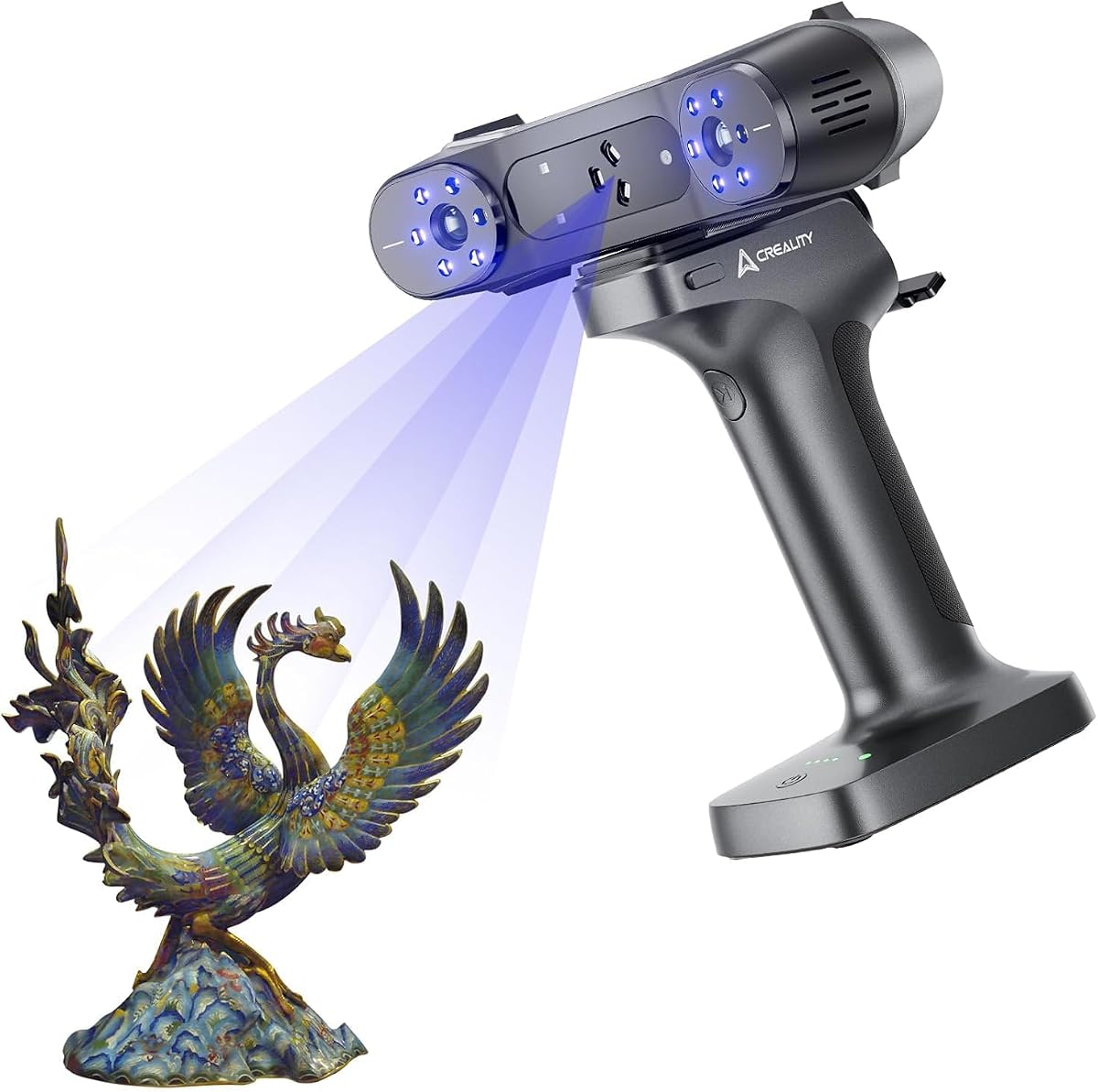
The CR-Scan Raptor Pro is built to handle everything from tiny components to full car bodies. Its dual laser system ensures that both large areas and fine details are captured accurately.
We may earn a commission when you buy through this link, at no additional cost to you.
Full color texture mapping adds realism to the models which is useful for visualization and prototyping. Compatibility with both Mac and Windows increases its appeal across different design teams.
Processing large scans demands a powerful computer which might require additional investment. This is a small price to pay for the versatility and scale this device offers.
It is an excellent choice for automotive shops or industrial designers who need a single tool that adapts to various project sizes.
Combining crossed and parallel laser lines allows the device to cover a vast area while maintaining high resolution on edges.
Export files seamlessly to major industry software like Rhino or SolidWorks to speed up your reverse engineering workflow.
We may earn a commission when you buy through this link, at no additional cost to you.
Weighing only 190g the INSPIRE 2 is perfect for users who value portability. Its lightweight build reduces hand fatigue during long scanning sessions making it ideal for handheld work.
We may earn a commission when you buy through this link, at no additional cost to you.
The optical zoom feature helps capture mixed geometry surfaces without needing to switch tools. Wireless streaming adds flexibility allowing you to monitor scans from a mobile device comfortably.
While it does not match the absolute precision of industrial grade scanners it offers excellent value for prototyping and general reverse engineering. The price point makes it accessible for many users.
This model is highly recommended for small businesses or designers who need a reliable tool that is easy to transport and use daily.
Adjustable optical zoom lets you focus light on specific surfaces to capture more detail across various object sizes.
Designed to work reliably in shaded or semi bright outdoor conditions ensuring flexibility for field work.
We may earn a commission when you buy through this link, at no additional cost to you.
The Otter Lite Basic offers an accessible entry into 3D scanning for hobbyists and beginners. Its simple setup means you can start scanning immediately without complex configuration.
We may earn a commission when you buy through this link, at no additional cost to you.
Dual mode scanning allows you to adjust distance based on the object size which adds flexibility for home projects. Color texture mapping helps create visually accurate models for printing or display.
While it lacks the ultra high precision of industrial scanners it is more than capable for general reverse engineering and DIY tasks. The low cost reduces the risk for new users.
This is the perfect choice for anyone starting their 3D scanning journey who wants reliable results without a huge investment.
Includes a turntable calibration board and markers so you have everything needed to start scanning right out of the box.
Switch between close and long range modes to capture fine details or larger objects with a single device.
We may earn a commission when you buy through this link, at no additional cost to you.
The standard version of the MetroX Pro delivers professional results at a competitive price. It shares many core features with higher end models but remains accessible for more users.
We may earn a commission when you buy through this link, at no additional cost to you.
Auto turntable support automates scanning of complex objects which saves time and reduces human error. The tracking modes ensure accurate alignment across various surface types and object sizes.
Users should note that advanced software like Revo Design costs extra which adds to the total cost. However the included tools are sufficient for many standard reverse engineering workflows.
This scanner is a great middle ground for professionals who need high performance without the absolute top tier price tag.
The dual axis turntable allows one click automated scans of complex objects to save time and effort.
Feature marker and global tracking modes help capture any object accurately for industrial inspection tasks.
We may earn a commission when you buy through this link, at no additional cost to you.
This Raptor Pro variant emphasizes metrology grade accuracy making it suitable for quality inspection and reverse engineering. Its laser configuration ensures precise data for even the most complex geometries.
We may earn a commission when you buy through this link, at no additional cost to you.
The software includes step by step tutorials which helps new users get started quickly. It handles large objects well and is ready for outdoor use which is rare for this level of precision.
The hardware requirements are demanding meaning you need a powerful computer to process scans efficiently. This is necessary to handle the large amount of data generated during high precision scans.
For teams needing verified accuracy and robust performance for inspection tasks this model provides the necessary tools and reliability.
Achieve volume accuracy of 0.02mm plus 0.08mm per meter to meet strict industrial tolerance standards easily.
CrealityScan app provides easy editing tools and tutorials to simplify the entire scanning process from start to finish.
We may earn a commission when you buy through this link, at no additional cost to you.
The Raptor X combines high precision with true wireless freedom. Its 34 cross laser lines ensure that large objects can be captured quickly without losing edge detail.
We may earn a commission when you buy through this link, at no additional cost to you.
Wireless handle technology allows for seamless data transmission with low latency which improves the user experience during long sessions. The large battery supports extended use without frequent recharging.
The anti shake technology makes handheld scanning smoother by correcting for small movements. This is critical for maintaining accuracy when working on large surfaces without a turntable.
Investing in this model is worthwhile for professionals who need high accuracy without being tethered to a computer desk during operation.
Wi Fi 6 with lossless data compression ensures scans transfer quickly and efficiently from scanner to computer.
Speckle matching and anti shake algorithms keep tracking stable even if your hand moves slightly during capture.
We may earn a commission when you buy through this link, at no additional cost to you.
This Raptor Pro is tailored for diverse applications including automotive and artifact scanning. Its metrology grade accuracy ensures that even delicate historical artifacts are captured without damage.
We may earn a commission when you buy through this link, at no additional cost to you.
Special face and body modes allow you to capture human forms quickly which is useful for medical or ergonomic design. The NIR light complements the blue lasers to handle complex materials well.
The wireless support adds convenience for scanning large car parts in a shop environment. It handles reflective surfaces well which simplifies the workflow for automotive restorers.
This is a solid choice for professionals who need one scanner to handle both industrial parts and biological forms efficiently.
Unique face mapping algorithm captures details like hair and allows a full human body scan in just two minutes.
Non contact scanning with no powder needed protects delicate artifacts while capturing high fidelity digital replicas.
We may earn a commission when you buy through this link, at no additional cost to you.
Choosing the right 3D scanner requires understanding your specific project needs and technical constraints. This guide breaks down the key factors to consider before making a decision.
For reverse engineering accuracy is paramount. Look for scanners with single frame precision under 0.05mm to ensure your CAD models match the physical object closely. Higher end models often offer sub 0.02mm precision which is critical for tight tolerance parts.
Always check the volumetric accuracy specifications as well. This metric tells you how the error grows over larger distances which is vital for scanning big objects like vehicle bodies.
Laser scanners are generally better for reflective or dark surfaces without needing spray. Structured light scanners can be faster but might struggle with shiny materials unless they use IR or specific algorithms. Blue lasers are becoming the standard for high precision work due to their stability.
Consider the types of materials you will scan most often. If you work with glossy plastics or metals a laser based system is likely the safer choice for consistent results.
The scanner software must integrate with your existing CAD tools. Check if the export formats like OBJ STL or PLY work smoothly with your design suite. Some vendors offer paid plugins for advanced workflows which should be factored into your budget.
Ensure the software supports your operating system. Many professional tools are Windows only so Mac users need to verify compatibility or plan for a virtual machine setup.
Faster frame rates reduce the time needed to capture large objects. Look for devices that offer at least 30 to 60 frames per second to maintain efficiency. Higher speeds also help reduce motion blur if you are scanning by hand.
Balance speed with data quality. A faster scanner that produces noisy data may take longer to process later so prioritize speed that maintains accuracy.
If you need to scan on site the weight of the device matters. Lighter handheld units reduce fatigue during long sessions. Battery life is also critical for outdoor work or locations without power outlets.
Check if the scanner includes a grip or handle for comfort. Some models come with battery grips that add weight but extend usage time significantly.
Wireless features allow you to move freely without cables tangling. Wi-Fi 6 support ensures fast data transfer rates which is essential when dealing with large point clouds. This flexibility is highly valuable for automotive or industrial inspection.
However wireless modes sometimes come with limitations like reduced resolution or battery drain. Test these features to ensure they meet your workflow demands before relying on them.
The initial price is only part of the cost. Some scanners require additional software licenses for full functionality or specific operating systems. Consider the total cost of ownership including any necessary computer upgrades.
Entry level models offer good value for basic tasks but may lack features like auto turntable support. Invest in a model that offers room to grow as your projects become more complex.
Good support can save you hours when troubleshooting issues. Brands that offer training resources or community forums help you get the most out of your device. Look for warranties that cover both hardware and software.
Training is especially important for complex workflows. Some vendors include one on one sessions which can accelerate your learning curve significantly.
Start by cleaning the object surface to remove dust or grease. This ensures the laser or light captures true details without interference. Use a soft cloth or blower to prepare the part properly before scanning.
Perform calibration using the provided board before every session. This keeps the device aligned and ensures consistent accuracy across multiple scans. Follow the software prompts carefully to complete the calibration process.
Store the scanner in its protective case when not in use. Avoid exposing the lenses to direct sunlight or extreme temperatures to prevent damage. Regularly update the firmware to maintain optimal performance and security.
Many modern scanners like those with blue laser technology do not need spray for shiny surfaces. They use advanced algorithms to handle reflections. However for extreme gloss you might still need temporary markers to aid tracking.
You generally need a PC with a dedicated graphics card like an Nvidia GPU with at least 6GB VRAM. 16GB of RAM is recommended for smooth processing. Ensure you have enough storage space for large point cloud files.
Some models are designed specifically for outdoor use with high lux tolerance. Check if the device can handle sunlight levels up to 100,000 lux. Without this feature ambient light may interfere with the laser or structured light.
Scanning time depends on the object size and required detail. A small part might take minutes while a full car body could take an hour. Faster frame rates and multiple laser lines can significantly reduce this time.
Most manufacturers provide proprietary software for best compatibility. However some data can be exported to open source tools like MeshLab or CloudCompare for processing. These tools help you edit and view scans without vendor limits.
Yes calibration ensures the internal sensors are aligned correctly. Skipping it can lead to skewed measurements and errors in your model. Most software prompts you to calibrate periodically to maintain accuracy.
The ten scanners reviewed offer a wide range of capabilities from entry level tools to industrial grade metrology devices. The Revopoint MetroX Pro and EinScan Rigil stand out for their balance of precision and usability.
Prioritize accuracy and software compatibility based on your specific reverse engineering needs. If you need to scan outdoors or large objects wireless and laser features become essential for consistent results.
Always verify current prices and availability before buying as models change often. Selecting the right tool will streamline your design process and improve the quality of your final outputs.