
Kingwin 80mm Silent Fan
4.5Editor score
Affordable price point
Universal fit design
Long life bearing
Explore our expert guide comparing the top 80mm case fans for quiet cooling, static pressure, and performance in compact builds and server racks.
Finding the right airflow for compact systems requires careful selection. Eighty millimeter fans must balance performance with noise while fitting tight spaces. Quality bearings and blade design define reliability in these small form factors.
We analyzed technical specs, user feedback, and manufacturer data to rank these options. Our comparison covers PWM control, static pressure capabilities, and long-term durability across various budget points for builders.
Each pick highlights specific strengths like silence or maximum airflow for restricted areas. Prices and availability change frequently so verify current details before purchasing your next cooling solution for PC or NAS setups.
4.5Editor score

4.9Editor score

4.8Editor score
This side-by-side comparison details the specifications of all ten selected fans to help you match airflow needs with noise tolerance and budget constraints effectively.



This fan stands as the top choice for builders prioritizing silence and reliability in compact chassis. With a 4.9 rating it delivers exceptional performance for small form factor systems or NAS units.
We may earn a commission when you buy through this link, at no additional cost to you.
Its Flow Acceleration Channels and Acoustic Optimisation frame reduce noise while maintaining strong airflow. The PWM header support allows automatic speed adjustments based on system temperature for optimal cooling balance.
While it costs more than generic options the durability justifies the expense for long term projects. The included low noise adaptor gives you an extra if you need quieter idle speeds.
Buy this if you need a premium solution that never compromises on quality or acoustic performance for your PC or server hardware.
The advanced frame design minimizes resonance allowing the fan to move air efficiently without creating distracting noise during normal operation.
With a rated life of over 150000 hours this fan is built to last far beyond typical upgrade cycles for any system.
We may earn a commission when you buy through this link, at no additional cost to you.
This five pack offers incredible value for users needing multiple fans for radiator or heatsink cooling. The high static pressure design ensures air pushes through dense components effectively.
We may earn a commission when you buy through this link, at no additional cost to you.
Running at 3000 RPM it moves significant air to combat heat buildup in tight spaces. The fluid dynamic bearing reduces friction for better efficiency and quieter operation than basic sleeve bearings.
The main trade off is the lack of PWM control via three pin headers. You may need a hub if you want synchronized speeds across multiple units in a complex build.
Choose this pack if you need to cool many radiators or fans cheaply while maintaining strong airflow performance across all units.
The redesigned blades push air through restricted spaces like heatsinks better than standard cases fans designed for open chassis airflow.
Germany developed lubricant technology in the bearing ensures smooth rotation and extends service life while reducing wear over time.
We may earn a commission when you buy through this link, at no additional cost to you.
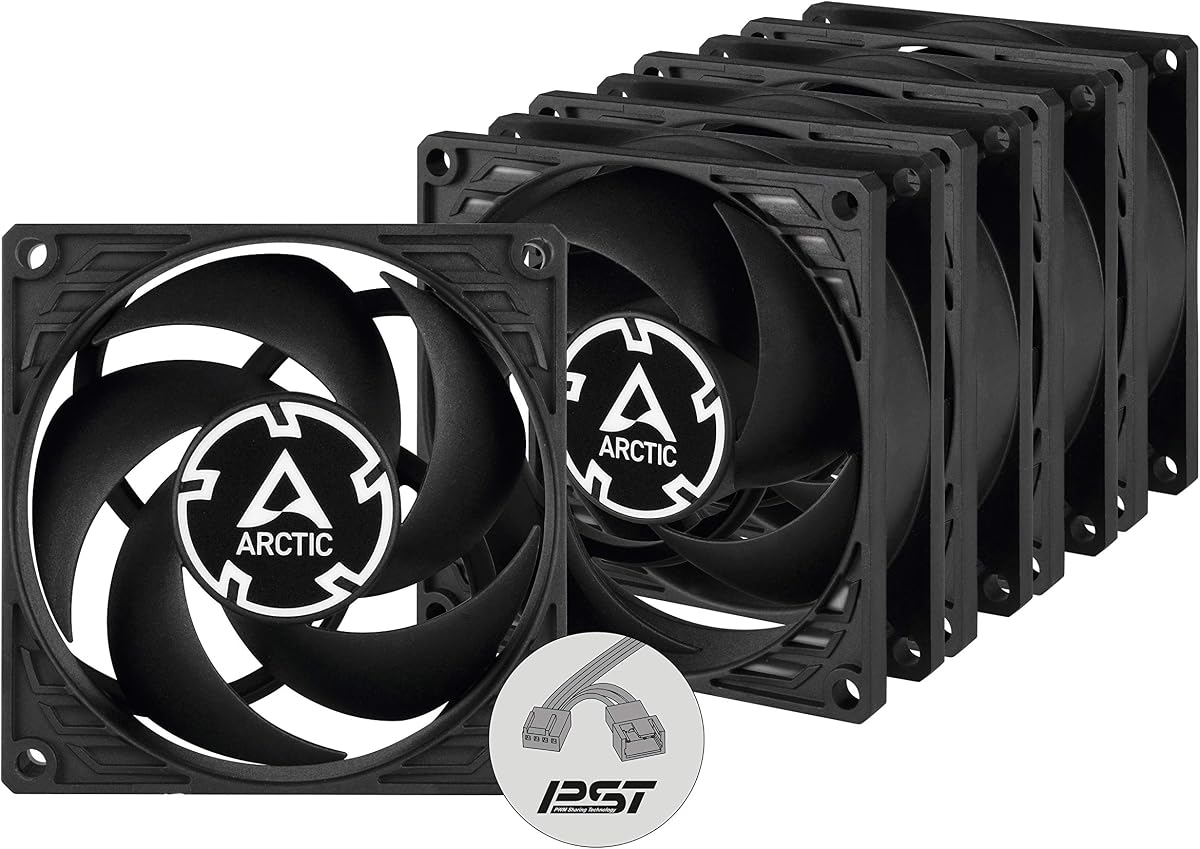
This pack upgrades the standard P8 with PWM Sharing Technology for synchronized control across all fans. It solves the wiring headache common with multi fan radiator setups.
We may earn a commission when you buy through this link, at no additional cost to you.
The 4-pin connector allows motherboard speed control while PST lets you chain d to a single header. The motor uses new Neodym magnets for improved efficiency and quietness.
While it costs slightly more than the three pin version the convenience is worth it for clean builds. The range from 200 to 3000 RPM offers flexible performance tuning.
Get this if you need a coordinated cooling system for radiators where simplicity and smart control are priorities for your setup.
PWM Sharing Technology allows you to daisy chain all five fans to one header reducing cable clutter inside tight computer cases significantly.
The new magnet ring design improves performance at all speeds ensuring quiet operation even when running at maximum rotational velocities.
We may earn a commission when you buy through this link, at no additional cost to you.
The redux line brings premium Noctua performance to a lower price point without sacrificing core quality. It keeps the R8 reputation for reliability and silence in a compact frame.
We may earn a commission when you buy through this link, at no additional cost to you.
With 1800 RPM max it balances performance and noise perfectly for general case ventilation. The PWM support ensures automatic speed control when your system needs extra cooling power.
You save money by omitting accessories like extension cables but the core fan is identical to the higher cost versions. This makes it ideal for builders on a budget who demand quality.
Buy this to get reliable brand name cooling without paying for premium accessories you might not need for your specific case configuration.
This fan inherits the same aerodynamics and materials as the top tier NF-R8 ensuring consistent performance and longevity for years of use.
Even without the full accessory kit the streamlined design keeps noise levels low during operation for a quiet computing environment.
We may earn a commission when you buy through this link, at no additional cost to you.
This is a straightforward and affordable option for simple cooling needs where budget is the main constraint. It provides reliable airflow for office desktops or basic home servers.
We may earn a commission when you buy through this link, at no additional cost to you.
The long life bearing ensures durability without adding complex features. It fits standard 80mm mounts easily making it great for quick replacements in older systems.
While it lacks PWM control and advanced acoustic design it performs well for general ventilation. The price point makes it easy to buy spares for multiple devices.
Choose this if you need a basic reliable replacement fan and cost matters more than precise speed control or silence.
The straightforward blade and frame layout prioritizes function and cost efficiency making it a practical choice for essential cooling needs.
Its rugged construction and universal fit make it suitable for diverse environments including mining rigs and standard office desktops.
We may earn a commission when you buy through this link, at no additional cost to you.
This fan focuses on ultra quiet operation at lower speeds for environments where noise is a major concern. It uses a German developed motor to minimize unwanted noise sources.
We may earn a commission when you buy through this link, at no additional cost to you.
The 1600 RPM max speed still provides adequate static pressure for heatsinks while keeping noise below 0.08 Sone. It is perfect for HTPCs or home office setups.
You trade some raw airflow for silence with this variant. The three pin connection limits flexibility but ensures stable low speed operation without PWM interruptions.
Select this if silence is your top priority and you need a fan that barely makes a sound during normal use.
Friction reducing bearing tech ensures the motor itself remains the quietest possible source of operation at low fan speeds.
Despite lower speeds the optimized blade design maintains sufficient pressure to cool components even when air resistance is high.
We may earn a commission when you buy through this link, at no additional cost to you.
This is the ultimate choice for builders who demand both silence and style in their system. It keeps the award winning A-series performance with a sleek black finish.
We may earn a commission when you buy through this link, at no additional cost to you.
The chromax.black.swap edition allows you to swap anti-vibration pads for different colors. This adds a custom touch to a fan known for exceptional noise reduction.
It runs at 2200 RPM with PWM support just like the original brown version. The price is higher but the aesthetic value is unmatched in 80mm options.
Buy this if you are building a black themed system and need top tier cooling that looks perfect inside a custom case.
The swappable pad system lets you match the fan to your build color scheme without changing the fan itself.
Flow Acceleration Channels and acoustic optimization frame ensure silence rivals the brown version at the highest performance levels.
We may earn a commission when you buy through this link, at no additional cost to you.
This pack combines the quiet benefits of the P8 Silent with the value of buying five at once. It is ideal for large server racks or multi-fan chassis needs.
We may earn a commission when you buy through this link, at no additional cost to you.
Each fan runs at 1600 RPM ensuring minimal noise across all units. The static pressure optimization helps maintain cooling even with many filters or vents involved.
You sacrifice PWM control but gain a uniform low noise environment. The five pack simplifies maintenance by allowing you to replace whole groups of fans.
Choose this for large silent setups where uniform low speed operation is more important than max speed control.
Every unit in this pack features the silent motor ensuring no single fan disrupts a quiet environment across multiple units.
Buying five units together reduces the overall cost per fan and simplifies inventory for large scale projects.
We may earn a commission when you buy through this link, at no additional cost to you.
This fan is designed for high performance needs where airflow must be maximized regardless of noise. It delivers the highest speed of any 80mm fan in this list.
We may earn a commission when you buy through this link, at no additional cost to you.
The wide RPM range from 500 to 5000 allows flexible tuning via PWM. It is perfect for server racks or compact systems requiring extreme heat dissipation.
The fluid dynamic bearing supports these high speeds without failing quickly. While loud at full throttle the performance is unmatched in the form factor.
Buy this if you need maximum cooling power and the extra noise does not matter for your specific server or industrial environment.
Reaching up to 5000 RPM this fan offers the highest airflow and pressure capabilities available in an 80mm form factor.
The 4-pin PWM connection allows precise control over speed to balance noise and cooling based on real time system load.
We may earn a commission when you buy through this link, at no additional cost to you.
This fan offers a unique slim 15mm profile perfect for tight heatsinks and compact systems. It maintains high performance despite its reduced thickness.
We may earn a commission when you buy through this link, at no additional cost to you.
With a maximum speed of 2200 RPM it delivers strong airflow of 28.4 CFM. The S-FDB V2 bearings ensure stability and low noise during long term use.
It works well with downward CPU coolers and thin radiators where standard 25mm fans cannot fit. The PWM control helps manage noise effectively.
Get this if you need high airflow in an ultra thin space like a small case or tight CPU cooler setup.
The 15mm thickness allows fitting into spaces where standard fans would interfere with other components or heat sinks.
S-FDB V2 technology solves vibration issues ensuring the blades run smooth and quiet even at high speeds.
We may earn a commission when you buy through this link, at no additional cost to you.
Choosing the right 80mm fan requires balancing size constraints with cooling power and noise tolerance. This guide covers key factors to evaluate before buying.
The bearing determines how long a fan lasts and how quietly it runs. Fluid Dynamic Bearings (FDB) offer longer life and lower noise compared to sleeve bearings.
Look for FDB or sleeve bearings with oil capsules for reliability especially in fans running at high speeds continuously.
RPM measures how fast the fan spins while CFM measures the volume of air moved. Higher RPM usually means higher CFM but also higher noise.
Choose higher RPM for hot components or low RPM for quiet environments where airflow needs are minimal.
PWM fans use a 4-pin connector to allow the motherboard to adjust speed automatically. This is crucial for noise reduction when full cooling power is not needed.
If you need quiet idle performance always choose a PWM model over a 3-pin fixed speed option.
Static pressure is the force a fan uses to push air through restricted spaces like radiators or mesh. High static pressure fans are needed for dense components.
Use high static pressure fans for heatsinks and filters and regular fans for open case ventilation.
Standard 80mm fans are 25mm thick but thinner 15mm versions exist. Check your case or cooler depth to avoid fitting issues.
Ensure the height fits your internal space especially if you use thick radiators or CPU coolers inside.
Noise is measured in decibels (dB) or Sones. Lower numbers mean quieter operation. Premium fans usually include noise reducing technologies.
For home offices or HTPCs aim for fans below 20dB or 0.1 Sone for truly silent operation.
Mean Time To Failure (MTTF) estimates how long the fan lasts in hours. Premium brands often guarantee over 150000 hours of operation.
Higher MTTF ratings mean fewer replacements and more peace of mind for long term server or NAS deployments.
Prices range from affordable budget options to premium models with advanced features. Multi-packs can lower costs if you need several fans at once.
Assess if you need premium noise control or if standard performance is enough to match the budget.
Install the fan by securing it with screws at all four corners to prevent wobbling and vibration. Ensure the airflow direction points inward for intake or outward for exhaust.
Connect the fan to a PWM header on your motherboard if available to enable automatic speed control. Adjust the speed profile in BIOS to balance cooling and silence.
Clean dust from the blades regularly using compressed air to maintain performance. Check for loose screws or bearing noise every few months to ensure longevity.
A 3-pin fan has a fixed speed determined by voltage while a 4-pin PWM fan allows variable speed control. The fourth pin sends signals to the motherboard to adjust RPM based on temperature.
Static pressure measures a fan's ability to push air through obstacles like radiator fins or dust filters. High static pressure is necessary when cooling dense components or using restrictive cases.
Noise is typically measured in decibels (dB) or Sones. Lower values indicate quieter operation. Premium fans often use advanced designs to reduce noise at similar airflow levels.
You can use a Y-splitter or PWM Sharing Technology to chain multiple fans to one header. However ensure the header can handle the current load to prevent electrical issues.
MTTF stands for Mean Time To Failure and predicts how many hours a fan will last before failing. Higher numbers indicate better reliability and longer service life.
Black fans like the Noctua chromax model offer style and performance matching standard brown fans. The color does not affect airflow but aesthetics matter for custom builds.
Modern fans use sealed bearings that do not require lubrication. Attempting to oil them can damage the internal components and void warranties.
Choose PWM for adjustable cooling and Silent for fixed low noise operation. PWM offers flexibility while Silent fans focus on low speed quietness without complex control.
The Noctua NF-A8 PWM leads as the best overall fan for its balance of silence and performance. The ARCTIC P8 PWM PST pack offers excellent value for multi fan setups.
Prioritize PWM control and bearing quality for long term reliability. For premium builds the chromax.Black.swap model adds style without compromising cooling capabilities.
Always verify current prices and stock levels before buying. The best fan is one that fits your specific case and performance needs exactly.