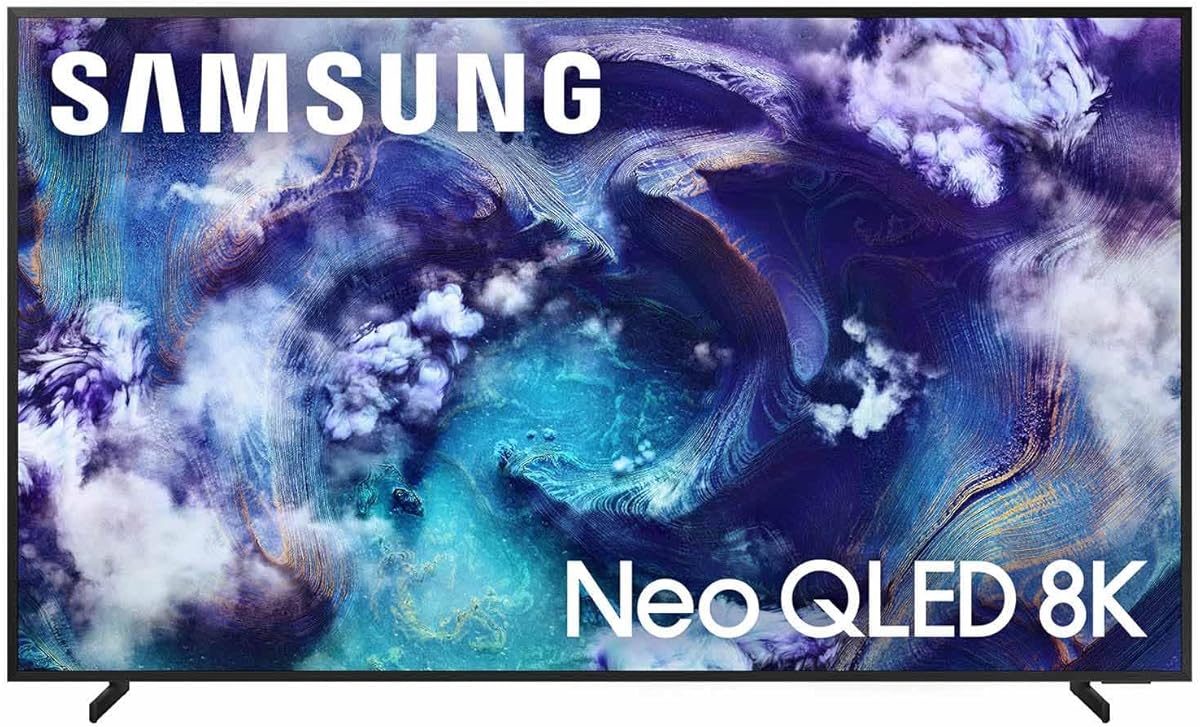
Samsung 75-Inch Class Neo QLED 8K QN900F Series
4.5Editor score
256 AI Neural Networks
4K 165Hz VRR Gaming
Neon Quantum HDR 8K Pro
This expert guide compares the top 8K TVs for PC gaming featuring high refresh rates low input lag and advanced upscaling for immersive gaming experiences.
Choosing the right display for your high-end PC setup requires careful consideration of resolution refresh rates and input latency. 8K TVs offer unparalleled pixel density and clarity that can transform your gaming into a breathtaking visual experience when paired with powerful hardware capable of driving such demanding resolutions.
We have evaluated leading models based on their gaming specific features including HDMI 2 1 bandwidth variable refresh rate support and motion handling capabilities. Our analysis focuses on how each television processes fast moving action and maintains color accuracy during intense gameplay sessions to ensure you get the most out of your investment.
Each selection in this list highlights distinct advantages ranging from mini LED brightness to OLED contrast and specialized gaming menus. Please note that pricing and availability fluctuate frequently so verify current offers before making your final decision to secure the best value for your specific gaming needs.
4.5Editor score

4.1Editor score

4.4Editor score
The following table provides a side-by-side comparison of all ten models to help you quickly identify key specifications and performance characteristics relevant to PC gaming setups and visual fidelity requirements.


This model leads our review with its Cognitive Processor XR that understands human vision to deliver intense contrast and natural colors. Its rating reflects strong performance in brightness and color accuracy making it a top contender for high fidelity gaming.
We may earn a commission when you buy through this link, at no additional cost to you.
The Mini LED Contrast technology provides thousands of precisely controlled LEDs for deep blacks and maximum brightness essential for dark scenes. Game Menu consolidates all gaming picture settings and exclusive assist features into a single easy to manage interface for streamlined setup.
While the price is high the input lag as low as 8.5ms ensures responsive gameplay. The wide spectrum of colors and premium smart features justify the investment for users seeking the best visual experience available.
Gaming enthusiasts and home theater fans should buy this for its unmatched picture quality and PlayStation 5 exclusives. It remains a strong recommendation despite the cost due to its superior processing capabilities and design.
The Cognitive Processor XR analyzes content like humans see to enhance every scene with accurate contrast and natural colors.
Game Menu puts all your gaming picture settings in one place for quick adjustments without leaving your session.
We may earn a commission when you buy through this link, at no additional cost to you.
This premium unit powers the best AI enhanced 8K TV experience with the NQ8 AI Gen3 processor optimizing content for incredible clarity. The high resolution upscaling ensures games look sharp and detailed regardless of source material quality.
We may earn a commission when you buy through this link, at no additional cost to you.
Experience phenomenal 8K clarity powered by 768 AI neural networks that transform content into stunning resolution with lifelike detail. Wireless One Connect allows devices to be connected away from the TV reducing cable clutter for a cleaner gaming setup.
Say goodbye to distracting reflections with the glare free screen allowing immersion even in bright rooms. Keep your eye on the ball with motion smoothing that reduces blur for fast moving text and objects during gameplay.
Premium home office or gaming setups benefit from this advanced AI processing and clean design. Although complex the clarity and motion handling make it a worthwhile choice for visual perfectionists.
The NQ8 AI Gen3 processor optimizes your content so games look incredible no matter what you watch.
Wireless One Connect transmits signals from devices wirelessly reducing clutter around your TV setup.
We may earn a commission when you buy through this link, at no additional cost to you.
This model stands out for offering competitive gaming features at an affordable price making it accessible for many gamers. Its rating highlights strong performance in motion handling and HDR quality suitable for high quality gaming.
We may earn a commission when you buy through this link, at no additional cost to you.
The native 144Hz game mode keeps fast movement fluid and sharp reducing blur during competitive gaming and live sports. AI Picture analyzes content scene by scene automatically optimizing brightness and contrast for a natural look.
Dolby Vision and Atmos provide cinematic HDR with vivid brightness and immersive sound enhancing the overall experience. AI Smooth Motion with MEMC reduces blur keeping action crisp and easy to follow from sports to movies.
Budget conscious gamers seeking large screens with high refresh rates should choose this option. It offers excellent value despite not being native 8K due to its strong performance features.
Native 144Hz game mode keeps fast movement fluid reducing blur during competitive gaming sessions.
AI Picture optimizes brightness and contrast automatically so you don't need manual adjustments.
We may earn a commission when you buy through this link, at no additional cost to you.
This bundle offers a 75 inch premium display with advanced AI upscaling making it suitable for large room gaming setups. The protection plan adds value ensuring longevity for expensive display investments in high usage environments.
We may earn a commission when you buy through this link, at no additional cost to you.
The NQ8 AI Gen3 processor optimizes content so movies and games look incredible with lifelike detail. AI Upscaling Pro transforms lower resolution content into 8K clarity enhancing the visual experience significantly.
Wireless One Connect and glare free features maintain a clean and comfortable viewing environment. However lower ratings suggest potential issues with consistency or customer support that should be considered.
Users needing a large screen with protection should consider this bundle carefully. It combines size and technology but requires verification of specific unit performance.
Includes a 2 Year Amber Protection Plan to safeguard your investment against potential damage or defects.
Glare Free technology says goodbye to distracting reflections enhancing immersion in bright rooms.
We may earn a commission when you buy through this link, at no additional cost to you.
Rated 4.5 this model enhances content up to 8K resolution with 256 AI neural networks for astonishingly realistic detail. It is ideal for gamers who prioritize sharpness and smooth motion in their visual experience.
We may earn a commission when you buy through this link, at no additional cost to you.
Enhanced 8K clarity powered by 256 AI neural networks transforms content into beautiful sharp and smooth picture. The sleek metal design blends seamlessly into any home offering a nearly edgeless viewing experience.
Say goodbye to distracting reflections with glare free tech and enjoy ultra smooth motion for tear free gaming. See moving text clearly with sharpening features allowing easy tracking of stats and news.
Gamers wanting premium clarity and sleek design should buy this for its advanced processing. The investment is justified by the superior visual quality and motion handling capabilities.
Enhanced 8K clarity powered by 256 AI neural networks delivers astonishingly realistic detail.
Sleek metal design blends seamlessly into your home for a nearly edgeless viewing experience.
We may earn a commission when you buy through this link, at no additional cost to you.
This model features Quantum Matrix Pro with 1.5x more lighting zones for greater detail and better brightness in dark scenes. Its rating indicates solid performance but some users may find complexity in settings.
We may earn a commission when you buy through this link, at no additional cost to you.
Neo Quantum HDR 8K+ provides deep blacks and bright highlights with lifelike colors in stunning resolution. Real 8K resolution with AI upscaling instantly improves as you watch thanks to 512 AI neural networks.
Motion Xcelerator 165Hz ensures ultra smooth motion with virtually no lag for crisp visuals. Auto HDR Remastering elevates the experience with brighter highlights and AI enhanced 4K color and contrast.
Gaming users seeking high brightness and deep color depth should choose this for its Quantum tech. It offers strong visual features though navigation may take time.
Quantum Matrix Pro uses 1.5x more lighting zones for greater detail and dimming.
Motion Xcelerator 165Hz stream content with ultra smooth motion and no lag.
We may earn a commission when you buy through this link, at no additional cost to you.
This unit features an Infinity Air Design for a more expansive view with almost invisible borders making it great for immersive gaming. It scores well for motion smoothness and audio depth integration.
We may earn a commission when you buy through this link, at no additional cost to you.
Infinity Air Design sees more of the screen and less borders giving an expansive view for all content. Neo Quantum HDR 8K Pro delivers better contrast and color with clearer picture visible down to every pixel.
AI Motion Enhancer Pro ensures you do not miss a moment due to blurred details. Motion Xcelerator 240Hz allows play with amazingly smooth motion and virtually no lag for crisp visuals.
Gamers prioritizing motion fluidity and immersive audio should buy this model. The 240Hz support is a major advantage for competitive and smooth gaming experiences.
Infinity Air Design gives you a more expansive view with an almost invisible profile.
Motion Xcelerator 240Hz offers amazingly smooth motion and virtually no lag or blur.
We may earn a commission when you buy through this link, at no additional cost to you.
This OLED model delivers outstanding picture quality with Brightness Booster and perfect blacks providing unmatched contrast. Its high refresh rate and G-Sync support make it a top choice for PC gamers seeking color accuracy.
We may earn a commission when you buy through this link, at no additional cost to you.
Hyper Radiant Picture Quality provides brightness booster deep blacks and vibrant color powered by the a11 AI Processor. Brightness Booster Pro magnifies each pixel to shine up to 3.2x brighter for visibility.
Gaming Features include 165Hz refresh rate NVIDIA G-Sync AMD FreeSync Premium and 0.1ms response time for responsive gameplay. WebOS delivers smarter streaming and Google Gemini at your fingertips for enhanced experience.
Gamers wanting infinite contrast and fast response times should choose this OLED. It offers premium visual performance despite potential burn in concerns requiring proper care.
Perfect Black and Perfect Color technology deliver outstanding picture quality with vibrant detail.
Gaming Features like 165Hz and G-Sync ensure responsive and tear free gameplay.
We may earn a commission when you buy through this link, at no additional cost to you.
Gaming Optimized features elevate experience with Auto HDR Tone Mapping and Auto Genre Picture Mode for PlayStation. It is suitable for those who want Sony quality and easy voice control setup.
We may earn a commission when you buy through this link, at no additional cost to you.
Gaming Optimized elevates experience with exclusive features for PlayStation5 including Auto HDR Tone Mapping and Auto Genre Picture Mode. Triluminos Pro displays over a billion accurate colors ensuring vivid lifelike picture quality.
Streaming Hub offers plentiful options from Netflix Prime Video and more making it a one stop entertainment hub. Voice Control lets you navigate using Google Assistant for ease of use.
Users seeking easy navigation and PlayStation integration should buy this for its smart features. It is a solid choice despite not being 8K native due to optimization benefits.
Exclusive features for PlayStation5 including Auto HDR Tone Mapping enhance immersion.
Triluminos Pro brings picture quality to life displaying over a billion accurate colors.
We may earn a commission when you buy through this link, at no additional cost to you.
This model features MiniLED Pro with up to 5000 nits peak brightness for realism of shadows. Its high rating reflects strong performance in brightness and refresh rate for bright room gaming.
We may earn a commission when you buy through this link, at no additional cost to you.
MiniLED Pro with up to 5000 nits peak brightness reveals every shadow cast by players with deep shadows. Native 165Hz Panel with Game Booster 288 turbo powers gaming with VRR and low latency modes.
Enhanced Game Bar allows seamless adjustment of settings to monitor gameplay data in real time. QLED Color renders every frame with rich vibrant and realistic color ensuring minute details stand out.
Gamers needing high brightness for bright rooms should choose this for its 5000 nits capability. The Game Bar offers control options that competitive players will appreciate.
MiniLED Pro with up to 5000 nits peak brightness delivers stunning realism.
Enhanced Game Bar lets you manage performance in real time while playing.
We may earn a commission when you buy through this link, at no additional cost to you.
Choosing the right 8K TV requires balancing resolution refresh rates and connectivity to match your PC capabilities and gaming habits.
Higher refresh rates like 120Hz or 240Hz ensure smoother visuals during fast paced gaming. Look for models supporting Motion Xcelerator to reduce blur and maintain clarity.
Prioritize high refresh rates for competitive gaming to keep action fluid and responsive.
Low input latency is critical for responsive controls and real time reactions. Aim for models with Game Mode and sub 20ms lag to avoid delay.
Always check for dedicated Game Mode features to minimize input lag significantly.
HDMI 2.1 allows full bandwidth for 8K resolution and 120Hz refresh rates simultaneously. Ensure your PC GPU supports these specs for maximum performance.
Verify HDMI 2.1 ports are present and correctly configured for your setup.
VRR technology eliminates screen tearing by syncing TV refresh with PC output. Compatible TVs provide tear free visuals without requiring manual adjustments.
Look for AMD FreeSync Premium or NVIDIA G-Sync compatibility on your TV.
Since native 8K content is rare quality AI upscaling enhances lower resolution games. Advanced processors transform 4K sources into sharp 8K visuals.
Opt for models with dedicated AI neural networks for superior upscaling.
Mini LED offers high brightness while OLED provides perfect blacks for contrast. Choose based on your room lighting and preference for brightness versus contrast.
Match panel type to your room environment to avoid reflection issues.
Larger screens like 85 inches offer immersion but require more space and GPU power. Consider the pixel density relative to your distance for best results.
Select size carefully to match your desk and room dimensions effectively.
Surround sound like Dolby Atmos enhances immersion without extra speakers. Check for built-in subwoofers and directional audio tracking features.
Prioritize models with advanced audio if external sound systems are not planned.
Set your TV to Game Mode immediately to disable image processing and reduce latency. Enable Variable Refresh Rate (VRR) and Auto Low Latency Mode in your display settings.
Clean the screen with a microfiber cloth and distilled water. Avoid harsh chemicals and ammonia to prevent screen damage and coating wear.
Update firmware regularly to receive performance patches and feature enhancements. Use a screen saver or pause games to avoid static burn in on OLED panels.
8K provides incredible detail but requires a powerful GPU to run games smoothly. For most gamers 4K is sufficient but 8K future proofs the setup.
Not all TVs support full 8K with 120Hz. Check for HDMI 2.1 and VRR to ensure true high performance gaming capability.
120Hz is standard for high end gaming but 144Hz and 240Hz offer smoother visuals. Match refresh rates to your monitor capabilities for best results.
Use high speed HDMI 2.1 or DisplayPort cables to link your GPU. Configure graphics drivers to output 8K resolution at desired refresh rate.
Yes Mini LED offers high brightness and excellent local dimming for dark scenes. They prevent glare and provide deep contrast without OLED burn in.
Yes but ensure scaling is set correctly to avoid UI issues. 8K TVs offer more space but may need text size adjustments for clarity.
The Sony Z9K and Samsung QN900D lead with advanced processing and high refresh rates. These models provide the best balance of resolution smoothness and gaming features.
Prioritize low latency VRR and HDMI 2.1 over pure 8K resolution. Performance smoothness matters more than pixel count for most gaming experiences.
Always check current pricing and availability before purchasing. Prices vary significantly and features may improve with new updates regularly.