
Dexpt 65W Laptop Charger Replacement for ASUS VivoBook ZenBook Chromebook
4.5Editor score
Three connector sizes provided
Wide input voltage range
Compact and lightweight design
This guide compares the top ASUS Vivobook and Zenbook Power Cord options for reliability and speed with detailed specs to help you choose the right charger
Finding the right power source for your laptop is essential for maintaining productivity and device health. A reliable ASUS Vivobook and Zenbook Power Cord ensures your device stays charged during work or travel. Choosing the correct wattage and connector type prevents damage and guarantees optimal performance for your specific model.
We evaluated ten top-rated chargers based on compatibility, safety features, and build quality. Each option was scrutinized for its ability to deliver stable power across various ASUS laptop series. Our analysis focuses on real-world usage scenarios to help you find a replacement that meets your daily charging needs effectively.
Every selection below highlights key specifications and user feedback to guide your decision-making process. You will see how each charger performs with different ASUS models and what unique features they offer. Please note that availability and terms may change, so verify details before making your final purchase decision.
4.5Editor score

4.4Editor score
4.8Editor score
The following table provides a side-by-side comparison of all ten selected chargers to help you quickly identify the best fit for your needs.


This charger stands out as a versatile solution for many ASUS laptop users. It delivers a solid 65W output with multiple tips to fit various barrel connector sizes. The long power cord ensures you can reach outlets from your desk comfortably.
We may earn a commission when you buy through this link, at no additional cost to you.
The inclusion of four interchangeable DC barrel tips makes it adaptable for different VivoBook and ZenBook models. Safety features like short circuit protection help protect your device from power surges. The build quality feels sturdy enough for daily travel use.
Some users report that the connector tips might feel slightly loose in certain ports. It is also important to note this does not support USB-C charging for newer models. These trade-offs are acceptable given the broad compatibility and low cost.
This option is ideal for users who need a reliable replacement for older round-port laptops. The balance of features and price makes it a strong recommendation for most buyers seeking a standard power adapter.
The four included tips cover most common barrel sizes found on ASUS devices.
Built-in protections safeguard your laptop from electrical inconsistencies during charging.
We may earn a commission when you buy through this link, at no additional cost to you.
This Superer charger offers a practical solution for users needing a replacement power source. It is designed specifically for devices with power requirements up to 65W and includes switchable connectors for flexibility. The package comes with multiple tips to ensure a fit for your device.
We may earn a commission when you buy through this link, at no additional cost to you.
The exclusive switchable round connectors allow you to adapt the charger to your specific model easily. It supports a wide range of ASUS laptops including VivoBook and ZenBook series. The 24-month warranty provides added peace of mind for your purchase.
It is not compatible with high-performance models like ROG or TUF series which need more power. The connectors might feel different from the original OEM parts depending on your specific laptop. These limitations are clearly stated to prevent mismatched orders.
Ideal for standard office laptops this charger delivers consistent performance at a reasonable cost. It is a good choice for backup power or replacing a lost original adapter quickly.
Switchable tips allow one charger to serve multiple ASUS laptop models effectively.
A full two-year warranty covers defects and ensures customer satisfaction.
We may earn a commission when you buy through this link, at no additional cost to you.
The Dexpt charger offers an efficient solution for budget-conscious buyers needing reliable power. It provides a solid 65W output and includes three different connector sizes to fit various models. The package ensures you have options to match your specific ASUS laptop port.
We may earn a commission when you buy through this link, at no additional cost to you.
Its ability to handle 45W and 33W devices makes it versatile for older or lighter laptops. The compact design makes it easy to carry in a bag for travel. A one-year manufacturer warranty backs the product for added security.
You should verify the tip size carefully before ordering to ensure a proper fit. It lacks USB-C compatibility which might limit use for newer devices. Despite this, it remains a strong choice for standard barrel connector laptops.
This charger is perfect for students or professionals needing a secondary power source. The value proposition is high given the included accessories and performance reliability.
Get a reliable charger without spending a premium on brand name accessories.
Three included connectors cover the most common ASUS laptop charging port sizes.
We may earn a commission when you buy through this link, at no additional cost to you.
This charger is designed for modern laptops that support USB-C fast charging. It delivers up to 90W which is suitable for higher performance models and OLED screens. The Type-C connector ensures a secure connection and fast power delivery.
We may earn a commission when you buy through this link, at no additional cost to you.
It includes multiple safety certifications like FCC and CE to protect against overvoltage and short circuits. Compatibility extends to VivoBook S series and newer ZenBook models with USB-C ports. The build quality is robust enough for daily professional use.
The price is higher than standard barrel connectors which reflects the advanced technology. It will not work with older laptops that use traditional round ports. Users should check their model requirements before purchasing to avoid incompatibility.
If you need speed and reliability for a modern laptop this is an excellent choice. It ensures your device charges quickly without compromising safety or stability.
90W output ensures fast charging for demanding laptops and OLED displays.
Built-in protections guard your device against electrical faults during charging.
We may earn a commission when you buy through this link, at no additional cost to you.
This premium charger delivers exceptional performance for high-end ASUS laptops. It features a 90W USB-C output with multiple voltage levels to suit different device needs. The high rating reflects strong user satisfaction with its reliability and build.
We may earn a commission when you buy through this link, at no additional cost to you.
Rigorous testing ensures safe operation with protection against overheating and overcurrent. It supports a wide range of models including ZenBook 14X and VivoBook S series. The package includes a power cord for immediate setup and use.
The cost is higher than basic adapters but justified by the advanced safety and speed. It is strictly for USB-C laptops so older models will not benefit. Users should confirm their port type before investing in this high-performance charger.
For professionals needing a powerful and safe charging solution this is the top pick. It ensures your high-spec laptop runs at peak performance without power limitations.
Top tier materials and construction ensure long lasting durability and safety.
Compatible with a broad range of modern ASUS ZenBook and VivoBook models.
We may earn a commission when you buy through this link, at no additional cost to you.
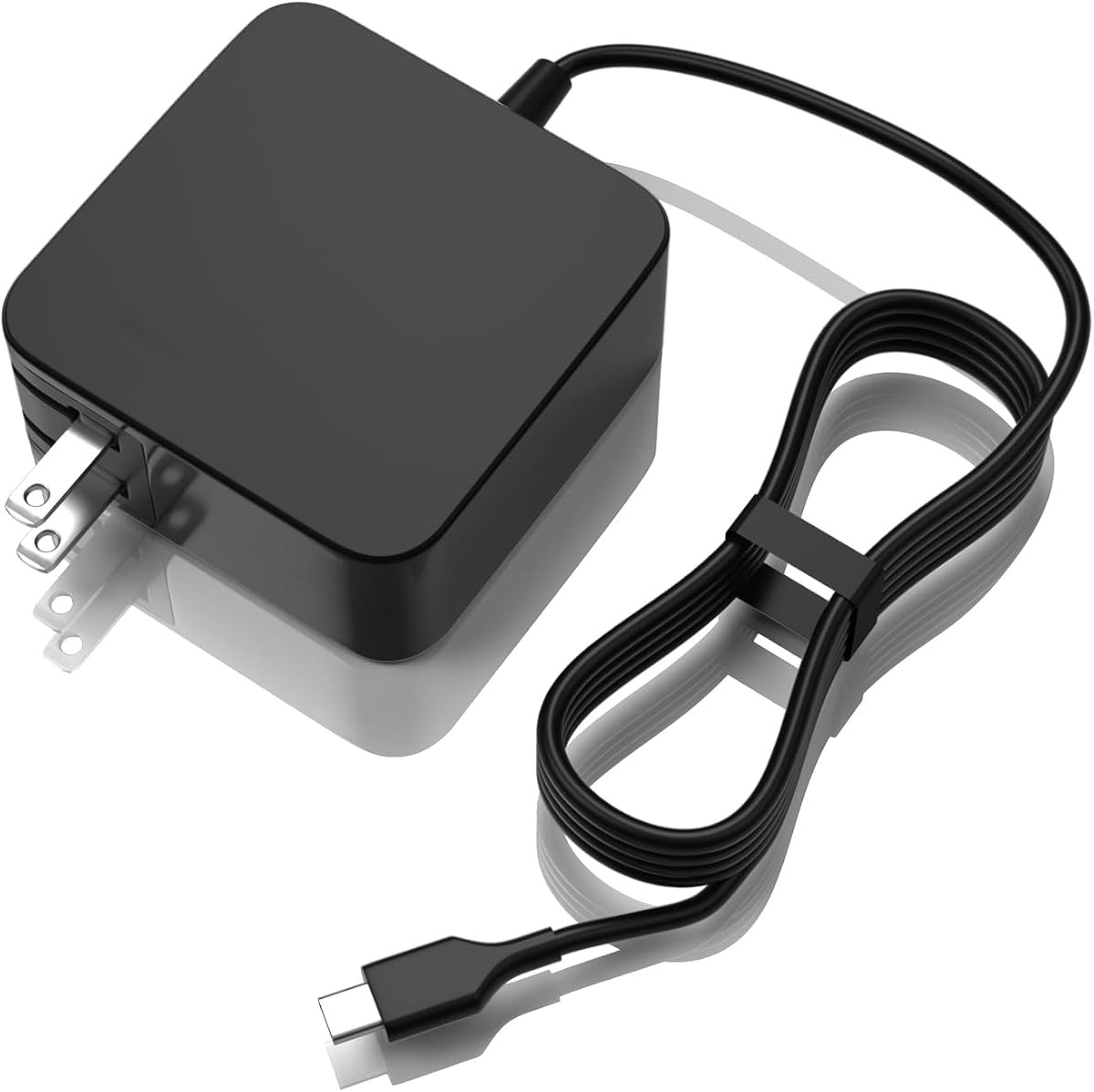
This USB-C adapter is designed to provide reliable power for Chromebooks and laptops. It supports up to 65W and includes a 5.9 foot cord for flexibility. The foldable plug design makes it easy to pack without scratching your bag.
We may earn a commission when you buy through this link, at no additional cost to you.
The core tie feature helps keep the cable neat and manageable for storage. It is compatible with a wide range of ASUS Chromebook models and some ZenBooks. The 30 day refund policy adds confidence for potential buyers.
The cord length is sufficient for most desk setups but may be shorter than others. It does not come with USB-C tips but is designed for fixed USB-C laptops. Overall it offers a practical solution for portable computing.
Ideal for students using Chromebooks this charger balances portability and power. It keeps your device charged during classes or study sessions easily.
Foldable plug and compact size make it perfect for on the go use.
Includes a core tie to keep cables organized and tangle free.
We may earn a commission when you buy through this link, at no additional cost to you.
This Nicpower charger is a reliable replacement for many standard ASUS laptop models. It delivers 65W and includes a round connector for devices that use barrel plugs. The package lists many compatible models to help you verify fit.
We may earn a commission when you buy through this link, at no additional cost to you.
It supports lower wattage requirements like 45W which makes it versatile for different laptops. The build is lightweight and easy to carry for travel or daily commute. A one-year warranty provides basic coverage for your purchase.
You must check the connector size from the images as it does not fit every model. It is strictly for round ports so USB-C laptops will not work. Verification is key to ensuring this matches your specific device.
For users with older ASUS laptops needing a simple power fix this is a solid choice. It restores charging capability without requiring expensive upgrades or complex setups.
Detailed compatibility lists help you confirm it fits your specific laptop model.
Compact design makes it easy to carry in a bag or briefcase.
We may earn a commission when you buy through this link, at no additional cost to you.
This charger is specifically engineered for laptops requiring a 4.0mm round connector. It delivers a stable 45W output and includes a 6-foot cord for reach. The design ensures consistent power delivery for compatible ASUS VivoBook and ZenBook models.
We may earn a commission when you buy through this link, at no additional cost to you.
It is fully backward compatible with 33W devices making it versatile for lower power needs. The long cord allows flexibility in workspace arrangement without being too close to outlets. A foldable plug adds convenience for travel and storage.
This model will not fit laptops needing a 5.5mm tip or USB-C ports. It is lower wattage which means it may not support high performance tasks while charging. Users should measure their original tip before ordering to ensure fit.
Perfect for budget laptops or older models this charger provides essential power at a low cost. It is a straightforward solution for basic charging needs without extra features.
Designed specifically for 4.0mm tips to ensure a secure connection.
Works with 33W devices to extend use across multiple model generations.
We may earn a commission when you buy through this link, at no additional cost to you.
This Dexpt charger provides a reliable power source for a range of ASUS laptops. It delivers 65W and includes three different connector sizes to fit various models. The package ensures you have options to match your specific ASUS laptop port.
We may earn a commission when you buy through this link, at no additional cost to you.
The wide input voltage range allows use internationally which is great for travelers. It is compatible with Chromebooks and older models requiring 33W power. The one-year warranty gives assurance of quality and reliability.
You may need to test all connectors to find the one that fits best. It lacks USB-C compatibility which limits use for newer devices. These trade-offs are acceptable given the broad compatibility and low cost.
Ideal for standard office laptops this charger delivers consistent performance at a reasonable cost. It is a good choice for backup power or replacing a lost original adapter quickly.
Works with 100-240V input for use in different countries.
Three included connectors increase the chance of finding a perfect fit.
We may earn a commission when you buy through this link, at no additional cost to you.
This EERSY charger stands out for its exceptionally long 8.8 foot cord. It delivers 65W and includes multiple plug options to fit different socket types. The high rating suggests users find it reliable and easy to use.
We may earn a commission when you buy through this link, at no additional cost to you.
The long cord allows you to place your laptop far from the outlet comfortably. It is compatible with a wide range of VivoBook and ZenBook models plus Chromebooks. The package includes all necessary components for immediate use.
The long cord can be a bit bulky when packing for travel. It is a standard design without extra features like USB-C or LED indicators. These limitations are acceptable for users prioritizing reach and compatibility.
Best for home office users who need flexibility in laptop placement this charger is great. It keeps your device powered without needing to sit right next to a wall.
8.8 foot cord provides ample length to reach distant outlets easily.
Multiple socket compatibility ensures it works with various laptop models.
We may earn a commission when you buy through this link, at no additional cost to you.
Selecting the right power cord involves checking wattage connector type and safety certifications to ensure compatibility and device protection.
The most critical factor is ensuring the charger meets your laptop's wattage needs. Most standard VivoBooks and ZenBooks require 45W to 65W. Using a charger with lower wattage may cause slow charging or prevent the laptop from powering on when in use.
Always check your device label for output voltage and amperage before buying.
ASUS laptops use either traditional round barrel connectors or modern USB-C ports. Older models typically use barrel plugs with varying diameters like 4.0mm or 5.5mm. Newer models often use USB-C for faster charging and portability.
Verify the port type on your device to ensure the charger fits correctly.
Safety should never be compromised when choosing a third-party charger. Look for certifications like FCC CE or RoHS to ensure the product meets electrical safety standards. These protections guard against overvoltage short circuits and overheating.
Choose chargers with built-in safety mechanisms to protect your expensive device.
The length of the power cord determines your flexibility in workspace setup. Standard lengths range from 5 to 9 feet. A longer cord allows you to work from a distance without stretching cables awkwardly.
Select a cord length that suits your desk layout and mobility needs.
A warranty indicates the manufacturer's confidence in their product quality. Most reputable brands offer at least a one-year warranty. Good customer support helps resolve compatibility issues quickly if the charger does not work as expected.
Prioritize products with clear warranty terms and responsive support teams.
Manufacturers provide compatibility lists to help you verify fit for your specific model. Check if your specific model number is listed to avoid returns. This step saves time and ensures you get a functional replacement immediately.
Always cross-reference your model number before placing an order.
Durability matters for chargers that are moved frequently. Look for robust casings and strong connector tips. Flimsy plastics may crack under regular use leading to connection failures.
Select chargers with sturdy construction for long-lasting reliability.
If you travel often a compact charger is essential. Some designs include foldable plugs to save space in bags. Lightweight materials reduce the overall load you carry daily.
Choose a design that balances power and convenience for travel.
Always plug the charger into a stable power source before connecting it to your laptop. This prevents power surges that could damage the device. Ensure the connector is fully inserted into the laptop port to maintain a secure connection.
Store the cord neatly using ties or loops to prevent kinks and internal wire damage. Avoid wrapping the cable tightly around the charger brick as this can stress the wires over time. Keep the connector tips clean from dust to ensure good conductivity.
Regularly inspect the cord for signs of wear such as exposed wires or cracked plastic. If you notice damage discontinue use immediately to prevent electrical hazards. Replacing worn chargers promptly ensures your device remains safe and powered.
Yes, using a higher wattage charger like 65W on a device that requires 45W is safe. The device will only draw the power it needs. Ensure the voltage and connector match to avoid any issues.
Check the label on your old charger or measure the inner and outer diameter of your laptop port. Many chargers include multiple tips so you can test which fits snugly without forcing it. Always refer to the manufacturer's compatibility list.
This may be due to incompatible voltage connector size or a faulty port. Verify that the wattage and voltage match your device requirements. Inspect the port for debris that might block connection.
USB-C chargers offer faster charging and universal compatibility for newer devices. Round connectors are still standard for many older ASUS models. Choose based on your laptop's supported port type.
Yes, third-party chargers are safe if they carry proper safety certifications. Look for brands that list FCC or CE certifications to ensure quality. Avoid unknown brands without safety testing to protect your device.
Most chargers compatible with ASUS laptops also work with Chromebooks. Verify the wattage and connector type since Chromebooks often use lower wattage requirements. Check the specific model compatibility list provided by the seller.
A low wattage charger may charge your device slowly or not at all under load. It can cause the battery to drain while using the laptop. Always match or exceed the recommended wattage for optimal performance.
Most products include a manufacturer warranty ranging from one to two years. This covers defects and ensures customer satisfaction. Check the product listing for specific terms before purchasing.
Choosing the right charger ensures your laptop remains reliable and productive. The top picks cover a range of needs from budget-friendly options to high-performance USB-C solutions. Always prioritize safety features and correct connector fit for long-term satisfaction.
Consider your usage habits such as travel frequency or workspace setup when selecting a model. Features like cord length and portability can make a significant difference in daily use. Matching the wattage to your device needs prevents charging issues.
Prices and availability change so verify the latest details before finalizing your purchase. A quality power cord protects your investment and keeps your device running smoothly. Choose wisely to ensure uninterrupted power for your ASUS laptop.