
Blackmagic Design Teranex Mini Audio to SDI 12G
3.8Editor score
12G-SDI Support
4K Auto Switching
XLR Audio Inputs
This guide compares the top audio to SDI embedder models for professional video workflows, highlighting features like 4K support, redundancy, and audio channel
Professional video production requires seamless integration between audio and video signals. An audio to SDI embedder ensures high-quality sound travels alongside video through a single cable, simplifying complex setups for broadcast and live events.
We evaluated ten leading models based on signal fidelity, format support, and reliability. Our comparison covers everything from compact converters to advanced units with redundant inputs, helping you choose the right tool for your specific workflow needs.
Each pick highlights key strengths and potential trade-offs to guide your decision. While we focus on technical capabilities, remember that pricing can fluctuate based on availability and vendor, so always check current listings before purchasing.
3.8Editor score

4.9Editor score

4.5Editor score
This side-by-side comparison outlines the core specifications and capabilities of each selected audio to SDI embedder model to help you quickly identify the best fit for your production environment.





The Blackmagic Design Mini Converter Audio to SDI 2 stands out as the top choice for reliable audio embedding. With a near-perfect rating, this unit delivers professional-grade signal conversion suitable for broadcast and live production environments.
We may earn a commission when you buy through this link, at no additional cost to you.
Its standout feature is the redundant SDI input which ensures continuous operation even if the primary cable fails. The automatic switching mechanism works seamlessly to maintain uninterrupted video and audio feeds during critical events.
While it lacks advanced software control, the pen-based setting changes are intuitive and sufficient for most static setups. The only trade-off is the basic feature set which may not suit complex workflows requiring dynamic adjustment.
Broadcast engineers and live event technicians should prioritize this model for its reliability and simplicity. It remains the gold standard for straightforward audio to SDI embedding tasks where uptime is paramount.
The redundant input ensures your signal never drops due to cable damage or connection issues.
Included international adapters allow you to deploy this unit anywhere without needing extra power gear.
We may earn a commission when you buy through this link, at no additional cost to you.
This model offers robust SD and HD video format handling with automatic switching capabilities. It is a solid choice for facilities that deal with mixed resolution inputs and need seamless conversion without manual intervention.
We may earn a commission when you buy through this link, at no additional cost to you.
The inclusion of 3 Gb/s SDI technology ensures compatibility with modern high definition equipment. Firmware upgrades via USB provide a path for future format support making it a versatile long term investment.
However, the lack of 4K support limits its utility in ultra high definition workflows. Additionally, the pen based control is less flexible than software driven alternatives for detailed adjustments.
Facilities transitioning from SD to HD will find this unit particularly useful. It balances cost and performance effectively for environments where 1080p resolution is the standard requirement.
USB connectivity allows you to load new video format support as industry standards evolve.
Switching between NTSC PAL and HD formats happens automatically when the input signal changes.
We may earn a commission when you buy through this link, at no additional cost to you.
For high resolution workflows this Teranex Mini model provides essential 12G-SDI capabilities. It handles 4K and 2K signals automatically ensuring your audio embedder keeps pace with advanced video production needs.
We may earn a commission when you buy through this link, at no additional cost to you.
The device offers professional AES/EBU audio inputs alongside optical S/PDIF options. This versatility allows you to integrate various audio sources directly into the SDI stream without extra conversion hardware.
Despite its capabilities the lower user rating suggests potential setup challenges or higher cost expectations. The timecode port adds value but requires careful configuration to ensure synchronization across your entire system.
Production facilities requiring 4K compatibility should consider this unit for its bandwidth capabilities. It is best suited for teams that need advanced signal handling beyond standard HD requirements.
This high speed interface supports 4K video with embedded audio without signal degradation.
Configure the right XLR for timecode input to maintain precise synchronization across devices.
We may earn a commission when you buy through this link, at no additional cost to you.
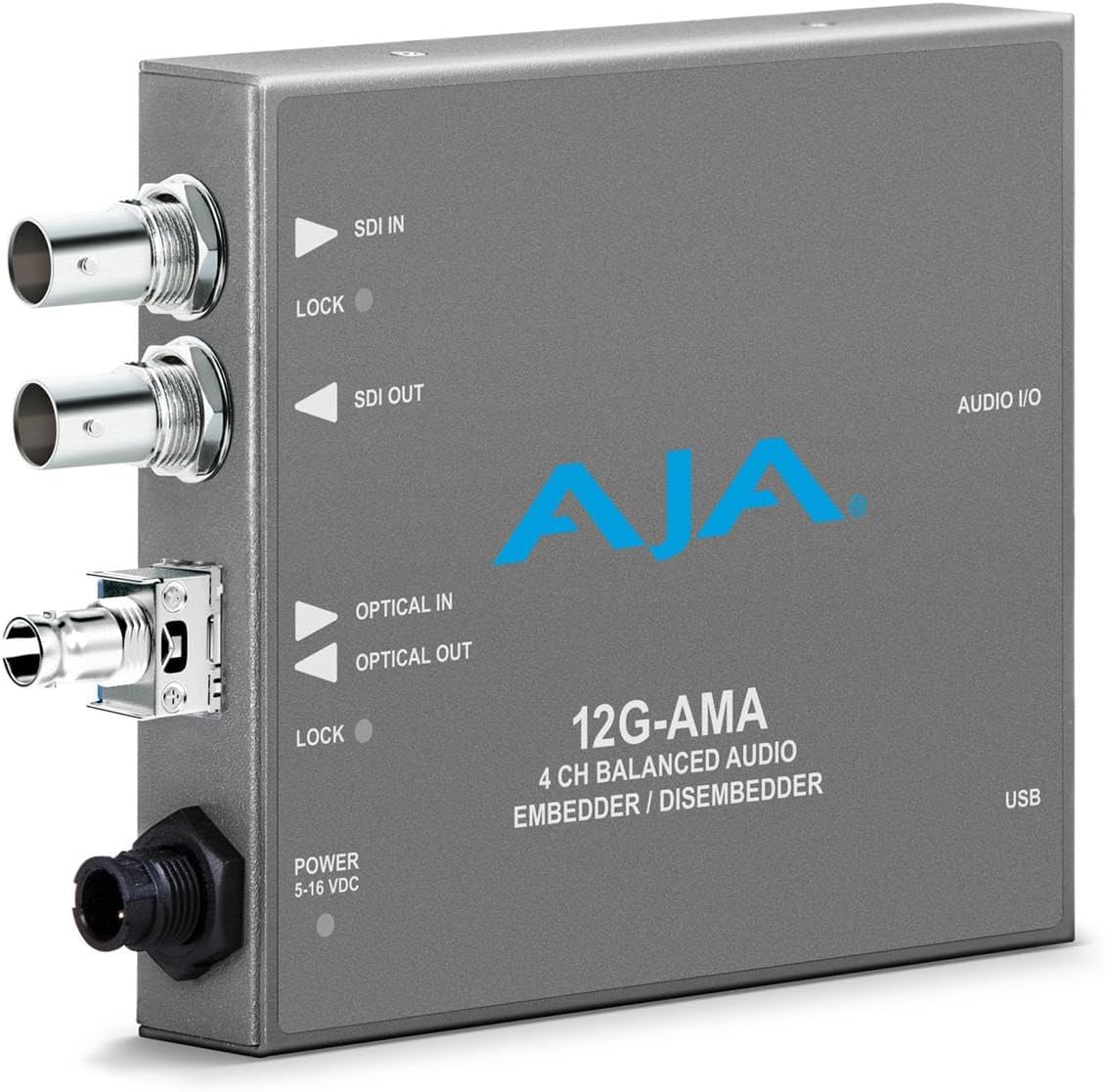
This AJA model targets enterprise environments requiring 12G-SDI embedding with fiber connectivity options. It is designed for high throughput applications where signal integrity over long distances is critical for production success.
We may earn a commission when you buy through this link, at no additional cost to you.
The balanced audio embedding ensures professional sound quality matches the high definition video signal. Fiber options allow for remote signal transmission without the interference issues common in copper cabling environments.
Data limitations in the listing make specific feature assessment challenging. However the price point indicates premium capabilities that justify investment for critical broadcast infrastructure where uptime is essential.
Broadcast engineers needing fiber connectivity for SDI audio should evaluate this unit carefully. It represents a high end solution for facilities with extensive distribution requirements.
Fiber optic options enable long distance signal transmission without signal loss or interference.
Professional balanced audio inputs ensure noise free sound transmission to the SDI output.
We may earn a commission when you buy through this link, at no additional cost to you.
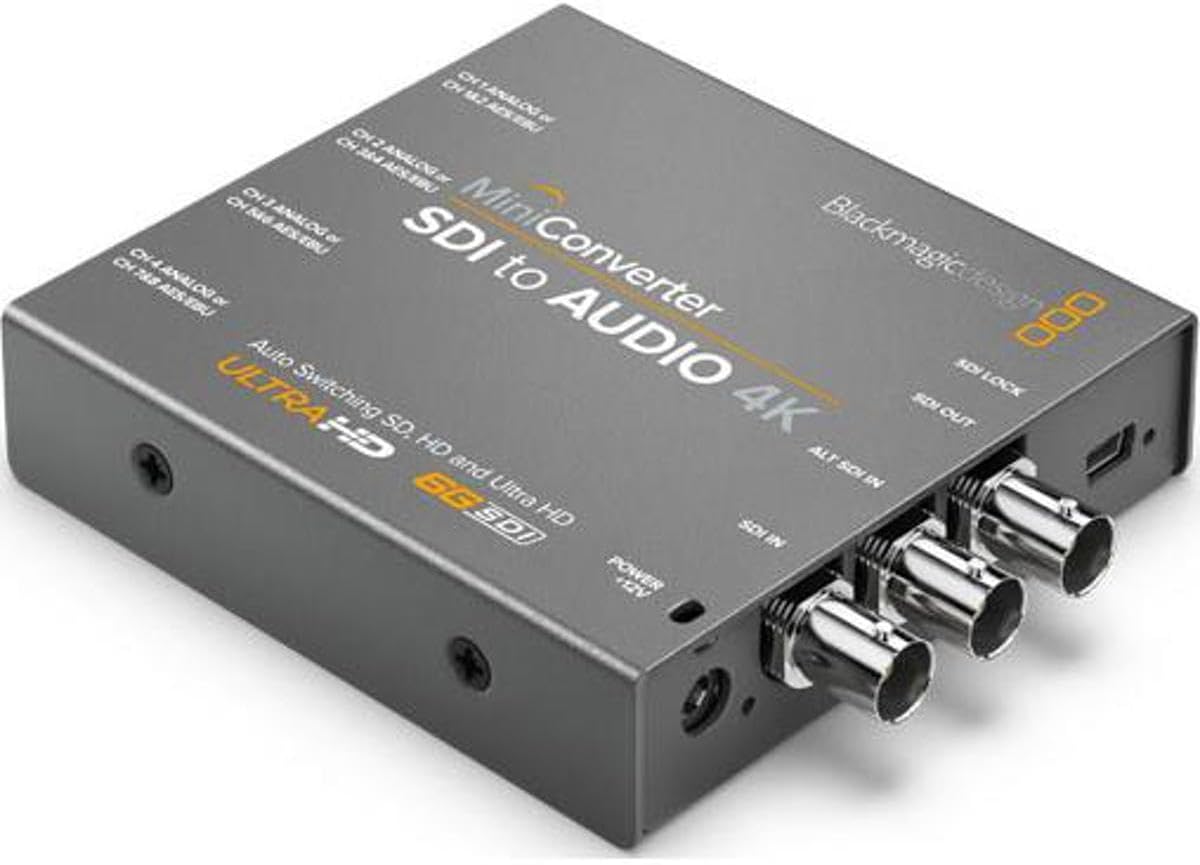
This unit focuses purely on extracting audio from SDI streams for monitoring or recording. It serves as a compact audio extractor that is ideal for environments where you need clean audio signals separately.
We may earn a commission when you buy through this link, at no additional cost to you.
The build quality reflects Blackmagic standards with durable materials and reliable performance. Multinational power adapters make it easy to use in international productions without needing extra gear.
While it does not support video passthrough it excels at its specific task of audio de-embedding. This limitation makes it less versatile but highly effective for focused audio extraction needs.
Post production teams and monitoring stations will find this converter useful. It provides reliable audio output from SDI sources with minimal setup complexity or maintenance requirements.
Included international adapters allow immediate deployment in any country without extra cables.
The small footprint fits easily into dense rack environments or portable production kits.
We may earn a commission when you buy through this link, at no additional cost to you.
This converter transforms SDI signals into analog video and audio formats for legacy displays. It is ideal for facilities still using older monitors that require analog inputs for video monitoring.
We may earn a commission when you buy through this link, at no additional cost to you.
The device handles audio de-embedding to balanced analog or AES/EBU outputs. This flexibility allows you to choose the audio connection type that best fits your existing equipment setup.
The lack of 4K support limits its utility in ultra high definition environments. However for standard HD workflows it provides stable and high quality conversion without significant signal degradation.
Legacy system integrators should consider this unit for analog output requirements. It ensures smooth compatibility between modern SDI sources and traditional analog displays in control rooms.
Convert SDI signals to analog video for use with legacy monitors and displays.
Choose between balanced analog or AES/EBU audio outputs based on your equipment needs.
We may earn a commission when you buy through this link, at no additional cost to you.
This specialized unit extracts audio from 4K SDI signals with support for high channel counts. It is built for environments requiring detailed audio extraction from ultra high definition video streams.
We may earn a commission when you buy through this link, at no additional cost to you.
The device supports eight channels of AES/EBU digital audio ensuring high fidelity output. Reclocking features help maintain signal stability and synchronization across complex production setups.
The redundancy input ensures continuous operation if the main SDI signal fails. While the cost is higher this reliability and capacity justify the investment for critical 4K production workflows.
Broadcast facilities working with 4K content should prioritize this model. It offers the channel count and stability required for professional post production and live production environments.
Extract audio from 4K SDI signals without compromising resolution or quality integrity.
Automatic switching to redundant inputs ensures uninterrupted audio extraction during signal loss.
We may earn a commission when you buy through this link, at no additional cost to you.
This unit converts analog video sources into SDI formats while embedding audio from various inputs. It is essential for facilities transitioning older cameras to modern SDI based infrastructures and systems.
We may earn a commission when you buy through this link, at no additional cost to you.
The device accepts component NTSC and PAL signals converting them to professional SDI output. Embedded audio support ensures you get both video and audio in a single cable stream efficiently.
While it handles basic embedding well it lacks advanced features found in newer models. The settings are simple but may not offer the granularity required for complex audio level adjustments.
Facilities with legacy analog cameras should use this unit for conversion. It bridges the gap between old analog gear and modern digital production systems effectively.
Convert analog component video signals to SDI to maintain compatibility with older cameras.
Embed audio from AES/EBU or analog inputs directly into the SDI video signal.
We may earn a commission when you buy through this link, at no additional cost to you.
This AJA unit focuses on precision audio embedding with ultra-low latency for real-time workflows. It supports 3G-SDI ensuring high resolution video capture and conversion for professional broadcast results.
We may earn a commission when you buy through this link, at no additional cost to you.
The balanced audio I/O via XLR breakout allows seamless integration of high-quality sound. You can customize levels using MiniConfig software for precise control over your audio streams.
Latency as low as 3.2 microseconds ensures synchronization is maintained during live events. While limited to 3G-SDI the performance and software flexibility make it a strong choice for demanding environments.
Live production engineers requiring precise audio levels should choose this model. It offers the control and low latency needed for professional broadcast workflows and events.
Experience minimal delay critical for live video and audio synchronization requirements.
Use MiniConfig software to customize audio levels and settings on your Mac or PC.
We may earn a commission when you buy through this link, at no additional cost to you.
This converter delivers superior audio integration for Ultra HD video production workflows. It automatically detects 4K UHD 2K HD or SD formats to ensure seamless integration with high resolution video systems.
We may earn a commission when you buy through this link, at no additional cost to you.
Support for 4 channels of analog or 8 channels of AES/EBU digital audio provides flexibility. Advanced signal processing ensures high color precision and audio fidelity across your entire production pipeline.
Redundant inputs guarantee uninterrupted video and audio feeds during critical events. While data is limited the high specifications suggest this unit is designed for professional broadcast environments.
Producers working with Ultra HD video should consider this unit. It provides the robust audio embedding and reliability required for high-end broadcast and production workflows.
Handles 4096x2160p30 formats for seamless integration with high resolution workflows.
Automatic switching to redundant inputs ensures uninterrupted feeds if the main input is lost.
We may earn a commission when you buy through this link, at no additional cost to you.
Selecting the right audio to SDI embedder requires understanding your workflow needs and signal formats. Consider these factors to ensure compatibility and performance.
Ensure the embedder supports your highest required resolution such as HD 4K or 12G-SDI. Mismatched resolution capabilities can lead to signal degradation or incompatible outputs.
Choose units that match your camera and monitor specifications for optimal performance.
Check whether the unit accepts analog balanced or digital AES/EBU audio inputs. Your existing microphones and mixers dictate which connection types are necessary.
Select an embedder that matches your current audio hardware to avoid extra conversion steps.
For live events and broadcast redundancy is critical. Models with dual SDI inputs can automatically switch if the main cable fails.
Prioritize units with redundant inputs if your work requires uninterrupted signal reliability.
Traveling productions need universal power supplies with international adapters. Fixed installations may prefer standard power sources depending on location constraints.
Look for units with adaptable power options to ensure operation in any location.
Advanced workflows benefit from software tools like MiniConfig for detailed adjustments. Simple setups can rely on manual settings without the overhead of software.
Decide if you need remote configuration or if physical controls are sufficient.
Metal enclosures protect internal components during transport and installation. Durability reduces the risk of damage and extends the lifespan of the device.
Opt for rugged designs if the unit will be moved frequently or exposed to harsh conditions.
Verify support for specific formats like NTSC PAL or 3G-SDI to avoid compatibility issues. Broad format support ensures the device works with various existing sources.
Choose units that support all standards used in your production environment.
Low latency is vital for live broadcast synchronization and lip-sync accuracy. High latency can cause noticeable delays between video and audio signals.
Select units with minimal latency for real-time production workflows.
Connect your audio input source to the designated XLR or analog port on the embedder. Ensure cables are securely fastened to prevent signal loss during operation.
Link the audio output port to your SDI video source using compatible cables. This routing allows the audio to be embedded directly into the video stream before transmission.
Power on the device and verify the settings match your video resolution and audio sample rate. Use the provided software or manual controls to finalize configuration before broadcasting.
An audio to SDI embedder combines separate audio signals into a single SDI video stream. This simplifies cabling by allowing audio and video to travel together over standard SDI cables.
Redundant inputs are highly recommended for live broadcasts where signal loss is unacceptable. They allow automatic switching to a backup cable if the primary connection fails unexpectedly.
Not all models support 4K. You must check specifications for 12G-SDI or UHD support to ensure the embedder matches your video resolution requirements.
Basic models use manual settings, while advanced ones offer software for precise adjustments. Your workflow complexity determines whether software tools are necessary for your installation.
Most embedders support balanced analog audio and AES/EBU digital audio. These standards ensure compatibility with professional microphones and mixers in broadcast environments.
Some units allow USB firmware updates to add new format support. Check the manufacturer's website for specific instructions on updating your model.
The top picks highlight reliable options for various production needs including the Blackmagic Mini Converter Audio to SDI 2 for general use.
Prioritize redundancy and resolution support to ensure your workflow remains uninterrupted during critical events.
Always check current availability and vendor details before purchasing to confirm compatibility with your specific setup requirements.