
DECSZDY Laptop Charger Replacement
4.7Editor score
45W Smart Blue Tip Adapter
Compatible with Pavilion and Envy
Includes 24/7 Email Support
This comprehensive guide compares the top battery backup solutions for HP laptops, featuring internal replacements, portable chargers, and UPS systems to
Finding a reliable power source for your HP laptop is crucial for productivity and peace of mind. Whether you need an internal battery replacement or an external portable charger, having the right backup ensures you stay connected during outages.
We have carefully evaluated ten top-rated products based on compatibility, safety certifications, and user feedback. Our selection includes internal batteries, wall adapters, and external power banks designed specifically for various HP laptop models.
Each pick highlights key features like capacity, voltage, and protection mechanisms. Please note that prices and availability change frequently, so check the current listings before making your final decision to ensure you get the best deal available today.
4.7Editor score

4.4Editor score

4.4Editor score
The following table provides a side-by-side comparison of all ten selected products to help you quickly identify the best match for your specific HP laptop model and power requirements.


This internal battery offers a robust 5200mAh capacity designed for HP Pavilion G7 series laptops. With a rating of 4.7 stars it delivers reliable power for users needing extended mobility without an external source.
We may earn a commission when you buy through this link, at no additional cost to you.
The 6-cell lithium design ensures consistent voltage output of 10.8V. It is compatible with a wide range of HP notebook series including Compaq Presario and older Pavilion models ensuring broad utility for legacy hardware.
Installation requires opening the laptop chassis which may be tricky for non-technical users. However the certified safety features mitigate risks associated with third-party replacements making it a trustworthy option for revitalizing older devices.
Users seeking to extend the life of their HP G7 laptop will find this replacement ideal. It restores original power performance without relying on external chargers providing a seamless internal power solution.
This battery brings your laptop back to life allowing you to work anywhere without searching for a wall outlet.
Certified with CE FCC and RoHS standards it ensures safe operation and protects your device from electrical hazards.
We may earn a commission when you buy through this link, at no additional cost to you.
This adapter is an excellent budget-friendly choice for those needing a replacement charger. Rated at 4.6 stars it offers 65W output compatible with many HP Elitebook and Pavilion models requiring 45W or 65W power.
We may earn a commission when you buy through this link, at no additional cost to you.
The blue tip connector ensures a secure fit for compatible models. Safety features include short circuit and overvoltage protection which are critical when using non-OEM chargers to maintain device longevity.
The lightweight design makes it easy to carry in a backpack or pocket. While it lacks a premium feel it meets electrical safety standards tested by consumer laboratories providing peace of mind for daily use.
Ideal for students or travelers needing a spare charger this adapter offers great value. It provides reliable power to keep your HP laptop running during long study sessions or commutes.
Its small footprint allows it to slip into any bag making it perfect for on-the-go charging needs.
Listed by consumer testing labs this product meets high standards for electrical safety and design integrity.
We may earn a commission when you buy through this link, at no additional cost to you.
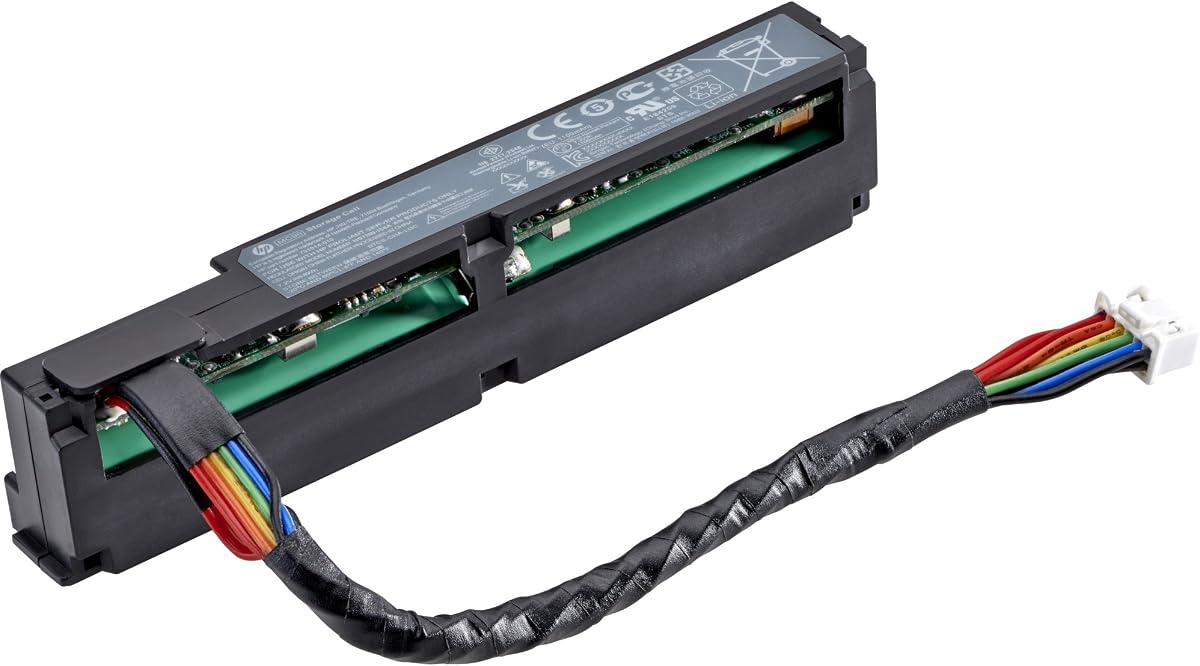
This is a specialized battery for HP Smart Array storage controllers ensuring uninterrupted power during outages. With a perfect 5.0 rating it is essential for maintaining data integrity in enterprise environments running Gen10 servers.
We may earn a commission when you buy through this link, at no additional cost to you.
It supports Smart Array P408e-p and P408i-p models specifically. The lithium ion chemistry provides stable power for the write cache protecting critical data against sudden power loss in business setups.
While expensive it is necessary for mission-critical server infrastructure. It prevents potential data corruption and allows safe shutdown procedures during unexpected power interruptions in data centers.
Server administrators should prioritize this battery for their RAID controllers. It ensures that storage systems remain powered long enough to save data safely during grid failures.
This battery prevents data loss by maintaining power to the cache during unexpected server power failures.
Designed specifically for Gen10 servers it offers the reliability required for mission-critical business storage.
We may earn a commission when you buy through this link, at no additional cost to you.
This UPS system offers comprehensive protection for desktop setups including your HP laptop and peripherals. Rated 4.4 stars it provides battery backup for six outlets and surge protection for six more ensuring total station safety.
We may earn a commission when you buy through this link, at no additional cost to you.
The LCD panel displays detailed power conditions instantly. ECO mode automatically cuts power to peripherals when your computer sleeps reducing energy usage and extending battery backup life during actual outages.
It includes a 3-year warranty covering both the battery and unit. The connected equipment guarantee up to $100,000 adds significant peace of mind for users relying on this unit for hardware safety.
Best for home offices or workstations this UPS ensures you never lose unsaved work. It handles power surges and brownouts seamlessly keeping your laptop safe and operational.
It safeguards your entire desk setup from surges and provides backup power when the grid fails.
ECO mode saves money by turning off unused devices while the computer is in sleep mode.
We may earn a commission when you buy through this link, at no additional cost to you.
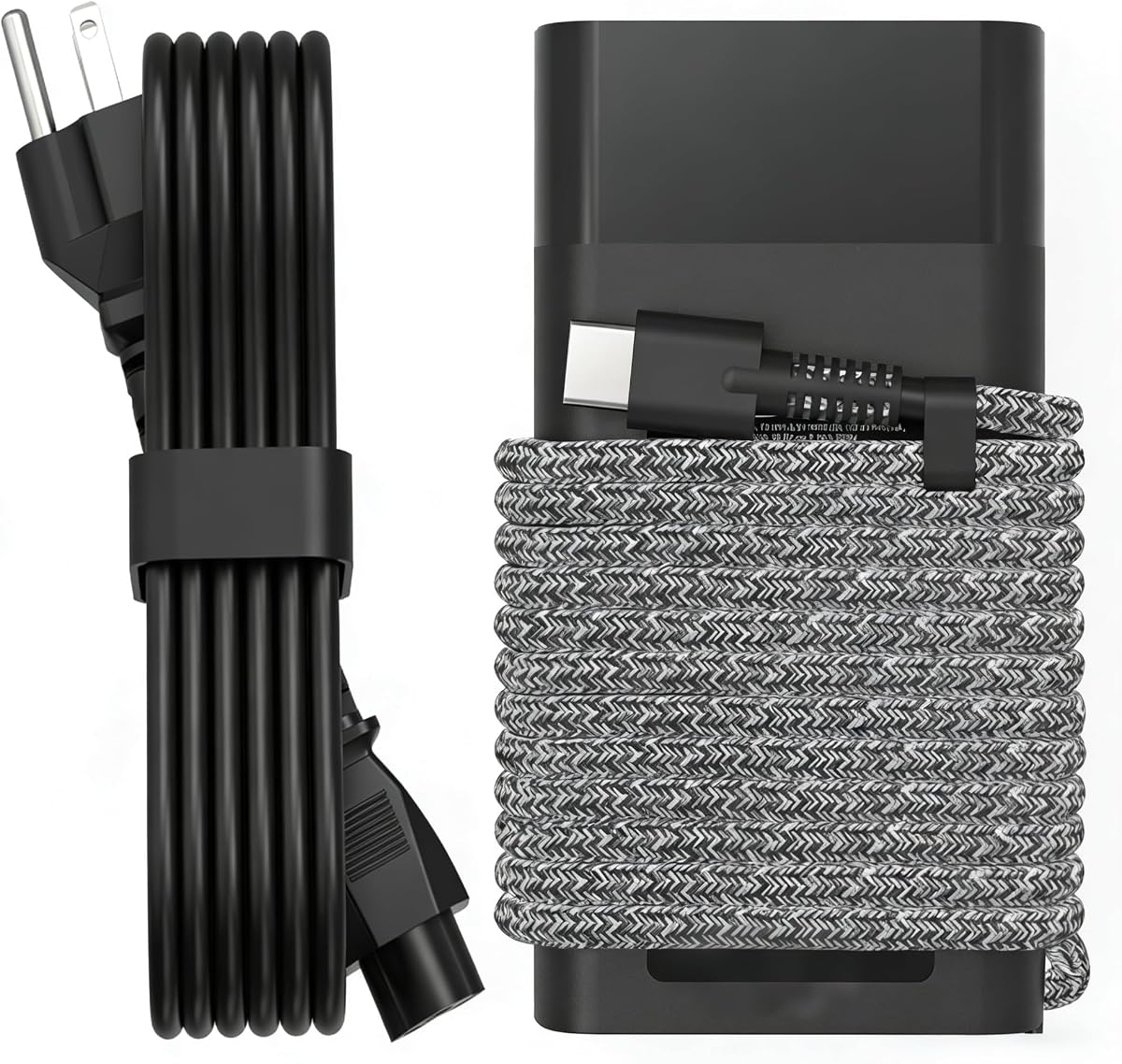
This USB-C charger is perfect for modern HP laptops like Spectre and Elitebook models needing Type-C input. Rated at 4.5 stars it delivers 65W output ensuring fast charging for your device on the go.
We may earn a commission when you buy through this link, at no additional cost to you.
It supports PD standards delivering up to 20V at 3.25A. The versatile design works with Chromebook Dragonfly and other USB-C powered HP laptops making it a great universal replacement.
The compact design fits easily in a travel bag. However some advanced proprietary features found in original chargers might not be present which is typical for third-party USB-C adapters.
For users with newer HP laptops this adapter offers reliable power. It simplifies travel by using a single cable standard that fits your laptop and potentially other devices like tablets.
Deliver up to 65W of power to quickly top up your battery during short breaks or commutes.
The USB-C connector works with a wide range of modern laptops reducing the need for multiple cables.
We may earn a commission when you buy through this link, at no additional cost to you.
This charger is tailored for HP Pavilion laptops needing 65W power through a blue tip. With a 4.6 rating it provides stable power output ensuring your laptop charges reliably without overheating issues.
We may earn a commission when you buy through this link, at no additional cost to you.
It features a flame-retardant housing for safety. The blue tip size is specified as 4.5mm ensuring a secure connection to compatible Pavilion and ProBook models.
Rigorous testing including drop and voltage tests ensures durability. While it serves a specific group of laptops it offers peace of mind regarding safety and performance.
Ideal for Pavilion owners this charger restores full functionality. It is a straightforward and effective solution for replacing lost or damaged original power adapters.
The blue tip design ensures a tight connection to prevent power interruptions during charging.
Passed multiple stress tests this adapter is built to withstand daily wear and tear.
We may earn a commission when you buy through this link, at no additional cost to you.
This replacement adapter offers strong value for those needing a 45W power source. Rated 4.7 stars it supports a wide range of HP models including Pavilion x360 and Split series laptops.
We may earn a commission when you buy through this link, at no additional cost to you.
The blue tip connector ensures compatibility with many popular HP laptops. Safety features include protection against overvoltage and short circuits making it safe for daily use.
Support is available 24/7 which is a strong plus. While the build is basic it performs well for charging needs without demanding a premium price.
Perfect for budget-conscious users this charger gets the job done. It is a reliable backup to ensure your laptop never runs out of power unexpectedly.
Works with many HP models making it a versatile choice for various laptop types.
Access to customer service ensures any issues are resolved quickly.
We may earn a commission when you buy through this link, at no additional cost to you.
This slim charger is designed for modern HP laptops needing USB-C power. Rated 4.4 stars it supports a wide range of models including Zbook Firefly and OmniBook series.
We may earn a commission when you buy through this link, at no additional cost to you.
It includes ten built-in protection measures against issues like overcharging. The slim design makes it easy to carry in a pocket or small bag.
The cable is not included which is a common omission. However the adapter provides reliable power for daily replacement needs ensuring your device stays powered.
Travelers and daily commuters will appreciate the portability. It provides a convenient way to carry a spare charger without bulk.
Built-in protections prevent damage to your laptop from power surges or overheating.
The thin design makes it easy to slip into a small pocket or bag.
We may earn a commission when you buy through this link, at no additional cost to you.
This HP portable battery packs a massive 22400mAh capacity capable of fully charging most HP laptops. Rated 4.4 stars it is a premium option for extending your mobile power significantly.
We may earn a commission when you buy through this link, at no additional cost to you.
The square design is contemporary and travels easily. It also works with tablets and smartphones offering a versatile power bank for all your devices.
It requires a separate charger to recharge the battery itself which adds a step. However the surge protection keeps your laptop safe from power fluctuations during connection.
Ideal for long trips without access to outlets this unit ensures you stay powered. It provides the peace of mind of an official HP accessory.
Charge a tablet up to three times and a laptop fully multiple times on a single charge.
Official HP branding guarantees compatibility and build quality for your devices.
We may earn a commission when you buy through this link, at no additional cost to you.
This battery serves as a backup for HP DL ML and SL servers. With a perfect 5.0 rating it ensures uninterrupted power for storage arrays during unexpected power loss.
We may earn a commission when you buy through this link, at no additional cost to you.
The 96W capacity maintains data integrity for critical storage systems. It is built to precise dimensions fitting exactly into compatible smart storage controllers.
While expensive and specific it is a vital part of server infrastructure. It prevents data corruption by ensuring safe shutdowns during outages.
Data center professionals should consider this unit for reliability. It guarantees that server storage remains protected during power disruptions.
This battery ensures your server storage systems stay powered during critical moments.
Designed specifically for HP storage controllers to ensure a perfect mechanical and electrical fit.
We may earn a commission when you buy through this link, at no additional cost to you.
Choosing the right battery backup requires understanding your specific power needs and hardware compatibility. This guide helps you navigate the key factors to consider.
Ensure the product matches your specific laptop model number or part number. Internal batteries must align exactly with the chassis and connector pins.
Check the official HP documentation to verify the correct voltage and connector type before purchasing any replacement.
HP laptops use various connector types including the Smart Tip (4.5mm or 7.4mm) and USB-C. Mismatched connectors can damage your laptop.
Always verify the tip size and shape match your existing charger or port to ensure a safe connection.
For internal replacements look for mAh ratings similar to your original battery to maintain standard runtimes. External power banks should have enough Wh to charge your device multiple times.
Higher capacity means longer usage time but may add weight or bulk to your device.
Look for safety certifications like CE FCC or UL. These ensure the product meets electrical safety standards and includes protections against overvoltage or short circuits.
Avoid unbranded products lacking certification as they pose a risk to your hardware.
If you need a backup for travel consider the weight and size of external chargers or power banks. Slimmer adapters are easier to carry in a bag.
Internal batteries do not affect portability but you need to be comfortable with installation.
Reputable sellers often provide warranties ranging from 30 days to a lifetime. This protects you against defective units.
Check the seller's customer service availability to resolve any compatibility or installation issues quickly.
For USB-C chargers ensure they support Power Delivery (PD) standards. This guarantees the correct voltage and amperage for fast charging.
Standard USB-A chargers may not provide enough power for high-performance laptops.
While OEM parts are reliable third-party options often offer better value. Balance your budget with the need for reliability and safety.
Avoid extremely cheap products that compromise on build quality or safety features.
Before installing a new internal battery ensure the laptop is completely powered off and disconnected from any power source. Carefully remove the old battery following the manufacturer instructions to avoid damaging any internal connectors.
For external adapters simply plug the AC cord into a wall outlet and connect the adapter tip to your laptop. Ensure the connection is firm before charging your device to maintain stable power flow.
Store your devices in a cool dry place away from direct sunlight to prolong battery life. Avoid leaving external battery packs fully charged or empty for extended periods to maintain their health.
Yes it is safe provided the charger has proper safety certifications like CE or FCC. Ensure the voltage and wattage match your original charger exactly to prevent damage to your device.
Check the part number printed on your existing battery inside the battery compartment. Use this number to search for compatible replacements or consult the HP specifications.
Older laptops require specific barrel connectors so a USB-C charger will not work unless your device has a USB-C power port. Check your laptop's manual for supported connection types.
This might be due to an aging battery or high-power usage during charging. Ensure your laptop is in sleep mode when using a portable power bank to conserve energy.
Yes many UPS systems include outlets suitable for laptops. Ensure you plug your laptop into the battery backup outlets rather than just the surge-only outlets for protection.
Stop installation immediately if it does not fit. Forcing it can damage the chassis or connectors. Double-check your model number and return the product for a correct replacement.
Typically batteries last two to four years depending on usage. Replace yours if it fails to hold a charge or the health status in settings drops significantly.
No only laptops designed for 45W will work correctly. Using a lower wattage charger on a 65W laptop may result in slow charging or no charging under load.
We have reviewed ten top options ranging from internal replacements to external UPS systems. The choice depends on whether you need internal power restoration or external backup support.
Prioritize safety certifications and exact compatibility for your model. Whether you pick a budget charger or a premium battery the right fit ensures reliable operation.
Remember to check the latest product listings for current pricing and availability. Select the solution that best matches your daily usage habits and mobility needs.