
Brailliant BI 40X Braille Display
5.0Editor score
40-cell refreshable display
32GB internal storage
Bluetooth 5 technology
Discover the top 10 Braille displays for blind users in October 2026, comparing refreshable models, slates, and keyboards for accessibility and literacy.
Finding the right Braille display can transform how blind users interact with digital content. Whether you need a portable slate for notes or a high-tech refreshable unit for screen readers, the right tool empowers independence and efficiency in daily tasks.
We evaluated ten distinct products ranging from premium electronic displays to manual writing slates. Our analysis focused on build quality, compatibility with devices, ease of use, and overall value to ensure you find a solution that fits your specific accessibility needs.
Each selection highlights unique strengths like battery life, cell count, or portability. While prices fluctuate over time, these picks represent the current landscape of accessibility technology. Always verify the latest details before purchasing to ensure the device meets your current requirements.
5.0Editor score

4.8Editor score

4.0Editor score
This table provides a side-by-side overview of key specifications for all ten selected products. Use it to quickly compare display sizes, materials, and unique features to narrow down your options.




The Brailliant BI 20X stands out as a top choice for users seeking a reliable refreshable braille display. It offers a compact form factor that fits easily into daily workflows while maintaining full access to digital content through screen readers.
We may earn a commission when you buy through this link, at no additional cost to you.
Its standout feature is the ability to connect to five Bluetooth devices simultaneously, making switching between phones and computers seamless. The onboard KeySoft Lite apps provide essential tools like calculators and editors, reducing the need for external software.
While the price reflects its advanced capabilities, the build quality and battery life justify the investment. Users report that the 20-cell display is sufficient for most reading tasks, though those needing wider views might consider larger models.
This device is ideal for students or professionals who need consistent access to text on the go. Its integration with major libraries like Bookshare makes it a powerful tool for research and leisure reading alike.
The ability to connect to multiple devices at once ensures you never have to disconnect and reconnect cables when switching tasks.
Built-in apps like the calculator and editor mean you can handle daily tasks without needing to open separate applications on your phone.
We may earn a commission when you buy through this link, at no additional cost to you.
For users who demand the best viewing experience, the Brailliant BI 40X offers a spacious 40-cell display. This larger area allows for reading more text at once, reducing the need for constant scrolling during long sessions.
We may earn a commission when you buy through this link, at no additional cost to you.
The inclusion of Bluetooth 5 technology ensures a more stable and faster connection compared to older standards. This is particularly useful when streaming audio or syncing large files from a computer to the device.
With 32GB of internal storage, you can store a vast library of books and documents directly on the display. This is a significant upgrade from the 16GB found in the 20X model, making it perfect for heavy readers.
Although it comes at a premium price, the comfort and efficiency gains make it worth the cost for power users. It is the ideal choice for those who spend hours daily reading or working on a computer.
The 40-cell display reduces eye strain and finger fatigue by showing more context per line of text.
Bluetooth 5 ensures your connection remains stable even when moving between rooms or dealing with wireless interference.
We may earn a commission when you buy through this link, at no additional cost to you.
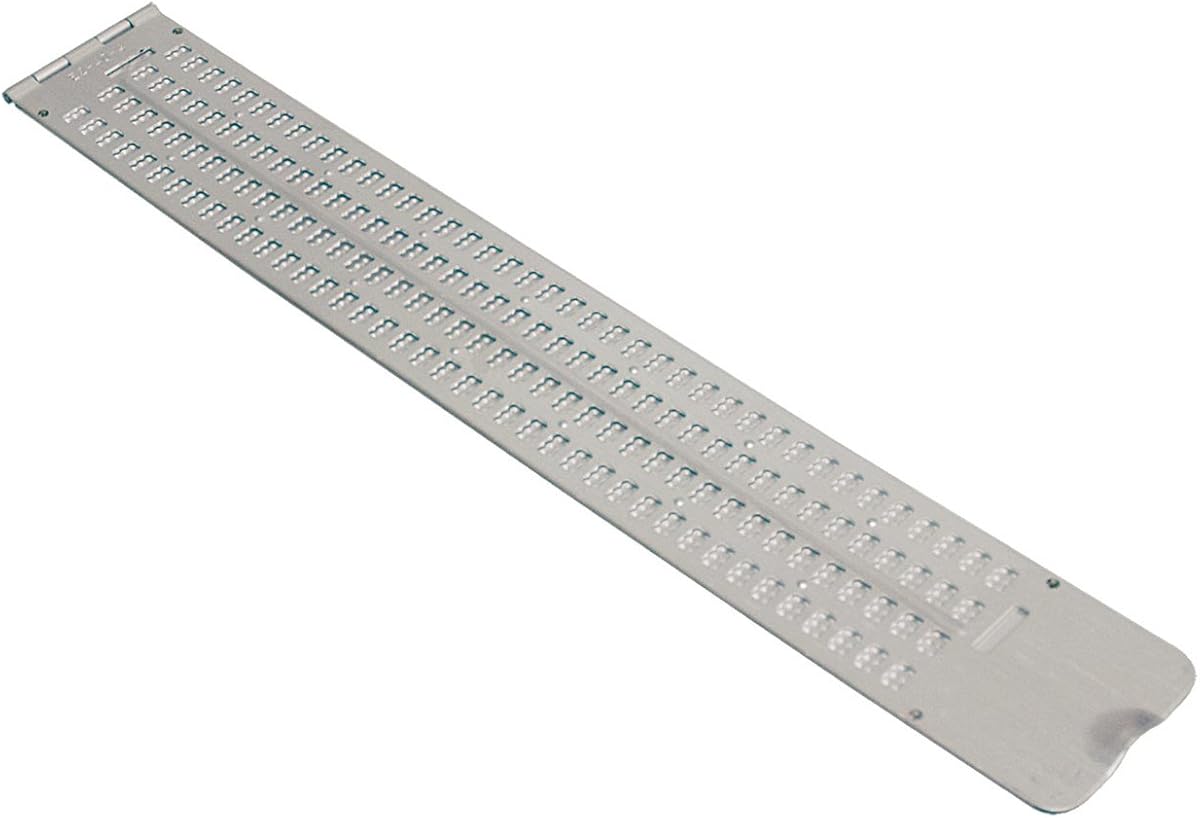
The Full-Page Slate provides an accessible and affordable way to take notes without relying on electronics. It holds a standard letter-sized sheet of paper, allowing users to write entire pages without needing to move the slate.
We may earn a commission when you buy through this link, at no additional cost to you.
Made from durable plastic, this slate is designed to be used quietly in shared spaces like libraries or offices. This feature is especially appreciated by users who do not want to disturb others while taking notes.
Unlike electronic displays, this slate requires no charging and has no risk of software failure. It is a purely mechanical tool that focuses on the tactile experience of writing and reading braille.
This product is best suited for students or hobbyists who want to practice braille writing or keep paper notes. It serves as a reliable backup to digital devices or as a primary tool for quick scratch work.
Writing on a full sheet of paper means you can focus on content without constantly shifting your slate position.
Plastic slates produce less sound than metal ones, making them ideal for quiet environments like classrooms or meetings.
We may earn a commission when you buy through this link, at no additional cost to you.
The Brailliant BI 20X serves as an excellent entry point into refreshable braille displays. It offers most of the premium features of its larger sibling but in a more compact and cost-effective package.
We may earn a commission when you buy through this link, at no additional cost to you.
Its 20-cell display is perfect for short text tasks like emails or messages. The device connects easily to phones and computers, allowing users to read content directly on the braille display.
While it has less storage than the 40X, the included 16GB is sufficient for most users. The onboard apps for editing and calculating add significant value without needing external software.
This model is ideal for users who prioritize portability over large viewing areas. It fits easily in a bag and provides all the essential tools needed for daily digital interaction.
You get the core benefits of a refreshable display without paying for the larger screen size you might not need.
The smaller form factor makes it easier to carry around campus or to work without adding bulk to your bag.
We may earn a commission when you buy through this link, at no additional cost to you.
This slate is designed specifically for writing on standard North American paper. It eliminates the frustration of having to move a small slate constantly when trying to write long notes or assignments.
We may earn a commission when you buy through this link, at no additional cost to you.
The plastic construction ensures that the slate is lightweight and durable enough for regular use. It also reduces the noise made when embossing braille, which is a consideration in quiet environments.
Because it uses paper, users can save physical copies of their work easily. This is useful for people who prefer keeping hard copies of notes or for sharing documents with sighted individuals.
It is a practical tool for students who need a reliable way to take notes during lectures. It works well alongside electronic devices, offering a simple backup for writing tasks.
Writing on paper allows you to keep a physical record of your thoughts without worrying about digital storage.
With no moving parts or electronics, this slate is built to last and can be used for many years.
We may earn a commission when you buy through this link, at no additional cost to you.
Students will appreciate the ability to write full pages of notes without interruptions. This slate is designed to stay with a sheet of paper so you can write freely until the page is full.
We may earn a commission when you buy through this link, at no additional cost to you.
The quiet operation of the plastic material makes it suitable for use in classrooms. It ensures you can take notes without creating noise that might distract others nearby.
Although it is larger than pocket slates, its durability makes it a good companion for daily school use. It can handle the bumps and wear of being carried in a backpack with care.
This tool is a great addition to a student's toolkit alongside a digital device. It allows for quick notes and assignments without needing to charge a battery or worry about connectivity.
The quiet plastic design ensures your note-taking does not disturb the learning environment around you.
At an affordable price, this slate is accessible for students who need a reliable writing tool without breaking the budget.
We may earn a commission when you buy through this link, at no additional cost to you.
The Hable One offers a unique solution for typing text on mobile devices using braille. It is a small keyboard that connects to phones, allowing users to type privately and accurately without needing a screen.
We may earn a commission when you buy through this link, at no additional cost to you.
Its compact design means it fits in a pocket, making it perfect for on-the-go use. The battery lasts over a month on a single charge, so you do not need to worry about recharging frequently.
This device works well with built-in screen readers like VoiceOver or TalkBack. It enhances accessibility by giving users a dedicated input method that feels more tactile than a virtual keyboard.
Ideal for users who want a private way to type text messages or emails, this keyboard is a great add-on. It does not replace a braille display but complements a phone by providing a better input experience.
Type directly on the device without needing to look at a screen, maintaining privacy and comfort.
With a month of battery life, this keyboard is always ready when you need it without constant charging.
We may earn a commission when you buy through this link, at no additional cost to you.
The 40-cell display offers the widest viewing area available in this lineup. This allows users to read more text at once, which is helpful for complex documents or code.
We may earn a commission when you buy through this link, at no additional cost to you.
It features the latest Bluetooth 5 technology for a stable and fast connection. This ensures smooth operation when syncing files or reading from devices with high data rates.
With 32GB of storage, users can store thousands of books and documents. This makes it a great companion for avid readers who travel with large libraries.
While the price is high, the features justify the cost for power users. It is the best choice for those who need maximum screen real estate and performance.
The 40 cells provide a broader context for reading, reducing the need to navigate constantly.
Bluetooth 5 ensures your device remains compatible with the latest standards for years to come.
We may earn a commission when you buy through this link, at no additional cost to you.
This manual slate offers a traditional way to write braille on paper. It has a standard size that is easy to carry and use for quick notes or practice.
We may earn a commission when you buy through this link, at no additional cost to you.
The aluminum construction makes it sturdy and resistant to daily wear. It is a reliable tool for students or anyone learning braille writing basics.
Since it comes with a stylus, you do not need to buy extra accessories to start writing. This adds to its value as an entry-level writing tool.
It is best used for short notes or learning exercises. While it lacks electronic features, its simplicity makes it easy to use without frustration.
Learn the fundamentals of braille using a classic manual tool that has been used for years.
Aluminum construction ensures this slate will withstand regular use without bending or breaking.
We may earn a commission when you buy through this link, at no additional cost to you.
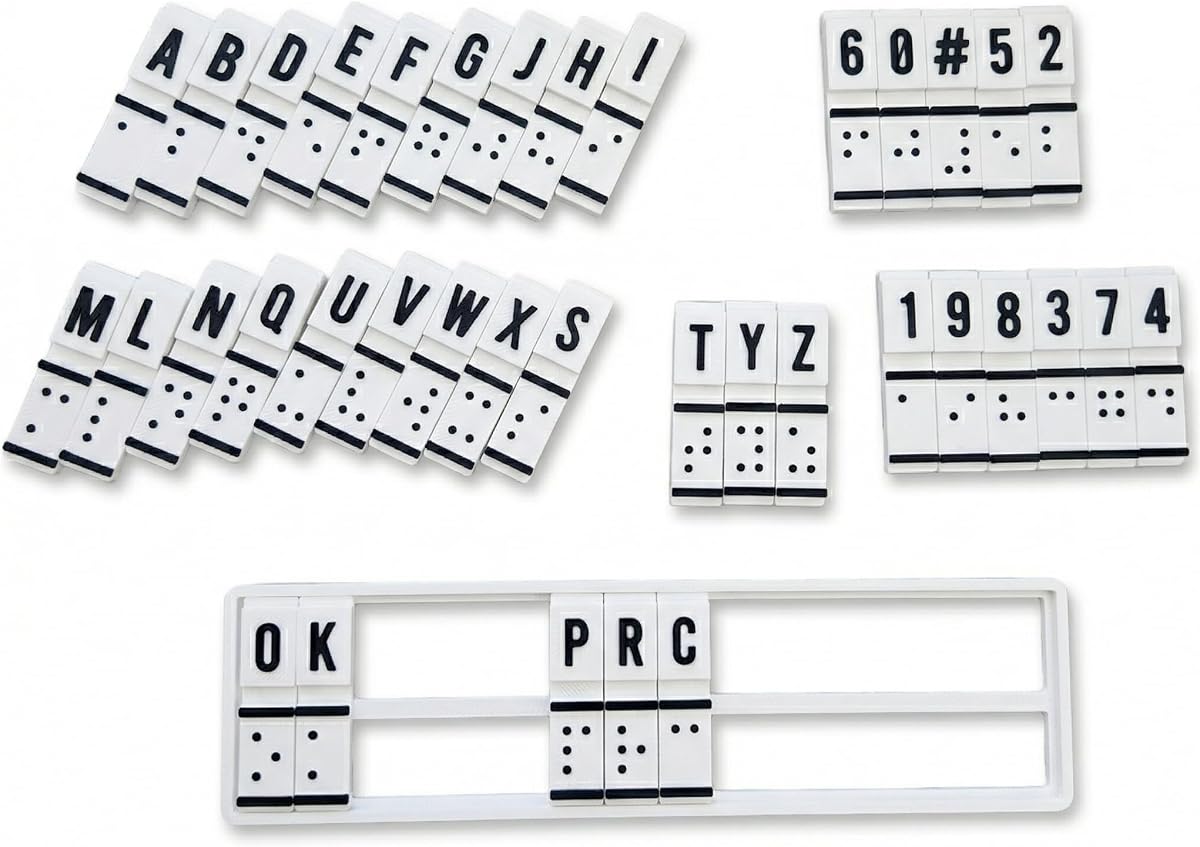
This tool is designed to help beginners learn braille through tactile interaction. It combines learning and translation in a simple package that is easy to carry.
We may earn a commission when you buy through this link, at no additional cost to you.
The interactive design allows users to feel and create braille patterns directly. This hands-on approach can help build muscle memory and confidence in literacy skills.
While it is a useful aid for education, it is not a substitute for a full display. It is best used as a supplementary tool for practice and training sessions.
Educators and parents might find this useful for teaching basic concepts. It provides a simple way to bridge the gap between text and braille for new learners.
Feel the dots directly to understand braille patterns without needing a computer screen.
Take this tool anywhere to practice your braille skills in different environments.
We may earn a commission when you buy through this link, at no additional cost to you.
Selecting the right braille display involves balancing your specific needs with the features available. This guide breaks down the key factors to help you make an informed decision.
The number of cells on a refreshable display determines how much text you can see at once. Smaller displays like 20 cells are compact and affordable, while larger ones like 40 cells offer more context for reading.
Choose a size that fits your usage habits. If you read long documents, a 40-cell display is beneficial, but for short messages, a 20-cell unit may suffice.
Ensure the display connects to your devices via Bluetooth or USB. Modern devices should support multi-device connections so you can switch between a phone and computer easily.
Check if the display is compatible with your operating system and screen reader software to avoid connectivity issues.
Battery life is crucial for portable use. Look for models that offer all-day power or longer to avoid frequent charging interruptions.
Devices with USB-C charging are more convenient and future-proof. A battery that lasts 20 hours or more is ideal for daily use.
Manual slates are affordable and do not require power, making them good for notes or practice. Electronic displays offer dynamic text and integration with digital devices.
Decide whether you need a dynamic reading tool or a simple writing aid to narrow down your options.
Durable materials like aluminum or high-quality plastic ensure the device withstands daily wear. Check the construction to ensure it fits your lifestyle needs.
A robust build is essential for users who carry their devices frequently in bags or backpacks.
Some refreshable displays come with internal storage for books and documents. More storage means you can carry more content without relying on the cloud.
If you travel often with large libraries, opt for a model with higher storage capacity.
Prices vary significantly between manual slates and premium electronic displays. Set a budget that balances your needs with what you can afford.
Remember that a higher price often comes with better features like larger screens and longer battery life.
Onboard apps like editors and calculators add value to a display. Check what software is included to enhance productivity.
Ensure the device supports the apps you use daily for work or study.
Start by charging your device fully and connecting it to your computer or phone via Bluetooth. Follow the pairing instructions carefully to ensure a stable connection.
Use the cursor routing keys to navigate text easily. Practice typing and reading on the display to get comfortable with the layout and functionality.
Keep the device clean and store it in a protective case when not in use. Avoid exposing it to extreme temperatures or moisture to maintain longevity.
Most modern braille displays are designed to work with major screen readers like NVDA, JAWS, and VoiceOver. However, it is always best to check the manufacturer's compatibility list before buying to ensure support for your specific software version.
A braille slate is a manual tool used to emboss braille on paper, while a refreshable display is an electronic device that shows digital text in braille. Slates are simpler and cheaper, but displays offer dynamic interaction with digital content.
Most quality refreshable displays offer around 20 hours of battery life. Some models may vary, so it is important to check the specifications if you need a device that lasts all day without recharging.
Yes, many braille displays connect to smartphones via Bluetooth. This allows you to type and read directly on the device using your phone's screen reader or keyboard input.
Most devices connect as standard HID or BRLTTY devices, meaning they work without special drivers. However, some advanced features might require additional software for full functionality on certain systems.
Use a soft, dry cloth to wipe the cells and keys. Avoid using liquids or harsh chemicals as they can damage the sensitive components inside the display.
We have explored a range of options from the powerful Brailliant BI 40X to affordable manual slates. Each product serves different needs depending on your budget and usage habits.
When choosing, prioritize factors like display size and connectivity. These elements determine how comfortably you can interact with your devices on a daily basis.
Prices and availability may change, so check the latest details before purchasing. We hope this guide helps you find the perfect tool to enhance your digital access.