
SANSUI 34-Inch Curved Gaming Monitor
4.4Editor score
200Hz refresh rate
UWQHD resolution
Curved VA panel
Finding a cheap ultrawide monitor that balances performance and cost can be challenging. You need a screen that offers immersive visuals without breaking the bank. This guide helps you navigate the options available.
We evaluated ten top models based on resolution, refresh rate, and panel technology. Our analysis focuses on value for money while ensuring reliable performance for daily tasks and entertainment.
Each pick highlights specific strengths and potential trade-offs to help you decide. Prices and availability change often, so verify details before purchasing to get the best deal.
4.4Editor score
4.3Editor score

4.5Editor score
As an Amazon Associate we earn from qualifying purchases.
Here is a side-by-side comparison of all ten models to help you see their key differences at a glance.


The SANSUI 34-Inch Curved Gaming Monitor stands out as an excellent budget option for those seeking immersive visuals. With a strong rating from users, it delivers sharp images and smooth motion at a fraction of the cost of premium models.
We may earn a commission when you buy through this link, at no additional cost to you.
Its 200Hz refresh rate ensures fluid gameplay, while the 3440 x 1440 resolution provides crisp text and detailed graphics. The included AI features like blue light reduction and crosshair support add value without needing extra software.
While the lack of speakers might require external audio, this trade-off is acceptable for the price. The stand offers tilt and VESA compatibility, allowing for flexible setup options on any desk.
This monitor is ideal for gamers and students on a tight budget who need performance. It balances cost and features effectively, making it a top choice for affordable ultrawide displays.
The 200Hz refresh rate ensures smooth motion during intense gaming sessions.
High specs like UWQHD and AI features are available at a very low price.
We may earn a commission when you buy through this link, at no additional cost to you.
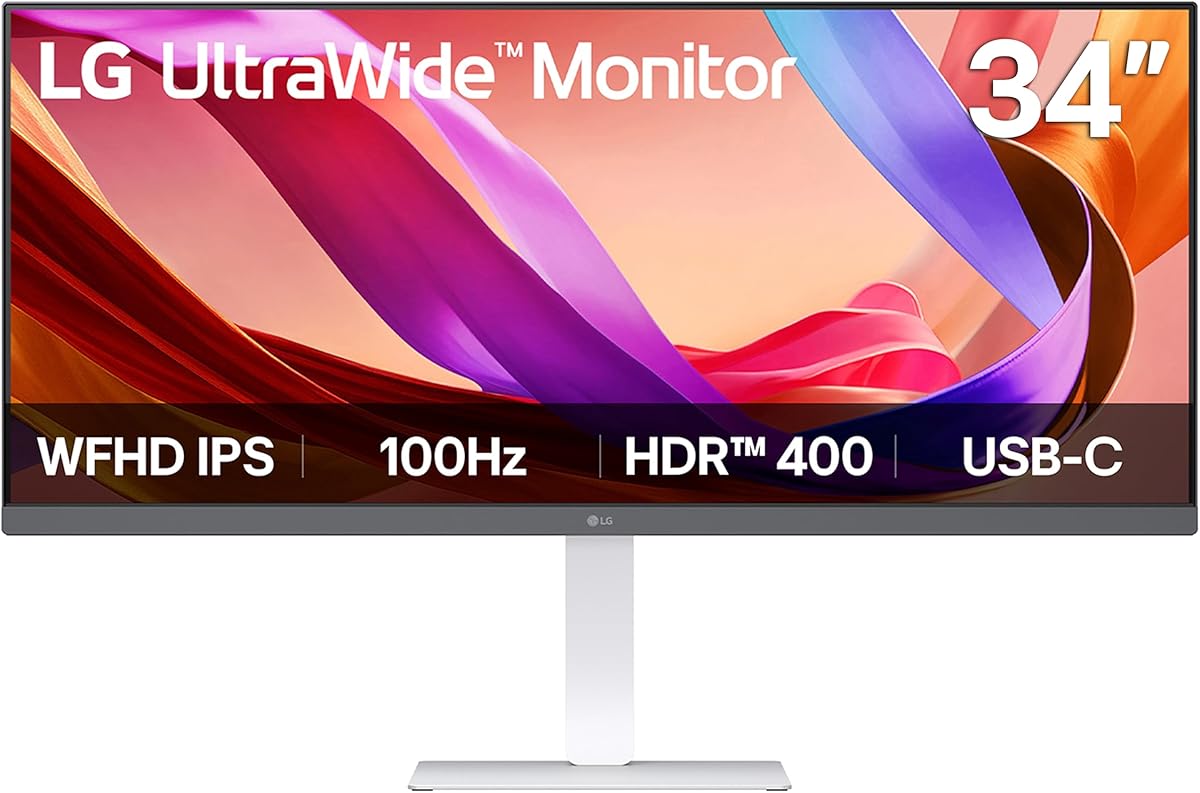
The LG 34U530A-W offers a balanced experience for work and entertainment. Known for its IPS panel, it delivers vibrant colors and wide viewing angles that make multitasking comfortable and efficient.
We may earn a commission when you buy through this link, at no additional cost to you.
Its USB-C connectivity simplifies desk setups by powering laptops while displaying content. The ergonomic stand allows height, tilt, and swivel adjustments, ensuring you can find a comfortable viewing position easily.
While the WFHD resolution is lower than UWQHD, it is sufficient for most productivity tasks. The built-in speakers provide decent audio for video calls without needing extra hardware.
This model is perfect for professionals who value color accuracy and connectivity. It is a reliable choice for those seeking an easy-to-use ultrawide monitor with premium features.
IPS technology ensures consistent colors from any viewing angle.
USB-C port supports display and charging with one cable.
We may earn a commission when you buy through this link, at no additional cost to you.
The MSI PRO MP341CQ E12 is designed for productivity and casual gaming. Its UWQHD resolution provides sharp text and images, making it a strong contender for office work or media consumption.
We may earn a commission when you buy through this link, at no additional cost to you.
MSI’s Eye-Q Check and TÜV certifications help reduce eye strain during long sessions. The 120Hz refresh rate adds smoothness to motion, which is a nice addition for the price point.
The stand is limited to tilt, but VESA mounting allows you to attach a third-party arm. Speakers are included for basic audio needs, saving you from immediate purchases.
This monitor suits users who prioritize clarity and eye care. It offers a practical solution for those needing a large screen without excessive cost.
Certified low blue light reduces fatigue during long use.
UWQHD resolution offers crisp details for text and photos.
We may earn a commission when you buy through this link, at no additional cost to you.
The LG 34WR55QK-B is a solid choice for office environments and media streaming. Its high user rating reflects satisfaction with color quality and ergonomics. The curved design enhances immersion without sacrificing clarity.
We may earn a commission when you buy through this link, at no additional cost to you.
Features like OnScreen Control allow quick window management for better workflows. USB-C power delivery charges laptops efficiently, reducing cable clutter. HDR10 support makes videos and games pop with vibrant colors.
The 5ms response time is acceptable for general use but might lag in fast-paced gaming. The adjustable stand ensures comfort, which is vital for long workdays at the desk.
Ideal for office workers and content consumers, this monitor balances features well. It provides a comfortable viewing experience with modern connectivity options.
OnScreen Control app simplifies window management on large screens.
HDR10 support enhances contrast and color depth for media.
We may earn a commission when you buy through this link, at no additional cost to you.
The LG 34U650A-B focuses on comfort and connectivity. Its IPS panel ensures consistent visuals across angles, making it great for collaborative work or shared viewing. The curved screen wraps around your vision naturally.
We may earn a commission when you buy through this link, at no additional cost to you.
USB-C offers up to 96W charging, which can power even high-performance laptops. DepthSound speakers provide rich audio for calls and media, reducing the need for external hardware.
While it is pricier, the build quality and features justify the cost. Reader Mode helps reduce eye strain, ensuring you can work longer without discomfort.
This model is best for users who need a high-end experience on a budget. It combines powerful features with a comfortable design for daily use.
96W USB-C power delivery supports powerful laptops.
DepthSound technology delivers rich bass and clear highs.
We may earn a commission when you buy through this link, at no additional cost to you.
Samsung’s ViewFinity S50GC is built for office environments. The ambient light sensor adjusts brightness automatically, saving energy and reducing eye strain. HDR10 brings colors to life for detailed design work.
We may earn a commission when you buy through this link, at no additional cost to you.
AMD FreeSync ensures smooth visuals during multitasking or media playback. PIP and PBP modes allow you to view two inputs simultaneously, maximizing the screen's potential.
The 5ms response time is standard for office use but may lag in fast gaming. The borderless design looks sleek and professional, fitting well in corporate settings.
Perfect for offices and professionals, this monitor offers comfort and efficiency. It handles multiple tasks well while protecting your eyes from fatigue.
Ambient light sensor optimizes screen brightness for your room.
PIP and PBP allow viewing two sources at once.
We may earn a commission when you buy through this link, at no additional cost to you.
The Samsung ViewFinity S50GC is a robust choice for multitasking. Its ultrawide screen allows you to spread out windows comfortably. The thin bezels enhance the immersive feel when using multiple monitors.
We may earn a commission when you buy through this link, at no additional cost to you.
HDR10 and AMD FreeSync ensure that both static and moving images look sharp. The ambient light sensor helps adjust settings based on room lighting, reducing eye strain automatically.
While response time is not the fastest, it is adequate for general work. The included software and hardware features make it a strong tool for productivity.
Best for professionals who need space and clarity. It supports efficient workflows while keeping eyes comfortable throughout the day.
Ultrawide QHD maximizes screen real estate for apps.
HDR10 provides deep contrast for detailed images.
We may earn a commission when you buy through this link, at no additional cost to you.
The CRUA 34 Inch 165Hz delivers fast gaming performance on a budget. The IPS panel ensures colors remain vivid even at extreme angles, and the 165Hz refresh rate provides smooth motion for competitive play.
We may earn a commission when you buy through this link, at no additional cost to you.
Dual HDMI and DisplayPort inputs allow easy switching between devices. The built-in speakers are adequate for casual use, though serious gamers might prefer headphones for focus.
Contrast is lower compared to VA panels, but the color accuracy compensates for this. It is a great option for gamers who value smooth visuals and wide viewing angles.
This monitor is ideal for budget-conscious gamers seeking high refresh rates. It balances performance and cost effectively for entry-level ultrawide gaming.
165Hz refresh rate ensures smooth gameplay without tears.
Multiple ports let you connect PC and console easily.
We may earn a commission when you buy through this link, at no additional cost to you.
The Acer Nitro 29.5in offers speed at a very low cost. With a 200Hz refresh rate and AMD FreeSync Premium, it eliminates tearing for a smooth gaming experience. The curved screen wraps around your field of view.
We may earn a commission when you buy through this link, at no additional cost to you.
The 2560 x 1080 resolution is lower but sufficient for fast action where fluidity matters more than crisp text. The 1ms response time ensures quick reactions in fast-paced games.
Adjustments are limited to tilt, but the price makes up for it. It is a great choice for budget gamers who prioritize motion clarity over pixel density.
This monitor is best for entry-level gaming setups. It provides high refresh rates and smooth visuals without breaking the bank.
200Hz refresh rate keeps action scenes smooth.
1800R curve enhances depth and focus in games.
We may earn a commission when you buy through this link, at no additional cost to you.
The KTC 34 Inch Ultrawide delivers premium specs at a competitive price. Its HVA panel offers excellent contrast for deep blacks and vibrant colors. The 180Hz refresh rate ensures smooth motion for gaming and multimedia.
We may earn a commission when you buy through this link, at no additional cost to you.
Full ergonomic adjustability including pivot and height allows perfect positioning for long sessions. The three-year warranty and responsive support add peace of mind for buyers concerned about durability.
While it lacks USB-C, the DP and HDMI options cover most needs. The high contrast ratio makes it a strong candidate for media consumption and gaming alike.
This monitor is ideal for users seeking high performance without the premium brand tag. It offers excellent value for money in the ultrawide category.
HVA panel provides 4000:1 contrast for dark scenes.
Full ergonomics including pivot help reduce neck strain.
We may earn a commission when you buy through this link, at no additional cost to you.
Selecting the right monitor involves evaluating several technical aspects to match your needs and budget effectively.
Resolution determines how sharp text and images appear on screen. Ultrawide monitors typically offer WFHD or UWQHD. UWQHD provides more pixels for detailed work.
Choose UWQHD for productivity and design work where detail matters.
Refresh rate affects how smooth motion looks during gaming or video playback. Higher rates like 165Hz or 200Hz reduce blur and tearing. Look for Adaptive Sync features.
Prioritize higher refresh rates if gaming or video editing is your focus.
IPS panels offer better color accuracy and viewing angles. VA panels provide higher contrast for deep blacks. TN panels are fastest but less accurate. Most budget units use VA or IPS.
Select IPS for color work and VA for media consumption.
Curved screens reduce distortion and enhance immersion. Radii like 1500R or 1800R are common in 34-inch models. Flat screens are better for multiple monitors.
Pick curved for single-screen immersion and flat for multi-monitor setups.
Ports like HDMI, DisplayPort, and USB-C connect your devices. USB-C supports power delivery, reducing cable clutter. Ensure your PC supports the necessary version for full resolution.
Look for USB-C if you need to charge a laptop while displaying.
Adjustability like height and tilt prevents neck strain. Basic stands often only tilt. VESA mount compatibility allows you to use third-party arms for flexibility.
Check stand adjustability or plan to buy a VESA arm for comfort.
Flicker-free technology and low blue light modes reduce eye fatigue. Some monitors include ambient light sensors. These features are vital for long work sessions.
Always look for TÜV or similar certifications for eye safety.
A good warranty protects your investment. Most brands offer 1 to 3 years. Responsive customer support helps resolve issues quickly if problems arise.
Check warranty terms and support availability before buying to be safe.
Start by connecting your PC using the best available cable. DisplayPort usually supports higher refresh rates than HDMI. Ensure your graphics card is updated to handle the resolution correctly.
Clean the screen with a microfiber cloth and mild solution. Avoid ammonia-based cleaners that can damage coatings. Use soft brushes to remove dust from ports regularly.
Adjust brightness to match your room lighting to reduce eye strain. Use the monitor's menu to set up custom color profiles. Enable blue light filters during nighttime work.
Yes, many affordable models offer high refresh rates and adaptive sync. These features ensure smooth gameplay without expensive hardware. Focus on checking the refresh rate and panel type for best results.
Ultrawide monitors are excellent for multitasking and productivity. They allow you to have multiple windows open side by side. This improves workflow efficiency for coding, writing, or data entry.
WFHD is 2560 x 1080 pixels while UWQHD is 3440 x 1440 pixels. UWQHD offers higher clarity and more workspace. Choose UWQHD if you need sharper text and detailed graphics.
Some models include basic built-in speakers for video calls and media. However, audiophiles may prefer external speakers for better sound. Always check product details to confirm audio capabilities.
Curved screens enhance immersion by matching your natural field of view. They reduce distortion at the edges of the screen. Flat screens are better if you plan to use multiple monitors together.
Most manufacturers provide a standard three-year warranty on these monitors. This covers defects and hardware failures. Verify the specific terms with the seller before purchasing to be sure.
DisplayPort is often required for high refresh rates like 165Hz or 200Hz. HDMI 2.1 is supported on some newer models. Check the manual to confirm which port supports your desired speed.
We reviewed ten models offering great value for gamers and professionals. The SANSUI and KTC models stand out for high refresh rates and contrast.
Prioritize resolution and ergonomic features based on your daily tasks. For work, consider USB-C and eye care features. For gaming, focus on refresh rate and response time.
Prices fluctuate frequently so check current listings before finalizing your purchase. This guide ensures you find the right balance of performance and cost.