
Rongta Bluetooth Shipping Label Printer
4.0Editor score
Automatic label identification
Wide label size support
Compact portable design
This guide compares the top DHL label printers for small businesses, evaluating thermal technology, connectivity, speed, and platform compatibility to help you
Finding the right DHL label printer ensures your shipments move quickly without technical hiccups. A good thermal printer delivers crisp barcodes and clear addresses while minimizing ink costs and maintenance downtime for your operations.
We evaluated ten leading models based on print quality, connection options, and compatibility with major shipping platforms like DHL. Each product was assessed for ease of setup, durability, and support for standard four by six inch shipping labels.
Each pick highlights key strengths and ideal use cases so you can match a printer to your workflow. Remember that pricing and availability shift frequently, so verify current offers before finalizing your purchase decision today.
4.0Editor score

4.6Editor score

4.1Editor score
The following table provides a side-by-side overview of each printer core specifications, connectivity options, and supported label sizes to help you compare features at a glance.






The Rollo USB Shipping Label Printer stands out as a reliable choice for businesses needing consistent high-volume output. With a rating of 4.6 stars it is trusted by many users for its durability and clear print quality.
We may earn a commission when you buy through this link, at no additional cost to you.
Its commercial-grade thermal head ensures crisp barcodes and addresses that scan easily every time. The printer supports a wide range of shipping platforms including DHL, Amazon, and Shopify making it versatile for various workflows.
While it uses a wired USB connection which may limit flexibility compared to wireless models the stability it provides is often preferred for office setups. The higher cost is justified by its extended lifespan and professional performance.
If you prioritize reliability and speed over wireless convenience this printer is an excellent investment for your shipping station. It handles standard four by six labels efficiently reducing downtime during busy periods.
Prints up to 150mm per second ensuring quick turnaround for urgent shipments without compromising clarity.
Compatible with major marketplaces and shipping software allowing seamless integration into existing logistics systems.
We may earn a commission when you buy through this link, at no additional cost to you.
JADENS offers a versatile thermal printer that balances cost and functionality for small businesses. Rated 4.4 stars it provides clear prints and flexible connectivity options for both desktop and mobile users.
We may earn a commission when you buy through this link, at no additional cost to you.
Its wireless Bluetooth capability allows printing from laptops running Windows or Mac while the USB option ensures stable connections for critical tasks. The included U-Disk simplifies driver installation and troubleshooting significantly.
Mobile users must download the Jadens printer app which adds a step but enables convenient printing from phones. The limitation on direct Bluetooth phone connection may inconvenience some users preferring native system integration.
This printer is ideal for entrepreneurs needing affordable yet capable equipment for shipping labels and inventory tags. Its ability to handle various label widths adds value for diverse packaging needs.
Supports both fanfold and roll labels with adjustable widths from 1.57 to 4.1 inches for flexible use.
Quick setup with provided drivers and instructional videos ensures minimal downtime when starting operations.
We may earn a commission when you buy through this link, at no additional cost to you.
The Rollo Wireless model elevates convenience with full Wi-Fi support and AirPrint integration for Apple devices. Its 4.1 rating reflects user appreciation for the freedom from cables and robust performance over time.
We may earn a commission when you buy through this link, at no additional cost to you.
Printing directly from iPhones or iPads without drivers streamlines mobile workflows significantly. The printhead life of 650000 labels offers superior longevity compared to many competitors reducing long-term maintenance costs.
However the higher price and potential network setup complexity may deter budget-conscious buyers. It suits businesses needing seamless multi-device access and can justify the investment through efficiency gains.
If you operate in a shared workspace or need to print from multiple devices simultaneously this printer delivers unmatched flexibility. Its compatibility with major platforms ensures reliable label generation for DHL and other carriers.
Seamless printing from iOS and Mac devices without additional driver installation or Bluetooth pairing.
Extended printhead lifespan ensures consistent performance over years of heavy use in commercial environments.
We may earn a commission when you buy through this link, at no additional cost to you.
This thermal printer delivers solid performance at an entry-level price point making it accessible for new sellers. Users rate it 4.4 stars citing ease of use and inclusion of starter labels as major advantages.
We may earn a commission when you buy through this link, at no additional cost to you.
The FlashLabel Pro app provides over 1800 templates for various labeling needs beyond shipping. Its dual connectivity options ensure reliable operation whether connected wirelessly or via cable for stable workflows.
Build quality is functional but not industrial so it may not suit high-volume commercial environments. The inclusion of labels helps new users start immediately without additional purchases.
For home businesses or occasional shippers this model offers excellent value without compromising essential features. Its compatibility with DHL and other platforms ensures seamless integration into your shipping process.
Package includes 25 sheets of labels allowing immediate use upon unboxing without extra costs.
Access to diverse design templates simplifies creating professional labels for products and organization.
We may earn a commission when you buy through this link, at no additional cost to you.
KNAON offers a compact thermal printer ideal for tight workspaces or mobile shipping setups. With a 4.4 rating it is praised for its speed and extensive customization options via the companion app.
We may earn a commission when you buy through this link, at no additional cost to you.
Its fast 180mm per second print rate ensures efficiency during peak shipping times. The built-in USB drive simplifies driver installation on Windows and Mac systems reducing setup complexity significantly.
Users on ChromeOS must install an extension which adds a minor step to connectivity. The app requirement for mobile printing is standard but may confuse users expecting native OS support.
This model suits sellers needing a space-saving device that still handles professional label tasks well. Its broad platform compatibility ensures smooth operation across major e-commerce and logistics services.
Delivers rapid label output with up to 180mm per second speeds for efficient workflow management.
Access to thousands of icons and templates enables creative labeling for products and organization.
We may earn a commission when you buy through this link, at no additional cost to you.
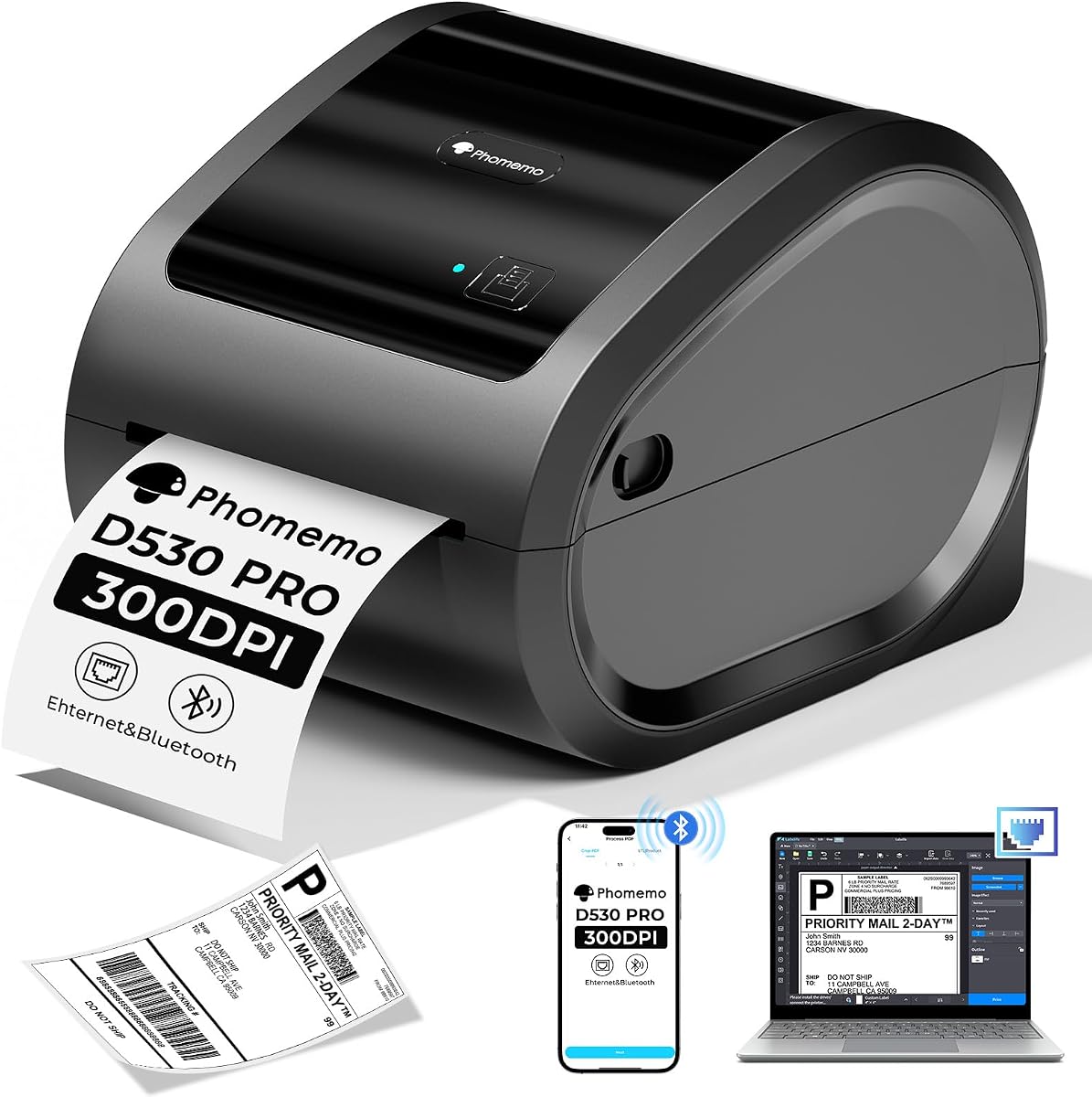
Phomemo stands out with 300 DPI resolution delivering exceptionally sharp labels for detailed barcodes. Its 4.1 rating reflects satisfaction with clarity and flexible connectivity for varied environments.
We may earn a commission when you buy through this link, at no additional cost to you.
The built-in paper bin holds up to 500 rolls reducing clutter on your desktop significantly. Ethernet support offers reliable network connectivity for office setups needing stable multi-device access.
While the price is higher than standard 203 DPI models the extra clarity justifies it for intricate labels. The return to paper towel function helps reduce waste and save costs over time.
This printer is ideal for businesses requiring high-quality labels for branding or complex shipping information. Its broad compatibility with platforms like DHL ensures smooth label generation without formatting issues.
300 DPI resolution ensures crisp text and barcodes for reliable scanning and professional appearance.
Built-in bin eliminates need for external paper holders keeping your workspace tidy and organized.
We may earn a commission when you buy through this link, at no additional cost to you.
MUNBYN offers a nearly silent printing experience making it suitable for shared workspaces or home offices. Users rate it 4.2 stars for its quiet operation and reliable calibration technology.
We may earn a commission when you buy through this link, at no additional cost to you.
The DAC chip auto-calibrates to prevent label misalignment reducing waste and improving packaging quality. Its 970000 label lifespan offers long-term durability that exceeds many standard thermal models.
The app requirement for Bluetooth connectivity may add a slight learning curve for new users. Print speed is adequate but not the fastest available in this category.
This printer is perfect for environments where noise levels matter more than raw speed. Its precision ensures professional-looking labels for shipping and branding without constant adjustments.
Operates at 60 decibels allowing use in quiet spaces without distracting noise or interruptions.
DAC chip adjusts automatically to ensure precise label placement and reduce alignment errors.
We may earn a commission when you buy through this link, at no additional cost to you.
Nelko provides reliable thermal printing with flexible label options for varied needs. Its 4.3 rating highlights user satisfaction with performance and compatibility across Windows Mac and ChromeOS.
We may earn a commission when you buy through this link, at no additional cost to you.
The ability to use both fanfold and roll labels adds versatility for different storage setups. Its compact design fits easily on small desks without sacrificing print quality or speed.
Mac users may find Bluetooth support limited depending on chip generation requiring USB instead. Mobile printing needs the Nelko app which is functional but requires extra steps for setup.
This model serves well for general small business use needing a balance of features and cost. Its compatibility ensures smooth label generation for DHL and other major shipping carriers.
Handles both fanfold and roll labels offering flexibility in paper handling and storage.
Compatible with Windows Mac and ChromeOS ensuring broad usability across different systems.
We may earn a commission when you buy through this link, at no additional cost to you.
Rongta offers an accessible entry into thermal printing without major compromises in functionality. Rated 4.0 stars it is favored for its low cost and automatic label detection feature.
We may earn a commission when you buy through this link, at no additional cost to you.
The automatic detection system simplifies setup by adjusting to label size without manual tweaks. Its wide width support covers everything from small barcodes to standard shipping labels effectively.
Build quality is lighter than premium models which may affect longevity in high-traffic environments. Resolution is standard but sufficient for most shipping and labeling needs.
This printer is ideal for startups or individuals needing budget-friendly equipment to begin shipping. Its platform compatibility ensures it works seamlessly with DHL and other major carriers.
Senses label size automatically eliminating manual adjustments and simplifying setup for new users.
Supports widths from 0.98 to 4.37 inches accommodating diverse labeling needs efficiently.
We may earn a commission when you buy through this link, at no additional cost to you.
DYMO continues to be a trusted name with the LabelWriter 550 Series offering simple operation. Its 3.6 rating reflects mixed feedback mainly due to label cost and limited compatibility.
We may earn a commission when you buy through this link, at no additional cost to you.
Automatic recognition of labels ensures consistent output without manual calibration. It works best with Dymo branded labels which can increase long-term costs compared to third-party options.
The design reduces waste by printing precise quantities minimizing unused label sheets. Setup is straightforward making it user-friendly for those new to shipping printers.
This model suits users already invested in Dymo products or who prefer a hassle-free experience. Ensure compatibility with your platform since it supports fewer third-party integrations than others.
Automatically identifies label type to ensure consistent printing without manual input or errors.
Prints exact quantities reducing leftover sheets and saving money over time efficiently.
We may earn a commission when you buy through this link, at no additional cost to you.
Selecting the right DHL label printer involves evaluating several key factors to ensure it matches your shipping volume and workflow needs.
Resolution determines the sharpness of printed barcodes and addresses. Most models offer 203 DPI which is sufficient for standard shipping labels but 300 DPI provides extra clarity for smaller text or intricate designs.
Choose higher resolution if you frequently print small barcodes or need crisp branding on labels.
Consider how you will connect your printer to computers or mobile devices. USB offers stable wired connections while Bluetooth allows wireless flexibility for laptops or phones.
Wi-Fi models provide multi-device access without cables which is ideal for shared workspaces or mobile shipping setups.
Ensure the printer supports standard four by six inch labels used by DHL and most carriers. Some models also handle narrower widths for inventory tags or product labels.
Check the adjustable range to confirm it meets your current and future packaging requirements.
Verify compatibility with your e-commerce platform and shipping software. Most thermal printers support major services like Shopify Amazon and Etsy but some require specific apps.
Seamless integration reduces manual steps and ensures labels format correctly every time.
Speed matters for high-volume operations where time is critical. Look for models that can print at least 150mm per second to keep up with daily shipping demands.
Faster printers reduce wait times and improve overall workflow efficiency.
Commercial-grade thermal heads last longer and handle continuous use better than consumer models. Check rated label lifespans to estimate long-term value.
Investing in durable equipment reduces replacement costs and downtime over time.
Quick installation minimizes frustration when starting operations. Models with included drivers and instructional videos streamline the process.
Simple setup helps you start printing labels sooner without technical delays.
While initial price matters also consider long-term costs for labels and replacement parts. Thermal printers eliminate ink expenses but branded labels may cost more than generic ones.
Balance upfront investment with total cost of ownership to find the best value.
Start by connecting the printer via USB or Bluetooth and installing the necessary drivers or mobile app. Ensure your shipping software is configured to output labels in four by six inch format.
Load the thermal label roll correctly with the printable side facing the printhead. Calibrate the printer by pressing the feed button to detect label size before printing.
Keep the printhead clean with a lint-free cloth to prevent smudges and jams. Store labels in a cool dry place to maintain print quality and prevent accidental darkening.
Yes most thermal printers support standard four by six inch labels used by DHL. Ensure the printer is compatible with your shipping software to generate correct label formats automatically.
Most thermal printers accept generic labels but check the manufacturer recommendations. Using quality generic rolls can reduce costs while maintaining print clarity and scanning reliability.
Black prints usually indicate a label loaded backwards or a dirty printhead. Ensure the printable side faces the printhead and clean the head with a soft cloth.
You need a shipping platform or app that outputs printable files. Most printers work with major services like Shopify or ShipStation which handle label formatting directly.
Lifespan varies by model but commercial heads often last over 500000 labels. Regular cleaning and avoiding excessive heat can extend the printhead life significantly.
Yes many models offer Bluetooth or Wi-Fi support with dedicated mobile apps. Ensure your phone connects via the printer's app to generate and send labels wirelessly.
The Rollo USB model stands out for reliability while the Rongta offers affordability for new sellers. Wireless options like the Rollo Wireless provide convenience for mobile workflows.
Prioritize print quality and platform compatibility to ensure smooth shipping operations. Consider your volume and workspace size when selecting between wired and wireless models.
Always verify current pricing and availability before purchasing to secure the best deal. Choosing the right printer helps your business ship efficiently and professionally.