
10Gb/s SFP+ Fiber Port Ethernet Adapter
4.3Editor score
Intel 82599ES Controller
Compatible with Windows Server 2022
Supports 10GbE SFP Plus Modules
This guide compares the top 10 fiber optic network interface cards for speed, compatibility, and reliability in data centers and home labs.
Network connectivity has evolved rapidly over the last decade, shifting from standard copper cabling to high-speed fiber optics. Choosing the right network interface card can transform your data throughput and reduce latency significantly. This guide highlights models that deliver consistent performance under heavy load.
We evaluated each card based on chipset reliability, supported operating systems, and physical interface options. Our analysis focused on real-world usability in servers, desktops, and NAS devices. You will find detailed breakdowns of features that matter most for enterprise and home users alike.
Each selection below showcases specific strengths like cooling, bracket options, or driver support. While prices fluctuate frequently, the technical merits of these cards remain stable. We encourage readers to verify current availability before making their final purchasing decision today.
4.3Editor score

5.0Editor score

4.9Editor score
This table provides a side-by-side technical comparison of all ten selected network interface cards to help you identify the specific model that aligns with your server or desktop requirements.


The StarTech 2-Port GbE SFP Network Card stands out as a highly reliable option for desktops and servers requiring flexible connectivity. With a perfect 5.0 rating, it demonstrates exceptional stability and driver support across various environments. The inclusion of the Intel I350 series chipset ensures that you get robust performance without unnecessary latency.
We may earn a commission when you buy through this link, at no additional cost to you.
This card unlocks any singlemode or multimode MSA-compliant SFP module, giving you the freedom to choose your own fiber or copper connections. It supports link aggregation and TCP/UDP offloading which reduces CPU load during heavy data transfers. The thoughtful design includes LED indicators that make monitoring port status straightforward for network administrators.
While it does not support 10G speeds, which may be a limitation for high-throughput data centers, its reliability at 1Gbps is unmatched. The built-in heatsink keeps the controller chip at optimal temperatures ensuring sustained performance during extended operation. It is an excellent choice for those prioritizing stability over raw speed.
IT managers and home lab enthusiasts looking for a dependable gigabit upgrade will find this card ideal. It works seamlessly with Windows Server 2012 and up as well as Linux and VMware environments. If you need a secure and flexible network connection without breaking the bank, this StarTech model is our top recommendation.
The unlocked SFP slots allow you to use any third-party module without vendor restrictions.
Features like PXE boot and VLAN tagging support streamline network management tasks.
We may earn a commission when you buy through this link, at no additional cost to you.
This LinksTek X520 DA1 adapter delivers stable and unified 10Gb/s connectivity for data centers and desktop PCs. It is particularly popular among NAS users and gamers who need fast file transfers without spending a fortune. The Intel 82599ES controller provides a solid foundation for network performance.
We may earn a commission when you buy through this link, at no additional cost to you.
The adapter supports advanced features like Virtual Machine Device Queues and SR-IOV which are crucial for virtualized environments. It connects via a PCIe 2.0 x4 interface providing ample bandwidth for full-duplex operations. The included brackets ensure it fits both standard towers and small form factor cases easily.
One trade-off is that you may need to manually install drivers on Windows 10 or 11 which adds a small step to setup. Additionally, the passive heatsink requires sufficient case airflow to avoid throttling during intensive tasks. However, these are minor inconveniences given the performance you get for the price.
If you are building a home lab or upgrading a server for NAS storage this card is an excellent value choice. It offers 10G speeds that outperform standard gigabit cards significantly. Just ensure your case has good airflow and you have the drivers ready for your operating system.
Supports VMDq and SR-IOV for efficient virtual machine network handling.
Compatible with iSCSI and FCoE for high-speed storage over Ethernet.
We may earn a commission when you buy through this link, at no additional cost to you.
The CX4121A adapter is a powerful dual port solution designed for high-performance virtualization and storage servers. With a near perfect rating of 4.9 it proves its reliability in demanding data center environments. The Mellanox ConnectX-4 Lx controller is industry known for its efficiency and speed.
We may earn a commission when you buy through this link, at no additional cost to you.
This card offers RDMA capabilities which allow direct memory access reducing CPU overhead during data transfers. It supports overlay networks like VXLAN and NVGRE making it perfect for cloud infrastructure. The dual SFP28 ports provide redundant connections for critical systems ensuring high availability.
The main consideration is that you need a PCIe x8 slot to utilize its full bandwidth effectively. It is also not a plug-and-play solution on all platforms as you may need OFED drivers for full RDMA features. However the performance benefits make these requirements worthwhile.
If you manage a data center or run heavy virtualization workloads this adapter is the top choice for speed. It enables 25Gbps speeds per port which is ten times faster than standard gigabit Ethernet. For enterprises needing to reduce latency and improve throughput this is the definitive upgrade.
RDMA over RoCE support reduces CPU usage for high-speed storage.
Supports NVGRE and VXLAN for complex cloud network setups.
We may earn a commission when you buy through this link, at no additional cost to you.
The Asus XG-C100F card brings blazing fast 10Gbps speeds to your desktop or server. It is designed to handle high-speed transmissions over greater distances than copper cables. The elegant aluminum heatsink not only cools the device but adds a professional look to your build.
We may earn a commission when you buy through this link, at no additional cost to you.
This card is compatible with the latest fiber optic technology making it ideal for long-distance networking needs. It includes built-in QoS technology that automatically prioritizes gaming streams or important data packets. This ensures smooth performance even when the network is under heavy traffic.
While it supports a wide operating temperature range its driver support on newer operating systems can be inconsistent. You may need to visit the Asus support page for specific versions that work best. This adds a small layer of complexity compared to more automated solutions.
Enthusiasts looking to build a high-end gaming or media workstation will appreciate the 10G capability. It allows for smooth 4K streaming and rapid file transfers. Ensure you check driver availability for your specific OS version before purchasing to avoid installation issues.
Stylish aluminum heatsink keeps performance cool during heavy tasks.
Automatic prioritization boosts bandwidth for critical data streams.
We may earn a commission when you buy through this link, at no additional cost to you.
The 10Gtek adapter uses a high quality original Intel 82599EN controller which provides stable performance. It is designed for data center environments where reliability is paramount. The card supports storage over Ethernet protocols like iSCSI and FCoE for versatile connectivity.
We may earn a commission when you buy through this link, at no additional cost to you.
This model includes both a full profile and a low profile bracket making it easy to install in smaller server cases. It offers lifetime technology support and a 3 year warranty which gives users confidence in the purchase. The PCIe X8 lane support ensures it fits various slot configurations easily.
One detail to note is that it supports 10G speeds but does not support 1G or 2.5G which limits flexibility in some setups. Additionally installing on Windows 10 requires setting up the driver correctly which may need careful attention. These trade-offs are acceptable for the reliability it offers.
Server administrators and virtualization users looking for a robust 10G upgrade will find this card reliable. It handles heavy data loads well and ensures stable network operations. Always check the installation instructions carefully to ensure it works correctly with your system.
Supports iSCSI and FCoE for efficient storage over network.
Comes with 3 year warranty and lifetime technical support.
We may earn a commission when you buy through this link, at no additional cost to you.
This adapter features a modern Realtek RTL8127 controller and PCIe Gen4 X1 interface for high efficiency. It is optimized for stable data transmission and includes exclusive RealWoW technology for wake-up functions. The QR code on the card allows quick driver downloads for convenience.
We may earn a commission when you buy through this link, at no additional cost to you.
It supports IEEE 802.1Q VLAN tagging which is essential for efficient network management. The card offers 10Gb/s speeds over a single SFP+ port making it a great choice for single-link 10G needs. It includes both full height and low profile brackets for easy installation.
The limitation is that it only supports Linux kernel up to 6.15 and does not support FreeBSD or ESXi. This restricts its use in certain specialized virtualization environments. However for standard Windows and Linux servers it performs very well.
Home lab users and small business owners looking for a modern 10G card will appreciate the Gen4 support. It ensures you are ready for future system upgrades. Just verify your Linux kernel version before purchasing to ensure compatibility.
QR code on the card allows quick driver download and installation.
Supports IEEE 802.1Q VLAN tagging for better network management.
We may earn a commission when you buy through this link, at no additional cost to you.
This card is built around the genuine Intel 82599EN silicon which provides sustained 10G throughput. It supports various storage protocols including iSCSI and is compatible with popular NAS platforms. The no vendor lock feature allows you to use third-party DAC and fiber modules.
We may earn a commission when you buy through this link, at no additional cost to you.
It is detected by many systems like Ubuntu and Debian with no driver step which simplifies setup. The airflow design means the heatsink runs warm so case cooling is important. It comes with both full height and low profile brackets for flexibility.
One consideration is that you need to ensure your case has enough airflow to cool the card properly. Also for QNAP users it is recommended to contact support before purchasing to confirm compatibility. These minor steps ensure you get the best performance.
NAS enthusiasts and Proxmox users will find this card reliable for high-speed data transfers. The ability to use third-party optics saves money and provides flexibility. Just ensure you have adequate cooling in your build.
Use third-party DAC and fiber modules without restrictions.
Detected by Proxmox and TrueNAS without extra driver steps.
We may earn a commission when you buy through this link, at no additional cost to you.
This adapter is a cost-effective solution for cloud and data analytics platforms needing high throughput. Based on the Mellanox ConnectX-4 Lx controller it supports advanced features like RDMA over RoCE. It ensures flexible Ethernet solutions for storage platforms.
We may earn a commission when you buy through this link, at no additional cost to you.
It supports IEEE 802.3by and other protocols ensuring compliance with modern standards. The card uses SFP28 ports allowing for direct attach copper or fiber connections. It auto-negotiates PCIe speeds to match your hardware slot.
You will need to install Open Fabrics Enterprise Distribution drivers for full functionality. This might be complex for beginners but necessary for maximum performance. It supports Windows 10 and 11 as well as various Linux distributions.
Enterprise users building storage networks or virtualized servers will benefit from the high speeds. The dual 25G ports provide redundancy and speed. Just be prepared for the driver setup process.
Supports IEEE 802.3by for modern 25G standards.
Supports SFP28 DAC and AOC cables with PAM4 links.
We may earn a commission when you buy through this link, at no additional cost to you.
This kit includes a 10Gb network card with a multimode optical module which makes it ready to use. The Intel 82599EN chip provides stable performance with low latency. It is designed for industrial PCs and servers needing reliable optical connectivity.
We may earn a commission when you buy through this link, at no additional cost to you.
The card features gold-plate fingers for better contact and longer life. It supports auto adaptive transmission rates and half/full duplex modes. This flexibility helps it work with various switch configurations.
Since it uses a PCIe X1 slot bandwidth is shared which may limit full 10G speeds in some scenarios. However for single port use it is sufficient. The included module saves you from buying one separately.
Industrial users and those building cost-effective optical links will appreciate the included module. It simplifies the setup process. Ensure your case has enough space for the bracket and airflow.
Comes with a multimode optical module ready for connection.
Designed for industrial PCs and workstation applications.
We may earn a commission when you buy through this link, at no additional cost to you.
The TP-Link TX401 offers 10GBase-T technology which connects directly to copper cables. It is ideal for environments where fiber is not available. It delivers speeds 10 times faster than typical gigabit adapters for smooth internet access.
We may earn a commission when you buy through this link, at no additional cost to you.
This card supports automatic negotiation with multiple data rates making it versatile for mixed networks. It includes a free CAT6A Ethernet cable rated for 10Gbps which simplifies setup. The Quality of Service feature prioritizes gaming data to avoid congestion.
Power consumption can be higher compared to SFP cards due to the copper interface requirements. It also requires proper airflow to manage heat. But these trade-offs are acceptable for the simplicity of copper cabling.
Gamers and users wanting fast 10G without fiber will love this card. It integrates easily into existing network setups. Just ensure your switch supports 10GBase-T to get the full speed.
Automatically negotiates lower speeds with compatible switches.
Comes with a 1.5m CAT6A Ethernet cable.
We may earn a commission when you buy through this link, at no additional cost to you.
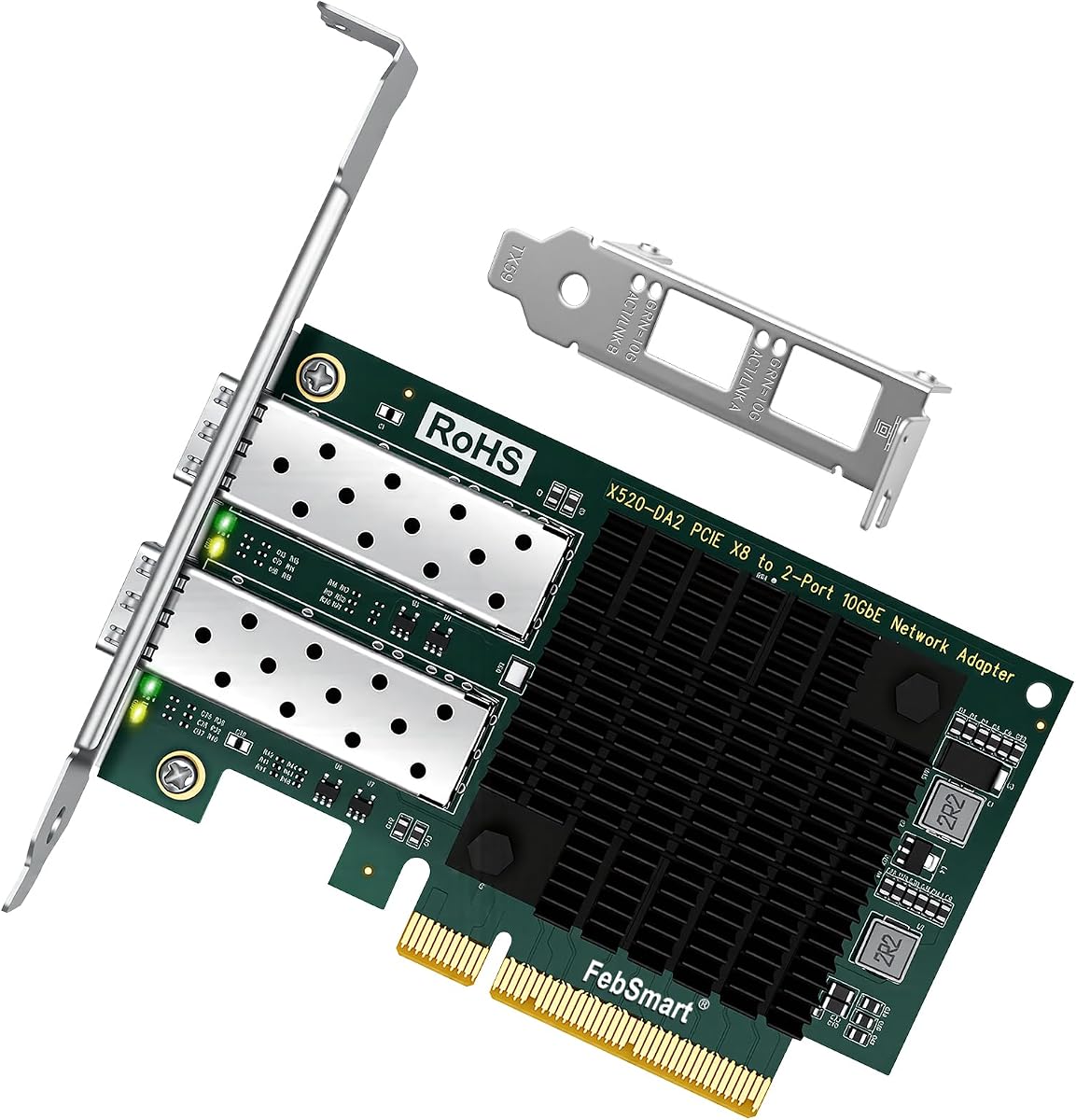
This adapter is powered by the Intel 82599ES controller delivering stable 10Gb/s connectivity. It is ideal for virtualization and storage intensive environments requiring dual links. The 40Gbps total bandwidth supports full-duplex connections for both ports.
We may earn a commission when you buy through this link, at no additional cost to you.
It supports Intel Virtualization Technology including VMDq and SR-IOV which improves VM performance. The card works with various fiber transceivers and DAC cables. It includes a low profile bracket for fitting in standard cases.
You need a PCIe x8 slot for the full bandwidth. The passive cooling requires sufficient case airflow. It is a reliable choice for dual-port setups.
Home lab builders looking for dual 10G links will find this affordable. It supports ESXi and Linux well. Ensure you have the necessary slot and airflow.
Two 10G ports for redundancy or teaming.
Intel VMDq and SR-IOV for VM optimization.
We may earn a commission when you buy through this link, at no additional cost to you.
Choosing the right fiber optic network interface card requires careful consideration of compatibility speed and features.
The chipset determines performance capabilities. Intel and Mellanox are reliable for enterprise use while Realtek offers affordable options. Ensure the card supports your target speed like 1Gbps 10Gbps or 25Gbps.
Always verify that the chipset matches your intended application to avoid bottlenecks.
Your motherboard must have the correct PCIe slot. Most cards use x4 or x8 lanes which are backwards compatible but performance may vary. Check your available slots before buying.
A mismatched slot will limit bandwidth so confirm your hardware specs first.
Different cards have different driver support. Some work out of the box with Linux while others need manual installation on Windows. Check the compatibility list for your OS.
Always test the drivers before finalizing your purchase to ensure smooth setup.
SFP+ SFP28 and 10GBase-T are common connector types. SFP allows fiber or copper modules while 10GBase-T uses direct RJ45. Choose what fits your cabling.
Select the connector type that matches your switch and network cables.
High-speed cards generate heat. Some have active cooling while others rely on passive airflow. Ensure your case has fans or slots for cooling.
Good airflow prevents thermal throttling and ensures consistent performance.
Many cards include both full height and low profile brackets. This ensures compatibility with tower and small form factor cases. Verify what is included.
Check the box contents to confirm the bracket type fits your PC.
If you run VMs look for SR-IOV and VMDq support. These features improve virtual network performance significantly. It is crucial for labs.
Virtualization features help reduce CPU usage during heavy data transfer.
Budget cards offer good value but may lack premium features. Balance your needs with what you can afford. Sometimes a lower speed card is enough.
Evaluate if you truly need 25G or if 10G is sufficient.
First install the card into the correct PCIe slot ensuring it is firmly seated. Secure the bracket with screws to prevent movement during operation.
Next install the necessary drivers from the manufacturer website. Check compatibility with your OS version to avoid installation errors.
Finally connect the fiber module and cable ensuring they are clean and undamaged. Monitor temperatures and link speeds to confirm proper operation.
Yes you need a switch that supports 10G speeds to get full performance. If you connect to a 1G switch the speed will drop to 1G. Ensure your switch matches your card speed.
Yes most 10G cards automatically negotiate down to 1G speeds. This allows backwards compatibility but you lose the speed benefits. Check manual for details.
SFP+ supports up to 10G speeds while SFP28 supports up to 25G speeds. SFP28 cards are for higher bandwidth needs. Use compatible cables for each.
Some cards come with modules while others do not. Check the product details to see what is included. Buying separately gives you more flexibility.
High-speed cards generate significant heat during data transfer. Ensure your case has good airflow. Adding a small fan can help cool it down.
Yes SFP+ slots accept fiber modules and DAC cables. You need the correct transceiver for the cable type. Ensure your module matches your needs.
We have reviewed ten top cards for speed and reliability. The StarTech model stands out for gigabit flexibility while the Mellanox option is best for high-end needs.
Prioritize chipset reliability and OS support when choosing. Ensure your system has the correct PCIe slot and cooling for the chosen card.
Always check current prices and availability as they change frequently. Verify your network setup matches the card before buying to avoid returns.