
OBDLink EX FORScan OBD Adapter
4.7Editor score
Dealership-level diagnostics
Electronic CAN switching
Maximum throughput speed
This guide compares the top Forscan USB OBD2 adapters for Ford, Lincoln, and Mazda vehicles based on stability, speed, and programming support.
Finding the right Forscan USB OBD2 adapter is crucial for diagnosing and customizing your Ford or Mazda vehicle effectively. A reliable adapter ensures stable connections during extended diagnostic sessions and ECU programming tasks. Without the correct hardware, you may face dropped packets or limited module access. Choosing a high-quality tool helps you unlock hidden features and maintain your vehicle with confidence.
We evaluated ten leading adapters based on their compatibility with FORScan software, data transfer speeds, and overall stability. Each product was reviewed for its ability to handle HS-CAN and MS-CAN buses simultaneously. We also considered ease of setup, driver requirements, and warranty support. This list covers options ranging from budget-friendly cables to premium solutions designed for professional-grade diagnostics.
Each pick in this guide highlights specific strengths such as auto-switching capabilities or extended voltage support for programming. You will find detailed breakdowns of pros, cons, and technical specifications for every model. Please note that prices and availability can change frequently on Amazon. Always verify the latest details before making your final purchase decision to ensure you get the best value.
4.7Editor score

4.7Editor score

4.4Editor score
This side-by-side comparison highlights the key specifications and capabilities of the top ten Forscan USB OBD2 adapters available today.




The Vgate vLinker FS OBD2 USB Adapter stands out as the top choice for FORScan users due to its optimized stability and speed. It carries a strong 4.7-star rating from users who rely on it for consistent diagnostics. This adapter is designed to handle extended sessions without crashing, making it ideal for programming tasks that require long connections to the vehicle.
We may earn a commission when you buy through this link, at no additional cost to you.
Its ability to automatically switch between HS-CAN and MS-CAN buses ensures seamless access to all vehicle modules. The high-speed data transfer up to 3 Mbps allows for complete DTC retrieval without truncation. Users benefit from 18V ECU programming support which is critical for older US-market vehicles. The robust hardware prevents dropped packets and data corruption common in cheaper alternatives.
While the adapter performs exceptionally well, it does require you to install diagnostic software separately. Compatibility can also vary slightly depending on your vehicle's specific configuration and region. However these are minor trade-offs given the reliability and performance gains you get. The lack of lag during live data streaming makes it worth the extra setup effort.
If you need a dependable tool for Ford Lincoln or Mazda diagnostics this adapter is highly recommended. It balances price and performance better than most competitors in the market. Whether you are a DIY enthusiast or a professional technician this vLinker FS provides the stability needed for confident vehicle maintenance and customization.
This adapter is specifically tuned for FORScan software to ensure reliable performance during extended diagnostics and ECU programming tasks.
It automatically identifies and connects to supported CAN buses including HS-CAN and MS-CAN for seamless multi-module access.
We may earn a commission when you buy through this link, at no additional cost to you.
The OBDLink EX FORScan OBD Adapter offers a premium experience for users who demand the highest level of diagnostic capability. With a 4.7-star rating it is recommended by the FORScan Team for its exceptional performance. This adapter is custom-designed to work with all FORScan compatible vehicles providing dealership-level access to vehicle data.
We may earn a commission when you buy through this link, at no additional cost to you.
One of its standout features is the electronic switch that allows access to all CAN buses simultaneously. This eliminates the need for manual toggling and enables advanced functions not possible with standard toggle switch adapters. The maximum throughput is up to 20 times faster than older models ensuring rapid data exchange during complex programming sessions.
The connection quality is rock-solid which avoids data corruption and dropped packets even under heavy load. While it comes at a higher price point the reliability and speed justify the cost for professionals or serious enthusiasts. It is specialized for Ford protocols which means it may not be the best fit for non-Ford brands.
For those who want the absolute best performance and are willing to pay a premium this adapter is an excellent choice. It simplifies the diagnostic process and provides advanced tools for vehicle customization. If you frequently work on Ford vehicles this is the most capable USB adapter you can get.
Supports all Ford protocols modules and advanced features of FORScan for professional-grade vehicle access.
Allows FORScan to access all CAN buses simultaneously and enables advanced functions not possible with toggle switch adapters.
We may earn a commission when you buy through this link, at no additional cost to you.
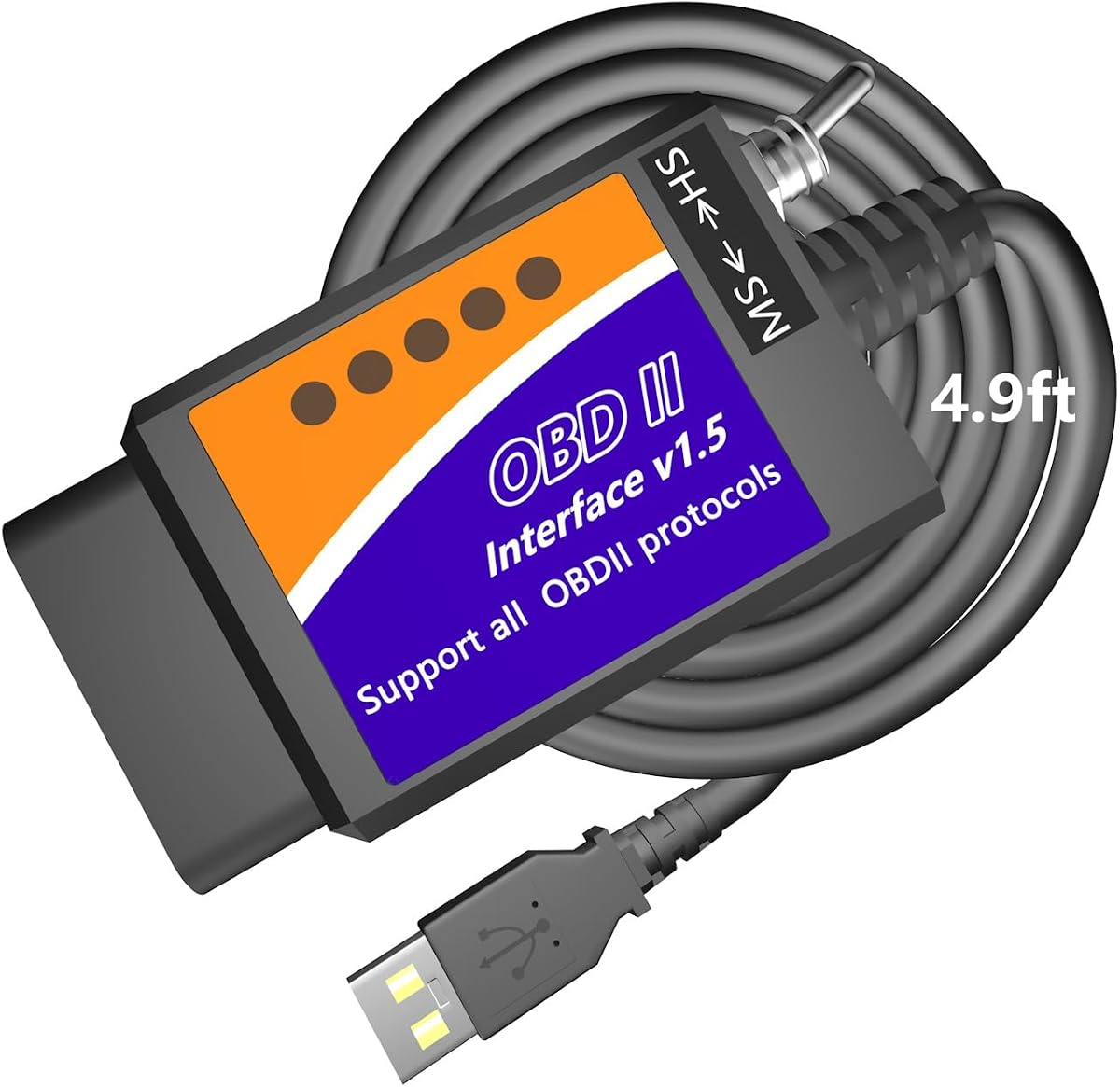
The ELM327 USB Adapter OBD2 Scanner is an excellent budget-friendly option for Ford and Mazda owners looking to perform basic diagnostics. It holds a 4.4-star rating and is known for its stable connection using USB cables rather than wireless. This adapter is equipped with MS and HS CAN toggle switches which allow rapid troubleshooting of vehicle anomalies.
We may earn a commission when you buy through this link, at no additional cost to you.
It leverages V1.5 hardware to deliver stability far exceeding wireless connections. This makes it suitable for professional-grade DTC programming and configuration tasks. Users can unlock hidden features like global window functions and Bambi mode using supported software like ELMconfig or FoCCCus. The compatibility extends to a wide range of Ford models from 1996 onwards.
The main trade-off is that you must install drivers before using the adapter which can be a hurdle for some users. Additionally it only works on Windows systems limiting its utility for Mac or mobile users. However for the price it provides significant value for DIYers willing to handle the setup.
If you are on a tight budget and have a Windows PC this adapter offers the essential tools needed for vehicle diagnostics. It covers the basics well and allows access to many hidden features. With proper setup it can save you money on repair bills by enabling independent troubleshooting.
Compatible with ELMconfig FF2 FoCCCus and Scanmaster software for Windows 32 and 64-bit systems.
Unlock global window functions Bambi mode security idle and other hidden settings freely applicable to your vehicle.
We may earn a commission when you buy through this link, at no additional cost to you.
The OHP FORScan ELM327 OBD2 to USB Diagnostic Scan Tool is designed to save money on repairs by enabling accurate DIY diagnostics. It receives a 4.3-star rating for its ability to read and clear codes from engine transmission and ABS systems. Each code includes a fault description to help you identify the root cause of issues without professional help.
We may earn a commission when you buy through this link, at no additional cost to you.
This adapter is specifically tailored for Ford cars and light pickup trucks making it a solid choice for owners of these brands. It supports connection speeds up to 500 kbit/s which is standard for most diagnostic tasks. You can use it with FORScan software to access additional features though some may require an extended license.
One limitation is its restriction to Windows systems which means Mac users will need to run a full Windows environment. This adds complexity for those who do not have a PC handy. Despite this the tool is reliable for basic maintenance and troubleshooting on Ford vehicles.
For Ford owners who want to save on mechanic visits this adapter provides the necessary tools to diagnose common issues. It is straightforward to use once drivers are installed. If you are comfortable with Windows and focus on Ford vehicles this is a cost-effective solution for regular maintenance.
Read interpret and clear Diagnostic Trouble Codes from your vehicle systems including engine transmission ABS and more.
Works with Focus Mondeo Fusion Kuga S-Max C-Max Transit Ranger Escape Mustang Explorer and other Ford models.
We may earn a commission when you buy through this link, at no additional cost to you.
The VGATE vLinker FS USB FORScan OBD2 Adapter delivers fast stable configuration and programming support for Ford Lincoln Mazda and Mercury cars. It holds a 4.6-star rating and is recommended by the FORScan Team for its reliability. This adapter supports FEPS 18V programming voltage output which is essential for certain vehicle modifications.
We may earn a commission when you buy through this link, at no additional cost to you.
Its high baud rate of 3 Mbps allows for smoother graphics and real-time meters during diagnostics. The serial buffer is 8192 bytes which meets the needs of special long frame communication. It features automatic electronic switching to access all CAN buses at the same time without risk of transmitting on the wrong network.
Battery saver technology ensures the adapter uses low power in idle state preventing drain when left plugged in. This is a thoughtful feature for users who keep the device connected. However you must download third-party apps separately which adds a step to the initial setup process.
This adapter is ideal for users who need high-speed data transfer and protection against battery drain. It covers a wide range of vehicles making it versatile for different car owners. With proper software installation you can enjoy efficient diagnostics and customization capabilities.
Support FEPS 18V Programming voltage output in FORScan and reach 3Mpbs transmission rate for smoother graphics.
Allow FORScan to access all CAN buses at the same time and access advanced functions without manual toggling.
We may earn a commission when you buy through this link, at no additional cost to you.
This Elm327 USB adapter is tailored to work with FORScan software on Ford F150 F250 Lincoln Mazda and Mercury vehicles. It holds a 4.0-star rating and offers access to special functions like Global Window and Bambi Mod. The adapter includes an MS HS CAN switch which is necessary for proper vehicle communication.
We may earn a commission when you buy through this link, at no additional cost to you.
It supports all major Windows versions and all OBD2 protocols allowing it to function as a standard code reader. You can customize everyday driving options such as reverse tilt mirrors and heated steering wheel temperatures. This level of personalization helps match the vehicle to your personal style and comfort needs.
Note that it may not support new 2019+ Mazda 3 and CX-30 models yet which limits its use for some buyers. You also need to install the USB driver and FORScan software before connecting. These steps require some technical knowledge but are standard for this type of tool.
If you own an older Ford or Mazda vehicle and want to customize hidden features this adapter is a useful tool. It provides the connectivity needed to adjust settings that dealers usually charge for. With proper setup it offers great value for DIY customization projects.
Access Global Window feature enable Bambi Mod reverse tilt mirrors and more custom settings easily.
99% of models after 2000 and around 92% of models after 1996 except newer Mazda 3 and CX-30.
We may earn a commission when you buy through this link, at no additional cost to you.
The MOCATEC USB OBD Adapter for FORScan Software is designed to unleash hidden features in Ford Lincoln Mercury and Mazda vehicles. It has a 4.3-star rating and comes with an extra-long 4.9ft cable for working comfort. This long cable lets you rest your laptop on your knees without feeling cramped while working under the hood.
We may earn a commission when you buy through this link, at no additional cost to you.
You can personalize vehicle comfort and functions such as enabling global window control or maxing out heated steering wheel temperatures. It also helps diagnose faults and monitor sensor live data instantly. This adapter bridges third-party software and your vehicle allowing safe modification of hidden settings.
While it works well on Windows PC laptops it does not support MacBooks or iOS/Android devices. This is a limitation if you do not have a dedicated Windows machine for car work. However the included tutorials help guide you through the process safely and effectively.
For DIYers who value comfort and flexibility during diagnostics this adapter offers a practical solution. The long cable reduces physical strain and the software support is robust. If you have a Windows PC this is a solid choice for customization and maintenance.
4.9ft cable lets you rest your laptop on your knees without feeling cramped and easily reaches the passenger seat.
Enable global window control activate Bambi mode turn on remote engine starting and more daily options.
We may earn a commission when you buy through this link, at no additional cost to you.
The AntiBreak elm 327 FORS-CAN USB Switch OBD adapter uses strong hardware with a reliable FTDI chip to ensure stable data transfer. It has a 4.3-star rating and avoids data corruption and dropped packets thanks to its V1.5 version hardware. This makes it a reliable choice for professional-grade engine fault light programming and coding.
We may earn a commission when you buy through this link, at no additional cost to you.
The USB cable provides a good connection to the vehicle and the MS-CAN/HS-CAN switch enables fast operation at speeds up to 500 kbit per second. It is compatible with various software like FORS-can Elmconfig FF2 and FoCCCus. You can program settings like mirror auto-fold and brake controllers easily.
It requires installing CH340T USB drivers and software before use which may be a small hurdle. It is also restricted to Windows versions XP through 10. Despite these requirements the adapter performs consistently for most Ford and Mazda vehicle owners.
If you need a cost-effective tool that avoids common connection issues this adapter is a strong candidate. The FTDI chip adds a layer of quality that helps with reliability. With correct setup you can enjoy smooth diagnostics and vehicle customization without interruptions.
OBDii adapter with FTDI chip and reliable USB cable connection avoids data corruption and dropped packets.
Switching the MS-CAN/HS-CAN switch enables fast operation at speeds of up to 500 kbit per second.
We may earn a commission when you buy through this link, at no additional cost to you.
The Vgate vLinker FS OBD2 USB Adapter is a custom-designed tool recommended by the FORS-can Team for excellent performance. It carries a high 4.8-star rating and allows automatic electronic switching for all CAN buses at the same time. This ensures access to advanced functions without manual toggling which saves time during diagnostics.
We may earn a commission when you buy through this link, at no additional cost to you.
Its rock-solid USB connection avoids dropped packets and data corruption ensuring stable performance. It supports configuration and programming functions including FEPS 18V programming voltage output. With a 3Mbps transmission rate and 3Mhz baud rate you can enjoy smoother graphics and real-time meters.
While it is highly effective you still need to install software separately to make it fully functional. It also works best with USB 2.0 and 3.0 interfaces on Windows PCs. These minor requirements do not detract from its overall speed and reliability.
For users who want top-tier speed and stability this adapter is an excellent choice. It simplifies the process of accessing hidden vehicle features and diagnosing faults. With proper setup it delivers a fast and efficient experience for vehicle maintenance.
Allow FORS-can to access all CAN buses at the same time and access the advanced functions without toggling.
Reach 3Mpbs transmission rate and the highest 3Mhz baud rate for smoother graphics and real-time meters.
We may earn a commission when you buy through this link, at no additional cost to you.
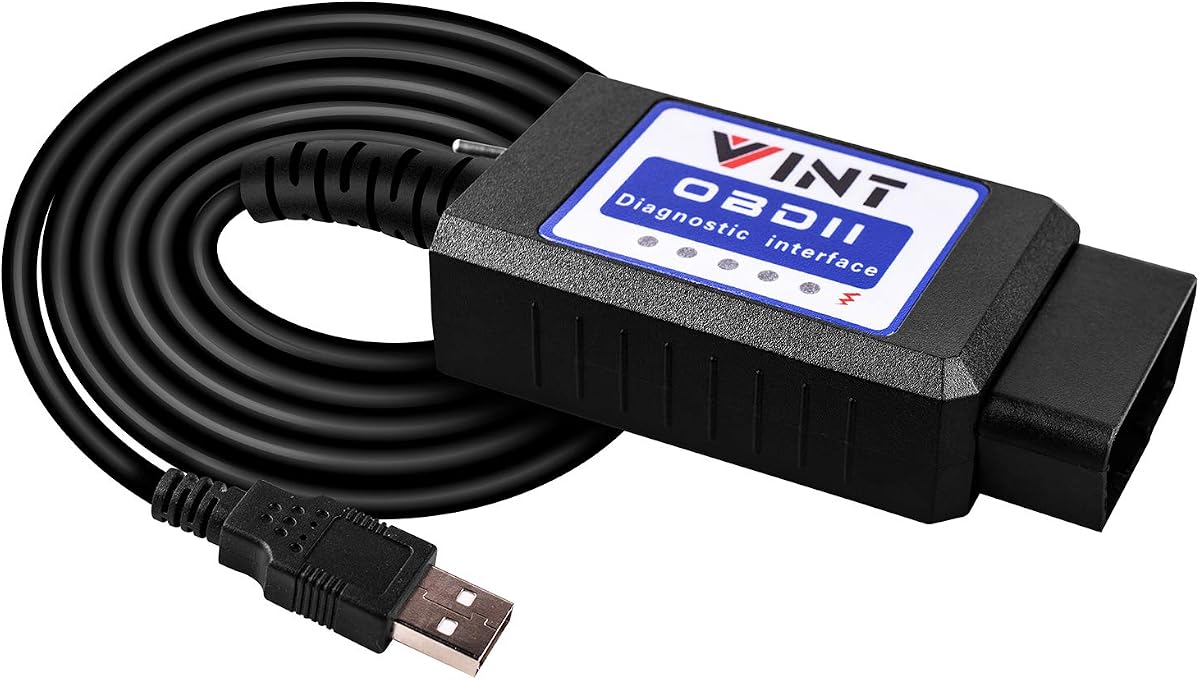
The OBD2 Adapter FORSCans VINT-TT55502 ELMconfig ELM327 is a favorite tool among Ford owners for its flawless scanning and programming performance. It has a 4.5-star rating and has been proven effective on models like F150 F250 and Ranger since 1996. The MS-CAN & HS-CAN toggle switch helps you conveniently access as-built data of your vehicle.
We may earn a commission when you buy through this link, at no additional cost to you.
It runs at a constant speed of 500kbit/s allowing consistent data transfer during diagnostics. You can discover endless mods with FORscans and apply them to your vehicle such as Bambi Mod and reverse tilt mirrors. It also retrieves both generic and manufacturer-specific Diagnostic Trouble Codes effectively.
This interface requires a Windows system and internet access to update drivers before use. If you do not have a PC or reliable internet it may be harder to set up. Despite this its reliability on Ford models makes it a popular choice for enthusiasts.
If you own a Ford vehicle and want a proven tool for diagnostics and customization this adapter delivers value. It covers essential features well and helps overcome troubleshooting challenges with ease. With proper setup you can enjoy smooth access to your vehicle's settings and data.
One of favorite tools sought by Ford owners flawless in scanning programming and hiding modules for many models.
Discover endless Mods with FORscans and apply them to your vehicle including Bambi Mod reverse tilt mirrors and more.
We may earn a commission when you buy through this link, at no additional cost to you.
Choosing the right adapter involves evaluating compatibility speed and ease of use for your specific vehicle.
Ensure the adapter supports your vehicle's make model and year. Most adapters work best with Ford Lincoln and Mazda vehicles but some are restricted to certain protocols. Check if your model requires specific support for MS-CAN or HS-CAN buses to avoid connection issues.
Many adapters require you to install specific software like FORScan or ELMconfig separately. Confirm that you have access to a compatible operating system typically Windows. Some tools may need an extended license for full functionality which adds to the overall cost.
Stable data transfer is vital for accurate diagnostics and programming. Look for adapters with high-speed transfer rates and built-in error prevention. Features like automatic switching or high-capacity buffers help prevent data corruption and dropped packets.
If you plan to modify ECU settings look for adapters that support high-voltage programming. Some models offer 18V output which is needed for older vehicles. Check if the tool supports specific features like FEPS for advanced configuration tasks.
A longer cable can improve comfort during diagnostics by allowing you to place your laptop conveniently. Some adapters have toggle switches for manual CAN bus switching which adds flexibility. Choose a design that fits your workspace and usage style.
Most adapters are designed for Windows systems and may not work on macOS or mobile devices. Verify that the adapter supports your computer's architecture before purchasing. Some tools require specific drivers to be installed which may impact setup time.
A good warranty ensures peace of mind in case of hardware failure. Look for brands that offer responsive technical support and regular firmware updates. This helps keep the adapter compatible with newer vehicle models and software versions.
Consider your budget against the features offered. Cheaper adapters may lack advanced programming support or stability. Premium tools often justify higher costs with better speed reliability and specialized features for professional use.
Start by installing the required drivers and software on your computer. Make sure your operating system is supported and that you have administrator rights for installation. Then connect the adapter to your vehicle's OBD2 port typically located under the steering column.
Launch the diagnostic software and select the correct vehicle model and options. Follow on-screen prompts to connect to the adapter and scan for trouble codes. Use the tools to read interpret and clear faults or customize vehicle settings as needed.
After each session disconnect the adapter carefully to avoid damaging the port. Store the cable in a dry place away from extreme temperatures. Regularly update the adapter's firmware and software to maintain compatibility with the latest vehicle models.
Most adapters in this guide are designed for Windows systems and do not support macOS natively. You may need to run a Windows emulator or dual boot to use them on a Mac. Always check the product specifications before purchasing to ensure compatibility with your device.
Many adapters support basic ECU programming especially those with 18V output and FORScan compatibility. Always consult service documentation before modifying critical modules. Using the correct software and adapter ensures safe and successful programming operations.
An internet connection is often needed to download drivers and software updates. Some tools also use online databases to interpret trouble codes. Once setup is complete you can work offline but updates may require internet access.
Some adapters have manual toggle switches while others use automatic electronic switching. Manual switches require you to physically move the lever between positions. Automatic models detect the correct bus and switch without user intervention.
Basic diagnostics are free but advanced features like module programming require an extended license. You can usually purchase this directly from the FORScan website. Check the adapter's details to see if any trial periods are included.
Many modern adapters have sleep modes that reduce power usage when idle. Leaving a device connected for long periods may still cause drain on older systems. Use protection features and disconnect when not in use to avoid battery issues.
Choosing the best Forscan USB OBD2 adapter depends on your specific needs and vehicle type. The Vgate vLinker FS and OBDLink EX offer top performance while budget-friendly options like the ELM327 adapters provide great value. Each tool has unique features that cater to different levels of technical expertise.
Prioritize stability and compatibility with your car's protocols when making a decision. If you need advanced programming support look for adapters with higher voltage output and automatic switching. For basic diagnostics simpler tools can save money without sacrificing functionality.
Remember to check the latest prices and availability on Amazon before buying. Compatibility and features can vary by region and model year so verify your specific vehicle support. With the right adapter you can confidently diagnose and customize your vehicle with ease.