
Anker Prime Charger 160W
4.6Editor score
Compact AirPods-size design
140W single-port output
App control via Bluetooth
Discover the top Gan Charger with Display options for 2026. We compare power, ports, and smart screens to help you choose the perfect fast charging solution.
Finding the right power solution for modern devices is essential for productivity and convenience. A Gan Charger with Display offers intelligent power delivery while showing real-time status. This technology ensures your devices charge efficiently without overheating or risking damage to their batteries over time.
We evaluated ten top-rated models based on power output, port configuration, and display quality. Each product was analyzed for safety features, compactness, and compatibility with laptops and phones. Our goal is to help you find a charger that meets your specific daily needs and travel requirements.
Each pick in this guide highlights unique strengths and potential trade-offs for different users. You will see detailed breakdowns of features, pros, cons, and expert recommendations. Please note that prices and availability can change frequently, so check current listings before purchasing your next charger.
4.6Editor score

4.7Editor score
4.5Editor score
This side-by-side comparison highlights the key specifications and unique features of each top-rated Gan charger with display technology to help you make an informed decision.



The UGREEN Nexode Pro stands out as a top-tier power solution with its impressive 160W total output and smart display features. It earns high marks for its ability to charge high-end laptops and phones simultaneously without sacrificing speed or safety.
We may earn a commission when you buy through this link, at no additional cost to you.
Its standout quality is the rotatable touch display which shows per-port power data and internal temperature status. This transparency allows users to monitor efficiency and heat levels. The 140W single port support ensures MacBook Pro models charge quickly even when other devices are plugged in.
While it offers high performance, the unit is somewhat larger than smaller 45W models which might limit pocketability. The price point is higher than basic chargers, but the build quality and safety features justify the cost for power users.
This charger is ideal for professionals who need to power multiple devices like laptops and tablets from a single source. If you value transparency in charging speeds and need high wattage for your gear, this is a reliable and feature-rich choice.
Smart allocation ensures devices get optimal power without throttling performance during heavy usage.
Built-in sensors track temperature and voltage to prevent overheating and protect connected electronics.
We may earn a commission when you buy through this link, at no additional cost to you.
The Anker Prime 160W delivers exceptional power density in a package as small as an AirPods case. It is designed for users who demand premium performance without compromising on portability or modern smart features.
We may earn a commission when you buy through this link, at no additional cost to you.
Its primary strength lies in its PowerIQ 5.0 system which allows for precise power distribution across three ports. The AnkerSense View feature provides real-time monitoring while the app allows custom modes and remote adjustments for advanced users.
One trade-off is the reliance on Bluetooth connectivity for certain smart features which may not appeal to everyone. The price is at the higher end of the market, reflecting its premium branding and advanced technology integration.
This charger is perfect for power users who want the latest in charging tech and frequent travelers who value compactness. If you prioritize high-speed charging for multiple laptops and enjoy app-controlled customization, this model offers a superior experience.
Smart algorithms optimize power delivery for each connected device to maximize efficiency and speed.
Users can monitor usage statistics and set custom charging profiles via a dedicated smartphone app.
We may earn a commission when you buy through this link, at no additional cost to you.
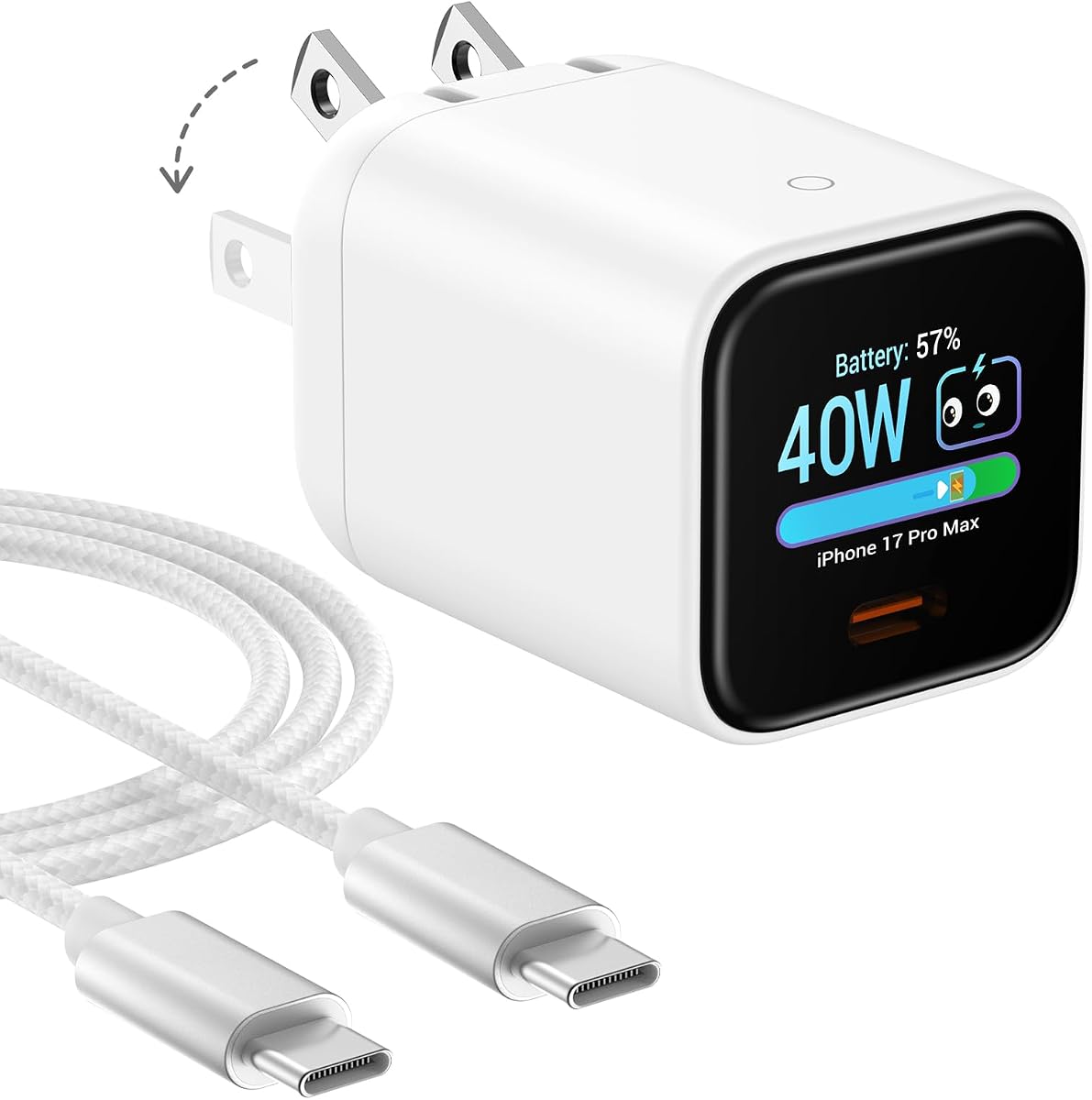
The Smart Charging Butler offers a remarkable balance of features and affordability for those needing power for phones and small tablets. It is an ideal budget-friendly option that still includes intelligent display features.
We may earn a commission when you buy through this link, at no additional cost to you.
Its standout feature is the AI-powered battery care mode which monitors health and temperature to extend lifespan. The included braided cable adds value and convenience for users who do not want to buy accessories separately.
While it lacks the high wattage needed for large gaming laptops, it is sufficient for most daily mobile charging tasks. The budget price makes it accessible for students or secondary travel bags without sacrificing safety or tech.
This charger is best for casual users who primarily charge phones or need a secondary charger for light duty. If you want smart displays and battery protection without spending a fortune, this is a practical choice.
Intelligent algorithms adjust charging curves to reduce heat and preserve battery health over time.
At a low price point it offers essential smart features that are usually found in more expensive units.
We may earn a commission when you buy through this link, at no additional cost to you.
The Anker 140W 4-Port charger is a robust solution for users needing to power a mix of laptops and accessories simultaneously. It balances high wattage with a user-friendly display for status tracking.
We may earn a commission when you buy through this link, at no additional cost to you.
Key strengths include its ability to deliver high power across four ports while maintaining safety with Activeshield technology. The high-definition color display provides clear visibility of port details and temperature ensuring users stay informed.
Its weight is a consideration for travel compared to lighter units but is acceptable for desk use or short trips. The included cable is a strong addition that ensures you can start using it immediately upon purchase.
This model suits users who need multiple ports and high power for laptops alongside phones. If you prioritize safety and have a mix of devices to charge regularly, this provides reliable performance and peace of mind.
Active monitoring checks temperatures millions of times daily to ensure safe operation and device protection.
The color screen simplifies monitoring by displaying wattage and status without needing to guess.
We may earn a commission when you buy through this link, at no additional cost to you.
The Anker 100W 3-Port charger is designed to handle most laptops and phones with ease. It is highly rated for its compact design which makes it easy to carry in daily bags.
We may earn a commission when you buy through this link, at no additional cost to you.
A key strength is its Low-Current Mode which safely charges small devices like earbuds without damaging them. The high-definition smart display provides instant visibility and control so you always know the charging status.
While it might not support the most demanding 140W laptops it is perfect for standard 13 inch notebooks. The trade-off is fewer ports compared to 4-port models but the size reduction is beneficial for travelers.
This charger is best for those who need a reliable daily charger for a laptop and a phone. If you want a balance of power and portability with a smart display, this is a trusted and efficient choice.
Automatically switches to low power mode to safely charge sensitive accessories like headphones.
A smaller frame compared to older models makes it easier to pack for trips.
We may earn a commission when you buy through this link, at no additional cost to you.
The Anker Prime 250W Charging Station is a powerhouse designed to sit on a desk and power multiple devices. It is built for users who want a permanent charging solution for their home office setup.
We may earn a commission when you buy through this link, at no additional cost to you.
Its standout feature is the 250W output which supports several high-performance laptops and peripherals simultaneously. The control dial and app integration allow precise adjustments to energy output ensuring optimal charging for every connected device.
The size and design make it unsuitable for travel which is expected for a unit of this power. It is heavier and larger than portable chargers but provides unmatched capacity for stationary use cases.
This station is ideal for families or power users who need to charge many devices at once. If you want a permanent, high-capacity hub for your workspace, this offers exceptional value and performance.
250W output ensures that even multiple demanding laptops can be charged without slowdown.
A control dial lets users adjust settings instantly without needing to dig through menus.
We may earn a commission when you buy through this link, at no additional cost to you.
The MOKiN 70W charger is an ultra-compact option that fits easily into small bags or pockets. It is designed for travelers who need a reliable charger with modern smart features in a tiny package.
We may earn a commission when you buy through this link, at no additional cost to you.
Its standout feature is the interactive touch display which allows you to switch views and rotate the screen orientation. This level of user control is rare in such a small form factor.
One trade-off is that cables are not included which means you must bring your own for connectivity. The power output is sufficient for most devices but may not support the largest laptops at full speed.
This charger is best for travelers who need a lightweight solution for phones and small laptops. If you want a small charger with a smart display, this is a practical and efficient choice.
Touch controls allow quick switching between charging stats and device status without complex menus.
The small size ensures it takes up minimal space in your luggage or backpack.
We may earn a commission when you buy through this link, at no additional cost to you.
The MOKiN 140W charger offers impressive power for its price point making it a strong value option. It provides the high wattage needed for modern laptops along with a smart display for monitoring.
We may earn a commission when you buy through this link, at no additional cost to you.
Key strengths include the inclusion of a 140W cable which ensures you have the necessary accessory to run at full speed. The live screen keeps you informed of power output details and temperature for peace of mind.
While it may not have the premium feel of top brands, it performs reliably for daily tasks. The trade-off is in aesthetic refinement but the core functionality meets the needs of most users effectively.
This charger is best for those seeking high power without paying premium prices. If you need a budget-friendly solution that still supports fast charging and smart features, this is a solid recommendation.
High wattage capability at a competitive price makes it accessible for more users.
The included cable adds immediate value and saves the need for separate purchases.
We may earn a commission when you buy through this link, at no additional cost to you.
The DJI Power 140W GaN Charging Combo is uniquely optimized for users of DJI drones and devices. It offers a high-quality display cable that provides real-time power readout which is rare in standard chargers.
We may earn a commission when you buy through this link, at no additional cost to you.
Key strengths include its high efficiency and stable operation with GaN technology which ensures cool operation. The digital cable allows you to see charging status instantly without needing a separate screen on the charger.
While it works with standard laptops it truly shines with DJI ecosystem products. The trade-off is that it may not offer the same broad port flexibility as other models designed for general use.
This charger is ideal for photographers and pilots who need reliable power for their equipment. If you own DJI gear or want a unique display cable, this is a high-performing specialized option.
The included cable shows power status directly on the connector for immediate visibility.
Power allocation prioritizes DJI devices to ensure safe and efficient charging for batteries.
We may earn a commission when you buy through this link, at no additional cost to you.
The Anker Nano 45W is a specialized charger designed to fit perfectly in pockets while supporting modern iPhone models. It is an excellent choice for iPhone owners who want a compact daily charger.
We may earn a commission when you buy through this link, at no additional cost to you.
Its standout feature is smart iPhone recognition and Care Mode which adjusts charging to extend battery lifespan. The display allows you to tap and rotate to check status without complicated gestures.
The trade-off is that it is single-port and may not power large laptops quickly. However, for phones and small tablets it is more than sufficient and highly portable.
This charger is best for iPhone users who prioritize convenience and battery health. If you want a small charger that keeps your phone safe and shows status clearly, this is a top recommendation.
Automatically recognizes iPhone models and adjusts power to reduce heat during overnight charging.
Small enough to slip into a coat pocket or small bag for easy carrying.
We may earn a commission when you buy through this link, at no additional cost to you.
Selecting the right Gan charger with display requires considering power output, port count, and smart features. This guide breaks down the key factors to help you find the perfect match for your needs.
Total output power determines how much energy the charger can deliver across all ports simultaneously. Higher wattage such as 160W or 250W ensures that even large laptops receive full speed charging while other devices are connected. For most users a minimum of 100W is sufficient for laptops and phones combined but power users may need more.
Look for a charger with enough wattage to meet your most demanding device requirements without throttling speed.
Port configuration refers to the number and types of ports available on the charger. Common setups include three or four USB-C ports which provide versatility for modern devices. Some models include USB-A ports which are useful for older accessories or cables that require them.
Choose a charger with enough ports to handle all your devices at once without needing multiple adapters.
Display features allow you to monitor charging status in real time. Some chargers offer simple LED indicators while others provide HD color screens with touch controls. Detailed displays can show per-port power data temperature and battery health for better management.
Select a display type that offers the level of transparency and control you need for your routine.
Portability and size are crucial for users who travel frequently or need a compact daily charger. Smaller units are easier to carry but may sacrifice some power or port count. Consider whether you need a desktop solution or a pocket-sized option.
Balance the physical size with your power needs to ensure it fits your bag and usage scenario.
Safety and protection features ensure that your devices remain safe during charging. Look for built-in protections against overheat overvoltage and short circuits. Advanced models include active monitoring systems that track temperature multiple times a second.
Prioritize chargers with robust safety certifications to protect your expensive electronics from damage.
Smart technologies like app integration or AI battery care extend the functionality of the charger. These features allow for custom charging modes and better battery health management over time. Check if the charger requires a specific app to access full features.
Decide if you want advanced control options or prefer a simple plug-and-play experience.
Included accessories such as cables can add significant value to your purchase. Some chargers come with high-speed USB-C cables while others do not. Having a quality cable included ensures you can use the charger at full speed immediately.
Check what comes in the box to avoid extra costs or compatibility issues later.
Brand reputation and warranty coverage are important for long-term reliability and customer support. Established brands often offer better quality control and longer warranties. A solid warranty ensures you are protected against defects or early failure.
Choose a reputable brand with a clear warranty policy to ensure peace of mind with your purchase.
Start by connecting the charger to a wall outlet and plugging your devices into the available ports. Check the display to confirm that power is being delivered and that the correct protocols are active. Most modern chargers will automatically adjust power output based on device detection.
Keep the charger in a well-ventilated area during use to prevent overheating and ensure efficient operation. Avoid covering the unit with cloth or other materials while it is charging. If the display shows high temperatures allow the unit to cool down before resuming heavy use.
Store the charger in a dry and clean place when not in use to maintain its longevity. Use the display controls sparingly to conserve energy and avoid unnecessary wear. Regularly inspect the ports and cable connections for any signs of damage or wear.
The display typically shows real-time charging status such as total wattage per-port power data and temperature. Some models also show charging protocols and active device types. This transparency helps you monitor efficiency and safety during charging.
Yes most modern Gan chargers with displays are safe for overnight use due to built-in safety features. Many models include active monitoring systems that prevent overheating and adjust power delivery. Look for certifications like TÜV for added peace of mind.
Yes you can use these chargers with non-GaN devices as they are backward compatible. The smart display will simply show the power output and status for those devices. They are designed to work with most standard USB-C and USB-A electronics.
No not all display chargers support app control as some rely on built-in touch controls. Models with app control offer deeper customization but may require Bluetooth pairing. Check the product details to see if app integration is included.
Clean the display screen with a soft dry cloth to avoid scratches or damage. Avoid using harsh chemicals or wet wipes directly on the screen. Gentle wiping will remove dust and fingerprints without affecting functionality.
The display behavior depends on the model with some turning off after inactivity to save power. Others remain on as long as a device is connected. Check the user manual for specific settings on your charger.
In conclusion the UGREEN Nexode Pro Anker Prime 160W and Smart Charging Butler offer excellent options for different needs. Each provides smart displays and reliable power delivery to keep your devices charged efficiently. Your choice depends on your specific requirements for power portability and budget.
Prioritize total output power and port count based on your device mix before making a decision. If you travel often look for compact sizes while power users may prefer higher wattage units. Safety and display features should also influence your final selection.
Remember that prices and availability change frequently so check current listings before buying. This guide helps you navigate options with expert insight but verifying current offers ensures you get the best deal.