
Artist Drawing Glove 3-Layer
4.6Editor score
Three layer palm rejection
Includes cleaning cloth
Three size options
Moisture wicking fabric
This guide compares the top ten glove for drawing tablet options to help artists find the perfect fit for their workflow and device needs.
Digital artists rely on precision and comfort during long creative sessions. A high-quality glove for drawing tablet ensures your hand glides smoothly without smudging the screen or leaving fingerprints behind.
We evaluated ten leading options based on material quality, fit, and palm rejection capabilities. Our list covers various brands and styles suitable for both left and right-handed users across different devices.
Each pick highlights key features, pros, and cons to help you decide quickly. Keep in mind that availability and pricing may change over time as inventory fluctuates.
4.6Editor score

4.5Editor score
4.4Editor score
This side-by-side comparison breaks down the essential specifications and design elements of each top-rated glove to help you make an informed decision quickly.


The HUION Artist Drawing Glove stands out as a top choice for digital artists seeking comfort and reliability. With a solid 4.5 rating from numerous users, it delivers consistent performance across sketching and inking tasks.
We may earn a commission when you buy through this link, at no additional cost to you.
Made from soft Lycra and Nylon, this glove ensures your hand glides smoothly over the tablet surface. Its anti-fouling design prevents smudges and scratches, keeping your workspace clean during long sessions.
While it does not prevent accidental screen touches, it effectively reduces friction. The classic black color is resistant to soiling, meaning you rarely need to wash it compared to other options.
This glove is ideal for artists who need a durable, comfortable solution for both hands. Its straightforward design and reliable performance make it a strong recommendation for daily creative work.
The soft Lycra and Nylon blend provides flexibility and comfort for extended drawing sessions without causing hand fatigue.
Its construction prevents smudges and scratches on the tablet surface, ensuring a clean workspace and better screen visibility.
We may earn a commission when you buy through this link, at no additional cost to you.
This Artist Drawing Glove offers exceptional value with its three-layer palm rejection design, making it a top budget pick. It achieves a high 4.6 rating for its effective anti-slip and anti-smudge capabilities.
We may earn a commission when you buy through this link, at no additional cost to you.
The set includes two gloves and an extra cleaning cloth, providing great versatility for daily use. With three sizes available, it adapts to different hand shapes for a more precise fit.
Crafted from high elasticity fabric with moisture-wicking properties, it keeps hands cool during long sessions. The smooth design ensures scratch-free drawing while enhancing grip on the screen.
Ideal for beginners or those seeking a cost-effective solution, this glove balances performance and affordability. Its inclusion of cleaning tools adds significant value to the purchase.
The three-layer design prevents accidental palm touches, allowing for smoother strokes on touchscreens and drawing tablets.
Available in Small, Medium, and Large sizes to ensure a comfortable fit for various hand dimensions.
We may earn a commission when you buy through this link, at no additional cost to you.
The XPPen Artist Drawing Glove is designed for comfort and ease of movement during digital art creation. It holds a reliable 4.5 rating among users who value flexibility and breathability.
We may earn a commission when you buy through this link, at no additional cost to you.
Its high elastic material offers excellent air permeability, keeping hands cool and comfortable. The soft texture is skin-friendly, reducing irritation during extended use on graphics tablets.
The black color is specifically chosen for its resistance to dirt, minimizing the need for frequent washing. Users can choose from three sizes to find the best match for their hands.
This glove is a solid choice for artists prioritizing comfort and airflow. Its straightforward design ensures a smooth glide across surfaces without compromising on essential protective features.
The flexible cloth ensures a snug yet comfortable fit, allowing for natural hand movements while drawing.
Excellent airflow prevents sweat buildup, making it suitable for long creative sessions without discomfort.
We may earn a commission when you buy through this link, at no additional cost to you.
This OTraki 4 Pack offers a cost-effective solution for artists who need multiple gloves for daily use or sharing. It has earned a 4.6 rating for its comfortable and functional design.
We may earn a commission when you buy through this link, at no additional cost to you.
Made from high-elastic Lycra fiber, these gloves are soft with good air permeability. They reduce friction effectively, allowing smooth sliding over screens while eliminating potential scratches.
The pack includes four gloves of the same size, with other sizes available to suit different hand measurements. Their black color is soiling resistant, reducing maintenance requirements.
Perfect for beginners or classrooms, this pack provides ample supply without breaking the budget. Its lightweight feel ensures comfort during sketching, inking, or digital art sessions.
The four-pack ensures you always have a spare glove available, ideal for long-term use or multiple users.
The minimal weight prevents hand fatigue, allowing for extended creative work with ease.
We may earn a commission when you buy through this link, at no additional cost to you.
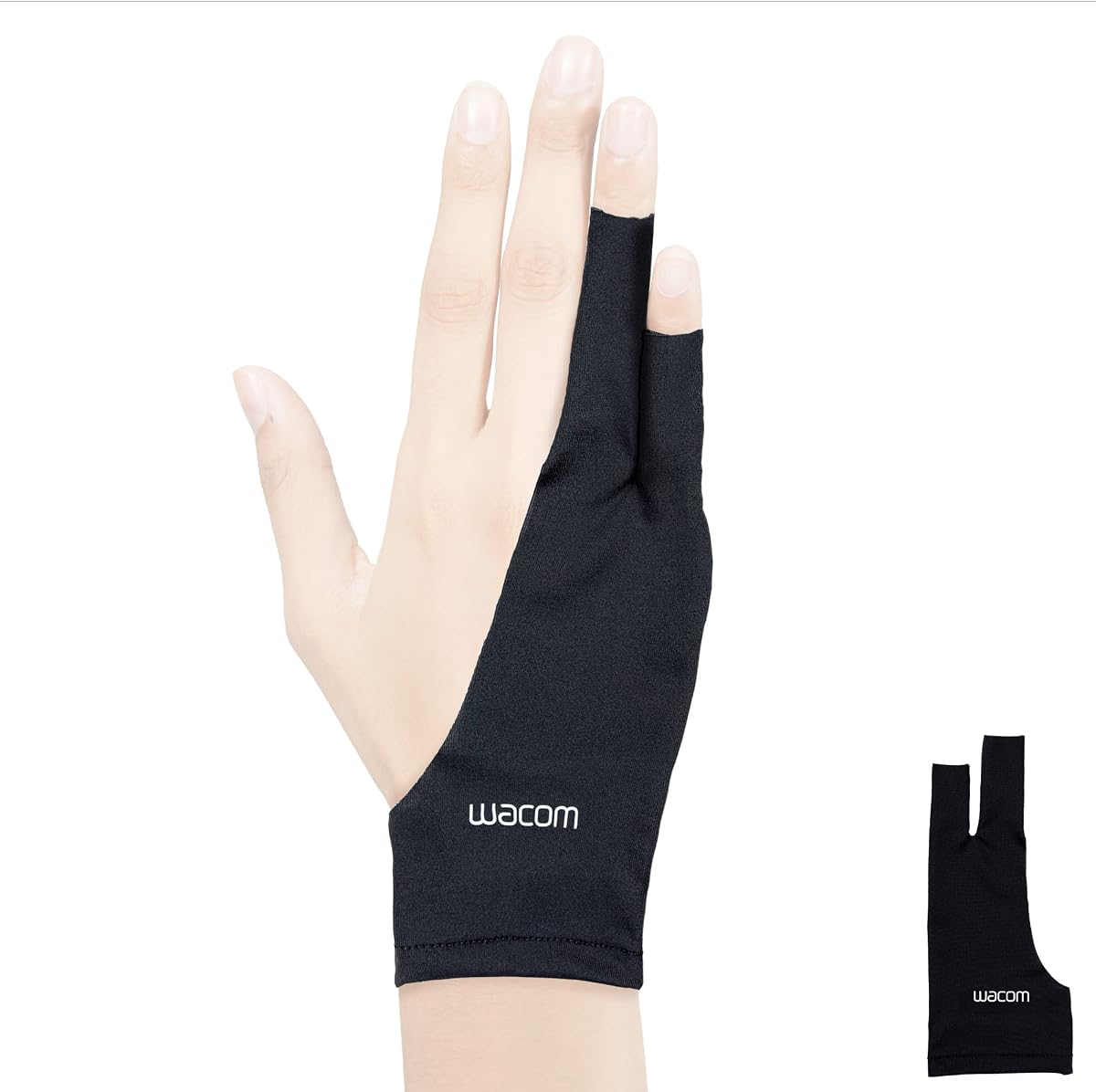
The Wacom Artist Drawing Glove is a premium choice for eco-conscious artists who want sustainable materials. It has a 4.4 rating reflecting its quality and durability from a trusted brand.
We may earn a commission when you buy through this link, at no additional cost to you.
Made of 90% recycled polyester and spandex, it offers comfort and stretch while being environmentally friendly. The exposed fingertip design allows touchscreen access and typing without removing the glove.
It ensures reduced friction for hours of comfortable creation, keeping the screen clear of oils and sweat. Its one-size design fits most hand shapes, accommodating both right and left-handed users.
Ideal for users prioritizing sustainability and brand reliability, this glove delivers consistent performance. Its unique fingertip design adds convenience for mixed-use tasks like typing and drawing.
Constructed mostly from recycled materials, this glove supports sustainable practices without sacrificing comfort or function.
The design allows easy access to touchscreens and keyboards, enhancing versatility during digital workflows.
We may earn a commission when you buy through this link, at no additional cost to you.
The HUION Skeleton Artist Glove stands out with its distinctive skeleton pattern while delivering standard protective benefits. It maintains a strong 4.6 rating for its practicality and visual appeal.
We may earn a commission when you buy through this link, at no additional cost to you.
Made from soft Lycra and Nylon, it ensures flexibility and comfort for prolonged use. The anti-dust design prevents smudges on tablets and monitors, keeping your workspace clean.
The black color with skeleton pattern is both charming and resistant to soiling. It reduces friction between your hand and the surface, enhancing precision during sketching or coloring.
Perfect for artists who want a stylish option without compromising performance, this glove is versatile. Its ambidextrous nature makes it suitable for any hand preference.
The skeleton pattern adds a creative touch to your accessories, appealing to those who enjoy unique styles.
Its construction helps avoid smudges and dust on sensitive screens, preserving clarity during work.
We may earn a commission when you buy through this link, at no additional cost to you.
This 2-pack Artist Drawing Glove offers robust palm rejection and stability for precise digital art. It has achieved a 4.6 rating for its reliable performance across various devices.
We may earn a commission when you buy through this link, at no additional cost to you.
An extra stable design includes a fixed strap between thumb and index finger to prevent sliding. This enhances stylus accuracy and ensures the glove stays in place during use.
The smooth fabric reduces friction, providing comfort during long drawing sessions. It is breathable and moisture-wicking, keeping hands dry and cool while protecting screens from smudges.
Ideal for artists using touchscreens or styluses, this glove combines protection with usability. The two-pack ensures you always have a backup ready for uninterrupted work.
The fixed strap prevents the glove from shifting, allowing for precise control when using a stylus.
High-quality fabric ensures airflow, reducing sweat and maintaining comfort throughout long creative periods.
We may earn a commission when you buy through this link, at no additional cost to you.
This Drawing Glove features an upgraded composite silk design that creates an air layer for enhanced comfort. It holds a high 4.6 rating for its smooth fit and breathability.
We may earn a commission when you buy through this link, at no additional cost to you.
The air layer design improves breathability and reduces friction significantly. With multiple sizes available, it ensures a perfect fit for various hand preferences and user types.
Made from high-quality elastic Lycra, it is durable and easy to wash without deformation. The smooth movement enhances creativity by allowing unrestricted hand motion across screens.
Perfect for animators and digital artists who need reliable comfort, this glove supports productivity. Its versatile design makes it a great gift for creative professionals.
The composite silk material creates a specialized air layer that minimizes pressure points and discomfort.
High-quality Lycra ensures long-lasting use while maintaining flexibility and softness over time.
We may earn a commission when you buy through this link, at no additional cost to you.
This 2-pack Digital Drawing Glove features an upgraded fixed design for better stability and comfort. It has a strong 4.6 rating for preventing palm stains and ensuring a smooth fit.
We may earn a commission when you buy through this link, at no additional cost to you.
The fixed design ensures the glove stays in place, allowing full focus on creation. Its smudge guard protects tablets and pads from stains, maintaining a clean working environment.
Made of elastic Lycra, the cloth offers high comfort and breathability. Available in three sizes, it accommodates various hand measurements effectively for optimal performance.
Ideal for artists who struggle with shifting gloves, this fixed design offers stability. Its versatility across devices like iPads and sketching pads adds significant value.
The structure prevents the glove from moving, ensuring consistent coverage and reducing distraction during use.
It effectively shields screens from oils and sweat, preserving image clarity and preventing unwanted marks.
We may earn a commission when you buy through this link, at no additional cost to you.
This OTraki 4 Pack includes moisture-wicking fabric to keep hands dry during extended drawing sessions. It holds a 4.6 rating for its comfort and practical design across multiple uses.
We may earn a commission when you buy through this link, at no additional cost to you.
The fabric ensures comfort by reducing sweat buildup, ideal for long periods of creative work. It reduces friction effectively, allowing smooth movement over screens without leaving grease or scratches.
Available in four sizes, it allows for a better fit based on individual hand dimensions. The two-finger design ensures focus on creation without unnecessary distraction or bulk.
Perfect for those needing multiple replacements or multiple users, this pack offers reliable protection. Its moisture management features make it a practical choice for humid environments.
The fabric actively draws moisture away from skin, keeping hands dry and improving grip on devices.
Choosing from four sizes helps ensure a better fit, reducing the risk of the glove shifting during use.
We may earn a commission when you buy through this link, at no additional cost to you.
Selecting the right glove involves considering material, fit, and specific features like palm rejection to match your workflow and device type.
High-quality materials like Lycra or Nylon offer flexibility, durability, and breathability. Look for soft fabrics that reduce friction without causing irritation during long sessions.
Prioritize materials that are moisture-wicking to keep hands dry and comfortable throughout your creative process.
A glove that fits well ensures stability and comfort. Check available sizes such as Small, Medium, or Large to match your hand dimensions accurately.
Ambidextrous designs are preferable for versatility if you switch hands or share gloves with others.
Some gloves include palm rejection technology to prevent accidental touches on touchscreens. This is vital if you use tablets or iPads without disabling touch detection.
If your device has built-in palm rejection, a basic anti-smudge glove may suffice instead.
Choose gloves that are stain-resistant or easy to wash to reduce maintenance effort. Dark colors like black often hide dirt better than lighter shades.
Reinforced stitching and elastic fabric help extend the lifespan of the glove through repeated use.
Design elements like fixed straps or unique patterns can affect usability and personal preference. Straps add stability while styles might appeal to creative users.
Select a design that aligns with your professional needs or personal taste for better satisfaction.
Buying in packs of two or four ensures you have spares ready for rotation. This is cost-effective and prevents workflow interruptions due to wear or loss.
Packs are ideal for households with multiple artists or for frequent replacement needs.
Most gloves expose two fingers for grip and control while covering the palm. Ensure the exposed fingers match your typical pen grip style.
Some designs allow full touchscreen access by exposing fingertips, adding versatility for hybrid tasks.
Check if the glove works with your specific tablet brand or software environment. Most universal gloves fit various screens and devices like iPads.
Ensuring compatibility prevents issues with stylus precision or screen sensitivity.
Put on the glove by inserting two fingers and adjusting the palm to ensure a snug fit without tightness that restricts blood flow.
Before drawing, make sure your tablet or screen is clean to avoid transferring any dust particles under the glove that could cause scratches.
Wash the glove gently by hand if it becomes visibly dirty, allowing it to air dry completely before wearing again to maintain elasticity.
Some specialized gloves include palm rejection layers designed to prevent accidental screen touches, but standard models only reduce friction and smudges. Check product details for palm rejection features if you rely on touchscreen devices.
Yes, most gloves for drawing tablet are ambidextrous and fit both left and right hands comfortably. Look for options that specify compatibility with both hands for better flexibility.
It is best to wash your glove when it becomes visibly soiled or smelly, but many are designed to be stain-resistant and require less frequent cleaning. Always air dry them to preserve the material.
Measure your hand width and length to compare with the product size chart provided. Choosing the right size ensures comfort and stability during use without feeling too tight or loose.
High-quality gloves are designed to reduce friction and prevent scratches, but avoid using dirty or damaged gloves that could trap particles. Clean both the glove and screen regularly for safety.
Yes, most gloves are compatible with stylus pens as they do not interfere with pen pressure sensitivity. Look for designs that support stylus accuracy with fixed straps or smooth fabric.
While not strictly necessary, gloves help reduce friction and keep your hand clean on all types of tablets. They improve comfort and workflow efficiency regardless of touchscreen functionality.
The HUION Artist Drawing Glove leads our list for its balance of comfort and affordability, making it a top choice for everyday artists. Its soft material and universal fit appeal to many users.
When selecting a glove, prioritize features like palm rejection, size options, and durability based on your specific device and workflow. Consider packs for better long-term value.
Always verify current pricing and availability before purchasing to ensure you get the best deal. The options here offer reliable solutions for improving your digital art experience.