
ASUS GeForce GT 1030 2GB GDDR5 Graphics Card
4.6Editor score
Passive cooling design
Low power consumption
Compact form factor
This guide compares the top ten graphics cards compatible with the ASUS Prime A320M K motherboard to help you choose the best GPU for your gaming or productivit
Finding the right graphics card for your system is essential for smooth performance. The ASUS Prime A320M K supports PCIe 3.0 GPUs, making many options viable for upgrades. We focus on compatibility and value to ensure a stable setup for your needs.
Our team analyzed detailed specifications and user feedback to compile this list. We considered power requirements and physical dimensions to match the motherboard constraints. Each product offers distinct strengths for different budgets and performance goals.
Each pick highlights specific features that matter most to builders today. You will see real ratings and key specs for every option listed. Keep in mind that pricing fluctuates frequently so verify costs before buying.
4.6Editor score

4.7Editor score

4.6Editor score
This table provides a side-by-side overview of every graphics card included in our guide to help you compare key specifications and features quickly.


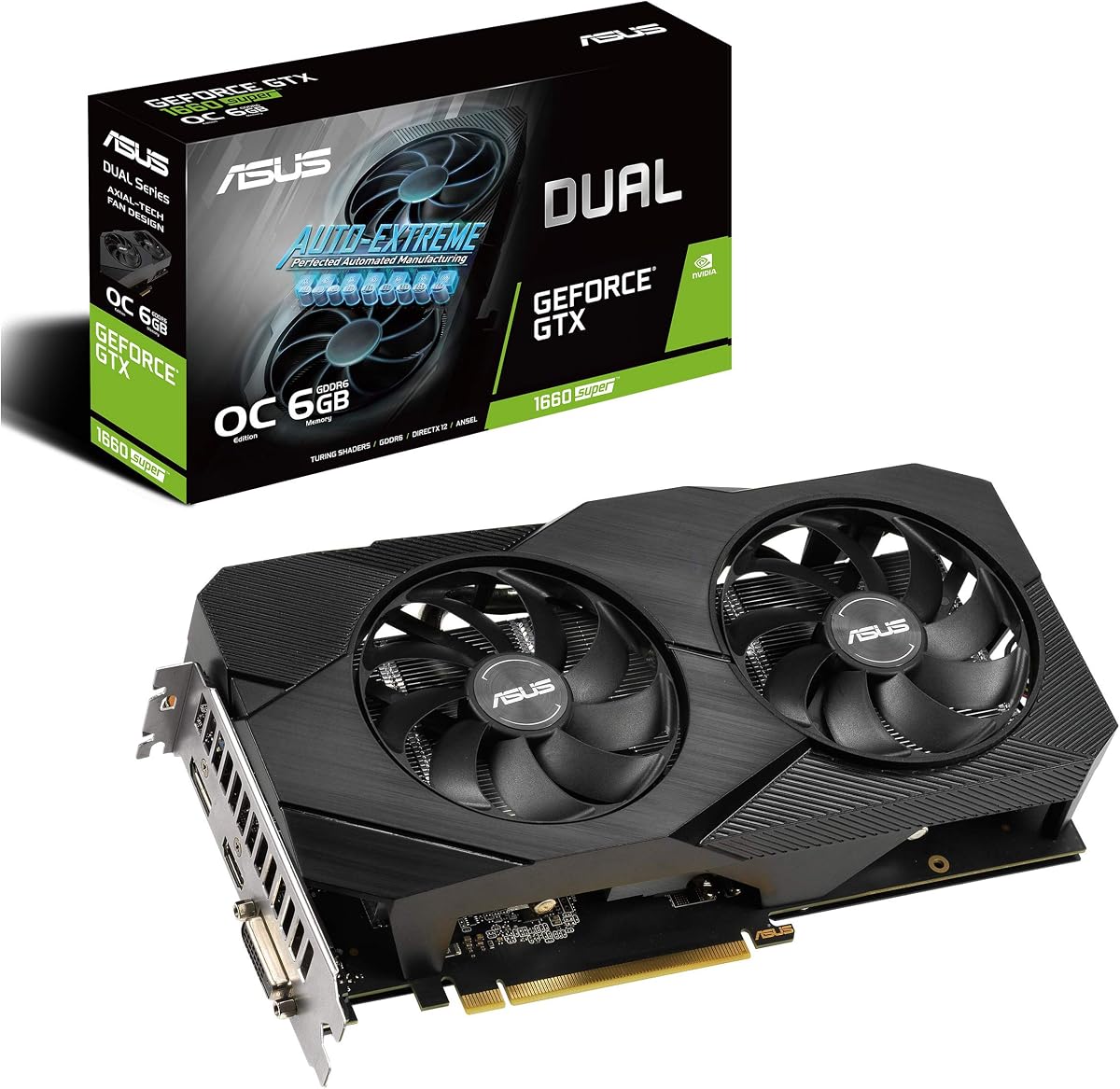


This graphics card stands out as a top choice for users seeking a balance of performance and efficiency on the ASUS Prime A320M K platform. It leverages the NVIDIA Ampere architecture to deliver significant throughput improvements over previous generations.
We may earn a commission when you buy through this link, at no additional cost to you.
Key strengths include the second generation RT Cores and third generation Tensor Cores which enable ray tracing and DLSS AI upscaling. The axial-tech fan design ensures effective cooling while maintaining a slim 2-slot footprint that fits easily in smaller cases.
Trade-offs involve limited VRAM compared to higher-end models which may impact future-proofing for ultra high resolution textures. However the power efficiency and compact size make it an excellent fit for budget-conscious gamers upgrading from integrated graphics.
Buyers looking for reliable 1080p gaming with some ray tracing capabilities should strongly consider this model. Its durability features like IP5X dust resistance add value for long-term operation in varying environmental conditions.
The Ampere Streaming Multiprocessors provide double the FP32 throughput for smoother frame rates in demanding titles.
Axial-tech fans use longer blades and a barrier ring to increase downward air pressure for better thermal management.
We may earn a commission when you buy through this link, at no additional cost to you.
This card offers a premium experience for those who prioritize raw gaming performance without needing ray tracing. The NVIDIA Turing architecture with 1408 CUDA cores ensures smooth gameplay at 1080p resolution across most modern titles.
We may earn a commission when you buy through this link, at no additional cost to you.
Strengths include space-grade lubricant bearings that provide durability and quiet operation. The TUF compatibility testing ensures seamless integration with ASUS Prime A320M K motherboards and other TUF Alliance components for a stable system.
While it lacks dedicated ray tracing cores the GPU Tweak II software allows users to monitor performance and stream effectively. The trade-off is a larger size compared to some entry-level cards but cooling efficiency remains high.
Gamers seeking a reliable and quiet upgrade path should find this card ideal. The three-year warranty adds confidence for long-term use and the included software enhances the user experience significantly.
TUF compatibility tests ensure the card works flawlessly with compatible motherboards and chassis components.
GPU Tweak II simplifies real-time performance tracking and streaming with useful integrated utilities.
We may earn a commission when you buy through this link, at no additional cost to you.
For users needing basic graphics capabilities for media or light gaming this card is an excellent choice. It features passive cooling which makes it virtually silent during operation in home theater PC setups.
We may earn a commission when you buy through this link, at no additional cost to you.
Strengths include low power consumption that requires no additional power connectors. The NVIDIA Pascal architecture supports DirectX 12 ensuring compatibility with modern software and operating systems.
The main limitation is performance which is suitable for older games or esports titles at lower settings. However for office work and video playback this card handles tasks effortlessly without generating heat.
This model is perfect for budget builds or silent workstation upgrades where noise is a primary concern. Its compact design fits easily into any case and requires minimal system resources to operate.
The exclusive heatsink design ensures passive cooling for quiet multimedia and home theater experiences.
Full support for DirectX 12 on Windows 10 ensures compatibility with current software applications.
We may earn a commission when you buy through this link, at no additional cost to you.
This renewed card provides access to virtual reality experiences without breaking the budget. The NVIDIA Turing architecture delivers solid performance for VR applications and demanding games at 1080p resolution.
We may earn a commission when you buy through this link, at no additional cost to you.
Strengths include support for up to four monitors via DisplayPort and HDMI ports which is great for productivity users. The auto extreme manufacturing technology ensures premium quality with aerospace grade components for reliability.
The trade-off is purchasing a renewed product which may have cosmetic wear though it functions like new. Additionally the architecture is older than the latest RTX cards but still capable for many current tasks.
Buyers interested in VR or multi-monitor setups on a tight budget should consider this option. The phoenix double ball bearing fan ensures long life and effective cooling for sustained performance.
Supports up to four monitors enabling versatile setups for work or extended desktop gaming.
Aerospace grade Super Alloy Power II components help the card run faster and last longer.
We may earn a commission when you buy through this link, at no additional cost to you.
This renewed TUF model offers exceptional value backed by a high customer rating. It retains the robust design of the original ensuring durability and consistent performance for gaming tasks.
We may earn a commission when you buy through this link, at no additional cost to you.
Strengths include space-grade lubricant bearings that provide quiet operation even under load. The GPU Tweak II software allows for easy monitoring and tuning to maximize the card's potential.
While renewed items come with potential cosmetic imperfections the functional testing ensures they work like new. The lack of ray tracing is a trade-off for the lower price point compared to RTX series cards.
This is an ideal pick for buyers wanting reliable gaming performance at a reduced cost. The TUF Alliance compatibility guarantees it fits well with other components in the build.
Space-grade lubricant brings dual ball bearing durability to sleeve bearing designs for quieter operation.
Included software like Game Booster and XSplit Gamecaster enhances the overall user experience.
We may earn a commission when you buy through this link, at no additional cost to you.
This dual-fan model delivers consistent performance for VR and standard gaming workloads. The renewed status offers a cost-effective way to access mid-range performance without significant compromise.
We may earn a commission when you buy through this link, at no additional cost to you.
Strengths include professional inspection ensuring the product functions correctly. The dual-fan cooling provides adequate airflow to keep temperatures in check during extended sessions.
Trade-offs involve the uncertainty of used condition though Amazon Renewed standards mitigate this risk. The technology is slightly older than current RTX series but still sufficient for most modern games.
Buyers looking for a budget-friendly VR ready card should find this model suitable. The high rating indicates user satisfaction with the performance and value proposition provided.
Products are inspected by qualified suppliers to ensure they work and look like new.
Dual fan design ensures sufficient airflow for sustained gaming performance.
We may earn a commission when you buy through this link, at no additional cost to you.
This Phoenix Edition model combines compact size with reliable performance for smaller builds. The single fan design is optimized for airflow within limited space constraints.
We may earn a commission when you buy through this link, at no additional cost to you.
Strengths include double ball bearings that increase fan lifespan significantly. The auto extreme technology and aerospace grade components provide durability and stable performance over time.
The trade-off is a single fan which might be less efficient than dual fans in larger cases. However for smaller systems this design is optimal and includes a three-year warranty for peace of mind.
Users with tight case space requirements will appreciate this model's form factor. The support for three monitors adds versatility for multitasking workloads alongside gaming.
Short form factor design fits easily into mini-ITX cases without sacrificing cooling.
Phoenix double ball bearing fans provide superior airflow and cooling for longer durability.
We may earn a commission when you buy through this link, at no additional cost to you.
This Evo Edition model is highly rated for its reliability and performance consistency. The dual-fan cooling ensures the card stays quiet and cool during extended use.
We may earn a commission when you buy through this link, at no additional cost to you.
Strengths include auto extreme technology and Super Alloy Power II components that improve speed and longevity. The GPU Tweak II software facilitates easy monitoring for system enthusiasts.
While it lacks modern ray tracing features the card handles standard gaming workloads efficiently. The trade-off is limited future-proofing but the solid build quality ensures it remains useful for years.
Gamers prioritizing quiet performance and durability should consider this card. The included warranty adds significant value and confirms the manufacturer's confidence in the product.
Dual-fan cooling provides doubled airflow for 3x quieter gameplay experience.
Auto extreme technology with Super Alloy Power II components runs faster and lasts longer.
We may earn a commission when you buy through this link, at no additional cost to you.
This model provides significant memory capacity for high-resolution textures and future gaming titles. The 12GB GDDR6 memory ensures smooth performance in demanding applications that require substantial VRAM.
We may earn a commission when you buy through this link, at no additional cost to you.
Strengths include Ampere architecture for improved efficiency and ray tracing capabilities. The axial-tech fan design with dual ball bearings ensures durability and effective cooling for sustained performance.
Trade-offs include higher power requirements that need a quality power supply. The higher price point may be a barrier but the memory capacity justifies the cost for serious gamers.
Users planning to build high-resolution gaming systems should find this card suitable. The HDMI 2.1 port supports the latest display standards for optimal visual output.
12GB GDDR6 memory handles large textures and ensures smooth high resolution gaming.
Dual ball fan bearings last twice as long as sleeve designs for reliability.
We may earn a commission when you buy through this link, at no additional cost to you.
This renewed STRIX model offers an affordable entry point for legacy gaming builds. The DirectCU II cooling ensures quiet operation even when the card is under load.
We may earn a commission when you buy through this link, at no additional cost to you.
Strengths include a 256-bit interface that provides solid bandwidth for its generation. The HDMI 2.0 and DisplayPort outputs support modern monitor connections for versatility.
Trade-offs involve outdated architecture that may not meet requirements for new AAA titles. However for older games and general tasks it remains a stable and functional option.
Budget-conscious buyers needing basic gaming capability will find this card useful. The silent gaming technology ensures a quiet system experience without additional acoustic noise.
DirectCU II with 0dB fan technology keeps the card silent during light usage.
Multiple ports including HDMI and DisplayPort allow for flexible monitor setups.
We may earn a commission when you buy through this link, at no additional cost to you.
Choosing the right graphics card requires considering several technical factors to ensure compatibility and performance.
The ASUS Prime A320M K motherboard supports PCIe 3.0 which works with most modern GPUs. Ensure the card fits into the primary slot and matches the bus interface requirements.
Always verify physical fit and slot access when selecting a graphics card for this motherboard.
Different GPUs draw varying amounts of power so check your power supply unit ratings. Ensure your PSU has the necessary connectors to support the card's power requirements.
A sufficient power supply is critical to prevent system instability or crashes under load.
Check the case dimensions to ensure the card fits without obstruction. Some high performance cards are longer and may conflict with drive cages or cable management.
Measure your case space before purchasing to guarantee a proper fit for the graphics card.
VRAM capacity determines how well a card handles high resolutions and texture details. For 1080p gaming 6GB is typically sufficient while higher resolutions require more memory.
Select VRAM based on your target resolution to ensure smooth gaming experiences.
Effective cooling is vital for maintaining performance and longevity of the graphics card. Fans with better designs like axial tech improve airflow and reduce noise during operation.
Prioritize models with robust cooling systems to protect your investment over time.
Many cards include proprietary software for monitoring and overclocking to maximize potential. These tools can enhance performance tracking and allow users to tweak settings easily.
Check for included software that supports your workflow and gaming needs effectively.
A solid warranty provides protection against manufacturing defects and failures. Look for cards with at least a three year warranty to ensure long term support.
Warranty terms vary so review coverage details before finalizing your purchase decision.
Balancing performance with cost is essential when building a PC on a budget. Consider whether you need modern features like ray tracing or if older models suffice.
Identify your budget limits to narrow down suitable options quickly and efficiently.
Install the graphics card carefully into the PCIe slot and secure it with screws to prevent movement during operation. Ensure any required power cables are connected firmly to avoid connection issues.
Keep the case vents clear to maintain proper airflow around the card. Dust accumulation can obstruct cooling and lead to higher operating temperatures over time.
Update drivers regularly to ensure compatibility with new software and games. Manufacturer tools can help automate this process for convenience and system stability.
The motherboard supports PCIe 3.0 which is compatible with all PCIe 4.0 graphics cards. The card will operate at 3.0 speeds but will not encounter connection issues.
Most cards in this list require around 500 watts minimum while the RTX 3060 may need 650 watts. Check specific card requirements to ensure stable system performance.
Yes models like the RTX 3050 offer compact 2-slot designs suitable for smaller cases. Always measure your case dimensions to confirm the card fits physically.
Most cards in this list require at least one 6-pin or 8-pin PCIe power connector. Ensure your power supply has the necessary connectors before installation.
Yes all listed graphics cards are fully supported on Windows 11. Drivers are available through NVIDIA or ASUS for smooth operation on the OS.
New cards offer full warranty coverage while renewed models provide significant cost savings. Choose based on your budget and comfort level with used components.
This guide highlights top options ranging from budget friendly to premium choices for your motherboard. Each card offers unique strengths that cater to different performance needs and budgets.
Prioritize power requirements and physical size when selecting a card to ensure a smooth integration process. Your specific workload goals should guide your final selection among the options.
Remember to verify current pricing and availability since costs fluctuate frequently online. Check the provided links to see the latest deals and stock status before buying.