
ASRock Intel Arc A380 Challenger ITX 6GB OC
4.3Editor score
Compact 2-slot ITX design
0dB Silent cooling fan
AV1 hardware encoding support
This guide compares the top 10 GPUs for Small Form Factor Sff PC builds in October 2026, evaluating performance, size, power, and features for compact gaming
Building a powerful computer in a tiny chassis requires careful component selection, especially when choosing a GPU for Small Form Factor Sff PC builds. Compact systems demand graphics cards that fit physically while delivering strong performance for gaming or professional work. Balancing size, thermal output, and wattage is critical for success in these constrained environments.
We compared ten distinct graphics cards specifically suited for mini PCs, examining their dimensions, memory specs, cooling solutions, and architectural features. Our analysis focuses on low profile designs, SFF-ready chassis compatibility, and real-world value across different price points and use cases to help you find the perfect match.
Each pick highlights key strengths and trade-offs, from budget-friendly options to high-end professional cards designed for dense enclosures. Note that prices fluctuate frequently based on market demand and availability, so verify current costs before purchasing to ensure you get the best deal for your specific setup needs.
4.3Editor score

4.7Editor score

4.8Editor score
The following table provides a side-by-side comparison of all ten reviewed graphics cards, highlighting essential specifications and features relevant to Small Form Factor Sff PC builds to assist your final selection.




The ASUS SFF-Ready Prime NVIDIA GeForce RTX 5070 stands out as a top choice for enthusiasts wanting high-end power in a compact chassis. Its rating of 4.7 reflects strong performance and reliability. This card delivers exceptional gaming and rendering capabilities thanks to Blackwell architecture.
We may earn a commission when you buy through this link, at no additional cost to you.
Its Axial-tech fans use a smaller hub for longer blades and increased air pressure for better cooling. The phase-change thermal pad ensures optimal heat transfer to keep temperatures low under load. This design supports the card's performance while maintaining a slim profile suitable for mini ITX cases.
However, its price is higher than entry-level options. You also need a powerful power supply to handle the draw. These trade-offs are acceptable given the performance leap and future-proof features like 12GB GDDR7 memory for demanding applications.
Buy this if you need premium GPU performance for gaming or workstation tasks in a small PC. It balances power, cooling, and size better than most competitors. For advanced users who want reliability and top-tier specs, this is the recommended pick.
Axial-tech fans optimize airflow to reduce noise while keeping the GPU cool under heavy loads.
12GB GDDR7 memory ensures smooth handling of modern games and creative workloads for years.
We may earn a commission when you buy through this link, at no additional cost to you.
The ASRock Intel Arc A380 Challenger ITX is an ideal budget option for compact builds needing basic gaming or media tasks. With a 4.3 rating, it offers solid value. Its Xe architecture supports AV1 encoding and XeSS for efficient performance.
We may earn a commission when you buy through this link, at no additional cost to you.
It features a single fan with 0dB Silent technology that stops at low temps for silence. The card fits easily into mini-ITX cases without compromising build density. It supports up to 8K video output for HTPC use cases.
Driver maturity remains a slight drawback compared to NVIDIA or AMD equivalents. Raw performance is lower, but acceptable for light gaming. These limits are worth considering for budget-focused builds prioritizing silence and size over frame rates.
Choose this for entry-level gaming or media centers in small form factors. It excels in power efficiency and quiet operation. For users needing affordable compact performance with modern codec support, this card delivers.
The 0dB Silent feature ensures the fan stops completely during idle for a noise-free experience.
Hardware AV1 encode accelerates video streaming and content creation workflows efficiently.
We may earn a commission when you buy through this link, at no additional cost to you.
The GIGABYTE GeForce RTX 5070 WINDFORCE OC SFF 12G delivers premium gaming performance in a compact footprint. Rated 4.8, it combines raw power with SFF compatibility. NVIDIA Blackwell architecture ensures efficient DLSS 4 support for high frame rates.
We may earn a commission when you buy through this link, at no additional cost to you.
The WINDFORCE cooling system maintains low temperatures despite the dense form factor. It features 12GB GDDR7 memory for smooth gameplay and future-proofing. Its SFF ready status ensures fits in many mini ITX chassis.
The main trade-off is the higher price point and physical size compared to low profile options. You may need adequate clearance in your case. These are acceptable compromises given the superior frame rates and longevity.
Buy this for demanding gaming in small PCs where performance cannot be sacrificed. It offers one of the best balances of power and size. For enthusiasts seeking top-tier graphics in mini builds, this is the ideal choice.
NVIDIA SFF ready ensures compatibility with compact cases without losing performance capabilities.
12GB GDDR7 provides ample bandwidth for high-resolution textures and complex scenes.
We may earn a commission when you buy through this link, at no additional cost to you.
The maxsun GeForce RTX 3050 6GB offers reliable entry-level gaming for Small Form Factor Sff PC. With 4.3 rating, it fits slim cases perfectly. Its NV Ampere architecture boosts performance via DLSS for better frame rates.
We may earn a commission when you buy through this link, at no additional cost to you.
It includes HDMI 2.1 and DisplayPort 1.4a for wide connectivity. The slim low profile design is perfect for mini ITX builds. It supports 8K resolution for high-quality media playback.
However, GPU core count limits it to lighter games or titles at medium settings. Its low power draw is a benefit but restricts peak performance. These trade-offs are acceptable for budget or space-constrained builds.
Choose this for casual gaming or home theater PC builds needing decent GPU power. It excels in fitting tight spaces while supporting modern outputs. For those prioritizing compact size, this is a solid option.
At 6.65 by 2.71 inches, it fits easily into small cases without major modifications.
HDMI 2.1 ensures compatibility with latest TVs and monitors for 4K streaming.
We may earn a commission when you buy through this link, at no additional cost to you.
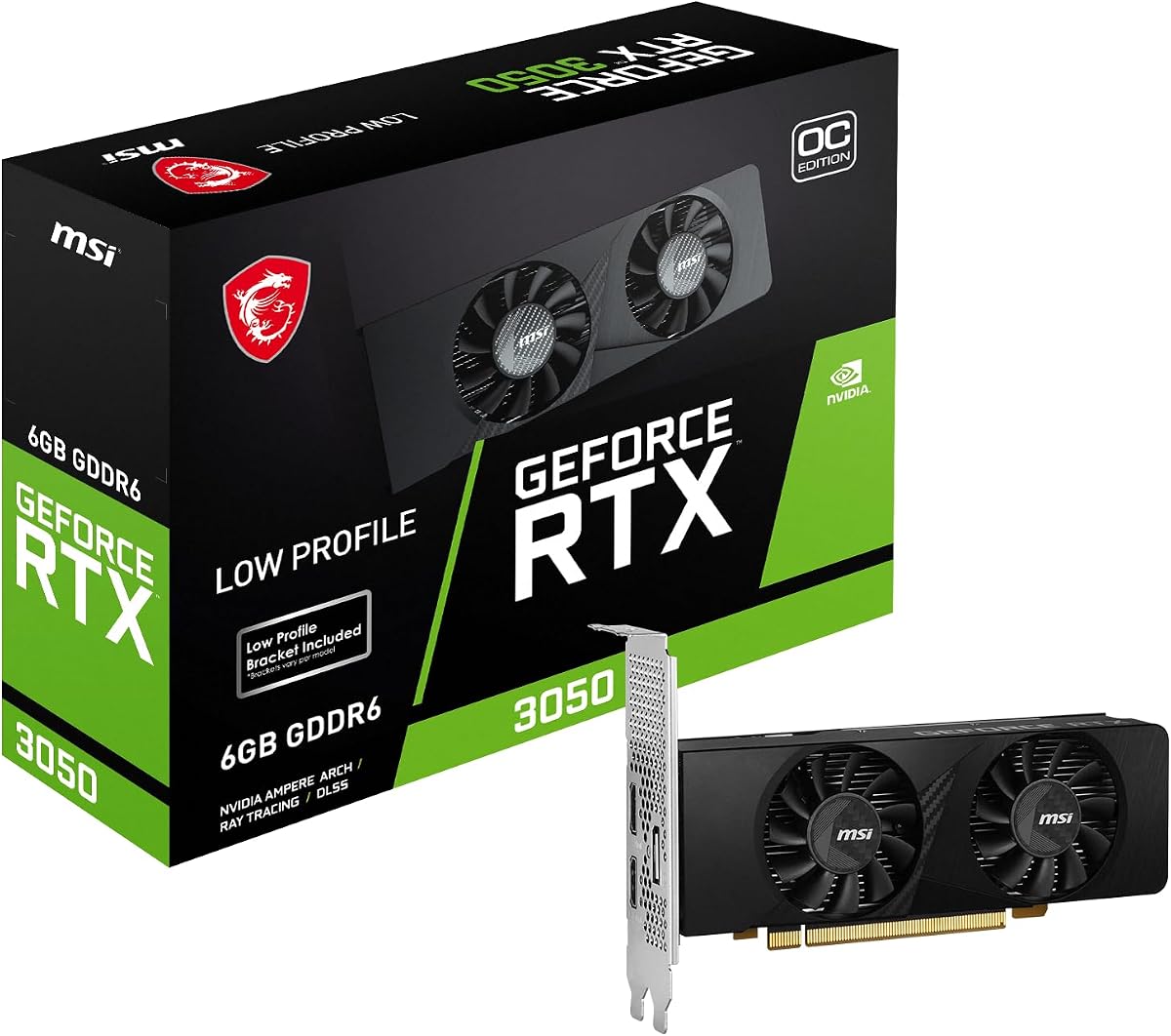
The msi Gaming RTX 3050 LP 6G OC provides solid mid-range performance for compact PCs. Rated 4.5, it features overclocking out of the box. The low profile design saves space while delivering efficient cooling with two fans.
We may earn a commission when you buy through this link, at no additional cost to you.
Its 6GB GDDR6 memory and 1492 MHz boost clock handle esports and casual titles well. Dual HDMI 2.1a outputs support multi-monitor setups effectively. It is a reliable pick for daily use.
Limitations include the 6GB memory cap for modern AAA games. Low profile design can limit airflow compared to full size. Still these are acceptable trade-offs for tight chassis constraints.
Choose this for balanced gaming and work tasks in small builds. It offers strong reliability and good feature set. For users needing dependable compact power, this MSI card delivers.
Factory overclocked boost clock increases frame rates for demanding titles.
Two HDMI 2.1a ports enable easy multi-monitor connectivity for productivity.
We may earn a commission when you buy through this link, at no additional cost to you.
The PNY Nvidia RTX A400 4GB targets professional workflows in compact business systems. Rated 4.7, it uses Ampere architecture for AI and modeling tasks. Its single slot low profile ensures fits in dense workstations.
We may earn a commission when you buy through this link, at no additional cost to you.
It features 4GB GDDR6 memory for high-speed multitasking. Four Mini DisplayPort outputs support multi-monitor setups up to 4K. Its 50W power draw ensures stability on lower wattage PSUs.
Gaming performance is limited compared to GeForce counterparts. It is specialized for CAD and rendering. These trade-offs suit professional environments prioritizing stability over frame rates.
Choose this for professional workstations needing reliable GPU acceleration. It supports visualization tasks well. For engineers needing compact power, this card delivers.
Four Mini DisplayPort outputs enable high-resolution workstation layouts.
50W draw ensures stable operation even in cases with limited cooling.
We may earn a commission when you buy through this link, at no additional cost to you.
The MSI GeForce RTX 3050 LP 6G OC offers dependable compact performance. Rated 4.6, it uses hardened PCB for reliability. Its two fan design ensures quiet operation even under load.
We may earn a commission when you buy through this link, at no additional cost to you.
It includes MSI Center software for real-time monitoring and optimization. The low profile design saves space efficiently. PCIe Gen 4 ensures good bandwidth for current systems.
Memory limits are present but acceptable for target games. Low profile design restricts maximum airflow. These trade-offs are worth it for compact builds.
Choose this for small PCs needing balanced gaming performance. It supports easy tuning via MSI Center. For users prioritizing reliability, this card fits well.
Software allows easy monitoring and tweaking of performance settings.
Engineered circuits increase durability and long-term stability.
We may earn a commission when you buy through this link, at no additional cost to you.
The msi Gaming RTX 5060 Ti 8G Shadow delivers strong mid-range performance for compact gaming. Rated 4.5, it uses Blackwell architecture with DLSS 4 support. Its 8GB GDDR7 memory ensures modern game compatibility.
We may earn a commission when you buy through this link, at no additional cost to you.
TORX Fan 5.0 maintains high-pressure airflow for cooling. The nickel-plated copper baseplate optimizes thermal management. SFF-Ready designation ensures better case compatibility.
Its dual fan design takes more space than low profile cards. Higher cost might deter budget builds. These trade-offs are acceptable for performance-focused enthusiasts.
Choose this for balanced gaming and creative work in small cases. It offers solid features and cooling. For mid-range needs, this card provides strong value.
Linked blades stabilize airflow for efficient cooling under high loads.
GDDR7 memory ensures smooth rendering and gaming performance.
We may earn a commission when you buy through this link, at no additional cost to you.
The AMD Radeon Pro WX 4100 suits business workflows requiring compact GPU acceleration. Rated 4.4, it supports up to four 4K displays. Its low profile design fits standard small cases easily.
We may earn a commission when you buy through this link, at no additional cost to you.
It features AMD PowerTune and ZeroCore Power for efficient energy usage. 4GB GDDR5 memory handles CAD tasks adequately. It is a reliable option for office use.
Gaming capabilities are limited to older titles. DDR5 memory is slower than modern GDDR6. These trade-offs suit professional environments prioritizing efficiency.
Choose this for workstations needing basic GPU power. It delivers stability and low power draw. For business users, this card is a practical fit.
ZeroCore Power reduces energy use during idle times.
Supports up to four 4K displays for productivity.
We may earn a commission when you buy through this link, at no additional cost to you.
The ASUS Dual Radeon RX 9060 XT 16GB provides high memory capacity for gaming. Rated 4.7, it uses Axial-tech fans for optimized cooling. Its 0dB Technology ensures silent operation during light tasks.
We may earn a commission when you buy through this link, at no additional cost to you.
The Dual BIOS switch lets users toggle between Quiet and Performance modes. It features ball bearings for durability. High clock speeds ensure smooth gameplay.
Its 2.5-slot size restricts cases. Higher power draw requires a capable PSU. These trade-offs are acceptable for performance prioritization.
Choose this for gaming PCs needing high VRAM. It offers reliable cooling and flexibility. For enthusiasts, this card supports demanding workloads.
Switch between profiles for silent or performance operation.
High capacity supports large textures and creative apps.
We may earn a commission when you buy through this link, at no additional cost to you.
Choosing the right GPU for a Small Form Factor Sff PC requires balancing size constraints with performance needs.
Ensure the card fits your case by checking length, width, and height specifications against chassis clearance. Low profile and single slot designs save space.
Always measure your case before purchasing to avoid fit issues.
Compact cases often have smaller power supplies. Select GPUs with low wattage ratings like 50W to ensure compatibility.
Check PSU capacity to avoid system instability.
For gaming or creative work, prioritize at least 8GB VRAM to handle modern textures. Budget options may have less.
More memory improves longevity and performance.
Small enclosures trap heat. Look for cards with efficient fans or passive cooling to prevent throttling.
Good cooling ensures consistent performance under load.
Verify ports match your monitors. HDMI 2.1 and DisplayPort 1.4a are common standards for high resolutions.
Ensure enough outputs for your setup.
Newer architectures offer better efficiency and features like DLSS. This matters for gaming and rendering.
Prioritize cards with modern tech.
Check warranty length. Longer terms provide peace of mind for expensive components.
Support availability is key for issues.
Install the GPU carefully into the PCIe slot ensuring it clicks securely. Use the appropriate standoffs if required.
Keep air filters clean to prevent dust buildup which restricts airflow. Clean fans gently with compressed air.
Monitor temperatures using software tools. Adjust fan curves if needed to balance noise and cooling.
A GPU for Small Form Factor Sff PC is designed to fit in compact cases. It usually has low profile or single slot dimensions, efficient cooling, and optimized power consumption.
Not always. Full size GPUs often exceed case clearance limits. Check your chassis specifications before purchasing to ensure physical compatibility.
Not necessarily. Many SFF GPUs match standard performance due to modern architecture. However, cooling constraints may cause thermal throttling under sustained loads.
Most SFF GPUs require standard 400W to 600W PSUs. Look for low wattage options if using a pre-built small case with limited capacity.
They suit budget builds but often lack raw power. High-end SFF cards can match gaming performance but cost more.
Compare card dimensions with case specs. Verify PCIe slot availability and power connector types.
This guide highlights top GPUs balancing performance and size. From budget to premium options there is a choice for every build.
Prioritize case dimensions and power needs first. Then select features like memory and connectivity for your use case.
Always verify current prices and availability before purchasing to secure the best deal available.