
MSI H270 Gaming PRO Carbon
4.0Editor score
Gaming LAN with LAN protect
Audio boost 4 with Nahomi 2
DDR4 boost with steel Armor
This guide compares the top H270 motherboards for performance, features, and value to help you choose the right motherboard for your Intel build.
Selecting the right motherboard is crucial for any computer build. The H270 chipset offers a balanced mix of features for Intel processors, supporting key connectivity and storage options effectively.
We analyzed ten leading H270 motherboards based on specifications, user feedback, and feature sets. Our comparison covers various brands and models to highlight the strengths and weaknesses of each option.
Each pick in this list showcases specific benefits like cooling, connectivity, or value. Remember that product availability and pricing can change frequently, so verify details before making your final purchase decision.
4.0Editor score

4.4Editor score

4.2Editor score
The following table provides a side-by-side comparison of all ten H270 motherboards evaluated in this guide to help you quickly identify key specifications and features.

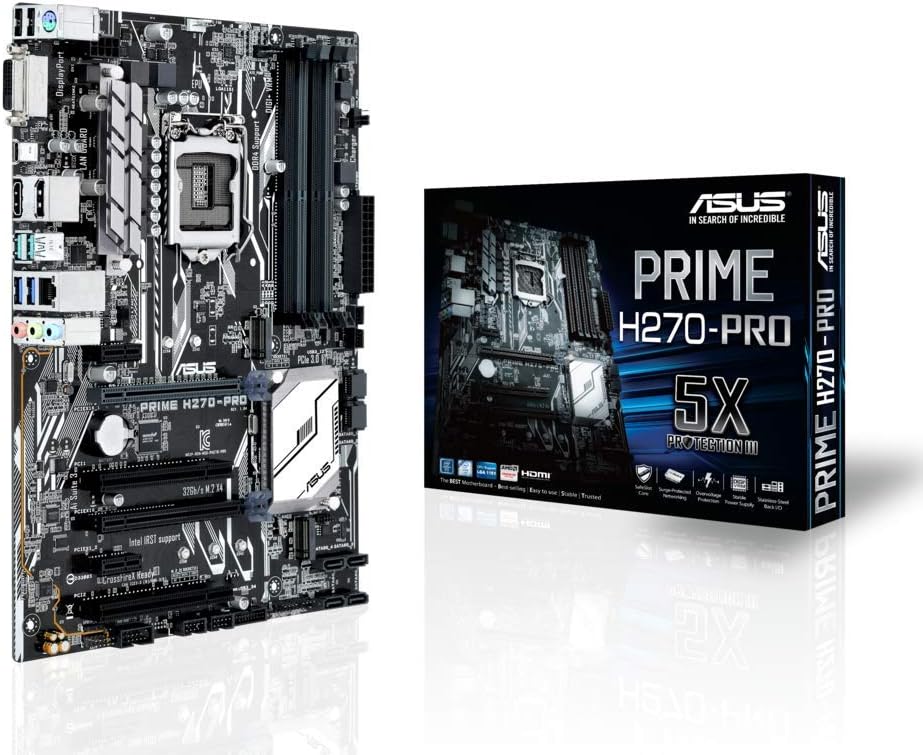

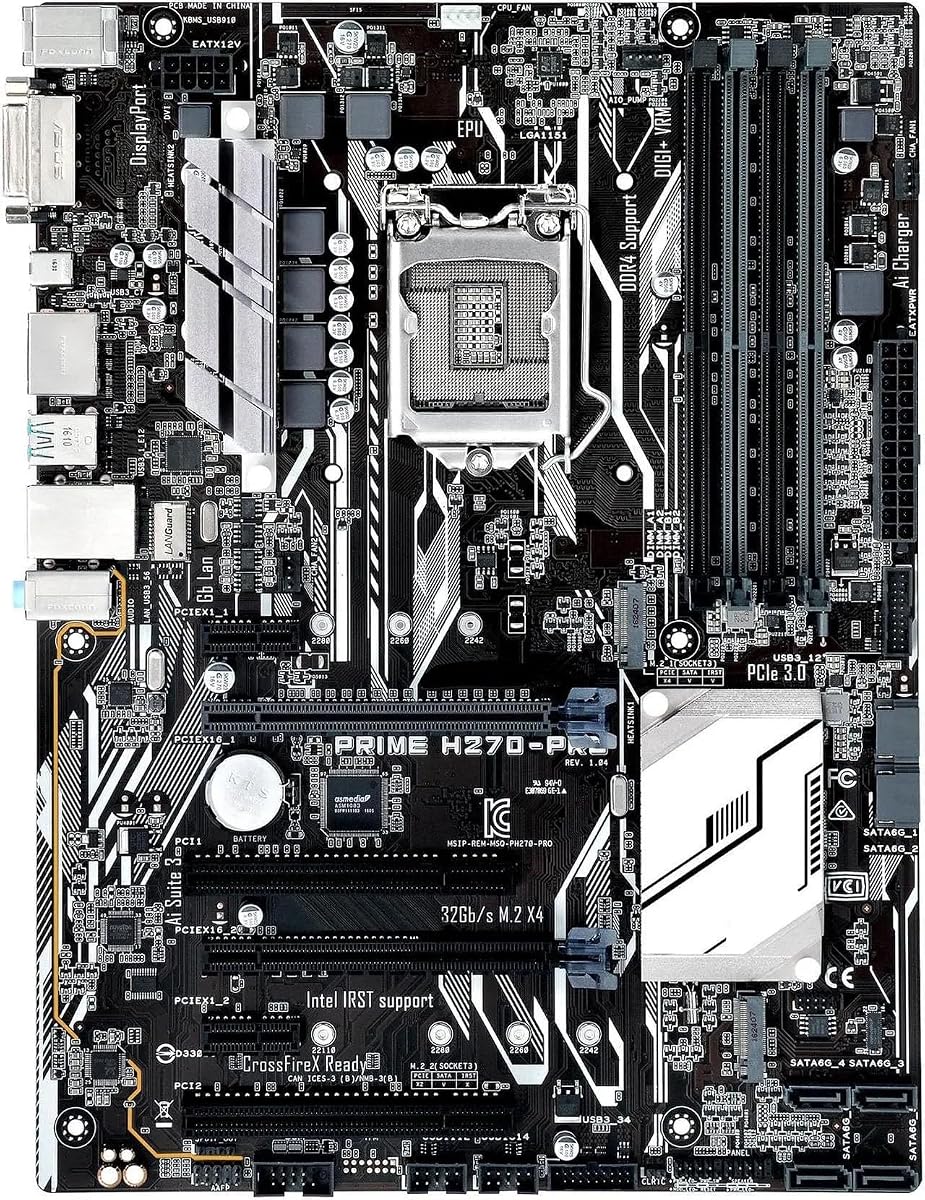


This motherboard stands out as a top contender in the H270 category with a strong rating from users. It combines reliability with modern features like dual M.2 slots and advanced protection systems.
We may earn a commission when you buy through this link, at no additional cost to you.
The 5X Protection III hardware safeguards ensure component longevity which is critical for long-term system stability. FanXpert 2 PLUS provides dynamic cooling control helping maintain optimal temperatures under load.
While it offers solid performance for mainstream builds the lack of extensive overclocking features is a trade-off inherent to the H270 chipset. This makes it ideal for users prioritizing stability over extreme tuning.
It is an excellent choice for builders seeking a balance of connectivity durability and modern storage options. If you need reliable hardware with good thermal management this model is highly recommended.
The 5X Protection III ensures your system components are shielded against electrical surges and other potential hardware hazards.
Integrated Dual M.2 slots allow for fast NVMe storage drives and compatibility with Intel Optane Memory technology.
We may earn a commission when you buy through this link, at no additional cost to you.
This model offers a compelling entry point for those seeking H270 functionality without a high cost. It features gaming-oriented enhancements like LAN protection and audio boost to enhance the user experience.
We may earn a commission when you buy through this link, at no additional cost to you.
The Mystic Light sync allows for basic RGB customization which is a nice touch for budget builds. Steel Armor on the DDR4 slots adds durability to prevent damage during installation.
While it lacks some of the premium build quality of higher-end models it delivers good value for its price. The gaming LAN protection helps mitigate network interruptions during online sessions.
It is a smart pick for budget-conscious gamers who still want some aesthetic and functional gaming features. If cost is a primary concern this board offers significant savings without sacrificing core usability.
Gaming LAN with LAN protect helps maintain a stable connection by prioritizing gaming traffic and reducing lag spikes.
Mystic Light sync allows you to control and synchronize RGB lighting effects across compatible components in your build.
We may earn a commission when you buy through this link, at no additional cost to you.
This premium option delivers top-tier aesthetics and audio quality ideal for enthusiasts who value system appearance and sound. It features the exclusive SupremeFX audio system driven by Japanese capacitors for clear output.
We may earn a commission when you buy through this link, at no additional cost to you.
AURA Sync RGB lighting provides extensive customization options allowing you to create a cohesive look across your entire setup. The Safe Slot feature integrates metal framing for robust GPU support against heavy graphics cards.
While the price is higher than standard boards the additional features justify the cost for dedicated gamers. FanXpert 4 ensures optimal cooling through dynamic calibration which helps maintain peak performance during intense gaming sessions.
It is the ideal choice for users wanting a high-end build with advanced cooling and audio capabilities. If you prioritize aesthetics and premium components this motherboard offers a refined and powerful platform.
The ROG exclusive SupremeFX S1220A driven by Japanese capacitors delivers industry-leading 8-channel HD audio quality.
Patent-pending Safe Slot uses injection molding with metal framing to protect PCIe slots from damage by heavy GPUs.
We may earn a commission when you buy through this link, at no additional cost to you.
This motherboard provides a reliable platform for standard office and home builds with good memory and port support. It includes the 5X Protection III suite which adds a layer of safety for your hardware components.
We may earn a commission when you buy through this link, at no additional cost to you.
The variety of USB ports including Type-A and Type-C options ensures compatibility with a wide range of peripherals. The ATX form factor fits most standard cases making it a versatile choice for many system configurations.
Despite the solid feature set the pricing is relatively high compared to similar models in the market. Users looking for extensive storage options like multiple M.2 slots might find this board less flexible.
It suits users who need dependable performance and connectivity without requiring advanced gaming features. If you need a stable workhorse board with good protection this model is a worthy consideration.
With multiple USB 3.0 and 3.1 ports available you can connect various devices without needing extra hubs.
5X Protection III provides advanced hardware safeguards to protect your components from electrical and environmental issues.
We may earn a commission when you buy through this link, at no additional cost to you.
This board is designed for budget builders who need essential features without unnecessary extras. It supports 6th generation Intel processors and provides a good number of SATA ports for storage needs.
We may earn a commission when you buy through this link, at no additional cost to you.
The inclusion of one Ultra M.2 slot allows for faster storage options compared to older SATA drives. Dual Channel DDR4 support ensures that memory performance is adequate for everyday tasks and light gaming.
While it lacks advanced gaming features or extensive connectivity it covers the basics well. The limited PCIe lanes might restrict multi-GPU setups but this is expected at this price point.
It is a great fit for basic home PCs or office machines where cost efficiency is key. If you need a simple reliable board for essential computing this model delivers good value.
With six SATA3 ports and one M.2 slot you have ample room for connecting various hard drives and SSDs.
Supports 6th generation Intel Core processors via the 1151 socket ensuring compatibility with a wide range of CPUs.
We may earn a commission when you buy through this link, at no additional cost to you.
This motherboard balances performance and price well for mid-range builds. It includes Killer E2500 networking which helps prioritize gaming traffic for a smoother online experience.
We may earn a commission when you buy through this link, at no additional cost to you.
The USB 3.1 Type-C port provides modern connectivity options that are useful for newer peripherals and charging needs. It supports 2-Way Crossfire allowing for multi-GPU setups if you need extra graphical power.
While it offers good gaming features the audio and connectivity options are not as advanced as premium models. However for most users the included features are sufficient for daily use and gaming.
It is a recommended option for gamers who want specific features like Killer networking without paying premium prices. If you need a solid mid-range board with modern connectivity this model fits the bill.
Killer E2500 Gaming Network helps reduce lag and prioritizes gaming data packets for a stable connection.
Media USB3.1 Type-C port ensures you can connect the latest devices with high-speed data transfer capabilities.
We may earn a commission when you buy through this link, at no additional cost to you.
This product is marketed as a replacement option for older damaged motherboards. It claims to resolve contact issues caused by dust or static electricity ensuring the system operates normally.
We may earn a commission when you buy through this link, at no additional cost to you.
The optimized power design and advanced heatsink are intended to boost performance and thermal management under heavy loads. It is designed to be a high-quality replacement for components damaged by rust or corrosion.
Since there is no user rating the reliability is less certain than branded models. Troubleshooting recommendations suggest checking contacts before installation which adds an extra step for the user.
It may be useful if you specifically need a replacement for a damaged board and cannot find the original. For most new builds sticking with branded options is safer but this serves a niche need.
Advanced heatsink design increases heat dissipation area ensuring stability during high-load computing tasks.
Designed to resolve contact issues caused by dust or static electricity to restore normal system operation.
We may earn a commission when you buy through this link, at no additional cost to you.
This is a generic option listed with basic specifications for compatibility. It supports various i5 and i3 processors and offers 64GB memory support which is useful for multitasking.
We may earn a commission when you buy through this link, at no additional cost to you.
The M.2 ATX form factor ensures it fits in standard cases and provides storage expansion. However the lack of detailed specs or user ratings makes it difficult to assess actual quality.
Buying generic components can save money but carries higher risk regarding support and longevity. It is a consideration for those building on an extremely tight budget with limited alternatives.
It may work for simple tasks but users should be cautious about long-term reliability. For peace of mind branded boards are usually preferred unless budget is the absolute priority.
Supports up to 64GB of DDR4 memory allowing for heavy multitasking and memory-intensive applications.
Supports various i5 and i3 processors ensuring broad compatibility with common desktop CPU options.
We may earn a commission when you buy through this link, at no additional cost to you.
This listing offers basic information and is another generic option for budget builds. It highlights support for 64GB of memory and the LGA 1151 socket which are standard for this generation.
We may earn a commission when you buy through this link, at no additional cost to you.
Detailed features are sparse making it hard to evaluate specific capabilities beyond the basics. The low price makes it attractive for those trying to build a system with minimal cost.
However the lack of reviews and brand information means you are taking a risk on quality and support. It is best suited for non-critical applications where budget constraints are severe.
Users should verify compatibility thoroughly before purchase to avoid issues. For most standard builds a more established board is recommended to ensure a smooth experience.
Provides support for up to 64GB of DDR4 memory allowing for decent multitasking performance.
Uses LGA 1151 socket ensuring compatibility with 6th and 7th generation Intel processors.
We may earn a commission when you buy through this link, at no additional cost to you.
This model lists a wide range of supported CPUs and memory capacity. It is an entry level alternative that includes M.2 support which is a valuable feature for SSD storage.
We may earn a commission when you buy through this link, at no additional cost to you.
The details provided are limited to essential specs without extensive feature lists. This makes it a basic choice for users who need a simple board without additional bells and whistles.
Without reviews or brand recognition the reliability is unknown. It serves as a last resort for those who have exhausted all other budget options.
It may work for light tasks but serious users should invest in a proven board. If cost is the only factor this option provides a baseline solution.
Supports a wide range of i3 i5 and i7 processors ensuring flexibility for your system upgrades.
Includes an M.2 slot for faster storage speeds compared to traditional SATA connections.
We may earn a commission when you buy through this link, at no additional cost to you.
Choosing the right H270 motherboard requires understanding your specific needs and the capabilities of the chipset.
Ensure the motherboard supports your specific CPU generation. The H270 chipset typically supports 6th and 7th Gen Intel Core processors so verify the socket type is LGA 1151.
Always check the CPU support list on the manufacturer website before purchasing.
Look for dual channel DDR4 support which provides better bandwidth. Check the maximum memory capacity to ensure it meets your multitasking needs.
Opt for boards that support speeds compatible with your CPU limits.
M.2 slots allow for faster NVMe SSDs compared to traditional SATA drives. Check how many SATA ports are available for standard hard drives.
Prioritize boards with at least one M.2 slot for future-proofing.
USB 3.0 and 3.1 ports are essential for fast data transfer. Look for modern ports like USB Type-C if you plan to use newer peripherals.
Count the ports to ensure you have enough for your devices.
Good VRMs ensure stable power delivery to your CPU which is vital for reliability. Heatsinks on VRMs help dissipate heat better.
Select a board with adequate cooling for your usage scenario.
Built-in audio codecs vary between models. If you use onboard audio check for high quality components like Japanese capacitors.
This improves sound clarity for multimedia without a sound card.
Ethernet controllers can range from standard to gaming optimized. Features like Killer networking may reduce latency for online gaming.
Choose based on your network usage needs.
Check the number of PCIe slots for add-in cards like sound cards or extra WiFi adapters.
Ensure the slot configuration fits your expansion requirements.
Install the motherboard carefully in a grounded case to prevent static damage. Ensure all standoffs are aligned correctly to avoid short circuits.
Keep the interior clean using compressed air to prevent dust buildup which can trap heat. Dust can degrade cooling performance over time.
Regularly update the BIOS to ensure stability and compatibility with new processors. Follow manufacturer instructions closely during the update process.
H270 motherboards support 6th and 7th generation Intel Core processors using the LGA 1151 socket. This includes Core i7 i5 i3 Pentium and Celeron models.
The H270 chipset does not support CPU overclocking but you can overclock compatible DDR4 RAM within memory limits. Use Z series boards for full CPU overclocking.
This varies by model but many H270 boards include one or two M.2 slots. Check the specific product details to confirm availability and speed.
Many gaming focused H270 boards support RGB headers for LED strips or fans. Look for boards with headers if you plan to customize lighting effects.
Most H270 motherboards support up to 64GB of DDR4 RAM. The exact limit depends on the specific model and manufacturer specifications.
Yes most H270 boards with M.2 slots support NVMe SSDs for faster storage speeds. Verify the M.2 interface speed for optimal performance.
Yes many H270 boards are designed for gaming with features like better audio LAN and slots for GPUs. They offer a solid balance for mainstream gaming.
Download the BIOS update from the manufacturer website and use the provided utility. Follow the instructions carefully to avoid interruption during the flash process.
We highlighted top picks ranging from budget options to premium choices. The ASUS Prime H270-PLUS offers great overall value while MSI provides a solid budget gaming board.
Prioritize features like M.2 slots and VRM cooling based on your build goals. Stability and connectivity often outweigh flashy features for daily use.
Always check current prices and availability as these models vary over time. Compare specs carefully to ensure the best fit for your system.