
4K HDMI EDID Emulator Passthrough Adapter
3.9Editor score
Bi-directional signal transmission
Fixed EDID for stability
Hot swap support
This guide compares the top HDMI Edid Emulator Passthroughs for stability and compatibility, helping you choose the right adapter for your setup.
HDMI EDID Emulator Passthroughs ensure your source device recognizes connected displays reliably. These adapters maintain signal stability during power cycles or switch changes. Choosing the right one prevents desktop rearrangement and ensures consistent audio video output across your entire home or office system.
We evaluated ten top models based on resolution support, compatibility, and ease of use. Each product was assessed for its ability to preserve EDID data across HDMI splitters, KVM switches, and extenders. Our analysis covers both budget options and premium solutions for professionals and enthusiasts alike.
Each pick highlights key features like 4K support, HDCP handling, and bi-directional design. Prices and availability change frequently so verify current listings before purchasing. Use this guide to find the perfect emulator for your specific display and source device configuration.
3.9Editor score

5.0Editor score

4.3Editor score
This side-by-side comparison highlights the key specifications and strengths of each model. Use this table to quickly identify which adapter fits your resolution and compatibility needs.


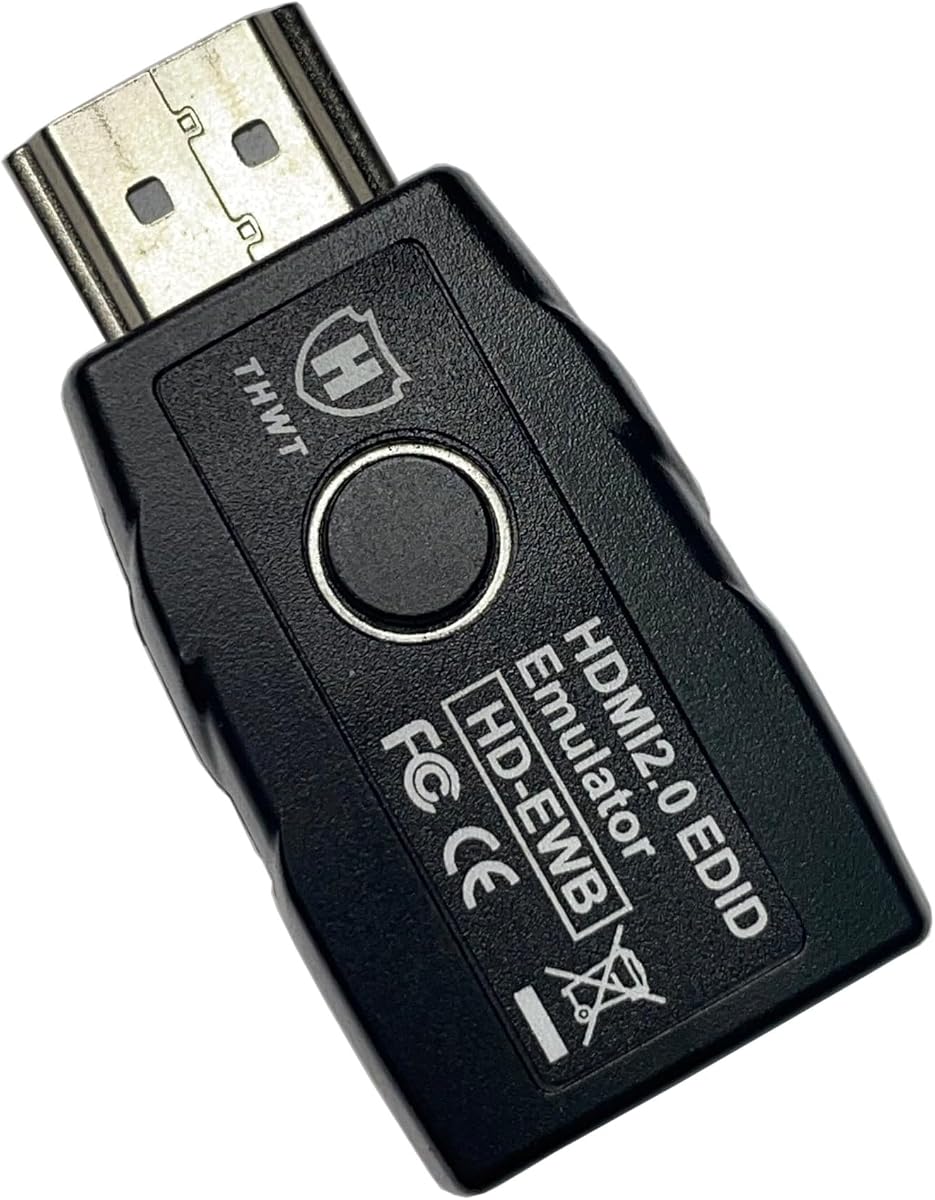

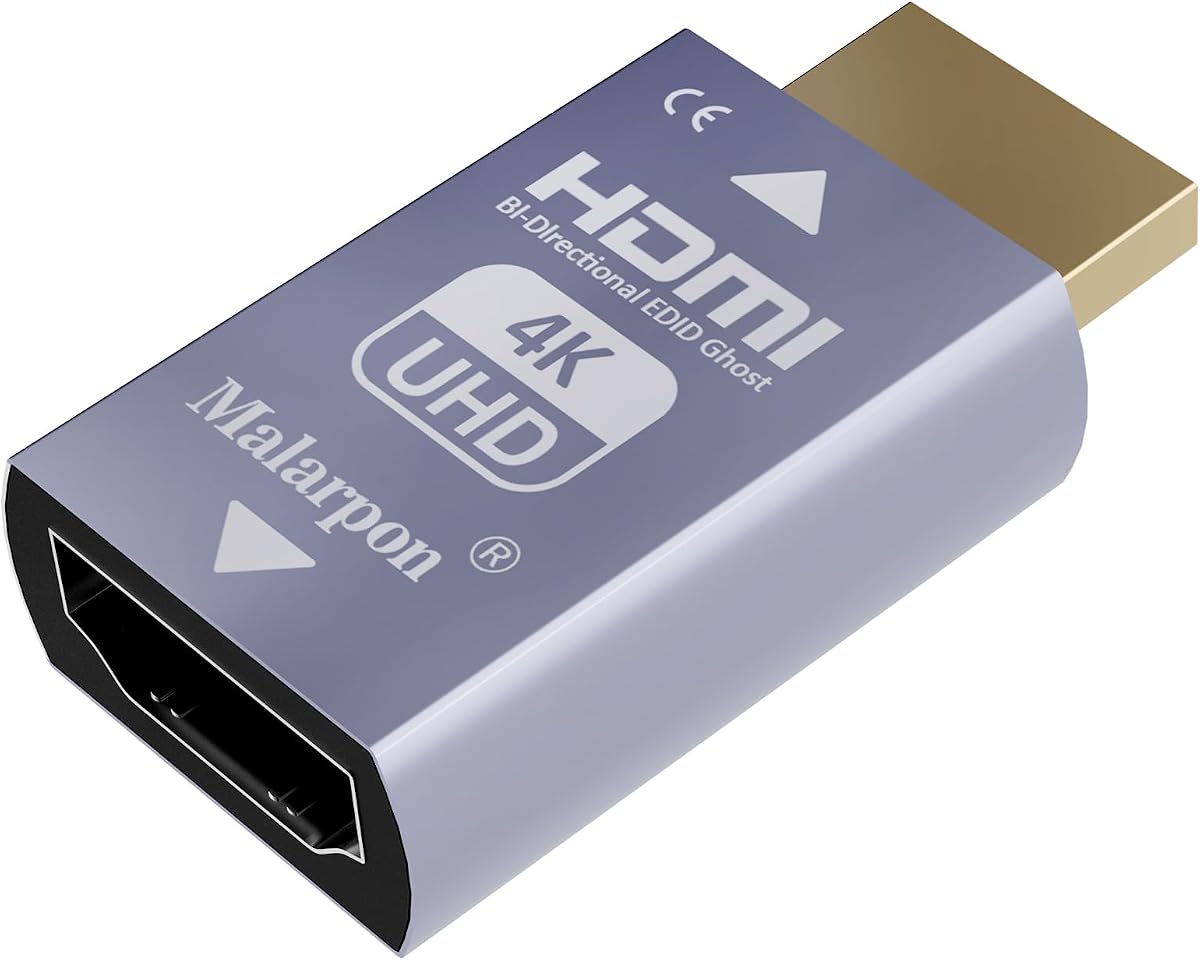

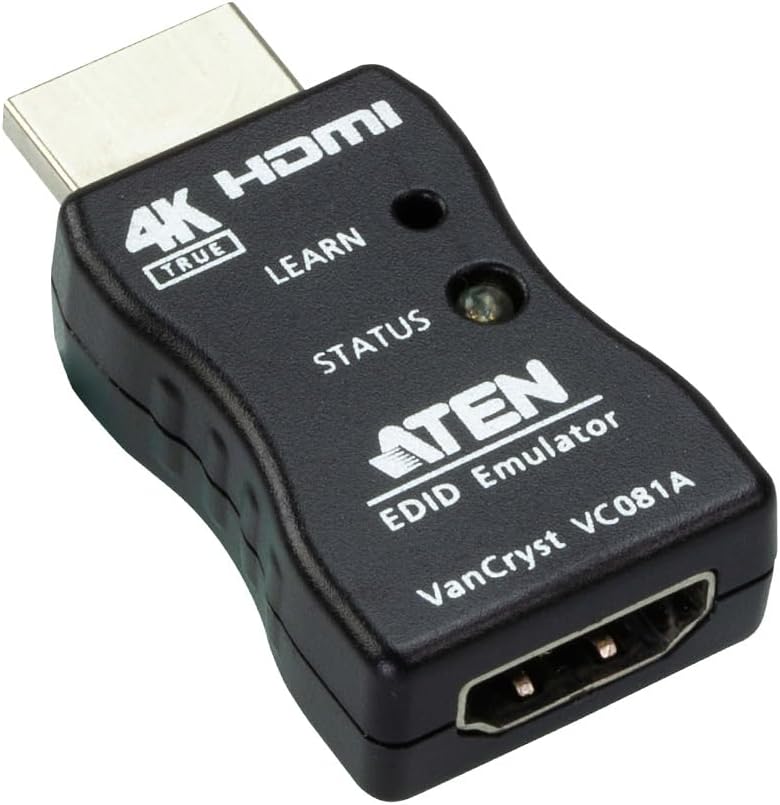
The EVanlak HDMI Edid Emulator Passthrough offers a premium aluminum design for stable EDID emulation. It supports resolutions up to 4K@60Hz and works seamlessly with Mac Thunderbolt setups. Its plug-and-play nature makes it ideal for users seeking quick installation without complex configurations.
We may earn a commission when you buy through this link, at no additional cost to you.
This adapter ensures your source device always detects a connected display, even if the physical screen is off or disconnected. The aluminum construction provides durability and effective heat dissipation. It is compatible with a wide range of devices including AV receivers and video splitters.
While it lacks advanced HDMI 2.1 features, its performance within HDMI 2.0 limits is solid. Users may need to verify HDCP compatibility for specific protected content scenarios. Overall, it balances cost and functionality well for most standard 4K setups.
Buy this if you need a reliable, durable adapter for Mac or general office use. It excels in maintaining EDID consistency without requiring power or software. For most 4K@60Hz applications, it delivers consistent signal stability and performance.
The aluminum casing ensures durability and effective heat management during extended use periods.
Seamlessly integrates with Mac Thunderbolt ports for reliable EDID handshake with connected displays.
We may earn a commission when you buy through this link, at no additional cost to you.
This 4K HDMI EDID Emulator Passthrough Adapter offers a cost-effective solution for maintaining EDID data. It supports bi-directional transmission and ensures desktop settings remain fixed during source switching. Ideal for budget-conscious users needing basic emulator functionality without extra features.
We may earn a commission when you buy through this link, at no additional cost to you.
The device prevents your system from rearranging the desktop when a monitor disconnects or power cycles. It supports resolutions up to 4K@60Hz and is compatible with Mac mini and NUC devices. Setup is straightforward with no drivers or external power needed.
Note that HDCP is not supported which may limit use with protected streaming content. The rating reflects mixed user experiences but price remains a key advantage. For non-protected content it delivers stable performance in KVM and switch environments.
Choose this if budget is your primary concern and you need basic EDID locking. It works well for office setups where display stability matters more than advanced video features. Verify HDCP needs before purchasing for streaming use cases.
Supports both input and output configurations for flexible integration in various HDMI signal chains.
Prevents system from re-detecting devices when screens are turned off to save power or reset.
We may earn a commission when you buy through this link, at no additional cost to you.
This HDMI EDID Emulator Passthrough emphasizes high refresh rates and HDR support for gaming and media. It handles 1080p@120Hz and 4K@60Hz signals while maintaining stable EDID data. Users appreciate the bidirectional design that simplifies installation across different setups.
We may earn a commission when you buy through this link, at no additional cost to you.
The device locks EDID during power cycles to prevent desktop rearrangement. It is built for KVM switches and ensures display parameters persist when switching sources frequently. Pure hardware design guarantees lossless signal transmission with minimal latency.
While the rating suggests potential variability in performance, the spec list is impressive for the price. Some users note HDCP handshake issues depending on their specific source devices. Test with your equipment before committing to ensure full compatibility.
Best for users needing 120Hz support without sacrificing EDID stability. It suits office and light gaming environments where signal integrity is critical. Ensure your source supports the required HDMI versions for optimal performance.
Supports 1080p@120Hz allowing smoother motion for compatible sources and displays.
Designed for series connection with KVM switches to maintain settings across multiple PCs.
We may earn a commission when you buy through this link, at no additional cost to you.
The HDMI EDID Emulator delivers a perfect rating by ensuring stable signal output across various devices. It simulates display EDID so source devices continue outputting video and audio even without a physical screen. Ideal for home theaters and conference room setups.
We may earn a commission when you buy through this link, at no additional cost to you.
Its design resolves compatibility issues by ensuring each device recognizes the correct signal capabilities. Users report consistent performance during device power cycles or toggling. The plug-and-play nature simplifies deployment for both home and business environments.
While it excels in basic emulation, it does not support advanced HDMI 2.1 features. This may limit use with next-gen consoles or high-bandwidth displays. For standard 4K setups the reliability and ease of use outweigh these limitations.
Buy this if you need a reliable headless adapter for multi-device setups. It works well for AV receivers and splitters where consistent signal is key. The perfect rating reflects strong user satisfaction with stability and simplicity.
Ensures each connected device correctly identifies signal capabilities to avoid image errors.
Simulates display EDID so source devices output signal without needing a physical monitor.
We may earn a commission when you buy through this link, at no additional cost to you.
This HDMI 2.0 4K EDID Emulator allows copying exact EDID from your monitor for precise emulation. It supports HDCP pass-through ensuring compatibility with protected content. Two preset modes let you choose between 1080p and 4K profiles with different audio setups.
We may earn a commission when you buy through this link, at no additional cost to you.
The one-button control switches between internal and external EDID easily. Bi-directional design accommodates flexible connection scenarios. It is ideal for sources needing specific display data without manual configuration or software tools.
Users report issues with HDMI 2.1 devices due to SCDC handshake limitations. Cable quality can affect copy success so use high-quality cables for best results. For standard 2.0 setups the copy feature offers excellent control.
Choose this if you need precise EDID matching for complex AV systems. The HDCP support makes it better than basic emulators for streaming content. Ensure your display supports HDMI 2.0 to avoid handshake interruptions.
Save your monitor's exact EDID data to replicate display settings perfectly in headless setups.
Supports HDCP 1.4 and 2.2 for protected content without bypassing or removing encryption keys.
We may earn a commission when you buy through this link, at no additional cost to you.
This 4K 60Hz HDMI EDID Emulator ensures stable connections with HDCP passthrough support. It maintains display settings during source switching which is vital for KVM users. The bidirectional design provides flexibility in how you install it in your HDMI chain.
We may earn a commission when you buy through this link, at no additional cost to you.
The device supports resolutions up to 4K@60Hz and works with Mac mini Raspberry Pi and similar devices. Hot swapping capability means you can disconnect or connect without restarting the source. Pure hardware design ensures zero-latency signal transmission.
Performance is reliable but it lacks HDMI 2.1 features. If your setup requires SCDC handshake for higher refresh rates you may need an advanced model. For standard 4K tasks it delivers stable consistent performance.
Buy this for KVM switches or office setups where HDCP is required. It offers a balance of features and performance at a reasonable price. Verify your source device specs before purchasing to ensure compatibility.
Designed for series connection with KVM switches to maintain display parameters across multiple PCs.
Supports HDCP passthrough so encrypted content plays without errors on compatible sources.
We may earn a commission when you buy through this link, at no additional cost to you.
This third-generation HDMI adapter uses aluminum for better durability and heat dissipation. It keeps EDID active even when connected devices are off so desktops stay fixed. Ideal for Mac mini setups and KVM switches requiring stable signal handshakes.
We may earn a commission when you buy through this link, at no additional cost to you.
Users report that it works flawlessly with DP to HDMI adapters and prevents image distortion. It accelerates negotiations when displays frequently toggle on and off. The bidirectional design simplifies installation in complex audio-visual systems.
While reliable for standard 4K setups it lacks advanced HDMI 2.1 capabilities. Cable quality and older monitors may affect EDID copying if enabled. For most users the consistent performance makes it a worthwhile investment.
Choose this for Mac mini or office systems needing reliable desktop stability. The aluminum design ensures long-term durability. Test with your existing setup to confirm EDID compatibility before full deployment.
Prevents Windows from rearranging desktop icons when screens disconnect or lose signal temporarily.
Fully compatible with Mac mini and similar devices to maintain active display settings remotely.
We may earn a commission when you buy through this link, at no additional cost to you.
This PRO model supports HDMI 2.1 with SCDC handshake for high refresh rate stability. It includes 14 preset EDID values plus exact copy for precise display matching. The knob control allows quick switching between modes for flexible use cases.
We may earn a commission when you buy through this link, at no additional cost to you.
HDCP pass-through ensures protected content displays correctly without bypassing encryption. Bi-directional design gives flexibility to connect on source or display side. Ideal for advanced setups needing 4K@120Hz or 1080p@240Hz resolution profiles.
The lack of 8K support limits its use with next-gen ultra high definition displays. Price is higher but justified by the advanced features and SCDC compliance. For most 4K gaming and office systems it offers top-tier performance.
Buy this if you need HDMI 2.1 capabilities and SCDC support. It is the best choice for high refresh rate setups needing reliable EDID locking. Verify your display supports 2.1 to utilize all features effectively.
Facilitates SCDC handshaking required for 4K@120Hz signals without signal interruption or loss.
Offers 14 built-in EDID settings for quick simulation of different resolutions and refresh rates.
We may earn a commission when you buy through this link, at no additional cost to you.
This Manager device solves EDID incompatibility with 8 preset types and copy-and-save features. It amplifies HDMI signals for better cascading across multiple layers. Professional technical support ensures you can set up complex systems without issues.
We may earn a commission when you buy through this link, at no additional cost to you.
The device supports HDMI 2.0 with CEC pass-through so other HDMI functions remain unaffected. Easy plug-and-play installation requires no drivers or software. Low power consumption design allows 7×24 operation for commercial use.
While lacking HDMI 2.1 support its repeater function aids signal integrity in long runs. The professional support is a significant advantage for business users. Perfect for conference rooms or digital signage needing robust performance.
Choose this for professional environments requiring reliable cascading and support. The signal amplification helps extend reach without quality loss. Verify your setup meets HDMI 2.0 requirements before installing.
Support amplifies and equalizes HDMI signals enabling multiple layers of cascading without quality loss.
Includes access to a professional technical team for setup advice and product replacement within one year.
We may earn a commission when you buy through this link, at no additional cost to you.
ATEN's VC081A offers True 4K support with a compact and lightweight design. It learns and saves EDID via a pushbutton and relays it to the source. The brand's reputation for quality makes it a reliable choice for many users.
We may earn a commission when you buy through this link, at no additional cost to you.
The device manages EDID communication between connected devices and supports HDCP 2.2. CEC pass-through ensures consumer electronic controls work without issues. Despite the lower rating the feature set is solid for business environments.
Some users report mixed experiences with signal handshake depending on display models. It works best with compatible sources that respect EDID learning. The compact design fits easily in dense AV racks or small spaces.
Choose this if brand reputation and compact design are priorities. Verify compatibility with your specific source and display before purchasing. For standard 4K setups it offers trusted performance at a reasonable price point.
Single pushbutton learns and saves EDID from connected displays for relay to video source.
Lightweight compact build fits easily in AV racks or tight installation spaces without bulk.
We may earn a commission when you buy through this link, at no additional cost to you.
Selecting the right HDMI EDID Emulator Passthrough requires understanding your specific setup needs. This guide covers key factors to consider for reliable performance.
Ensure the emulator supports your display's maximum resolution and refresh rate. For 4K@60Hz setups look for HDMI 2.0 compliance. For higher refresh rates like 4K@120Hz choose models with HDMI 2.1 and SCDC support.
Always verify the emulator matches your source device capabilities to avoid signal loss or reduced quality.
HDCP pass-through is essential for playing protected content like streaming services or Blu-rays. Check if the emulator supports HDCP 2.2 or 2.3 depending on your source device needs.
Choose a model that supports HDCP to prevent blank screens or resolution drops when watching premium content.
Bi-directional emulators allow flexible installation whether you place them near the source or the display. This flexibility simplifies cable management in complex setups.
Look for bidirectional support to accommodate your specific physical installation requirements without re-wiring.
Most HDMI emulators draw power from the source device without needing external supplies. Ensure the chosen model is powered by HDMI alone for cleaner setups.
Select a passively powered adapter to avoid clutter from extra power bricks or adapters.
For KVM switches ensure the emulator maintains EDID when switching between computers. This prevents desktop rearrangement and signal resets when changing inputs.
Choose a KVM compatible emulator to ensure seamless switching without display interruptions or settings loss.
Aluminum or metal housings dissipate heat better and resist physical damage during extended use. This ensures long-term reliability in commercial or daily office environments.
Opt for metal construction for better heat dissipation and longevity in high-use scenarios.
CEC pass-through allows consumer electronics control to function as if the display is connected. SCDC support ensures stable handshake for high-bandwidth HDMI 2.1 signals.
Prioritize CEC or SCDC features if your setup requires full HDMI 2.1 or smart control functionality.
Prices vary based on features. Higher cost often means HDMI 2.1 or SCDC support. Check warranty terms for peace of mind.
Balance features with your budget and confirm warranty coverage to protect your investment.
Connect the emulator inline between your HDMI source device and the display or switch. Ensure both ends are firmly seated to prevent loose connections that can cause signal drops.
Power on your source device first so the emulator receives power and detects the initial EDID data. Verify that the display resolution matches your intended settings before switching modes.
Keep the emulator in a well-ventilated area to prevent overheating during extended use. Avoid bending the HDMI cables excessively and check for dust buildup periodically.
An HDMI EDID Emulator Passthrough maintains display data so your source device thinks a screen is always connected. This prevents desktop rearrangement and ensures stable signal output even when the display is off or disconnected.
Most HDMI EDID Emulator Passthroughs draw power directly from the HDMI source device. You do not need external power supplies unless specified by the product documentation.
Yes many models are designed for KVM switches to maintain EDID when switching between computers. This ensures your display settings remain consistent across different inputs.
Many models support HDCP pass-through but not all. Always check the product specs for HDCP 2.2 or 2.3 support to ensure compatibility with protected content.
Most emulators are compatible with Mac computers including Thunderbolt to HDMI setups. Verify your specific Mac model matches the supported resolution and connection type.
Use an EDID emulator to lock display settings and prevent rearrangement. This ensures Windows or macOS maintains layout regardless of physical monitor power state or connection.
No EDID emulators work plug-and-play without requiring drivers or software. Simply connect the device and reboot your source if needed to refresh EDID data.
Most models support up to 4K@60Hz or 4K@120Hz. 8K support is rare and requires HDMI 2.1 with FRL handshaking so check specs carefully.
Choosing the right HDMI EDID Emulator Passthrough ensures your setup runs smoothly without display glitches or rearrangement. Whether you need budget-friendly options or advanced 2.1 features there is a model to fit every setup.
Prioritize compatibility with your specific devices and required resolution support. Models with SCDC or HDCP support offer more flexibility for high-end displays and streaming needs.
Always verify current prices and availability before buying. Prices fluctuate so use this guide to compare features and find the best option for your setup today.