
ID-COOLING IS-40-XT
4.6Editor score
47mm total height
4 heat pipes
92mm PWM fan
This guide compares the top Htpc CPU Cooler options for small form factor builds, focusing on noise, compatibility, and thermal performance for 2026.
Finding the right cooling solution for a home theater PC is crucial for maintaining silence and performance. A good Htpc CPU Cooler must fit tight cases while dissipating heat effectively without generating unwanted noise that disrupts media playback.
We evaluated ten leading models based on their height constraints, thermal capacity, and fan noise levels. Each product was assessed for compatibility with modern sockets and its ability to handle varying workloads in compact enclosures.
Each pick highlights specific strengths such as ultra-low profiles or superior airflow. Please note that product availability and pricing fluctuate frequently, so verify current details before making your final purchase decision.
4.6Editor score

4.7Editor score

4.7Editor score
This table provides a quick side-by-side overview of the key specifications for all ten featured coolers, helping you compare height, fan size, and socket compatibility at a glance.




The ID-COOLING IS-67-XT stands out as a top contender for HTPC builds that require robust cooling in a low profile. It carries a strong 4.5-star rating from users who appreciate its balance of size and performance.
We may earn a commission when you buy through this link, at no additional cost to you.
This cooler uses six heat pipes and a copper base to move heat away from the CPU efficiently. The included 120mm PWM fan provides automatic speed control, ensuring quiet operation during media playback while ramping up when needed.
Although it is only 67mm tall, it is still taller than some ultra-slim options. This means you might have clearance issues in extremely tight cases, but it fits most standard ITX enclosures without hassle.
Buy this if you need high cooling capacity without sacrificing too much height. It is ideal for users with mid-range CPUs in small form factor PCs who want reliable performance and modern socket compatibility.
The combination of a copper base and six heat pipes ensures rapid heat conduction away from the processor to the fins.
Support for LGA1851 and AM5 sockets means this cooler will work with the latest generations of Intel and AMD CPUs.
We may earn a commission when you buy through this link, at no additional cost to you.
Noctua is famous for quiet cooling, and the NH-L9x65 delivers on that promise with a 65mm low-profile design. It holds a 4.7-star rating, reflecting its reputation for reliability and silence in HTPC environments.
We may earn a commission when you buy through this link, at no additional cost to you.
The NF-A9x14 fan is optimized for low noise while maintaining good airflow. It includes a Low-Noise Adaptor, giving you even more control over the acoustic signature of your system during quiet movie nights.
One trade-off is the cost, which is higher than budget options. However, the included NT-H1 thermal paste and SecuFirm2 mounting system simplify installation and ensure a secure fit over years of use.
Choose this cooler if silence is your top priority and you have a CPU with moderate heat output. It is perfect for living room PCs where noise levels must remain unnoticeable to viewers.
The NF-A9x14 fan is specifically engineered to reduce noise while maintaining effective cooling for low power draw processors.
The SecuFirm2 mounting system is widely regarded as the easiest and most secure method for installing CPU coolers on modern motherboards.
We may earn a commission when you buy through this link, at no additional cost to you.
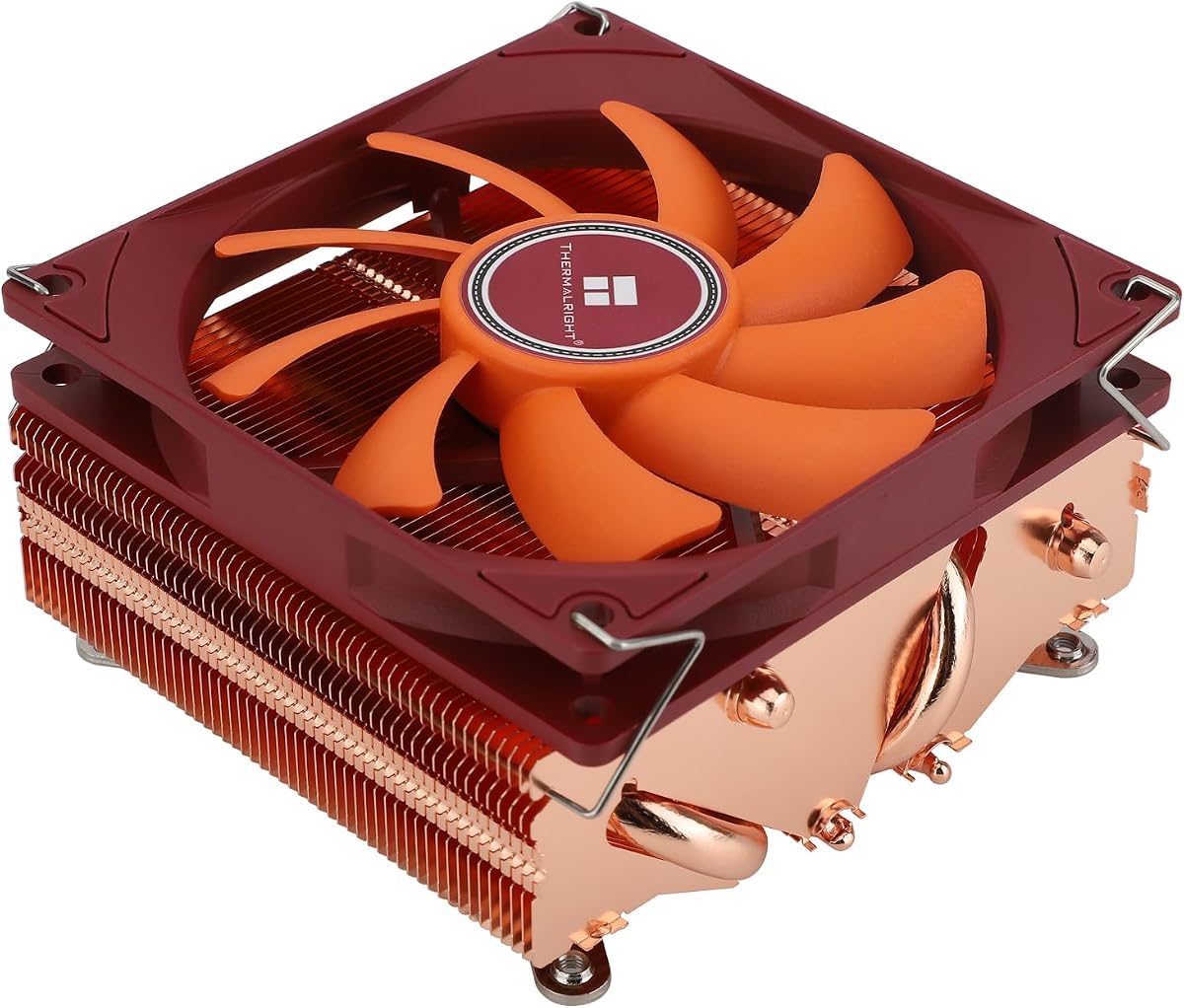
At just 47mm tall, the IS-40-XT is one of the slimmest options available. It earned a 4.6-star rating from users who need to fit a cooler into very tight spaces without breaking the bank.
We may earn a commission when you buy through this link, at no additional cost to you.
This unit uses four heat pipes and a 92mm PWM fan to keep temperatures in check. The all-black design adds a sleek look that blends well with modern black-themed HTPC builds.
The smaller fan means it may not cool high-performance CPUs as well as larger models. However, for typical HTPC workloads like streaming or light computing, it performs admirably.
This is the best pick for budget-conscious builders with strict height limits. If your case barely fits a cooler, this model provides a reliable solution without expensive premiums.
With a height of only 47mm, this cooler can fit into cases where other models simply cannot physically be installed.
You get solid cooling performance and modern socket compatibility at a price point that is hard to beat for this category.
We may earn a commission when you buy through this link, at no additional cost to you.
The AXP90-X53 offers a full copper radiator which helps conduct heat quickly. It has a 4.5-star rating and is popular among users looking for efficient cooling in a compact 53mm form factor.
We may earn a commission when you buy through this link, at no additional cost to you.
AGHP technology helps the heat pipes work efficiently regardless of orientation. This is useful for ITX cases where the motherboard might be mounted vertically or horizontally, ensuring consistent performance.
Being full copper makes it heavier than aluminum options, which requires a sturdy case structure. Also, installation instructions can be detailed, so take your time to avoid mounting issues.
Select this if you want premium materials like copper at a budget price. It is a great middle-ground choice for those who need better heat transfer without paying flagship prices.
AGHP technology solves gravity issues in heat pipes, allowing this cooler to perform well in various mounting orientations.
The use of pure copper for the radiator and base maximizes thermal conductivity for better heat dissipation.
We may earn a commission when you buy through this link, at no additional cost to you.
This model is actually a tower cooler, not strictly low profile. It has a 4.7-star rating and is included for users who have larger ITX or SFF cases and need maximum cooling power.
We may earn a commission when you buy through this link, at no additional cost to you.
With two 120mm fans and six heat pipes, it handles high-end CPUs easily. The AGHP technology ensures the heat pipes work efficiently, providing extreme cooling performance even in constrained spaces.
The height is 155mm, which will not fit most HTPC cases. It is only suitable if you have a deep chassis or are willing to risk compatibility issues with your enclosure.
Choose this only if you prioritize cooling over height. It is best for SFF gaming builds where you need to cool a powerful CPU without resorting to water cooling.
Two 120mm PWM fans allow for massive airflow to keep even the hottest CPUs cool during intense gaming sessions.
The dual tower design allows this cooler to handle CPUs with very high thermal design power requirements effectively.
We may earn a commission when you buy through this link, at no additional cost to you.
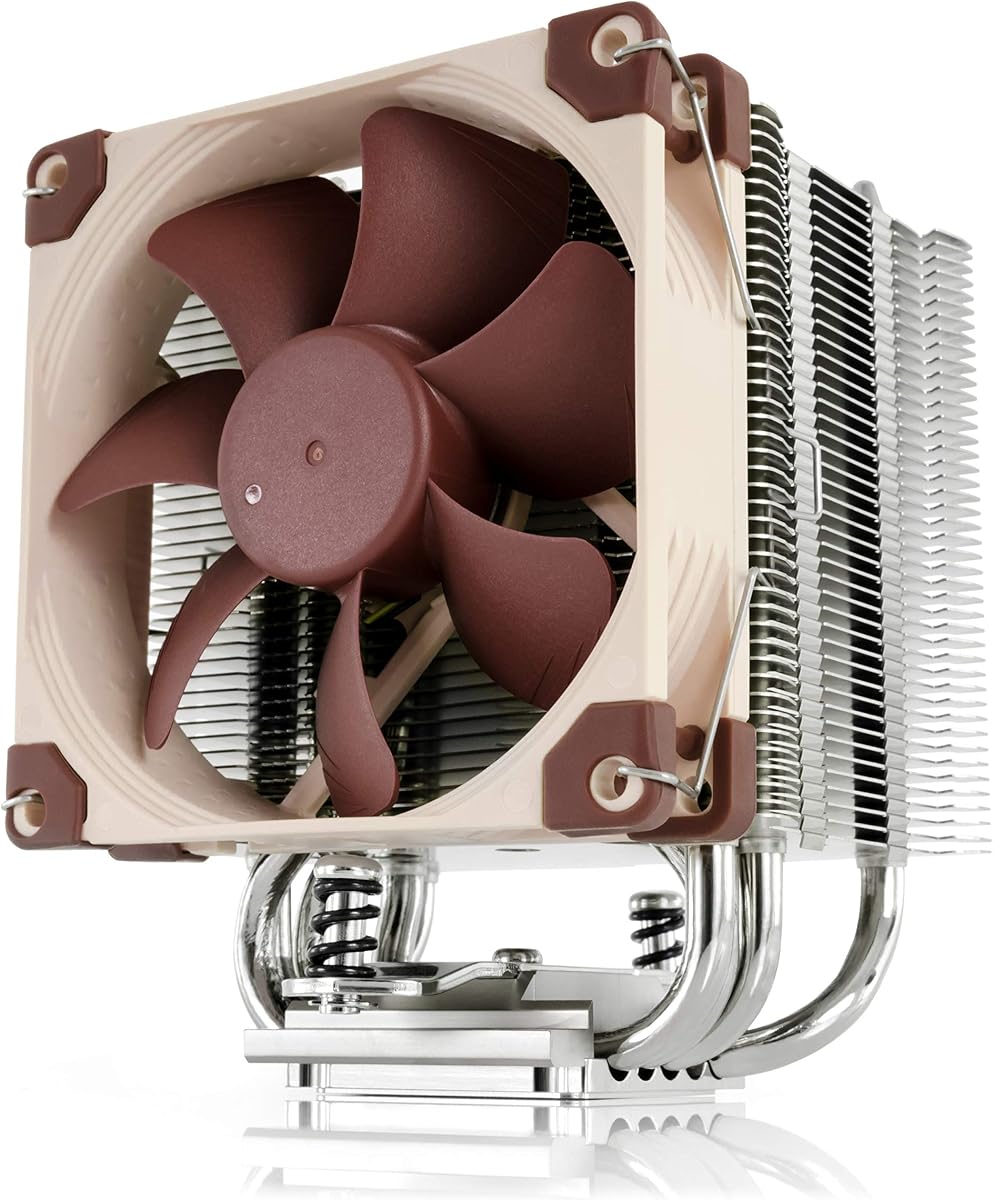
The NH-U9S is a compact single-tower cooler that balances size and cooling power. With a 4.8-star rating, it is widely respected for its ability to stay cool and quiet in a variety of setups.
We may earn a commission when you buy through this link, at no additional cost to you.
It uses the NF-A9 fan which is optimized for performance and noise reduction. The single tower design saves space and leaves room for RAM, making it compatible with many standard motherboards.
The height is 125mm, which is too tall for many HTPC cases. It is better suited for mini-ITX cases with ample clearance or standard mid-towers where silence is key.
This is a great choice for users who want Noctua quality but need slightly more cooling than a flat low-profile model. Ensure your case has enough room before buying.
Noctua fans are designed to provide maximum airflow while maintaining whisper-quiet acoustics even at higher speeds.
The design ensures compatibility with RAM slots without overhang, allowing you to use almost any memory module.
We may earn a commission when you buy through this link, at no additional cost to you.
This model is designed specifically for AMD AM4 CPUs and stands out for its ultra-low 37mm height. It has a 4.7-star rating from users who need the absolute smallest cooler for their build.
We may earn a commission when you buy through this link, at no additional cost to you.
It comes with a premium NF-A9x14 fan that runs silently. The low profile ensures it does not interfere with RAM or PCIe slots, making it a great fit for tiny HTPC enclosures.
Since it is only for AM4, it is not a future-proof choice for new systems. However, if you are upgrading or keeping an existing AM4 build, it offers great value and silence.
Pick this if you are building with a Ryzen 5 or similar AM4 chip in a very small case. It is one of the few options that can fit into the tightest enclosures on the market.
The mounting system is optimized for AMD AM4, ensuring perfect fit and thermal contact for Ryzen processors.
At only 37mm tall, this cooler is ideal for cases that are essentially flat boxes with limited internal height.
We may earn a commission when you buy through this link, at no additional cost to you.
The NH-L12S is a premium low-profile option with a 70mm height. It has a 4.7-star rating and is known for its successor to the award-winning NH-L12 model, bringing modern tech to a classic design.
We may earn a commission when you buy through this link, at no additional cost to you.
It uses the NF-A12x15 fan which is highly optimized for airflow and noise. This gives you better cooling than smaller 92mm fans while staying low enough for most HTPC cases.
The price reflects the premium materials and engineering Noctua puts into their products. While expensive, the quality and performance justify the cost for users who want the best.
This is the best choice for those who need high cooling but still want to stay low profile. It is ideal for powerful CPUs in ITX cases where you cannot use a full tower cooler.
The NF-A12x15 fan uses advanced aerodynamics to move more air with less noise than previous generations.
The cooler offers an offset mounting option to improve compatibility with RAM modules on certain motherboards.
We may earn a commission when you buy through this link, at no additional cost to you.
This tower cooler is rated 4.7 stars and is a favorite for value. While tall, it is included for HTPCs that have deeper cases or users who want high performance without a premium price.
We may earn a commission when you buy through this link, at no additional cost to you.
It features a TL-C12C fan that moves air efficiently with low noise. The AGHP technology ensures the heat pipes work well regardless of orientation, which helps with cooling efficiency.
At 148mm tall, this will not fit in most living room PC cases. It is only suitable for larger SFF builds or cases that can accommodate a standard tower cooler.
Buy this if you want a budget-friendly cooler that does not compromise on cooling power. It is a solid pick for small gaming builds where you need to cool a mid-range CPU.
The 4 heat pipes and large heatsink provide cooling performance that rivals much more expensive coolers on the market.
The TL-C12C fan is designed to provide high airflow while keeping noise levels low for a comfortable user experience.
We may earn a commission when you buy through this link, at no additional cost to you.
The AXP90 X36 is one of the slimmest coolers available at 36mm. It has a 4.6-star rating and is perfect for the tiniest HTPC cases where height is extremely limited.
We may earn a commission when you buy through this link, at no additional cost to you.
AGHP technology helps heat transfer work effectively despite the slim design. It includes a 92mm PWM fan for automatic control, ensuring the CPU stays cool without manual adjustment.
The slim profile limits how much heat it can dissipate compared to taller units. This means it is best for low-power CPUs or workloads that do not generate excessive heat.
This is the best choice if you need the absolute minimum height possible. It fits in cases that no other cooler can, providing a practical solution for tiny media centers.
At 36mm tall, this cooler allows you to build a PC in cases that are only slightly taller than a motherboard.
Gravity-independent heat pipes ensure consistent cooling performance regardless of how you mount your PC.
We may earn a commission when you buy through this link, at no additional cost to you.
Selecting the right cooler requires balancing physical constraints with thermal needs. This guide breaks down the key factors you should consider to make an informed choice for your build.
The most critical factor for HTPC coolers is the total height. You must check your case specifications to ensure the cooler fits without hitting the side panel. Low profile coolers are typically under 70mm.
Always measure your case clearance and leave a few millimeters of safety margin to avoid physical conflicts during installation.
Modern CPUs use new sockets like LGA1851 and AM5. Ensure the cooler supports your specific processor generation. While many claim universal support, checking the manufacturer list is essential.
If you plan to upgrade in the future, choose a cooler that supports the latest sockets to extend its usable life.
Larger fans generally move more air at lower speeds, which is quieter. However, HTPCs often use 92mm or 120mm fans depending on the space available.
Prioritize fans with PWM support so they can adjust speed based on load, keeping noise down during media playback.
Ultra-slim coolers often sacrifice performance. If you have a high-end CPU, you may need a larger low profile model to avoid thermal throttling.
Match the cooler capacity to your CPU heat output to ensure stable operation under load.
Some low profile coolers still block RAM modules. Check the width of the cooler to ensure it does not overlap with your memory slots.
Look for designs that offer offset mounting options if you plan to use large RAM heatsinks.
Copper radiators dissipate heat better than aluminum but are heavier. Aluminum is lighter and cheaper but less efficient in extreme cases.
Choose copper if you have a powerful CPU, and aluminum if weight and budget are your main concerns.
Most quality coolers include thermal paste. This saves you a trip to the store and ensures you use a compatible compound for the installation.
High quality pastes like NT-H1 are excellent, but basic pastes work fine for most standard HTPC uses.
Leading brands offer long warranties that can range from 3 to 6 years. This reflects confidence in the product durability and quality.
A good warranty ensures you have support if the fan motor fails or mounting parts break over time.
Proper installation is the key to effective cooling. Apply the thermal paste in a small pea-sized amount at the center of the CPU heat and tighten the mounting screws in a cross pattern to ensure even pressure.
Keep the fan blades clean from dust accumulation. Dust blocks airflow and reduces cooling efficiency significantly over time. Use compressed air to clean the fins and fan blades every few months.
Monitor your CPU temperatures after installation. If temperatures remain high, re-check the mounting screws and paste application. Ensure the fan is plugged into the CPU_FAN header on the motherboard for proper control.
Most HTPC cases have a clearance between 40mm and 70mm. Look for coolers labeled low profile or under 70mm tall to ensure they fit comfortably without touching the case panels.
A 92mm fan is often preferred for ultra-slim cases, while a 120mm fan provides better airflow and lower noise if your case is wide enough. Choose the larger fan if space permits.
Not necessarily. Many modern low profile coolers use high quality PWM fans that stay very quiet at low speeds. The noise level depends on the fan design and how hard the CPU is working.
For most low profile coolers, you can install them with the motherboard in the case. However, you may need to remove the backplate or check clearance for tools depending on your case design.
Only if your HTPC case is deep enough. Most tower coolers are too tall for living room PCs. Stick to low profile models unless you have a specific open frame or large mini PC case.
Thermal paste can last several years, but if you notice temperatures rising unexpectedly, it might be time to reapply. For most users, changing it once every three to five years is sufficient.
Yes, heat pipes conduct heat away from the CPU faster than metal fins alone. A cooler with heat pipes will keep your CPU cooler under the same load compared to a basic heatsink.
If your case has no fan intake, your cooler must be efficient enough to handle the heat without forced air. Choose a high performance low profile model with a quality fan for best results.
We explored ten excellent cooling options for HTPC builds, ranging from ultra-slim models to performance focused designs. The Noctua NH-L9x65 and ID-COOLING IS-67-XT stand out as top picks for their balance of size and reliability.
When making your choice, prioritize the height of the cooler to ensure it fits your case first. Then consider the cooling capacity needed for your specific CPU to avoid overheating issues during extended use.
Remember that prices and availability can change quickly. Check current listings to find the best deal and verify that the cooler supports your exact CPU socket before finalizing your purchase.