
Enbrighten Smart Dimmer Light Switch
4.6Editor score
Matter and Wi-Fi support
Hub free app control
Easy DIY installation
Compare the top in wall smart dimmer switches for smart home control featuring Wi-Fi Matter and voice compatibility to upgrade your lighting setup today.
Transform your home lighting with in wall smart dimmer switches that offer remote control and scheduling. These devices let you adjust brightness levels from anywhere using your smartphone or voice commands for ultimate convenience.
We evaluated ten leading models based on connectivity features installation ease and user ratings. Our analysis covers Wi-Fi and Matter compatibility neutral wire requirements and dimming performance to help you find the right fit for your electrical setup.
Each pick highlights key specifications pros and cons to guide your decision. Remember that product availability and pricing can change frequently so verify current details before purchasing to ensure you get the best value for your smart home investment.
4.6Editor score

4.8Editor score

4.6Editor score
This side-by-side comparison lists all ten selected models with their key specifications to help you quickly identify which switch meets your wiring needs and smart home ecosystem requirements.





This Lutron Caseta smart dimmer switch stands out as a top choice for homeowners seeking reliable smart lighting control. With a high rating and extensive compatibility with leading platforms like Alexa and Apple Home it offers seamless integration into existing smart home ecosystems.
We may earn a commission when you buy through this link, at no additional cost to you.
The switch allows precise control via the Lutron app voice commands or the wall itself. You can create personalized schedules and activate lighting scenes with a button touch. The lack of a neutral wire requirement makes it versatile for older homes where wiring might be limited.
While the need for a separate smart hub adds to the initial cost and setup complexity the reliability and performance justify the investment. The wireless Pico remote option further enhances convenience by allowing control from anywhere in the home without additional wiring.
Buyers prioritizing reliability and broad compatibility will find this switch ideal. It is particularly recommended for those who want a proven system that grows with their smart home needs without worrying about wiring limitations or connectivity issues.
The option to use a Pico remote means you can control lights without relying solely on the wall switch or phone app.
Unlike many competitors this model works in older homes without a neutral wire making installation simpler for retrofit projects.
We may earn a commission when you buy through this link, at no additional cost to you.
The Enbrighten Smart Dimmer Light Switch offers excellent value for those looking to upgrade their lighting without a large investment. Supporting Matter and Wi-Fi it provides modern connectivity options that ensure compatibility with various smart home platforms without needing a central hub.
We may earn a commission when you buy through this link, at no additional cost to you.
Installation is streamlined with a QuickFit design that reduces housing depth and color coded flying leads for easier wiring. Remote dimming works even without internet access ensuring you can adjust brightness locally at any time. Voice control integration adds hands-free convenience for daily use.
While the switch requires a neutral wire for installation it remains accessible for many standard electrical setups. The need to enable Matter via an app might be a minor step for some but it ensures future-proof compatibility with emerging smart home standards.
This model is perfect for budget-conscious users who do not want to compromise on smart features. It balances cost and functionality effectively making it a strong contender for anyone seeking an affordable yet capable smart dimmer solution.
Connect directly to Wi-Fi for app-based control without purchasing a separate hub which reduces overall system costs.
Matter certification ensures the switch will work with a wide range of devices now and as the standard evolves.
We may earn a commission when you buy through this link, at no additional cost to you.
Leviton Decora Smart Dimmer Switch 2nd Gen delivers premium smart lighting control with support for Apple Home and Siri. It offers customizable fade rates and night settings to create elegant ambiance for different times of day without manual adjustment each time.
We may earn a commission when you buy through this link, at no additional cost to you.
The switch ensures flicker-free performance with adjustable bulb type settings for dimmable LED fixtures. Connectivity is robust with Matter support available through a firmware update ensuring long-term compatibility. You can control lights from anywhere using your smartphone or voice assistants like Alexa and Google.
Installation requires a neutral wire which may limit use in older homes but the performance benefits are significant. The ability to set wired or wireless 3-way configurations provides flexibility for multi-location lighting setups without extensive rewiring or extra hardware costs.
This premium option is ideal for users who value aesthetic integration and advanced features. It suits those looking for high-end smart home compatibility and customizable lighting experiences that enhance daily living with convenience and style.
Direct support for Apple Home and Siri makes this a top choice for users invested in the Apple smart home ecosystem.
Night settings and customizable fade rates let you tailor lighting mood automatically for relaxation or evening activities.
We may earn a commission when you buy through this link, at no additional cost to you.
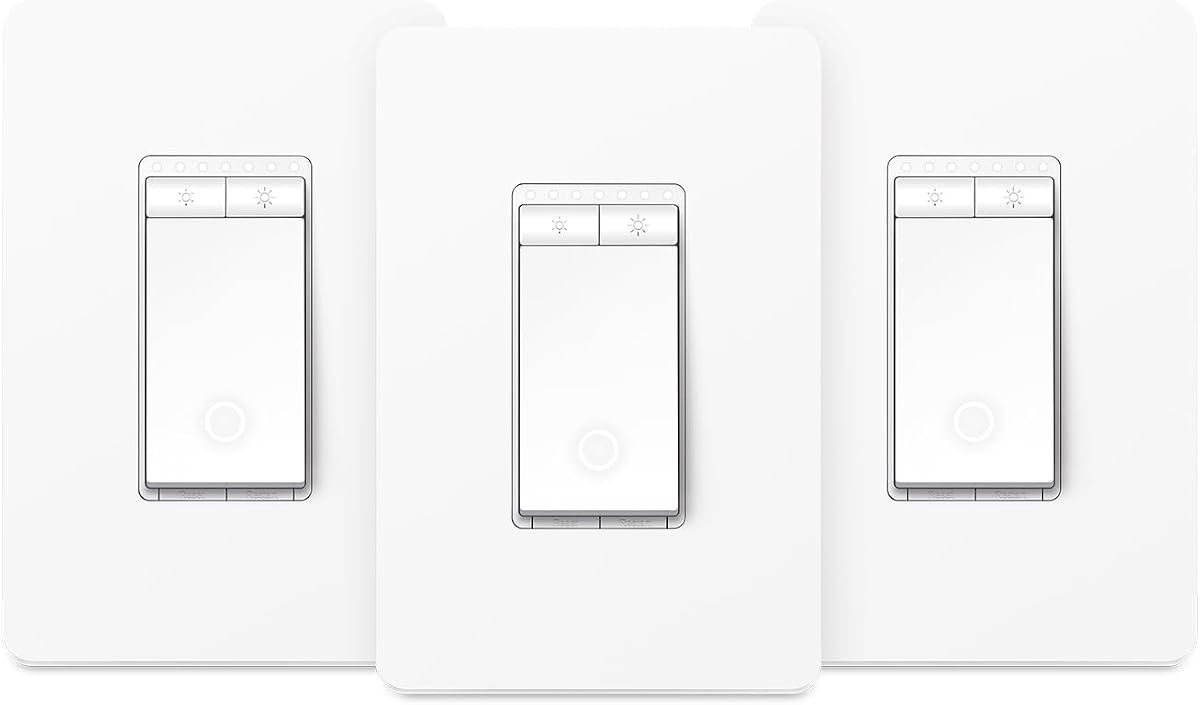
The Kasa Smart 3-Way Dimmer Switch Kit replaces traditional 3-way switches found in stairways and hallways allowing control from two locations. You can adjust lighting remotely via the Kasa or Tapo app for energy savings and convenience of smart technology throughout your home.
We may earn a commission when you buy through this link, at no additional cost to you.
Dimming ranges from 1% to 100% with scheduling options to set brightness levels for night lighting or gentle waking. App-guided installation helps you through setup step-by-step though neutral wiring is necessary and consulting an electrician is recommended if unsure.
Voice control with Alexa or Google Assistant adds hands-free operation. The kit is trusted by millions of users with a 2-year warranty ensuring reliability. Keeping firmware updated through the app helps maintain optimal performance and security over time.
This kit is ideal for homes needing multi-location control without complex wiring. It balances smart features with ease of use making it a practical choice for stairways entryways and other areas where 3-way switching is standard.
The 3-way kit allows you to turn lights on or off from two different switches maintaining traditional convenience with smart upgrades.
Step-by-step app instructions simplify installation for DIY users who are comfortable with basic electrical wiring tasks.
We may earn a commission when you buy through this link, at no additional cost to you.
The Kasa Smart Dimmer Switch HS220P3 offers precise control for single pole installations with 0-100% dimming range. App-guided install and double-click fade off features provide convenience especially for bedtime routines where smooth transitions are preferred.
We may earn a commission when you buy through this link, at no additional cost to you.
Voice control works seamlessly with Alexa or Google Assistant for hands-free operation. You can monitor and control lights from anywhere using the Kasa app on your smartphone. Scheduling allows you to wake up to a soft morning glow without manual intervention.
No hub is required as it connects directly to a secured 2.4GHz wireless network. This simplifies setup and reduces costs. However neutral wiring is needed so check your electrical box before purchasing to ensure compatibility with your existing setup.
This switch suits homeowners looking for reliable single location control with smart scheduling. It is a solid choice for living rooms or offices where consistent brightness adjustments are needed daily without complex multi-location requirements.
Double-click fade off allows lights to gently dim rather than shut off instantly which is comforting at night.
Set custom schedules to turn lights on or off at specific times aligning with your daily routines automatically.
We may earn a commission when you buy through this link, at no additional cost to you.
The Tapo Matter Smart Dimmer Switch 2-Pack offers great value for outfitting multiple rooms with smart lighting control. Matter certification ensures compatibility with major platforms like Amazon Alexa Apple HomeKit and Google Home providing flexible unified control across devices.
We may earn a commission when you buy through this link, at no additional cost to you.
Full 0-100% dimming allows you to set ideal ambiance for any occasion. The away mode feature randomly turns lights on and off to enhance security while you are away. Fade on/off transitions prevent eye irritation and create a pleasant user experience.
Installation is guided by the Tapo app requiring neutral wiring and 2.4GHz Wi-Fi. Voice commands work with Alexa Siri Google Assistant or Samsung Bixby. Scheduling options align lighting with your daily routine and preferences for convenience.
This 2-pack is perfect for upgrading multiple switches in one purchase. It suits users who want Matter-ready devices without spending excessively making it a smart investment for whole-home smart lighting upgrades in living areas and bedrooms.
The away mode simulates occupancy by randomly controlling lights which helps deter burglars when you are not home.
Matter support means these switches work with many different smart home ecosystems without needing proprietary hubs.
We may earn a commission when you buy through this link, at no additional cost to you.
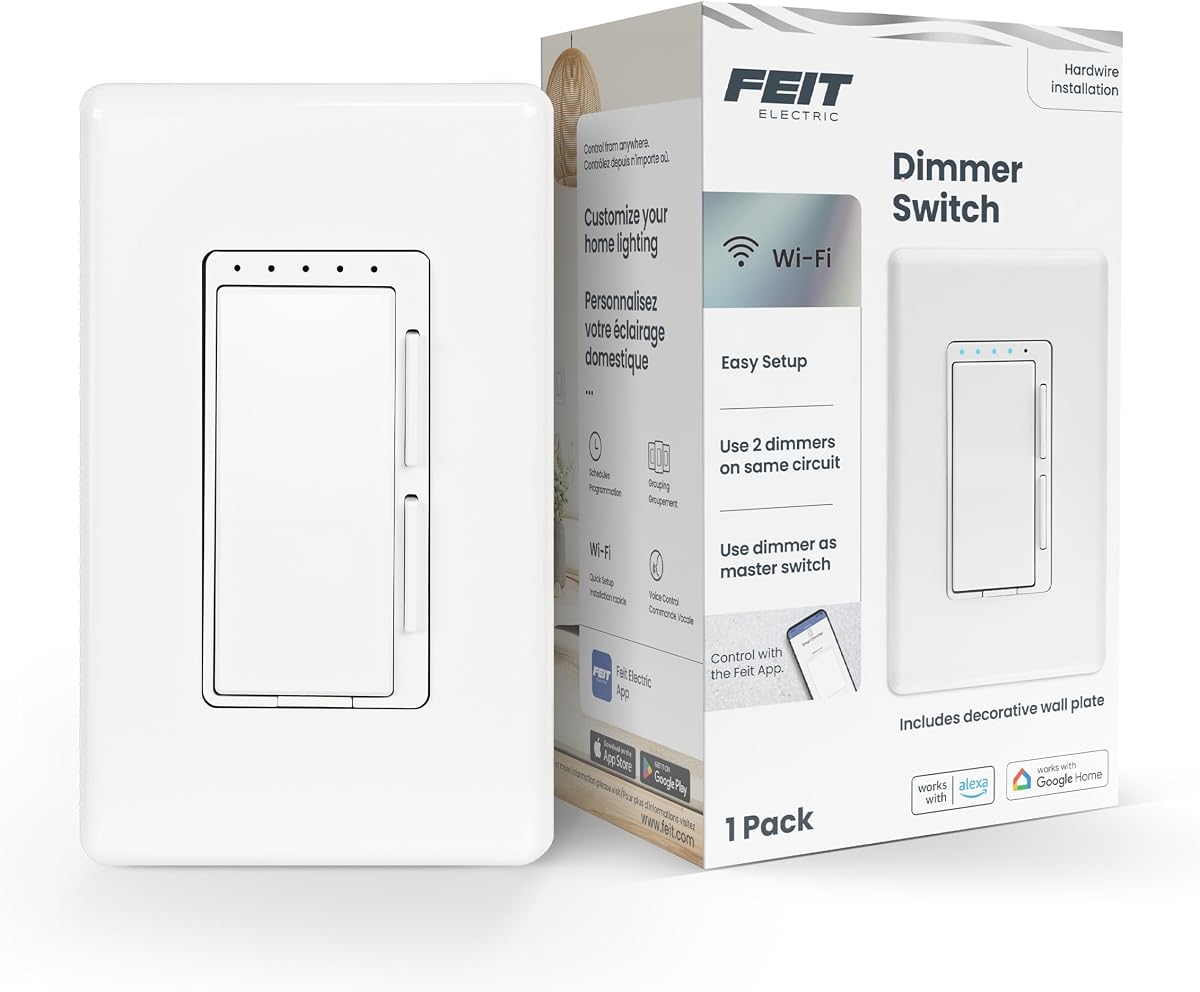
The Feit Electric Smart Dimmer Switch provides an entry-level smart lighting option with compatibility for Amazon Alexa and Google Assistant. It supports dimmable LED and CFL loads up to 150W and incandescent/halogen loads up to 450W for versatile bulb support.
We may earn a commission when you buy through this link, at no additional cost to you.
WiFi is enabled on 2.4GHz networks allowing remote control via the feit electric app. You can set schedules or timers to automate routines. A power indicator light shows connectivity status and LED dimming indicator lights show dimmability range.
Installation requires a neutral wire and a licensed electrician is recommended for safety. It works for single pole 3-way and 4-way setups. The included mounting frame and decorative wall plate ensure a clean finish without extra purchases.
This model is ideal for those seeking basic smart functionality at a lower cost. It works well for rooms where simple on-off and dimming control are needed without advanced automation or complex ecosystem integration requirements.
Timers and schedules allow basic automation without needing advanced features or complex setups for entry-level users.
The power indicator light provides visual feedback on network connectivity which helps troubleshoot connection issues quickly.
We may earn a commission when you buy through this link, at no additional cost to you.
The Lutron Caseta Diva Smart Dimmer Switch is highly compatible for older homes as it does not require a neutral wire. The soft-glow light bar and slider provide precise wall control and preset settings allow you to turn lights on to your preferred level instantly.
We may earn a commission when you buy through this link, at no additional cost to you.
Control your lights via the Lutron app voice or the wall. Smart Away feature randomly turns lights on and off to mimic occupancy enhancing security. It works with up to 150W dimmable LED bulbs making it suitable for most residential lighting needs.
Pairing with a Pico remote offers added convenience for controlling lights from anywhere in the home without cutting holes. A 3-way setup can be created by replacing one switch and mounting a Pico remote on another wall surface easily.
This switch is best for those who want reliable performance and simple installation in older wiring setups. It is a strong choice for users who value precise control and seamless smart home integration without modifying electrical wiring extensively.
The ability to pair a Pico remote allows you to control lights from anywhere without rewiring or removing existing switches.
Smart Away mode enhances home security by randomly controlling lights to make the home look occupied when you are gone.
We may earn a commission when you buy through this link, at no additional cost to you.
The Tapo Matter Smart 3-Way Dimmer Kit controls lighting fixtures from two locations making it ideal for living rooms hallways and stairways. Energy monitoring tracks usage of connected lights helping you make eco-conscious adjustments to save money on bills.
We may earn a commission when you buy through this link, at no additional cost to you.
Matter-certified devices work together and are compatible with Amazon Alexa Apple HomeKit Google Home and Samsung SmartThings for unified control. The Tapo app guides you through setup requiring neutral wiring and 2.4GHz Wi-Fi. Installation is simple by replicating old switches.
Full 0-100% dimming control sets ideal ambiance for any occasion. Scheduling and away mode enhance security and convenience. Voice commands work with Alexa Siri Google Assistant and Samsung Bixby for hands-free operation throughout your smart home.
This kit suits homeowners wanting energy insights alongside smart control. It is a practical choice for those who track electricity usage and want to optimize lighting habits without compromising on smart home compatibility and ease of use.
Tracking connected light energy usage helps you identify high consumption patterns and reduce waste over time.
Matter certification means these switches integrate smoothly with many existing smart home devices from different brands.
We may earn a commission when you buy through this link, at no additional cost to you.
This Lutron Caseta smart dimmer switch adjusts lights automatically with changing seasons ensuring your family comes back to a well-lit home. Set lights to turn on off or dim at set times to fit your daily routines and activate favorite scenes with a button touch.
We may earn a commission when you buy through this link, at no additional cost to you.
Caséta works with existing wiring without a neutral wire making it flexible for any home age. It connects with more smart devices than most brands. Use the app voice or wall to control lights and create schedules that fit your lifestyle naturally.
Wireless Pico remote support lets you turn lights on off or dim from anywhere in the home. A Smart Away feature randomly turns lights on and off to look like you are home even if you are not enhancing security without effort.
Ideal for users wanting seamless automation and reliability this switch is a top pick. It prioritizes ease of installation and broad smart home integration making it perfect for those who want set-and-forget lighting that adapts to their needs.
Automatic seasonal adjustment ensures lighting matches natural light cycles so you always return to a welcoming home.
Connects with more devices than most brands which means greater flexibility as you add more smart home gear.
We may earn a commission when you buy through this link, at no additional cost to you.
Selecting the right smart dimmer switch involves considering wiring compatibility connectivity options and smart home ecosystem support. This guide outlines key factors to help you make an informed decision.
Many smart dimmer switches need a neutral wire to power their internal electronics. Older homes often lack this wire so look for models like Lutron Caseta that operate without it if your box does not have one.
Check your electrical box for a bundle of white wires before buying. If neutral is absent choose a brand explicitly stating no neutral wire is required to avoid installation issues.
Switches connect via Wi-Fi Z-Wave or Zigbee. Wi-Fi models work directly with your router without extra hubs but may use more bandwidth. Matter-certified devices offer broad compatibility across platforms like Alexa and Apple Home.
Decide if you want a hub-based system for reliability or a hub-free solution for simplicity. Hub-free often means easier setup but hubs can provide better stability in larger homes.
Ensure the switch supports your preferred voice assistant like Amazon Alexa Google Assistant or Apple Siri. Some models work with multiple platforms while others focus on specific ecosystems for better integration.
Check if the switch allows voice dimming commands which is useful for hands-free control. Full voice integration lets you adjust brightness without touching your phone or the wall switch.
Look for switches that support wide dimming ranges like 0-100% or 1-100% to suit different lighting needs. Flicker-free performance is essential for LED bulbs to avoid annoying light fluctuations.
Adjustable settings for bulb type and minimum brightness help prevent flickering. Smooth fade transitions add comfort especially at night when abrupt changes might be disruptive.
Some switches come with guided apps and color-coded wires for easier DIY installation. Others may require an electrician if you are unsure about wiring. Consider your skill level and comfort with electrical work.
Check if the package includes wall plates and mounting hardware. Missing parts can delay installation so ensure everything is included before starting the project.
Choose switches that integrate well with your existing smart home devices like thermostats or security systems. Compatibility with platforms like SmartThings or HomeKit ensures centralized control.
Matter certification is a growing standard for interoperability. If you plan to mix brands this support future-proofs your investment and simplifies device management.
Advanced models allow complex routines based on time location or weather. Automation saves energy and adds convenience by turning lights on when you arrive or off when you leave.
Look for away modes that mimic occupancy for security. Flexible scheduling means you can tailor lighting to daily habits without manual intervention.
A solid warranty indicates manufacturer confidence in product durability. Check the duration of coverage and customer support availability in case of technical issues.
Reliable support ensures you can resolve connectivity problems quickly. Brands with strong reputations often provide regular firmware updates to improve performance.
Install the switch by turning off the circuit breaker and following the app-guided steps. Connect wires according to the color-coded instructions and secure the switch in the wall box before powering on to ensure safety.
Connect the switch to your home Wi-Fi network via the app and test voice commands. Configure schedules and automation rules to suit your routine so the switch works automatically without constant manual input.
Keep firmware updated through the app to maintain security and performance. Clean the switch face with a dry cloth and avoid harsh chemicals. Periodically check connections if you notice flickering or connectivity issues to extend its lifespan.
No, not every switch requires a neutral wire. Some models like Lutron Caseta are designed to operate without one. Always check your electrical box and the product specifications before purchase.
Most switches support dimmable LED bulbs but compatibility varies. Look for switches that list specific bulb types or offer settings to adjust minimum brightness to prevent flickering.
A single smart dimmer switch controls the lighting fixture connected to it. In 3-way setups one switch can manage multiple bulbs or fixtures controlled from different locations.
Some switches require a hub like Lutron Caseta while others work directly with Wi-Fi. Check the product details to see if a hub is necessary before buying.
Local control via the wall switch usually still works without internet. However remote app and voice control may be unavailable until internet is restored.
Most standard dimmers are not rated for low voltage applications like track or landscape lighting. Verify product specifications to ensure compatibility with your fixture type.
Our top picks include the Lutron Caseta for reliability the Enbrighten for budget value and the Leviton Decora for premium features. Each offers unique strengths suited to different wiring and smart home needs.
Prioritize connectivity type and neutral wire requirements when selecting a switch. A model that fits your existing setup will save time and money during installation.
Always check current prices and availability before buying as offers change regularly. Investing in a quality smart dimmer switch enhances convenience and energy efficiency in your home for years to come.