
Weilisi Desk Ring Light
4.5Editor score
360 Degree Rotation
Flexible Height Stand
C-Clamp Mount
Streaming success relies heavily on video quality, and proper lighting is the foundation of a professional look. A key light for streaming illuminates your face evenly, reducing harsh shadows and ensuring viewers focus on your content rather than poor visibility. Choosing the right model involves balancing brightness, color temperature control, and ease of use.
We compared ten top-rated lighting solutions based on output power, color rendering accuracy, and mounting flexibility. Our analysis includes panel lights, desk lamps, and full kits designed for various setup sizes. Each product was evaluated on its ability to deliver consistent, flicker-free illumination suitable for live broadcasts and recorded videos.
Each pick in this guide highlights specific strengths like remote control, smart app integration, or compact designs. While prices and availability fluctuate regularly, the core features remain stable indicators of performance. Read on to find the ideal key light that matches your streaming goals and workspace constraints.
4.5Editor score

4.5Editor score
4.6Editor score
As an Amazon Associate we earn from qualifying purchases.
This table provides a side-by-side comparison of all ten featured lighting solutions. It highlights key specifications such as luminosity, color temperature ranges, and unique features to help you make an informed decision quickly.



The Elgato Key Light stands out as a top-tier choice for streamers seeking professional illumination. With a rating of 4.5 stars, it delivers 2800 lumens that brighten any workspace effectively. Its standout quality lies in the seamless Wi-Fi control and high-quality light diffusion.
We may earn a commission when you buy through this link, at no additional cost to you.
This model features 160 OSRAM LEDs that provide impressive brightness while running cool. The opal glass face ensures glare-free, evenly balanced light that flatters your complexion on camera. You can adjust color temperature from 2900K to 7000K via the desktop app for precise control.
While the price is higher than budget options, the performance justifies the investment. The need for a direct power source limits portability slightly. However, the consistency and quality of light it provides make these trade-offs acceptable for dedicated creators.
Streamers who prioritize image quality and ease of use should buy this light. It integrates well with existing streaming software and offers reliable performance. Ultimately, it remains the best overall solution for professional broadcasting environments.
The 2800 lumens output ensures your face is well-lit even in larger rooms without needing fill lights.
Control brightness and temperature remotely via the desktop app, allowing for adjustments mid-stream.
We may earn a commission when you buy through this link, at no additional cost to you.
The Logitech Litra Glow is designed specifically for those who need excellent webcam lighting without clutter. It scores a 4.5 rating for its TrueSoft technology that delivers balanced, full-spectrum light. This ensures natural skin tones and radiant looks for video conferencing or streaming.
We may earn a commission when you buy through this link, at no additional cost to you.
Its frameless diffuser radiates wide light that eliminates harsh shadows effectively. The 3-way monitor mount allows precise positioning on laptops or desktops. You can fine-tune settings using the free G HUB app for consistent results every time.
While it lacks the high luminosity of studio panels, its convenience is unmatched. The USB power means no extra cables are needed, but brightness is lower than dedicated studio lights. This is acceptable for home office setups where portability is key.
Content creators who work primarily with webcams will find this light ideal. It simplifies the lighting process significantly. For professional broadcast setups, a higher wattage model might be better.
This technology ensures cinematic color accuracy, making your face look natural and polished on camera.
The adjustable monitor mount provides flexibility to position the light perfectly for any desk setup.
We may earn a commission when you buy through this link, at no additional cost to you.
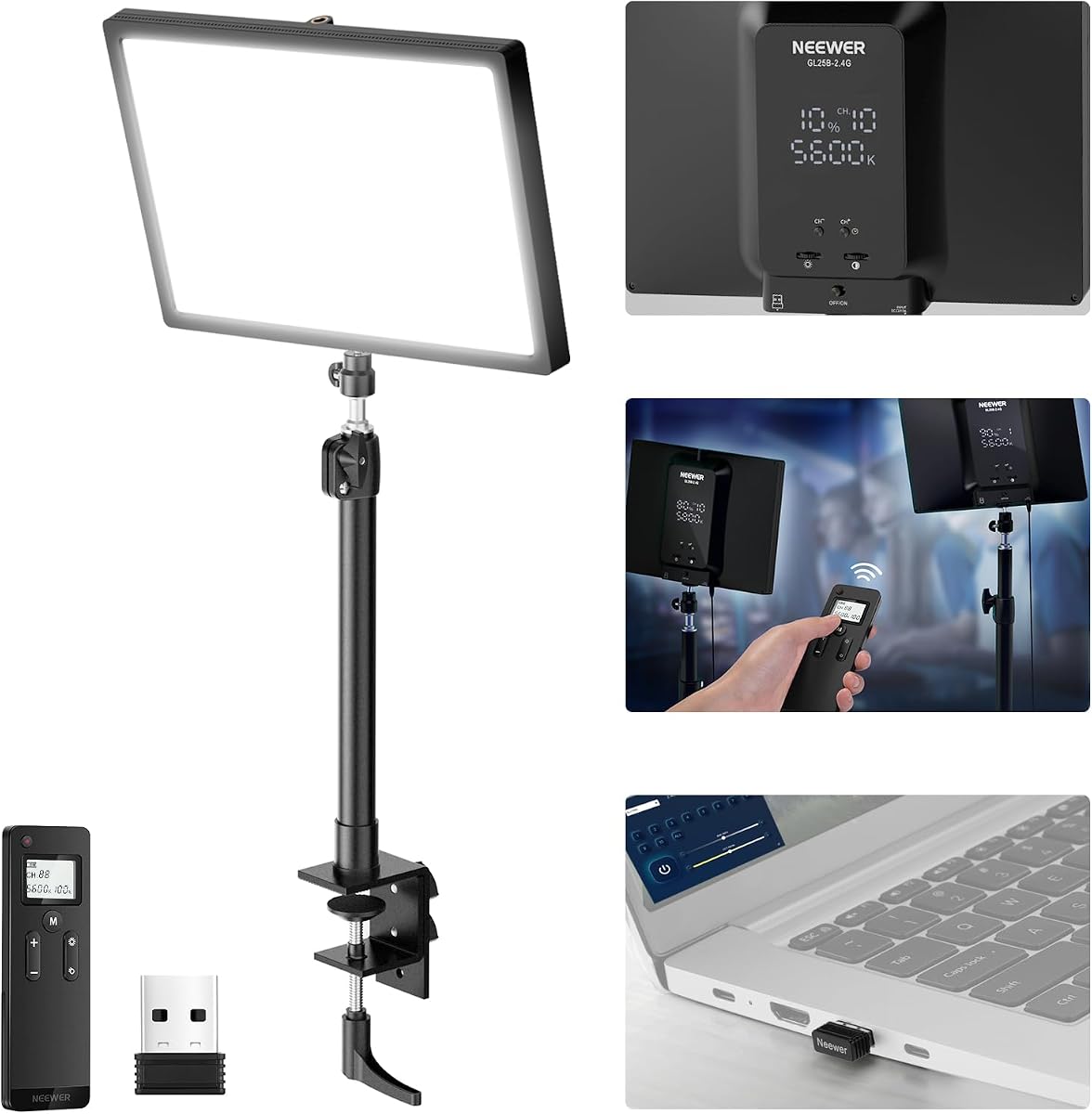
The NEEWER GL25B offers excellent performance for its price, earning a 4.7 rating from users. It features 176 LEDs behind a diffuser to provide bright illumination with high CRI. This ensures accurate color rendering for video recording and streaming.
We may earn a commission when you buy through this link, at no additional cost to you.
The light can be controlled via the panel or a 2.4G remote. A unique feature is the USB transmitter that allows PC control through the Neewer Control Center app. The edge-emitting technology ensures soft glow without harsh shadows or glare.
Its fanless cooling system keeps noise to zero, which is perfect for audio-sensitive environments. The stand allows for flexible height and angle adjustments. However, the stand may require stability checks if using heavy accessories.
This light is perfect for streamers needing bright, accurate lighting without high costs. The PC control adds significant utility for setups with multiple lights. It delivers professional results at a consumer-friendly price.
This design creates a soft, uniform glow that is gentle on the eyes during long sessions.
Wireless control allows you to adjust lighting settings without interrupting your content flow.
We may earn a commission when you buy through this link, at no additional cost to you.
The Elgato Key Light Air MK.2 provides a compact solution for smaller desks. It scores a 3.8 rating, indicating mixed user feedback but solid performance. The 15-inch panel offers up to 2100 lumens, which is brighter than the original Air model.
We may earn a commission when you buy through this link, at no additional cost to you.
It features full-spectrum light from 2900K to 7000K for natural color rendering. You can use USB-C, a PD adapter, or a MagSafe battery ring for power. The clamp is height-adjustable, and the panel detaches for flexible mounting on various rigs.
While the rating is lower than other models, the versatility is impressive. The touch controls are convenient but may be less intuitive than dials. The shorter clamp range might not fit very thick desks without extension accessories.
Streamers with limited desk space will appreciate this slim panel. It balances portability with decent brightness. If you need the brightest light, consider the flagship model, but this is a strong mid-tier option.
Power via USB-C or battery allows for setup anywhere without needing a direct wall outlet nearby.
Automate your lighting adjustments with a single keypress if you use a Stream Deck controller.
We may earn a commission when you buy through this link, at no additional cost to you.
The Weilisi desk ring light is a top budget option for casual streamers and remote workers. It holds a 4.5 rating for its ability to provide uniform, diffused light without shadows. The 10.2-inch design fits neatly on most desks without taking up much space.
We may earn a commission when you buy through this link, at no additional cost to you.
It offers 360-degree rotation and 180-degree light head adjustment for flexible positioning. The metal C-clamp is sturdy and fits desks up to 2.34 inches thick. You can select from three color temperatures and ten brightness levels for different needs.
The main limitation is the ring shape which may cause reflections on eyeglasses. The brightness is sufficient for personal use but not for large studios. For the price, the build quality and flexibility are impressive.
Anyone looking for a cost-effective lighting solution should consider this model. It simplifies the setup process significantly. It is ideal for Zoom calls and casual streaming where high-end studio lights are unnecessary.
The full-screen desk light provides enough uniform light to enhance your features without harsh shadows.
The telescoping stand allows you to adjust the height to suit different monitor positions.
We may earn a commission when you buy through this link, at no additional cost to you.
The NiceVeedi 2-Pack Kit offers a complete setup with two light panels and stands. It has a 4.4 rating for its ability to provide ample lighting for various shoots. With 356 LED beads, it delivers stable output with a high CRI of 97+.
We may earn a commission when you buy through this link, at no additional cost to you.
Each light is dimmable from 10 to 100% with three color temperatures. The included 73-inch tripods provide excellent height flexibility. They are lightweight aluminum and fold down to 17 inches for easy storage in the included bag.
While the wattage is moderate, having two lights allows for better fill setups. The phone holders are convenient for content creators using mobile devices. The remote is required for adjustments, which adds a step but maintains control.
Vloggers and social media creators will find this kit highly useful. It covers multiple angles and positions. It is a comprehensive solution for those starting a home studio.
Two panels allow you to create a balanced key and fill lighting setup effectively.
The foldable tripods and storage bag make it easy to take your lighting on the go.
We may earn a commission when you buy through this link, at no additional cost to you.
This kit features two LED panels with gooseneck tubes for unique desk mounting. It achieves a high 4.8 rating due to its ease of use and stability. The panels are soft and flicker-free, making them gentle on the retina during long sessions.
We may earn a commission when you buy through this link, at no additional cost to you.
The gooseneck tubes allow you to rotate to multiple positions for specific lighting needs. An LCD display clearly shows brightness and color temperature settings. The built-in memory function recalls the last settings when you turn the light back on.
The maximum lumens at 0.5m is 1080Lux which is moderate. The gooseneck tubes are flexible but may sag if set at awkward angles. The C-clamp provides stable attachment to desks ranging from 0.3 to 3.3 inches thick.
Streamers needing precise, localized lighting will love this option. The memory function saves time adjusting settings. It is a solid choice for podcasting and Zoom calls where specific light angles are required.
Rotate the tube to direct light exactly where you need it without moving the whole stand.
See your settings clearly on the screen to ensure consistent lighting across sessions.
We may earn a commission when you buy through this link, at no additional cost to you.
The Godox ES45 is specifically designed for long streaming sessions. It has a 4.4 rating for its soft, diffused panel that minimizes harsh shadows. The edge-lit OLED panel delivers glare-free illumination that reduces eye fatigue significantly.
We may earn a commission when you buy through this link, at no additional cost to you.
A unique feature is the magnetic auto-charging remote that attaches to the back of the light. You can adjust brightness and color temperature in real-time without reaching for the panel. It supports a color range from 2800K to 6500K for versatility.
While the remote is convenient, it requires occasional charging or battery replacement. The clamp design keeps the desk tidy and hides cables effectively. The panel itself is slim but durable enough for daily use.
Gamers and streamers who sit for hours should prioritize this model. The comfort features are well worth the investment. It ensures you stay polished and focused on your content.
The soft light reduces strain allowing you to work comfortably for long periods without tired eyes.
The magnetic attachment keeps the remote handy and charges automatically when docked.
We may earn a commission when you buy through this link, at no additional cost to you.
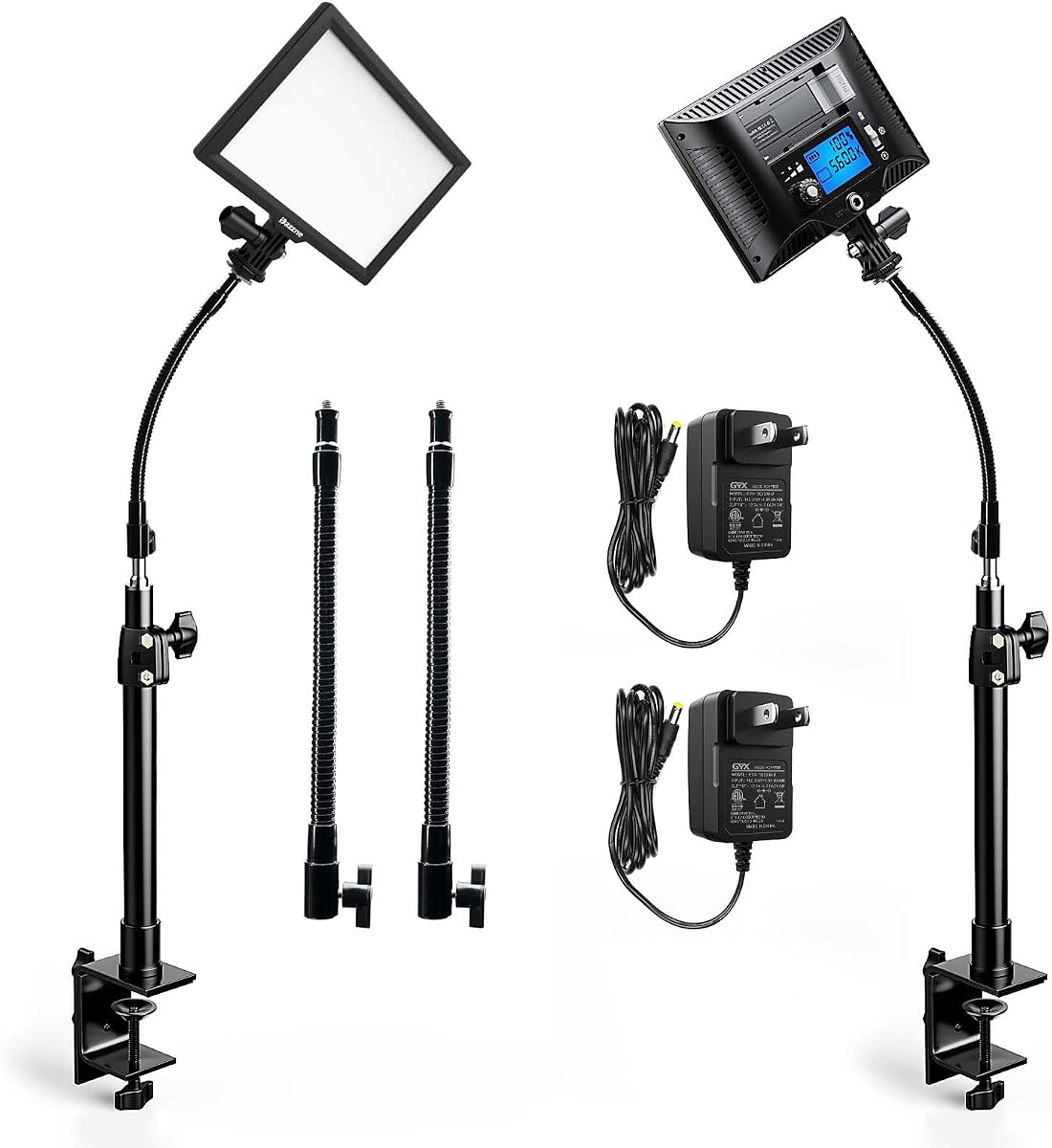
This kit includes two panels with gooseneck tubes similar to other options in this guide. It maintains a 4.4 rating for consistent output and user-friendly features. The panels use edge-installed LED beads for soft and flicker-free lighting.
We may earn a commission when you buy through this link, at no additional cost to you.
The LCD display allows you to check brightness and color parameters accurately. A built-in memory function records the last setting for quick recall. The C-clamp and gooseneck tubes provide excellent flexibility for different desk configurations.
The package does not include batteries, so you must rely on AC power. The tubes offer more options than rigid arms but need care to avoid sagging. The dual units allow for a comprehensive light setup.
Content creators needing two lights for fill and key will find this valuable. The memory function simplifies the workflow. It is a practical choice for home studios needing versatility.
Dazzne focuses on professional lighting with a commitment to user experience.
Using two lights allows for better dimensionality in your video production setup.
We may earn a commission when you buy through this link, at no additional cost to you.
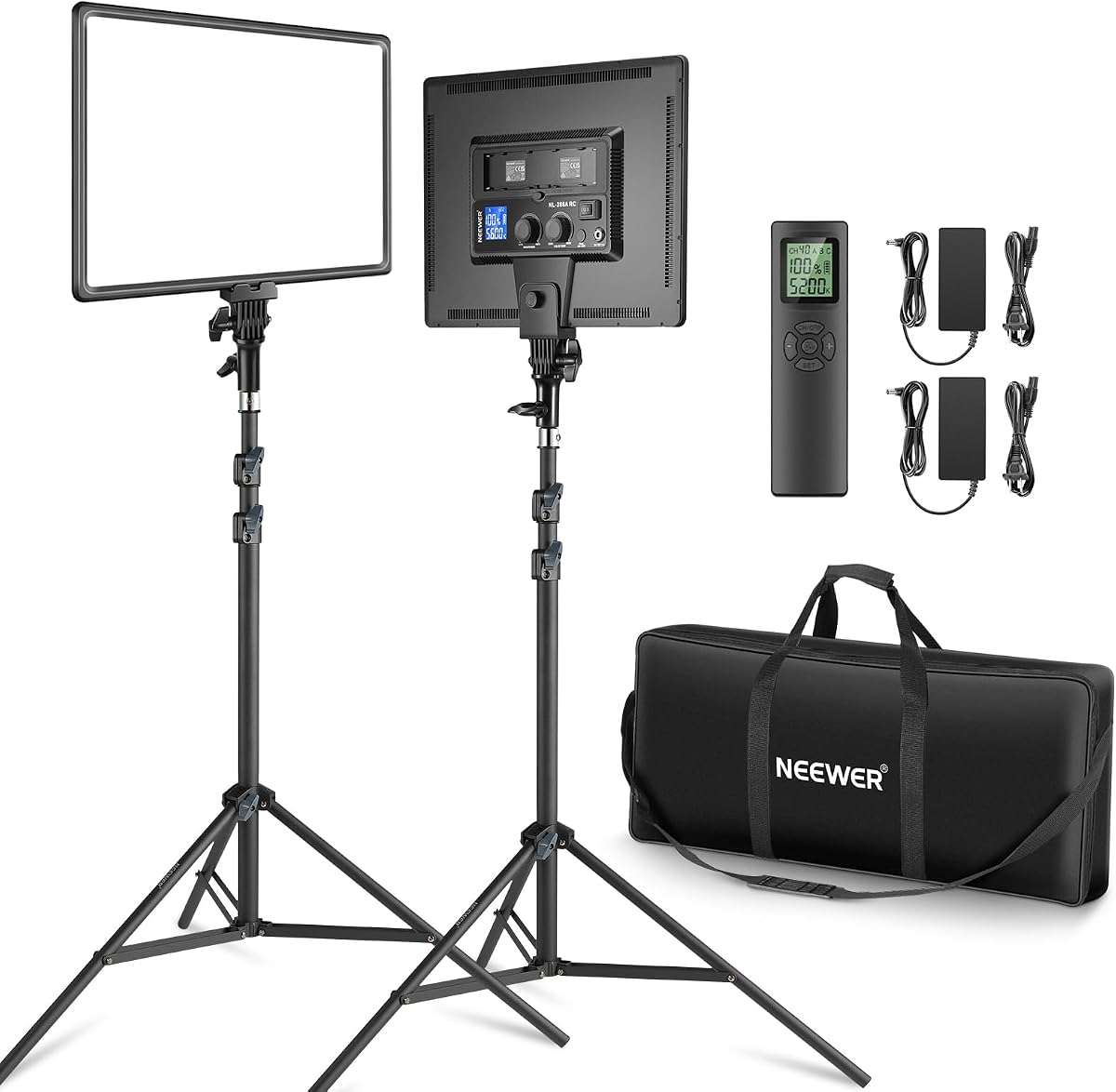
The Neewer 18 Kit is a top choice for professional studio setups. It holds a 4.6 rating for its massive brightness and build quality. Each panel delivers 4800Lux at 1m ensuring your content is brightly lit in any environment.
We may earn a commission when you buy through this link, at no additional cost to you.
These lights feature bi-color control from 3200K to 5600K. You can choose between AC power or Sony NP-F batteries for portability. The remote allows switching between 40 channels and 4 groups for complex setups.
The aluminum alloy stands are stable but add to the overall weight. The carrying bag is useful but bulky. While the price is higher, the power and versatility justify it for serious creators.
Professional filmmakers and streamers should buy this kit for reliability. It handles tough lighting demands effortlessly. It is the best premium option in this guide.
Shoot with batteries when you are on the go or plug in AC for continuous studio use.
Use remote channels to avoid interference when multiple lights are in close proximity.
We may earn a commission when you buy through this link, at no additional cost to you.
Selecting the right key light involves several technical and practical factors. This guide breaks down the essential specifications you need to consider before buying.
Lumens measure the total amount of light emitted by the source. Higher lumens ensure your face is well-lit even in larger rooms. For professional streaming, look for at least 2000 lumens to avoid underexposure.
Prioritize high lumen output for better visibility and image quality.
Color temperature is measured in Kelvins and determines the warmth or coolness of the light. A range of 2900K to 7000K allows you to match ambient lighting conditions. This flexibility ensures your skin tones look natural on camera.
Choose a wide temperature range to adapt to different environments effectively.
CRI indicates how accurately a light source renders colors compared to natural light. A CRI of 90 or higher is recommended for video to ensure colors appear true. High CRI prevents skin tones from looking washed out or distorted.
Look for a CRI above 90 for realistic color reproduction.
Diffusion softens the light to reduce harsh shadows on your face. Panels with diffusers or edge-lighting technology are ideal for streaming. Soft light creates a more flattering and professional appearance for viewers.
Select lights with built-in diffusers for softer, more appealing results.
Mounting options determine how flexible your setup can be. C-clamps save desk space while tripods offer height adjustability. Some models also support wall mounts or MagSafe attachments for unique setups.
Pick a mounting system that fits your workspace constraints.
Connectivity features like Wi-Fi or USB control allow you to adjust settings without interrupting your flow. Apps enable precise control over brightness and color. Physical remotes are also convenient for quick changes during broadcasts.
Opt for smart connectivity features to streamline your workflow.
Consider whether the light runs on AC power or supports batteries. Battery options provide portability for on-the-go streaming. AC power ensures uninterrupted usage during long sessions.
Choose a power supply that matches your mobility needs.
Cooling systems prevent overheating during extended use. Fanless designs reduce noise which is crucial for audio recording. Efficient heat dissipation extends the lifespan of the light.
Prefer fanless or low-noise cooling for quiet environments.
Position your key light slightly to one side of your camera to avoid flat lighting. Adjust the height to be slightly above eye level to reduce under-eye shadows. Aim the light directly at your face but diffuse it if it feels too harsh.
Clean the light panel regularly with a soft cloth to remove dust. Dust can reduce light output and cause uneven illumination. Avoid touching the LEDs directly to prevent fingerprints and heat damage.
Store the lights in a cool, dry place when not in use. Avoid stacking heavy items on top of the panels to prevent cracks. Periodically check the cables and connections for wear and tear.
A key light is the main light source that illuminates your face clearly. Without it, your video may look dark or grainy due to low light. Proper lighting enhances image quality and viewer engagement significantly.
A neutral range around 4500K to 5600K is usually best for streaming. This mimics daylight and ensures skin tones look natural. Avoid too warm or too cool settings unless aiming for a specific mood.
Yes, ring lights can serve as key lights for casual streaming. They provide even illumination but may cause reflections on glasses. Panel lights generally offer more flexible positioning and better diffusion.
Ensure the light has proper ventilation and is not covered. Avoid running it at maximum brightness for extended periods without breaks. Fanless models are designed to dissipate heat efficiently.
Yes, a dimmer allows you to control the brightness to suit your environment. It prevents glare and ensures your face is not overexposed. Most quality streaming lights include dimming controls.
A key light is the primary source illuminating your face. A fill light softens shadows created by the key light. Together they create depth and balanced lighting for professional results.
Choosing the right key light for streaming is essential for producing professional-quality content. The Elgato Key Light and Neewer 18 Kit stand out for brightness and control. Budget options like Weilisi provide solid performance for beginners.
Prioritize features like high CRI and adjustable color temperature for the best visual results. Ensure your choice fits your desk space and power setup constraints. Consistent lighting makes a huge difference in viewer retention.
Always check current prices and availability before making a purchase. Streaming technology evolves rapidly but quality lighting remains a constant necessity. Find the model that best fits your creative vision and budget.