
Nelko Bluetooth Thermal Shipping Label Printer
4.3Editor score
Wireless Bluetooth connectivity
Cost saving inkless design
Compact desktop footprint
This guide compares the top label printers for Pirate Ship users, evaluating connectivity, speed, and platform compatibility to help you choose the right
Finding the right label printer for Pirate Ship can streamline your shipping workflow significantly. A good thermal printer ensures crisp barcodes and fast output for your daily orders.
We compared ten top-rated thermal printers based on connectivity options, print speed, and platform compatibility. This list covers budget-friendly models and commercial-grade units suitable for various business sizes.
Each pick shows key specs, pros, and cons to help you decide quickly. Please note that prices change frequently so check current listings before purchasing your new device.
4.3Editor score

4.6Editor score

4.4Editor score
The following table provides a side-by-side comparison of all ten selected thermal printers. Review these specs to find the model that best fits your shipping volume and budget needs.






The Rollo USB Shipping Label Printer stands out as a top choice for high-volume shippers needing reliability. With a rating of 4.6 stars it delivers commercial grade performance suitable for growing businesses.
We may earn a commission when you buy through this link, at no additional cost to you.
Its direct thermal technology prints at 150mm per second ensuring you can keep up with peak order times. The 203 DPI print head guarantees sharp text and barcodes that scan easily every time.
While it lacks Bluetooth connectivity the USB connection provides a stable link to your computer without interference. The dedicated Rollo Ship app also offers competitive shipping rates for added value.
If you prioritize speed and durability over wireless convenience this printer is an excellent investment. It is highly recommended for sellers who need consistent output for Pirate Ship and other platforms.
Built for daily use this printer handles high volumes without overheating or slowing down.
Direct thermal technology means no ink or toner costs saving money over time.
We may earn a commission when you buy through this link, at no additional cost to you.
The Nelko Bluetooth Thermal Shipping Label Printer offers excellent value for small businesses on a budget. Rated at 4.3 stars it combines wireless flexibility with essential features needed for daily shipping tasks.
We may earn a commission when you buy through this link, at no additional cost to you.
You can print via Bluetooth on iOS and Android devices or connect via USB for desktop use. The advanced thermal direct technology ensures a speed of 150 mm/s helping you process orders efficiently.
Note that Mac users with M1 or M2 CPUs must use the app for Bluetooth connection. This slight limitation does not detract from its overall utility as a versatile and affordable printing solution.
Ideal for starters or home offices this printer balances cost and performance well. It is a strong contender if you need reliable labeling without breaking the bank.
Choose between Bluetooth for mobile or USB for desktop to fit your workflow.
Its compact footprint fits easily on small desks or in tight workspaces.
We may earn a commission when you buy through this link, at no additional cost to you.
The Westinghouse Thermal Shipping Label Printer USB is built for environments demanding robust performance. With a 4.4 rating it offers commercial grade durability and advanced networking features for professional setups.
We may earn a commission when you buy through this link, at no additional cost to you.
Its optimized performance delivers speeds up to six inches per second with sharp 203 DPI text. The Ethernet capability allows for flexible router integration which is ideal for multi-device offices.
This model focuses on wired stability and does not support Bluetooth which may limit mobile users. However for stationary desks it provides a reliable and fast printing experience.
For businesses needing networked printing or high consistency this unit is a top pick. It justifies its premium price with long-term reliability and superior build quality.
Ethernet support enables seamless integration into office networks for shared access.
Optimized graphics and text ensure labels look professional for every shipment.
We may earn a commission when you buy through this link, at no additional cost to you.
The JADENS Bluetooth Thermal Shipping Label Printer is equipped with a Japanese high tech thermal print head. Rated 4.4 stars it focuses on high quality printing and reliability for various marketplaces.
We may earn a commission when you buy through this link, at no additional cost to you.
It supports both fanfold and roll labels with a print width range up to 4.1 inches. Setup is quick taking about one minute with instructions provided on a U-Disk for clarity.
Mobile users should note that Android and iOS require the app for printing rather than direct Bluetooth. Windows and Mac can connect directly via Bluetooth or USB for desktop use.
This printer is ideal for sellers who value print quality and broad compatibility. Its one year warranty adds peace of mind for small business owners.
Japanese engineering ensures durable performance and clear label output.
Accommodates various label types from fanfold to rolls for flexibility.
We may earn a commission when you buy through this link, at no additional cost to you.
This Thermal Shipping Label Printer uses direct thermal technology to reduce maintenance and replacement costs. With a 4.4 rating it delivers crisp text and barcodes suitable for small business shipping.
We may earn a commission when you buy through this link, at no additional cost to you.
You can access 1,800+ customizable templates and 300+ fonts through the FlashLabel Pro app. Offline capability allows local storage so you can start printing without waiting for downloads.
The matte finish and space-saving design fit neatly on any desk while the overheat protection ensures stability. It includes 25 sheets of labels to get you started right out of the box.
Best for users who want a balance of features and simplicity this printer works well with major platforms. It is a solid choice for those needing reliable daily printing.
Access thousands of templates to create professional looking labels quickly.
Comes with labels and cables so you can begin printing immediately.
We may earn a commission when you buy through this link, at no additional cost to you.
The KNAON Bluetooth Thermal Shipping Label Printer offers impressive speed with up to 180 mm/s output. Rated 4.4 stars it is designed for both professional and personal labeling needs.
We may earn a commission when you buy through this link, at no additional cost to you.
The app provides 3,000+ templates and 5,000+ icons making DIY customization easy. It supports various paper sizes and works with major shipping platforms like Amazon and eBay.
Its compact size allows you to store it anywhere and includes 10 test printing papers. The USB drive preloaded with drivers ensures a fast and hassle-free setup experience.
This printer is great for those needing quick label generation and creative options. Its stylish design and portability make it a flexible tool for diverse workflows.
Choose from thousands of designs to match your branding or personal style.
High speed printing keeps up with rapid order processing demands easily.
We may earn a commission when you buy through this link, at no additional cost to you.
The Rongta Bluetooth Shipping Label Printer features automatic label identification to eliminate manual adjustments. Rated 4.0 stars it is fully compatible with iOS and Android phones or tablets.
We may earn a commission when you buy through this link, at no additional cost to you.
Simply download the RONGTA App and connect via Bluetooth to start printing instantly. The label width range covers sizes from 0.98 to 4.37 inches including common shipping sizes.
Its compact dimensions allow it to fit easily on a desk or in a drawer. Setup is straightforward with driver software available for Windows and Mac systems.
Ideal for portable use or tight spaces this printer simplifies the labeling process. It offers a practical solution for small businesses needing flexible connectivity.
Auto detection saves time by adjusting to label sizes without user input.
Small size makes it easy to move or store when not in use.
We may earn a commission when you buy through this link, at no additional cost to you.
The MUNBYN Bluetooth Thermal Label Printer offers over 3,500 elements and 2,000 templates for customization. Rated 4.4 stars it is trusted by 80,000+ entrepreneurs for branding and shipping.
We may earn a commission when you buy through this link, at no additional cost to you.
You can import PDFs or use OCR for text recognition across multiple languages. The Google Chrome web editor allows design and printing without installing additional software on PC.
While it supports many label types genuine MUNBYN thermal labels are recommended for optimal performance. This ensures crisp and long-lasting results for your shipments.
This printer is best for users who value creative flexibility and ease of use. It balances professional needs with simple setup for efficient daily operations.
Extensive templates and elements help you design unique brand labels easily.
Use the Chrome editor for quick design without desktop software installation.
We may earn a commission when you buy through this link, at no additional cost to you.
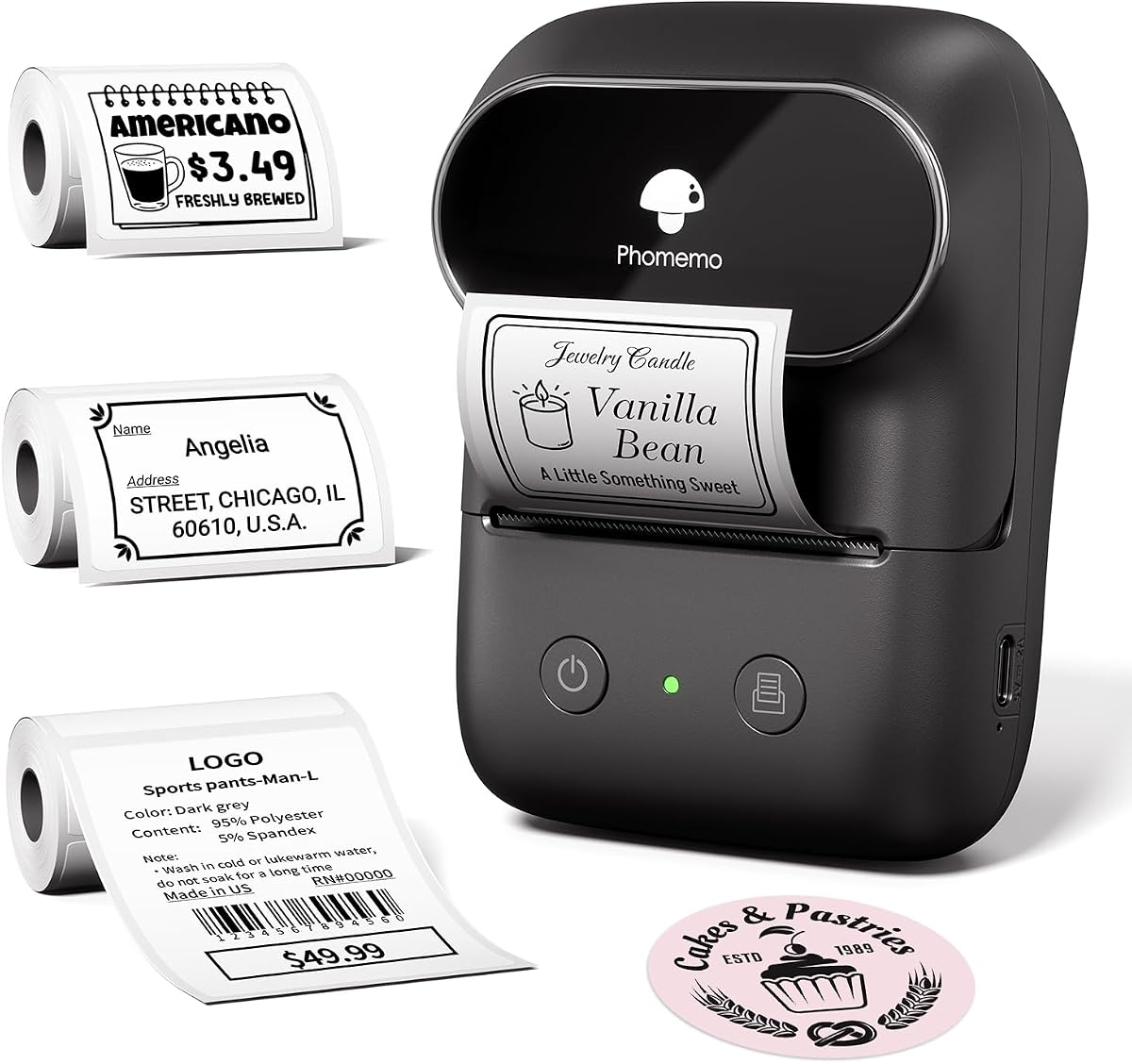
The Phomemo Bluetooth Thermal Shipping Label Printer includes a dedicated professional team for technical support. Rated 4.4 stars it provides live chat and phone assistance for setup issues.
We may earn a commission when you buy through this link, at no additional cost to you.
Print speeds reach 150 mm/s allowing 72 sheets of 4×6 labels per minute. Thermal labels engineered to resist fading ensure your shipments remain readable and professional over time.
Mobile users download the Labelife app to connect via Bluetooth easily. Laptop users can use USB with the driver for a stable connection on your device.
This printer is ideal for those who value responsive customer support and print durability. It simplifies the workflow with easy steps and reliable performance.
Access live help and remote desktop support to resolve setup quickly.
Engineered labels resist fading keeping your information clear and visible.
We may earn a commission when you buy through this link, at no additional cost to you.
This Phomemo Thermal Label Maker Machine is a portable sticker printer weighing only 184g. It includes 3 rolls of tape and offers 6,000 prints per charge for versatile use.
We may earn a commission when you buy through this link, at no additional cost to you.
The Print Master app supports voice input and smart OCR to recognize text from images. Bluetooth 4.0 provides a stable range up to 33 feet for easy connection.
While it handles 3/4 to 2 inch labels it is ideal for organization and small projects. The lightweight design makes it easy to carry for on-the-go labeling tasks.
Best for home organization and small projects this unit offers creative flexibility without needing a computer. Its battery life ensures you can print whenever needed.
A 1200mAh battery keeps you ready for urgent tasks without constant charging.
Voice input and OCR simplify text creation for quick label production.
We may earn a commission when you buy through this link, at no additional cost to you.
Selecting the right thermal printer involves evaluating connectivity speed and platform integration. These factors ensure your workflow remains smooth and efficient.
Most modern printers offer Bluetooth and USB links. Bluetooth allows wireless printing from phones while USB ensures stable desktop connections.
Choose based on whether you print from mobile apps or a dedicated computer station.
Print speed varies from 150mm/s to 180mm/s. Faster speeds help during peak sales seasons when order volume increases significantly.
Look for at least 150mm/s to maintain efficiency without delays.
203 DPI is standard for shipping labels. This resolution ensures barcodes scan easily and addresses remain legible for carriers.
Avoid lower resolutions to prevent scanning errors during delivery.
Ensure the printer works with Pirate Ship and your selling channels. Most brands support Shopify Amazon and Etsy seamlessly.
Verify specific app support before purchasing to avoid integration issues.
Standard 4×6 labels are common but some printers support smaller sizes. Check if it handles fanfold or roll labels based on your storage.
Flexibility in media types saves costs on custom packaging.
Commercial grade units last longer under daily stress. Home models may overheat during heavy usage without protection features.
Select a unit with overheat protection for consistent long-term use.
Many printers come with dedicated apps. These offer templates fonts and design tools to create custom branding on labels.
A robust app can enhance your brand identity significantly.
Customer support varies by brand. Check for live chat or remote desktop help during setup.
A one-year warranty provides peace of mind against manufacturing defects.
First ensure the printer is placed on a flat stable surface away from direct sunlight. Connect the power adapter and insert your thermal label roll properly aligned with the sensors.
Download the official app or driver software for your operating system. Pair via Bluetooth if supported or connect via USB cable for desktop use to ensure a stable link.
To maintain the printer regularly clean the printhead with a soft cloth and replace labels if they jam. Keep the firmware updated to prevent connection errors.
Yes most of these thermal printers are compatible with Pirate Ship through standard drivers or dedicated apps. Ensure you have the correct drivers installed on your system for seamless printing.
No all the listed printers use direct thermal technology which does not require ink or toner. They print by heating special thermal paper making them cost-effective and low maintenance.
Bluetooth is generally reliable but USB provides a more stable connection for desktop printing. Mobile printing via Bluetooth works well for quick tasks in small spaces.
Most support standard 4×6 shipping labels but also handle sizes from 1.5 inches to 4 inches wide. Check specific model specs to ensure it fits your packaging needs.
Yes many models support iOS and Android through dedicated apps. You download the app pair via Bluetooth and print directly from your phone screen.
Use a lint-free cloth and isopropyl alcohol to clean the printhead every few weeks. This prevents dust buildup and ensures consistent print quality over time.
We reviewed ten top thermal printers suitable for Pirate Ship users ranging from budget to commercial grade. The Rollo and Nelko models stand out for reliability and value.
Prioritize connectivity options and print speed based on your daily shipping volume. If you need wireless mobile printing choose a model with robust Bluetooth support.
Remember to check current prices and compatibility before buying to ensure the best fit for your business. Happy printing with your new label solution.