
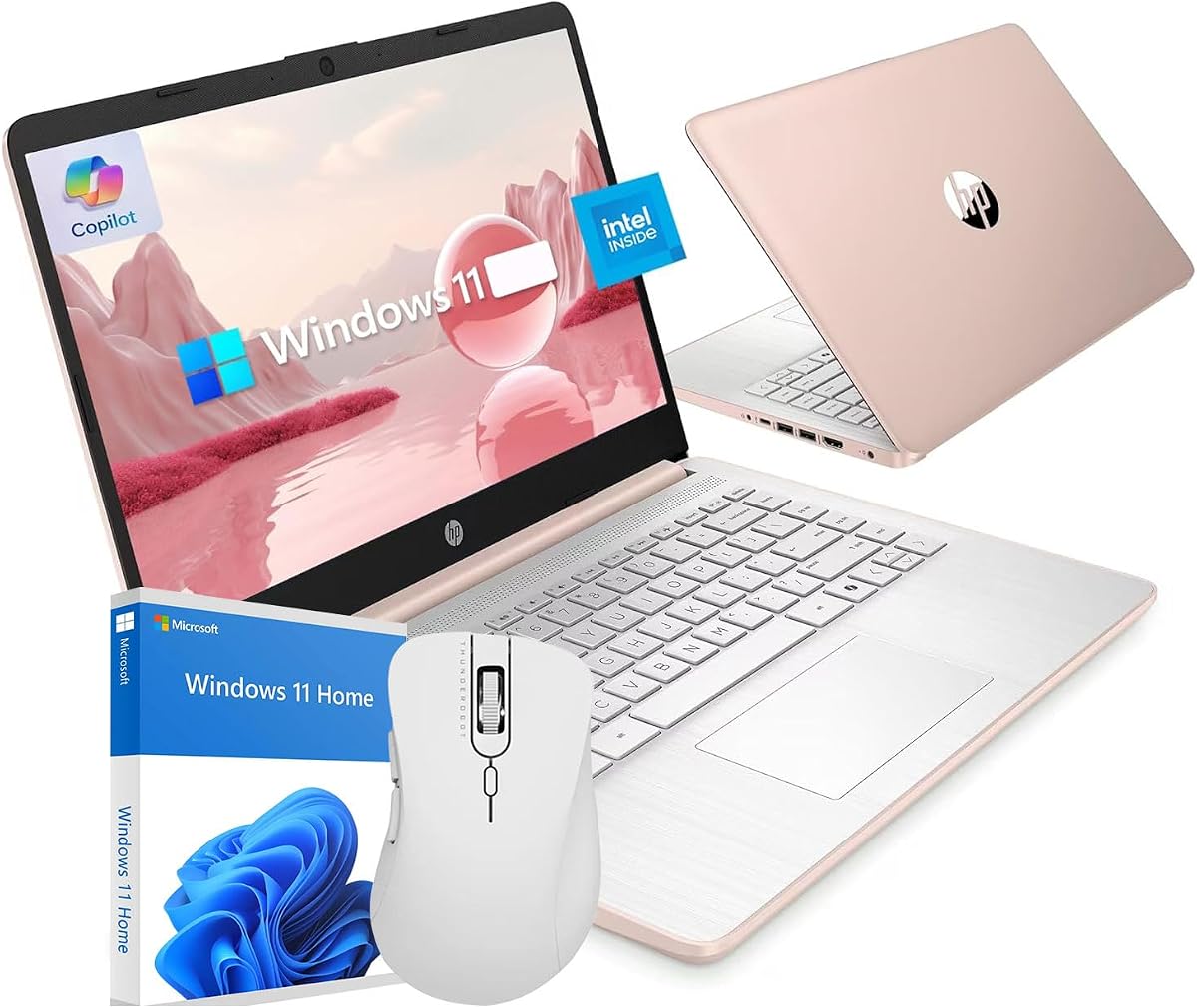
HP 14 Laptop 2026
4.6Editor score
4GB DDR5 RAM
628GB total storage
Windows 11 Pro included
Nursing students need reliable devices for research, notes, and virtual classes. A good laptop balances power with portability so you can work anywhere without frustration.
We compared ten real models based on specs and user needs. This list covers everything from budget picks to high-performance machines suited for demanding coursework.
Each pick shows key features and who it fits best. Prices and availability change often, so check current listings before you decide on a specific model today.
4.6Editor score

4.3Editor score

As an Amazon Associate we earn from qualifying purchases.
Here is a side-by-side look at all ten models to help you compare specs and features quickly for your specific nursing school needs.




This HP laptop stands out with its robust specs and large display. It earns our Editor's Choice award for students who prioritize screen real estate and power over ultra-portability.
We may earn a commission when you buy through this link, at no additional cost to you.
The Intel Core i5 processor and 16GB RAM handle multiple windows and applications smoothly. You can run virtual labs, video calls, and note-taking apps simultaneously without lag.
The 512GB SSD provides fast access to your files and plenty of room for research. The 17.3 inch screen offers clear visuals for detailed medical images and long study sessions.
If you often study at a desk or library table this model is ideal. It balances performance and value well for nursing students needing a reliable primary machine.
The 16GB RAM ensures you can keep many browser tabs and software open at once without slowing down your workflow.
The large FHD display makes it easy to view anatomy charts and diagrams with sharp detail and wide viewing angles.
We may earn a commission when you buy through this link, at no additional cost to you.
This HP model offers exceptional value for students on a tight budget. It comes with essential software and accessories to get you started immediately.
We may earn a commission when you buy through this link, at no additional cost to you.
The quad-core Intel processor handles everyday tasks well. The storage includes both internal and external options giving you flexibility for your files.
Windows 11 Pro adds security features useful for handling student data. The bundle includes earbuds and a mouse making it a ready-to-use package.
Perfect for budget-conscious students who need a reliable device for notes and web browsing. Just be mindful that RAM limits very demanding multitasking.
The package includes wireless earbuds, an external drive, and Office 365 so you save money on extra purchases.
The DDR5 RAM and fast storage provide responsive speeds for daily schoolwork and video calls.
We may earn a commission when you buy through this link, at no additional cost to you.
This HP laptop combines high RAM with a portable design making it a premium choice for frequent travelers. The 16GB RAM is rare in this size class.
We may earn a commission when you buy through this link, at no additional cost to you.
Weighing only 3.24 pounds it fits easily in your backpack for long days on campus. The battery lasts through multiple classes without needing a charger.
The included Microsoft 365 subscription helps with assignments and notes. The AI powered copilot can assist with study tasks quickly.
Ideal for students who prioritize mobility and multitasking power. The small SSD means you will need cloud storage for large files.
Its ultra-lightweight frame reduces strain when carrying it between lectures and clinical sites daily.
The 16GB RAM ensures smooth operation even when running several study apps and browsers together.
We may earn a commission when you buy through this link, at no additional cost to you.
This HP laptop provides a balanced setup for students needing solid performance without high costs. The 8GB RAM is enough for most coursework and apps.
We may earn a commission when you buy through this link, at no additional cost to you.
It includes a one-year Microsoft 365 subscription for your assignments. The Wi-Fi 6 ensures stable connections during online exams and lectures.
The battery lasts through a full day of classes which is vital for long schedules. The compact frame makes it easy to carry around campus.
A good choice for students who want a reliable machine for notes and research. Just plan to use cloud storage for your files.
Microsoft Word Excel and PowerPoint are ready to use immediately with the included subscription.
Wi-Fi 6 and Bluetooth keep your connection strong for video calls and cloud access.
We may earn a commission when you buy through this link, at no additional cost to you.
The HP Essential Laptop offers a modern look and fast performance for daily tasks. Its micro-edge display gives a sleek appearance.
We may earn a commission when you buy through this link, at no additional cost to you.
The Intel processor handles browsing and writing efficiently. Microsoft 365 is included to help with your coursework and group projects.
AI noise reduction during calls improves clarity during virtual study sessions. The battery lasts long enough for a typical day of classes.
This model works well for students focused on writing and research. Be aware of the storage limits and plan your file management.
The micro-edge bezel and light color make it stylish and easy to spot in a study room.
AI enhanced audio ensures your voice is clear during online lectures and team meetings.
We may earn a commission when you buy through this link, at no additional cost to you.
This HP Ultrabook brings a premium look to student computing. The rose gold finish is distinctive and fits well in professional settings.
We may earn a commission when you buy through this link, at no additional cost to you.
The SSD provides quick boot times and app launches. It handles daily tasks like word processing and web research smoothly.
Microsoft Office for the Web is included to help with assignments. The Wi-Fi 6 keeps your connection fast and reliable everywhere.
Great for students who value style and speed on a budget. Just know that heavy multitasking might be slower due to RAM limits.
The sleek finish makes this device look good in clinical settings or presentation rooms.
The SSD ensures your files load quickly when you are working on tight deadlines.
We may earn a commission when you buy through this link, at no additional cost to you.
This Chromebook is ideal for students who work mostly online. The touchscreen adds an intuitive way to navigate and interact with content.
We may earn a commission when you buy through this link, at no additional cost to you.
The MediaTek processor is efficient and handles video streaming well. Chrome OS keeps updates simple and protects your device from threats.
At just under 3 pounds it is easy to carry for hours. The battery lasts through a day of online classes.
Choose this if your nursing program supports cloud apps and web tools. It may not work for software requiring Windows installation.
The touchscreen lets you scroll and tap through pages or diagrams easily during study sessions.
Its slim design fits in small bags and reduces load during long commutes.
We may earn a commission when you buy through this link, at no additional cost to you.
This Dell laptop offers a comfortable typing experience with a full-size keyboard. The ergonomic design helps reduce strain during long study sessions.
We may earn a commission when you buy through this link, at no additional cost to you.
The FHD screen is clear and the ComfortView feature protects your eyes from fatigue. It runs standard nursing school software efficiently.
Dell provides one year of onsite service which adds peace of mind. The battery supports most of a day of work.
Well suited for students who type often and value reliability. It is a sturdy workhorse for academic tasks.
The ergonomic hinge and full keypad make writing papers and notes less tiring.
Built-in filters reduce blue light so you can study for longer periods without strain.
We may earn a commission when you buy through this link, at no additional cost to you.
This HP model focuses on clear communication and basic productivity. The AI noise reduction helps your voice stand out during meetings.
We may earn a commission when you buy through this link, at no additional cost to you.
Office 365 is included for a year so you can work on assignments right away. The display is clear enough for reading articles.
The full-size keyboard supports comfortable typing without needing a separate one. The SD card slot allows easy file transfers.
A good entry-level option for students with basic needs. Ensure you use cloud storage for your growing files.
AI noise reduction filters background sounds so your voice is heard clearly during group sessions.
The SD card reader lets you move data from cameras or devices quickly.
We may earn a commission when you buy through this link, at no additional cost to you.
This HP model comes with a docking hub for easy connectivity. It is designed for students who need to connect multiple devices easily.
We may earn a commission when you buy through this link, at no additional cost to you.
The total storage includes a large external drive which is rare in this price range. Windows 11 Pro adds security and management tools.
Battery life supports a full day of classes and study sessions. The AI copilot helps streamline your tasks.
Great for students who use external drives and projectors. Just be mindful of RAM limits for heavy multitasking.
The USB-C hub simplifies connecting to projectors and monitors for presentations.
The battery lasts through long lectures so you do not need to hunt for outlets.
We may earn a commission when you buy through this link, at no additional cost to you.
Selecting the right laptop requires balancing specs with your study habits. This guide breaks down the key factors to help you decide.
The processor handles all your tasks from word processing to virtual labs. For nursing school a quad-core Intel N150 or Core i5 is recommended to avoid lag during multitasking.
Look for at least a quad-core chip to ensure smooth performance when running multiple apps.
RAM determines how many programs you can run at once. Nursing students often have browser tabs open along with note apps and video calls.
Aim for 8GB RAM minimum ideally 16GB to handle complex workflows.
You will need space for textbooks videos and research files. A 128GB drive may fill quickly so consider SSDs or external drives included.
Choose models with at least 256GB or those offering external drives.
A clear screen reduces eye strain during long study sessions. Look for Full HD resolution and anti-glare coatings for comfort.
Prioritize displays with at least 250 nits brightness for visibility.
Classes and clinical rotations often leave you away from outlets. A battery that lasts 8 to 10 hours ensures you stay powered.
Choose laptops rated for 11 hours of video playback or mixed use.
You will carry your laptop daily so weight matters. Models under 3.5 pounds are much easier to transport in a backpack.
Opt for lightweight frames to reduce strain during commutes.
Your program may require Windows or specific apps. Check if Office 365 is included to save money on subscriptions.
Ensure the OS meets your school requirements before buying.
Ports like HDMI and USB-C help with presentations and file transfers. Wi-Fi 6 ensures stable internet for virtual lectures.
Check for enough ports to connect your peripherals easily.
Keep your laptop cool by using it on hard surfaces during long study sessions to prevent overheating.
Back up your research and notes to cloud storage to avoid losing files if something goes wrong with the hardware.
Use the camera shutter for privacy during breaks and clean the screen with a soft cloth to maintain visibility.
Most nursing programs require Windows for specific clinical software. Check your school requirements before choosing a Chromebook or Mac.
4GB RAM can work for basic notes but may lag with many apps. 8GB is safer for multitasking during exams.
Touchscreens are optional but helpful for diagrams. They add cost so weigh if you need them for your classes.
At least 256GB is recommended. Many students use external drives or cloud storage for media files and backups.
MacBooks are portable but check if your school software runs on macOS. Some clinical tools are Windows only.
Large screens like 17 inches help with multitasking but are heavier. Consider if you study mostly at a desk.
Gaming laptops have power but are heavy and short-lived. Standard student models are lighter and cheaper for school.
It helps save money if your school does not provide it. Most bundles include a one-year subscription for convenience.
Our top picks cover various needs from budget to premium. The HP 17.3 inch model is best overall while the 14 inch budget pick saves cash.
Prioritize battery life and RAM to handle your course load comfortably. A good device will support your studies from day one to graduation.
Always check current prices and stock before buying since deals change often. Select the one that fits your schedule and budget today.