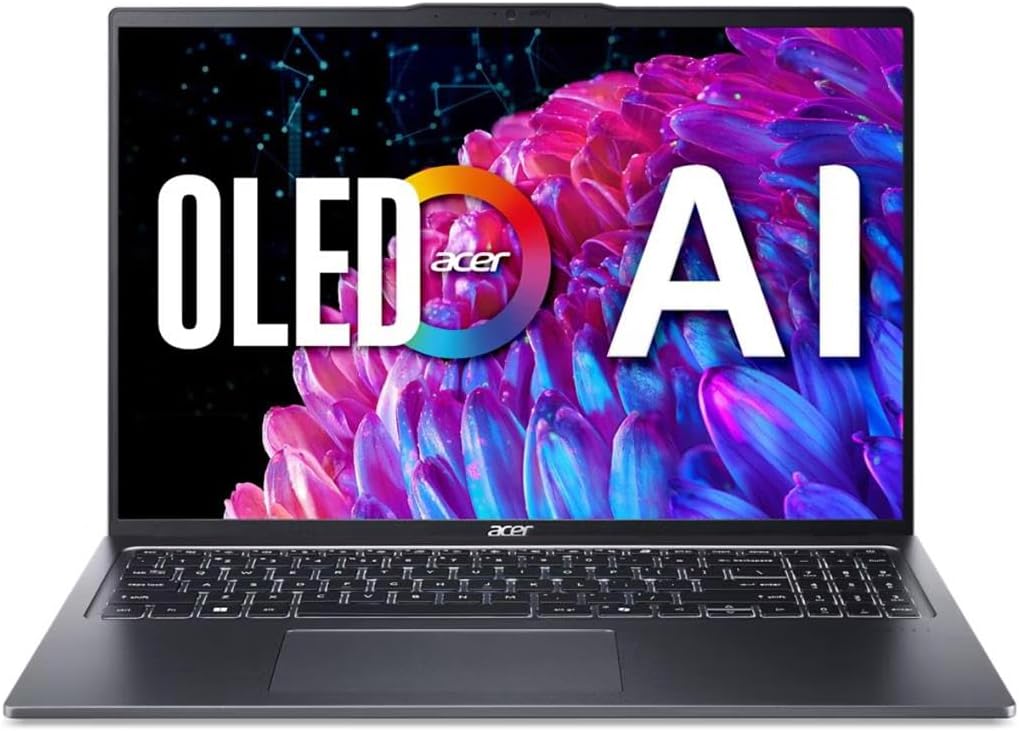
Acer Swift Go 16
4.1Editor score
Intel Core Ultra 5 125H
16 inch 3.2K OLED screen
Thunderbolt 4 connectivity
OLED technology has transformed how we experience digital content on portable devices. These screens offer deep blacks, vibrant colors, and fast refresh rates that make everything look stunning. Whether you are editing videos or simply watching movies, an OLED display provides a visual experience that standard panels cannot match.
We have carefully selected ten leading models that feature OLED screens across different price points and use cases. Our analysis focuses on processor power, memory capacity, storage speed, and overall build quality. We also consider battery life and connectivity options to ensure these laptops meet modern professional and creative demands.
Each pick below highlights specific strengths and potential trade-offs to help you make an informed decision. Remember that availability and pricing can change rapidly in the tech market. Always check the latest details before purchasing to ensure you get the best value for your specific needs and budget.
4.1Editor score

4.0Editor score

4.5Editor score
As an Amazon Associate we earn from qualifying purchases.
The following table provides a side-by-side comparison of all ten selected laptops with OLED displays. Each entry lists key specifications including processor type, memory size, storage capacity, and display details to help you quickly identify the model that fits your requirements.



The Lenovo IdeaPad Pro 5-2025 stands out as a powerful choice for professionals and creatives who need top-tier visual performance. It holds a solid rating reflecting its robust build and high-quality screen. The combination of AMD Ryzen AI processing and an NVIDIA GPU makes it versatile for both productivity and creative tasks.
We may earn a commission when you buy through this link, at no additional cost to you.
Its 16-inch OLED display offers 2880×1800 resolution with a 120Hz refresh rate, providing smooth motion and rich colors perfect for design work. The inclusion of RTX 5050 graphics ensures that video editing and light gaming run smoothly without compromising on portability. Connectivity is generous with USB-C, USB-A, and HDMI 2.1 ports.
While the device is well-equipped, some users might find the battery life shorter when pushing the GPU for demanding tasks. The weight is also a consideration for those who travel frequently. However, the trade-off is justified by the superior performance and build quality that Lenovo delivers in this model.
We recommend this laptop for users who prioritize display quality and processing power over ultra-lightweight portability. It is an excellent investment for professionals working on content creation or complex data tasks. The secure features and durability make it suitable for business environments as well.
The 2.8K OLED panel ensures deep blacks and vibrant colors that enhance media consumption and creative workflows significantly.
Powered by AMD Ryzen AI Series, this laptop delivers intelligent features that optimize workloads for faster and more efficient computing.
We may earn a commission when you buy through this link, at no additional cost to you.
The Acer Swift Go 16 offers an impressive entry into the world of OLED laptops without breaking the bank. It is rated well for its balance of features and value, making it a top choice for students and budget-conscious professionals. The Intel Core Ultra 5 processor provides reliable performance for daily tasks.
We may earn a commission when you buy through this link, at no additional cost to you.
This model features a 16-inch 3.2K OLED display that delivers stunning visuals with VESA Certified DisplayHDR True Black 500. The screen is also Eye Comfort Certified, reducing blue light for longer work sessions. Connectivity includes dual USB Type-C ports with Thunderbolt 4, allowing for fast data transfers and external monitor support.
One limitation is the 8 GB of RAM, which may limit heavy multitasking capabilities compared to higher-end models. There are also limited options for upgrading the hardware after purchase. Despite these constraints, the laptop remains a strong contender for those who need a bright, colorful screen on a budget.
Buyers looking for a cost-effective way to experience OLED technology should consider this laptop. It is perfect for media consumption and general productivity tasks. The aluminum chassis and fingerprint reader add a touch of premium feel to the device.
The 3.2K OLED panel ensures high detail and vivid colors, making it ideal for photo editing and media viewing.
Intel Evo certification ensures optimized workloads and longer battery efficiency for professionals on the go.
We may earn a commission when you buy through this link, at no additional cost to you.
The ASUS Vivobook S16 2026 is a premium device designed for users who demand top performance and long battery life. It carries a high rating due to its advanced features and sleek build quality. As a Copilot+ PC, it offers fast on-device AI capabilities that enhance productivity significantly.
We may earn a commission when you buy through this link, at no additional cost to you.
Equipped with a Ryzen AI 7 445 processor and 32 GB of RAM, this laptop handles multitasking effortlessly. The 70Wh battery supports up to 21 hours of usage, reducing the need to carry a charger. The 16-inch OLED display provides deep contrast and vivid detail suitable for work and entertainment.
While the design is minimalist and ultra-portable at just 3.75 lbs, the WUXGA resolution is lower than some competitors offering 2.8K. The price point is also higher, reflecting its premium components and build. However, the battery life and AI features justify the investment for power users.
This laptop is best for professionals who need all-day battery life and powerful AI tools. It is ideal for those who travel frequently and want a reliable machine. The included ports and audio quality make it a complete package for modern workflows.
With up to 50 TOPS of NPU performance, AI tasks run seamlessly on-device without relying on cloud connectivity.
The sleek aluminum chassis weighs only 3.75 lbs and is 0.63 inches thin, making it easy to carry anywhere.
We may earn a commission when you buy through this link, at no additional cost to you.
The HP OmniBook 3 14 is designed for efficient productivity and long battery life. It scores well for its Snapdragon X processor and AI capabilities. This model is part of the new wave of AI PCs that emphasize on-device processing and connectivity features.
We may earn a commission when you buy through this link, at no additional cost to you.
It features a 2K OLED display that offers rich colors and crisp visuals in a compact 14-inch form factor. The Snapdragon X X1-26-100 processor ensures essential performance with long-lasting battery life up to 41 hours. It includes 16 GB of RAM and a 256 GB SSD for standard storage needs.
The main drawback is the smaller storage capacity compared to other models, which may require cloud reliance. The 14-inch screen might feel limiting for users who prefer larger displays. However, for those prioritizing mobility and battery, this trade-off is acceptable.
This laptop is ideal for business users who travel frequently and need a reliable machine for meetings and tasks. The built-in Otter.ai assistant helps save time on notes and summaries. It is a solid choice for a lightweight, efficient work companion.
The Snapdragon processor delivers essential performance and long battery life perfect for on-the-go productivity without constant charging.
With Qualcomm Wi-Fi 6E and AI features, it ensures seamless connectivity and intelligent assistance for daily tasks.
We may earn a commission when you buy through this link, at no additional cost to you.
The ASUS Vivobook S16 Intel version brings powerful processing to a sleek portable design. It is rated highly for its performance and build quality. Using the Intel Core Ultra 9 386H processor, it delivers fast and responsive computing for demanding workloads.
We may earn a commission when you buy through this link, at no additional cost to you.
This model features 32 GB of RAM and a 1TB SSD ensuring smooth multitasking and storage. The 70Wh battery supports up to 25 hours of use, making it ideal for long days away from an outlet. The 16-inch OLED display provides deep contrast and vivid detail.
The Intel Arc graphics may require drivers for optimal performance in specific applications but offers modern capabilities like ray tracing. The price is slightly higher than the AMD counterpart. However, users preferring Intel architecture will find this version offers excellent power and efficiency.
This laptop is recommended for professionals who rely on specific Intel-optimized software or workflows. It suits content creators and data analysts who need strong CPU power and memory. The durable build ensures it can withstand regular travel and professional use.
Intel Arc graphics add modern capabilities like ray tracing and AV1 encoding for efficient hardware-accelerated workflows.
The US MIL-STD 810H durability standard ensures reliable strength and confidence in daily use and travel.
We may earn a commission when you buy through this link, at no additional cost to you.
The HP OmniBook 5 16 brings touchscreen functionality to the AI PC lineup. It is highly rated for its balance of display quality and features. The Snapdragon X Plus processor ensures responsive performance for everyday productivity and multitasking.
We may earn a commission when you buy through this link, at no additional cost to you.
It features a 2K OLED touchscreen that allows direct interaction with content. The 16-inch size provides ample screen real estate for work and entertainment. Battery life is up to 34 hours with fast charging that restores 50% in 30 minutes for quick top-ups.
While the battery life is good it is lower than the OmniBook 3 due to the larger screen and processing demands. Some users may still need to check app compatibility on Snapdragon platforms. However the touchscreen adds significant versatility for creative tasks.
We recommend this laptop for users who value interactive screens and portability. It is great for digital artists and note-takers. The privacy shutter on the camera adds a layer of security for professionals working in public spaces.
The 2K OLED touchscreen provides a fluid way to navigate and interact with content directly on the screen.
Fast Charge restores battery from 0 to 50% in about 30 minutes ensuring you stay productive throughout the day.
We may earn a commission when you buy through this link, at no additional cost to you.
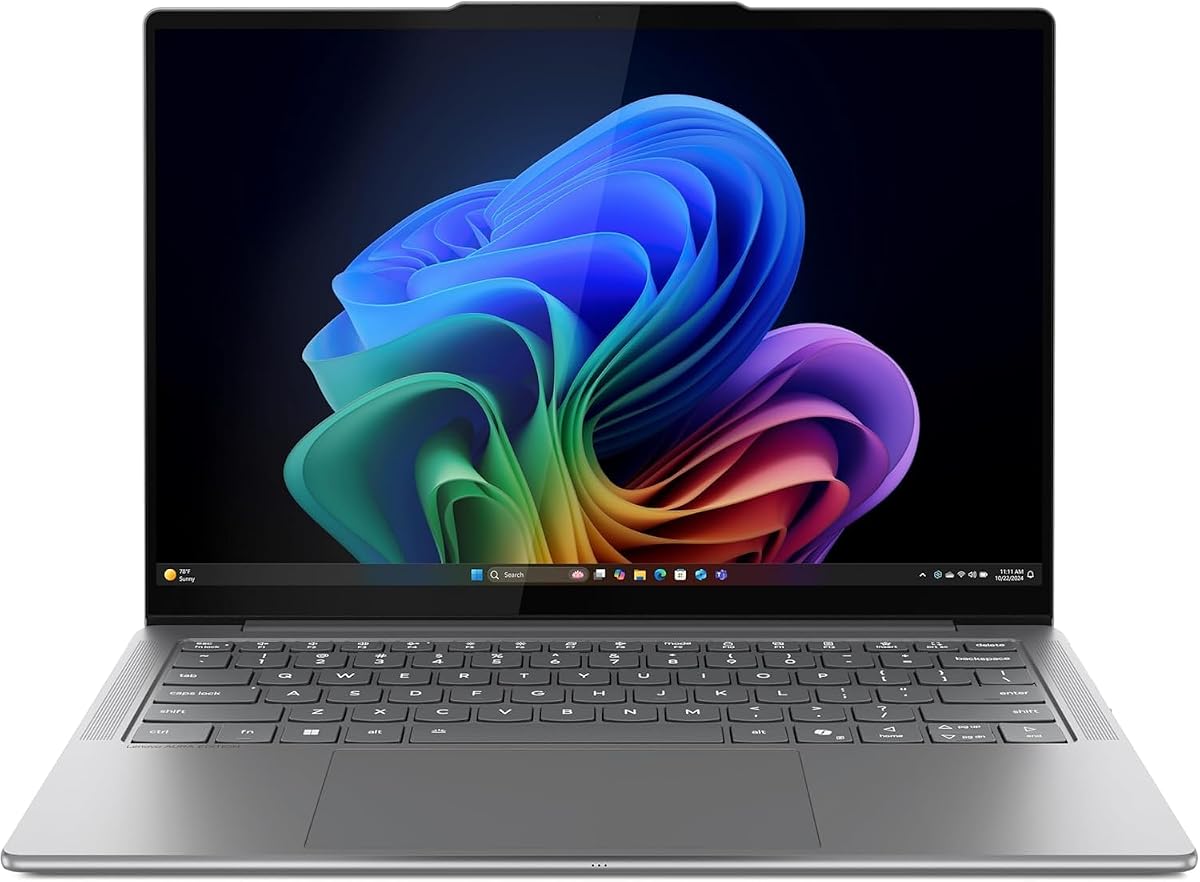
The Lenovo Slim 7i is an exceptional choice for those who need high performance in a thin and light package. It holds a strong rating for its premium build and screen quality. The Intel Core Ultra 7 processor ensures smooth performance for professional tasks.
We may earn a commission when you buy through this link, at no additional cost to you.
It features a 14-inch OLED touchscreen with DisplayHDR True Black 500 and 600 nits peak brightness. This display delivers sparkling clarity and true-to-life color for all media and work. The device weighs just 2.82 lbs and supports up to 17 hours of battery life.
The limited screen size might not suit everyone who needs more vertical space for multitasking. The price is also higher reflecting the premium build and small form factor. However for travelers and mobile professionals it is one of the best options available.
This laptop is best for users who prioritize portability without sacrificing power. It suits business travelers and creatives on the move. The included Smart Experiences and AI features adapt to your needs for personalized productivity.
At just 2.82 lbs the Slim 7i is exceptionally light and thin making it easy to carry anywhere without strain.
Advanced thermal design with internal blowing tech keeps the system cool and quiet even during intense usage.
We may earn a commission when you buy through this link, at no additional cost to you.
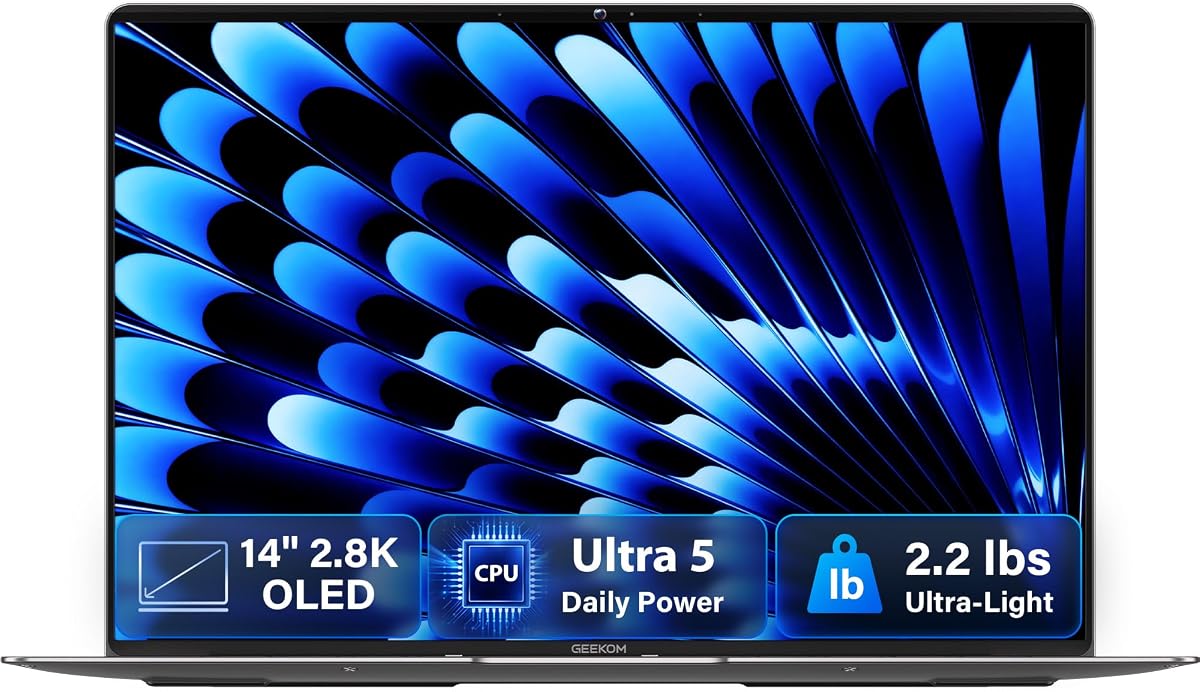
The GEEKOM GeekBook X14 Pro stands out for its ultra-lightweight design and premium materials. It is well rated for its balance of power and portability. The aerospace grade magnesium alloy chassis makes it incredibly durable yet light at just 2.2 lbs.
We may earn a commission when you buy through this link, at no additional cost to you.
It features a 14-inch 2.8K OLED display with a 120Hz refresh rate and 100% DCI-P3 color coverage. This ensures cinematic range of hues and smooth animations. The 72Wh battery supports up to 16 hours of usage and fast charging via the included GaN charger.
While the brand is newer compared to legacy manufacturers the build quality and design have earned awards. Some users may prefer established support channels. However for those seeking a lightweight and capable machine this model offers exceptional value and performance.
This laptop is ideal for users who need a very portable device for daily tasks. It suits professionals who travel often and value comfort. The physical camera shutter and fingerprint unlock add privacy and security to the design.
The aerospace grade magnesium alloy chassis provides rugged strength while maintaining a slim and lightweight profile.
The 2.8K OLED panel with 120Hz refresh delivers smooth scrolling and vivid visuals for all media consumption.
We may earn a commission when you buy through this link, at no additional cost to you.
The Lenovo Legion 5a brings OLED technology to the gaming market with impressive power. It holds a perfect rating for its performance and visual fidelity. The AMD Ryzen 7 250 processor and RTX 5060 GPU deliver smooth gameplay and content creation speed.
We may earn a commission when you buy through this link, at no additional cost to you.
It features a 15.3-inch WQXGA OLED display with a fast 165Hz refresh rate and NVIDIA G-SYNC. This ensures deep blacks and rich colors for immersive gaming. The 32 GB of DDR5 RAM and 1 TB SSD support multitasking and large game files.
The device is heavier than standard laptops at 5 lbs which impacts portability. Power consumption is higher which may affect battery life significantly. However for gaming enthusiasts these trade-offs are worth the superior visual and performance experience.
We recommend this laptop for gamers who want OLED visuals and high performance. It is also great for 3D rendering and video editing. The RGB keyboard and Wi-Fi 7 support ensure a modern and connected experience.
The 165Hz OLED display with G-SYNC ensures fluid motion and eliminates tearing for the ultimate gaming experience.
NVIDIA GeForce RTX 5060 with 8GB memory handles realistic lighting and complex graphics tasks efficiently.
We may earn a commission when you buy through this link, at no additional cost to you.
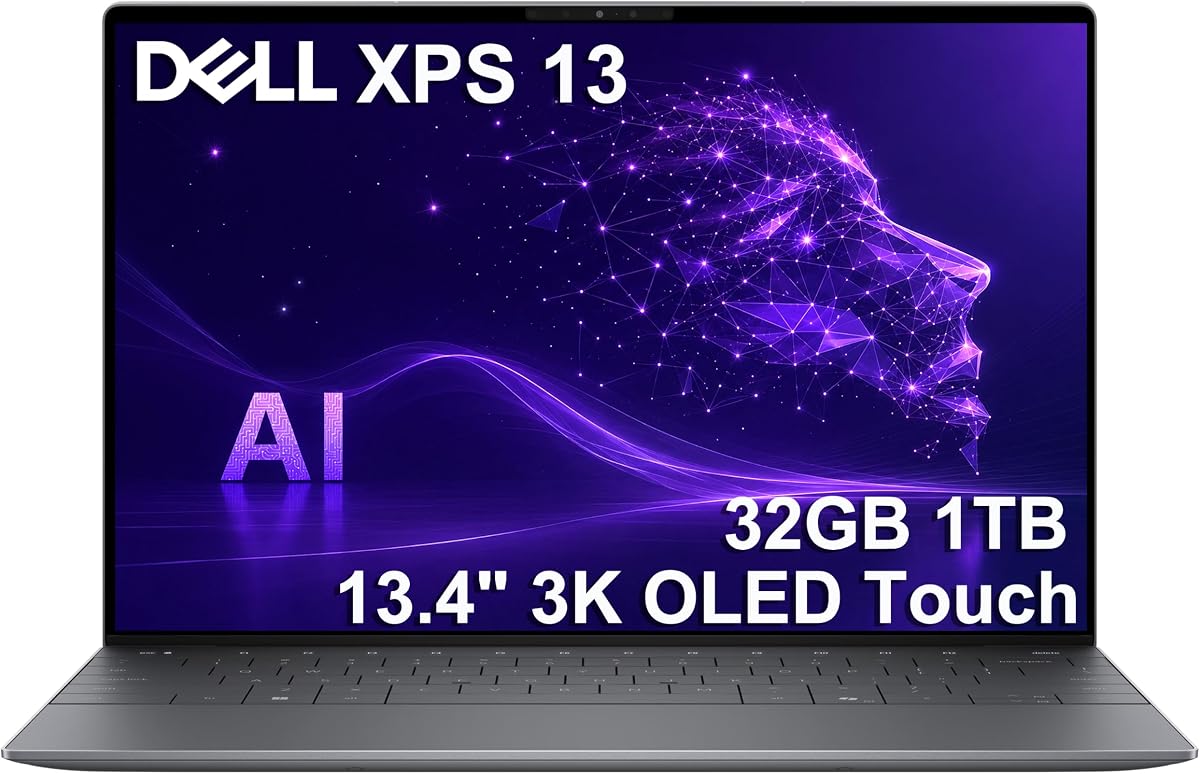
The Dell XPS 13 9345 is a premium compact laptop with top-tier OLED features. It is rated highly for its industry-leading battery life and powerful AI capabilities. As the first XPS CoPilot+ PC it offers revolutionary on-device AI for professional use.
We may earn a commission when you buy through this link, at no additional cost to you.
It features a 13.4-inch 3K OLED touchscreen with anti-reflective properties. The Snapdragon X Elite processor delivers desktop-class power without needing a charger. The device supports up to 27 hours of battery life ensuring all-day productivity.
The limited number of ports may require adapters for external monitors. The price is also a premium reflecting its high-end build. However for those who need the best portable battery and screen quality this is a top choice.
This laptop is best for professionals who prioritize mobility and enterprise features. It is ideal for business owners and content creators on the go. The included BitLocker and remote desktop features add security for sensitive workflows.
Industry-leading 27-hour battery life ensures you can work for days without needing to find a power outlet.
Snapdragon X Elite processor delivers lightning-fast performance and intelligent assistance for all your tasks.
We may earn a commission when you buy through this link, at no additional cost to you.
Selecting the right OLED laptop requires balancing screen quality with performance and battery life. This guide covers the key factors to consider before making a purchase.
Look for resolutions like 2.8K or 3K to take advantage of OLED clarity. Screen sizes range from 13 to 16 inches affecting portability and workspace.
Choose a size that fits your travel needs while maintaining enough space for comfortable multitasking.
Modern AI PCs use Snapdragon or Ryzen AI processors that handle on-device tasks efficiently. Ensure the RAM is at least 16 GB for smooth multitasking.
For professional workloads consider models with 32 GB RAM to prevent slowdowns during heavy usage.
OLED panels consume more power than standard LED screens. Look for models with large batteries and efficient processors to maintain all-day usage.
Check battery estimates based on video playback to get a realistic idea of real-world performance.
Some laptops include discrete GPUs like RTX series for gaming and rendering. Others rely on integrated graphics for general tasks.
Select based on your needs as dedicated graphics increase power consumption and cost.
Check for USB-C Thunderbolt 4 and HDMI 2.1 support to connect external monitors and accessories easily. Avoid models that require dongles for every connection.
Multiple ports reduce the need for extra hubs and simplify your workspace setup.
Look for MIL-STD-810H tested chassis and aluminum bodies for longevity. These ensure the device can withstand travel and daily wear.
A sturdy build protects your investment and maintains aesthetic quality over time.
Windows 11 Home or Pro offers different enterprise tools and AI features. Check for Copilot+ PC capabilities that enhance productivity.
Ensure the OS version meets your security and software compatibility requirements.
For frequent travelers aim for models under 3.5 lbs. Heavier laptops like gaming ones offer power but are less convenient to carry.
Consider your daily commute to decide if the extra weight is acceptable for the performance.
To preserve your OLED screen always enable auto brightness and avoid static images on the screen for long periods to prevent burn-in. Many modern laptops include settings that optimize brightness based on ambient light.
Use a microfiber cloth to clean the display gently without scratching the surface. Avoid harsh chemicals or paper towels that may leave residues or damage the coating.
Keep the laptop cool and clean by ensuring air vents are not blocked. Regularly update drivers and system software to maintain optimal performance and thermal efficiency.
OLED displays offer deeper blacks and higher contrast ratios because pixels light individually. This results in vibrant colors and better energy efficiency compared to LCD backlights.
Modern OLED panels include pixel shift and auto-brightness features to minimize burn-in risks. Static content displayed at high brightness for long periods increases the risk slightly.
OLED screens can consume more power when displaying bright images but newer processors optimize this significantly. Battery life still remains impressive on many models.
Yes many OLED laptops offer high refresh rates and fast response times perfect for gaming. Look for dedicated graphics cards to ensure smooth gameplay performance.
Use a soft dry microfiber cloth to wipe the screen gently. Avoid liquids or cleaning sprays directly on the screen to prevent internal damage.
16 GB is sufficient for most daily tasks and media consumption. For heavy multitasking or creative work 32 GB offers better long-term performance.
We have reviewed ten top laptops with OLED displays ranging from budget-friendly options to premium professional models. Each offers unique strengths in performance battery and visual quality.
Prioritize your needs whether it is portability power or screen size when making a choice. Features like AI processing and fast connectivity are becoming standard in 2026.
Remember to check current pricing and availability as technology moves fast. The best laptop for you depends on your specific workflow and budget.