
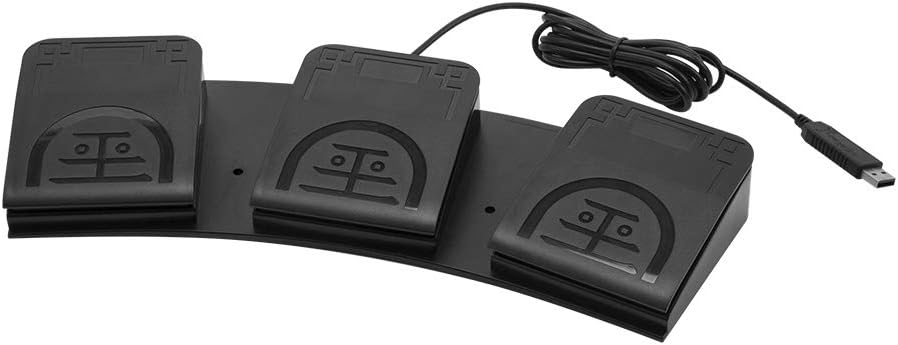
iKKEGOL USB Triple Foot Pedal
4.3Editor score
Mechanical switch response
Plug and play setup
Heavy duty chassis
This comprehensive guide compares the top ten foot pedals for Star Citizen to help pilots find the best hardware for hands free control and flight management.
Flying Star Citizen requires intense focus on navigation and communication without losing control. Foot pedals provide essential hands free access to critical functions like push to talk or throttle adjustments during long space missions.
We evaluated ten highly rated USB foot pedals based on durability, switch type, and programmability. Our analysis focuses on hardware that supports complex macros needed for sim flight without software lag or connectivity issues.
Each pick highlights specific strengths for gaming or multitasking workflows while noting potential limitations. Keep in mind that product availability and pricing fluctuate often so verify current details before making your final purchase decision.
4.3Editor score

4.5Editor score
4.4Editor score
This table offers a side by side view of key technical specifications across all ten options. Use this to quickly compare switch types and compatibility before diving into the detailed reviews.


The Elgato Stream Deck Pedal stands out as a premium choice for serious Star Citizen pilots needing reliable macro input. Its high rating reflects the durability and thoughtful engineering found in this specialized hardware designed for hands free control.
We may earn a commission when you buy through this link, at no additional cost to you.
Three customizable pedals allow you to map complex flight sequences or communication toggles without touching your keyboard. The interchangeable springs mean you can adjust the actuation pressure to suit your specific gaming style or physical comfort needs.
While the premium build justifies the cost for long term users it may be overkill for casual players. The reliance on Elgato software for full customization means you need a dedicated setup process before the device shines in its intended role.
Pilots seeking a sleek reliable solution that integrates well with streaming or complex flight setups will appreciate this unit. It delivers consistent input feedback and solid construction suitable for rigorous gaming environments over many years.
The heavy duty chassis and adjustable springs provide a comfortable experience that reduces foot fatigue during long flight sessions.
Integrates seamlessly with popular streaming tools allowing you to manage audio video and chat settings without breaking immersion.
We may earn a commission when you buy through this link, at no additional cost to you.
This mechanical foot pedal offers excellent value for pilots looking to add dedicated foot control without breaking the bank. Its sturdy construction and clear tactile feedback make it a reliable companion for managing flight systems and communication channels.
We may earn a commission when you buy through this link, at no additional cost to you.
The mechanical switches provide a distinct click that confirms input registration ensuring you know when a command has been sent. Three programmable keys give you the flexibility to assign critical macros like push to talk or weapon systems selection instantly.
Some users may find the design utilitarian compared to premium options but the functionality remains consistent. The software configuration is straightforward though it requires an initial setup on Windows before use on other systems.
For gamers prioritizing function over form this pedal delivers reliable performance at a competitive price point. It is an ideal starting point for anyone new to foot pedals or needing a backup control device.
Mechanical switches ensure each press is registered accurately which is crucial for time sensitive maneuvers in simulation games.
Designed to support significant weight this pedal stays firmly in place even during intense moments of gameplay.
We may earn a commission when you buy through this link, at no additional cost to you.
The optical switch variant of this pedal brings a refined touch to foot control with virtually silent operation. This is particularly beneficial for streamers or users in shared spaces where mechanical clicking might be distracting during voice communication.
We may earn a commission when you buy through this link, at no additional cost to you.
Optical sensors offer faster actuation which can be advantageous for rapid fire commands in Star Citizen. The wide ergonomic design ensures comfort even during extended sessions while the non slip rubber feet keep the unit stable on hard floors.
Although the price is slightly higher than basic models the improved switch technology justifies the investment. You may need to download configuration software to unlock the full potential of the programmable keys.
Pilots seeking a quiet responsive device that balances comfort and performance will find this option compelling. It serves well for both gaming and productivity tasks requiring frequent foot based input.
Optical technology eliminates the mechanical click reducing noise levels for a more immersive and less intrusive experience.
The wide pedal surface distributes pressure evenly making it easier to use without causing foot strain over time.
We may earn a commission when you buy through this link, at no additional cost to you.
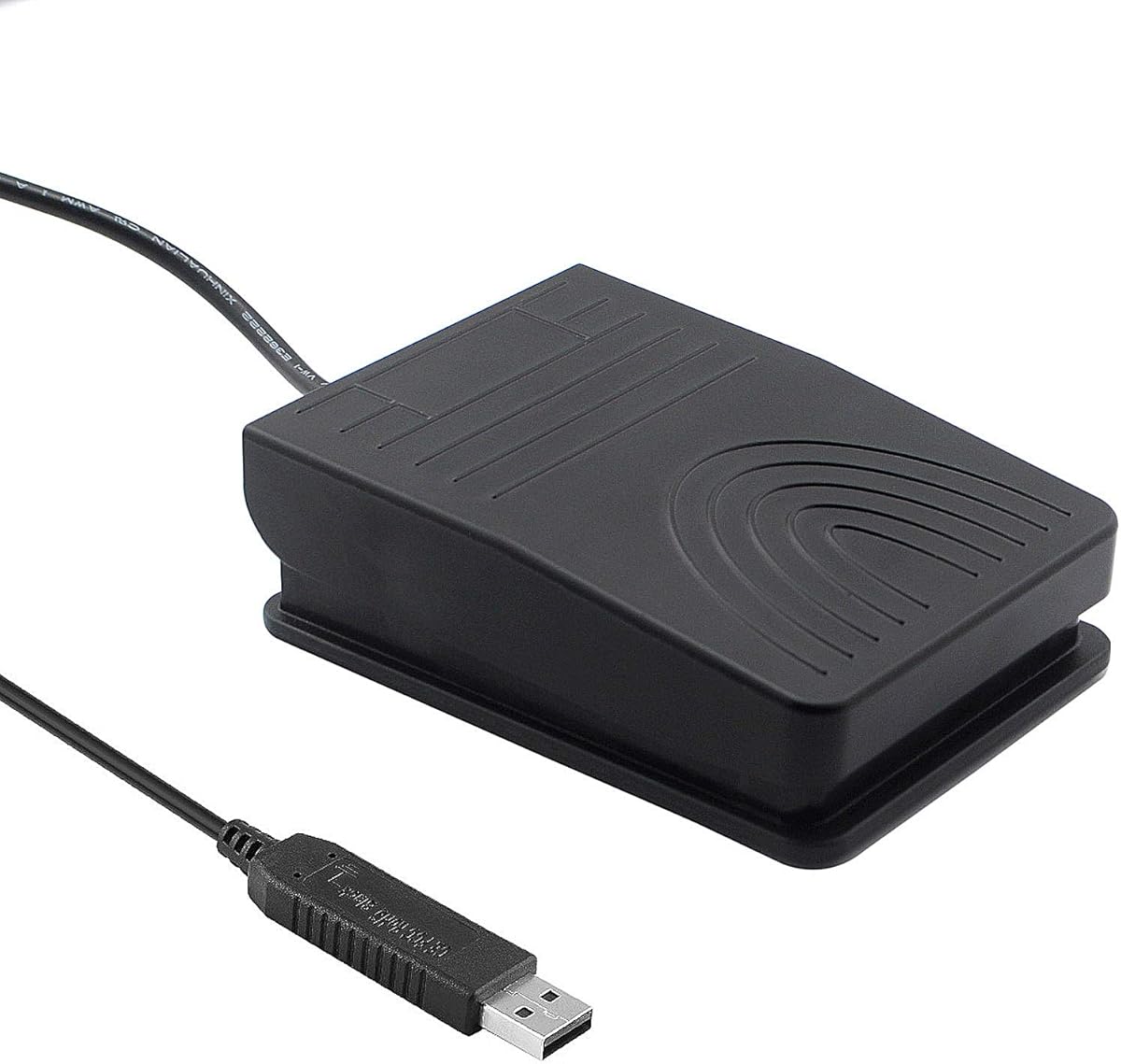
This single key pedal provides a straightforward entry into foot controlled input for Star Citizen players. It is ideal for those who only need a dedicated push to talk button without the complexity of multiple macro assignments.
We may earn a commission when you buy through this link, at no additional cost to you.
The plug and play nature means you can start using it immediately after connecting via USB. The durable plastic construction ensures it can withstand regular use while the long cable offers flexibility in desk placement.
Limitations include the lack of multiple keys which restricts its utility to single task scenarios. However for users needing just one extra control point this device offers a cost effective and reliable solution.
If your requirements are minimal this pedal fulfills its purpose efficiently without unnecessary features. It is a solid choice for budget conscious gamers prioritizing essential functionality over advanced customization.
Perfect for dedicated tasks like push to talk where simplicity and immediate reliability are the primary concerns.
Standard USB connectivity ensures broad compatibility with most systems without requiring extra drivers or setup steps.
We may earn a commission when you buy through this link, at no additional cost to you.
The digital optical version offers a versatile approach to foot control with three distinct programmable keys. Photoelectric sensors provide a quiet and responsive action that suits both gaming and professional tasks like transcription.
We may earn a commission when you buy through this link, at no additional cost to you.
Software support covers Windows and Mac allowing you to configure actions easily across different environments. The included cable length gives you ample room to position the pedal comfortably under your desk.
Some users report variability in switch resistance which might affect consistency during rapid input sequences. While functional the experience is more basic compared to higher end mechanical or optical solutions.
This pedal is a good middle ground for those needing multiple inputs without paying a premium. It works well for general utility and moderate gaming use where extreme durability is not the top priority.
Three separate keys allow for assigning different commands like movement toggles or audio controls simultaneously.
Optical technology minimizes sound during use making it suitable for recording sessions or shared living spaces.
We may earn a commission when you buy through this link, at no additional cost to you.
Another strong contender in the optical line this triple switch model balances comfort with functional design. The wide pedal surface allows for relaxed foot positioning which helps reduce fatigue during extended gaming sessions.
We may earn a commission when you buy through this link, at no additional cost to you.
Optical switches ensure that every input is registered smoothly without the noise of mechanical parts. The HID standard guarantees easy recognition by operating systems so basic functions work immediately after connection.
The light actuation force can be a double edged sword as it might lead to accidental presses if not careful. Configuring macros requires software which adds a step to the initial setup process.
For pilots valuing comfort and quiet operation this unit delivers consistent performance. It is a reliable tool for managing multiple inputs without the distraction of audible switching sounds.
The wide design combined with rubber feet ensures the pedal stays in place even when applied with significant force.
Optical mechanisms reduce noise making them ideal for environments where sound pollution is a concern.
We may earn a commission when you buy through this link, at no additional cost to you.
This pedal stands out for its wide range of operating system support including Linux and Android devices. The shaftless design and in mold injection contribute to a robust build that resists wear and tear over time.
We may earn a commission when you buy through this link, at no additional cost to you.
With three keys available you can map essential Star Citizen functions like radio comms or weapon selection. The photoelectric technology ensures smooth quiet switching suitable for various usage scenarios.
While the build is solid the software interface feels less intuitive than some competitors. However the lifetime technical support offered by the manufacturer provides peace of mind for long term users.
Gamers who need a durable device that works across different computers will appreciate its versatility. It offers a balance of utility and sturdiness at a reasonable price point.
Support for multiple operating systems makes this pedal a versatile tool for users with diverse computing setups.
Injection molded plastic and waterproof design ensure longevity even in demanding environments.
We may earn a commission when you buy through this link, at no additional cost to you.
Released as an updated model this pedal maintains the optical benefits of quiet operation and fast response. The wide ergonomic shape supports comfortable use during long flights in Star Citizen where precision is critical.
We may earn a commission when you buy through this link, at no additional cost to you.
Three programmable keys allow for extensive customization to fit your specific flight deck layout. The non slip base keeps the unit firmly in place preventing unwanted movement during intense maneuvers.
You will need to download software to configure the keys which might deter users seeking immediate plug and play. Once set however the device performs reliably as a standard HID input device.
For those wanting a modern optical solution at a mid range price this is a strong option. It delivers consistent performance and comfort suitable for both gaming and productivity applications.
The non slip base ensures your commands are registered without the pedal shifting during use.
Optical switches provide a quiet click that minimizes disturbance to others nearby.
We may earn a commission when you buy through this link, at no additional cost to you.
This blue variant offers a visually distinct addition to your gaming setup without sacrificing functionality. Optical switches deliver quiet responsive input that works well for both gaming and office tasks requiring extra macros.
We may earn a commission when you buy through this link, at no additional cost to you.
The three buttons provide ample space for mapping common Star Citizen commands allowing you to keep hands on the stick. The pedal remains stable on hard floors thanks to rubber feet underneath the unit.
Software configuration is required to fully utilize the keys which adds a setup step before use. While the build is durable it may not offer the premium feel found in higher priced models.
Gamers looking for a colorful reliable tool will find this unit appealing. It provides a solid balance of form and function for those who value aesthetics alongside utility.
The blue finish adds a unique touch to your workspace distinguishing it from standard black peripherals.
Optical technology ensures each press is registered quickly reducing latency during fast actions.
We may earn a commission when you buy through this link, at no additional cost to you.
This generic model offers a straightforward mechanical solution for adding foot control to your setup. The mechanical switches provide clear tactile feedback confirming each input is registered accurately during gameplay.
We may earn a commission when you buy through this link, at no additional cost to you.
Shaftless design allows for flexible movement making the unit comfortable to use over extended periods. It supports multiple systems including Linux and Mac though initial setup may require a Windows PC.
While the design is simple and the build quality adequate it lacks the refined polish of premium brands. This makes it a practical choice for users prioritizing basic utility over advanced features.
For those needing an affordable way to add a few extra controls this pedal does the job. It is best suited for general use where budget is a primary concern.
Mechanical switches give you a physical click confirming each action is sent to the system.
Shaftless joints allow for natural foot movement reducing strain during long sessions.
We may earn a commission when you buy through this link, at no additional cost to you.
Selecting the right foot pedal involves evaluating switch types, compatibility, and build quality to ensure seamless integration with your flight setup.
Mechanical switches offer tactile feedback and durability but can be noisy during quiet sessions. Optical switches provide silent operation and faster response times making them ideal for stealthy gameplay or shared spaces.
Choose mechanical for feedback lovers and optical for those needing quiet reliable inputs.
Single key pedals serve well for simple push to talk macros but limit your ability to map multiple commands. Triple key options allow more flexibility for assigning weapon systems and communication toggles simultaneously.
Opt for triple pedals to maximize control coverage during complex missions.
Most pedals work via USB on Windows but check for Linux or Mac support if you use non Windows setups. Some devices require initial software configuration on one OS before functioning elsewhere.
Ensure the pedal supports your primary OS to avoid setup frustration.
Heavy duty chassis designs withstand high pressure and frequent use without bending or breaking. Look for models with rated load capacities above 100 kilograms for long term reliability.
Prioritize durable construction to prevent hardware failure during intense use.
Quality software allows complex macro scripting and key binding customization to fit your cockpit layout. Check if the software supports multiple systems or allows configuration on one machine for use on another.
Choose units with robust software to fully exploit pedal capabilities.
Wide pedals distribute pressure evenly across the foot reducing strain during long flight hours. Non slip rubber feet ensure the unit stays in place regardless of floor surface or movement.
Look for ergonomic designs that prioritize comfort and stability.
Long USB cables provide flexibility in desk placement allowing you to route the pedal under the desk safely. Short cables may restrict positioning or cause clutter near your workstation.
Opt for longer cables to maintain a clean and flexible setup.
Budget models offer basic functionality while premium options add features like adjustable springs and plugins. Consider warranty support and technical service as insurance against potential hardware issues.
Balance cost with necessary features and reliable support options.
Start by connecting the pedal to a USB port on your computer and install the provided configuration software. Open the app and assign specific keyboard shortcuts or macros to each pedal button for your favorite flight actions.
Test each mapped command in the game or simulation to ensure accurate registration. Adjust pedal tension if your model allows to suit your preferred resistance level for comfortable tapping.
Keep the pedal clean by wiping it with a dry cloth to remove dust that might interfere with switches. Store it in a dry area when not in use to prevent moisture damage to electronic components.
Yes most USB foot pedals work with Star Citizen by emulating keyboard or mouse inputs. You can configure the software to map pedals to communication commands or throttle adjustments easily.
Most require configuration software to assign specific macros to buttons but basic HID functions work immediately. This setup allows full customization so tailor the device to your workflow.
Many models support both systems though initial configuration often needs a Windows PC. Once set up the device functions as a plug and play HID unit on other platforms.
Optical switches are quieter and faster making them ideal for noise sensitive environments while mechanical switches provide tactile feedback. Choose based on your preference for sound and feel.
Three keys provide flexibility to map push to talk and weapon toggles simultaneously. Single key pedals work for simple macros but limit your in game command options.
High quality models rated for over 100 kg can withstand frequent pressing without issues. Look for sturdy chassis designs and mechanical parts to ensure long term reliability.
Some premium models offer interchangeable springs to customize the actuation force. Standard units have fixed pressure designed for comfortable operation without adjustments.
Yes these devices function as standard HID inputs so they work with various flight simulators and office tools. The same mapped keys apply across different software applications.
The ten foot pedals reviewed offer diverse options tailored to pilots needing hands free control and flight management. The Elgato Stream Deck Pedal leads with premium features while budget models like the iKKEGOL mechanical pedal provide excellent value.
Prioritize switch type and number of keys to ensure the device matches your specific gameplay needs. Comfort and durability play vital roles in long sessions so ergonomic design is key to avoiding fatigue.
Always check the latest product details and availability before purchase to confirm compatibility. With the right pedal you can streamline your flight experience and maintain focus on the stars.