
Epson Workforce Pro WF-7310
3.8Editor score
Fast 25 ppm black printing
500 sheet paper capacity
PrecisionCore HeatFree technology
This comprehensive guide compares the top 10 A3 printers for 2026, evaluating speed, ink costs, and print quality to help you choose the best wide format
Finding the right A3 printer can transform your workspace by enabling professional wide format outputs without leaving your office. Whether you need crisp documents or vibrant graphics, the best models offer reliability and efficiency. This guide explores top contenders designed to meet diverse business and creative needs.
We evaluated each printer based on real-world performance metrics including print speed, ink economy, and connectivity options. Our analysis focuses on models that consistently deliver high quality results across various paper types. By comparing key specifications, we aim to simplify your decision-making process for large scale printing tasks.
Each pick highlights unique strengths such as cost effective ink systems or advanced duplex capabilities. Please note that product availability and pricing may change frequently due to market conditions. We recommend verifying current offers before purchasing to ensure you get the best value for your specific workflow requirements today.
3.8Editor score

4.0Editor score

3.9Editor score
The following table provides a side by side comparison of all ten selected A3 printers. It highlights critical specifications such as print speed, paper capacity, and key technologies to help you quickly identify the model that best fits your operational demands and budget constraints.



The Epson EcoTank Photo ET-8550 stands out as the top choice for users seeking high-quality wide-format printing without the burden of frequent cartridge changes. With a 4.0 rating, it delivers lab-quality photos and sharp text using Epson’s six-color Claria ET Premium ink system. Its cartridge-free design allows you to print thousands of pages from a single set of bottles, making it ideal for creative professionals and small businesses.
We may earn a commission when you buy through this link, at no additional cost to you.
This printer excels in cost efficiency and environmental impact. The inclusion of ink bottles equivalent to about 100 individual cartridges means you can print up to 6,200 color pages before needing a replacement. The high-accuracy printhead ensures vibrant colors and sharp details, perfect for graphic design work or marketing materials that demand precision and visual appeal.
While the initial investment is higher than standard models, the long-term savings are substantial. You save significantly on per-page costs compared to traditional ink cartridges. The only notable trade-off is that print speeds may be slower compared to laser or high-volume inkjet models, but for users prioritizing quality and ink economy, this is a minor compromise.
Buy this printer if you need professional-grade photo and graphic printing with minimal ongoing maintenance. It is perfect for photographers, designers, and office environments that produce high volumes of visual content. The wireless connectivity and all-in-one functionality further enhance its versatility, making it a reliable centerpiece for your workspace.
The cartridge-free system drastically reduces long-term printing expenses by eliminating the need for expensive individual ink cartridges, offering savings of up to 90% on ink costs.
With six dedicated ink colors including red and orange, this printer achieves a wider color gamut for more accurate and vibrant photo reproductions.
We may earn a commission when you buy through this link, at no additional cost to you.
The Epson Workforce Pro WF-7310 is an excellent choice for those seeking an affordable wide-format printer that handles heavy workloads efficiently. With a 3.8 rating, it offers PrecisionCore Heat-Free Technology that delivers fast prints at 25 pages per minute in black. Its 500-sheet paper capacity ensures you can tackle large jobs without constant reloading, making it suitable for busy office environments.
We may earn a commission when you buy through this link, at no additional cost to you.
This model prioritizes productivity and cost-effectiveness. The Heat-Free Technology not only speeds up printing but also reduces energy consumption significantly. It supports Wi-Fi Direct and standard wireless connections, allowing seamless integration into networked offices. The DURABrite Ultra inks provide sharp text and vivid colors that remain durable over time for professional documents.
The main drawback is its lower rating compared to premium photo printers, indicating it is not designed for high-end image reproduction. However, for business documents, presentations, and general wide-format needs, it performs reliably. The lower price point makes it accessible for small businesses needing wide format capabilities without a huge upfront investment.
Choose this printer if you need a fast, reliable workhorse for document printing on a budget. It is best suited for offices that prioritize speed and paper capacity over photo-grade output. The wireless features and low energy consumption add to its value as a sustainable and efficient office solution.
Engineered for reliability and heavy workloads, this printer ensures minimal downtime and maximum output for demanding business environments.
The Heat-Free Technology eliminates the need for heating elements, resulting in zero warm-up time and lower energy usage.
We may earn a commission when you buy through this link, at no additional cost to you.
The Epson Workforce Pro WF-7820 is built for high-volume environments where speed and reliability are paramount. It offers PrecisionCore Heat-Free Technology that delivers 25 ppm in black, ensuring quick turnaround times for large jobs. The 250-sheet paper capacity reduces interruptions, while the 4.3-inch touchscreen simplifies navigation and settings adjustments for daily office use.
We may earn a commission when you buy through this link, at no additional cost to you.
Security and connectivity are key strengths here. The printer includes secure wireless features and Data Erase capabilities, making it suitable for businesses handling sensitive information. The inclusion of a 50-sheet ADF with auto duplex scanning allows you to process multi-page documents efficiently. Ethernet, Wi-Fi, and Bluetooth connectivity options provide versatile setup possibilities.
While it relies on genuine Epson cartridges which can increase long-term costs, the durability and speed justify the choice for heavy workloads. The lower user rating may reflect occasional connectivity issues, but the hardware itself is robust. It is not ideal for photo printing but excels at professional business documents and large-scale output tasks.
Select this printer for offices needing fast, secure, and reliable wide-format output. It is best for businesses that require duplex scanning and high capacity without needing photo-quality results. The comprehensive security features make it a smart choice for corporate environments prioritizing data protection.
Built-in secure wireless and Data Erase features protect your sensitive documents and prevent unauthorized access to printed materials.
The 50-sheet ADF with automatic duplex scanning speeds up digitization tasks and reduces manual handling of multi-page documents.
We may earn a commission when you buy through this link, at no additional cost to you.
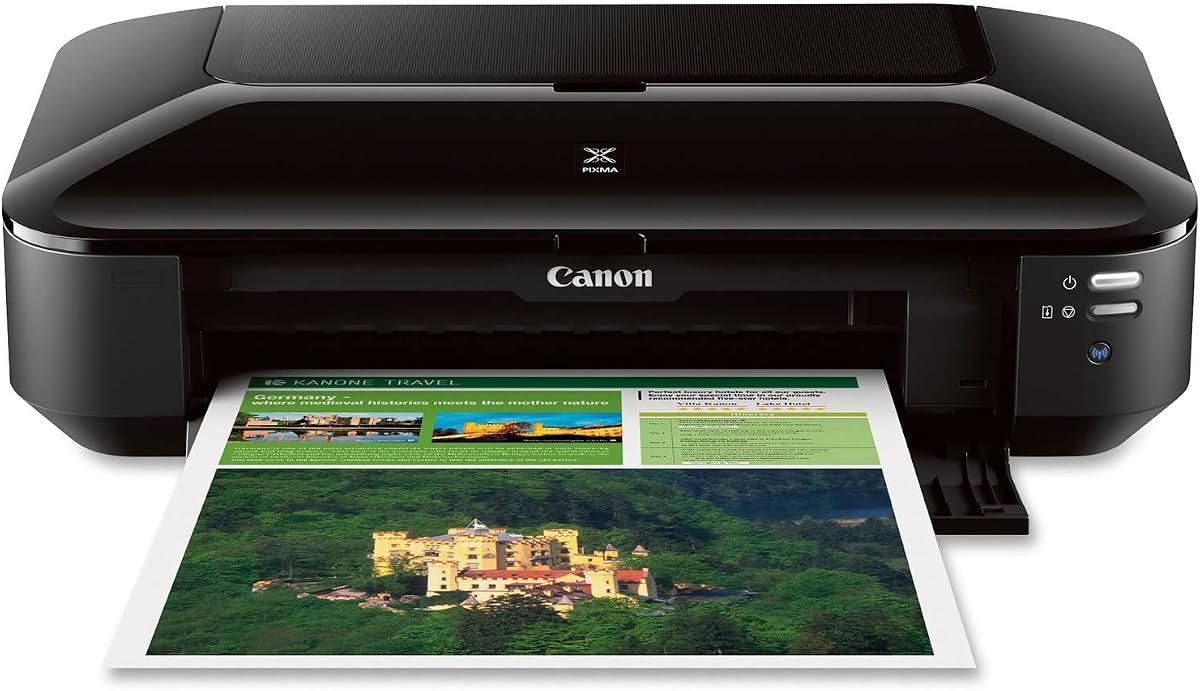
The Canon Pixma iX6820 is a reliable business printer that balances quality and functionality for professional use. With a 4.1 rating, it features Fine print head technology and individual ink tanks, allowing you to replace only the colors you use. Its maximum resolution of 9600 x 2400 dpi ensures sharp text and vibrant graphics suitable for presentations and reports.
We may earn a commission when you buy through this link, at no additional cost to you.
This model supports multiple connectivity options including AirPrint and Google Cloud Print, enabling seamless printing from various devices. The 150-sheet auto sheet feeder accommodates standard letter sizes, and the wireless connectivity keeps your workspace clutter-free. It is designed for small to medium businesses that need consistent wide-format output without complex setup.
However, its 150-sheet capacity is lower than some competitors, which may require more frequent reloading during high-volume tasks. As an older model, it lacks some modern AI features but remains a solid choice for basic wide-format needs. The individual ink system helps manage costs effectively, reducing waste when one color runs low.
Buy this printer if you need a straightforward, high-resolution wide-format option for a professional setting. It is ideal for small businesses that require cloud printing support and individual ink management. Its compact footprint and reliable performance make it a practical addition to any office environment.
The five individual ink tank system allows you to replace only the colors that run out, reducing waste and saving money over time.
Support for AirPrint and Google Cloud Print ensures you can print from mobile devices and laptops without direct cable connections.
We may earn a commission when you buy through this link, at no additional cost to you.
The Epson EcoTank ET-15000 brings the popular Supertank system to wide-format printing, offering exceptional value for users with high volume needs. With a 4.2 rating, it features a resolution up to 4800 x 2400 dpi, ensuring clear and readable documents. The all-in-one design includes printing, faxing, copying, and scanning capabilities, making it a versatile tool for office environments.
We may earn a commission when you buy through this link, at no additional cost to you.
Its ink system is designed to reduce waste and costs significantly. You get up to 17 ppm in black and 9 ppm in color, which is efficient for standard business documents. The connectivity options include USB 2.0, LAN, and Wi-Fi, allowing flexible integration into different network setups. The large monthly duty cycle of 33,000 pages supports heavy usage without strain.
While the initial price is high, the cost per page is extremely low compared to cartridge-based printers. It does not support six colors like the ET-8550, so it is better suited for documents than photos. However, for offices needing reliable wide-format output with minimal maintenance, this model delivers excellent performance and convenience.
Choose this printer for its balance of high capacity, versatile functions, and low operating costs. It is perfect for businesses that need fax and scanning capabilities alongside wide-format printing. The Supertank system ensures you spend less time refilling ink and more time focusing on productive tasks.
With a monthly duty cycle of 33,000 pages, this printer is built to handle heavy workloads without compromising on quality or speed.
Support for USB, LAN, and Wi-Fi ensures you can connect this printer to various devices and networks with ease.
We may earn a commission when you buy through this link, at no additional cost to you.
The Epson Workforce Pro WF-7840 is designed to handle comprehensive office tasks in a single machine. It combines print, copy, scan, and fax functions with wide-format capabilities up to 13×19 inches. With a 500-sheet capacity, it minimizes interruptions during large jobs. The PrecisionCore Heat-Free technology ensures quick printouts while maintaining energy efficiency.
We may earn a commission when you buy through this link, at no additional cost to you.
Connectivity and remote printing are key strengths here. The printer supports built-in wireless and Epson Connect Solutions, including Email Print and Remote Print, enabling productivity from anywhere. DURABrite Ultra ink provides smudge-free results that are ideal for professional documents. This model is particularly useful for businesses that need reliable multifunction capabilities without bulky hardware.
While it offers a 3.9 rating, some users note that it requires genuine ink, which can be restrictive. The speed is decent but not the fastest in its class. However, the combination of high capacity, duplex features, and secure wireless options makes it a solid choice for offices needing a robust all-in-one solution.
Select this printer if you need a versatile multifunction device that handles wide-format tasks efficiently. It is best suited for offices that require faxing and scanning capabilities alongside printing. The wireless options and large paper capacity make it a reliable workhorse for daily business operations.
Epson Connect Solutions like Email Print and Remote Print allow you to print documents from anywhere using a smartphone or tablet.
DURABrite Ultra ink ensures sharp text and vibrant colors that dry quickly and resist smudging for a polished look.
We may earn a commission when you buy through this link, at no additional cost to you.
The HP OfficeJet Pro 9135 brings modern AI technology to wide-format printing. It offers speeds up to 25 ppm black and 20 ppm color, making it fast enough for busy office environments. The HP AI feature optimizes print formatting, removing unwanted content to ensure web pages and emails print cleanly without waste. This makes it ideal for professional documents and presentations.
We may earn a commission when you buy through this link, at no additional cost to you.
Security and connectivity are strong points. HP Wolf Pro Security protects your network from cyber threats, while dual-band Wi-Fi resolves connection issues automatically. The 3-month Instant Ink trial can save up to 50% on ink costs, though subscription fees apply afterward. Its large 4.3-inch touchscreen provides a phone-like interface that is intuitive to use.
However, the printer is restricted to HP cartridges with chips, which limits ink options and increases long-term costs. The 3.9 rating reflects some mixed feedback on reliability. Despite this, the convenience of AI tools and instant ink delivery makes it attractive for users who prioritize ease of use and modern features over raw hardware specs.
Buy this printer if you want AI-assisted printing and seamless wireless integration. It is best for offices that need reliable fax and copy features with minimal manual intervention. The security and instant ink features add significant value for modern businesses.
HP AI analyzes web pages and emails to remove unwanted content, saving paper and ensuring your prints look exactly as intended.
HP Wolf Pro Security bolsters network protection and helps keep your data safe from potential cyber threats and vulnerabilities.
We may earn a commission when you buy through this link, at no additional cost to you.
The Brother INKvestment 6960 is designed to deliver exceptional speed and value for small businesses. With print speeds up to 31 ppm in black and 30 ppm in color, it outperforms many competitors in its class. The 11×17 capabilities handle wide-format needs effectively, while the MAXIDRIVE Technology ensures fast and reliable output.
We may earn a commission when you buy through this link, at no additional cost to you.
One of its main advantages is the INKvestment cartridge system, which offers high yield inks. It includes one 1,800-page black cartridge and 750-page color cartridges. The 500-sheet capacity and single-pass duplex scanning allow efficient workflow management. Wi-Fi Direct and cloud app support make it easy to print from anywhere without complex network setups.
The printer has a 4.2 rating, reflecting high user satisfaction with its performance. It is particularly strong for offices needing high speed and cost-effective ink options. The only minor downside is reliance on Brother Genuine Ink for optimal performance, but the long-term savings justify this limitation for most users.
Choose this printer if you need high-speed printing with reliable ink yields. It is best for businesses that prioritize productivity and low cost per page. The touchscreen interface and mobile support add convenience, making it a user-friendly option for various office needs.
With up to 31 ppm in black, this printer ensures quick turnaround times for high-volume jobs, keeping your workflow efficient.
The Brother Mobile Connect app allows you to manage printing, scanning, and copying directly from your smartphone for added convenience.
We may earn a commission when you buy through this link, at no additional cost to you.
The Epson Workforce WF-7710 is a premium option for those seeking high quality wide-format printing with reliable features. It has a strong 4.3 rating thanks to its PrecisionCore technology, which enables borderless prints up to 13×19 inches. This is ideal for presentations and creative projects where edge-to-edge output is required.
We may earn a commission when you buy through this link, at no additional cost to you.
It supports printing, scanning, copying, and faxing with ease. The 250-sheet tray can hold up to 20 sheets of photo paper or 10 envelopes, offering flexibility for different media types. Automatic 2-sided printing speeds are decent at 8.7 ppm in black. Amazon Dash Replenishment Ready means you can order ink automatically when supplies run low.
The main drawback is slower color print speeds compared to some high-end models. However, the quality and reliability make up for this. It is designed for users who value precision and consistent results over raw speed. The wireless features and fax capabilities make it a versatile choice for home offices or small businesses.
Select this printer if you need high-quality borderless printing with multifunction capabilities. It is best for users who prioritize precision and ease of ink ordering. The fax and scanning features add practical value for a comprehensive office solution.
PrecisionCore technology ensures accurate dot placement and fast first-page-out times for professional results.
Amazon Dash Replenishment Ready ensures you never run out of ink by automatically ordering supplies when levels are low.
We may earn a commission when you buy through this link, at no additional cost to you.
The HP OfficeJet Pro 9730 is a premium wide-format printer designed for demanding professional environments. With a P3 color gamut, it produces screen-accurate prints that match your digital files better than standard sRGB options. This makes it ideal for designers and architects who need precise color reproduction for floorplans and mood boards.
We may earn a commission when you buy through this link, at no additional cost to you.
It offers fast speeds of 22 ppm black and 18 ppm color, alongside a 4.3-inch touchscreen for easy navigation. The auto document feeder supports 11×17 printing and duplex scanning, streamlining your workflow. AI features help optimize print formatting to reduce waste and improve the appearance of printed documents significantly.
The 3.9 rating reflects the high price point and reliance on subscription services for ink savings. However, the wide-format ADF and color accuracy are unmatched. If your business requires accurate wide-format scanning and professional printing, this model justifies the investment. It is a top choice for creative professionals and large teams.
Buy this printer if you need high-end color accuracy and wide-format scanning. It is best for businesses that prioritize visual precision and productivity. The AI and security features make it a modern, efficient choice for advanced office environments.
P3 color gamut support delivers wider color range and more vibrant prints that match your digital designs accurately.
The 11×17 ADF allows you to scan large documents efficiently without manual repositioning or cropping.
We may earn a commission when you buy through this link, at no additional cost to you.
Choosing the right A3 printer involves evaluating several key factors to ensure it meets your specific needs. Consider print speed, ink economy, connectivity options, and the quality of output required for your projects.
Print speed is measured in pages per minute (ppm) and affects how quickly you can complete large jobs. For offices, look for models with at least 20 ppm in black to maintain productivity. Consider duplex capabilities which reduce paper usage and time spent on large documents.
Ink economy is crucial for long-term budgeting. Tank systems like EcoTank reduce cost per page significantly compared to cartridge models. Evaluate the upfront cost versus expected monthly print volumes to choose the most cost-effective option for your workflow.
Higher paper capacity reduces reloading frequency. Look for models with multiple trays totaling at least 250 sheets for efficient operation. Larger trays are beneficial for businesses printing high volumes regularly without constant intervention.
Ensure the printer supports your preferred connection methods. Wireless, Wi-Fi Direct, and Ethernet allow seamless integration with various devices. Mobile apps for remote printing add flexibility for teams working from different locations or devices.
Resolution measured in dots per inch (dpi) affects text sharpness and photo quality. For documents, 600 dpi is sufficient, but for photos, aim for 2400 dpi or higher. Check if the model supports wide color gamuts for accurate visual representation.
All-in-one models combine printing, scanning, copying, and faxing. Decide if you need these extra functions or if a dedicated printer fits better. Duplex scanning can further enhance productivity by processing both sides of documents automatically.
Corporate environments require secure printing options. Look for features like secure wireless, data erase, and network protection. These ensure sensitive documents remain private and protect your network from potential cyber threats.
Balance upfront cost with long-term operational expenses. While some models are cheaper initially, high ink costs may make them more expensive over time. Evaluate total cost of ownership to make a smart financial decision.
Set up your printer in a stable, well-ventilated area to prevent overheating. Connect it to your network using the setup wizard or mobile app for easy access. Ensure paper trays are loaded correctly to avoid jams during operation.
Regularly print test pages to keep printheads from clogging. Use genuine ink recommended by the manufacturer to avoid damage and warranty issues. Clean the exterior and interior occasionally with a soft cloth to remove dust.
Update firmware regularly to maintain security and performance. If the printer is idle for long periods, turn it on briefly to run maintenance cycles. Store spare ink in a cool place and replace cartridges when notifications appear.
An A3 printer is a device capable of printing on paper larger than standard letter size, specifically A3 (11×17 inches). It is ideal for presentations, architectural drawings, and marketing materials.
Prices vary depending on features. Basic models start around a few hundred dollars while premium ones with tank systems can exceed a thousand. Consider long-term ink costs when evaluating total value.
Yes, many A3 printers support high-resolution photo printing. Models with six-color ink systems produce vibrant and accurate photo outputs suitable for creative work.
The Epson Workforce Pro WF-7310 is excellent for small businesses due to its fast speed and low cost. For premium needs, the HP OfficeJet Pro 9730 offers advanced color accuracy.
Some models require proprietary cartridges while others use high-yield tank systems. Always check compatibility with genuine ink to maintain warranty and print quality.
Yes, many A3 printers include ADFs that scan up to A3 size. Always verify the scanning area in specs to ensure it matches your needs.
Most modern A3 printers support wireless connectivity via Wi-Fi or Bluetooth. Look for features like AirPrint or mobile apps for seamless remote access.
Cartridge life depends on usage. Tank systems can last years while cartridges may need frequent replacement. Review page yield ratings to estimate replacement frequency.
The top picks like the Epson EcoTank Photo ET-8550 and HP OfficeJet Pro 9730 offer excellent solutions for diverse needs. Whether you prioritize cost efficiency or premium color accuracy, there is a model suited for your workflow.
Prioritize factors like ink economy, speed, and connectivity when making your decision. Consider how much you will print monthly to determine the most cost-effective investment over time.
Prices and availability fluctuate frequently, so check current offers before purchasing. Ensuring you have the best deal for your specific requirements is essential for maximizing value and performance.