
Razer Core X V2 External Graphics Enclosure
4.0Editor score
Thunderbolt 5 up to 80 Gbps
Supports up to 4 slot wide GPUs
140W Power Delivery via USB C
This guide compares the top ten Egpu Enclosures for Thunderbolt and USB4 laptops to help you find the best external graphics solution for your needs.
External GPU enclosures transform your thin laptop into a powerful desktop workstation capable of handling demanding gaming and creative workloads with ease and efficiency.
We compared ten top models based on connectivity speed, power supply capacity, cooling performance, and compatibility with the latest NVIDIA and AMD graphics cards for 2026.
Each pick highlights unique strengths like Thunderbolt 5 support or compact designs, but remember that prices and availability can change quickly so check current listings before buying.
4.0Editor score
5.0Editor score

3.9Editor score
The following table provides a side-by-side overview of all ten enclosures highlighting key specifications like bandwidth power output and supported GPU sizes for easy reference.


The Razer Core X V2 is a premium external graphics enclosure designed to deliver next-generation performance for laptops via Thunderbolt 5 connectivity. With a rating of 4.0 it stands out for its ability to handle the most demanding graphics cards and power requirements efficiently.
We may earn a commission when you buy through this link, at no additional cost to you.
Its standout quality lies in the ultra-fast 80 Gbps bandwidth which ensures minimal bottlenecking for AAA games and creative workflows. The enclosure supports GPUs up to four slots wide allowing you to install high-end NVIDIA or AMD cards without worrying about physical space constraints.
Trade-offs include the need to purchase a GPU and power supply separately which increases the initial cost significantly. However this modular approach allows for greater customization and future upgrades as your needs evolve over time.
Users seeking maximum performance and future-proofing should choose this model for its superior bandwidth and robust build. It is ideal for professionals and enthusiasts who need reliable desktop-class power in a portable external chassis.
The 80 Gbps bandwidth enables smooth handling of demanding creative apps and games without lag.
Tool-free install with thumbscrews makes swapping graphics cards and power supplies incredibly simple and fast.
We may earn a commission when you buy through this link, at no additional cost to you.
The Sonnet Breakaway Box 850 T5 offers astounding performance with 850 watts of power to support today's most demanding graphics cards. It earns a strong 4.5 rating for its ability to accelerate GPU workflows significantly on compatible systems.
We may earn a commission when you buy through this link, at no additional cost to you.
Key strengths include the integrated Thunderbolt 5 dock which provides additional connectivity like USB ports and Ethernet reducing cable clutter on your desk. The variable-speed fan ensures effective cooling while keeping noise levels low during intensive tasks.
One trade-off is that it is optimized for Windows machines limiting its utility for Mac users who need external graphics solutions. Additionally the high power supply adds to the overall weight and cost of the enclosure package.
This enclosure is best for Windows users needing massive power headroom for professional rendering or gaming. It provides a complete solution that combines speed stability and additional connectivity in a single robust unit.
Supports power requirements of current and future power-hungry graphics cards without needing upgrades.
Adds peripheral ports and Ethernet for a cleaner setup without extra dongles or hubs.
We may earn a commission when you buy through this link, at no additional cost to you.
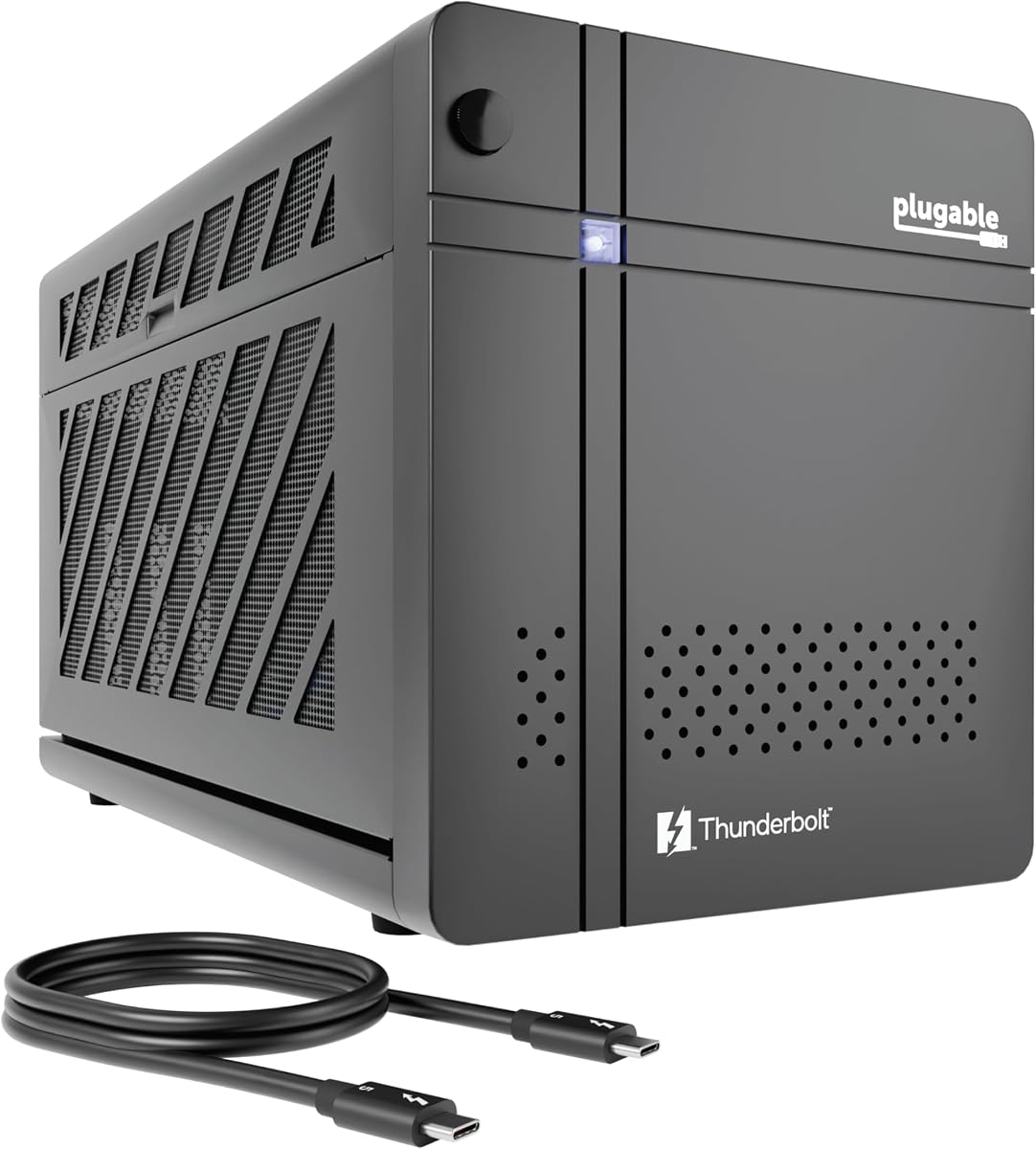
The Plugable Thunderbolt 5 AI eGPU Enclosure is uniquely designed for those who need to run large language models locally with full privacy control. It holds a perfect 5.0 rating for its specialized focus on secure AI inference without cloud dependencies.
We may earn a commission when you buy through this link, at no additional cost to you.
It stands out by resolving the innovation versus privacy deadlock allowing you to run models like Llama 3 offline on your own hardware. The 850W PSU provides dedicated power for your GPU ensuring consistent performance during heavy training or inference tasks.
A key trade-off is its Windows-only support which excludes Mac and Linux users from benefiting. Also it is less general-purpose than standard enclosures so gamers might find it overkill for their needs.
AI researchers and privacy advocates should choose this model for its ability to keep sensitive data within your perimeter. It offers a powerful and secure platform for offline AI experimentation with excellent customer support.
Ensures sensitive prompts and data never leave your perimeter avoiding cloud risks or subscription fees.
Host charging Ethernet and USB ports let you build a complete workspace hub around your GPU.
We may earn a commission when you buy through this link, at no additional cost to you.
This external GPU enclosure offers a complete kit that includes everything needed to get started immediately with its 240W power supply. It receives a 4.5 rating for its convenience and portability for users who want a ready-to-use solution.
We may earn a commission when you buy through this link, at no additional cost to you.
The key strengths lie in its robust design and included carrying case which makes it easy to travel with your upgraded graphics power. It supports up to 205mm in length making it suitable for many mid-range gaming cards.
Trade-offs involve the power limit which prevents it from supporting the largest most power-hungry GPUs. Also it lacks Thunderbolt 5 support so it may not be future-proof compared to newer options.
Users wanting a portable ready-to-use solution should pick this for its all-in-one value and compact design. It is ideal for travelers or those who need a reliable setup without buying separate components.
Includes enclosure power supply and cables so you can boost graphics power instantly.
Anodized aluminum shell and carrying case ensure premium protection while on the go.
We may earn a commission when you buy through this link, at no additional cost to you.
The ANQ-L336 Mini eGPU Enclosure is specifically optimized for handheld gaming consoles like ROG Ally X and Claw 8 to maximize their potential. It has a 3.8 rating reflecting its niche appeal but strong compatibility with portable systems.
We may earn a commission when you buy through this link, at no additional cost to you.
It shines by offering seamless 32Gbps data transfer with PCIe 4.0 x4 connectivity which is enough for most modern handheld users. The 85W PD charging allows the console to run at turbo modes directly through the connection enhancing performance.
Trade-offs include the fact that the power supply is not included which requires buyers to source one separately. Also the 40Gbps bandwidth is lower than Thunderbolt 5 standards found in premium units.
Handheld gamers looking to expand their console capabilities should choose this model for its specific design. It offers flexible power options and compact size perfect for portable desktop gaming setups.
Ideal for USB4 equipped handheld consoles with support for turbo modes and high performance.
Supports ATX SFX and FLEX power supplies giving users more flexibility in their build choices.
We may earn a commission when you buy through this link, at no additional cost to you.
The VK-Y900 Thunderbolt eGPU Enclosure features an official Intel controller for stable data transfer and supports a wide range of graphics cards. It has a 3.9 rating based on its reliability and specific utility for development workflows.
We may earn a commission when you buy through this link, at no additional cost to you.
Key strengths include the 85W PD pass-through charging that keeps your laptop powered while using the external GPU. It also supports running LLM models on Apple Silicon Macs which is a unique feature for developers.
Trade-offs are that it is strictly intended for deep learning development and does not support gaming or 3D rendering cases effectively. Buyers must source their own ATX power supply which adds to the setup effort.
Developers needing a stable platform for AI work should select this model for its controller reliability and Mac support. It offers a specialized tool for those focused on local inference rather than gaming.
Official JHL7440 ensures stable data transfer for consistent performance during heavy development tasks.
Designed for running LLM models on Apple Silicon using specific GPU and software combinations.
We may earn a commission when you buy through this link, at no additional cost to you.
The Sonnet Breakaway Box 750ex provides a reliable Thunderbolt 3 solution for Macs and Windows laptops that need external graphics acceleration. It has a 3.9 rating reflecting its durability and solid performance for legacy systems.
We may earn a commission when you buy through this link, at no additional cost to you.
Its main strength is supporting Macs with Thunderbolt 3 ports which are not compatible with newer Apple Silicon chips. The 750W power supply ensures it can handle a variety of high-end graphics cards for professional tasks.
Trade-offs include its reliance on Thunderbolt 3 which limits bandwidth compared to newer standards and its incompatibility with M1 Macs. Users must verify their system compatibility before purchasing to avoid issues.
Mac users with pre M1 systems should consider this model for its proven reliability and power capacity. It remains a strong option for those who need desktop graphics power on older hardware.
Boosts graphics performance on both platforms allowing GPU acceleration for editing and rendering tasks.
Adds USB ports and Ethernet for a complete desktop experience when connecting peripherals.
We may earn a commission when you buy through this link, at no additional cost to you.
This Mini eGPU Enclosure offers an affordable entry point for users wanting external graphics capabilities without breaking the bank. With a 3.9 rating it balances cost and functionality for basic use cases.
We may earn a commission when you buy through this link, at no additional cost to you.
Its compact design makes it easy to integrate into small spaces while supporting multiple PSU types like SFX or FLEX. The included Thunderbolt cable and user manual help streamline setup for beginners.
Trade-offs involve the requirement to buy a power supply separately which adds to the total cost and setup complexity. Also it may not fit larger modern graphics cards requiring careful dimension checking.
Users seeking a budget-friendly way to boost laptop graphics should pick this model for its price and flexibility. It is ideal for those willing to do minor setup work for savings.
Small design allows it to fit easily on small desks while supporting various power supply formats.
USB and Thunderbolt ports let you connect additional devices while using the GPU dock.
We may earn a commission when you buy through this link, at no additional cost to you.
The MINISFORUM DEG2 Dock stands out with its dual-link interfaces supporting both Thunderbolt 5 and OCuLink for flexible performance modes. It has a 4.4 rating for its innovative design and ability to switch between docking and pure GPU performance.
We may earn a commission when you buy through this link, at no additional cost to you.
Its key strength is the integrated M.2 NVMe slot which allows storing AI models or project files directly on the dock. The hardware switch lets you optimize for speed or versatility instantly based on your needs.
Trade-offs include the learning curve to switch between modes and ensuring your host supports OCuLink properly. Users must be comfortable with signal booster adjustments to get the most out of the features.
Enthusiasts needing dual functionality should choose this dock for its unique hybrid capabilities. It offers a bridge between portable convenience and desktop performance with storage integration.
Hardware switch allows instant switching between all-in-one docking and pure GPU performance modes.
M.2 NVMe slot allows direct storage of AI models maintaining workspace sync.
We may earn a commission when you buy through this link, at no additional cost to you.
This External eGPU Enclosure offers a complete kit with everything needed including the power supply to boost graphics performance instantly. It holds a 5.0 rating reflecting its value and ease of use for most users.
We may earn a commission when you buy through this link, at no additional cost to you.
It stands out for including a 240W PSU and carrying case making it a ready-to-go solution for editing or gaming. The compact anodized aluminum shell ensures durability and protection while traveling.
Trade-offs include the limited power capacity which restricts it to smaller graphics cards. Users needing high-end desktop cards may find this insufficient for their power requirements.
Users wanting a simple complete package should choose this model for its all-in-one convenience. It delivers desktop-grade graphics performance wherever you go without extra component hunting.
Includes enclosure power supply and cables so you can boost graphics power instantly.
Anodized aluminum shell and custom carrying case ensure premium protection on the go.
We may earn a commission when you buy through this link, at no additional cost to you.
Selecting the right external GPU enclosure requires understanding key technical factors that affect performance compatibility and your budget.
The interface type such as Thunderbolt 3 4 or 5 determines the data transfer speed available to the GPU. Higher bandwidth like 80 Gbps in Thunderbolt 5 ensures less bottlenecking compared to 40 Gbps models. This factor is critical for high-performance gaming or rendering tasks where speed matters.
Choose a model with the fastest interface your laptop supports to maximize graphics performance.
The power supply unit or PSU inside the enclosure must provide enough wattage for your selected graphics card. High-end GPUs often require 600 watts or more so ensure the enclosure has a high capacity. Some models include the PSU while others require you to buy one separately.
Check your GPU power requirements and match them with the enclosure power supply rating.
Not all enclosures can fit every graphics card so check the maximum length width and slot width supported. Larger cards may not fit in compact units leading to physical installation issues. Manufacturers list these dimensions clearly in the product specifications.
Measure your GPU dimensions against the enclosure limits before purchasing to avoid fit problems.
Some enclosures are optimized for Windows while others support Mac or Linux systems. Mac compatibility can be limited especially with newer Apple Silicon chips. Always verify that the device works with your operating system version and laptop model.
Confirm OS support in the product description to ensure seamless integration with your setup.
Many enclosures also act as docking stations with extra USB ports Ethernet or display outputs. This reduces the need for additional hubs and keeps your workspace organized. Check how many ports are available and if they support fast data transfer speeds.
Select an enclosure with enough ports to meet your peripheral connection needs.
Active cooling fans are essential to keep the GPU and enclosure from overheating during heavy use. Look for models with variable speed fans that balance cooling with quiet operation. Poor cooling can lead to thermal throttling and reduced performance.
Prioritize enclosures with effective cooling systems for long stable performance.
If you plan to travel with your setup choose an enclosure that is lightweight and comes with a carrying case. Durable materials like anodized aluminum protect against damage and ensure longevity. Portable models are often smaller but may sacrifice some power capacity.
Assess your mobility needs when choosing between portable and stationary desktop units.
Choosing an enclosure with newer standards like Thunderbolt 5 ensures longevity as software and hardware evolve. It protects your investment from becoming obsolete quickly due to bandwidth limits. Look for features that support upcoming GPU releases.
Invest in the latest interface standards to maintain performance over time.
Connect the enclosure to your laptop using a high-quality Thunderbolt or USB4 cable to ensure stable data transfer. Securely install your graphics card inside the case following the manufacturer instructions for tool-free mounting. Attach the power supply and plug the power cord into a grounded outlet to provide stable energy.
Install the latest drivers for your operating system and GPU to ensure optimal performance and minimize connection errors. Use the included or manufacturer software to update firmware if available. This step ensures your computer recognizes the external graphics hardware correctly.
Keep the enclosure in a well-ventilated area to prevent overheating during heavy workloads. Regularly clean dust from the cooling vents using compressed air to maintain airflow. Monitor GPU temperatures during use to catch potential cooling issues early.
No you need a laptop with a Thunderbolt 3 4 or 5 port or USB4 port that supports external graphics. Many standard USB-C ports do not work for this purpose. Check your laptop specifications or manufacturer documentation to confirm compatibility before buying.
Most enclosures do not include a graphics card and must be purchased separately. Some kits include power supplies cables and cases but not the GPU itself. Always review the product contents to know what you need to buy additionally.
Apple Silicon Macs with M1 or later chips generally do not support external GPUs directly. Older Intel Macs with Thunderbolt 3 or 4 ports can still use these enclosures with Windows or compatible drivers. Compatibility varies so check system requirements carefully.
Some enclosures allow you to swap out the power supply for a higher wattage unit if your GPU requires it. If the unit does not support upgrades you may need to buy a different enclosure that matches your GPU needs. Always match PSU wattage to your GPU requirements.
Many eGPU enclosures work with Linux if the laptop supports external graphics protocols and drivers are available. You may need to configure additional settings for specific NVIDIA or AMD cards. Check Linux community support for your specific model before buying.
Buying an older Thunderbolt 3 model may save money but limits future performance due to lower bandwidth. Newer Thunderbolt 5 models provide faster speeds and better support for high-end cards. Consider future-proofing by choosing a model with higher bandwidth.
We reviewed ten top eGPU enclosures ranging from premium Thunderbolt 5 options to affordable kits suitable for various budgets and needs. Our top picks like the Razer Core X V2 and Plugable TBT5 AI offer standout features for performance and privacy.
When making your choice prioritize the interface speed and power supply capacity to match your graphics card requirements. Consider port selection portability and compatibility with your operating system to ensure the enclosure integrates well with your workflow.
Prices and stock for these external graphics solutions can fluctuate so always check current listings for the best deals before purchasing. We hope this guide helps you select an eGPU enclosure that transforms your laptop into a powerful workstation.