
TCL NXTPAPER 11 Gen 2
4.4Editor score
NXTPAPER 4.0 Eye Comfort Display
8GB RAM and 128GB Storage
Includes T-PEN Stylus
The modern digital landscape demands devices that adapt to your needs instantly. AI tablets have emerged as powerful tools combining high performance with intelligent features like live transcription, smart search, and creative assistance to streamline your daily tasks.
We evaluated the latest models based on processing power, display quality, battery life, and integrated artificial intelligence capabilities. Our analysis covers a wide range of options from budget-friendly learners to premium creators ensuring you find a device that fits your specific workflow.
Each selection below highlights unique strengths including stylus support, display technology, and specific AI utilities. Please note that product availability and pricing can change frequently so checking current details before purchasing is always recommended for the best value.
4.4Editor score

5.0Editor score

4.7Editor score
As an Amazon Associate we earn from qualifying purchases.
This side-by-side comparison highlights the key specifications and unique selling points of each selected model to help you make an informed decision based on your specific needs.




The Lenovo Yoga Tab AI Tablet stands out as a premier device for creators and professionals needing reliable AI tools on the go. With a perfect five star rating it delivers exceptional performance powered by the latest Snapdragon chipset.
We may earn a commission when you buy through this link, at no additional cost to you.
Its high performance chipset paired with ample memory ensures smooth multitasking even when running demanding creative apps. The included stylus and keyboard make it a versatile laptop replacement capable of handling complex workflows effortlessly.
While the price is higher than average the included accessories and robust build quality justify the investment. The IP53 rating adds peace of mind for users working in diverse environments.
If you need a tablet that doubles as a creative workstation this model offers the best balance of power and portability currently available in the market.
The included Pen Pro and intelligent AI tools streamline tasks like photo editing and live transcription saving valuable time for creators.
The 144Hz refresh rate and 3.2K resolution provide sharp details and smooth motion ideal for media consumption and design work.
We may earn a commission when you buy through this link, at no additional cost to you.
The TCL NXTPAPER 11 Gen 2 offers a compelling combination of affordability and useful features making it ideal for students and casual users. Its eye comfort display technology reduces strain during long reading sessions.
We may earn a commission when you buy through this link, at no additional cost to you.
This model includes a stylus and versatile display modes that adapt to different tasks from note taking to media consumption. The battery life is robust ensuring you stay productive throughout the day without constant charging.
The processor is sufficient for daily tasks but might struggle with heavy gaming or intensive video editing. However for general use and AI assisted learning this tablet provides excellent value for money.
Budget conscious buyers looking for a reliable device with smart features and good eye care will find this model highly satisfying for everyday needs.
NXTPAPER 4.0 technology filters blue light and reduces glare making it easier on the eyes during extended study or reading sessions.
Three distinct modes allow you to switch between standard viewing and paper like modes for drawing or reading effortlessly.
We may earn a commission when you buy through this link, at no additional cost to you.
The Samsung Galaxy Tab S10+ Plus represents the pinnacle of premium tablet design with a stunning large screen and integrated AI capabilities. It is perfect for users who want the best visual experience and smart features.
We may earn a commission when you buy through this link, at no additional cost to you.
Features like Sketch to Image and Note Assist leverage AI to simplify creative and organizational tasks. The IP68 rating ensures durability against spills and dust making it a reliable companion for various environments.
The large display is excellent for media but may be too big for one handed use. Despite the size the device remains sleek and portable enough for travel.
Those seeking a top tier device with premium build quality and advanced AI integrations will appreciate the investment this tablet offers.
Built-in AI tools assist with summarizing notes and organizing tasks streamlining your workflow for better efficiency.
The Dynamic AMOLED 2X screen delivers vibrant colors and deep blacks for an unmatched viewing experience.
We may earn a commission when you buy through this link, at no additional cost to you.
The Samsung Galaxy Tab S11 is engineered for seamless multitasking with powerful memory and a responsive display. It serves as an ideal device for professionals who need to switch between apps frequently without lag.
We may earn a commission when you buy through this link, at no additional cost to you.
AI features like Note Assist help organize ideas quickly during meetings. The IP68 rating provides durability that is rare in tablets allowing for worry-free use in different conditions.
Storage can be expanded via microSD which adds flexibility for media files. The processor ensures smooth performance for productivity tasks though heavy gaming might be limited.
If you need a reliable work companion with robust multitasking capabilities and protection features this tablet is a strong choice.
With 12GB RAM you can run multiple apps simultaneously without slowdowns ensuring efficient productivity throughout the day.
The IP68 rating protects against dust and water allowing you to use the device confidently in various environments.
We may earn a commission when you buy through this link, at no additional cost to you.
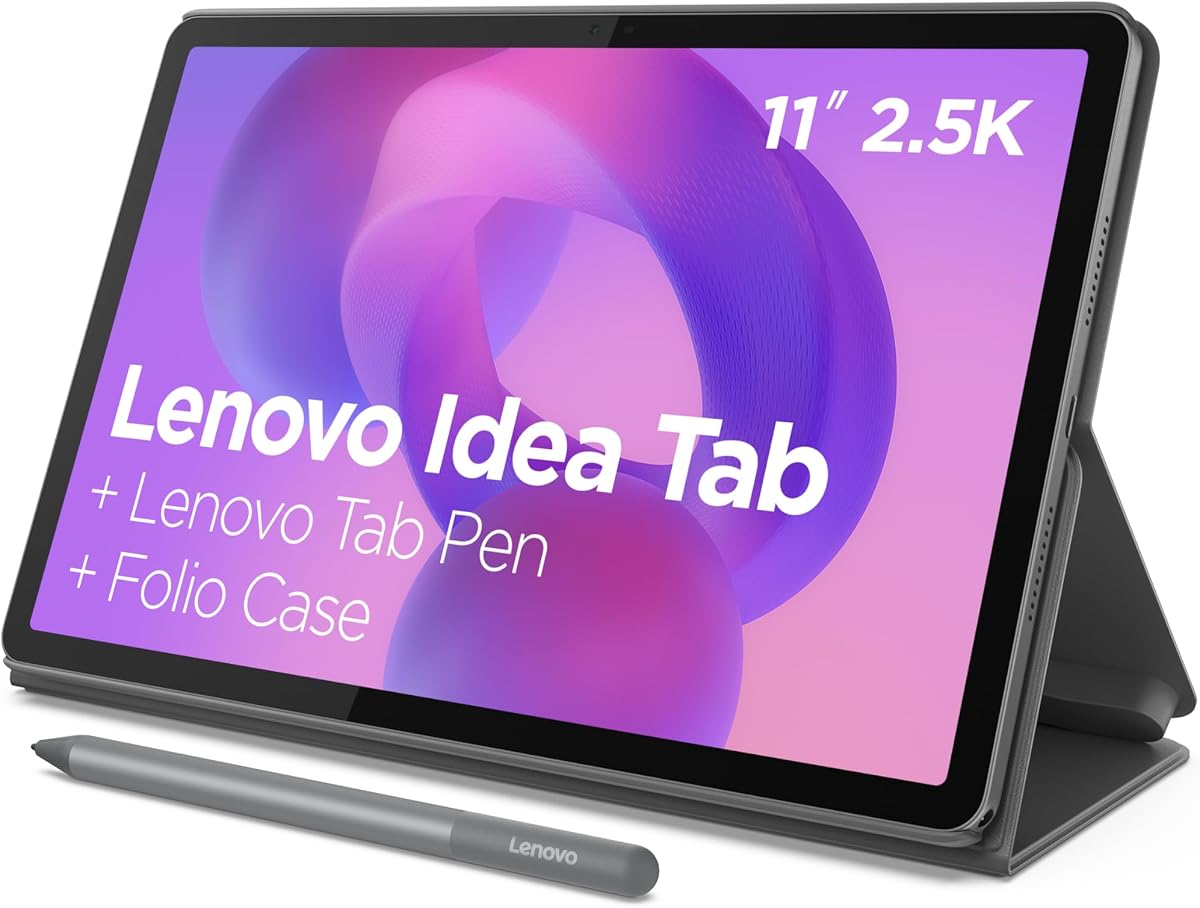
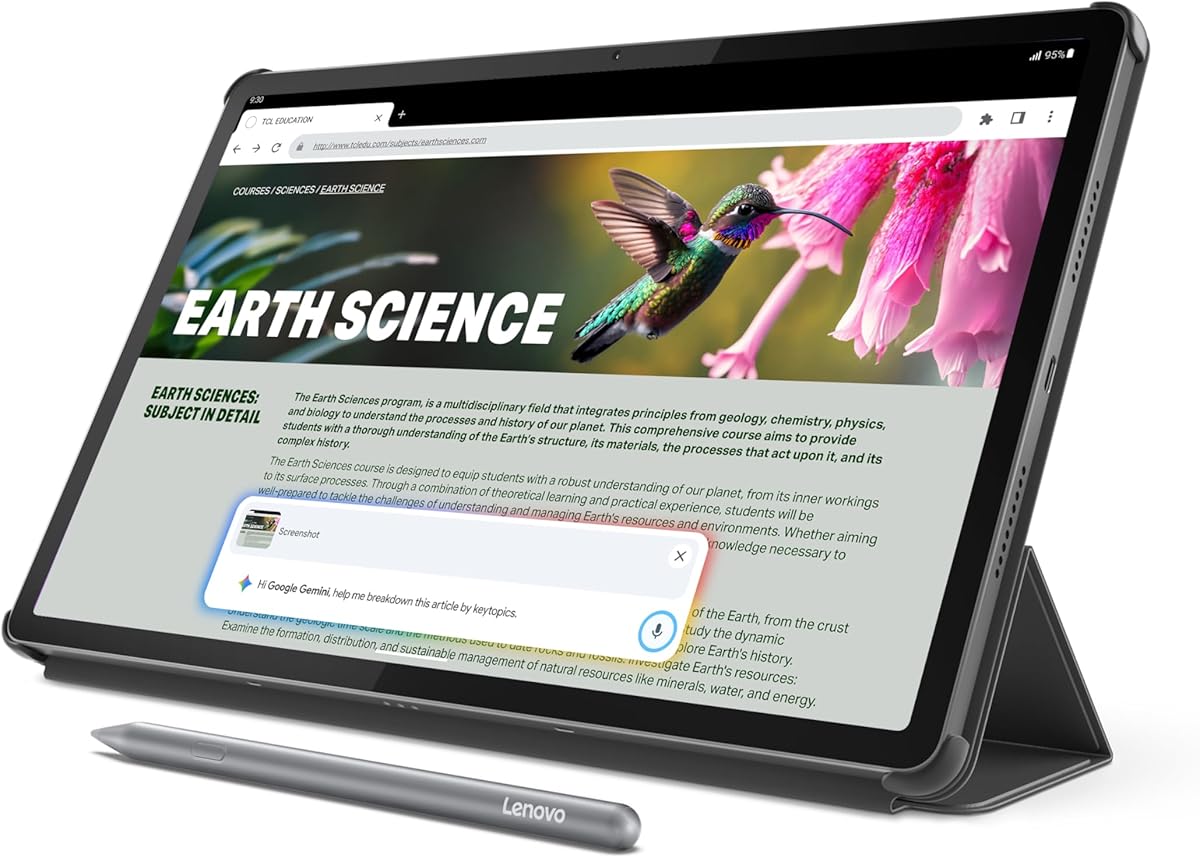
The Lenovo Idea Tab is tailored for students with specific features that enhance learning and productivity. AI powered apps and circle to search make studying efficient and interactive without needing to switch contexts.
We may earn a commission when you buy through this link, at no additional cost to you.
The display is sharp and certified for low blue light reducing eye strain during long study sessions. Battery life is sufficient to get through a full day of lectures and assignments without needing a charger.
While it is not built for high end gaming it handles educational tools and media streaming well. The included pen and case add value making it ready to use out of the box.
Students looking for an affordable yet capable device that supports academic needs will find this tablet perfectly suited for their lifestyle.
Built-in learning apps like Lenovo AI Note and Nebo help organize notes and calculate data efficiently for better study outcomes.
Low blue light certification ensures your eyes stay comfortable even during late night study sessions or extended reading.
We may earn a commission when you buy through this link, at no additional cost to you.
The Samsung Galaxy Tab A11+ is designed for family use offering ample storage and performance for daily activities. It handles streaming gaming and browsing smoothly making it a versatile tool for everyone at home.
We may earn a commission when you buy through this link, at no additional cost to you.
The display provides fluid motion and the quad speakers deliver immersive audio for movies and music. Fast charging ensures the device is ready to use quickly when the battery runs low.
While it lacks the advanced AI tools of higher models it covers essential needs efficiently. The build quality is solid and the size is manageable for various users.
Families needing a shared device for entertainment and light productivity will appreciate the balance of features and affordability this tablet offers.
The large storage and fast charging capabilities ensure everyone can enjoy movies and games without worrying about space or power.
A 90Hz refresh rate provides smooth scrolling and motion enhancing the experience for gaming and media consumption.
We may earn a commission when you buy through this link, at no additional cost to you.
The TCL NXTPAPER 14 is a large format tablet optimized for reading and creative work. Its expansive screen and paper like display technology make it perfect for digital notebooks and comics.
We may earn a commission when you buy through this link, at no additional cost to you.
Features like DC dimming and automatic brightness adjustment reduce eye strain during extended use. The battery capacity is substantial ensuring long periods of productivity without interruption.
The weight and size make it less portable than smaller models but ideal for stationary use. It offers a unique experience for those who prefer a larger canvas for their work.
If you prioritize screen real estate and eye comfort for reading and writing this model provides a specialized and comfortable experience.
The large 14.3 inch display with NXTPAPER technology offers a comfortable experience for reading documents and digital books.
A 10000mAh battery with fast charging keeps you powered through long workdays and travel without frequent plug-ins.
We may earn a commission when you buy through this link, at no additional cost to you.
The CHUWI Hi10 Max AI Tablet brings desktop class performance to a tablet form factor with an Intel processor and ample storage. It is well suited for productivity tasks requiring more power than typical Android chips.
We may earn a commission when you buy through this link, at no additional cost to you.
The 3:2 aspect ratio provides more vertical space ideal for document editing and web browsing. Multiple ports allow for direct connection of peripherals without needing dongles adding to its versatility.
While the keyboard is sold separately the device supports a magnetic one for laptop like typing. The processor handles multitasking well making it a strong option for office work.
Professionals needing a Windows compatible tablet with robust specs for document handling and light design will find this model a capable choice.
Powered by an Intel Core Ultra processor it delivers high performance for complex tasks and multitasking that exceed mobile capabilities.
Multiple USB and HDMI ports enable direct connection to monitors and storage devices for a flexible workflow.
We may earn a commission when you buy through this link, at no additional cost to you.
The Lenovo Idea Tab Pro is designed for performance with a powerful processor and gaming certifications. It offers a large screen and fast touch response making it engaging for interactive applications.
We may earn a commission when you buy through this link, at no additional cost to you.
Google Gemini integration adds a layer of smart assistance for study and creative tasks. The quick charging capability ensures that downtime is minimized allowing for more usage time.
While storage is limited at 128GB it is sufficient for essential apps and media. The build quality and included accessories add value to the overall package.
Gamers and students seeking a responsive screen and reliable performance for apps will enjoy the smooth experience this tablet provides.
The 360Hz touch sampling rate and high refresh screen ensure smooth gameplay and responsive controls for competitive gaming.
Google Gemini helps brainstorm ideas and solve problems making it a useful tool for creative and academic work.
We may earn a commission when you buy through this link, at no additional cost to you.
This budget friendly tablet offers impressive specs like high RAM and expandable storage for a low cost. It provides basic AI integration and solid battery life making it a practical choice for general use.
We may earn a commission when you buy through this link, at no additional cost to you.
Face ID and WiFi 6 support add modern conveniences without increasing the price significantly. The large battery ensures you can use the device for long periods without charging.
While the screen is standard HD it delivers clear visuals for everyday tasks. The build is simple but functional for casual browsing and media consumption.
For those needing an affordable device with plenty of memory for apps and multitasking this option delivers reliable performance.
With 32GB of RAM and expandable storage it offers high capacity for a very affordable price point.
An 8000mAh battery provides lasting power for daily tasks ensuring you stay connected throughout the day.
We may earn a commission when you buy through this link, at no additional cost to you.
Selecting the right AI tablet requires evaluating several key factors to ensure the device meets your personal or professional needs effectively.
The processor is the engine of your tablet determining how smoothly it handles multitasking and demanding applications. Look for models with modern chipsets from Qualcomm Intel or MediaTek that support AI processing units for efficient local AI tasks.
A powerful processor ensures your device remains fast as software updates and apps grow in complexity over time.
Since you will spend significant time viewing the screen prioritize resolution and color accuracy. Look for high resolutions like 2K or 3K and features like low blue light certification if you read or work for long hours.
A high quality display reduces eye strain and improves the visual experience for media and creative work.
Battery capacity determines how long you can work or play without a charger. Aim for devices with at least 8000mAh capacity and fast charging support to minimize downtime during busy days.
Long battery life ensures your tablet is ready when you need it most without constant access to a power outlet.
RAM affects how many apps you can run simultaneously while storage determines how many files you can keep on device. At least 8GB of RAM and 128GB of storage are recommended for smooth performance.
Ensure there is an option to expand storage via microSD or cloud integration if you deal with large media files.
Different tablets offer unique AI tools ranging from note summarization to image generation. Check which specific features align with your workflow such as live transcription or smart translation.
Software support and updates ensure these AI features remain functional and improved over the life of the device.
Accessories like styluses and keyboards can transform a tablet into a laptop replacement. Check if these are included in the box or sold separately as it affects the total cost.
Connectivity options like Wi-Fi 7 and multiple USB ports add flexibility for connecting to monitors and other peripherals.
A durable build protects your investment from accidental drops and spills. Look for models with high IP ratings or sturdy metal bodies if you use your tablet in various environments.
A robust build quality ensures longevity and reliability for daily use in different settings.
Determine your budget range and compare what features are available at that price point. Sometimes a slightly higher upfront cost offers better long term value due to included accessories or better performance.
Balancing cost with necessary features ensures you get the most functionality for your investment.
To maximize battery life adjust your screen brightness based on ambient light and enable power saving modes when you are far from a charger. Keeping your apps updated also ensures efficient resource usage and better performance.
Use the included stylus or keyboard to take advantage of the smart features available on your device. AI tools like note assistants work best when you explore their settings and customize them to your workflow.
Protect your tablet with a sturdy case to avoid scratches and drops. Clean the screen with a microfiber cloth and avoid using harsh chemicals to maintain the display quality over time.
An AI tablet uses artificial intelligence to simplify tasks like note taking image editing and translation. This reduces manual effort and helps you focus more on your core work or study activities without switching apps frequently.
While not strictly required a stylus enhances the experience for drawing note taking and interacting with AI features. Many models come with a stylus included which adds value and improves productivity.
Yes AI tablets are excellent for students due to features like live transcription and note organization. They provide a portable way to manage coursework access digital textbooks and study efficiently anywhere.
Most modern tablets offer between ten to fourteen hours of continuous use depending on brightness and workload. This ensures you can use the device throughout a workday or school day without needing a charge.
Absolutely many models support professional apps and accessories like keyboards for document creation. The processing power and screen quality are often sufficient for light design and video editing tasks.
Yes they support Bluetooth and Wi-Fi 6 enabling seamless connections to headphones speakers and external monitors. Many also support screen mirroring to extend your workspace to a TV or larger display.
Many tablets support microSD cards to add up to a terabyte of extra storage. This is useful for storing large media files offline without needing to rely solely on cloud services.
Factors like processor speed display quality and specific AI feature sets differentiate models. Consider your primary use case whether it is gaming note taking or media consumption to choose the right fit.
We have reviewed ten top models ranging from budget friendly options to premium devices with advanced AI tools. The Lenovo Yoga Tab offers top performance while the TCL NXTPAPER 11 Gen 2 provides excellent value for students.
Prioritize features that matter most to your daily routine such as display size battery life or AI capabilities. A well chosen tablet can significantly boost your productivity and provide a versatile platform for both work and play.
Keep in mind that prices and availability can change quickly so verify the latest details before making a purchase. Choosing the right AI tablet now sets you up for a seamless and intelligent digital experience.