
Digital Calendar 10.1-inch
5.0Editor score
No subscription required
Instant calendar sync
Versatile installation
Finding the right digital chore chart can transform how your household manages daily tasks and schedules. These smart devices combine calendars, to-do lists, and interactive reward systems into one sleek display that keeps everyone informed and motivated throughout the week.
We evaluated ten leading models based on screen quality, synchronization capabilities, and user-friendly interfaces. Our analysis focuses on real-world usability for busy families, ensuring every recommendation offers reliable performance and intuitive controls for parents and children alike.
Each pick in this list highlights unique strengths tailored to different household needs and budgets. Please note that product availability and pricing may change over time, so verify current details before making your final purchase decision for your home command center.
5.0Editor score

4.4Editor score

4.4Editor score
As an Amazon Associate we earn from qualifying purchases.
Below is a detailed side-by-side comparison of the top ten digital chore chart models available this year. Each entry highlights key specifications to help you quickly identify the best fit for your family organization needs.
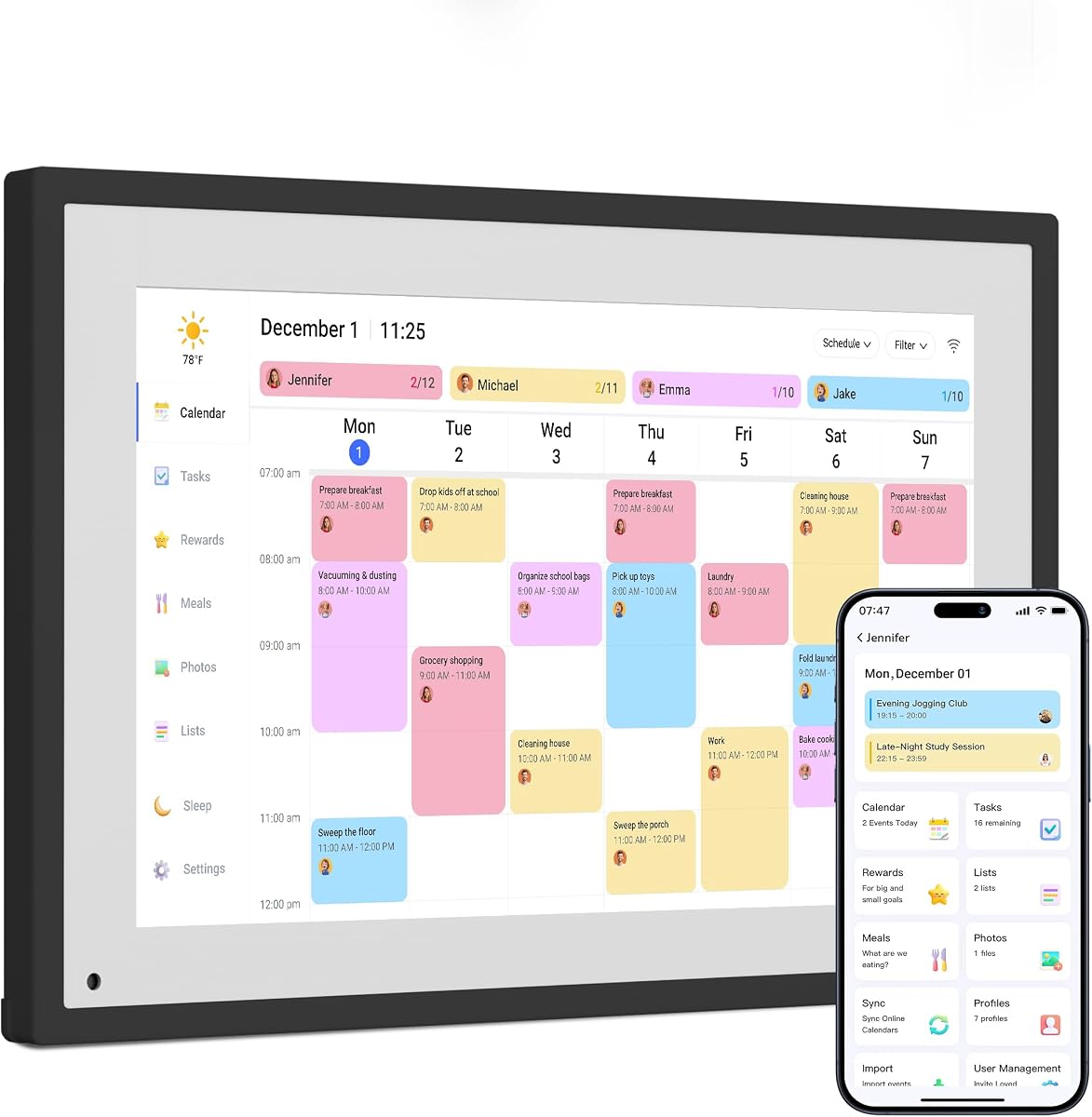



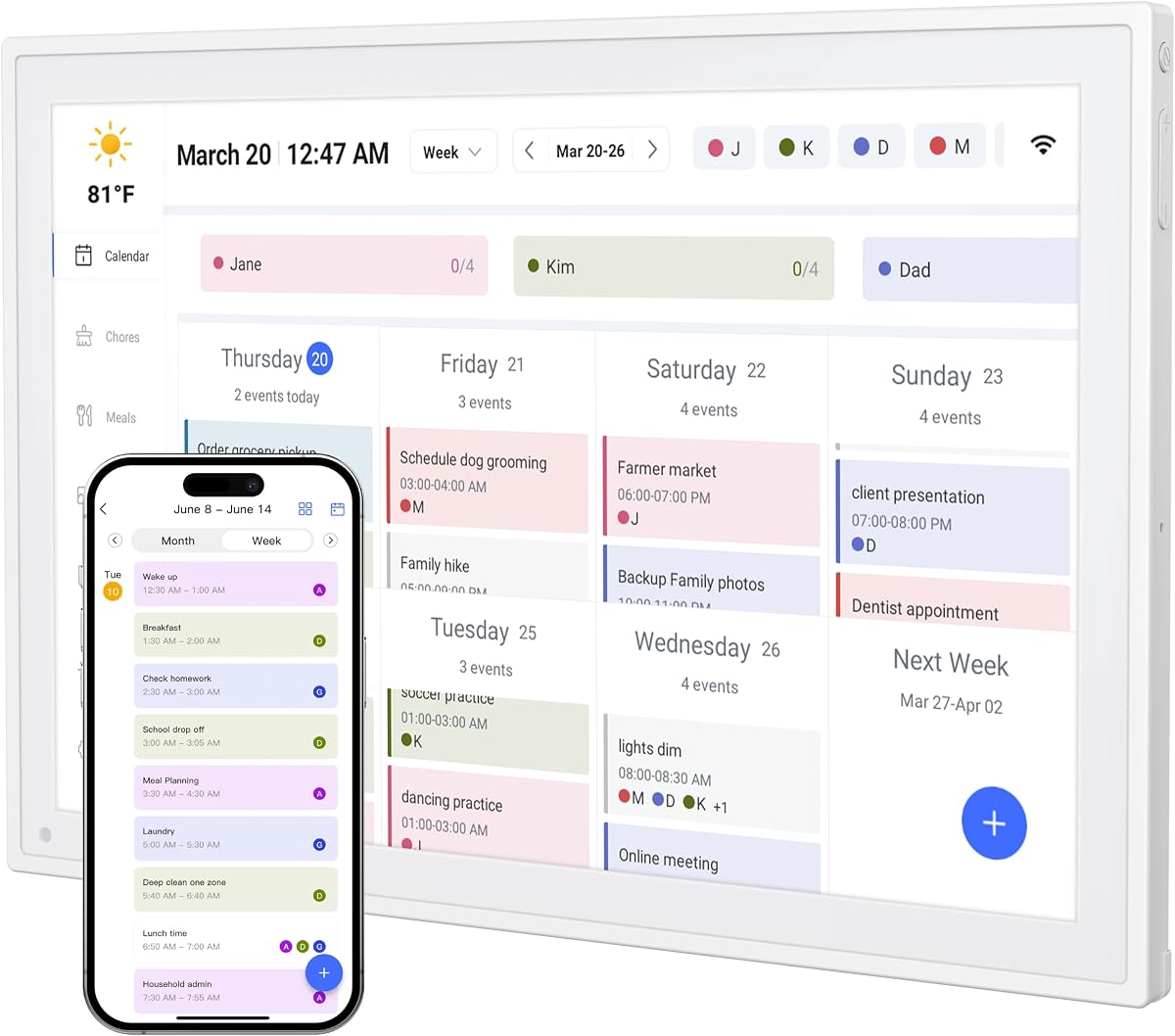

The Smart Digital Calendar 10.1 Inch stands out as a top choice for families seeking a comprehensive organization tool. With a high rating and robust features, it seamlessly blends scheduling with interactive task management to keep everyone aligned.
We may earn a commission when you buy through this link, at no additional cost to you.
Its standout capability lies in real-time syncing across Google, iCloud, and Outlook. This ensures that every family member sees the latest updates instantly, reducing conflicts and missed appointments throughout the busy week.
While it requires an active internet connection for full functionality, the trade-off provides significant convenience. The device works best when connected, allowing remote management through the companion app for on-the-go access.
Parents looking for a reliable, user-friendly command center will find this model ideal. It balances affordability with advanced features, making it a strong recommendation for most households seeking digital organization.
Real-time updates ensure every family member sees the latest schedule changes immediately without delays or confusion.
Interactive task tracking with rewards encourages children to complete chores independently, fostering responsibility and good habits.
We may earn a commission when you buy through this link, at no additional cost to you.
This Digital Calendar offers exceptional value by providing all core features without requiring a monthly subscription. Its perfect rating reflects high user satisfaction regarding ease of use and cost-effectiveness for organized home management.
We may earn a commission when you buy through this link, at no additional cost to you.
The setup process is incredibly straightforward, allowing families to connect to Wi-Fi and sync calendars in minutes. This immediate functionality means no waiting for complex configurations before tracking chores and schedules begins.
While the screen is slightly smaller than some competitors, it remains highly readable. The focus on essential functions ensures a streamlined experience without unnecessary complexity or hidden costs over time.
Budget-conscious families who want a reliable chore chart without ongoing fees should strongly consider this option. It delivers everything needed for effective household organization at an accessible price point.
No monthly payments mean you keep all features free forever, making long-term ownership simple and affordable.
Plug-in setup allows immediate use with Wi-Fi connection, syncing calendars and tasks within minutes of arrival.
We may earn a commission when you buy through this link, at no additional cost to you.
The Skylight Calendar represents the premium end of the market, offering a large, high-definition display for busy households. It combines stylish design with powerful organization tools to create an impressive home command center.
We may earn a commission when you buy through this link, at no additional cost to you.
Its standout feature is the exclusive Disney mode, which engages children through animations and avatars. This gamification element makes daily routines more enjoyable, turning chore completion into a fun experience for kids.
While the initial investment is higher, the build quality and user experience justify the cost for many. Optional subscriptions unlock advanced features, but core functionality remains accessible without mandatory fees.
Families seeking a polished, high-end solution with engaging kid-friendly features will appreciate this model. It delivers both functionality and aesthetics, making it a standout choice for modern homes.
Exclusive character animations and avatars turn routine tasks into exciting games, motivating kids to stay engaged and responsible.
Sleek HD display fits naturally into any modern decor, doubling as a stylish digital photo frame when not in use.
We may earn a commission when you buy through this link, at no additional cost to you.
Dragon Touch offers a balanced mix of functionality and style, serving as both a scheduling hub and a digital photo frame. Its clarity and user-friendly interface make it accessible for all family members.
We may earn a commission when you buy through this link, at no additional cost to you.
The color-coded system allows parents to assign distinct visual tasks to each member, streamlining coordination. This intuitive approach reduces confusion and ensures everyone knows their responsibilities clearly at a glance.
Note that wall mounting is not supported, limiting placement options to desk or shelf setups. While this may suit some spaces, others might prefer the flexibility of wall installation offered by competing models.
Those prioritizing display quality and ease of use will find this model satisfying. It delivers essential organization features with a polished look, ideal for keeping family memories and tasks in one place.
Assign different colors to each member for clear task assignment and simple visual tracking of individual responsibilities.
Showcase cherished family photos on the clear screen when not managing schedules, adding warmth to your home decor.
We may earn a commission when you buy through this link, at no additional cost to you.
This model boasts a massive 15.6-inch HD touchscreen, providing ample space for detailed family coordination. Its size makes it easy to view schedules and tasks from across the room, ideal for busy kitchens or offices.
We may earn a commission when you buy through this link, at no additional cost to you.
AI photo enhancement ensures memories look vibrant during idle modes. Combined with real-time syncing across major platforms, it offers a comprehensive solution for modern multi-device households seeking central organization.
While it includes mounting hardware for versatile setup, batteries are not included, which is an extra consideration. The investment may be higher, but the functionality justifies the cost for larger families.
Families needing a large, visible command center will appreciate the expansive view. It balances robust features with flexible installation, making it a strong candidate for homes wanting maximum screen real estate.
The expansive screen ensures schedules are legible from a distance, perfect for shared spaces like kitchens and offices.
Includes hardware for both wall and desk installation, allowing you to place it where your family needs it most.
We may earn a commission when you buy through this link, at no additional cost to you.
Dragon Touch Interactive emphasizes engagement with a responsive touchscreen and clear visual task assignment. It simplifies scheduling by integrating dinner planning directly into the interface, solving a common household question efficiently.
We may earn a commission when you buy through this link, at no additional cost to you.
Setup is designed for speed, requiring only Wi-Fi connection and app linking. Once synced, it consolidates multiple calendar sources into one unified view, ensuring every family event is visible without clutter.
Managing from anywhere is possible via the eCalendar app, offering flexibility for busy parents. While some advanced features may be paid, core functions remain accessible for daily organization without barriers.
Those who want an intuitive, all-in-one planner with dinner management capabilities will value this device. It provides a streamlined experience that keeps the household on track with minimal effort.
Built-in tools display weekly meals clearly, eliminating daily debates about what to cook for dinner efficiently.
Manage schedules and chores from any device using the app, ensuring up-to-date information is always accessible.
We may earn a commission when you buy through this link, at no additional cost to you.
This digital calendar provides a full suite of organization tools without hidden subscription costs. It stands out for its commitment to unlocking every feature out of the box, ensuring maximum value for users.
We may earn a commission when you buy through this link, at no additional cost to you.
Syncing happens in real time across Google, iCloud, and Outlook, keeping schedules consistent. The reward system engages children, turning chores into a game that builds responsibility and self-discipline over time.
Setup is designed to be simple, focusing on immediate functionality. While it depends on Wi-Fi connectivity, the flexibility to manage tasks remotely adds significant convenience to daily household routines.
Families who want a fully featured system without recurring fees will appreciate this model. It offers practical tools for meal planning, task management, and photo display in one compact unit.
All core functions including chore tracking and meal planning are included without requiring a monthly subscription payment.
Kids earn stars and unlock rewards for completed tasks, making daily chores more engaging and motivating for them.
We may earn a commission when you buy through this link, at no additional cost to you.
This 15.6-inch model combines high-resolution visuals with significant storage for media and family content. Its interactive features allow deep customization, ensuring the display adapts to your specific household needs and preferences.
We may earn a commission when you buy through this link, at no additional cost to you.
The built-in 64GB capacity holds thousands of HD photos and videos, making it a robust digital frame. Remote access via the AiMOR app allows family members to share memories instantly without physical transfers.
While it offers premium specs, the setup relies on the dedicated app for syncing and configuration. This ensures a smooth experience but requires initial software installation before full functionality is achieved.
Families wanting a large, customizable screen with extensive media storage will find this appealing. It balances visual quality with practical organization tools for a comprehensive command center experience.
Built-in 64GB storage holds thousands of HD photos and videos, ideal for digital frame usage without limits.
Share photos and videos instantly via app, ensuring family members can add memories to the calendar anytime.
We may earn a commission when you buy through this link, at no additional cost to you.
This model excels with a silent vibration motor that ensures reminders remain unobtrusive during quiet hours. It supports both portrait and landscape orientations, offering flexibility for placement on desks or nightstands.
We may earn a commission when you buy through this link, at no additional cost to you.
The full HD IPS display maintains readability from wide viewing angles, ensuring everyone can see tasks. Auto-brightness adjustments protect eyes at night while keeping the screen visible during daytime tasks.
Recipe keeper functionality adds value to kitchen planning, allowing users to save family meals. While it lacks wall mounting options, the adjustable stand supports various desktop setups for convenience.
Those valuing quiet notifications and versatile screen orientation will appreciate this choice. It delivers essential organization tools with thoughtful features that enhance daily user experience without noise.
Built-in silent vibration ensures timely reminders without disturbing others, making it ideal for bedroom or nightstand use.
Use in portrait or landscape mode with an adjustable stand, allowing you to place it wherever it fits best.
We may earn a commission when you buy through this link, at no additional cost to you.
This model provides a clean, focused interface designed to minimize clutter while maximizing family organization. It includes a smart sleep mode that reduces light pollution at night, making it friendly for shared spaces.
We may earn a commission when you buy through this link, at no additional cost to you.
The uncluttered screen focuses on key information like meal titles and schedules, ensuring readability. Grocery list features help reduce food waste by keeping shopping needs visible at all times.
While recipes are simplified to titles, the visual display keeps dinner plans clear. This trade-off allows for a cleaner look but may require external tools for detailed ingredient tracking.
Users who prioritize visual clarity and energy-saving modes will find this device suitable. It serves as both a functional planner and a gentle reminder system for busy households.
Smart sleep schedules reduce light pollution at night, ensuring the device fits comfortably into your bedroom environment.
Clean layout focuses on essential meal titles and schedules, keeping the screen readable and distraction-free.
We may earn a commission when you buy through this link, at no additional cost to you.
Choosing the right digital chore chart depends on specific household needs and available space. Use this guide to evaluate key factors that influence performance and usability.
Screen size determines how easily schedules and tasks can be read from a distance. Larger displays like 15.6 inches are ideal for shared spaces where multiple family members gather. Ensure the resolution is high enough to avoid pixelation when viewing small text or icons.
Select a size that fits your counter or wall space while remaining legible to all users.
Real-time syncing ensures that all devices show the most current family schedules. Look for models supporting multiple services like Google, Outlook, and iCloud to accommodate different user preferences. This feature prevents conflicts and missed appointments.
Verify that syncing works smoothly across both the device and mobile apps for seamless updates.
Interactive chore charts should include visual progress bars or reward systems to keep kids engaged. Features like color-coding and task assignment allow parents to manage responsibilities effectively. Gamification elements help build consistent habits over time.
Choose a model with intuitive tracking tools that motivate children without requiring constant parental input.
Many digital planners offer advanced features behind paywalls. Before buying, confirm whether core functions like task tracking are available without monthly fees. Some models provide all tools upfront, ensuring long-term savings.
Prioritize devices with transparent pricing structures that do not require recurring payments for basic use.
Since these devices double as digital frames, check storage capacity for media files. Models with internal storage or cloud support allow seamless memory display during idle times. Ensure the screen quality enhances your photos without distortion.
Look for AI enhancements or high-resolution modes that preserve photo clarity across different lighting conditions.
Mounting flexibility ensures the device fits your home layout. Some units offer wall kits while others are designed for desk use. Confirm the included accessories match your preferred placement strategy.
Select a model with versatile mounting hardware to adapt to different rooms and surface types.
A companion app allows remote management when you are away from the device. Check for app availability on your preferred operating system. This feature ensures you can update schedules from your smartphone or tablet.
Ensure the app offers full synchronization with the main device for consistent access.
Some models include smart sleep modes or auto-dimming to reduce power usage. These features help prevent light pollution in shared areas at night. Energy-saving modes also extend the device's operational lifespan.
Look for adjustable brightness settings and automatic sleep timers to manage electricity consumption.
Start by connecting the device to your home Wi-Fi network to enable syncing. Link your preferred calendar accounts such as Google or Outlook using the provided app or device settings.
Assign family members with specific colors to differentiate tasks. Set up weekly meals and recurring chores to reduce daily input needs and keep the system current automatically.
Clean the screen with a soft cloth to avoid scratches. Adjust brightness settings to match room lighting and ensure the device remains comfortable to view day and night.
Not all models require a subscription. Many devices in this guide offer core features like chore tracking and calendar syncing without monthly fees. Always verify the specific product details before purchasing.
Yes, most digital chore charts come with companion apps that allow remote access. You can view and edit family schedules from your smartphone or tablet even when you are away from home.
These devices are designed with children in mind, featuring interactive and colorful interfaces. They often include reward systems and simple controls that make task management fun and easy for kids.
Yes, most models support syncing multiple calendars from services like Google, Outlook, and iCloud. This allows all family members to see a unified view of events and tasks at one place.
If the internet goes down, syncing capabilities will pause until connectivity is restored. However, you can still view local schedules and tasks offline on many devices without immediate issues.
Some models include wall mounting kits while others are desk-only. Always check the product specifications for mounting options before purchasing to ensure it fits your space plan.
This guide highlighted ten exceptional digital chore charts ranging from budget-friendly options to premium models. Each choice offers unique strengths in syncing, screen quality, and ease of use for modern families.
Prioritize features like real-time syncing and reward systems if you want to engage kids effectively. Ensure the device fits your space and offers the customization you need for daily organization.
Prices and availability can change frequently so always verify the latest details before buying. Select the model that best matches your household needs to keep your home organized and efficient.